System Automation 4.3 - Installation
To perform the installation, we will follow the IBM documentation:
https://www.ibm.com/docs/en/z-system-automation/4.3.0?topic=guide-installation-configuration
These first steps I am going to do are optional and are applicable to the ADCD system.
I do them to have the software on a specific disk and be able to reuse it on other systems:
- Create a new disk
- Create a catalog for that disk
- Create an ALIAS that points to that catalog
- Copy the System Automation software from the original disk to the new disk
COPY SOFTWARE (Optional)
Create a new disk
In my case, a model 3 is sufficient:
alcckd /mnt/1TB2/ADCD/3.1_B_acc/SA4300 -d3390-3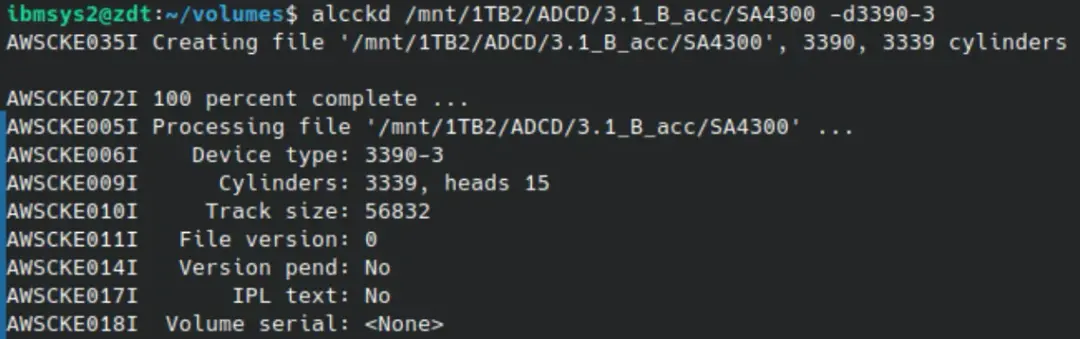
It can be mounted dynamically.
awsmount 0AA8 -m /mnt/1TB2/ADCD/3.1_B_acc/SA4300
On the z/OS system, we put the device offline:
V 0AA8,OFFLINE
With a job similar to this, we initialize the disk as NO-SMS:
//IBMUSERC JOB (20,FB3),'INIT NO SMS DASD',COND=(0,NE),
//            CLASS=A,MSGCLASS=H,NOTIFY=&SYSUID
//ICKDSF EXEC PGM=ICKDSF,REGION=4096K
//SYSPRINT DD SYSOUT=*
//SYSIN DD *
  INIT UNITADDRESS(0AA8) NOVERIFY VOLID(SA4300) PURGE -
    VTOC(0,1,149) INDEX(15,0,100)
/*
We respond to the reply generated by this job:
01,UIt completes successfully.
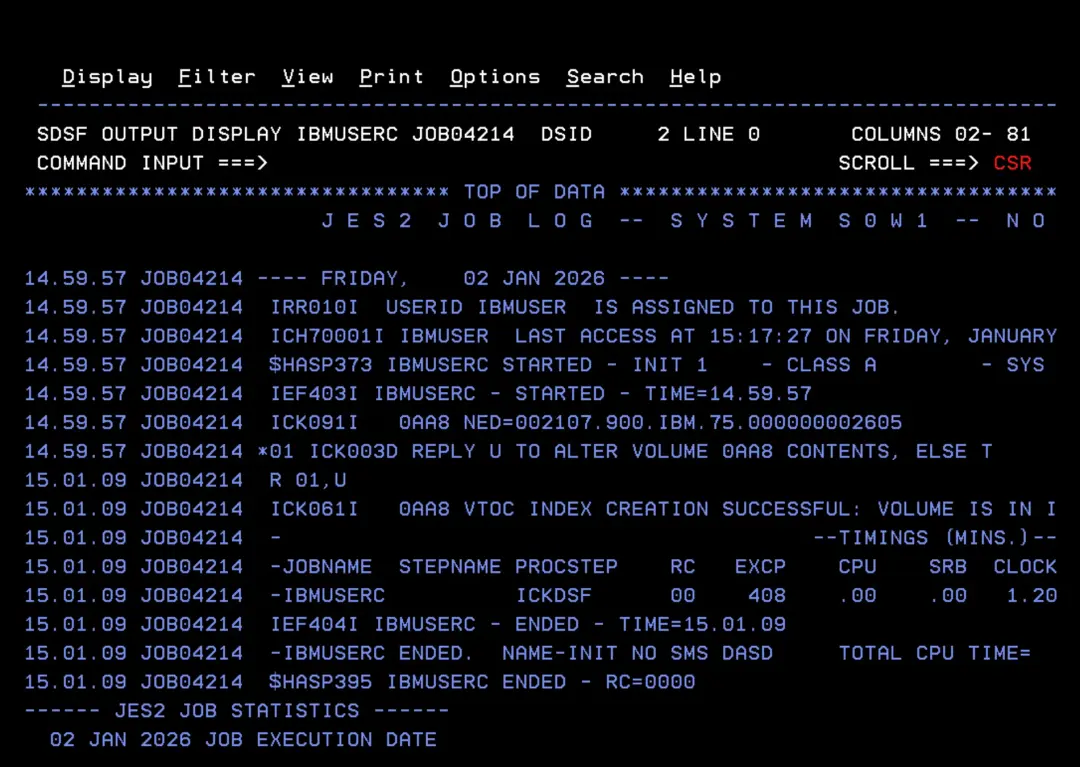
We put the disk online:
V 0AA8,ONLINE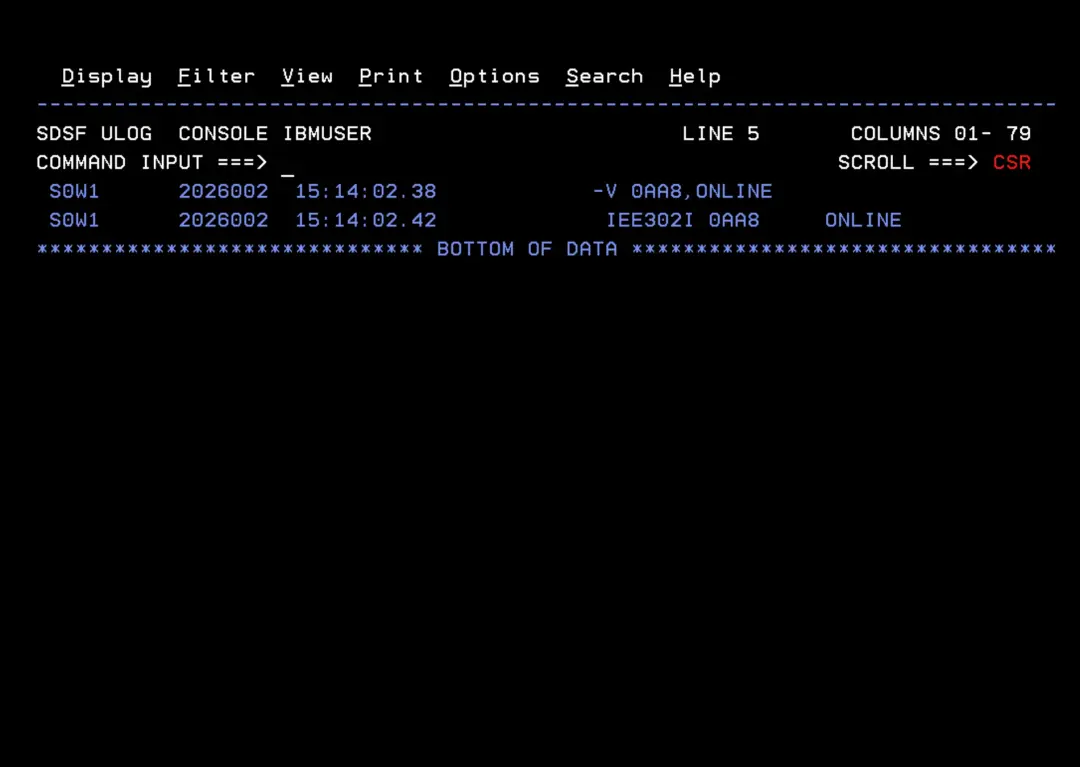
In option 3.4 we verify that it is accessible and properly defined.
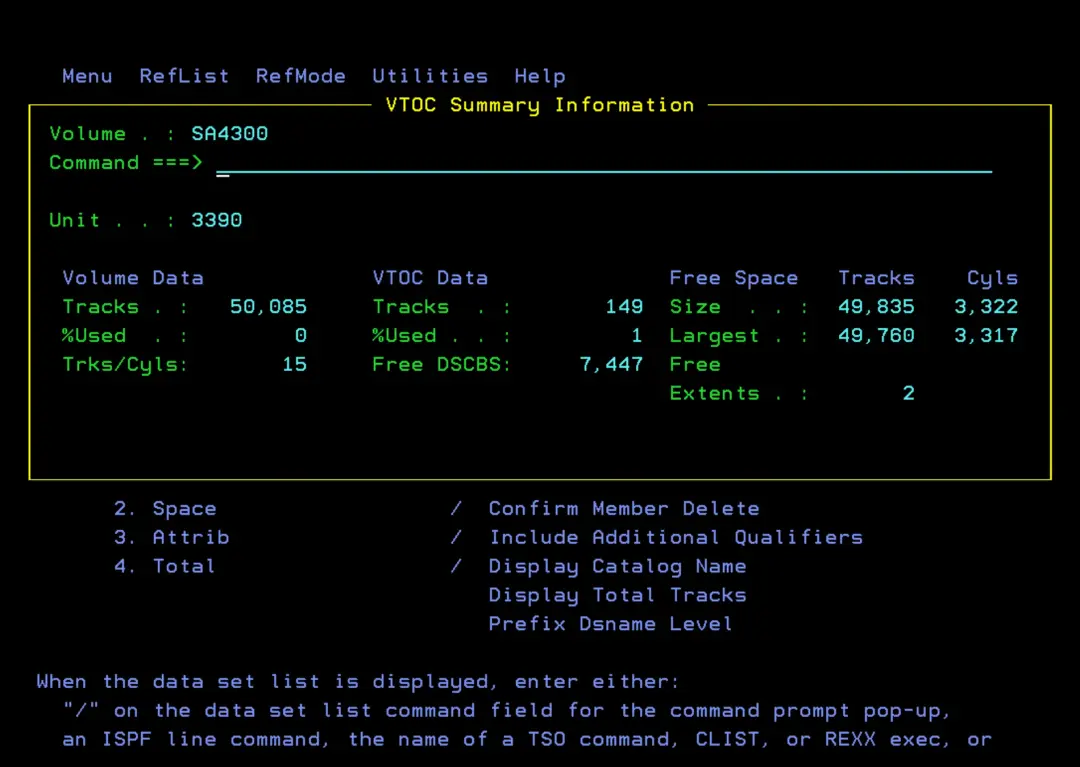
Create catalog on the disk
You can use the following job. You only need to specify the disk in the SET P1='SA4300' parameter:
//IBMUSERC JOB (20,FB3),'JOB',COND=(0,NE),
//            CLASS=A,MSGCLASS=H,NOTIFY=&SYSUID
//E1  EXPORT SYMLIST=(P1)
//   SET P1='SA4300'
//DEFMCAT  EXEC PGM=IDCAMS
//SYSPRINT DD SYSOUT=*
//CATVOL1  DD UNIT=3390,VOL=SER=&P1.,DISP=SHR
//SYSIN    DD *,SYMBOLS=JCLONLY
  DEFINE   USERCATALOG (    -
               NAME(USERCAT.V&P1.                    ) -
               VOLUME(&P1.)                            -
               ICFCATALOG                              -
               CYL (1 1)                               -
               SHAREOPTIONS(3 4)                       -
               STORCLAS(SCNOSMS)                       -
               NWCK NOIMBED NOREPLICATE)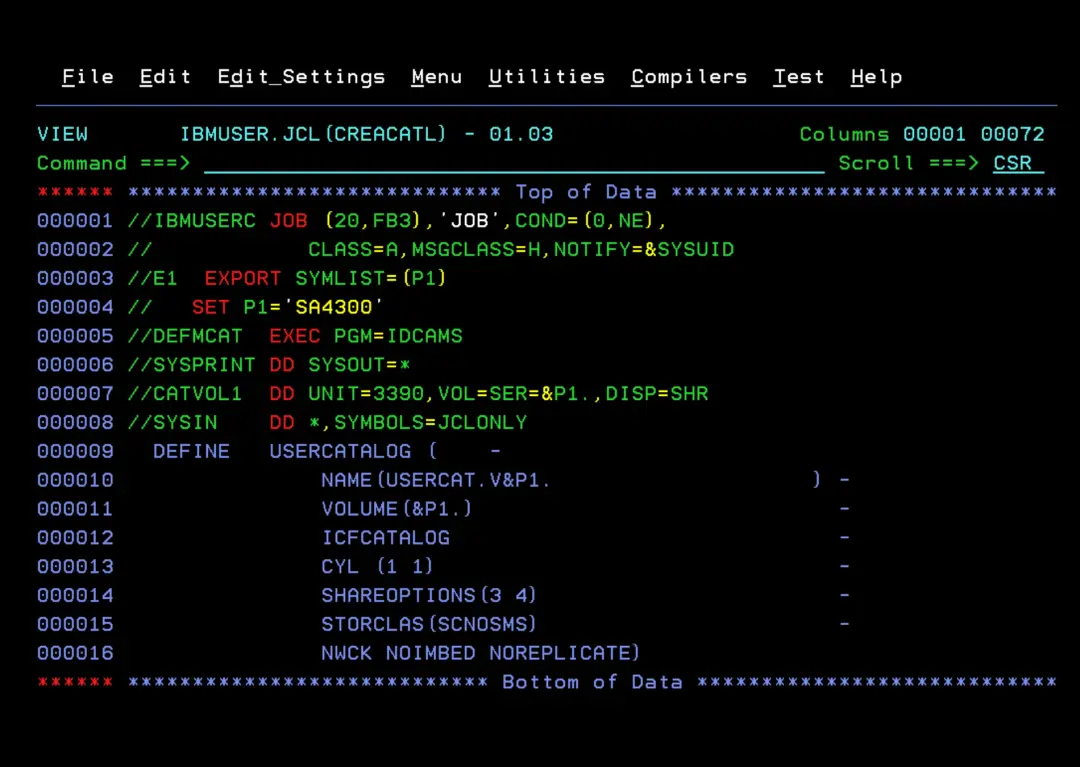
It will complete successfully.
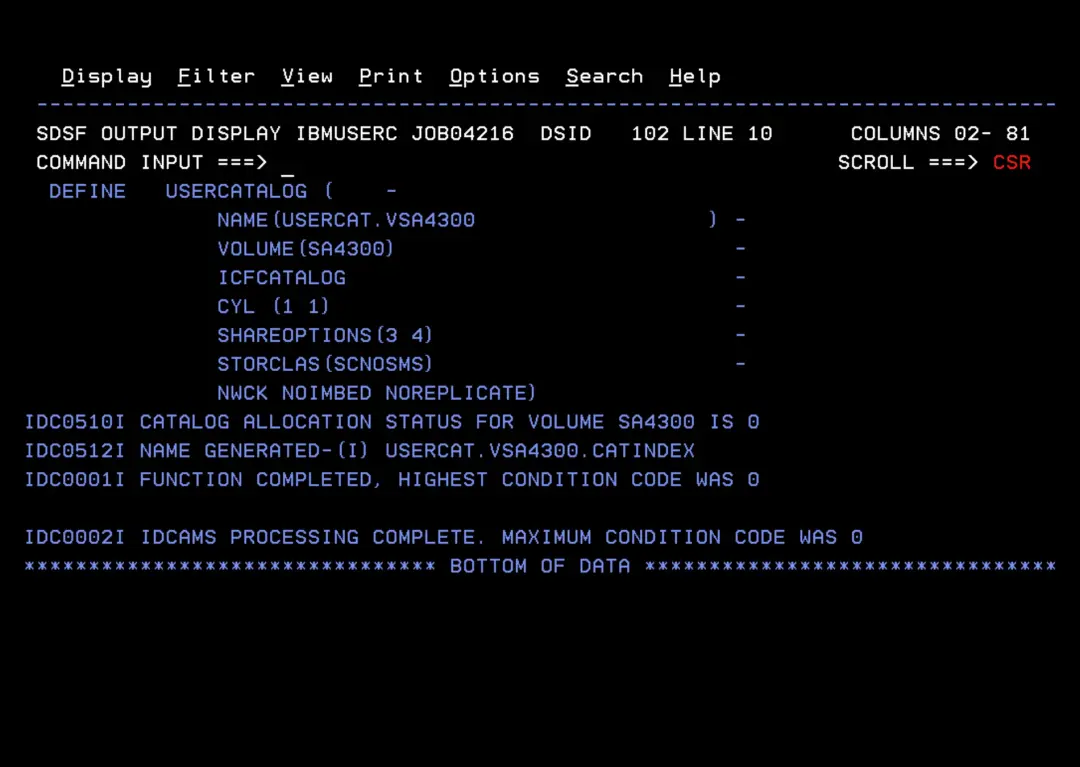
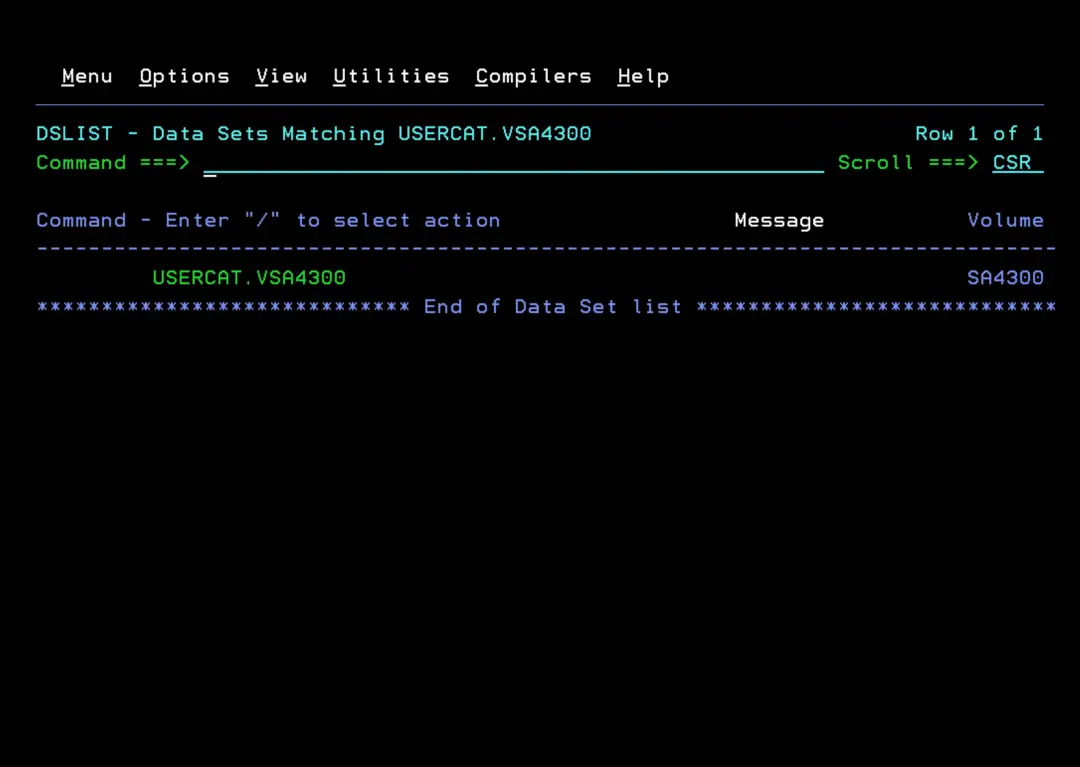
We will have the catalog defined.
If we want to disconnect a catalog from the system, we use the job:
//IBMUSERC JOB (20,FB3),'JOB',COND=(0,NE),
//            CLASS=A,MSGCLASS=H,NOTIFY=&SYSUID
//E1  EXPORT SYMLIST=(P1)
//   SET P1='SA4300'
//DEFMCAT  EXEC PGM=IDCAMS
//SYSPRINT DD SYSOUT=*
//CATVOL1  DD UNIT=3390,VOL=SER=&P1.,DISP=SHR
//SYSIN    DD *,SYMBOLS=JCLONLY
  EXPORT USERCAT.V&P1. DISCONNECT
If we accidentally disconnect this catalog from the system, we can reconnect it with this job that performs "IMPORT CONNECT":
//IMPORTCN JOB (20,FB3),'IMPORT',COND=(0,NE),
//            CLASS=A,MSGCLASS=H,NOTIFY=&SYSUID
//STEP1    EXEC PGM=IDCAMS
//SYSPRINT DD   SYSOUT=*
//SYSIN    DD   *
     IMPORT -
      OBJECTS -
         ((USERCAT.VSA4300 -
           VOLUME(SA4300) -
           DEVICETYPE(3390))) -
      CONNECT -
         CATALOG(CATALOG.Z31B.MASTER)
/*
Create ALIAS pointing to that catalog
We use a job like this to define an ALIAS for System Automation:
//IBMUSERC JOB (20,FB3),'JOB',COND=(0,NE),
//            CLASS=A,MSGCLASS=H,NOTIFY=&SYSUID
//* DEFINE ALIAS
//PASO001 EXEC PGM=IDCAMS
//SYSPRINT DD SYSOUT=*
//SYSIN DD *
 DEFINE ALIAS (NAME(SA430) -
 RELATE(USERCAT.VSA4300)) -
 CATALOG(CATALOG.Z31B.MASTER)
/*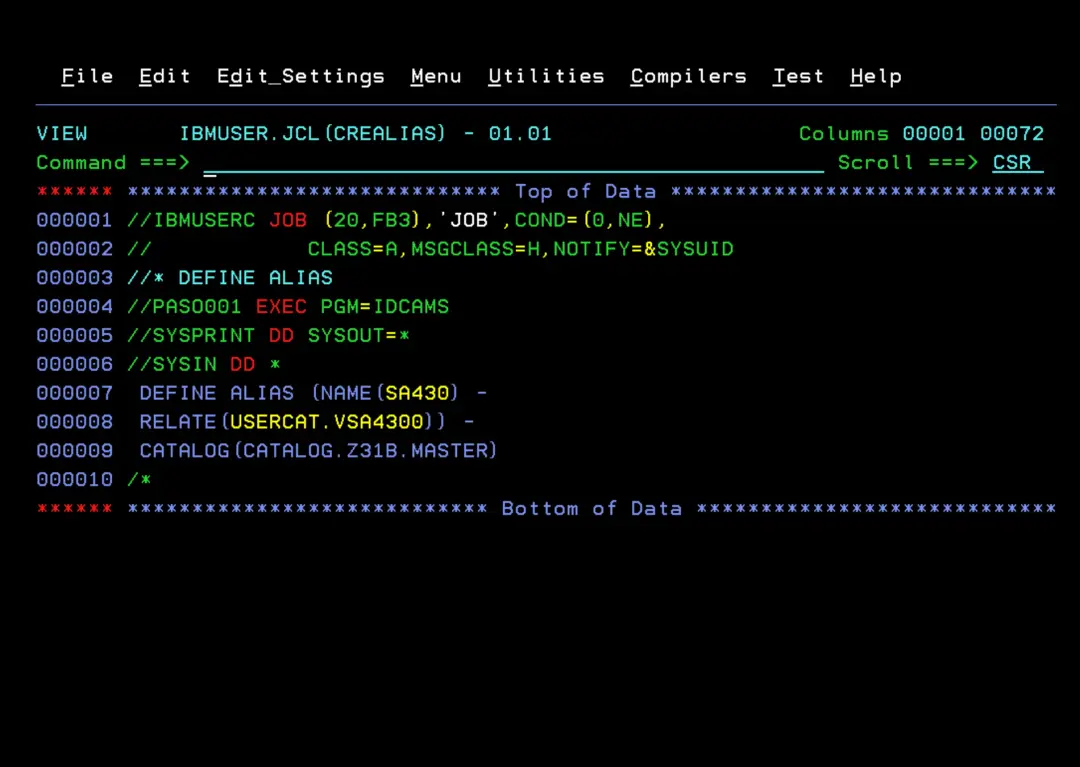
We will have the ALIAS "SA430" defined.
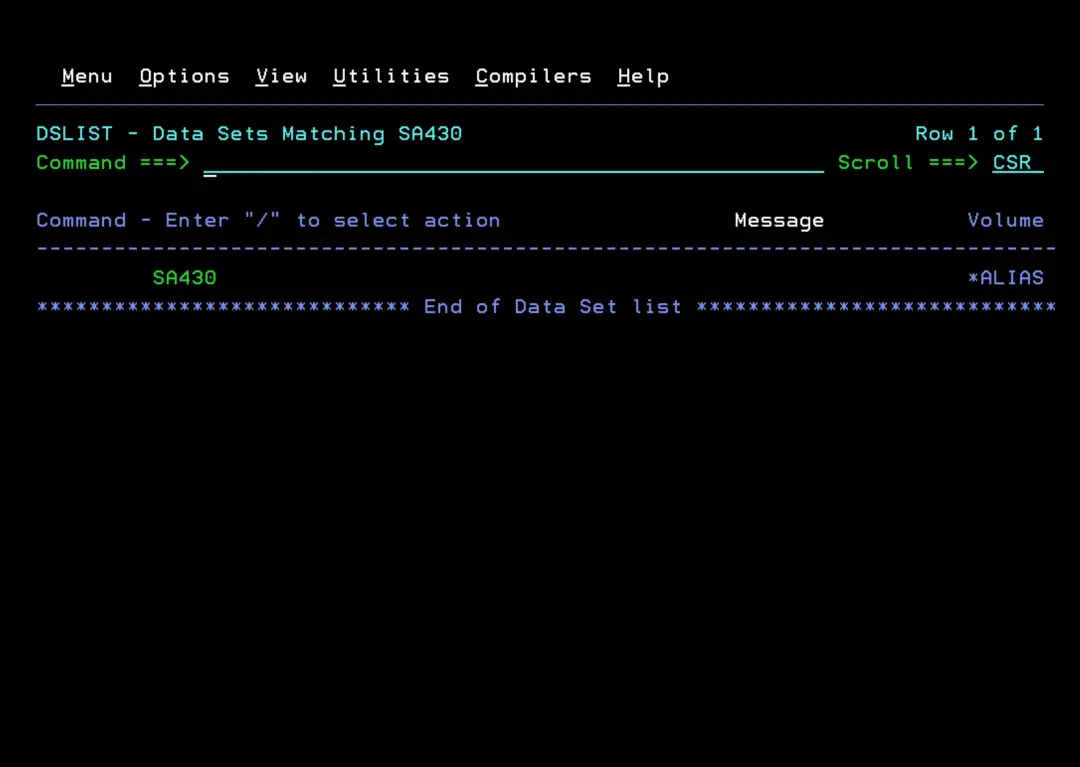
We use a job like this to define an ALIAS for NetView.
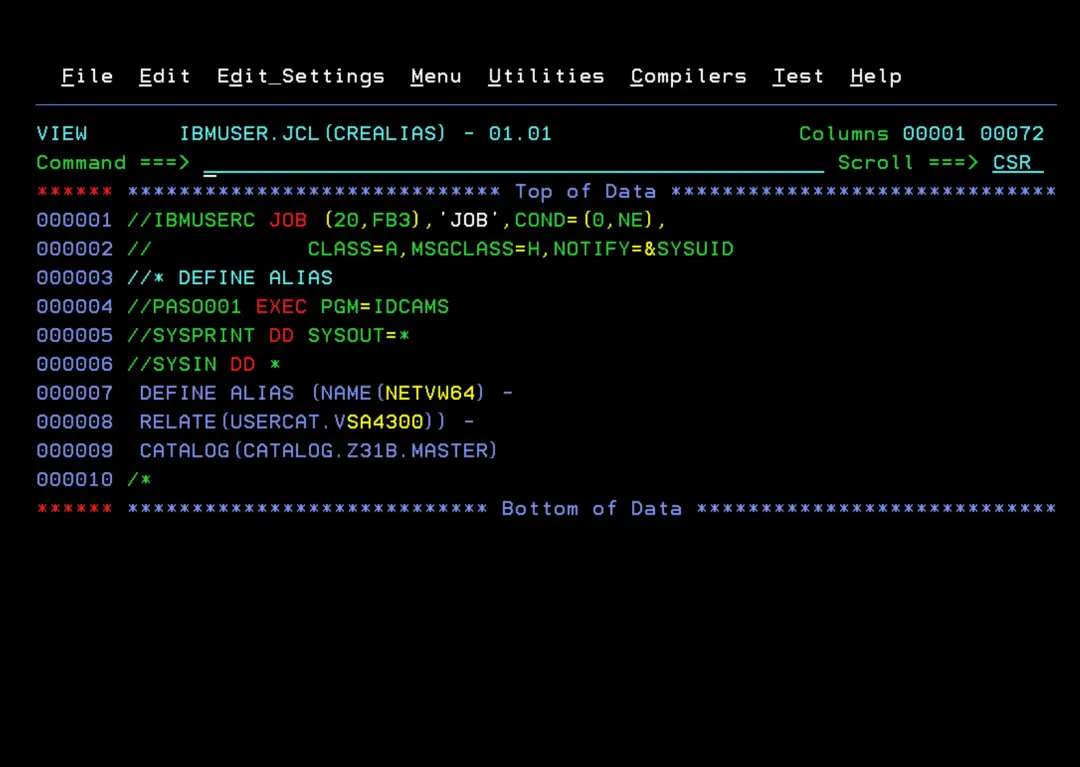
In the ADCD system, the original libraries are called NET640 and since there is already an installation of this product called NETVIEW, I will use NETVW64 for the ALIAS.
//IBMUSERC JOB (20,FB3),'JOB',COND=(0,NE),
//            CLASS=A,MSGCLASS=H,NOTIFY=&SYSUID
//* DEFINE ALIAS
//PASO001 EXEC PGM=IDCAMS
//SYSPRINT DD SYSOUT=*
//SYSIN DD *
 DEFINE ALIAS (NAME(NETVW64) -
 RELATE(USERCAT.VSA4300)) -
 CATALOG(CATALOG.Z31B.MASTER)
/*
Now that we have the ALIAS, optionally, we can create a dataset to store the jobs we have been running (and those we will run later). This way, we have everything in the same library and on the same disk.
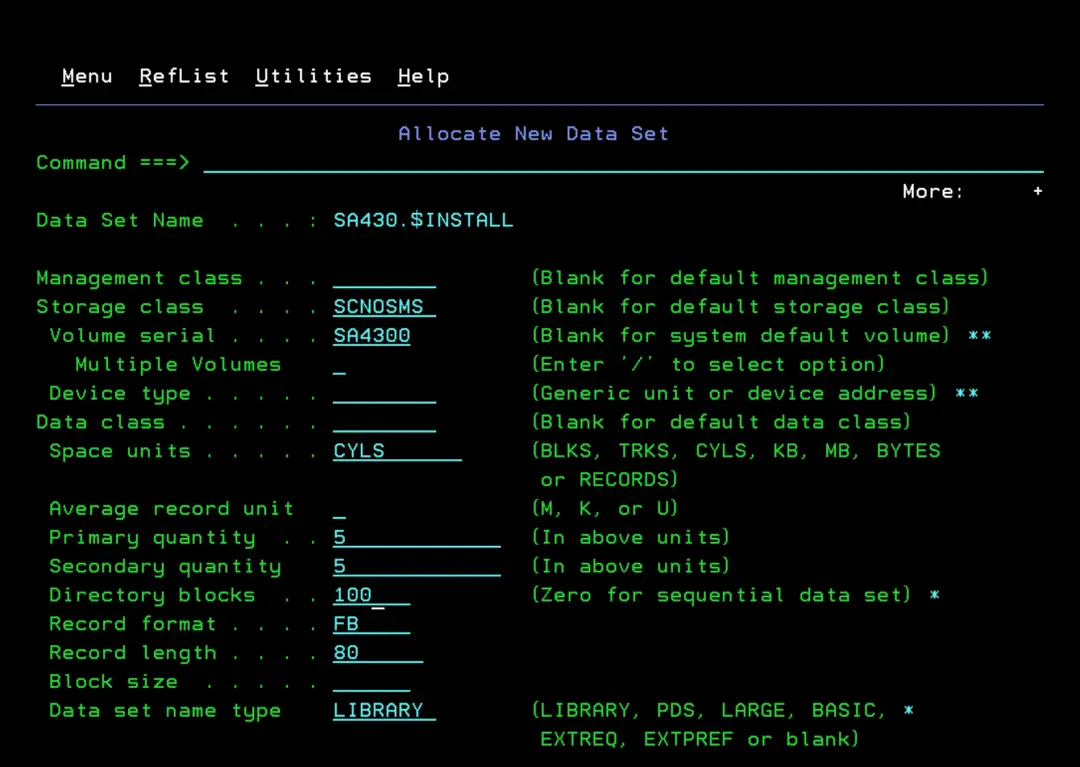
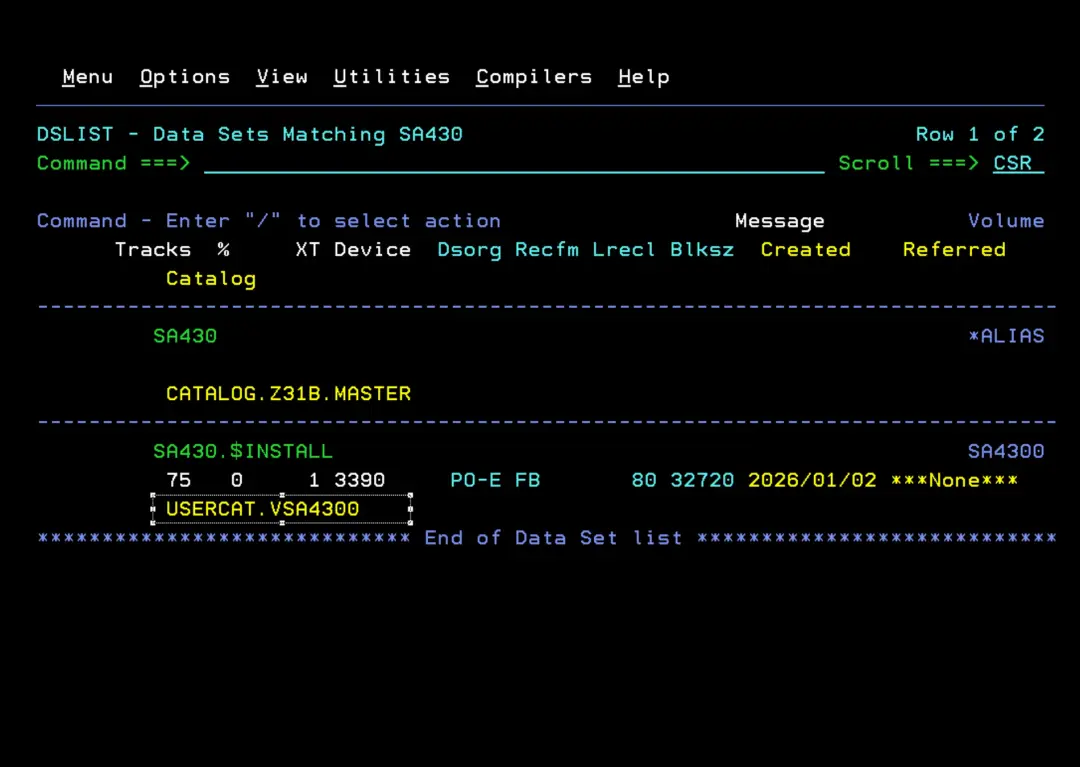
We make sure the library is on the disk and in the catalog we created.
Copy the System Automation software
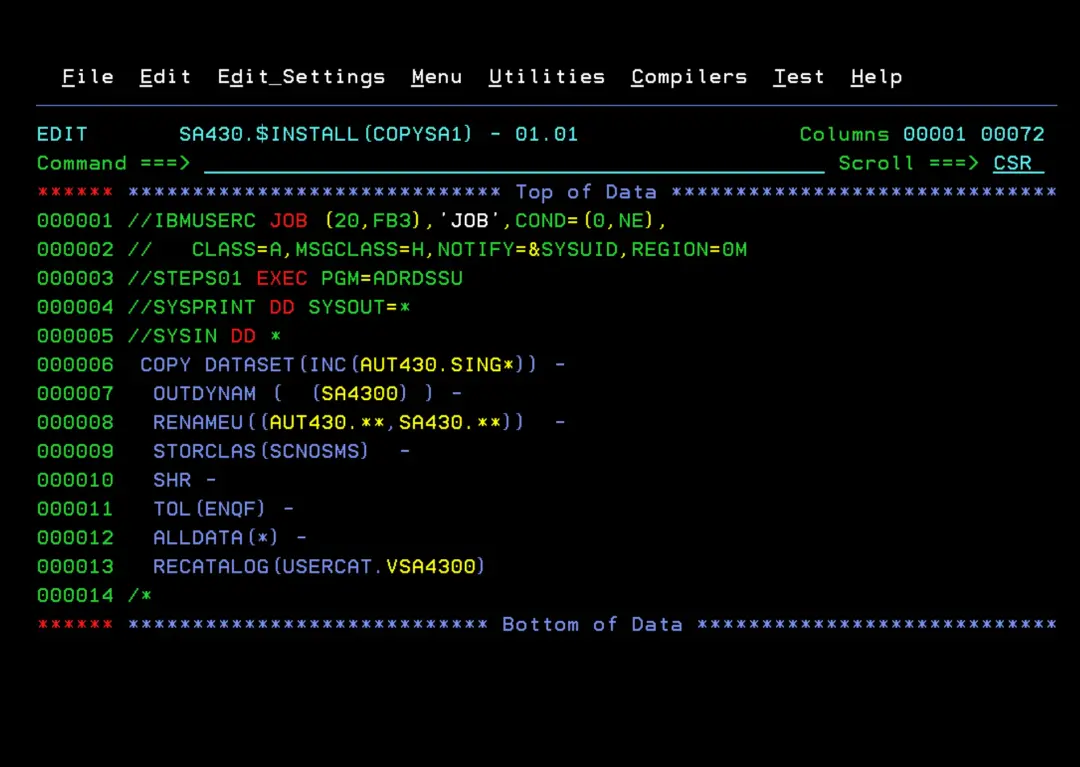
I will use ADRDSSU to copy the TARGET libraries (AUT430.SING*) to the new disk with the HLQ of the ALIAS we created earlier (SA430).
The list of TARGET libraries can be found in the Program Directory document:
https://www.ibm.com/docs/en/z-system-automation/4.3.0?topic=program-directory
//IBMUSERC JOB (20,FB3),'JOB',COND=(0,NE),
//   CLASS=A,MSGCLASS=H,NOTIFY=&SYSUID,REGION=0M
//STEPS01 EXEC PGM=ADRDSSU
//SYSPRINT DD SYSOUT=*
//SYSIN DD *
 COPY DATASET(INC(AUT430.SING*)) -
  OUTDYNAM (  (SA4300) ) -
  RENAMEU((AUT430.**,SA430.**))  -
  STORCLAS(SCNOSMS)  -
  SHR -
  TOL(ENQF) -
  ALLDATA(*) -
  RECATALOG(USERCAT.VSA4300)
/*
The result will be something similar to this:
1PAGE 0001     5695-DF175  DFSMSDSS 3.1 DATA SET SERVICES         2026.002 16:13
- COPY DATASET(INC(AUT430.SING*)) -
   OUTDYNAM (  (SA4300) ) -
   RENAMEU((AUT430.**,SA430.**))  -
   STORCLAS(SCNOSMS)  -
   SHR -
   TOL(ENQF) -
   ALLDATA(*) -
   RECATALOG(USERCAT.VSA4300)
 ADR101I (R/I)-RI01 (01), TASKID 001 HAS BEEN ASSIGNED TO COMMAND 'COPY '
 ADR109I (R/I)-RI01 (01), 2026.002 16:13:17 INITIAL SCAN OF USER CONTROL STATEMENTS COMPLETED
 ADR016I (001)-PRIME(01), RACF LOGGING OPTION IN EFFECT FOR THIS TASK
0ADR006I (001)-STEND(01), 2026.002 16:13:17 EXECUTION BEGINS
0ADR395I (001)-NEWDS(01), DATA SET AUT430.SINGZFS ALLOCATED WITH NEWNAME SA430.SINGZFS, IN CATALOG USERCAT.VSA4300, ON VOLUME(S):
                          SA4300
0ADR395I (001)-NEWDS(01), DATA SET AUT430.SINGDMAP ALLOCATED WITH NEWNAME SA430.SINGDMAP, ON VOLUME(S): SA4300
0ADR465I (001)-CNVSM(01), DATA SET SA430.SINGDMAP HAS BEEN CATALOGED IN CATALOG USERCAT.VSA4300
0ADR395I (001)-NEWDS(01), DATA SET AUT430.SINGINST ALLOCATED WITH NEWNAME SA430.SINGINST, ON VOLUME(S): SA4300
0ADR465I (001)-CNVSM(01), DATA SET SA430.SINGINST HAS BEEN CATALOGED IN CATALOG USERCAT.VSA4300
0ADR395I (001)-NEWDS(01), DATA SET AUT430.SINGLINK ALLOCATED WITH NEWNAME SA430.SINGLINK, ON VOLUME(S): SA4300
0ADR465I (001)-CNVSM(01), DATA SET SA430.SINGLINK HAS BEEN CATALOGED IN CATALOG USERCAT.VSA4300
0ADR395I (001)-NEWDS(01), DATA SET AUT430.SINGLOAD ALLOCATED WITH NEWNAME SA430.SINGLOAD, ON VOLUME(S): SA4300
0ADR465I (001)-CNVSM(01), DATA SET SA430.SINGLOAD HAS BEEN CATALOGED IN CATALOG USERCAT.VSA4300
0ADR395I (001)-NEWDS(01), DATA SET AUT430.SINGLODE ALLOCATED WITH NEWNAME SA430.SINGLODE, ON VOLUME(S): SA4300
0ADR395I (001)-NEWDS(01), DATA SET AUT430.SINGLPA ALLOCATED WITH NEWNAME SA430.SINGLPA, ON VOLUME(S): SA4300
0ADR465I (001)-CNVSM(01), DATA SET SA430.SINGLPA HAS BEEN CATALOGED IN CATALOG USERCAT.VSA4300
0ADR395I (001)-NEWDS(01), DATA SET AUT430.SINGMENU ALLOCATED WITH NEWNAME SA430.SINGMENU, ON VOLUME(S): SA4300
0ADR465I (001)-CNVSM(01), DATA SET SA430.SINGMENU HAS BEEN CATALOGED IN CATALOG USERCAT.VSA4300
0ADR395I (001)-NEWDS(01), DATA SET AUT430.SINGMENV ALLOCATED WITH NEWNAME SA430.SINGMENV, ON VOLUME(S): SA4300
0ADR465I (001)-CNVSM(01), DATA SET SA430.SINGMENV HAS BEEN CATALOGED IN CATALOG USERCAT.VSA4300
0ADR395I (001)-NEWDS(01), DATA SET AUT430.SINGMJPN ALLOCATED WITH NEWNAME SA430.SINGMJPN, ON VOLUME(S): SA4300
0ADR744W (001)-MRPAM(01), NO VALID MEMBERS WERE FOUND FOR PDS DATA SET AUT430.SINGMJPN. ONLY THE DIRECTORY WILL BE UPDATED
0ADR465I (001)-CNVSM(01), DATA SET SA430.SINGMJPN HAS BEEN CATALOGED IN CATALOG USERCAT.VSA4300
0ADR395I (001)-NEWDS(01), DATA SET AUT430.SINGOBJV ALLOCATED WITH NEWNAME SA430.SINGOBJV, ON VOLUME(S): SA4300
0ADR465I (001)-CNVSM(01), DATA SET SA430.SINGOBJV HAS BEEN CATALOGED IN CATALOG USERCAT.VSA4300
1PAGE 0002     5695-DF175  DFSMSDSS 3.1 DATA SET SERVICES         2026.002 16:13
-ADR395I (001)-NEWDS(01), DATA SET AUT430.SINGPARM ALLOCATED WITH NEWNAME SA430.SINGPARM, ON VOLUME(S): SA4300
0ADR465I (001)-CNVSM(01), DATA SET SA430.SINGPARM HAS BEEN CATALOGED IN CATALOG USERCAT.VSA4300
0ADR395I (001)-NEWDS(01), DATA SET AUT430.SINGPDB ALLOCATED WITH NEWNAME SA430.SINGPDB, ON VOLUME(S): SA4300
0ADR465I (001)-CNVSM(01), DATA SET SA430.SINGPDB HAS BEEN CATALOGED IN CATALOG USERCAT.VSA4300
0ADR395I (001)-NEWDS(01), DATA SET AUT430.SINGPENU ALLOCATED WITH NEWNAME SA430.SINGPENU, ON VOLUME(S): SA4300
0ADR465I (001)-CNVSM(01), DATA SET SA430.SINGPENU HAS BEEN CATALOGED IN CATALOG USERCAT.VSA4300
0ADR395I (001)-NEWDS(01), DATA SET AUT430.SINGPJPN ALLOCATED WITH NEWNAME SA430.SINGPJPN, ON VOLUME(S): SA4300
0ADR744W (001)-MRPAM(01), NO VALID MEMBERS WERE FOUND FOR PDS DATA SET AUT430.SINGPJPN. ONLY THE DIRECTORY WILL BE UPDATED
0ADR465I (001)-CNVSM(01), DATA SET SA430.SINGPJPN HAS BEEN CATALOGED IN CATALOG USERCAT.VSA4300
0ADR395I (001)-NEWDS(01), DATA SET AUT430.SINGPRF ALLOCATED WITH NEWNAME SA430.SINGPRF, ON VOLUME(S): SA4300
0ADR465I (001)-CNVSM(01), DATA SET SA430.SINGPRF HAS BEEN CATALOGED IN CATALOG USERCAT.VSA4300
0ADR395I (001)-NEWDS(01), DATA SET AUT430.SINGREXV ALLOCATED WITH NEWNAME SA430.SINGREXV, ON VOLUME(S): SA4300
0ADR465I (001)-CNVSM(01), DATA SET SA430.SINGREXV HAS BEEN CATALOGED IN CATALOG USERCAT.VSA4300
0ADR395I (001)-NEWDS(01), DATA SET AUT430.SINGREXX ALLOCATED WITH NEWNAME SA430.SINGREXX, ON VOLUME(S): SA4300
0ADR465I (001)-CNVSM(01), DATA SET SA430.SINGREXX HAS BEEN CATALOGED IN CATALOG USERCAT.VSA4300
0ADR395I (001)-NEWDS(01), DATA SET AUT430.SINGSAMP ALLOCATED WITH NEWNAME SA430.SINGSAMP, ON VOLUME(S): SA4300
0ADR465I (001)-CNVSM(01), DATA SET SA430.SINGSAMP HAS BEEN CATALOGED IN CATALOG USERCAT.VSA4300
0ADR395I (001)-NEWDS(01), DATA SET AUT430.SINGSENU ALLOCATED WITH NEWNAME SA430.SINGSENU, ON VOLUME(S): SA4300
0ADR465I (001)-CNVSM(01), DATA SET SA430.SINGSENU HAS BEEN CATALOGED IN CATALOG USERCAT.VSA4300
0ADR395I (001)-NEWDS(01), DATA SET AUT430.SINGTENU ALLOCATED WITH NEWNAME SA430.SINGTENU, ON VOLUME(S): SA4300
0ADR465I (001)-CNVSM(01), DATA SET SA430.SINGTENU HAS BEEN CATALOGED IN CATALOG USERCAT.VSA4300
0ADR395I (001)-NEWDS(01), DATA SET AUT430.SINGTREX ALLOCATED WITH NEWNAME SA430.SINGTREX, ON VOLUME(S): SA4300
0ADR465I (001)-CNVSM(01), DATA SET SA430.SINGTREX HAS BEEN CATALOGED IN CATALOG USERCAT.VSA4300
0ADR465I (001)-CNVSM(01), DATA SET SA430.SINGLODE HAS BEEN CATALOGED IN CATALOG USERCAT.VSA4300
0ADR801I (001)-DDDS (01), 2026.002 16:13:21 DATA SET FILTERING IS COMPLETE. 22 OF 22 DATA SETS WERE SELECTED: 0 FAILED SERIALIZATION
                          AND 0 FAILED FOR OTHER REASONS
0ADR454I (001)-DDDS (01), THE FOLLOWING DATA SETS WERE SUCCESSFULLY PROCESSED
0                          AUT430.SINGZFS
0                          AUT430.SINGDMAP
1PAGE 0003     5695-DF175  DFSMSDSS 3.1 DATA SET SERVICES         2026.002 16:13
-                          AUT430.SINGINST
0                          AUT430.SINGLINK
0                          AUT430.SINGLOAD
0                          AUT430.SINGLODE
0                          AUT430.SINGLPA
0                          AUT430.SINGMENU
0                          AUT430.SINGMENV
0                          AUT430.SINGMJPN
0                          AUT430.SINGOBJV
0                          AUT430.SINGPARM
0                          AUT430.SINGPDB
0                          AUT430.SINGPENU
0                          AUT430.SINGPJPN
0                          AUT430.SINGPRF
0                          AUT430.SINGREXV
0                          AUT430.SINGREXX
0                          AUT430.SINGSAMP
0                          AUT430.SINGSENU
0                          AUT430.SINGTENU
0                          AUT430.SINGTREX
0ADR006I (001)-STEND(02), 2026.002 16:13:21 EXECUTION ENDS
0ADR013I (001)-CLTSK(01), 2026.002 16:13:21 TASK COMPLETED WITH RETURN CODE 0004
0ADR012I (SCH)-DSSU (01), 2026.002 16:13:21 DFSMSDSS PROCESSING COMPLETE. HIGHEST RETURN CODE IS 0004 FROM:
                          TASK    001
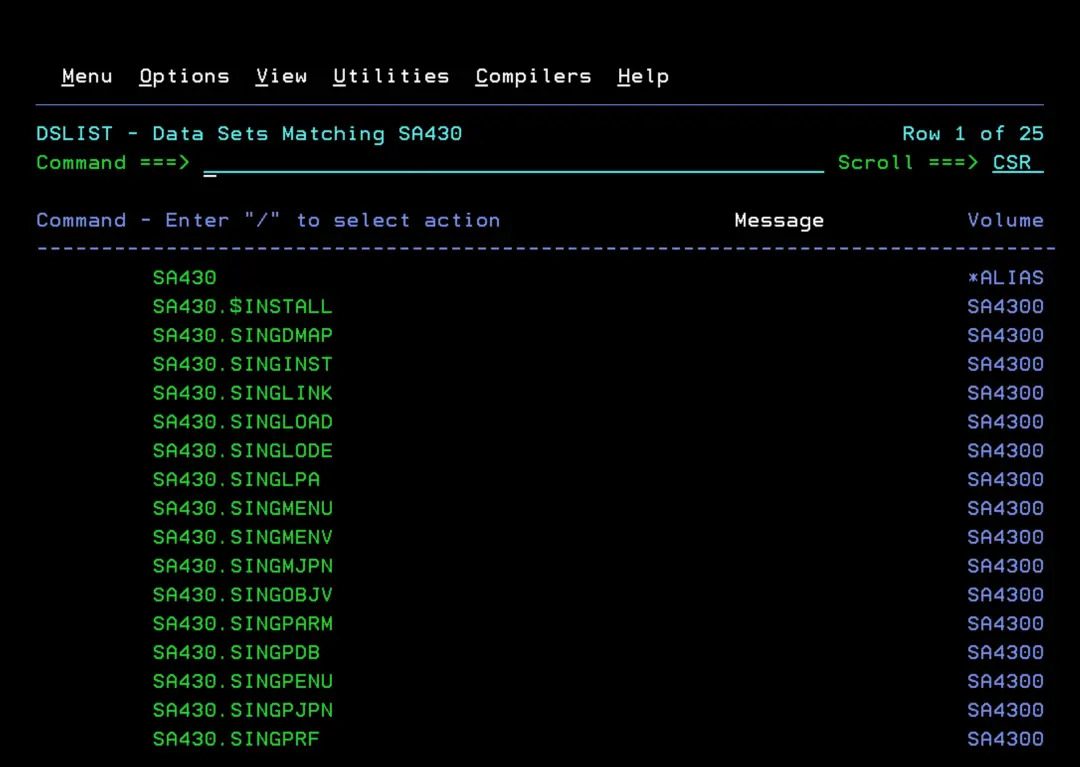
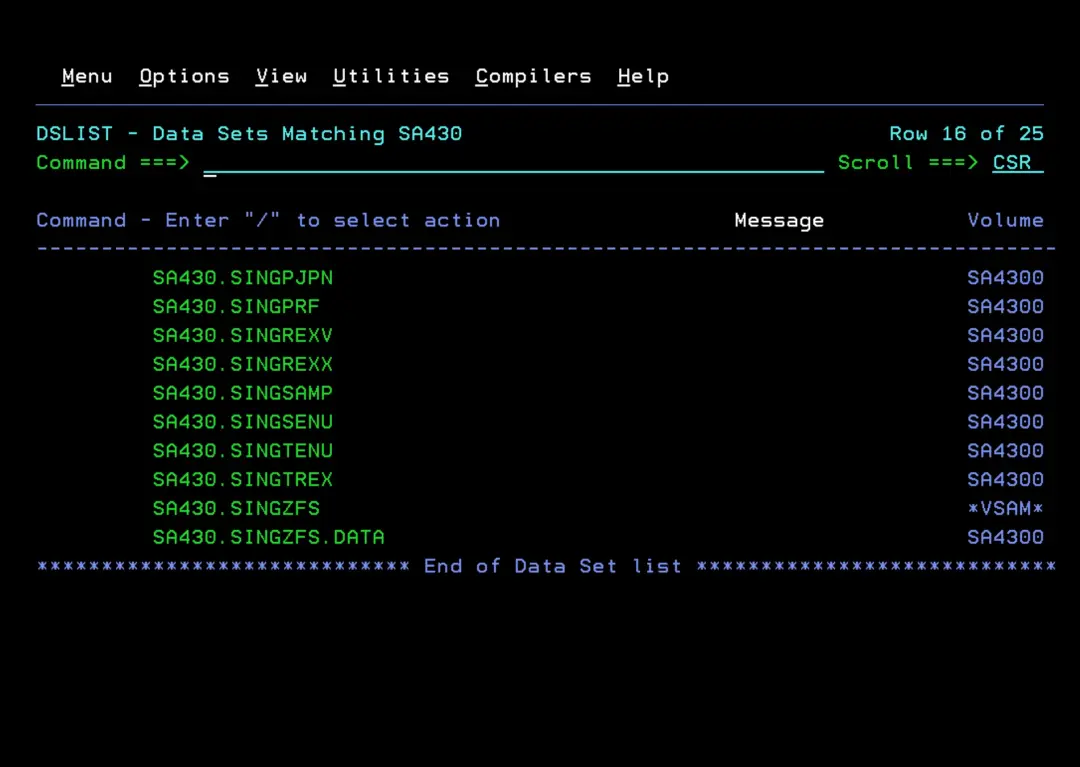
Verify that we have all the datasets copied.
Copy the NetView software
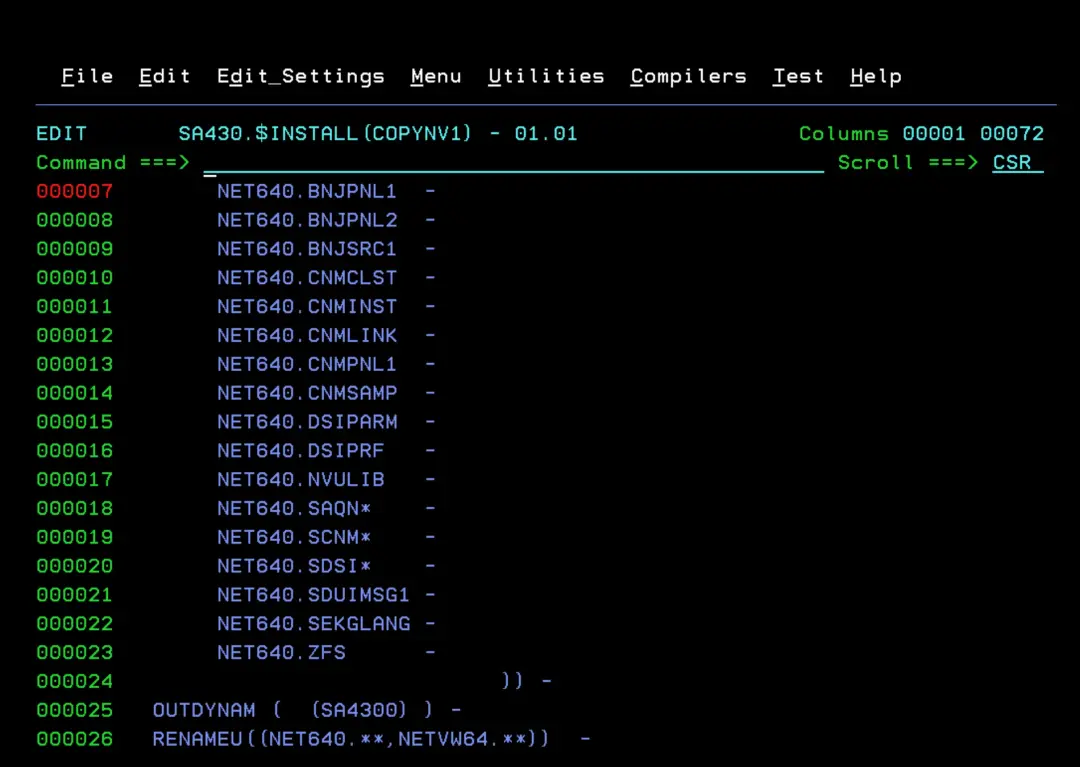
I will use ADRDSSU to copy the TARGET libraries. In this case, you need to select the TARGET libraries specifically, because many cannot be grouped as with System Automation. The HLQ will be the ALIAS we created earlier (NETVW64).
The list of TARGET libraries can be found in the Program Directory document:
https://www.ibm.com/docs/en/z-netview/6.4.0?topic=640-z-netview-program-directory
//IBMUSERC JOB (20,FB3),'JOB',COND=(0,NE),
//   CLASS=A,MSGCLASS=H,NOTIFY=&SYSUID,REGION=0M
//STEPS01 EXEC PGM=ADRDSSU
//SYSPRINT DD SYSOUT=*
//SYSIN DD *
 COPY DATASET(INC(  -
       NET640.BNJPNL1  -
       NET640.BNJPNL2  -
       NET640.BNJSRC1  -
       NET640.CNMCLST  -
       NET640.CNMINST  -
       NET640.CNMLINK  -
       NET640.CNMPNL1  -
       NET640.CNMSAMP  -
       NET640.DSIPARM  -
       NET640.DSIPRF   -
       NET640.NVULIB   -
       NET640.SAQN*    -
       NET640.SCNM*    -
       NET640.SDSI*    -
       NET640.SDUIMSG1 -
       NET640.SEKGLANG -
       NET640.ZFS      -
                             )) -
  OUTDYNAM (  (SA4300) ) -
  RENAMEU((NET640.**,NETVW64.**))  -
  STORCLAS(SCNOSMS)  -
  SHR -
  TOL(ENQF) -
  ALLDATA(*) -
  RECATALOG(USERCAT.VSA4300)
/*
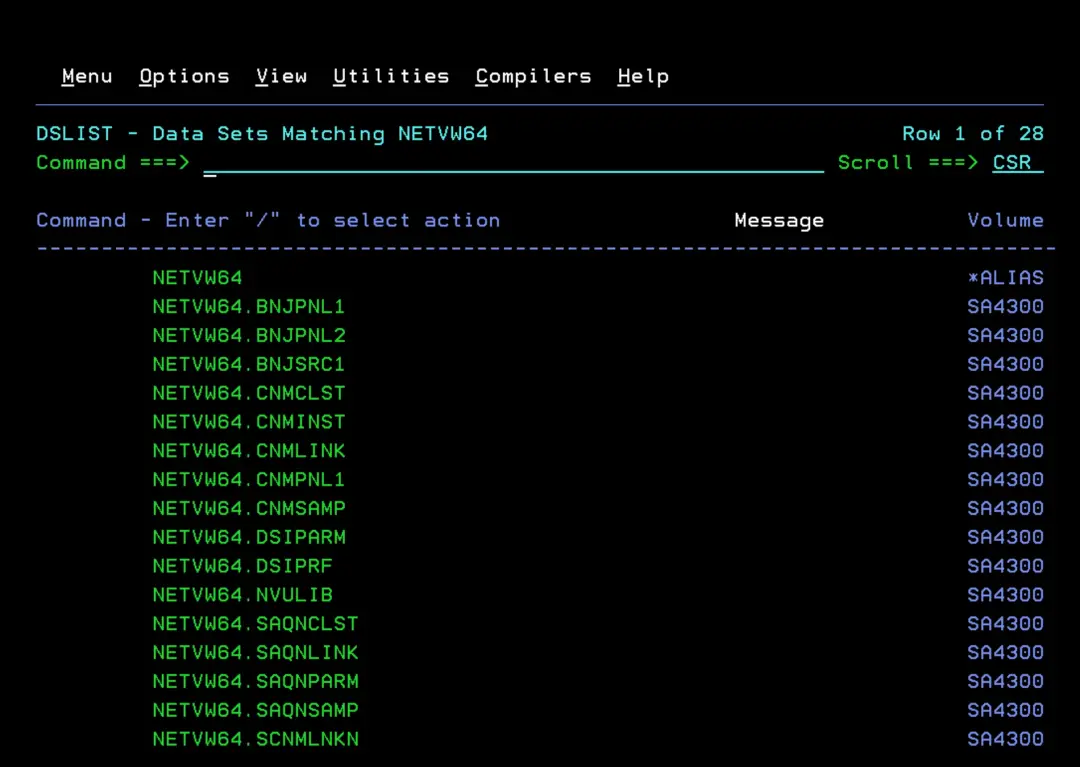
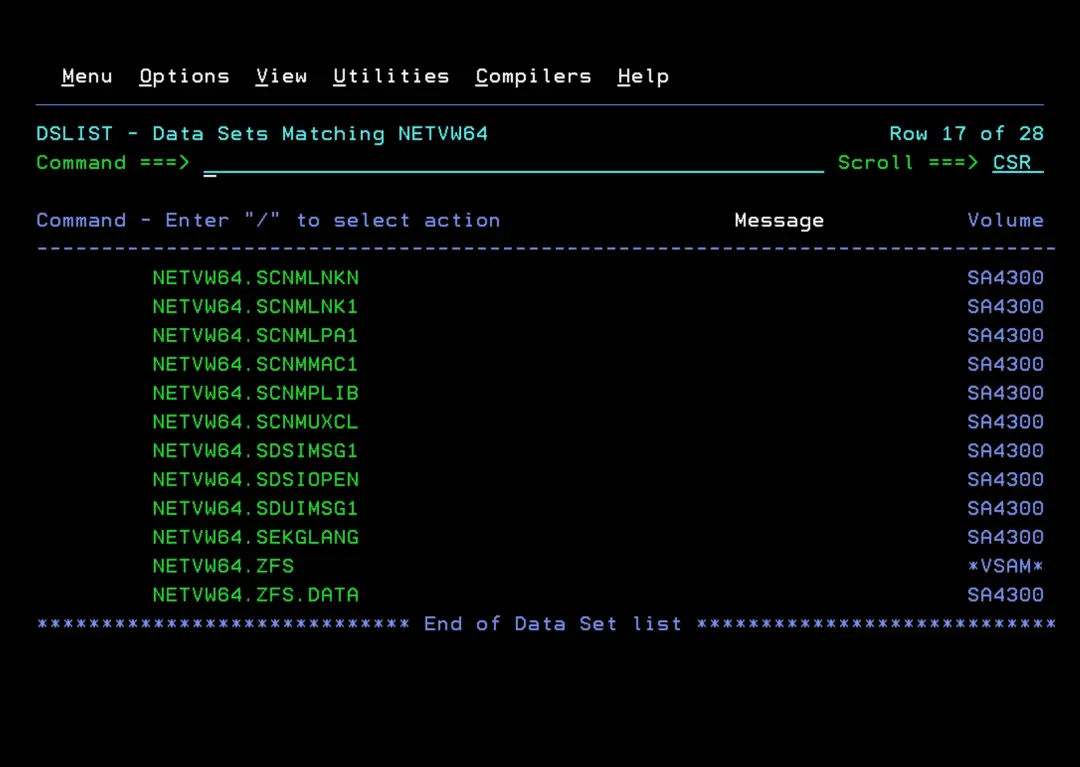
Verify that we have the datasets created:
BEGIN INSTALLATION
CONFWRK Library
To perform the installation, follow these steps:
You need to create a library for the configuration that does not exceed 35 characters with the LLQ "CONFWRK". It must follow this pattern:
hlq.saplex.CONFLIBHere is a JCL to create it:
//$02CONF  JOB CLASS=A,MSGCLASS=Q,MSGLEVEL=(1,1),NOTIFY=&SYSUID,
//   REGION=0M
//IDCAMS   EXEC PGM=IDCAMS
//CONFWRK  DD  DSN=SA430.ADCDPL.CONFWRK,
//             DISP=(NEW,CATLG,DELETE),
//             UNIT=3390,SPACE=(TRK,(15,5,5)),
//             STORCLAS=SCNOSMS,VOL=SER=SA4300,
//             DCB=(DSORG=PO,BLKSIZE=27920,LRECL=80,RECFM=FB)
//SYSPRINT DD  SYSOUT=*
//SYSIN    DD  DUMMY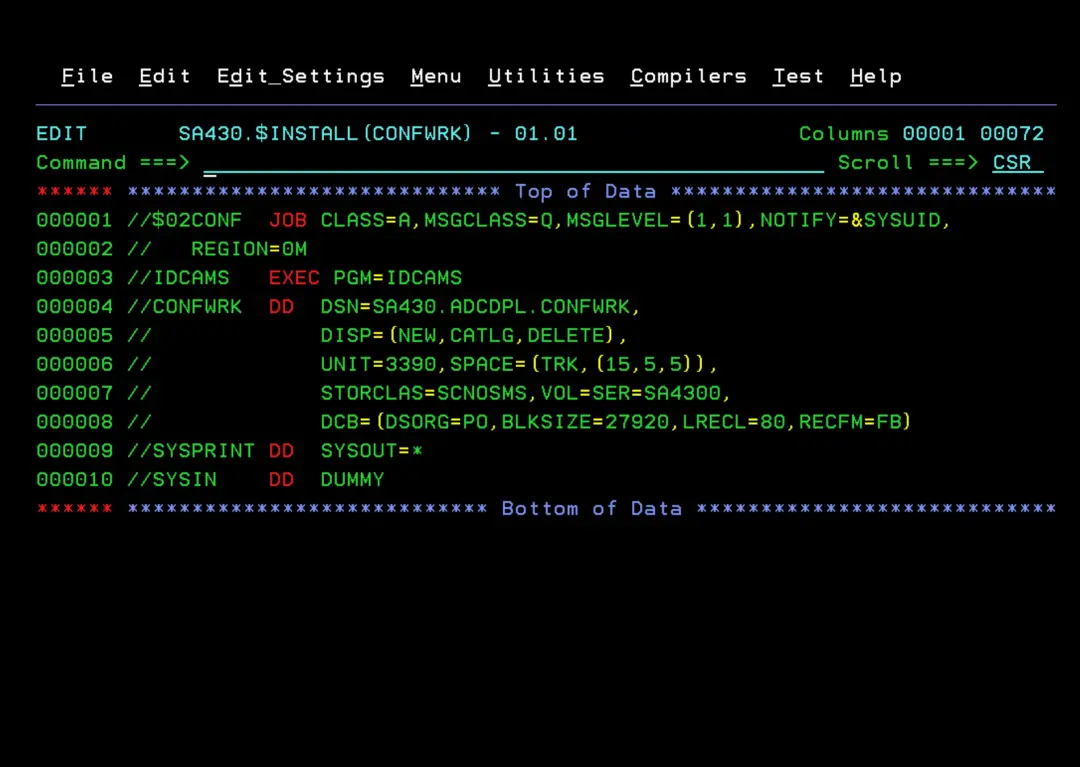
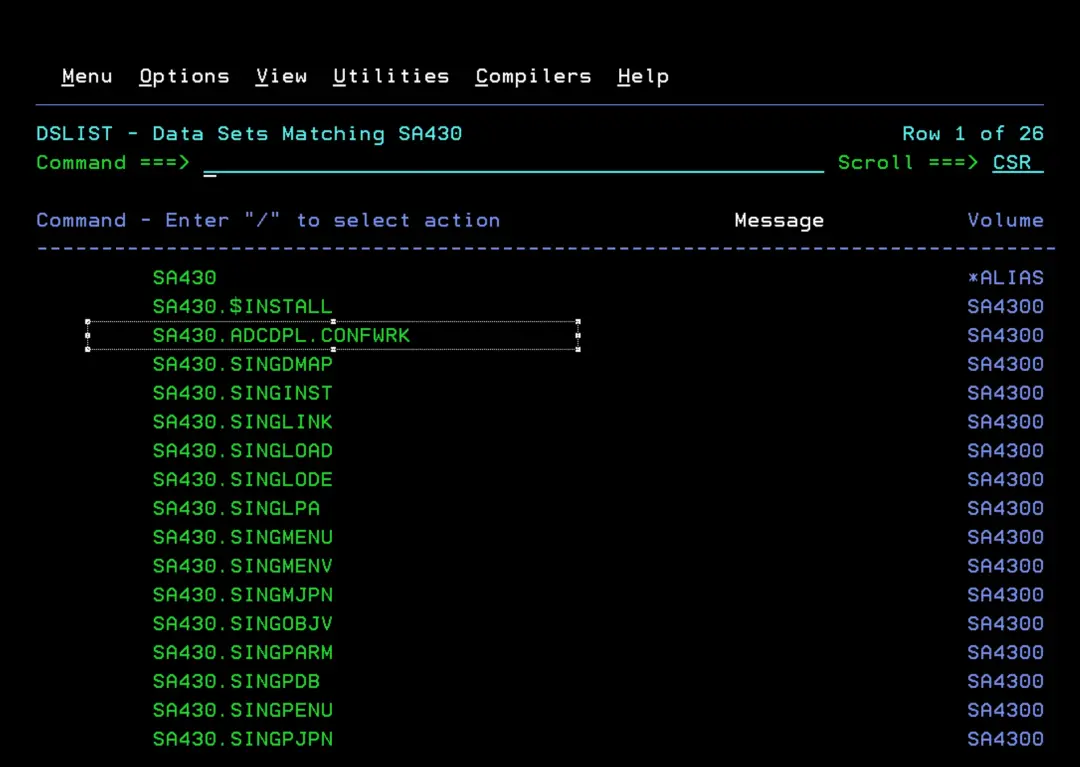
Now we copy the members INGDOPT and INGDCONF from the .SINGSAMP library to the library we just created (.CONFWRK).
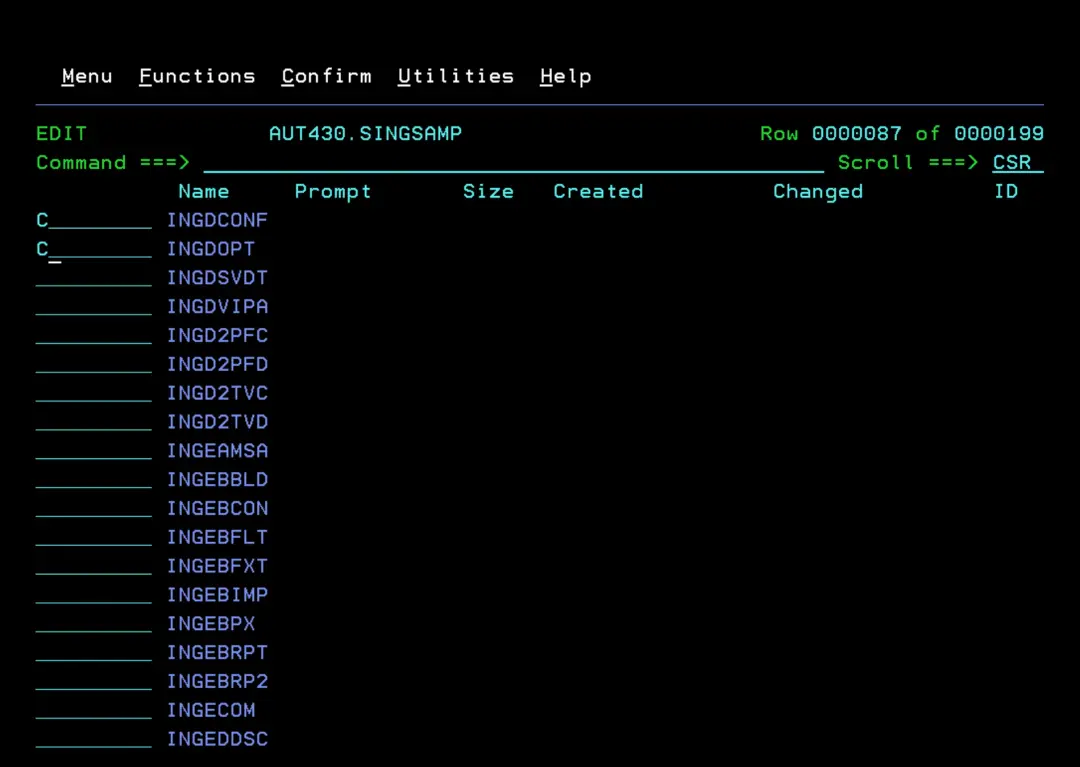
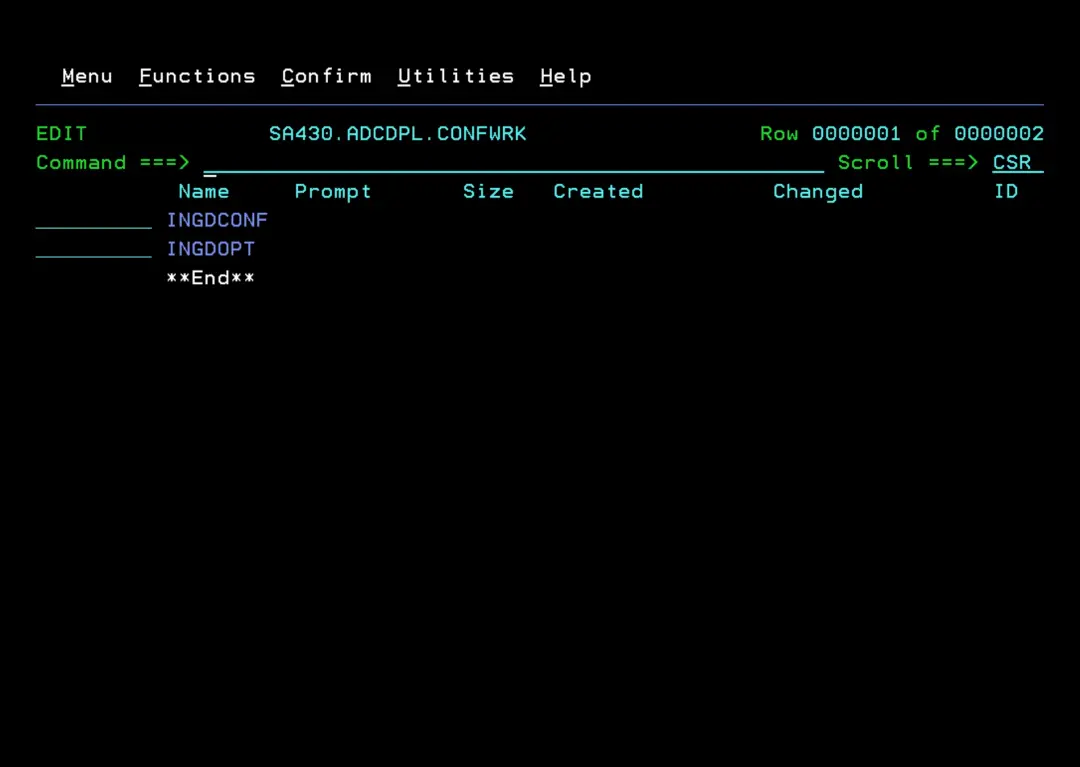
Edit INGDOPT
Here I leave the detail of the configuration I will use. I have tried to leave most of it as default.
The INGDOPT member includes detailed documentation about each parameter.
For PROCs and STCs I have tried to group them under "ING*".
Some optional features I will not use. Others, I will configure in the future, such as "Service Management Unite (SMU) console connection" (parameter: sa_e2e_smu_ip).
In "sys_sms_managed_datasets", I am going to indicate "NO" because I want to create the datasets on the NO-SMS disk (SA4300), but, in the case of the ADCD version, it is necessary to indicate the STORCLAS "SCNOSMS" so that it treats them as NO-SMS.
Since the process will not automatically add STORCLAS(SCNOSMS), we will have to edit the job manually.
It is possible that other modifications will need to be made later.
sys_jobcard_1=//ING<Ñ4:8>  JOB 'SA Z/OS-CONFIG',
sys_jobcard_2=//         CLASS=A,MSGCLASS=X,MSGLEVEL=(1,1),
sys_jobcard_3=//         REGION=256M,NOTIFY=&SYSUID
sys_sysname=S0W1
sys_jes_name=JES2
net_netview_domain_id=SA01
net_netview_taf_id=01
net_netview_majnode=MNING01
sa_hlq_smpe=SA430
nv_hlq_smpe=NETVW64
sa_usspath_smpe=/usr/lpp/ing
sa_hlq_user=SA430.SA00
sa_usspath_user=/var/ing
sys_sms_managed_datasets=NO
sys_sms_storclas=SCNOSMS
sys_sms_mgmtclas=
sys_sms_dataclas=
sys_dataset_unit=3390
sys_dataset_volser=SA4300
sys_hlq_sclbdll=CBC
sys_hlq_sceerun=CEE
sys_parmlib_suffix=SA
sa_xcf_grpid_suffix=SA
sa_xcf_plexid_suffix=00
sa_automation_policy=SA430.$POLICY.S0W1.PDB
sa_am_start_proc=INGEAMSA
sa_am_start_job.1=INGAM
sa_am_start_job.2=INGAM2
sa_saagent_start_proc=INGENVSA
sa_saagent_start_job=INGNVSA
sa_nvssi_start_proc=INGESSI
sa_nvssi_start_job=INGNVSSI
sa_ipldata_start_proc=INGEIPLC
sa_ipldata_start_job=INGIPLC
sys_tws_hlq_smpe=TWS
sys_tws_mlog_ds=TWS.V101A.MLOG
sys_cpsm_hlq_smpe=
nv_eas_start_proc=IHSAEVNT
nv_eas_eif_start_job=EIFAEVNT
nv_eas_eif_init_file=EIFINIT
nv_eas_eif_messagea_file=EIFMCFG
nv_eas_eif_ppi_name=INGEVOMN
nv_eas_eif_rec_host=
nv_eas_eif_rec_port=0
sa_e2e_smu_ip=
sa_e2e_agent_location=
net_e2e_agent_ip=
sa_usspath_user_e2e=adapter
sys_java_usspath_smpe=/usr/lpp/java/J17.0_64
sa_e2eagnt_start_proc=INGXEAGT
sa_e2eagnt_start_job=E2EAGENT
net_e2eagnt_rec_port=2003
sa_e2eadpt_start_proc=INGXADPT
sa_e2eadpt_start_job=E2EADPT
net_e2eadpt_snd_port=2002
net_e2eadpt_rec_port=2001
nv_eas_e2e_start_job=E2EEAS
nv_eas_e2e_init_file=E2EINIT
nv_eas_e2e_messagea_file=E2EMCFG
nv_eas_e2e_rec_port=5529
racf_group_auto=INGAUTO
racf_omvs_gid_auto=80004
racf_omvs_uid=90004
racf_omvs_home=/u/autooper
racf_group_autowrk=INGWRK
racf_omvs_gid_autowrk=80006
racf_group_user=INGUSER
racf_omvs_gid_user=80001
racf_group_oper=INGOPER
racf_omvs_gid_oper=80002
racf_group_admin=INGADMIN
racf_omvs_gid_admin=80003
racf_group_super=INGSUPER
racf_omvs_gid_super=80005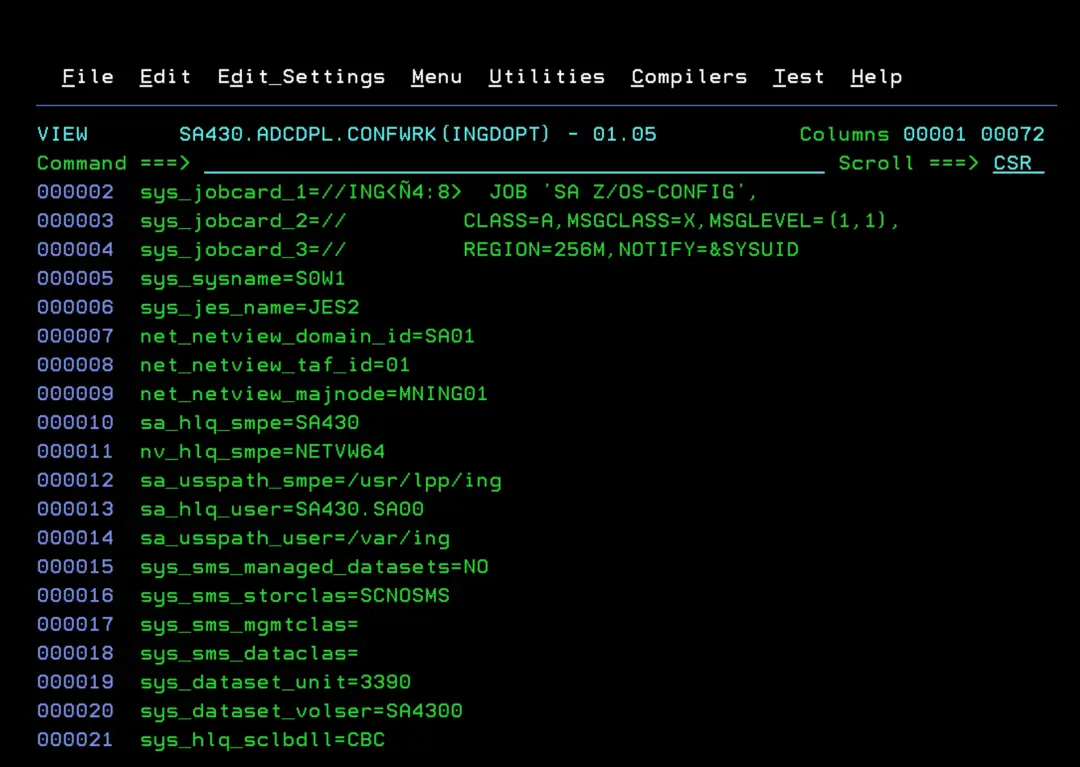
Edit and execute INGDCONF
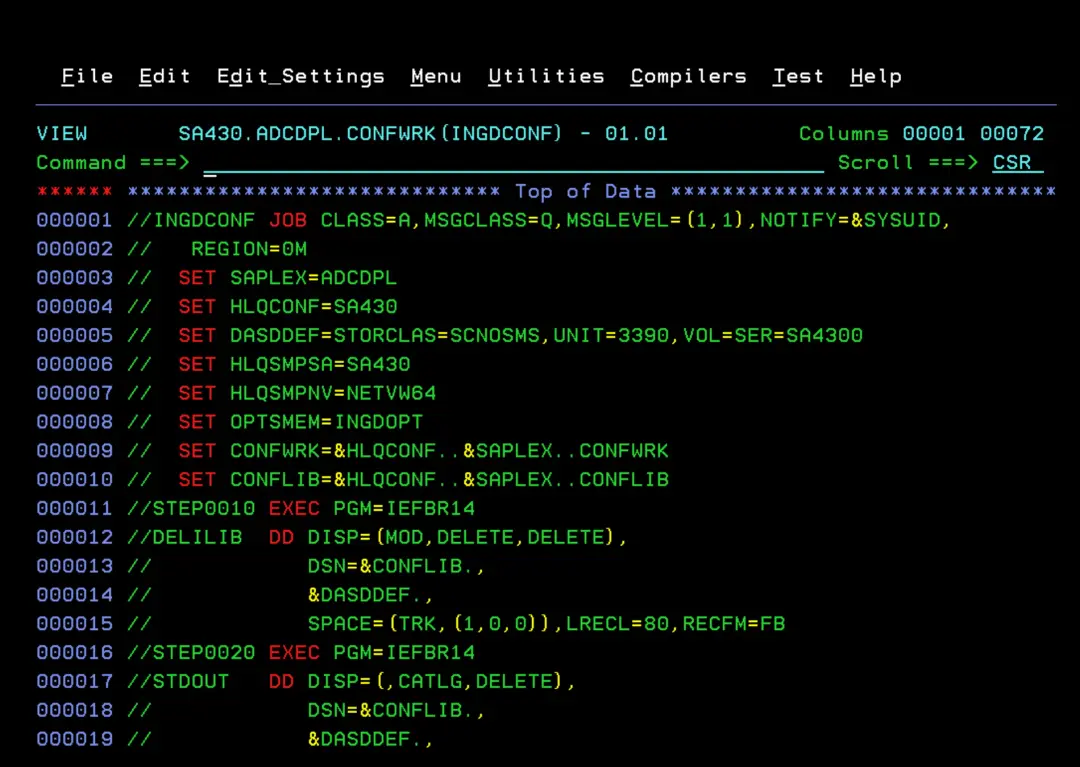
In the job, the only thing you need to edit are the values of the "SET …" variables with the data we have defined previously. Then execute the job.
//INGDCONF JOB CLASS=A,MSGCLASS=Q,MSGLEVEL=(1,1),NOTIFY=&SYSUID,
//   REGION=0M
//  SET SAPLEX=ADCDPL
//  SET HLQCONF=SA430
//  SET DASDDEF='STORCLAS=SCNOSMS,UNIT=3390,VOL=SER=SA4300'
//  SET HLQSMPSA=SA430
//  SET HLQSMPNV=NETVW64
//  SET OPTSMEM=INGDOPT
//  SET CONFWRK=&HLQCONF..&SAPLEX..CONFWRK
//  SET CONFLIB=&HLQCONF..&SAPLEX..CONFLIB
//STEP0010 EXEC PGM=IEFBR14
//DELILIB  DD DISP=(MOD,DELETE,DELETE),
//            DSN=&CONFLIB.,
//            &DASDDEF.,
//            SPACE=(TRK,(1,0,0)),LRECL=80,RECFM=FB
//STEP0020 EXEC PGM=IEFBR14
//STDOUT   DD DISP=(,CATLG,DELETE),
//            DSN=&CONFLIB.,
//            &DASDDEF.,
//            RECFM=FB,LRECL=80,BLKSIZE=6160,
//            SPACE=(CYL,(3,1,45),RLSE)
//IFÑÑ0020 IF (STEP0020.RC  EQ 00      OR
//             STEP0020.RUN EQ FALSE)  THEN
//STEP0030 EXEC PGM=IEBCOPY
//SYSPRINT DD SYSOUT=*
//IÑ1      DD DISP=SHR,
//            DSN=&HLQSMPSA..SINGSAMP
//IÑ2      DD DISP=SHR,
//            DSN=&HLQSMPNV..CNMSAMP
//OÑ1      DD DISP=SHR,DSN=&CONFLIB.
//SYSUT3   DD UNIT=SYSALLDA,SPACE=(CYL,(5,1))
//SYSUT4   DD UNIT=SYSALLDA,SPACE=(CYL,(5,1))
//SYSIN    DD *

 C O=OÑ1,I=IÑ1

 SELECT  MEMBER=(INGSALLC,INGSDEL)
 SELECT  MEMBER=(INGSAMSA,HSASPRM)
 SELECT  MEMBER=(INGSNVSA,INGSINIT,INGSSGEN,INGESCAT,INGSPTOP)
 SELECT  MEMBER=(INGEPRT)
 SELECT  MEMBER=(INGSCMD,INGSAPF,INGSLNK,INGSLPA,INGSSSN,INGSBPX)
 SELECT  MEMBER=(INGESCH,INGSPROG,INGSSYS,INGSMPF,CTIHSAZZ)
 SELECT  MEMBER=(INGSDLG)
 SELECT  MEMBER=(INGSREAD)
 SELECT  MEMBER=(INGSNET,INGSMTAB)
 SELECT  MEMBER=(HSACTWR,HSAPIPLC,INGPIPLC,INGPHOM,INGPIXCU)
 SELECT  MEMBER=(INGJICVM)
 SELECT  MEMBER=(INGSJ010)
 SELECT  MEMBER=(INGSEVNT,INGSEINT,INGSMCFG,INGMFMTO)
 SELECT  MEMBER=(INGSADPT,INGSEAGT,INGSCE2E,INGMFMTE)
 SELECT  MEMBER=(INGDVIPA)
 SELECT  MEMBER=(INGSGENL,INGSSAF)

 C O=OÑ1,I=IÑ2

 SELECT  MEMBER=((CNMS0001,AMODETAB))
 SELECT  MEMBER=((CNMS0011,AUSSTAB))
 SELECT  MEMBER=((CNMS0040,ISTSDCOS))
 SELECT  MEMBER=((CNMS0050,INTERCOS))

/*
//IFÑÑ0030 IF (STEP0030.RC  EQ 00      OR
//             STEP0030.RUN EQ FALSE)  THEN
//STEP0040 EXEC PGM=IKJEFT1B,REGION=32M,
//            PARM='%INGRPREP INGOPTS INGCONF INGSVDT INGDSIP'
//INGOPTS  DD DISP=SHR,
//            DSN=&CONFWRK.(&OPTSMEM.)
//INGCONF  DD DISP=SHR,
//            DSN=&CONFLIB.
//INGSVDT  DD DISP=SHR,
//            DSN=&HLQSMPSA..SINGSAMP(INGDSVDT)
//INGDSIP  DD DISP=SHR,
//            DSN=&HLQSMPNV..DSIPARM(CNMSTYLE)
//SYSPROC  DD DISP=SHR,
//            DSN=&HLQSMPSA..SINGTREX                              @L1C
//SYSTSPRT DD SYSOUT=*
//SYSPRINT DD SYSOUT=*
//SYSTSIN  DD DUMMY
//EIFÑÑ030 ENDIF                       Copy Member to CONFLIB
//EIFÑÑ020 ENDIF                       Allocate new   CONFLIB
//
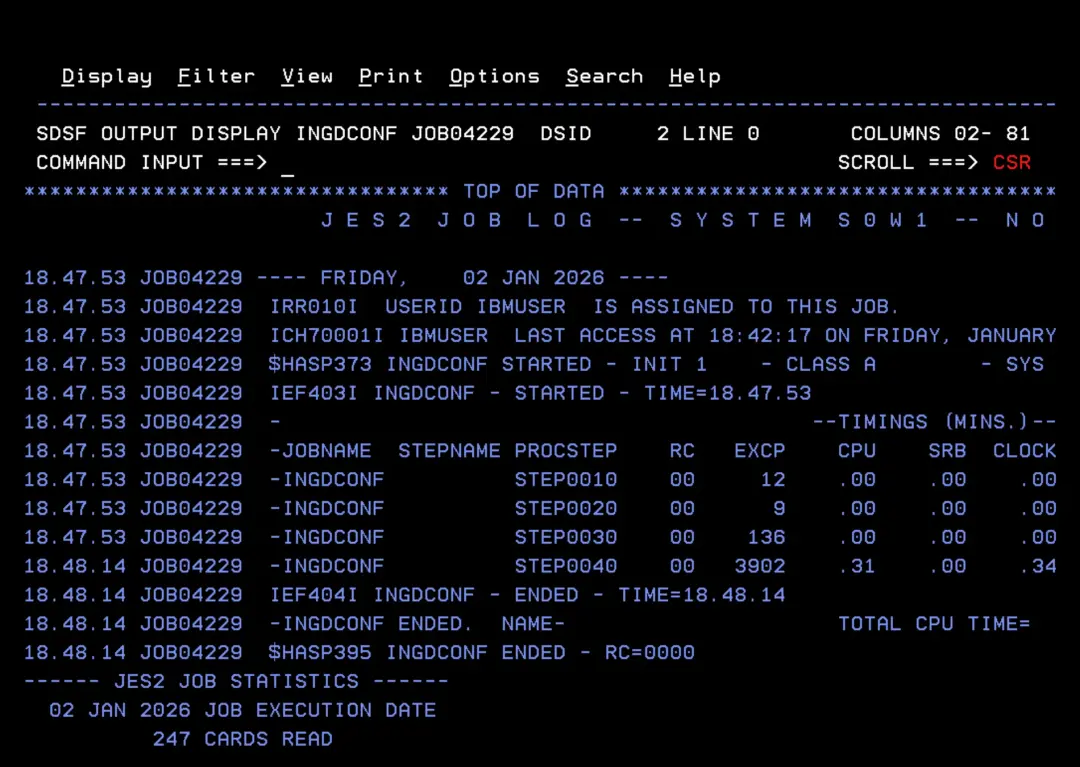
Verify that it completes successfully.
$INGREAD Instructions
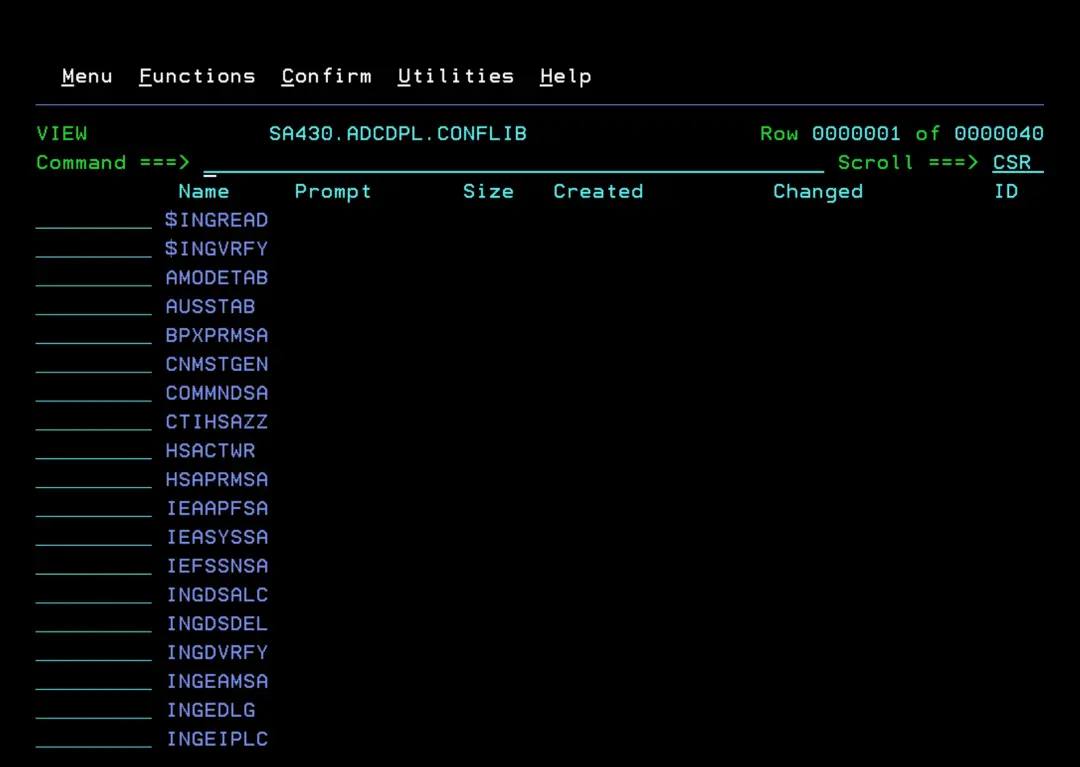
With the execution of the previous job, a series of members have been created within the **.CONFLIB library. One of them is **$INGREAD** and it contains the instructions we must follow for the installation.
Create "working datasets"
We need to execute the job INGDSALC. First, in the case of the ADCD version, I need to add the STORCLAS to each file creation so they go to the disk I want.
STORCLAS(SCNOSMS) -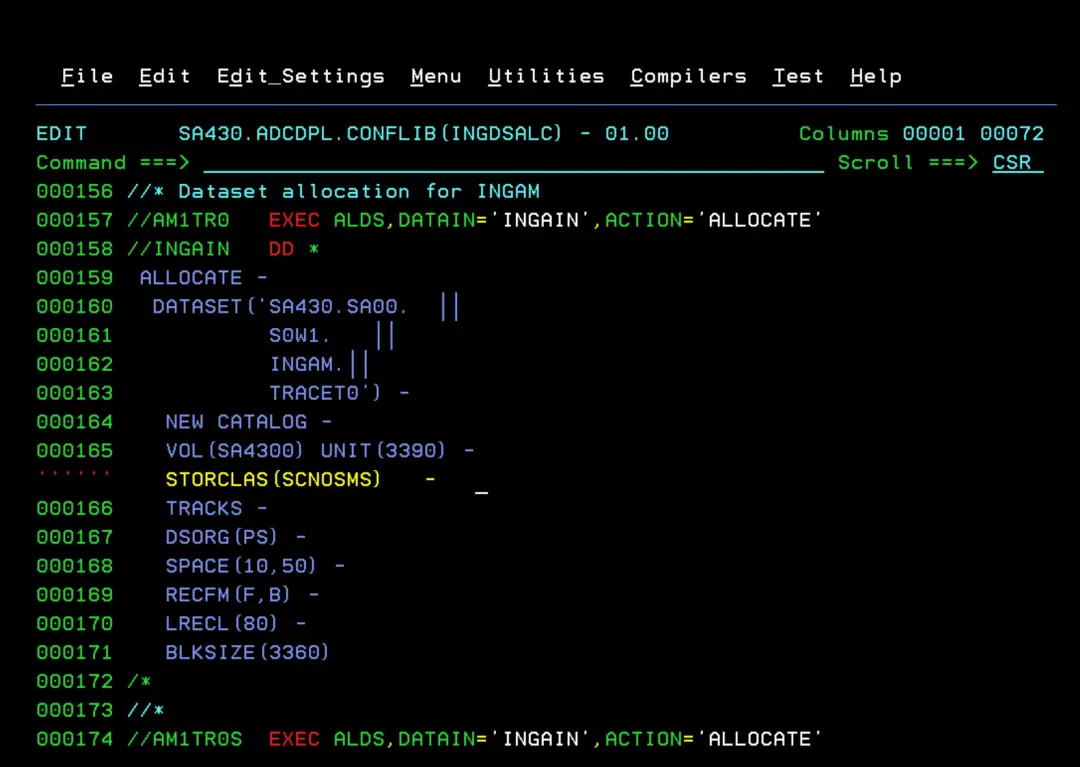
Verify that the job completes successfully.
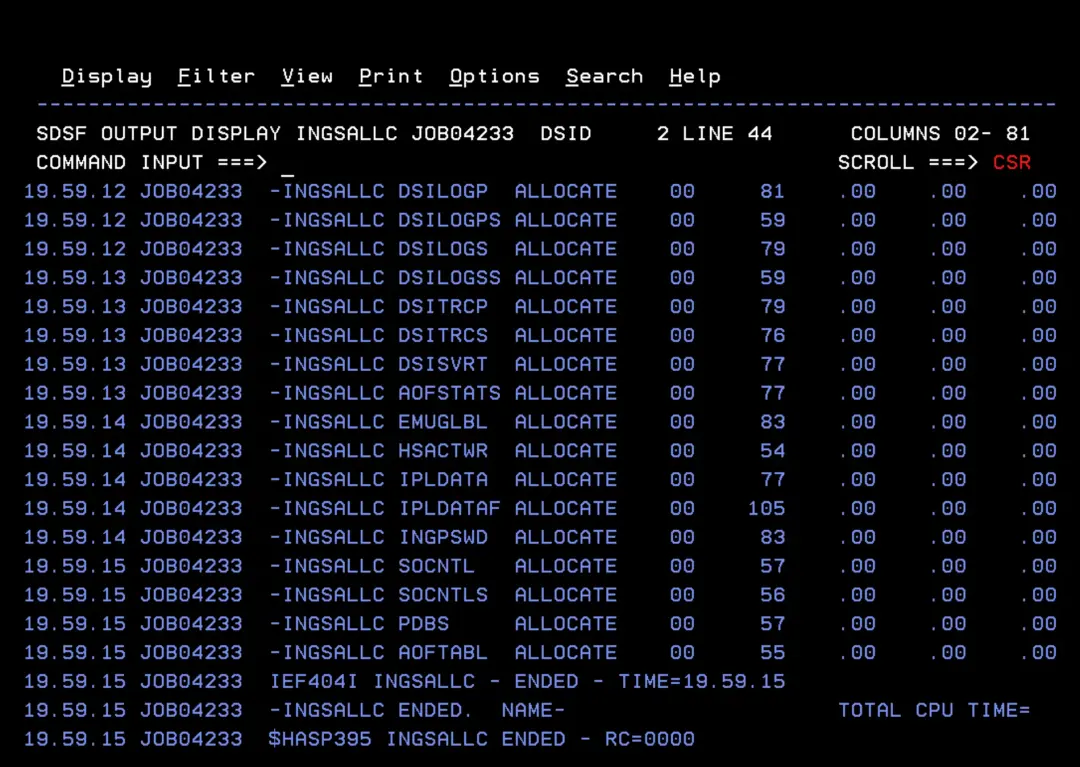
Verify that all datasets have been created on the desired disk.
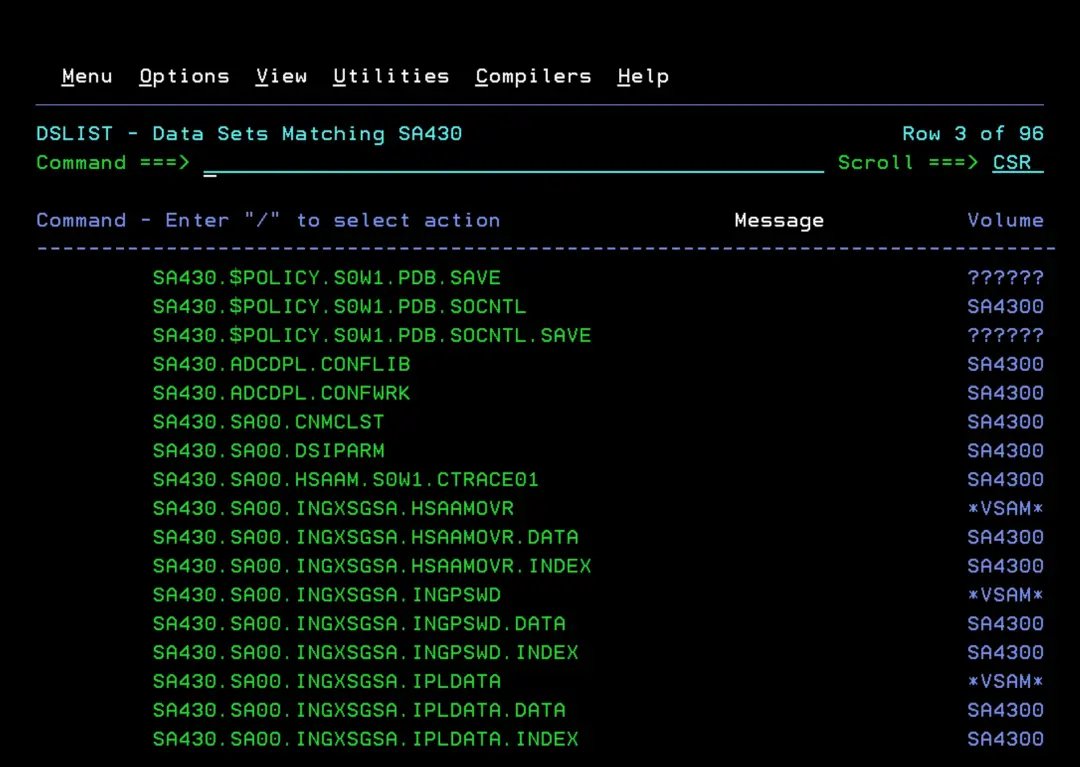
NetView DSIPARM Configuration
Since this is a new installation, you need to copy the following members from SA430.ADCDPL.CONFLIB to SA430.SA00.DSIPARM:
- CNMSTGEN
- INGESCAT
- INGPTOP
- INGXINIT
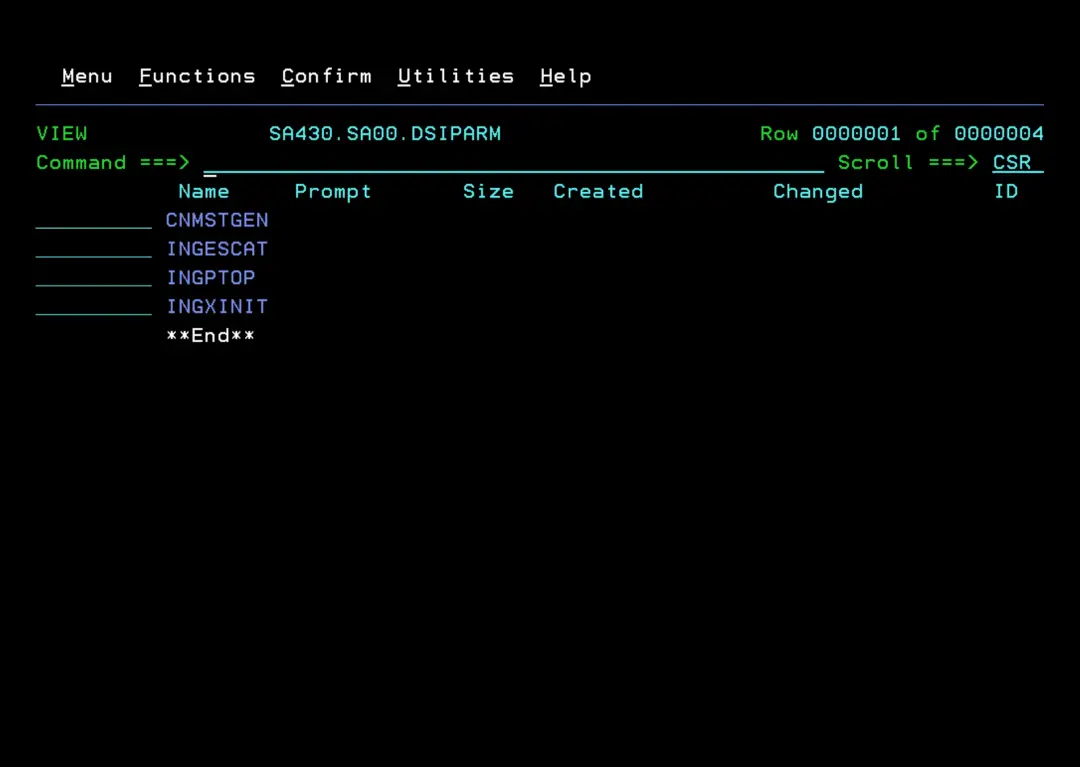
Copy HSAPRMSA to PARMLIB
Copy the member HSAPRMSA (Automation Manager) from SA430.ADCDPL.CONFLIB to the PARMLIB that was created during installation (in my case, SA430.SA00.PARMLIB).
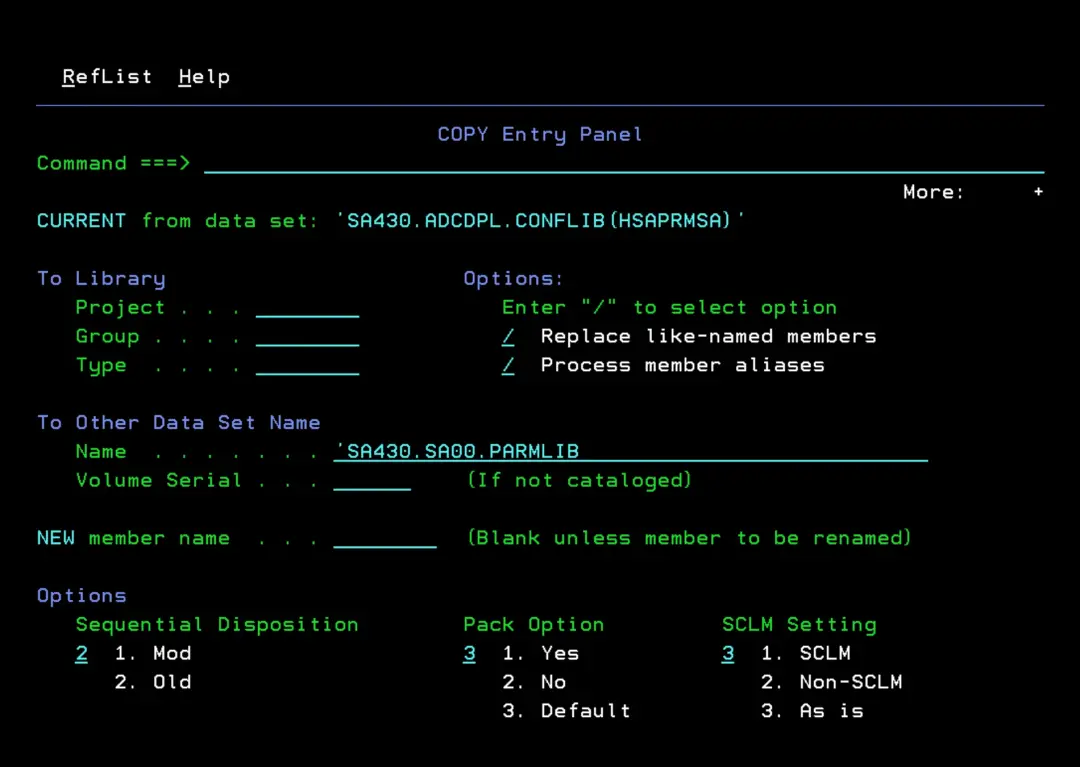
Copy STCs to PROCLIB
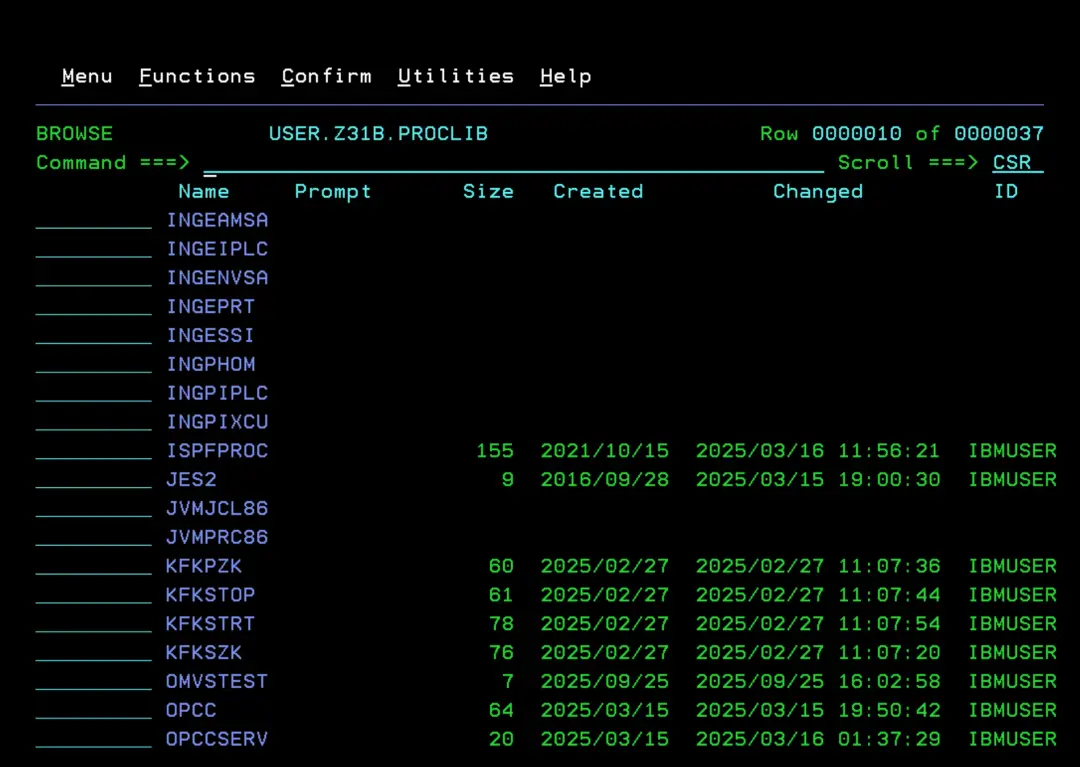
Copy the following members to the system PROCLIB (in my case, USER.Z31B.PROCLIB):
- INGEAMSA
- INGENVSA
- INGESSI
- INGEPRT
- INGEIPLC
- INGPIPLC
- INGPHOM
- INGPIXCU
If we plan to have NetView start before JES2 (and not at the same time), we must copy INGEAMSA, INGENVSA, and INGESSI to SYS1.PROCLIB. For example, so that System Automation starts all tasks.
https://www.ibm.com/docs/en/z-netview/6.4.0?topic=initialization-starting-netview-program-before-jes
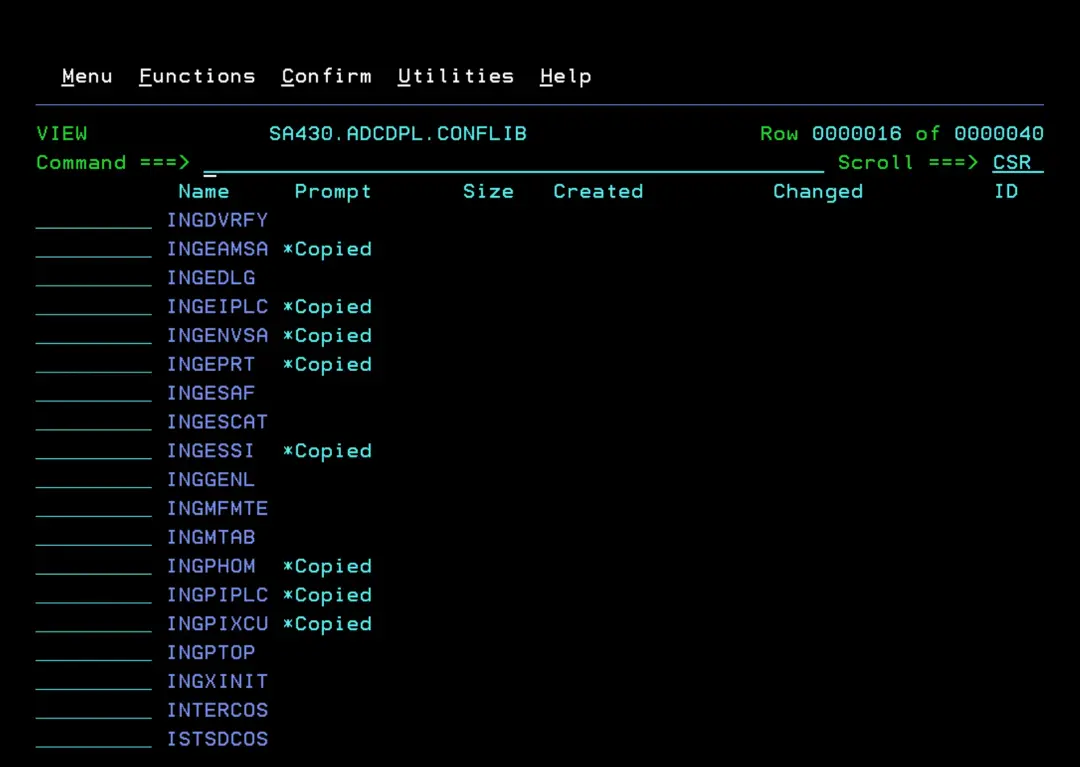
Configure PARMLIB
The documentation indicates that you can copy the members to the corresponding PARMLIB and edit IEASYSxx to load those members as well, or simply copy the content to the active members. To avoid having many different files, I will copy the content to the active configuration.
BPXPRMSA
Content:
MOUNT FILESYSTEM('SA430.SINGZFS')
      MOUNTPOINT('/usr/lpp/ing')
      TYPE(ZFS)
      MODE(READ)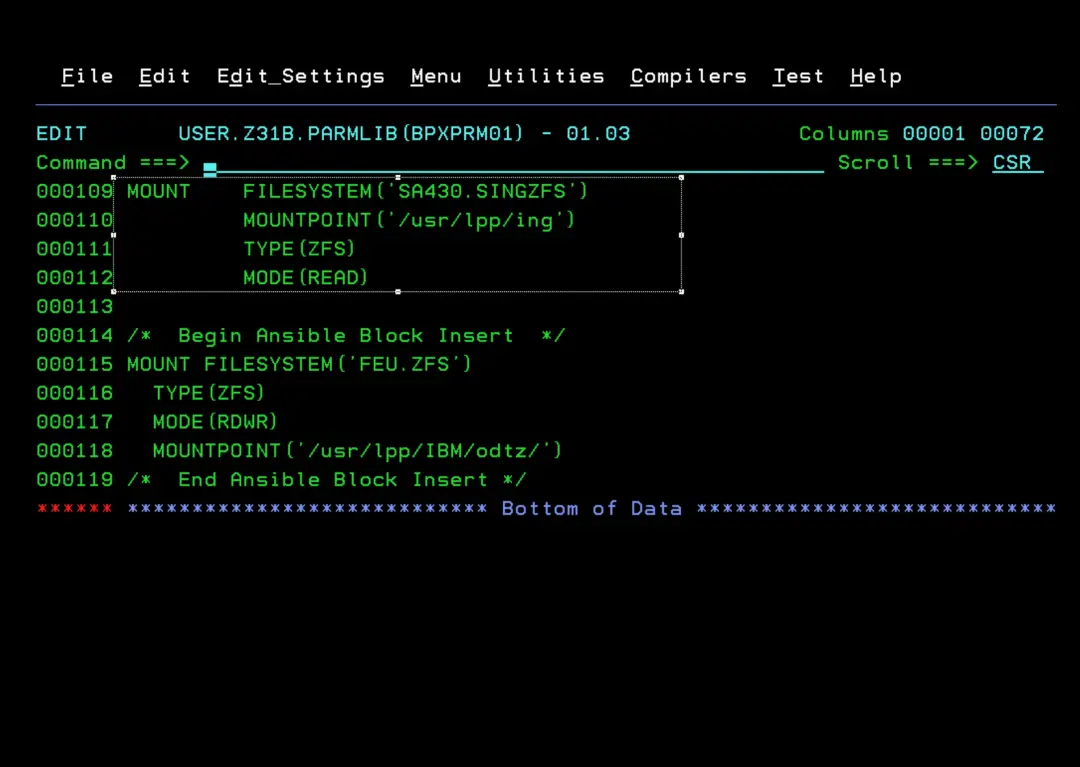
COMMNDSA
Content:
COM = "S INGEAMSA,JOBNAME=INGAM,SUB=MSTR"
COM = "S INGENVSA,JOBNAME=INGNVSA,SUB=MSTR"
COM = "S INGESSI,JOBNAME=INGNVSSI,SUB=MSTR"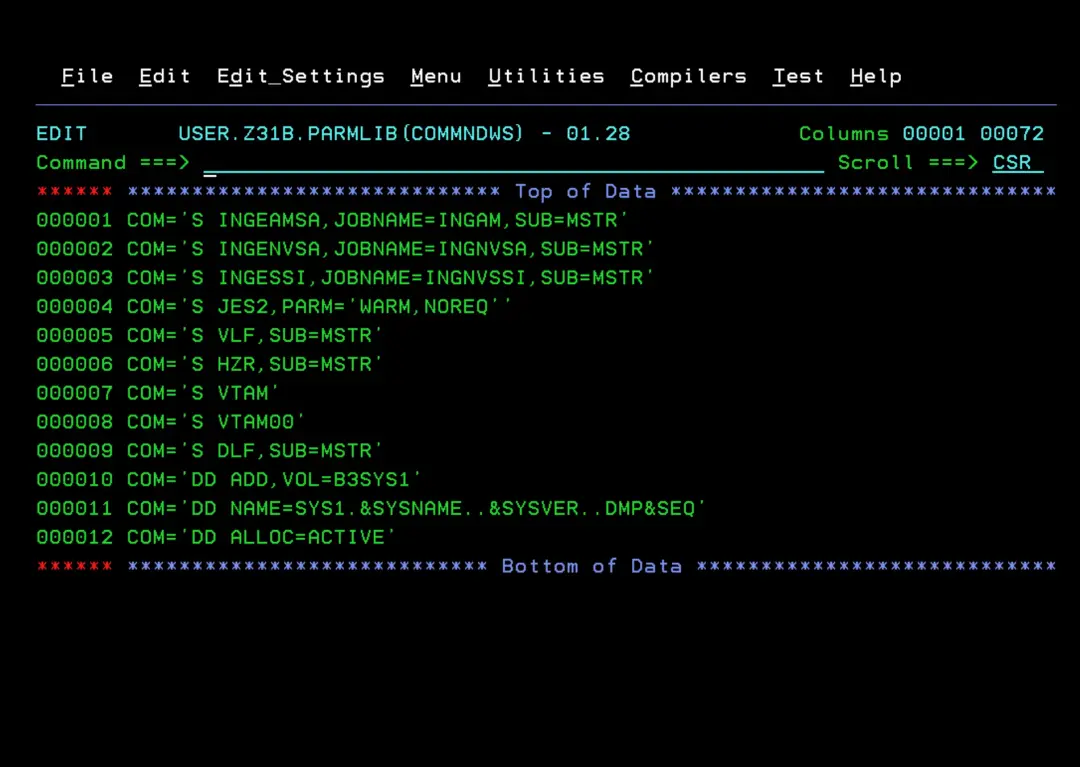
IEAAPFSA
Content. I will copy this to the corresponding PROGxx member.
SA430.SINGLOAD
SA430.SINGLODE
SA430.SINGLINK
SA430.SINGLPA
NETVW64.CNMLINK
NETVW64.SAQNLINK
NETVW64.SCNMLNKN
NETVW64.SCNMLNK1APF ADD
DSNAME(SA430.SINGLOAD) VOLUME(SA4300)
APF ADD
DSNAME(SA430.SINGLODE) VOLUME(SA4300)
APF ADD
DSNAME(SA430.SINGLINK) VOLUME(SA4300)
APF ADD
DSNAME(SA430.SINGLPA) VOLUME(SA4300)
APF ADD
DSNAME(NETVW64.CNMLINK) VOLUME(SA4300)
APF ADD
DSNAME(NETVW64.SAQNLINK) VOLUME(SA4300)
APF ADD
DSNAME(NETVW64.SCNMLNKN) VOLUME(SA4300)
APF ADD
DSNAME(NETVW64.SCNMLNK1) VOLUME(SA4300)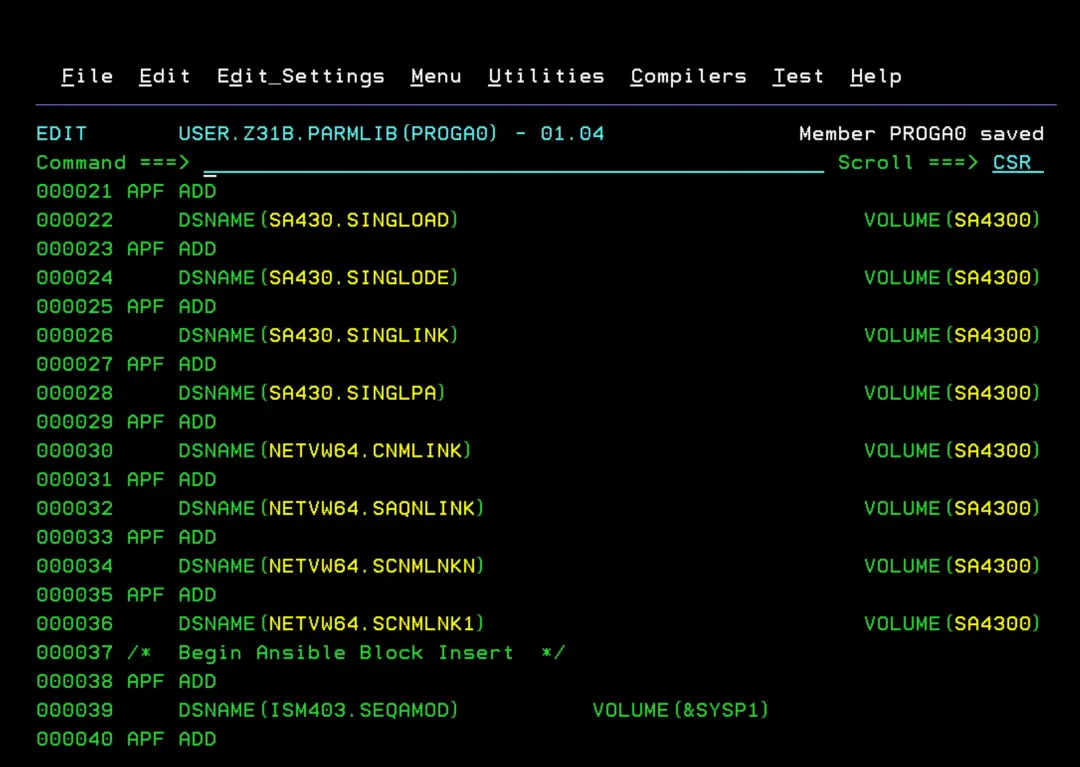
IEFSSNSA
Content. In my case, the JES2 parameter is already defined the same. I will add the second one at the end (or after the JES2 definition).
Also, I already had a NetView subsystem defined. I have commented out that configuration.
                                       /* NAME OF PRIMARY SUBSYSTEM  */
SUBSYS SUBNAME(JES2) PRIMARY(YES) START(NO)
                                       /* NAME OF NETVIEW SUBSYS @01C*/
SUBSYS SUBNAME(INGN) INITRTN(DSI4LSIT) INITPARM('TINYDS')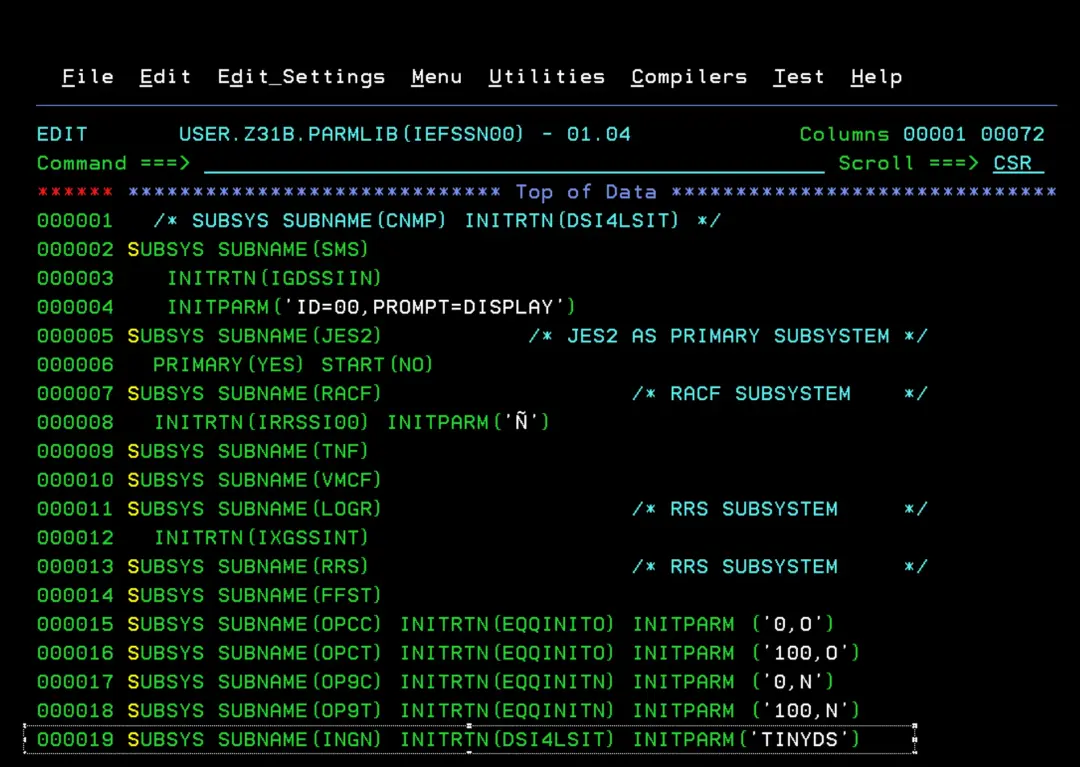
CNMLINK
Content. I will copy this to the corresponding PROGxx member.
SA430.SINGLOAD
SA430.SINGLINK
NETVW64.CNMLINK
NETVW64.SAQNLINK
NETVW64.SCNMLNKN
NETVW64.SCNMLNK1LNKLST ADD NAME(LNKLST00) DSN(SA430.SINGLOAD) VOLUME(SA4300)
LNKLST ADD NAME(LNKLST00) DSN(SA430.SINGLINK) VOLUME(SA4300)
LNKLST ADD NAME(LNKLST00) DSN(NETVW64.CNMLINK) VOLUME(SA4300)
LNKLST ADD NAME(LNKLST00) DSN(NETVW64.SAQNLINK) VOLUME(SA4300)
LNKLST ADD NAME(LNKLST00) DSN(NETVW64.SCNMLNKN) VOLUME(SA4300)
LNKLST ADD NAME(LNKLST00) DSN(NETVW64.SCNMLNK1) VOLUME(SA4300)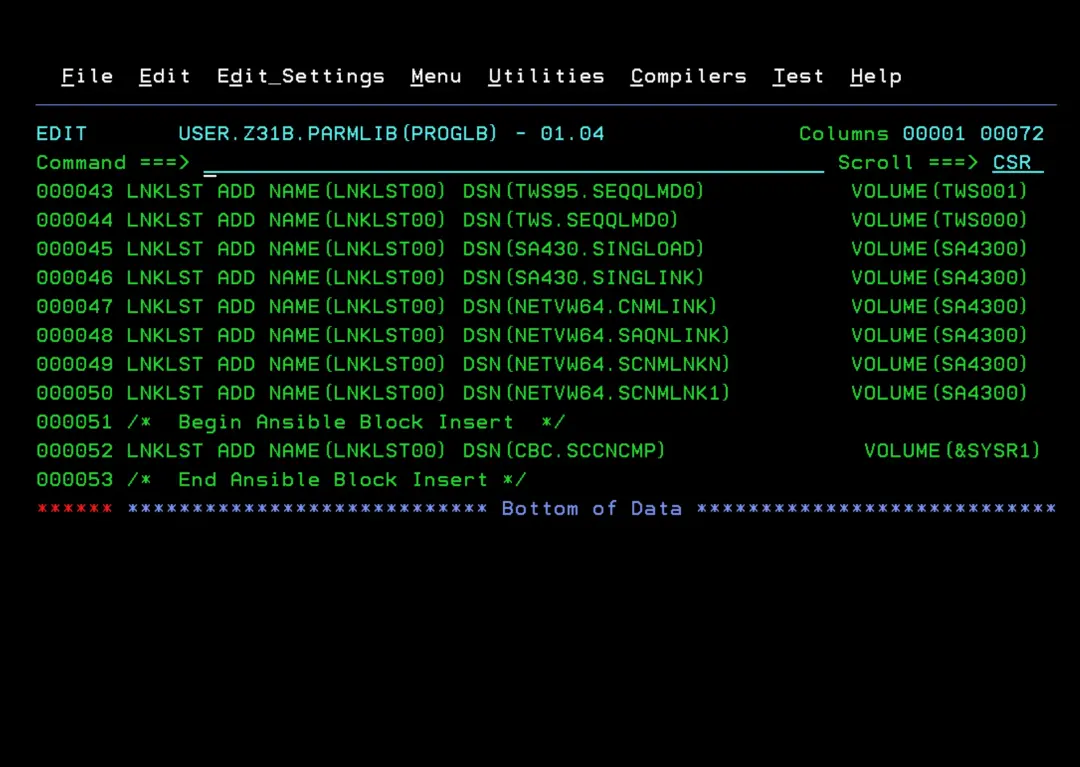
LPALSTSA
Content:
SA430.SINGLPA
NETVW64.SCNMLPA1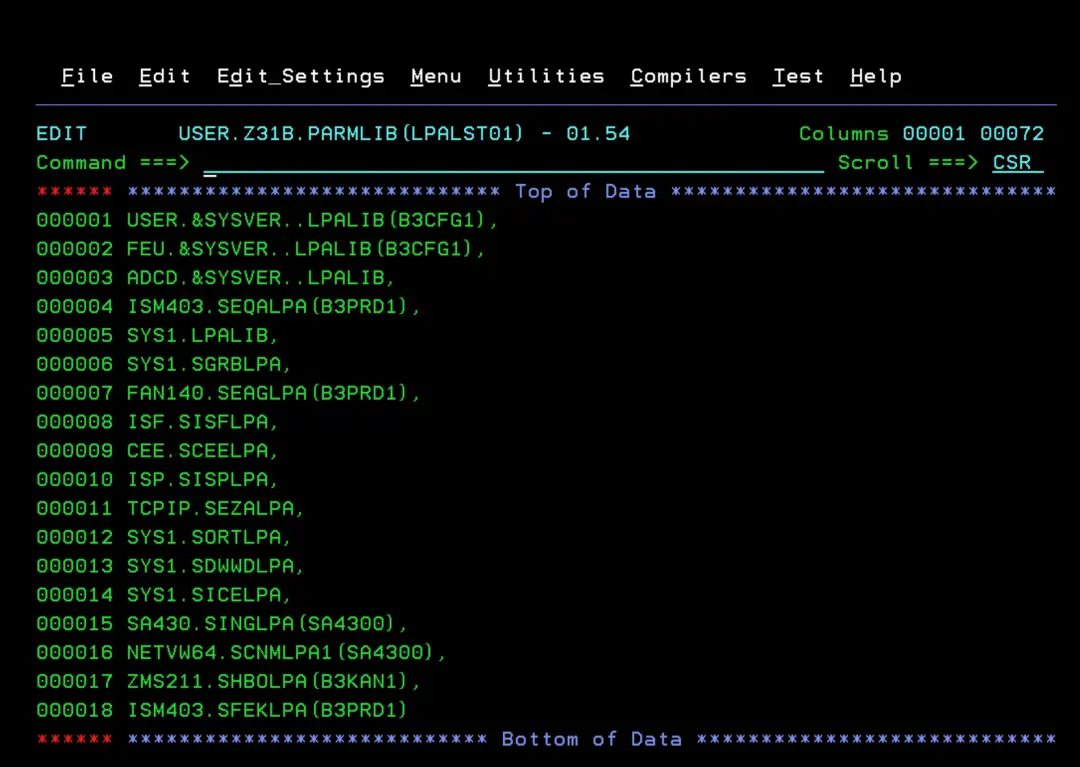
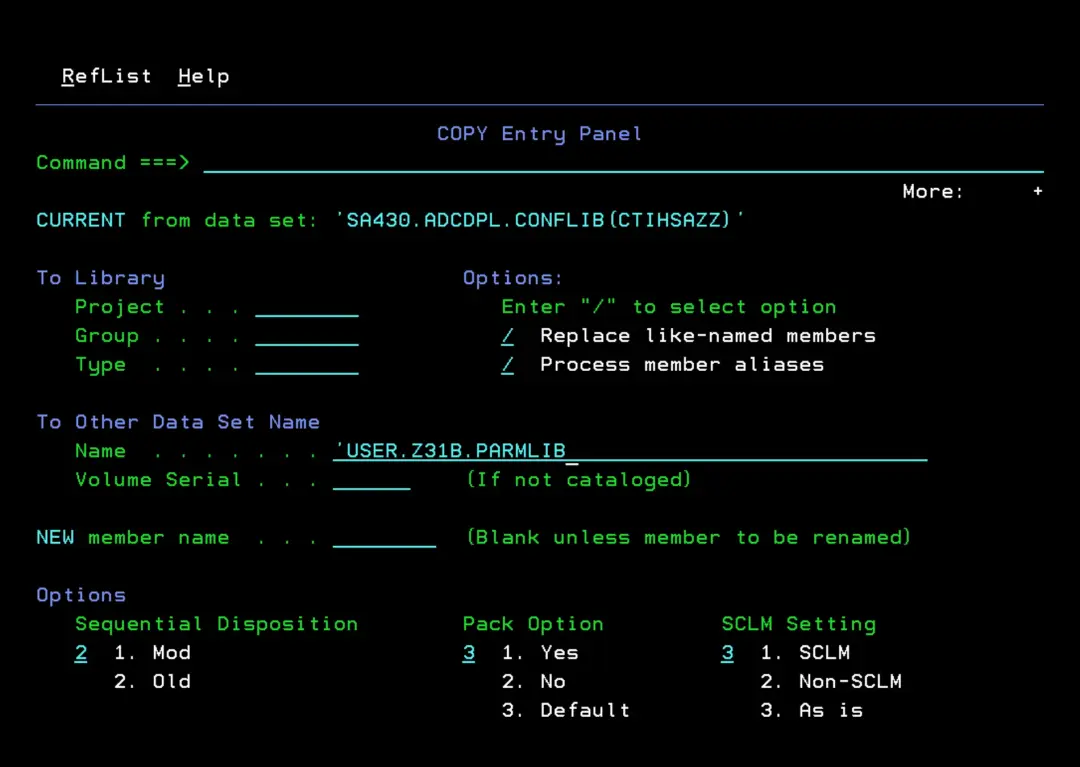
CTIHSAZZ
If it doesn't already exist, copy it to PARMLIB.
MPFLSTXX
Add the following messages to the corresponding MPFLSTxx member of the PARMLIB we are using.
This is so that only the AOF603D message is sent to AUTO and not the rest of the AOF* messages.
AOF603D is the startup reply (WTOR) for System Automation.
AOF603D,SUP(NO),RETAIN(NO),AUTO(YES)
AOF*,SUP(NO),RETAIN(NO),AUTO(NO)
VERY IMPORTANT! If we have an entry like:
.NO_ENTRY,AUTO(NO)(as shown in the image)
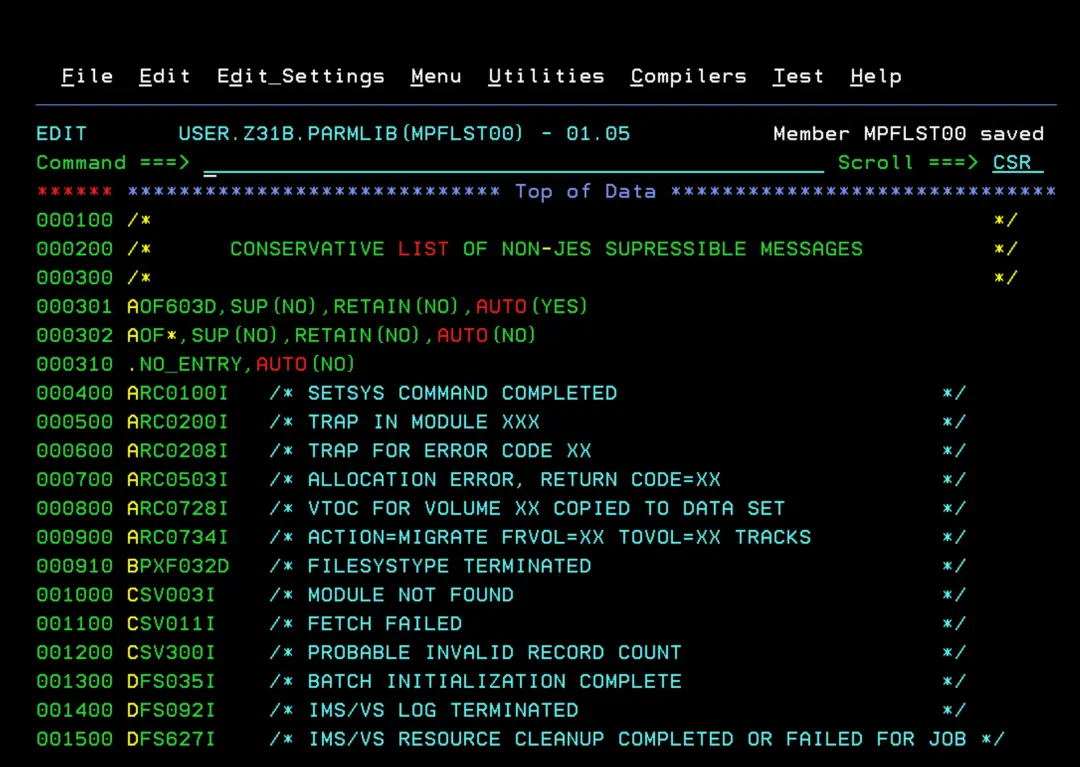
We must change it to AUTO(YES) because if we don't, there will be tasks that display messages that won't be captured by this MPF LIST and won't reach System Automation either. As a result, these tasks will remain waiting for an "UP" message that they will never receive.
.NO_ENTRY,AUTO(YES)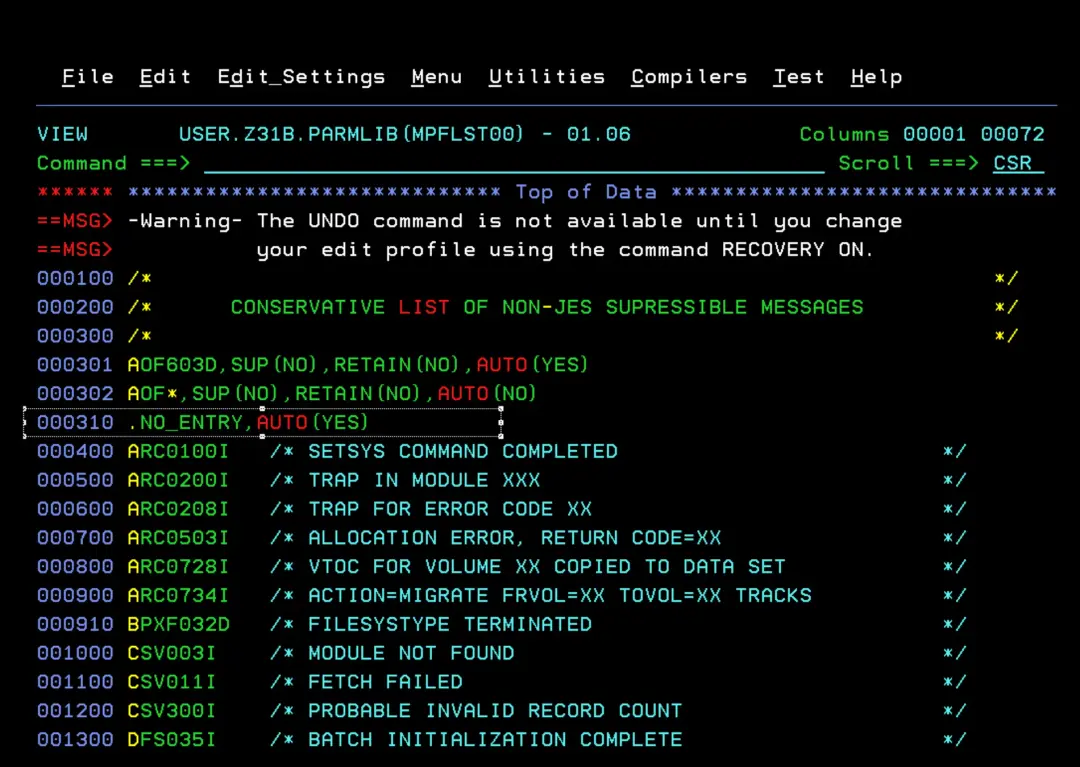
Configure VTAM
You need to execute the member INGMTAB from the SA430.ADCDPL.CONFLIB library to create VTAM resources in the new SA430.ADCDPL.CONFLIB.VTAMLIB library.
In my case, in the DSALC step I had to add "STORCLAS=SCNOSMS,".
//DSALC    EXEC PGM=IEFBR14
//ALLOC    DD DSN=SA430.ADCDPL.CONFLIB.VTAMLIB,
//            DISP=(NEW,CATLG,CATLG),STORCLAS=SCNOSMS,
//            UNIT=3390,VOL=SER=SA4300,
//            SPACE=(TRK,(15,15,15)),DSNTYPE=PDS,
//            DCB=(RECFM=U,LRECL=0,BLKSIZE=6144)
Verify that it completes successfully.
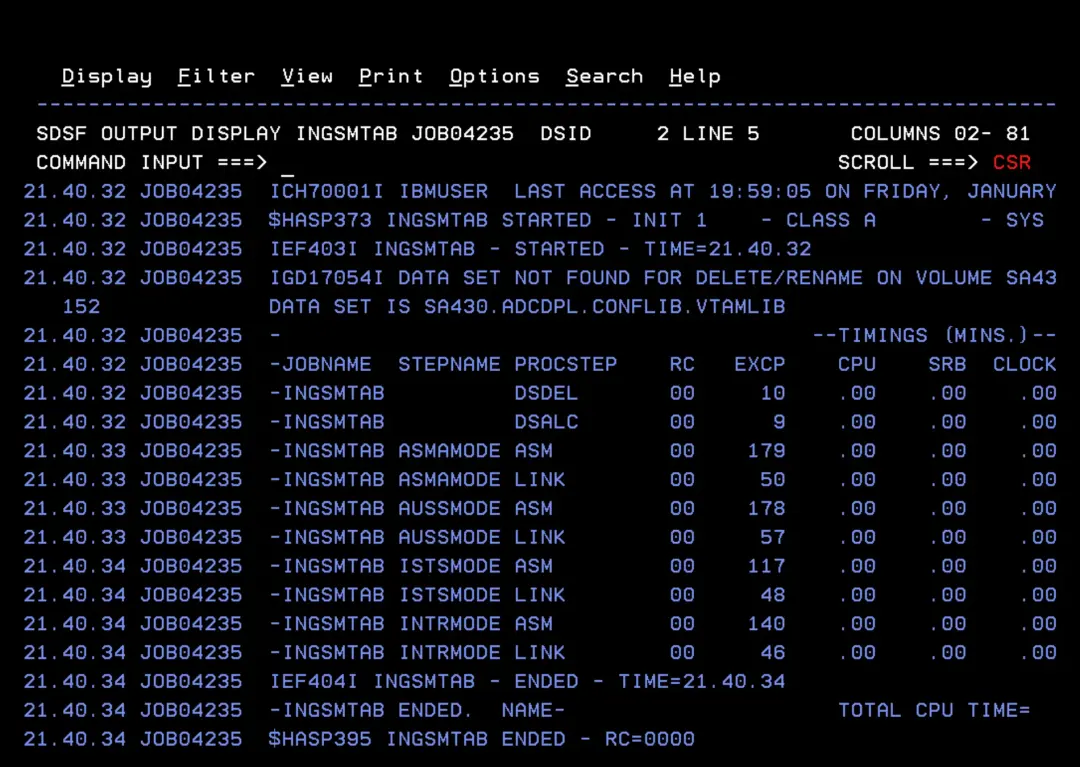
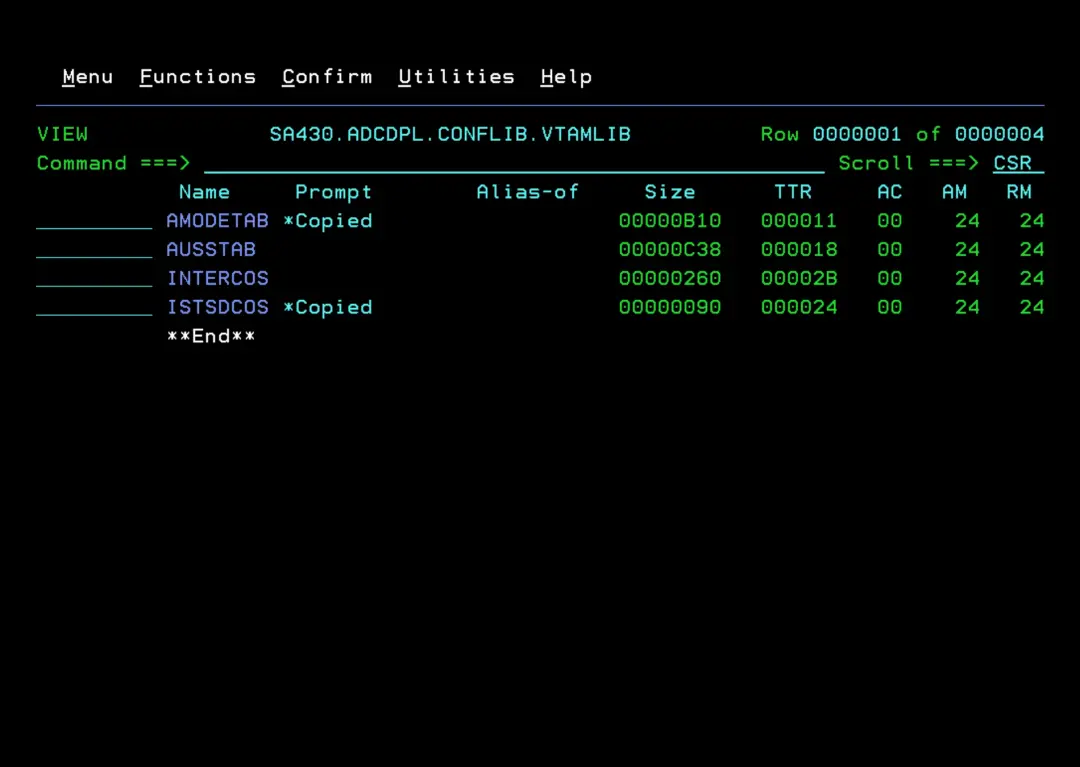
We will have the following modules, of which I will only copy AMODETAB and ISTSDCOS to my active VTAMLIB (in my case, USER.Z31B.VTAMLIB). The reason is that I already have a customized AUSSTAB that I will modify later and the INTERCOS member indicates that it is optional.
To find out which VTAMLIB and VTAMLST libraries we have available, we need to look at the VTAM STC. The concatenation of libraries for both DDs will appear there.
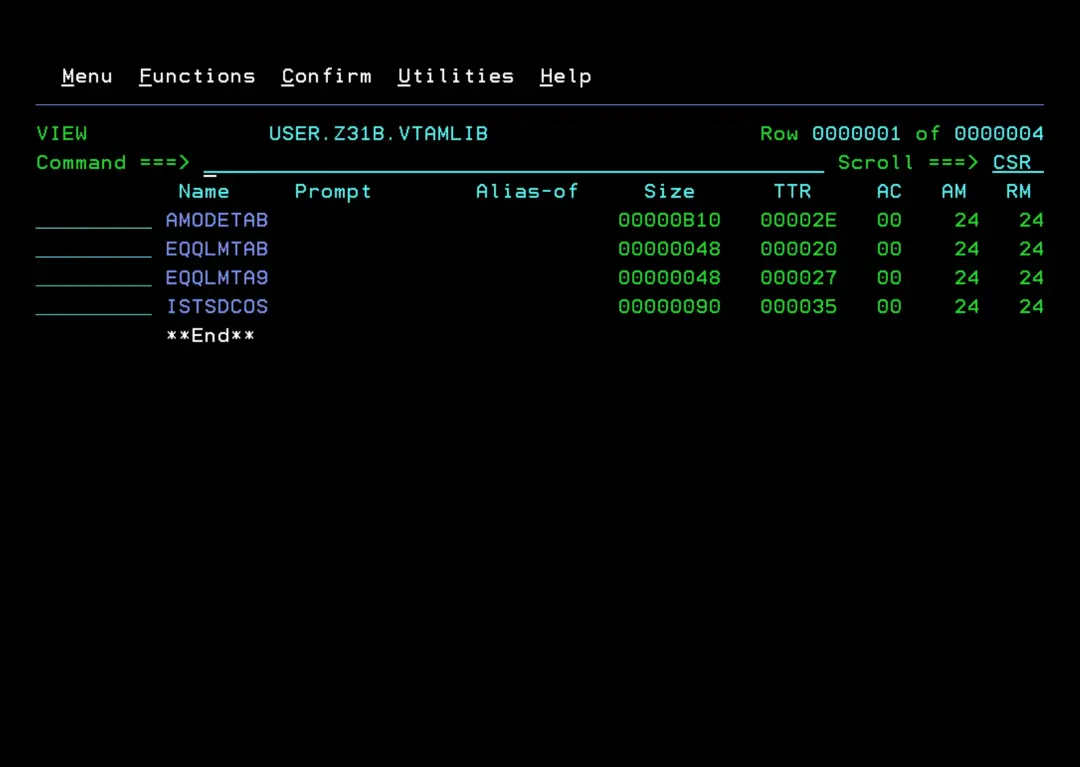
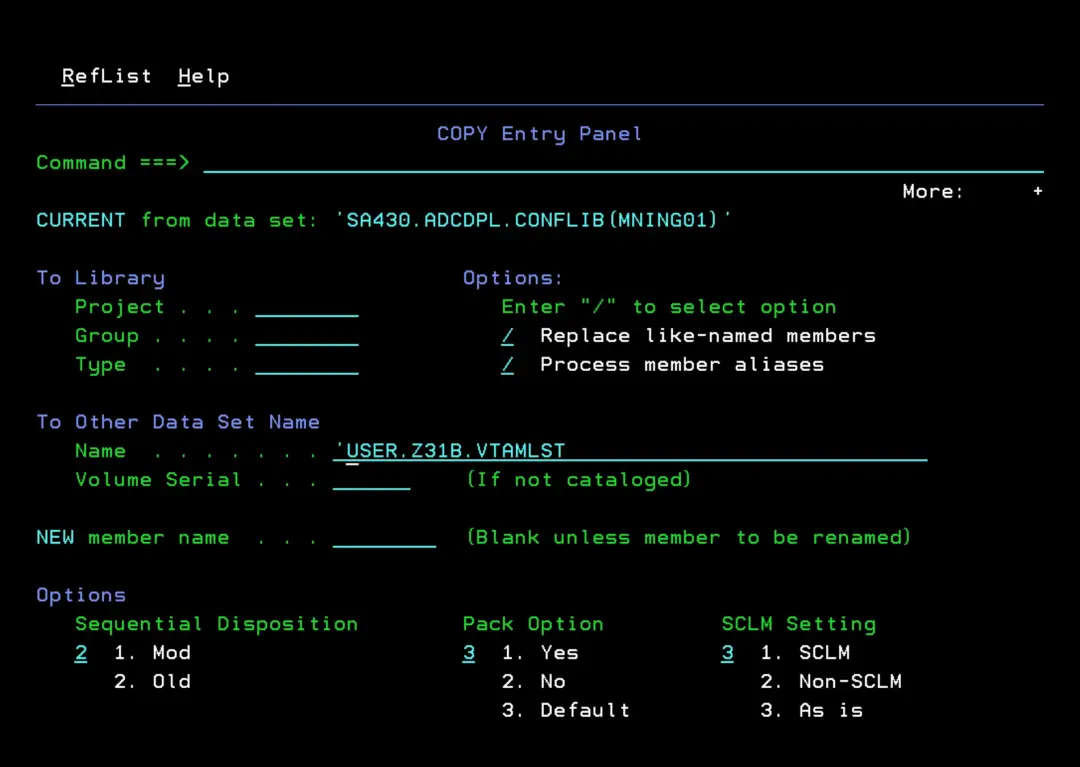
Copy the member SA430.ADCDPL.CONFLIB(MNING01) to a **.VTAMLST library that we use in the system (in my case, USER.Z31B.VTAMLST).
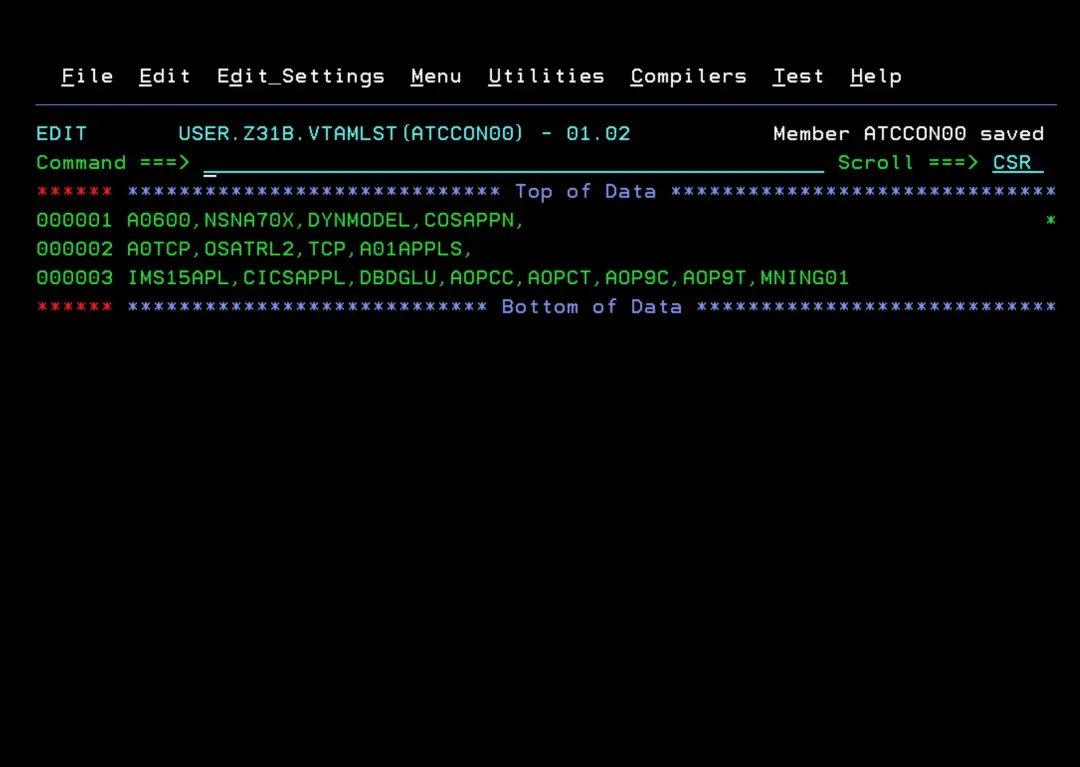
Add it to the ATCCONxx member of the **.VTAMLST library. In my case, USER.Z31B.VTAMLST(ATCCON00). This way, those nodes will be activated when VTAM starts.
Configure Security - RACF
You need to execute the job SA430.ADCDPL.CONFLIB(INGGENL). This job creates a library with a job containing the RACF commands to configure all security.
I recommend putting more space in the SPACE parameter than the default.
//CNFREALC EXEC PGM=IKJEFT01,REGION=32M
//SYSPROC  DD DSN=SA430.SINGTREX,DISP=SHR
//SYSTSIN  DD *
 INGRRSYM DEBUG=NO TRACE=O -
          ACTION=EXECUTE -
          DDIN=REALCCMD
/*
//SYSTSPRT DD SYSOUT=*
//REALCCMD DD *
 DELETE 'SA430.ADCDPL.CONFLIB.&SYSNAME.'
 ALLOCATE -
  DATASET('SA430.ADCDPL.CONFLIB.&SYSNAME.') -
   NEW CATALOG -
   VOL(SA4300) UNIT(3390) -
   STORCLAS(SCNOSMS) -
   TRACKS -
   DSORG(PO) -
   DIR(5) -
   SPACE(30,15,) -
   RECFM(F,B) -
   LRECL(80) -
   BLKSIZE(27920)
/*
//*
//IFÑDSA   IF (CNFREALC.RC  EQ 00      OR
//             CNFREALC.RUN EQ FALSE)  THEN
//*-------------------------------------------------------------------
//*  Generate System Specific SAF command member into CONFLIB.sysname
//*-------------------------------------------------------------------
//SAFGENL  EXEC PGM=IKJEFT01,REGION=32M
//SYSPROC  DD DSN=SA430.SINGTREX,DISP=SHR
//SYSTSIN  DD *
 INGRRSYM DEBUG=NO TRACE=O -
   DDIN=SAFDSIN -
   DDDROP=SAFSYM -
   DDOUT='SA430.ADCDPL.CONFLIB.&SYSNAME.(INGESAF)'
/*
//SAFDSIN  DD DISP=SHR,DSN=SA430.ADCDPL.CONFLIB(INGESAF)
//SAFSYM   DD *
  &SLASHFW
/*
//SYSTSPRT DD SYSOUT=*
//*
//EIFÑDSA  ENDIF                       Allocate Local CONFLIB DS
//*
//
Verify that it completes successfully.
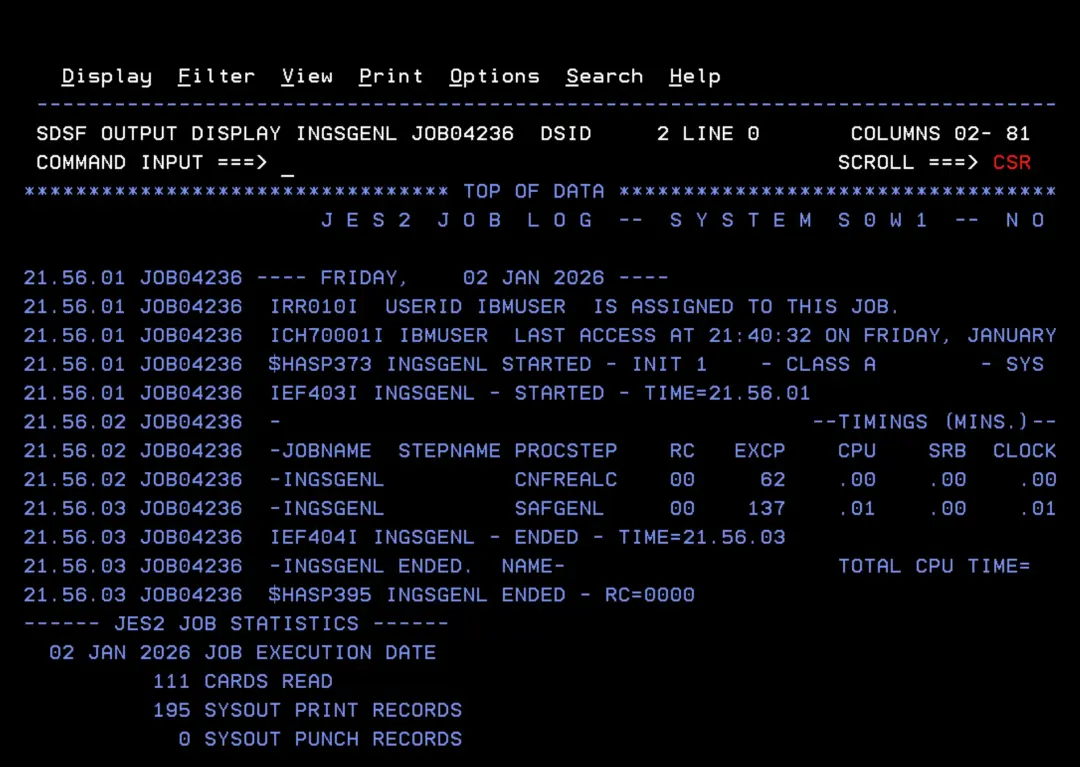
Now we will have the new library SA430.ADCDPL.CONFLIB.sysname (in my case, SA430.ADCDPL.CONFLIB.S0W1). Inside we will have the job to configure RACF.
VERY IMPORTANT. Review that job carefully before executing. It is better to execute the commands little by little and only those we need.
Some changes I had to make.
To avoid this error:
https://www.ibm.com/docs/en/zos/3.1.0?topic=messages-irr52174i
IRR52174I Incorrect UID 90004. This value is already in use by AUTINIT1.
C '(UID(90004) +' '(UID(90004) SHARED +'To avoid the error when creating generic dataset profiles with double asterisk "**":
IKJ56702I INVALID DATASET NAME, 'SA430.**'
Enhanced Generic Naming
SETROPTS EGN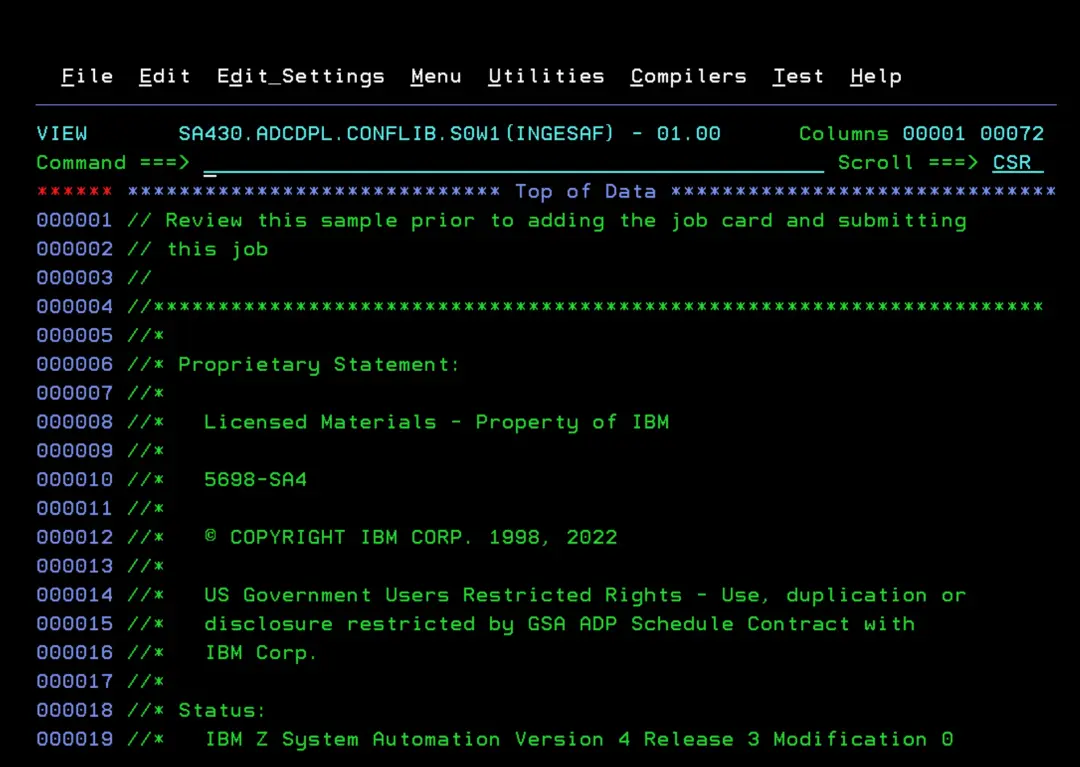
IMPORTANT: When reviewing the job output, we should not just check that it ends with RC=00. This only indicates that the RACF commands were executed. We must review the complete output to see the errors that may have appeared from the commands.
In my case, I got this error for some users. This seems to be because the RACF DB has run out of space. To correct it, I should get a list of the users that gave this error, expand the RACF DB, and run the commands again.
ICH51013I PROFILE ADDED OR ALTERED BUT NO ROOM TO MAKE ALIAS INDEX ENTRY.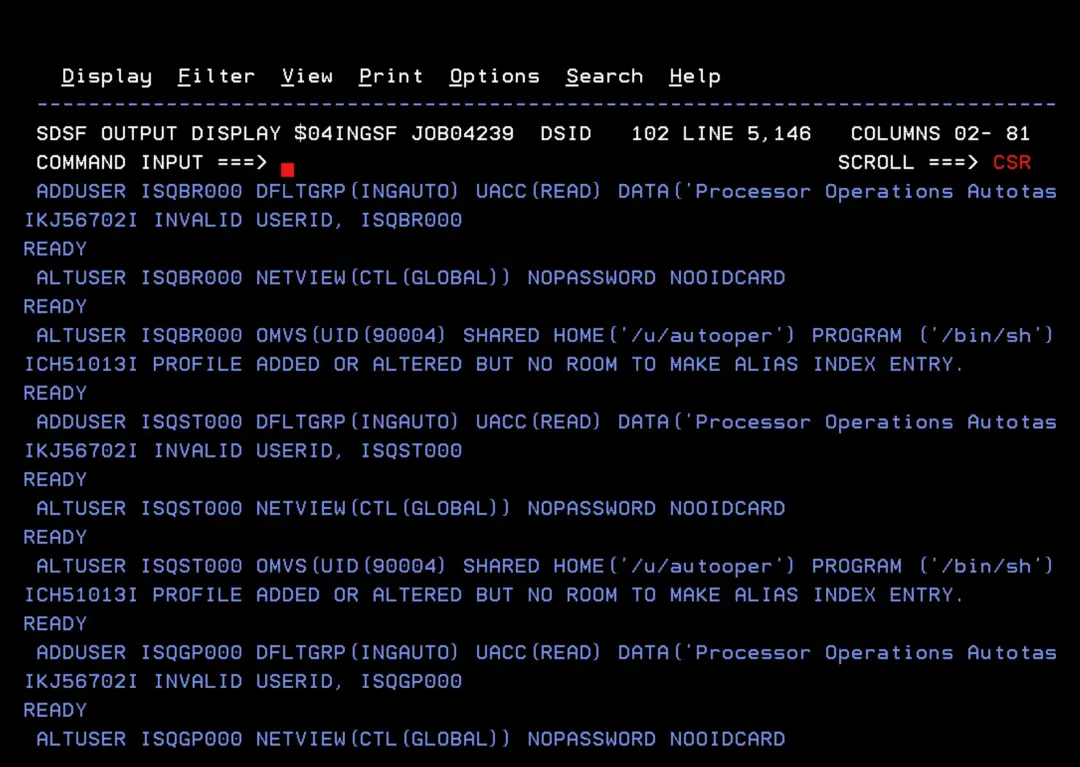
Create directories - MKDIR
Finally, we must create the directories in OMVS that we have defined in the configuration. This can be done with this job:
//$05MKDIR JOB CLASS=A,MSGCLASS=Q,MSGLEVEL=(1,1),NOTIFY=&SYSUID,
//   REGION=0M
//MKDIR    EXEC PGM=IKJEFT1A
//SYSTSPRT DD   SYSOUT=*
//STDOUT   DD   SYSOUT=*
//STDERR   DD   SYSOUT=*
//SYSTSIN  DD   *
  BPXBATCH SH mkdir -p /u/autooper
  BPXBATCH SH mkdir -p /var/ing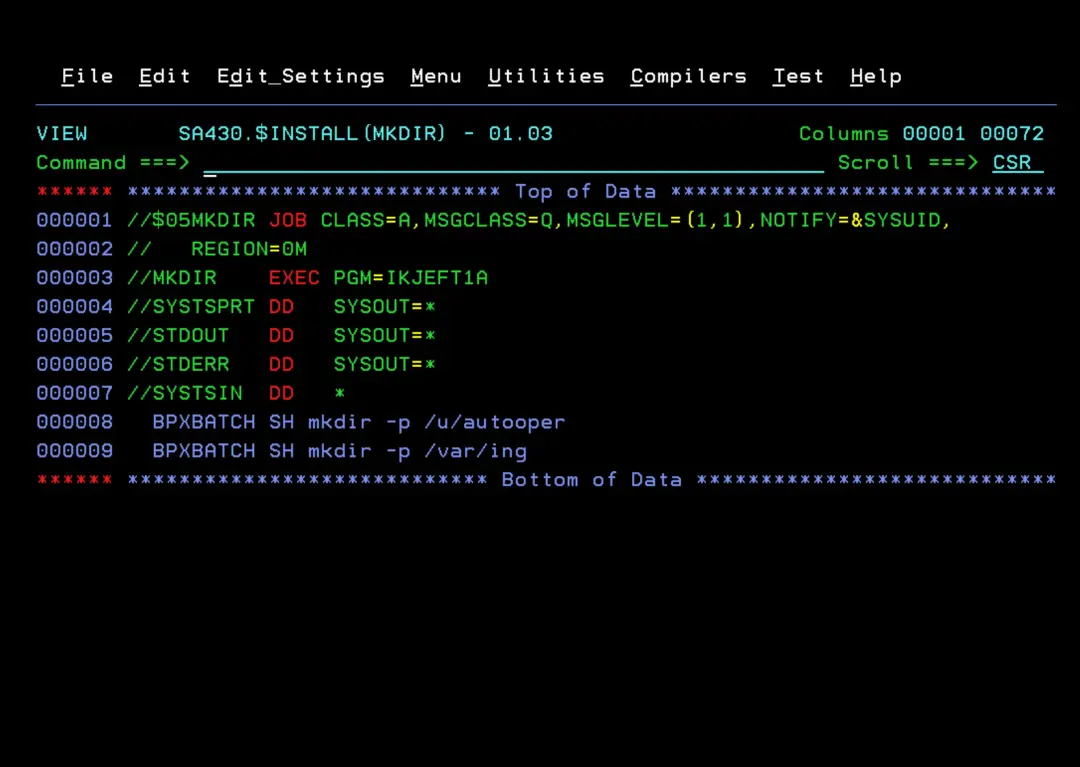
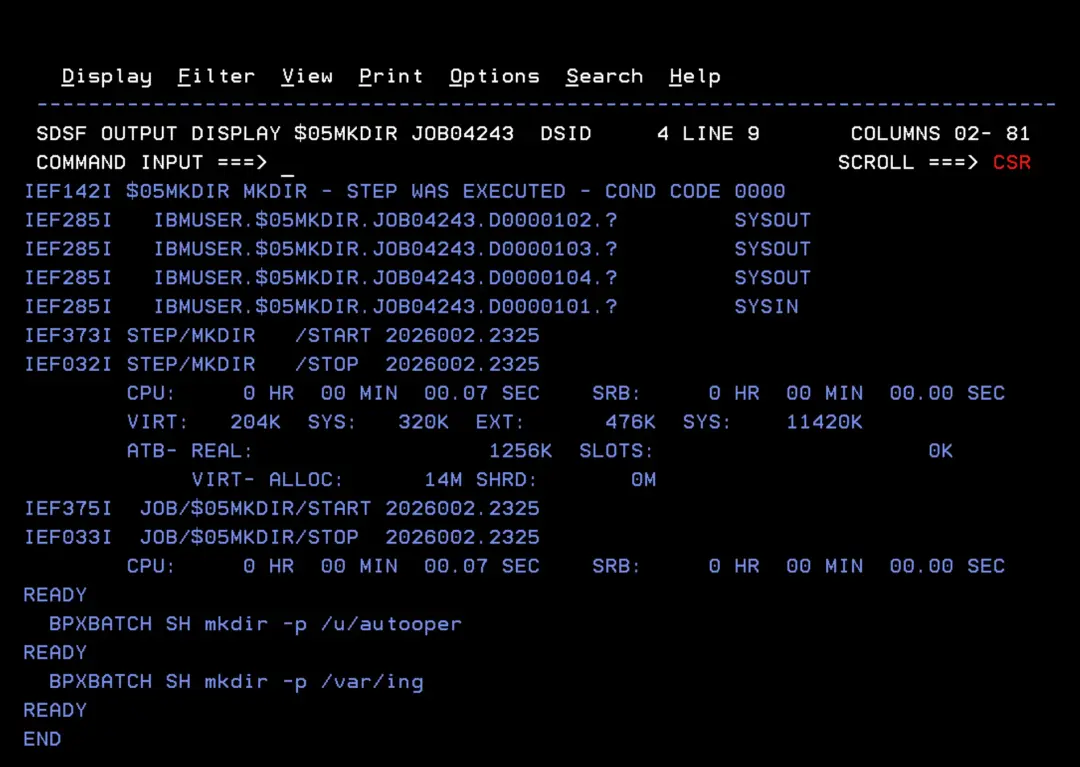
Verify that it completes successfully.
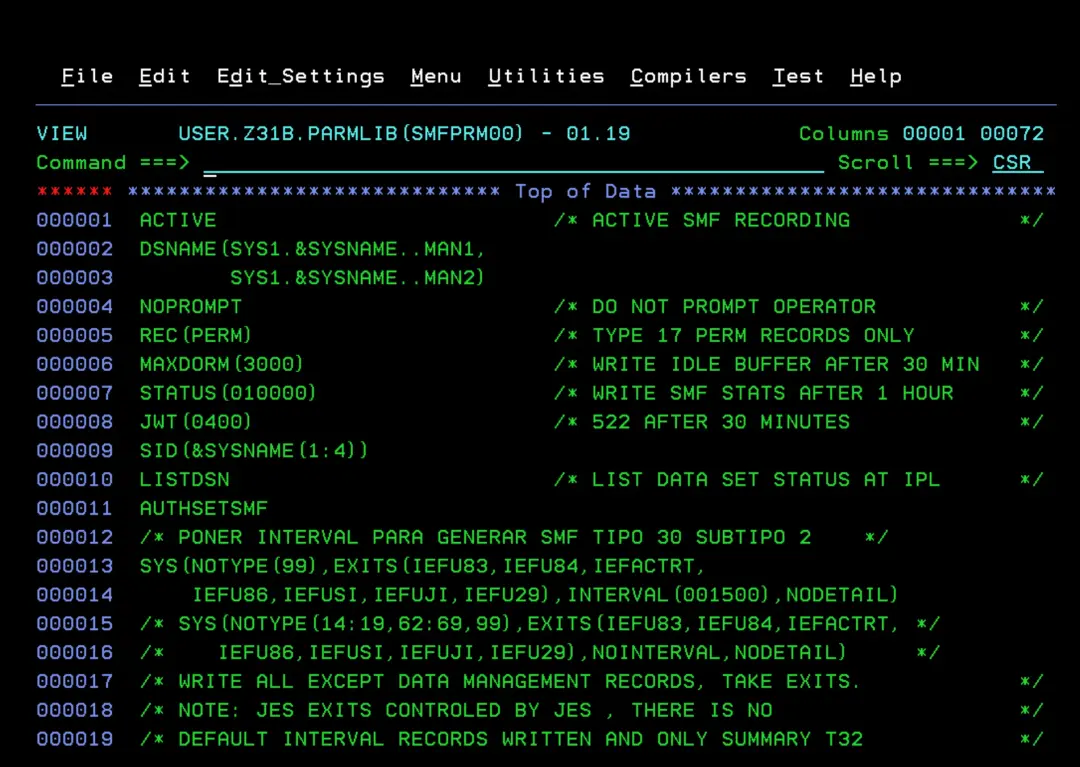
Optional - SMF Record 114
You can add SMF record 114 for availability reports.
https://www.ibm.com/docs/en/z-system-automation/4.3.0?topic=members-step-4i-update-smfprmxx
In my case, all are captured except type 99.
Final changes before IPL
I will explain some previous modifications that will help resolve some errors on the first startup.
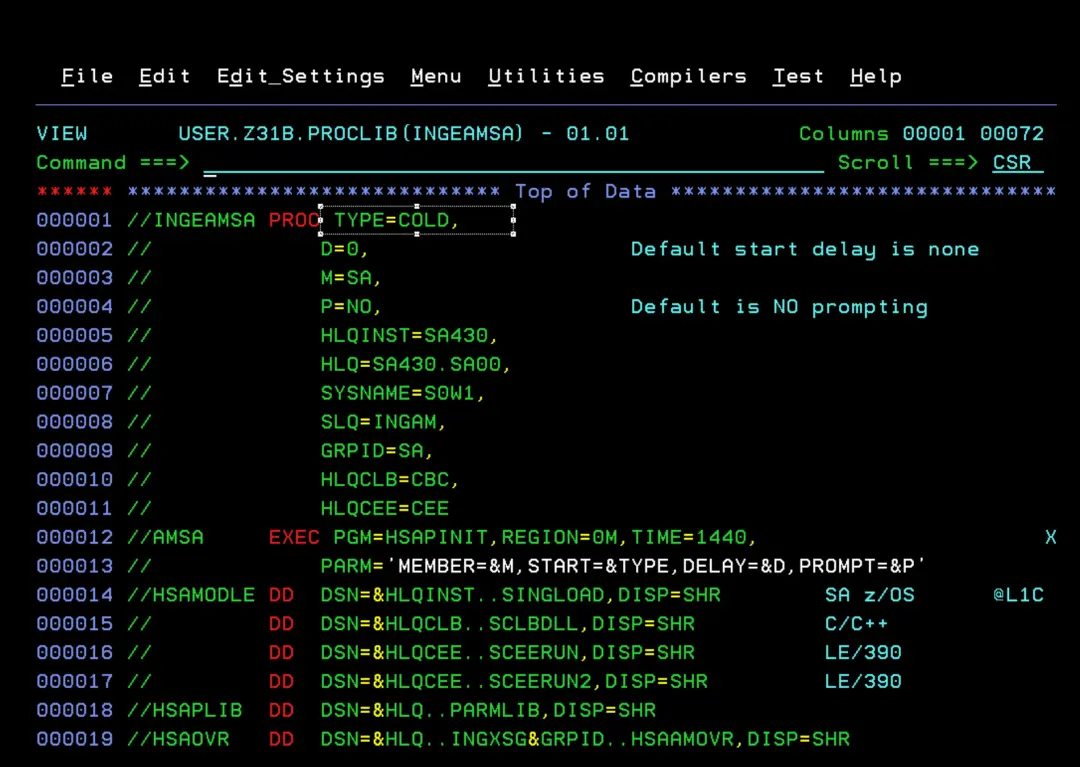
STC - INGEAMSA
The first startup must be with TYPE=COLD to format the files.
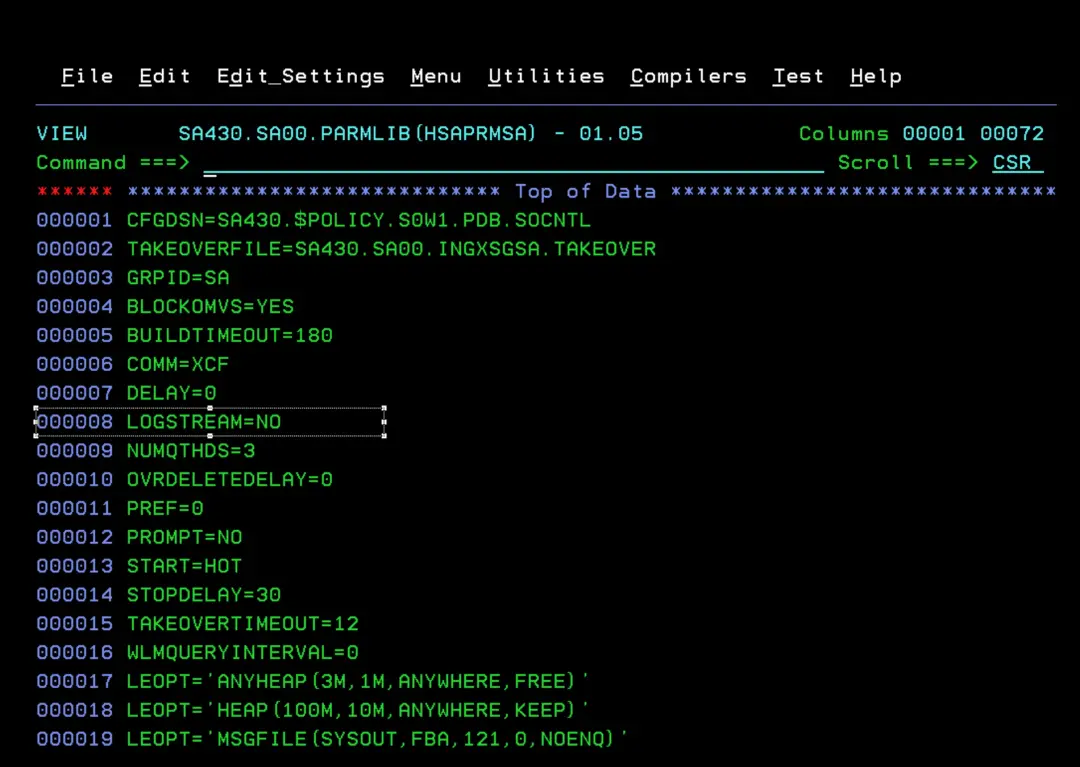
In the parameter file used by the INGEAMSA STC, SA430.SA00.PARMLIB(HSAPRMSA), disable the LOG STREAM (LOGSTREAM=NO).
STC - INGENVSA
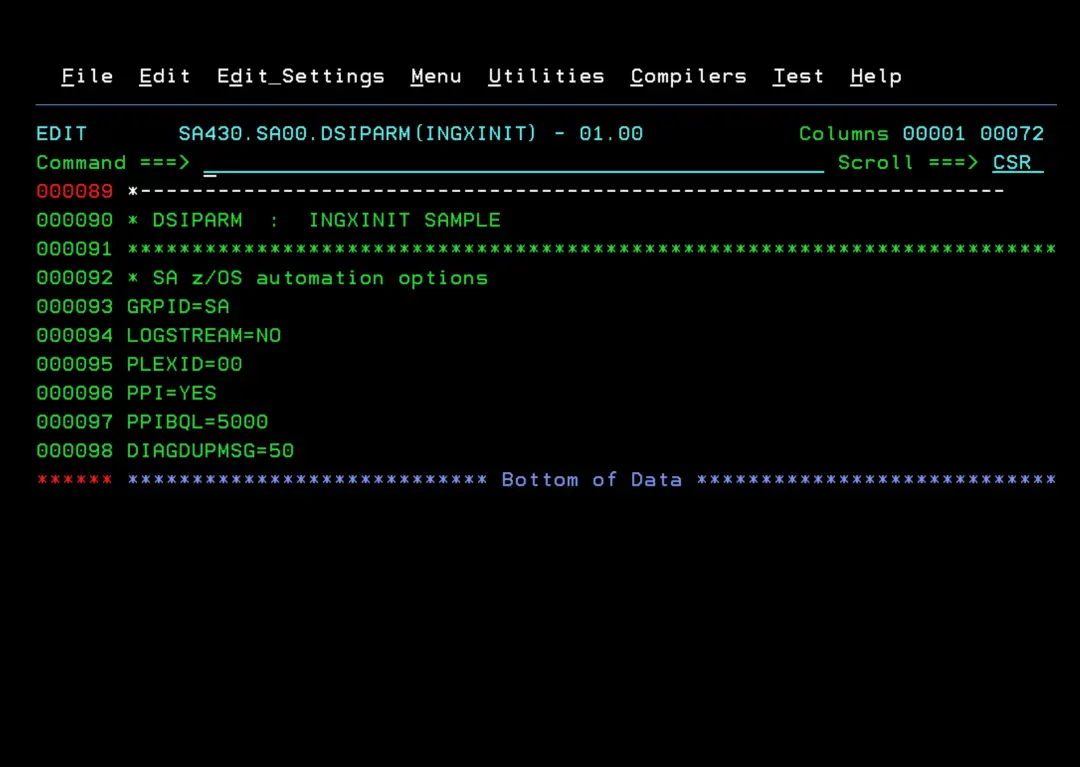
For this STC I set the LOGSTREAM=NO parameter in its DSIPARM configuration file because, for now, I am not going to use it.
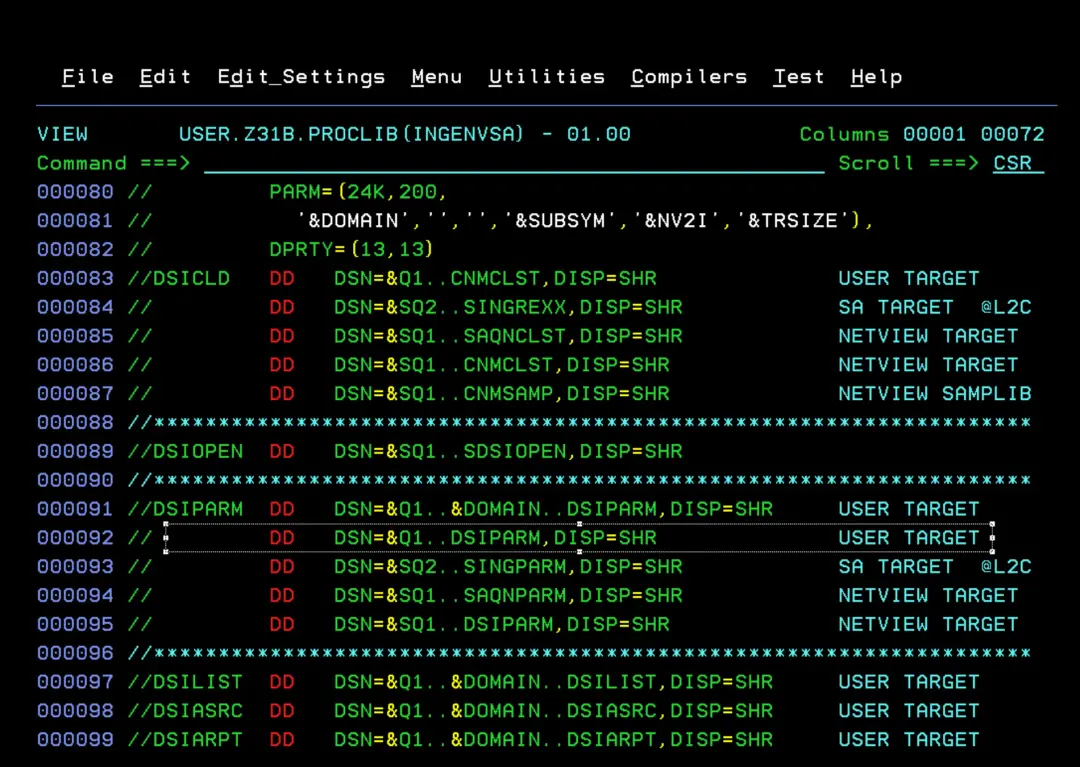
In my case: SA430.SA00.DSIPARM(INGXINIT)
Modify IEASYMxx
We must add the following symbols to the IEASYMxx file we are using. You can see it with the D IPLINFO command.
CNMDOMN is the domain we configured in the INGDOPT member.
CNMTCPN is the TCPIP name.
CNMNETID is the network name.
SYMDEF(&CNMDOMN='SA01')
SYMDEF(&CNMTCPN='TCPIP')
SYMDEF(&CNMNETID='NETD')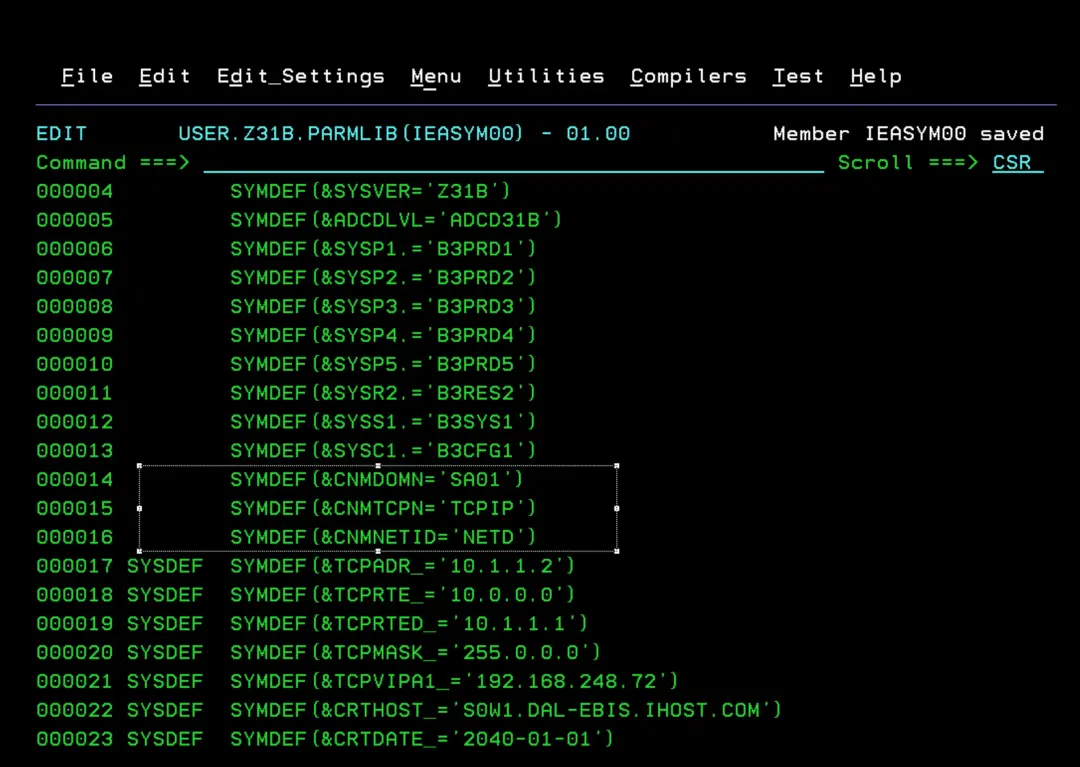
RACF - Additional Permissions
In the ADCD system, these RACF errors will appear when the INGNVSA task starts:
RO T=28,*ALL,D IPLINFO
IEE345I ROUTE    AUTHORITY INVALID, FAILED BY SECURITY PRODUCT
ICH408I USER(START1  ) GROUP(SYS1    ) NAME(ÑÑÑÑÑÑÑÑÑÑÑÑÑÑÑÑÑÑÑÑ) 011
  MVS.ROUTE.CMD.ALLSYSTEMS CL(OPERCMDS)
  INSUFFICIENT ACCESS AUTHORITY
  FROM MVS.ROUTE.CMD.* (G)
  ACCESS INTENT(READ   )  ACCESS ALLOWED(NONE   )

ICH408I USER(AUTINIT1) GROUP(INGAUTO ) NAME(ÑÑÑÑÑÑÑÑÑÑÑÑÑÑÑÑÑÑÑÑ)  969
  MVS.MCSOPER.AINIT1W1 CL(OPERCMDS)
  INSUFFICIENT ACCESS AUTHORITY
  FROM MVS.MCSOPER.* (G)
  ACCESS INTENT(READ   )  ACCESS ALLOWED(NONE   )
AOF206I 11:10:24 : "MVS DISPLAY TIME" COMMAND FAILED FOR AOFRANTL  970
 : RECEIVED "DWO521I TASK AUTINIT1 IS NOT AUTHORIZED BY THE
 SECURITY SOFTWARE TO OBTAIN EXTENDED CONSOLE AINIT1W1  "

 ICH408I USER(AUTINIT1) GROUP(INGAUTO ) NAME(ÑÑÑÑÑÑÑÑÑÑÑÑÑÑÑÑÑÑÑÑ)  148
  MVS.DISPLAY.TIMEDATE CL(OPERCMDS)
  INSUFFICIENT ACCESS AUTHORITY
  FROM MVS.DISPLAY.* (G)
  ACCESS INTENT(READ   )  ACCESS ALLOWED(NONE   )
AOF206I 11:25:27 : "MVS DISPLAY TIME" COMMAND FAILED FOR AOFRANTL  149
 : RECEIVED "IEE345I DISPLAY  AUTHORITY INVALID, FAILED BY
 SECURITY PRODUCT  "
Issue the following commands to assign the correct permissions:
PERMIT MVS.ROUTE.CMD.* CLASS(OPERCMDS) ID(SYS1) ACCESS(READ)
PERMIT MVS.MCSOPER.* CLASS(OPERCMDS) ID(INGAUTO) ACCESS(READ)
PERMIT MVS.DISPLAY.* CLASS(OPERCMDS) ID(INGAUTO) ACCESS(READ)

Other commands to prevent errors when starting System Automation with automation enabled:

PERMIT MVS.ROUTE.CMD.* CLASS(OPERCMDS) ID(INGAUTO) ACCESS(READ)
PERMIT MVS.CANCEL.STC.* CLASS(OPERCMDS) ID(INGAUTO) ACCESS(UPDATE)

PERMIT MVS.START.STC.* CLASS(OPERCMDS) ID(INGAUTO) ACCESS(UPDATE)
PERMIT MVS.MODIFY.STC.* CLASS(OPERCMDS) ID(INGAUTO) ACCESS(UPDATE)
PERMIT MVS.STOP.STC.* CLASS(OPERCMDS) ID(INGAUTO) ACCESS(UPDATE)

PERMIT MVS.* CLASS(OPERCMDS) ID(INGAUTO) ACCESS(UPDATE)

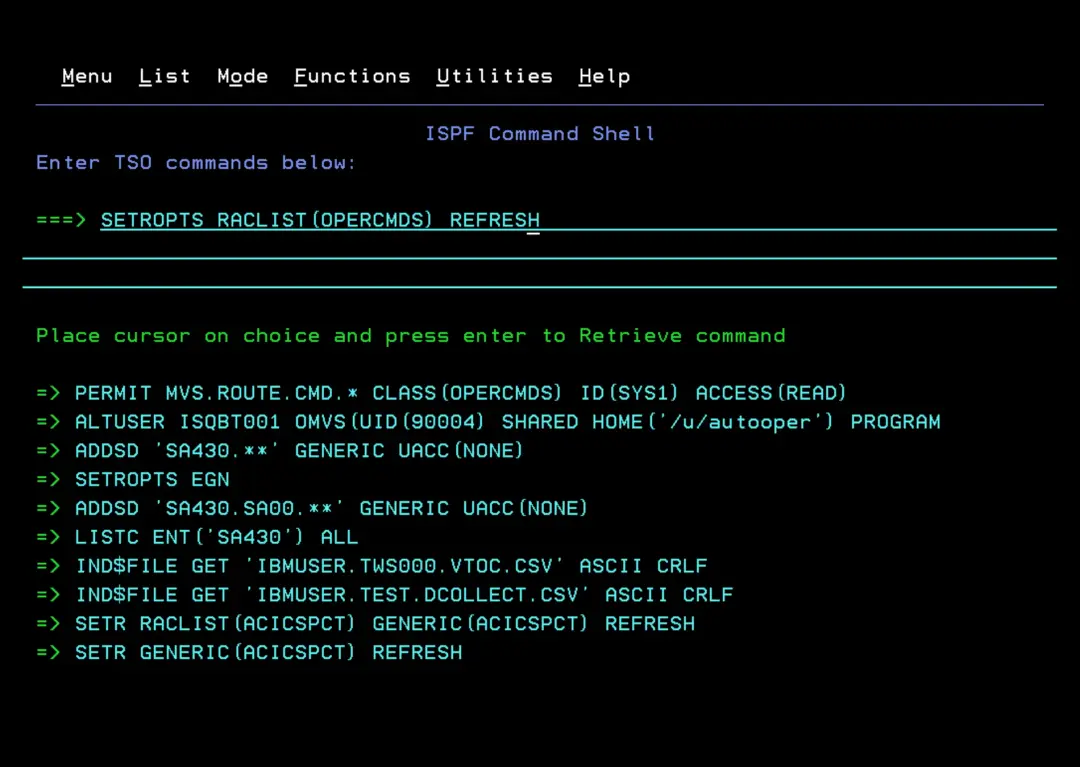
Refresh configuration:
SETROPTS RACLIST(OPERCMDS) REFRESH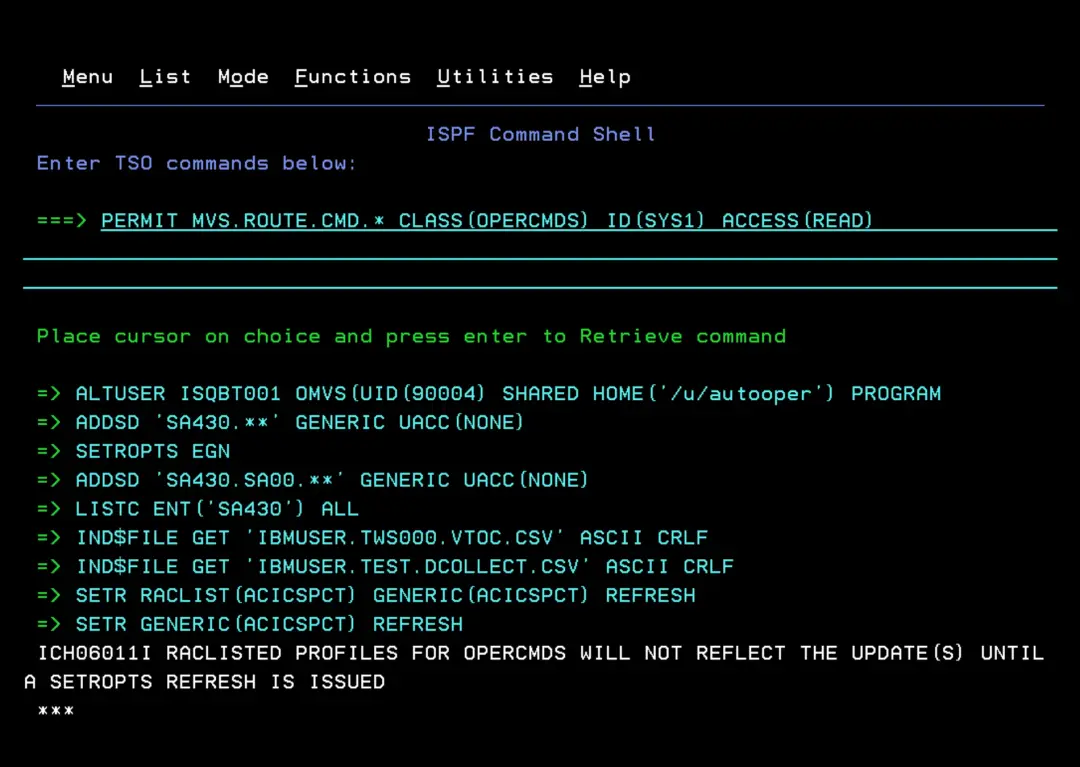
In the NetView configuration member, you need to enable SAF authentication (RACF in my case) so we can access the product.
In my case, I need to edit SA430.SA00.DSIPARM(CNMSTGEN) to modify and add the following:
SECOPTS.OPERSEC = SAFDEF
*SECOPTS.OPERSEC = SAFPW
SECOPTS.CMDAUTH = SAF.PASS
*SECOPTS.CMDAUTH = TABLE.INGESCAT

To avoid errors, add:
SECOPTS.OPSPAN = SAF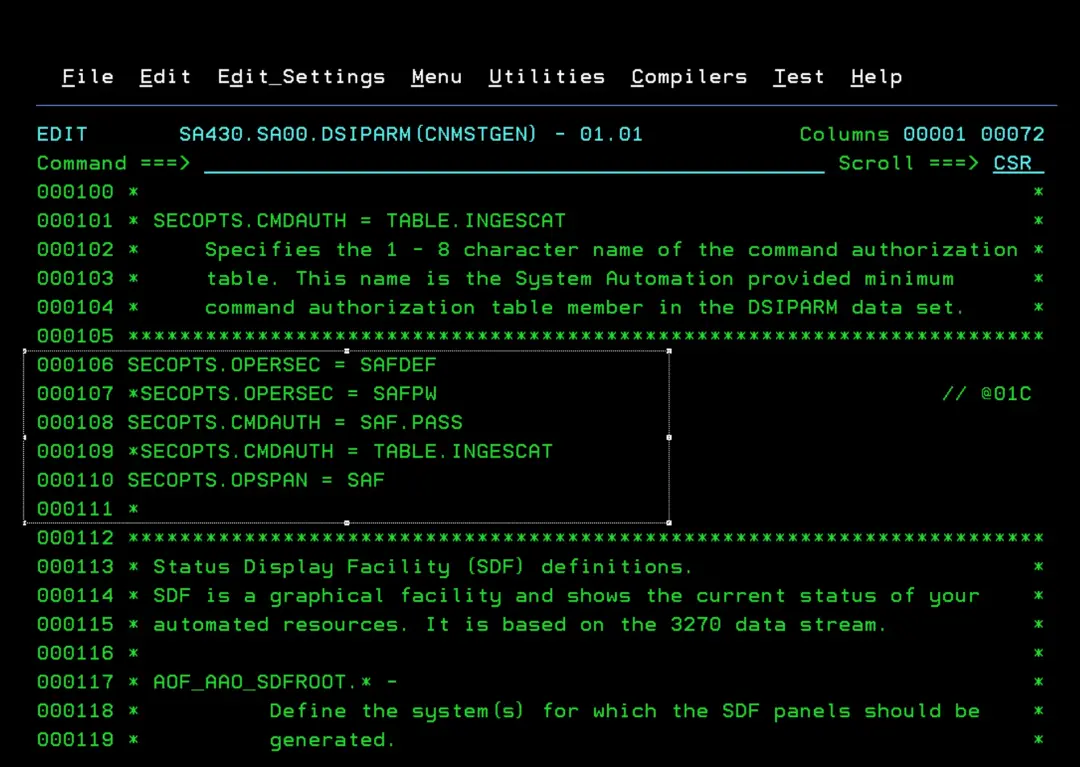
Then we need to connect personal users to one of the groups we defined in RACF (according to the access level they should have): INGSUPER, INGADMIN, INGOPER, INGUSER
In my case, I want all permissions:
CONNECT IBMUSER GROUP(INGSUPER)Assign jobID to the INGNVSA STC - DSIRQJOB
DSIRQJOB is an internal NetView task that assigns a jobID to the "INGNVSA" STC when we start with "SUB=MSTR" and allows us to see part of the joblog from SDSF to detect errors. By default, it is disabled.
To enable it:
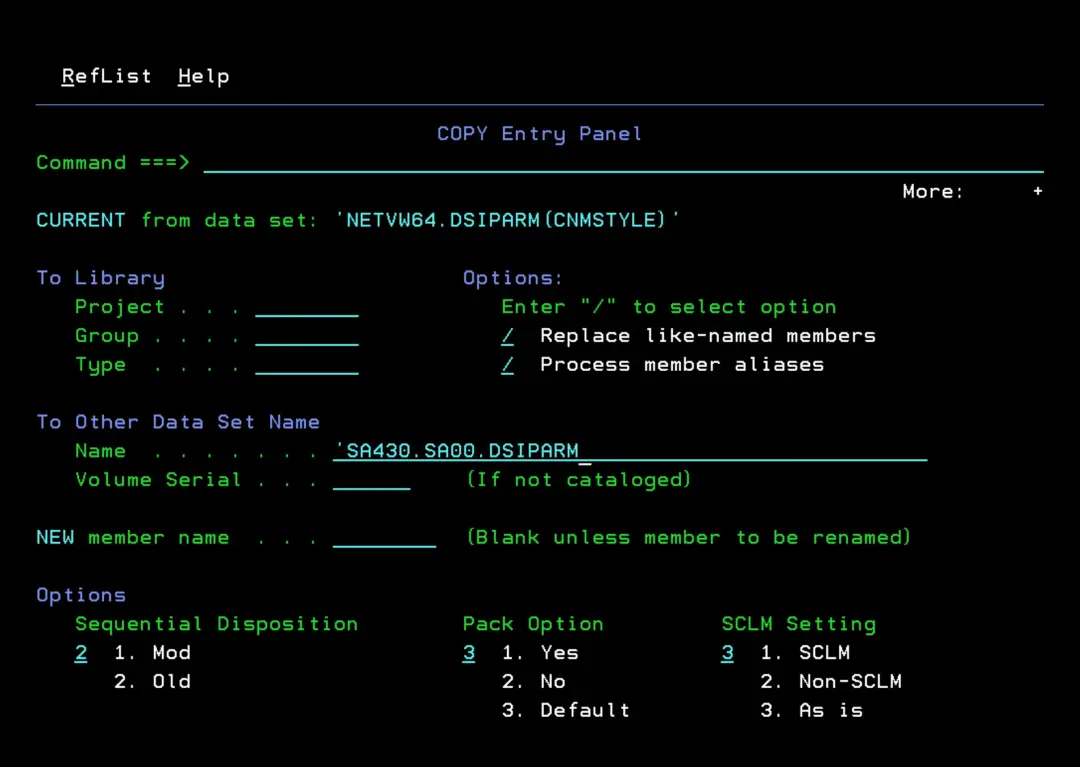
We copy the CNMSTYLE member from the TARGET NetView DSIPARM library to our library where we are making modifications.
In my case, from NETVW64.DSIPARM(CNMSTYLE) to SA430.SA00.DSIPARM
We locate the following line and comment it out:
*TASK.DSIRQJOB.MOD=*NONE*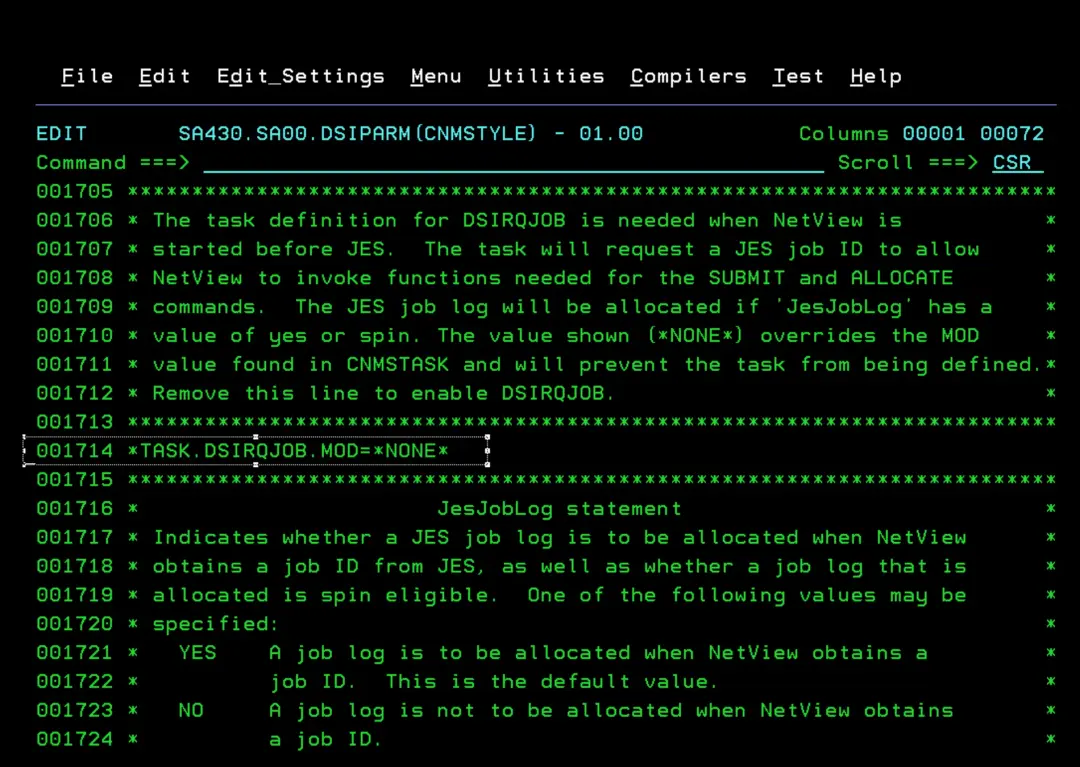
We set the TASK.DSIRQJOB.INIT parameter to Yes so that the internal NetView task DSIRQJOB starts:
TASK.DSIRQJOB.INIT = Y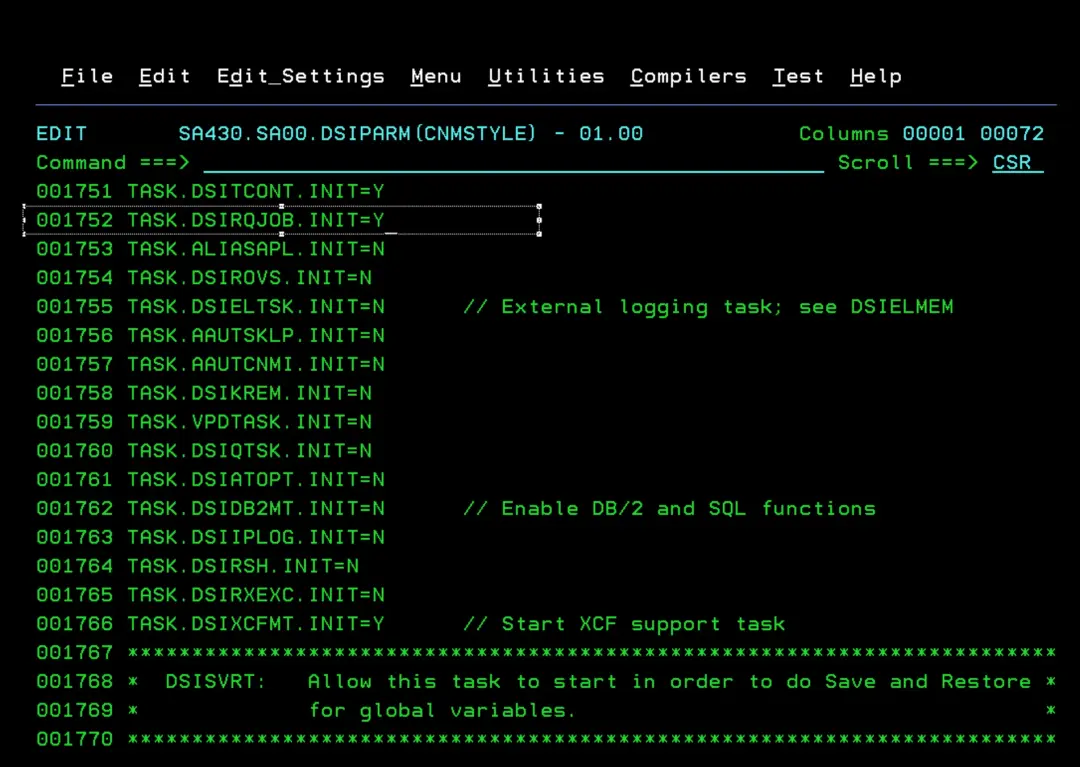
When we do an IPL and NetView starts, we can verify that this task is active with the commands:
LIST DSIRQJOB
TASKUTIL DSIRQJOB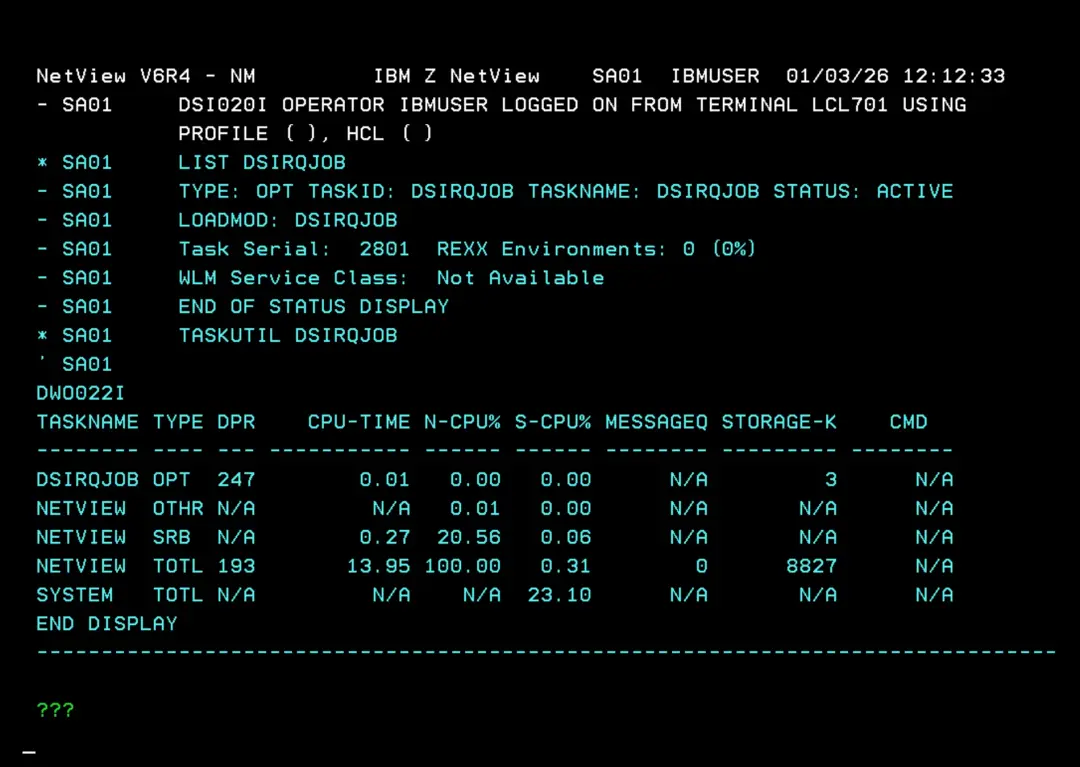
To be able to start NetView completely before JES2 and have a jobID assigned later, we must meet the requirements indicated here:
https://www.ibm.com/docs/en/z-netview/6.4.0?topic=initialization-starting-netview-program-before-jes
The documentation states:
• All data sets must be referenced by
VOL=SERor be cataloged in the master catalog.
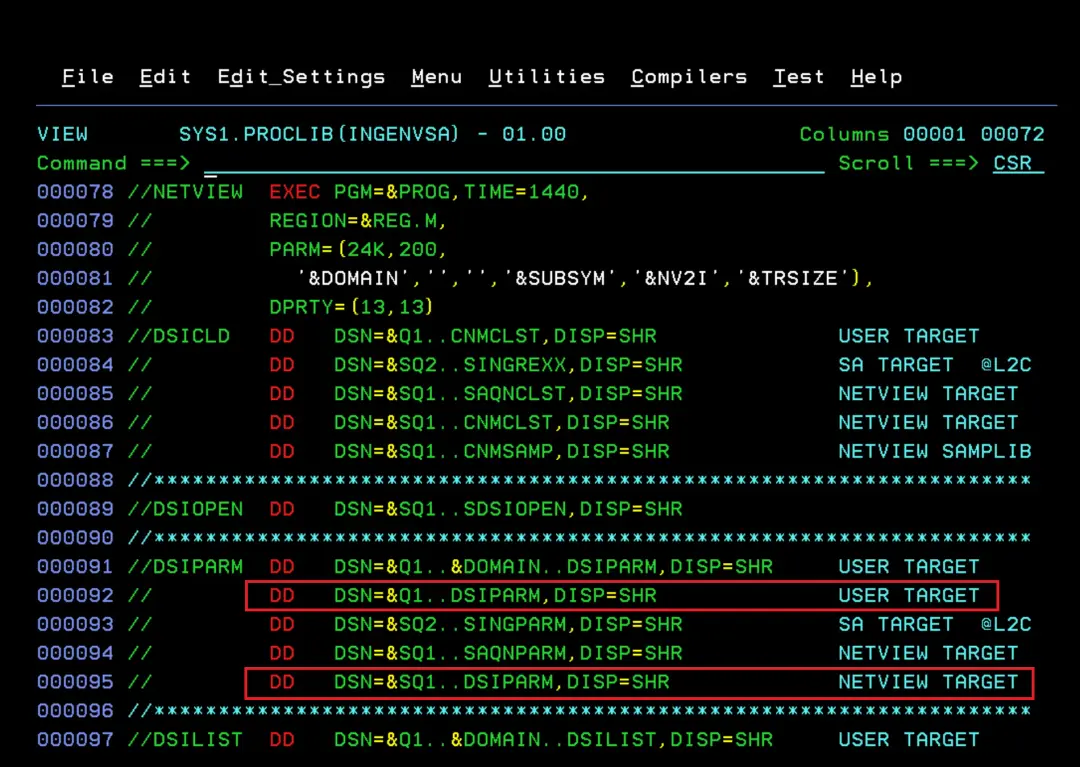
If you have followed this installation, we do not have the datasets cataloged in the master catalog. I have not yet tested if it is necessary, but I leave the modified STC with the parameters included:
//INGENVSA PROC PROG=DSIMNT,
//* ** NETVIEW DOMAIN NAME
// DOMAIN=SA01,
//* ** GROUPID AS PART OF THE NAME OF
//* SA PLEX SHARED DATASETS
// GRPID=SA,
//* ** USER DSN HIGH LEVEL QUALIFIER
// Q1=SA430.SA00,
//* ** NETVIEW DSN HIGH LVL QUALIFIER
// SQ1=NETVW64,
//* ** SA z/OS DSN HIGH LVL QUALIFIER
// SQ2=SA430,
//* ** VSAM DSN HIGH LVL QUALIFIER
// VQ1=SA430.SA00,
//* ** SA z/OS DSN HIGH LVL QUALIFIER-VSAM
// VQ2=SA430.SA00,
//* ** IWS DSN HIGH LVL QUALIFIER
// EQQ=TWS,
//* ** IWS MLOG DS NAME OF LOCAL TRACKER
// EQQMLOG=TWS.V101A.MLOG,
//* Comment out the following symbolic if starting NetView before JES
//* SOUTA='*', ** Default printed output class
// REG=0, ** Region Size(Im MB) for NetView
// SUBSYM='', ** Symbolic substitution switch
//* ** *SUBSYM = enable symbolic substitution
//* ** *NOSUBSYM = disable symbolic
//* ** substitution
//* ** Default option: *SUBSYM
// NV2I='',
//* ** UNIQUE AID A two character value
//* ** used to build a symbolic in SA z/OS
//* ** If you specify a value, you MUST
//* ** rename/copy CNMSTYLE to CxxSTYLE
//* ** to match.
//* ** Default Value: NM
// TRSIZE=''
//* ** INTERNAL TRACE TABLE SIZE - Number
//* ** of pages to be allocated for the
//* ** NetView Internal Trace tablewhich is
//* ** located in a data space.
//* ** Valid Range: 0-524286
//* ** Default Value: 4000
//* ** If a value of 0 is passed, internal
//* ** trace is not started early.
//* ** Trace options in CNMSTYLE take effect
//* ** even if trace is not started early.
//*
//**********************************************************************
//NETVIEW EXEC PGM=&PROG,TIME=1440,
// REGION=®.M,
// PARM=(24K,200,
// '&DOMAIN','','','&SUBSYM','&NV2I','&TRSIZE'),
// DPRTY=(13,13)
//DSICLD DD DSN=&Q1..CNMCLST,DISP=SHR, USER TARGET
// UNIT=3390,VOL=SER=SA4300
// DD DSN=&SQ2..SINGREXX,DISP=SHR, SA TARGET @L2C
// UNIT=3390,VOL=SER=SA4300
// DD DSN=&SQ1..SAQNCLST,DISP=SHR, NETVIEW TARGET
// UNIT=3390,VOL=SER=SA4300
// DD DSN=&SQ1..CNMCLST,DISP=SHR, NETVIEW TARGET
// UNIT=3390,VOL=SER=SA4300
// DD DSN=&SQ1..CNMSAMP,DISP=SHR, NETVIEW SAMPLIB
// UNIT=3390,VOL=SER=SA4300
//********************************************************************
//DSIOPEN DD DSN=&SQ1..SDSIOPEN,DISP=SHR,
// UNIT=3390,VOL=SER=SA4300
//********************************************************************
//DSIPARM DD DSN=&Q1..&DOMAIN..DSIPARM,DISP=SHR, USER TARGET
// UNIT=3390,VOL=SER=SA4300
// DD DSN=&Q1..DSIPARM,DISP=SHR, USER TARGET
// UNIT=3390,VOL=SER=SA4300
// DD DSN=&SQ2..SINGPARM,DISP=SHR, SA TARGET @L2C
// UNIT=3390,VOL=SER=SA4300
// DD DSN=&SQ1..SAQNPARM,DISP=SHR, NETVIEW TARGET
// UNIT=3390,VOL=SER=SA4300
// DD DSN=&SQ1..DSIPARM,DISP=SHR, NETVIEW TARGET
// UNIT=3390,VOL=SER=SA4300
//********************************************************************
//DSILIST DD DSN=&Q1..&DOMAIN..DSILIST,DISP=SHR, USER TARGET
// UNIT=3390,VOL=SER=SA4300
//DSIASRC DD DSN=&Q1..&DOMAIN..DSIASRC,DISP=SHR, USER TARGET
// UNIT=3390,VOL=SER=SA4300
//DSIARPT DD DSN=&Q1..&DOMAIN..DSIARPT,DISP=SHR, USER TARGET
// UNIT=3390,VOL=SER=SA4300
//DSIVTAM DD DUMMY
//********************************************************************
//DSIPRF DD DSN=&SQ2..SINGPRF,DISP=SHR, SA TARGET @L2C
// UNIT=3390,VOL=SER=SA4300
// DD DSN=&SQ1..DSIPRF,DISP=SHR, NETVIEW TARGET
// UNIT=3390,VOL=SER=SA4300
//********************************************************************
//* SA z/OS Message library
//*
//DSIMSG DD DSN=&SQ2..SINGMENU,DISP=SHR, SA US @L2C
// UNIT=3390,VOL=SER=SA4300
// DD DSN=&SQ1..SDSIMSG1,DISP=SHR, NETVIEW TARGET
// UNIT=3390,VOL=SER=SA4300
//********************************************************************
//* SA z/OS Panel library
//*
//BNJPNL1 DD DSN=&SQ1..BNJPNL1,DISP=SHR,
// UNIT=3390,VOL=SER=SA4300
//BNJPNL2 DD DSN=&SQ1..BNJPNL2,DISP=SHR,
// UNIT=3390,VOL=SER=SA4300
//********************************************************************
//CNMPNL1 DD DSN=&SQ2..SINGPENU,DISP=SHR, SA US @L2C
// UNIT=3390,VOL=SER=SA4300
// DD DSN=&SQ1..CNMPNL1,DISP=SHR, NETVIEW US
// UNIT=3390,VOL=SER=SA4300
//********************************************************************
//* AUTOMATION STATUS FILE
//*
//AOFSTAT DD DSN=&Q1..&DOMAIN..STATS,DISP=SHR,
// UNIT=3390,VOL=SER=SA4300
//********************************************************************
//* SA z/OS password dataset
//*
//INGPSWD DD DSN=&Q1..INGXSG&GRPID..INGPSWD,
// UNIT=3390,VOL=SER=SA4300,
// DISP=SHR,AMP='AMORG,BUFNI=10,BUFND=5'
//********************************************************************
//* Relational Data Services File (RDS)
//*
//INGEMUGL DD DSN=&VQ2..&DOMAIN..EMUGLBL,DISP=SHR,
// UNIT=3390,VOL=SER=SA4300
//********************************************************************
//* IPLDATA collection dataset
//*
//HSAIPL DD DSN=&VQ2..INGXSG&GRPID..IPLDATA,DISP=SHR,
// UNIT=3390,VOL=SER=SA4300
//********************************************************************
//* NETVIEW LOG DATASETS
//*
//DSILOGP DD DSN=&VQ1..&DOMAIN..DSILOGP,
// UNIT=3390,VOL=SER=SA4300,
// DISP=SHR,AMP='AMORG,BUFNI=20,BUFND=20'
//DSILOGS DD DSN=&VQ1..&DOMAIN..DSILOGS,
// UNIT=3390,VOL=SER=SA4300,
// DISP=SHR,AMP='AMORG,BUFNI=20,BUFND=20'
//********************************************************************
//* NetView trace log
//* - enable the following entries according to your needs
//*DSITRCP DD DSN=&VQ1..&DOMAIN..DSITRCP,DISP=SHR,AMP=AMORG
//*DSITRCS DD DSN=&VQ1..&DOMAIN..DSITRCS,DISP=SHR,AMP=AMORG
//********************************************************************
//* SAVE/RESTORE FACILITY VSAM DATA BASE
//*
//DSISVRT DD DSN=&VQ1..&DOMAIN..DSISVRT,
// UNIT=3390,VOL=SER=SA4300,
// DISP=SHR,AMP=AMORG
//********************************************************************
//* IWS Datasets
//*
//EQQMLOG DD DSN=&EQQMLOG.,DISP=SHR,
// UNIT=3390,VOL=SER=TWS000
//EQQMLIB DD DSN=&EQQ..SEQQMSG0,DISP=SHR,
// UNIT=3390,VOL=SER=TWS000
//EQQDUMP DD DUMMY
//********************************************************************
//* Diagnostic Information
//*
//INGDUMP DD DSN=&VQ2..&DOMAIN..INGDUMP,DISP=SHR,
// UNIT=3390,VOL=SER=SA4300
//********************************************************************
//* use the following dummy card to avoid a SYSOUT reference if you
//* are starting NetView before starting JES
//SYSPRINT DD DUMMY
//*SYSPRINT DD SYSOUT=&SOUTA
//At this point we can do an IPL. After that, the tasks should start, but we still don't have an automation policy DB.
After IPL
Since the tasks will have started with "SUB=MSTR", we will only be able to see the jobLog for the INGNVSA task.
COM = "S INGEAMSA,JOBNAME=INGAM,SUB=MSTR"
COM = "S INGENVSA,JOBNAME=INGNVSA,SUB=MSTR"
COM = "S INGESSI,JOBNAME=INGNVSSI,SUB=MSTR"
In SDSF → DA
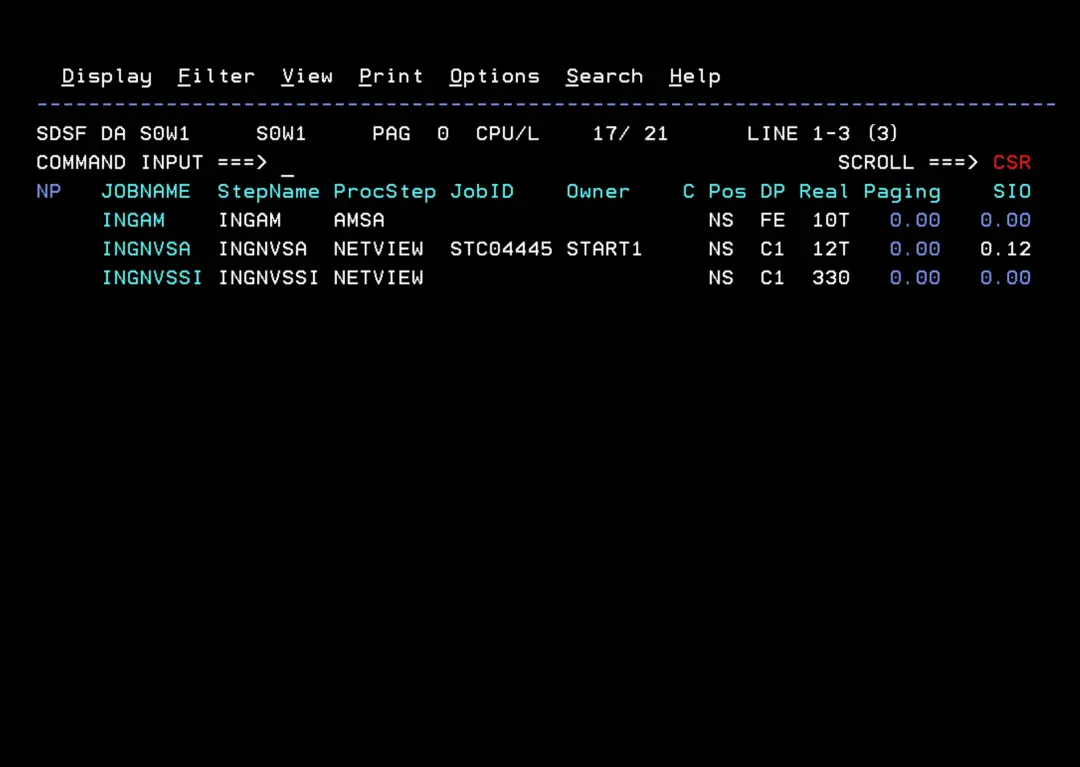
If we want to verify that everything went well, we can stop the tasks and restart them without "SUB=MSTR". This way, we will see the complete log and we can confirm that the tasks we are testing work.
P INGNVSA
P INGNVSSI
P INGAM
The INGAM task has other stop options when we cannot wait for an internal process to finish:
F INGAM,STOP,IMMED
F INGAM,STOP,FORCE

Or:
F INGAM,STOP,DEFER
Start with:
S INGEAMSA,JOBNAME=INGAM
S INGENVSA,JOBNAME=INGNVSA
S INGESSI,JOBNAME=INGNVSSI
I leave the startup log of my tasks as reference.
INGAM
The message HSAM1304A is because I have not created an automation policy DB.
1                       J E S 2  J O B  L O G  --  S Y S T E M  S 0 W 1  --  N O D E  S 0 W 1
0
 14.15.37 STC04482 ---- SATURDAY,  03 JAN 2026 ----
 14.15.37 STC04482  IEF695I START INGEAMSA WITH JOBNAME INGAM    IS ASSIGNED TO USER START1  , GROUP SYS1
 14.15.37 STC04482  $HASP373 INGAM    STARTED
 14.15.37 STC04482  IEF403I INGAM - STARTED - TIME=14.15.37
 14.15.37 STC04482  IEF761I INGAM INGAM HSAPLIB HSAPSPLM/A DD IS ALREADY ALLOCATED AND WILL BE USED BY THIS TASK.
 14.15.37 STC04482  IEE252I MEMBER HSAPRMSA FOUND IN SA430.SA00.PARMLIB
 14.15.37 STC04482  IEE252I MEMBER CTIHSAZZ FOUND IN USER.Z31B.PARMLIB
 14.15.37 STC04482  HSAM1004I ARM REGISTER FAILED FOR ELEMENT=HSAAM_S0W1$$$$1 TYPE=HSAMGR, IXCARM RET=0000000C RSN=00000160.
 14.15.37 STC04482  HSAM1005I COMMUNICATION IS XCF ONLY. THE TAKEOVER FILE WILL BE USED FOR HOT START AND RECOVERY PURPOSES.
 14.15.37 STC04482  HSAM1389I BUILD ID FOR HSAPIEHM 2022064 024003 16 01.
 14.15.37 STC04482  HSAM1000I AUTOMATION MANAGER SUBTASKS ARE BEING STARTED.
 14.15.37 STC04482  HSAL1083I AUTOMATION MANAGER HAS CREATED THE INITIAL POSIX THREAD WITH PID=16842760.
 14.15.37 STC04482  HSAL1072I AUTOMATION MANAGER IS BLOCKING OMVS SHUTDOWN.
 14.15.37 STC04482  HSAM1315I SUCCESSFUL ALLOCATION OF TAKEOVER FILE SA430.SA00.INGXSGSA.TAKEOVER.
 14.15.37 STC04482  HSAL1107I REFRESH OF TAKEOVER FILE DSN=SA430.SA00.INGXSGSA.TAKEOVER WITH CURRENT AUTOMATION MANAGER DATA STARTED.
 14.15.38 STC04482  HSAL1108I REFRESH OF TAKEOVER FILE DSN=SA430.SA00.INGXSGSA.TAKEOVER COMPLETED.
 14.15.38 STC04482  INGY1004I AUTOMATION MANAGER CALL FAILED. RC=x'0008', REASON=x'10D4'
 14.15.38 STC04482  HSAM1305I UNABLE TO PROCESS SA z/OS AUTOMATION CONFIGURATION DATA SET SA430.$POLICY.S0W1.PDB.SOCNTL.
 14.15.38 STC04482 *03 HSAM1304A SPECIFY SA z/OS AUTOMATION CONFIGURATION DATA SET NAME.
 14.15.38 STC04482  HSAM1310I RC=8 REAS=4308 OPCODE=08010001 (MAIN.2) ReadConfiguration.
 14.15.38 STC04482  HSAM1311I Config map could not be opened, PROBLEM WITH:  040
    040             'SA430.$POLICY.S0W1.PDB.SOCNTL(AOFACFMP)': ERROR 67: EDC5067I An
    040             attempt was made to open a nonexistent file for read.
INGNVSSI
1                       J E S 2  J O B  L O G  --  S Y S T E M  S 0 W 1  --  N O D E  S 0 W 1
0
 14.15.54 STC04484 ---- SATURDAY,  03 JAN 2026 ----
 14.15.54 STC04484  IEF695I START INGESSI  WITH JOBNAME INGNVSSI IS ASSIGNED TO USER START1  , GROUP SYS1
 14.15.54 STC04484  $HASP373 INGNVSSI STARTED
 14.15.54 STC04484  IEF403I INGNVSSI - STARTED - TIME=14.15.54
 14.15.54 STC04484  CNM226I NetView Program to Program Interface initialization is completed
 14.15.54 STC04484  CNM541I NetView subsystem INGN is fully functional
INGNVSA
1                       J E S 2  J O B  L O G  --  S Y S T E M  S 0 W 1  --  N O D E  S 0 W 1
0
 14.15.45 STC04483 ---- SATURDAY,  03 JAN 2026 ----
 14.15.45 STC04483  IEF695I START INGENVSA WITH JOBNAME INGNVSA  IS ASSIGNED TO USER START1  , GROUP SYS1
 14.15.45 STC04483  $HASP373 INGNVSA  STARTED
 14.15.45 STC04483  IEF403I INGNVSA - STARTED - TIME=14.15.45
 14.15.45 STC04483  DSI244I NETVIEW TRACE ACTIVE FOR TASK = ALL : MODE = INT, SIZE = 4000 WITH OPTIONS = QUE PSS DISP STOR UEXIT MOD
                             SAF TCP
 14.15.45 STC04483  DSI899I DSI244I , SAF TRACE = FAILURES FOR REQUEST TYPES = AUTH EXTRACT FASTAUTH LIST STAT TOKENMAP TOKENXTR
                             VERIFY
 14.15.45 STC04483  CNM910I 'BPX1SDD WITH PROCESSDEFER+JOBPERM+NOJSTUNDUB+UNIQUEACEE' REQUEST ACCEPTED
 14.15.45 STC04483  IEC141I 013-64,IFG0196J,INGNVSA,INGNVSA,DSIVTAM,,,  050
    050             NULLFILE
 14.15.45 STC04483  DSI530I 'DSIDCBMT' : 'DSIDCBMT' IS READY AND WAITING FOR WORK
 14.15.46 STC04483  DSI530I 'DSITIMMT' : 'DSITIMMT' IS READY AND WAITING FOR WORK
 14.15.46 STC04483  BNH350I NETVIEW HIGH-LEVEL LANGUAGE SUPPORT HAS BEEN SUCCESSFULLY INITIALIZED WITH LE/370 LIBRARIES
 14.15.46 STC04483  DSI530I 'DSIHLLMT' : 'DSIHLLMT' IS READY AND WAITING FOR WORK
 14.15.46 STC04483  DSI530I 'DSISTMMT' : 'DSISTMMT' IS READY AND WAITING FOR WORK
 14.15.46 STC04483  DSI530I 'DSILOGMT' : 'DSILOGMT' IS READY AND WAITING FOR WORK
 14.15.46 STC04483  ICH70001I SA01PPT  LAST ACCESS AT 13:03:14 ON SATURDAY, JANUARY 3, 2026
 14.15.46 STC04483  DWO854I Canzlog is active.
 14.15.53 STC04483  DSI556I DSILOG : VSAM DATASET 'OPEN' COMPLETED, DDNAME = 'DSILOGP' RETURN CODE = X'00', ACB ERROR FIELD = X'00'
 14.15.53 STC04483  DSI556I DSILOG : VSAM DATASET 'OPEN' COMPLETED, DDNAME = 'DSILOGS' RETURN CODE = X'00', ACB ERROR FIELD = X'00'
 14.15.53 STC04483  DSI530I 'DSILOG  ' : 'DST' IS READY AND WAITING FOR WORK
 14.15.53 STC04483  DSI240I DSILOG   :  NETWORK LOG IS NOW ACTIVE
 14.15.53 STC04483  BNH803I VALUE *NONE* FOR KEYWORD ARCHIVE.HLQ CONFLICTS WITH VALUE YES FOR KEYWORD ARCHIVE.WRITE
 14.15.54 STC04483  DWO840I OPER1 IS NOT DEFINED TO NETVIEW
 14.15.54 STC04483  DWO840I NETOP1 IS NOT DEFINED TO NETVIEW
 14.15.54 STC04483  NetView "SA01" style sheet processing has begun.
 14.15.54 STC04483  This is an example styleMsg statement in CNMSTUSR.
 14.15.54 STC04483  There is one blank preceding the earlier "is".
 14.15.54 STC04483  Remember, NetView is one word.  The value of &DOMAIN
 14.15.54 STC04483  is "SA01" and &NV2I is "NM".
 14.15.54 STC04483  BNH111I NETVIEW LOGON SCREEN BYPASS IS NOW ENABLED.
 14.15.54 STC04483  CNM570I STARTING AUTOMATION TASK AUTINIT1
 14.15.54 STC04483  CNM570I STARTING AUTOMATION TASK AUTINIT2
 14.15.54 STC04483  CNM570I STARTING AUTOMATION TASK AUTOAON
 14.15.54 STC04483  CNM570I STARTING AUTOMATION TASK AUTOCMON
 14.15.54 STC04483  CNM570I STARTING AUTOMATION TASK AUTOCSMF
 14.15.54 STC04483  CNM570I STARTING AUTOMATION TASK AUTOEDAT
 14.15.54 STC04483  CNM570I STARTING AUTOMATION TASK AUTOPSAV
 14.15.54 STC04483  CNM570I STARTING AUTOMATION TASK AUTOXCF
 14.15.54 STC04483  CNM570I STARTING AUTOMATION TASK AUTOXDSC
 14.15.54 STC04483  CNM570I STARTING AUTOMATION TASK AUTO1
 14.15.54 STC04483  CNM570I STARTING AUTOMATION TASK AUTO2
 14.15.54 STC04483  CNM570I STARTING AUTOMATION TASK DBAUTO1
 14.15.54 STC04483  CNM570I STARTING AUTOMATION TASK DSIIPCHK
 14.15.54 STC04483  CNM570I STARTING AUTOMATION TASK MVSCMDS
 14.15.54 STC04483  ICH70001I AUTINIT1 LAST ACCESS AT 13:03:29 ON SATURDAY, JANUARY 3, 2026
 14.15.54 STC04483  ICH70001I AUTINIT2 LAST ACCESS AT 13:03:23 ON SATURDAY, JANUARY 3, 2026
 14.15.54 STC04483  ICH70001I AUTOAON  LAST ACCESS AT 13:03:23 ON SATURDAY, JANUARY 3, 2026
 14.15.54 STC04483  ICH70001I AUTOCMON LAST ACCESS AT 13:03:23 ON SATURDAY, JANUARY 3, 2026
 14.15.54 STC04483  ICH70001I AUTOCSMF LAST ACCESS AT 13:03:23 ON SATURDAY, JANUARY 3, 2026
 14.15.54 STC04483  ICH70001I AUTOEDAT LAST ACCESS AT 13:03:23 ON SATURDAY, JANUARY 3, 2026
 14.15.54 STC04483  ICH70001I AUTOPSAV LAST ACCESS AT 13:03:23 ON SATURDAY, JANUARY 3, 2026
 14.15.54 STC04483  ICH70001I AUTOXCF  LAST ACCESS AT 13:03:23 ON SATURDAY, JANUARY 3, 2026
 14.15.54 STC04483  ICH70001I AUTOXDSC LAST ACCESS AT 13:03:23 ON SATURDAY, JANUARY 3, 2026
 14.15.54 STC04483  ICH70001I AUTO1    LAST ACCESS AT 13:03:23 ON SATURDAY, JANUARY 3, 2026
 14.15.54 STC04483  ICH70001I AUTO2    LAST ACCESS AT 13:03:23 ON SATURDAY, JANUARY 3, 2026
 14.15.54 STC04483  ICH70001I DBAUTO1  LAST ACCESS AT 13:03:23 ON SATURDAY, JANUARY 3, 2026
 14.15.54 STC04483  ICH70001I DSIIPCHK LAST ACCESS AT 13:03:23 ON SATURDAY, JANUARY 3, 2026
 14.15.54 STC04483  ICH70001I MVSCMDS  LAST ACCESS AT 13:03:23 ON SATURDAY, JANUARY 3, 2026
 14.15.55 STC04483  DWO044I AUTOMATION TABLE LISTING 'LISTNAME' SUCCESSFULLY GENERATED
 14.15.55 STC04483  DSI410I DSIPARM MEMBER DSITBL01 BEING USED FOR NETVIEW AUTOMATION
 14.15.55 STC04483 *04 DSI802A SA01     REPLY WITH VALID NCCF SYSTEM OPERATOR COMMAND
 14.15.55 STC04483  DSI530I 'DSIWTOMT' : 'SYSOP' IS READY AND WAITING FOR WORK
 14.15.55 STC04483  DSI530I 'DSIACBMT' : 'SA01' IS READY AND WAITING FOR WORK
 14.15.55 STC04483  DSI530I 'DSIGKPMT' : 'DSIGKPMT' IS READY AND WAITING FOR WORK
 14.15.55 STC04483  DSI530I 'CNMCSSIR' : 'Subsystem Router' IS READY AND WAITING FOR WORK
 14.15.55 STC04483  INGY1131I PPI Receiver INGUXPPI is active. TASK=INGUXPPI
 14.15.55 STC04483  CNM112I LOG BROWSE TASK INITIALIZATION IS COMPLETE
 14.15.55 STC04483  DWO154I NETVIEW HAS RECEIVED JES JOBID STC04483
 14.15.55 STC04483  DSI530I 'DSIRQJOB' : 'OPT' IS READY AND WAITING FOR WORK
 14.15.55 STC04483  DSI556I DSISVRT : VSAM DATASET 'OPEN' COMPLETED, DDNAME = 'DSISVRT' RETURN CODE = X'00', ACB ERROR FIELD = X'00'
 14.15.55 STC04483  DSI530I 'DSISVRT ' : 'DST' IS READY AND WAITING FOR WORK
 14.15.55 STC04483  DWO320I DSIUDST IS ACTIVATING WITH SECURITY LEVEL: NONE
 14.15.55 STC04483  DSI530I 'DUIDGHB ' : 'DST' IS READY AND WAITING FOR WORK
 14.15.55 STC04483  DSI530I 'DSIUDST ' : 'DST' IS READY AND WAITING FOR WORK
 14.15.55 STC04483  DSI530I 'EZLTCFG ' : 'DST' IS READY AND WAITING FOR WORK
 14.15.55 STC04483  BNH740I REMOTE OPERATIONS USING TCP/IP TCPIP ARE NOW ENABLED
 14.15.55 STC04483  DUI513I STATUS FOCAL POINT READING INITIALIZATION PARAMETERS FROM 'DUIFPMEM' AS SPECIFIED IN 'DUIISFP'.
 14.15.55 STC04483  DSI530I 'CNMTAMEL' : 'DST' IS READY AND WAITING FOR WORK
 14.15.56 STC04483  DSI530I 'DSIHPDST' : 'DST' IS READY AND WAITING FOR WORK
 14.15.58 STC04483  DSI633I CNMEAUTB COMMAND SUCCESSFULLY COMPLETED
 14.15.58 STC04483  Auxiliary commands beginning.
 14.15.58 STC04483  EXCMD AUTOAON,EZLEANTL
 14.15.58 STC04483  DSI112I SA01 READY FOR LOGONS AND SYSTEM OPERATOR COMMANDS
 14.15.58 STC04483  DWO854I VTAM is active.
 14.15.58 STC04483  DSI530I 'DSIMONIT' : 'DSIMONIT' IS READY AND WAITING FOR WORK
 14.15.58 STC04483  DSI530I 'DSIXCFMT' : 'DSIXCFMT' IS READY AND WAITING FOR WORK
 14.15.59 STC04483  AOF617I SA z/OS INITIALIZATION STARTED
 14.15.59 STC04483  DWO854I ?MVSCMDREVISION is active.
 14.15.59 STC04483  BNH592I MEMBER SA01 HAS JOINED GROUP DSIPLX01.
 14.15.59 STC04483  BNH588I WAITING FOR SYSPLEX MASTER IN GROUP DSIPLX01 TO BECOME ACTIVE.
 14.15.59 STC04483  IEA630I  OPERATOR AINIT1W1 NOW ACTIVE,   SYSTEM=S0W1    , LU=AUTINIT1
 14.15.59 STC04483  DISPLAY T
 14.15.59 STC04483  IEE136I LOCAL: TIME=14.15.59 DATE=2026.003  UTC: TIME=13.15.59 DATE=2026.003
 14.16.00 STC04483  ICH70001I AUTINIT1 LAST ACCESS AT 14:15:54 ON SATURDAY, JANUARY 3, 2026
 14.16.02 STC04483  RO T=28,*ALL,D IPLINFO
 14.17.16 STC04483  DSI530I 'DSI6DST ' : 'DST' IS READY AND WAITING FOR WORK
 14.17.16 STC04483  BNH020I DSI6SCF PROCESSED SUCCESSFULLY.  0 ENTRY POINTS WERE ADDED TO THE SPHERE OF CONTROL
Access to NetView
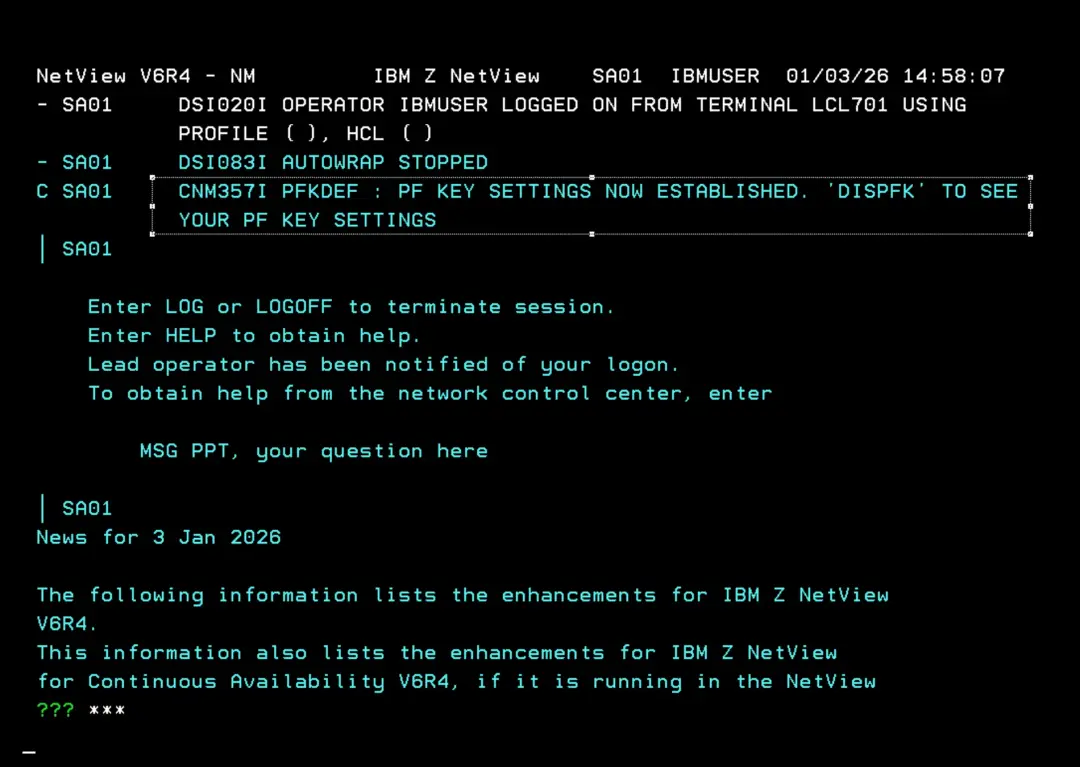
To access NetView, in the case of ADCD, we will use the command:
L SA01In other systems it could be:
logon applid(SA01)
or
logon applid=SA01
The application name is found in the MNING01 member that we included in the VTAMLST library earlier.
Parameter: "SA01 APPL"
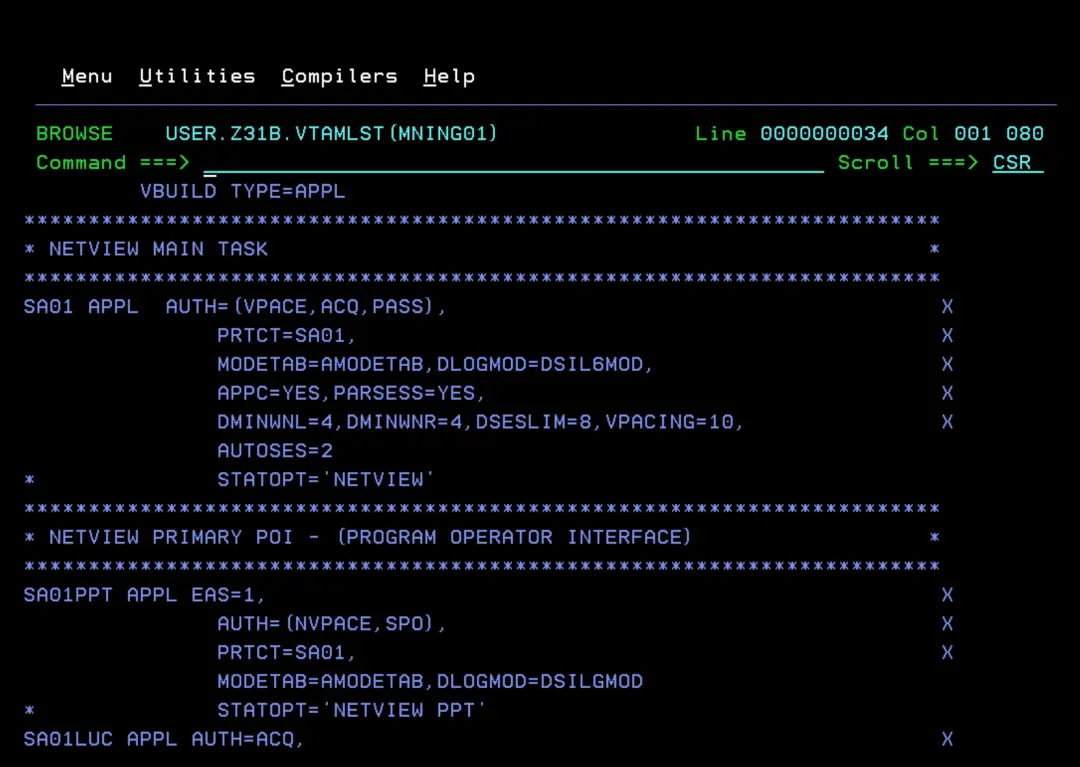
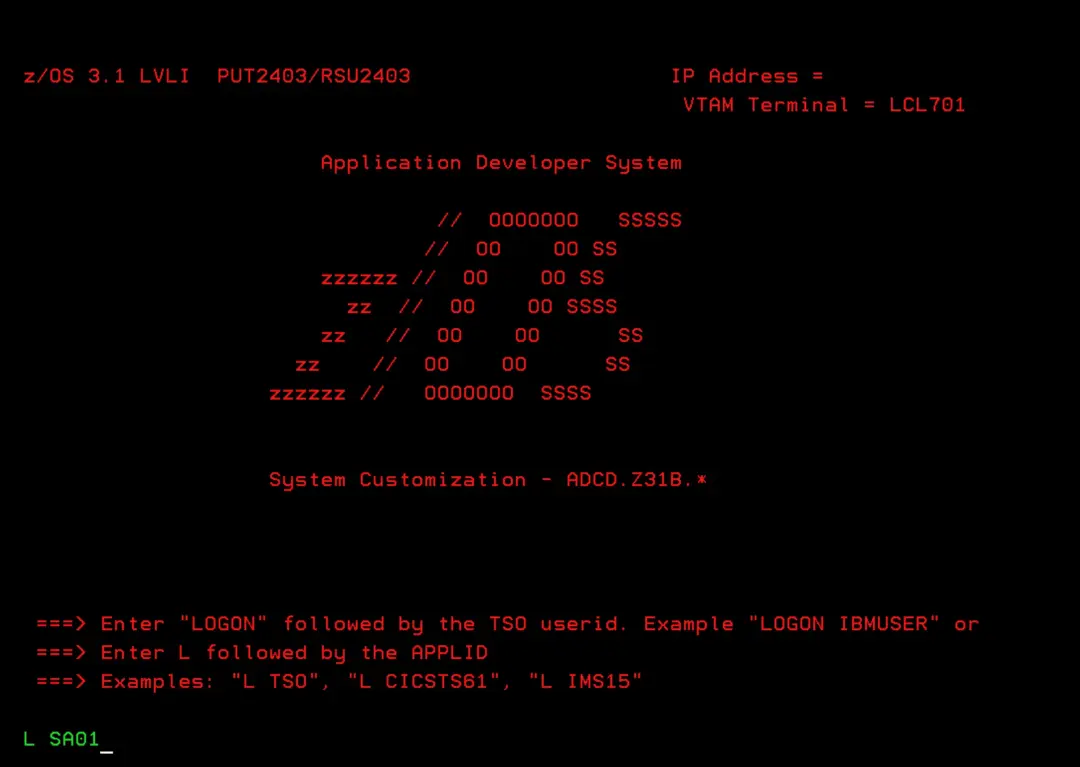
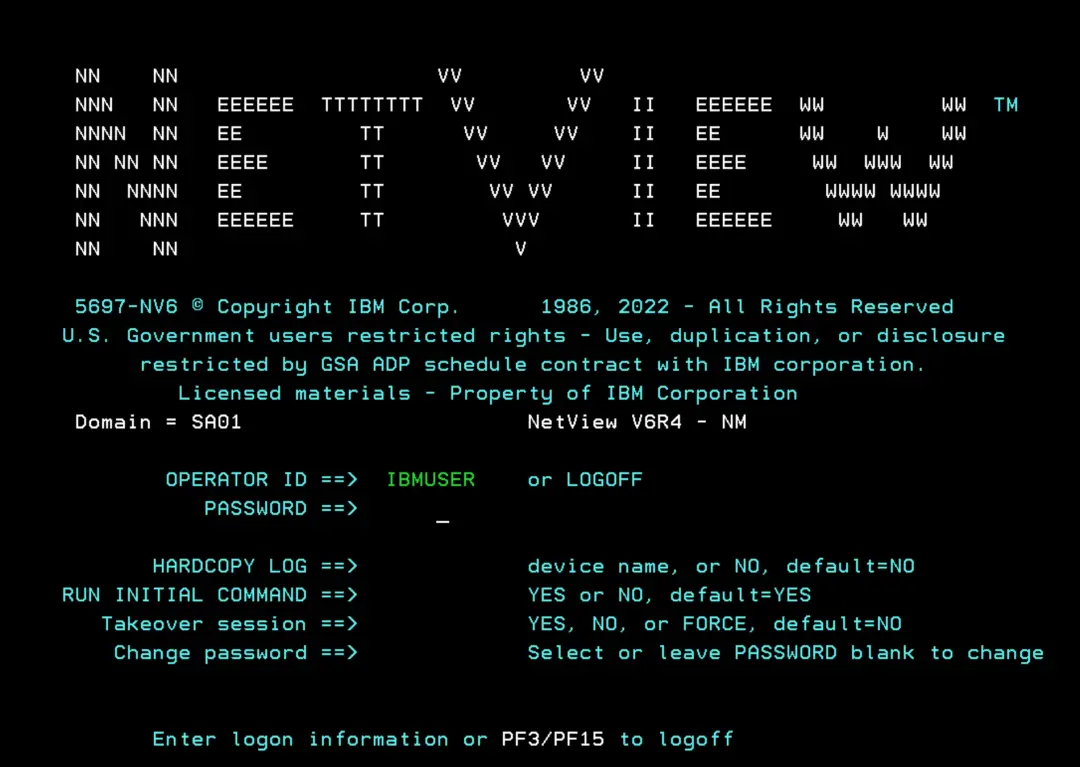
When we enter, we can define the keys to move through the NetView log (BLOG command) using the PFKDEF command.
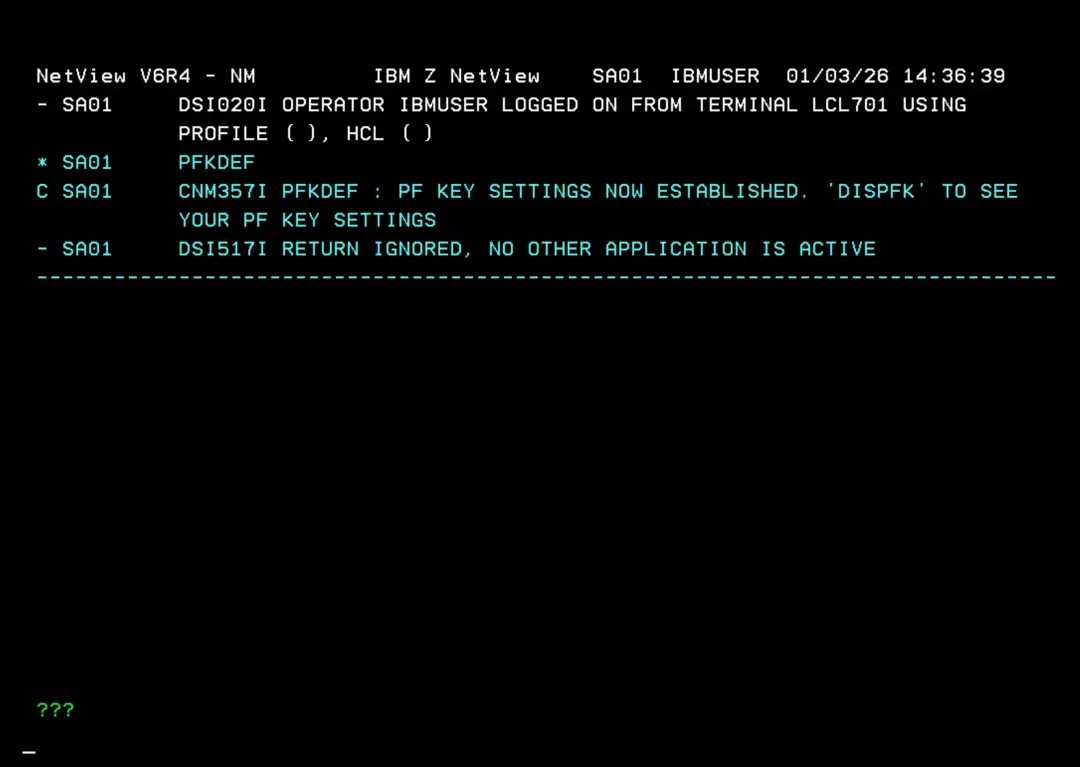
Configure PF Keys by default
If we don't want to assign the PF Keys every time we log in, we must define the NETVIEW segment for the desired user:
ALTUSER your_userid NETVIEW(IC(LOGPROF1) MSGRECVR(NO) CTL(GLOBAL))

ALTUSER IBMUSER NETVIEW(IC(LOGPROF1) MSGRECVR(NO) CTL(GLOBAL))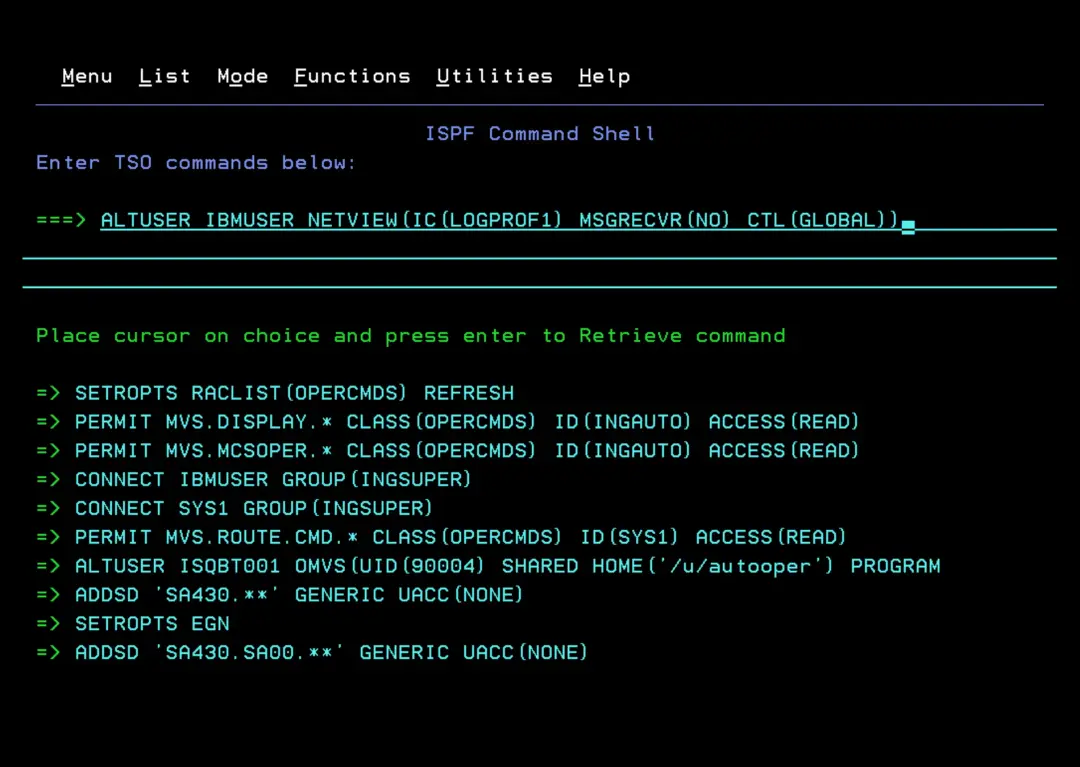
This way, when logging in, the REXX LOGPROF1 will be executed automatically which, among other things, assigns the PF Key definition.
With the SDF command, we can enter the panels that will later show us the status of the tasks in the system. It will not yet show anything relevant because we don't have the automation policy DB.
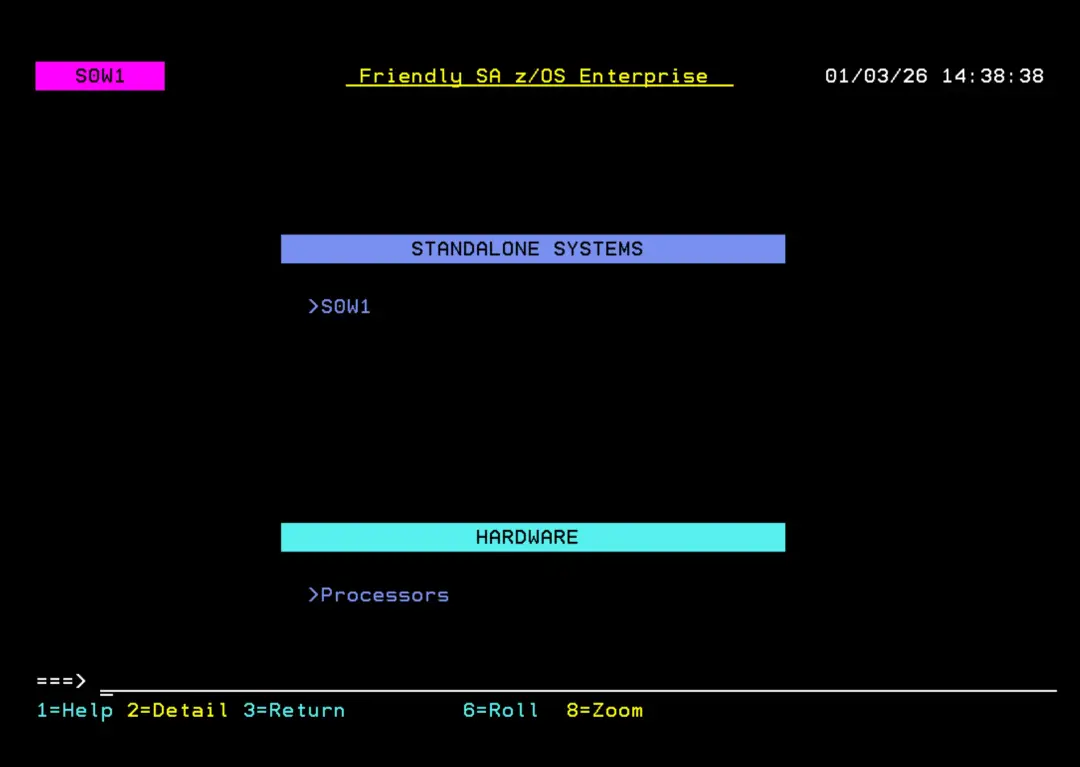
At this point we already have a stable first startup.
The next step will be to create an automation policy DB. This information will be in another section on the website.