Fix Error CWWKE0701E
When I was exploring the z/OSMF APIs in ADCD 2.5 (RSU 2112), I noticed that when I went to the zosmf/api/explorer path (Swagger), I couldn't see any available APIs. Apparently, everything was configured correctly, but in the IZUSVR1 STC the message "CWWKE0701E: bundle com.ibm.ws.rest.api.discovery" would appear. Due to the error, the service responsible for discovering APIs was not working. I'm going to show how to update Liberty to the latest available version.
I found the following link indicating that it was fixed in version 21.0.0.10 (I use version 21.0.0.9):
The detailed error is:
CWWKE0701E: bundle com.ibm.ws.rest.api.discovery:1.0.56.cl210920210824-2341
(135)Ýcom.ibm.ws.rest.api.discovery.APIProviderAggregator(397)~ :
The setServerStartedPhase2 method has thrown an exception java.util.ConcurrentModificationException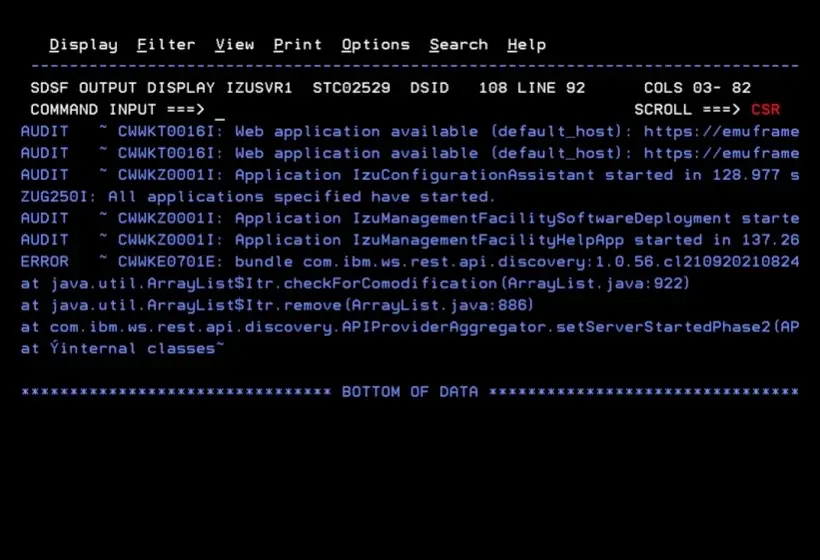
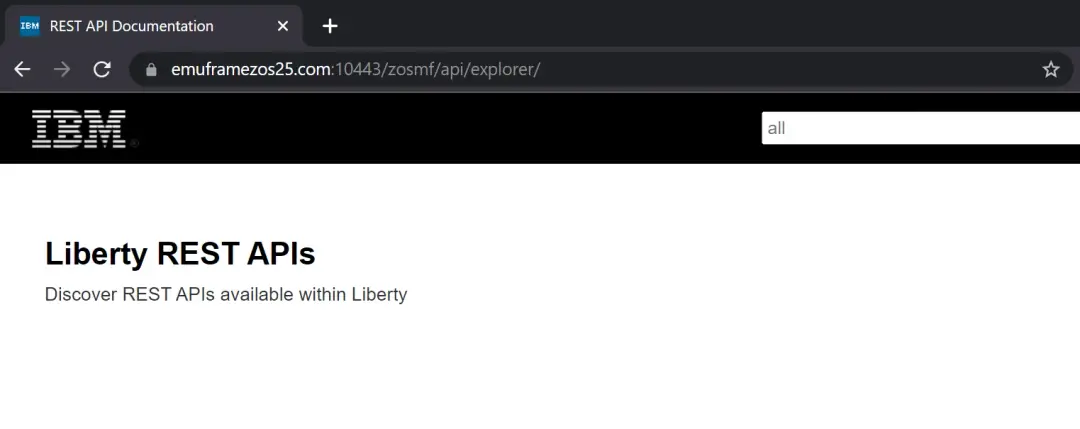
You can see that the page appears blank.
NOTE To be able to access Swagger, you need to follow the steps indicated in this link (create the EJBROLE class resources).
https://www.ibm.com/docs/en/zos/2.5.0?topic=guide-using-zosmf-rest-services
Download New Version of Liberty
My version in use is version 21.0.0.9.
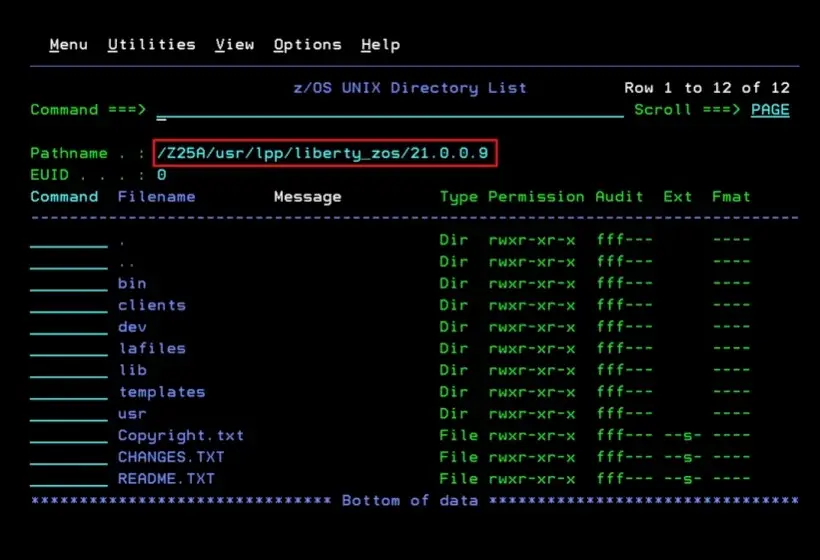
Available versions can be found at the following link.
https://www.ibm.com/support/pages/recommended-updates-websphere-application-server
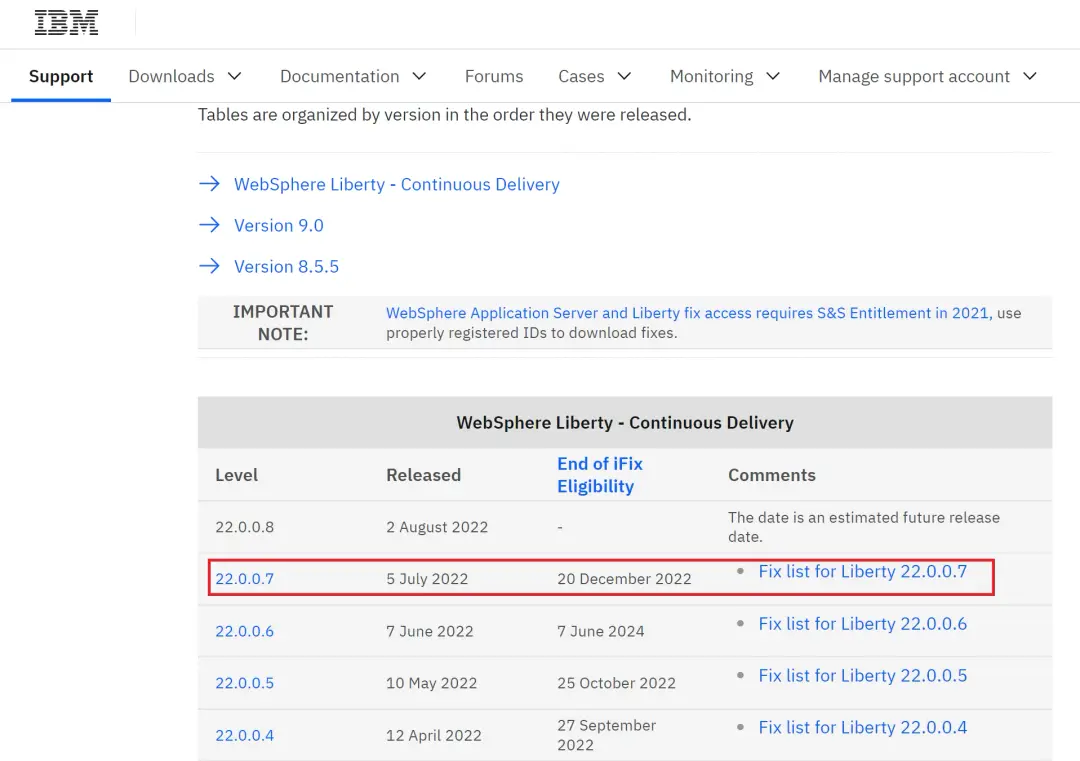
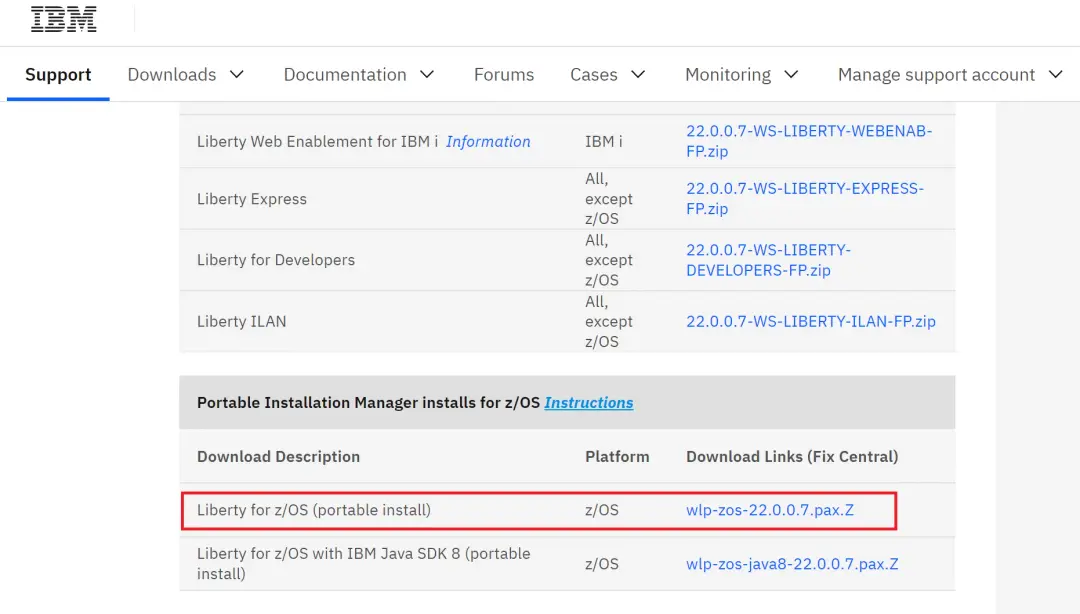
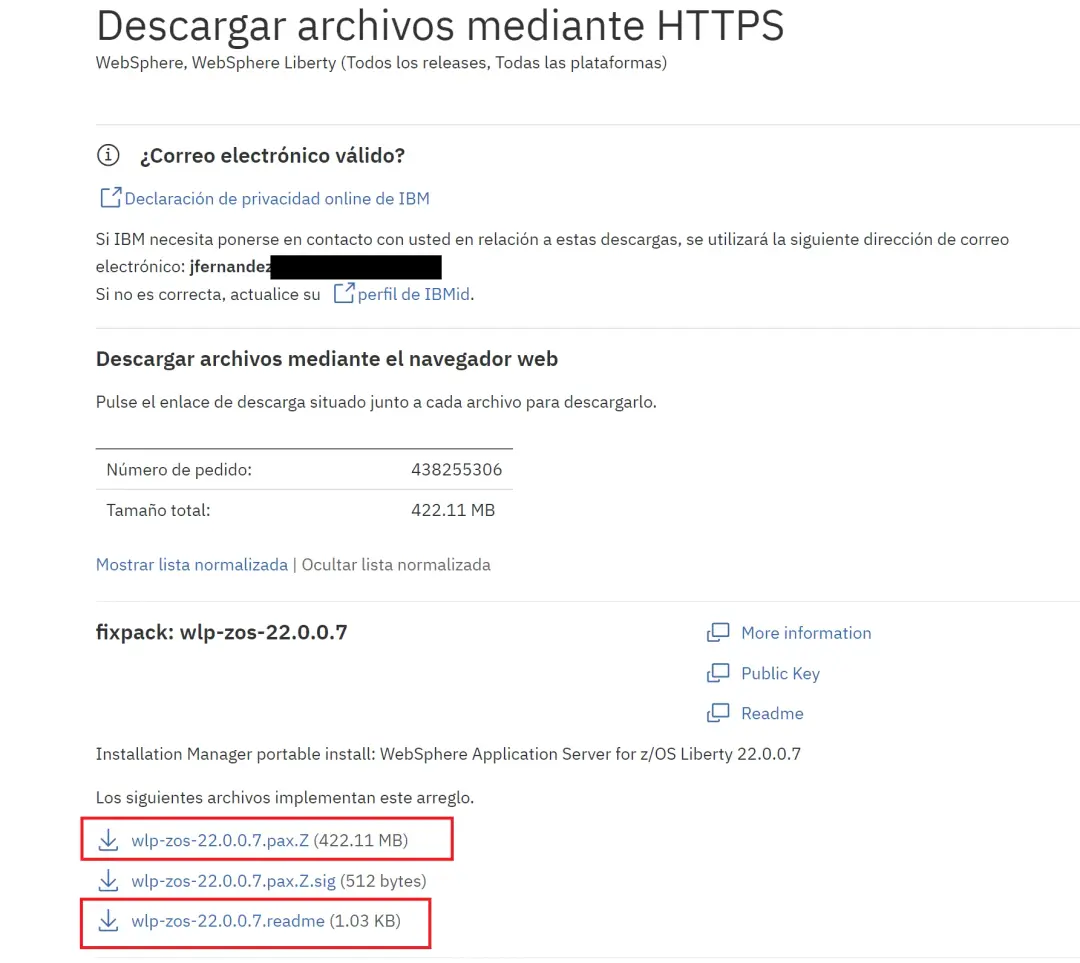
I will download version 22.0.0.7, specifically the "portable" version.
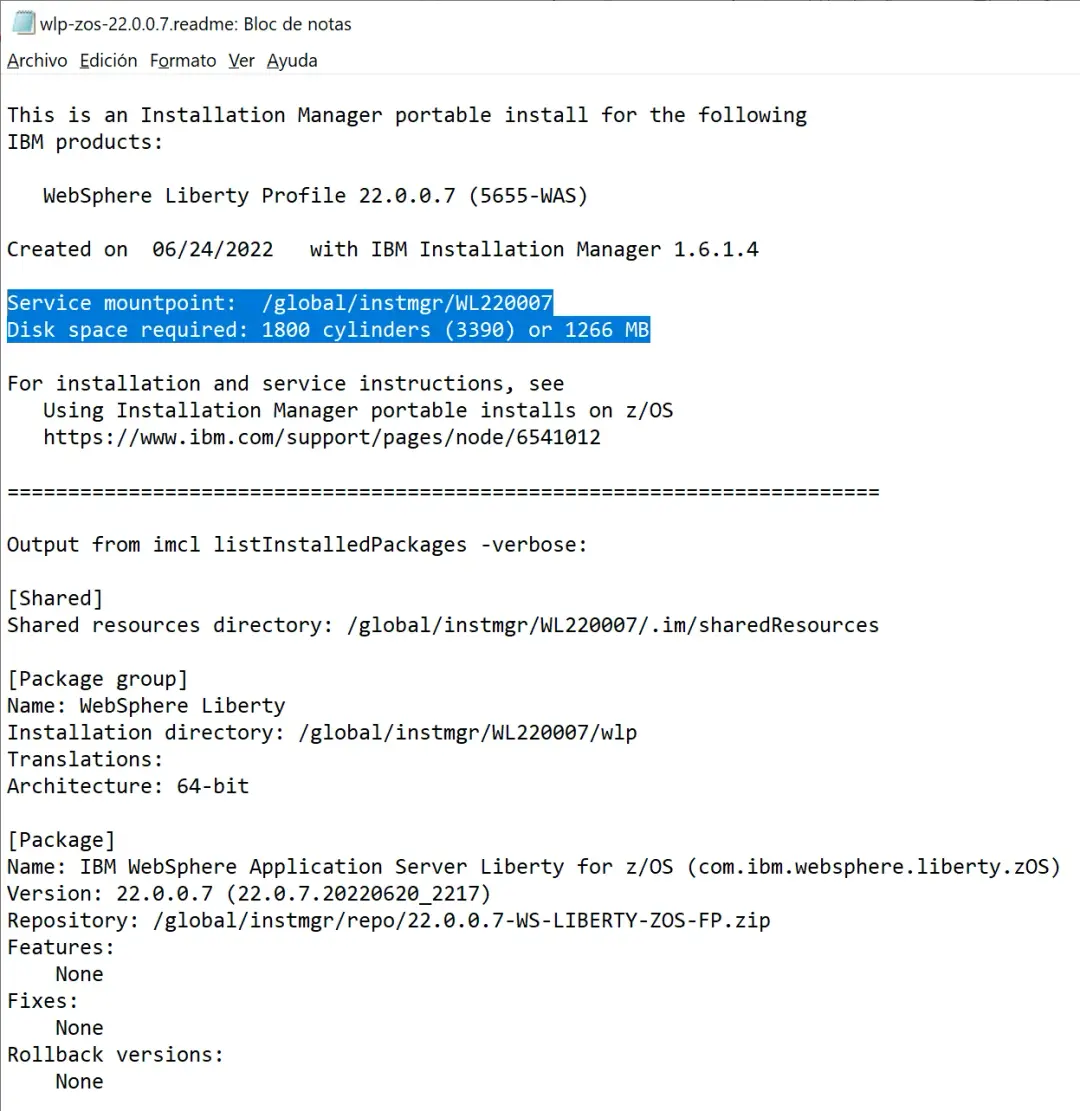
It's important to also download the README file because it includes necessary information.
The installation instructions are very simple. They can be found here:
Note the mount point and space because we need to create a ZFS to mount it in that directory.
Create New ZFS
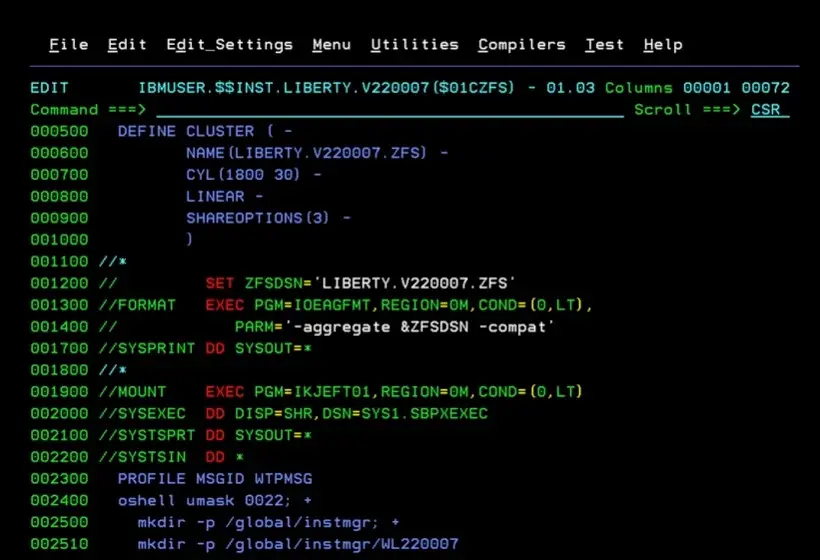
I start by creating the ZFS and the necessary paths.
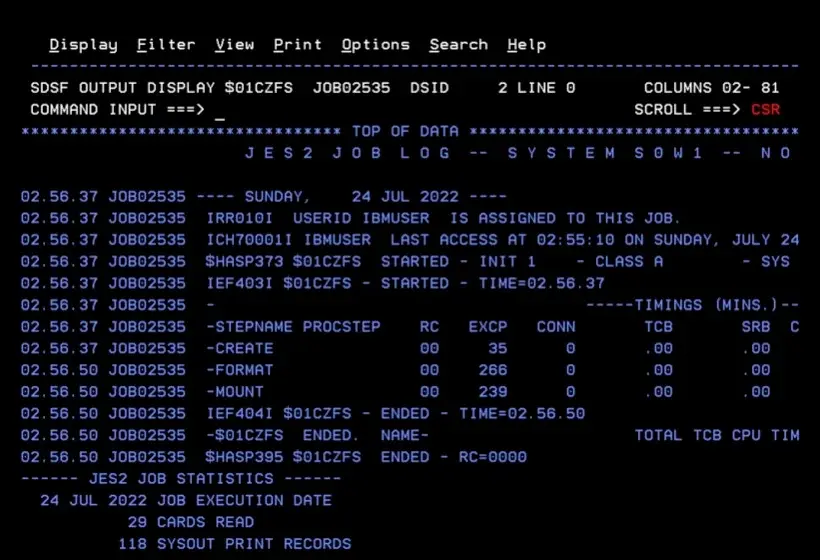
Job to Create ZFS, Create Directories, and Mount the ZFS in the Directory
//$01CZFS  JOB 0,REGION=64M,CLASS=A,MSGCLASS=A,NOTIFY=&SYSUID
//CREATE   EXEC PGM=IDCAMS,REGION=0M,COND=(0,LT)
//SYSPRINT DD SYSOUT=*
//SYSIN    DD *
  DEFINE CLUSTER ( -
         NAME(LIBERTY.V220007.ZFS) -
         CYL(1800 30) -
         LINEAR -
         SHAREOPTIONS(3) -
         )
//*
//         SET ZFSDSN='LIBERTY.V220007.ZFS'
//FORMAT   EXEC PGM=IOEAGFMT,REGION=0M,COND=(0,LT),
//            PARM='-aggregate &ZFSDSN -compat'
//SYSPRINT DD SYSOUT=*
//*
//MOUNT    EXEC PGM=IKJEFT01,REGION=0M,COND=(0,LT)
//SYSEXEC  DD DISP=SHR,DSN=SYS1.SBPXEXEC
//SYSTSPRT DD SYSOUT=*
//SYSTSIN  DD *
  PROFILE MSGID WTPMSG
  oshell umask 0022; +
    mkdir -p /global/instmgr; +
    mkdir -p /global/instmgr/WL220007
  MOUNT +
    FILESYSTEM('LIBERTY.V220007.ZFS') +
    MOUNTPOINT('/global/instmgr/WL220007') +
    MODE(RDWR) TYPE(ZFS) PARM('AGGRGROW')
/*
Upload the Software and Decompress
Now we need to transfer the software via FTP to the directory we created.
ftp 192.168.1.12
bin
cd /global/instmgr/WL220007
put wlp-zos-22.0.0.7.pax.Z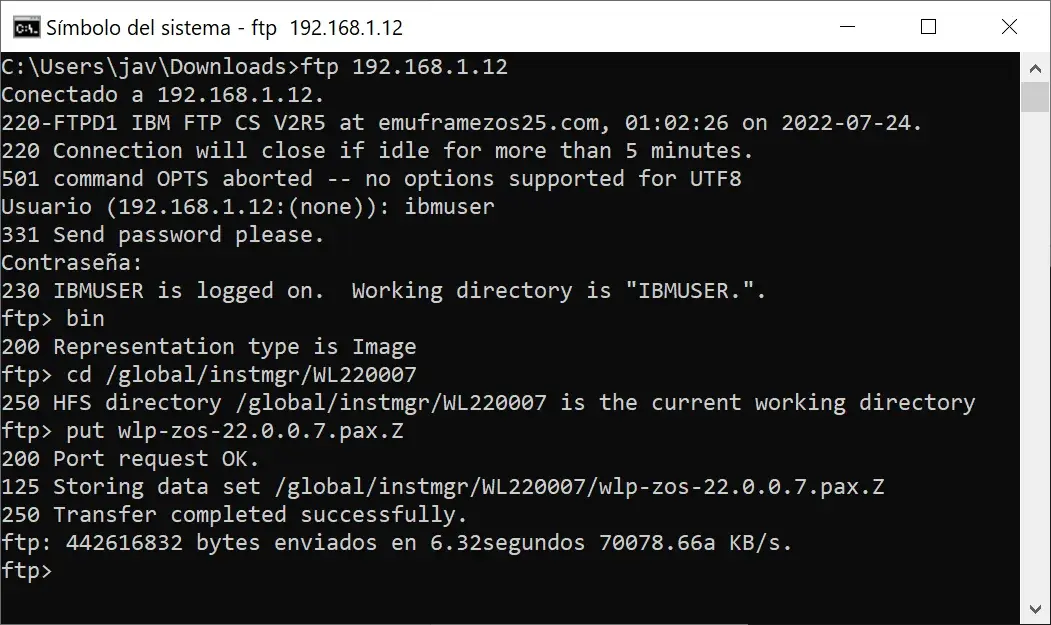
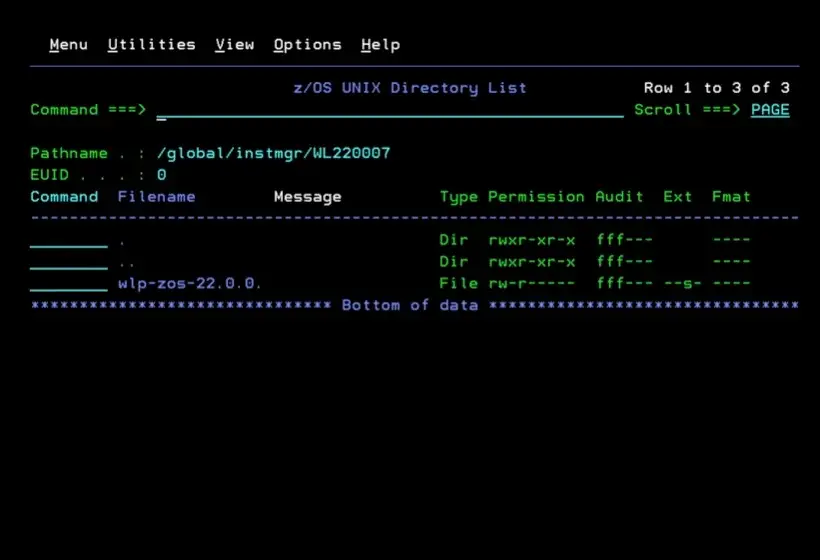
Job to Decompress pax.Z File
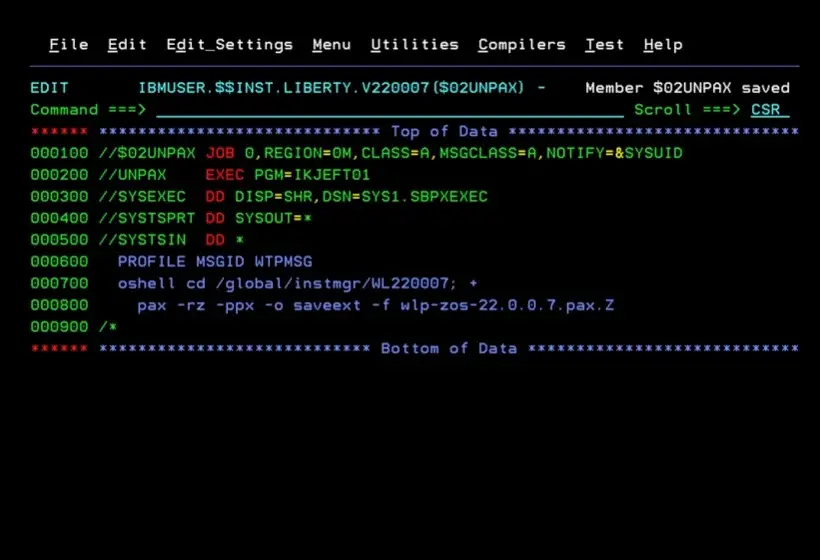
With the following job I will decompress the file.
//$02UNPAX JOB 0,REGION=0M,CLASS=A,MSGCLASS=A,NOTIFY=&SYSUID
//UNPAX    EXEC PGM=IKJEFT01
//SYSEXEC  DD DISP=SHR,DSN=SYS1.SBPXEXEC
//SYSTSPRT DD SYSOUT=*
//SYSTSIN  DD *
  PROFILE MSGID WTPMSG
  oshell cd /global/instmgr/WL220007; +
    pax -rz -ppx -o saveext -f wlp-zos-22.0.0.7.pax.Z
/*
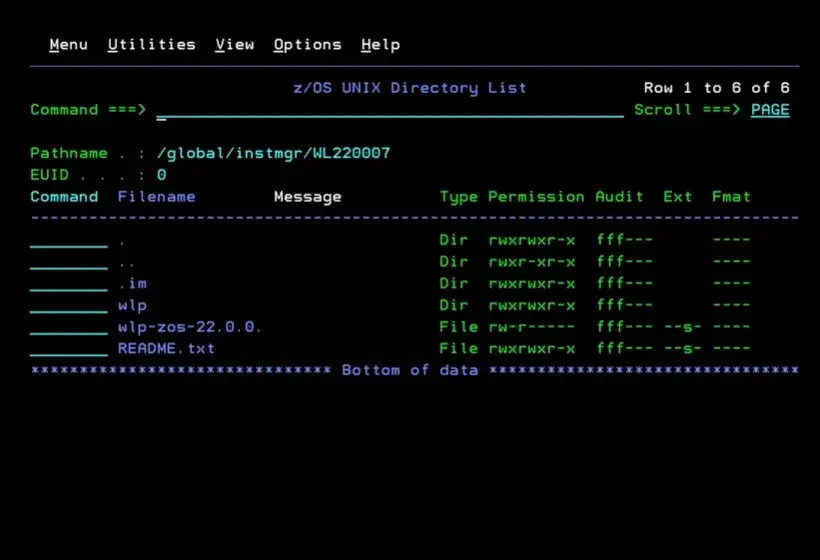
We will have the following. This is the software now available to be used. Simply unmount the ZFS and mount it in the path we want.
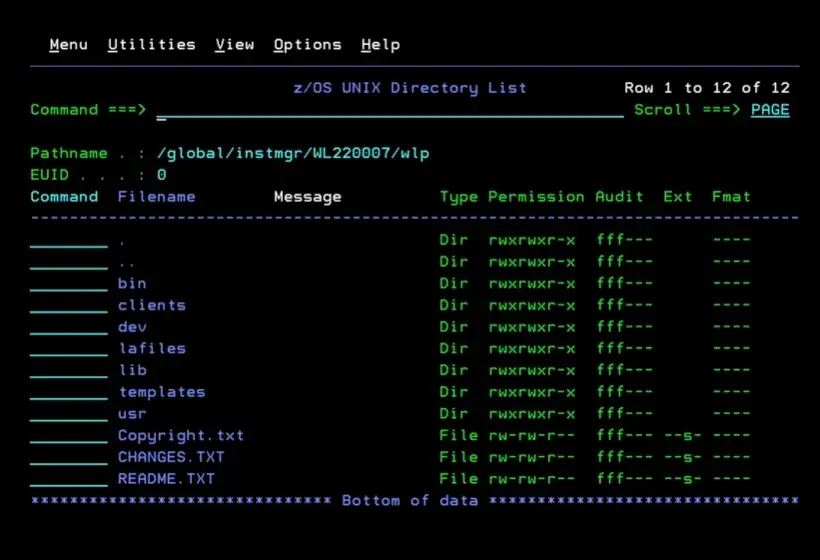
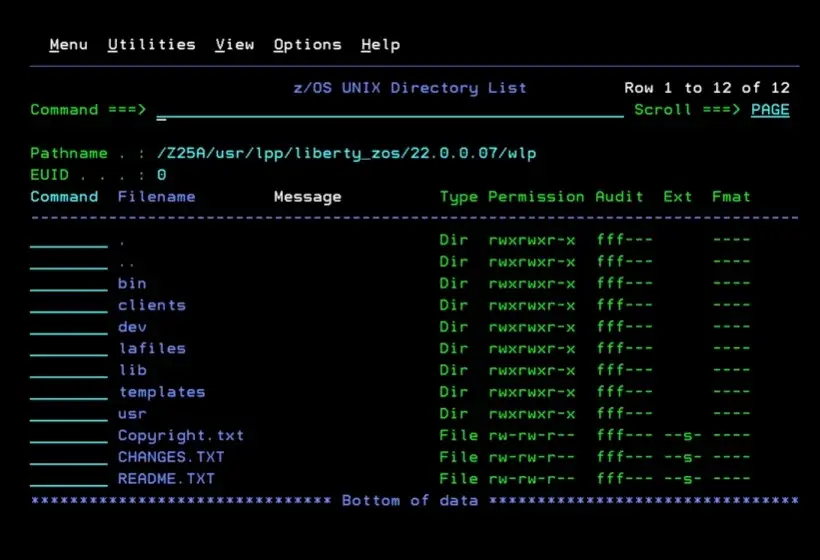
Inside the wlp folder we will see the product.
Mount New Version
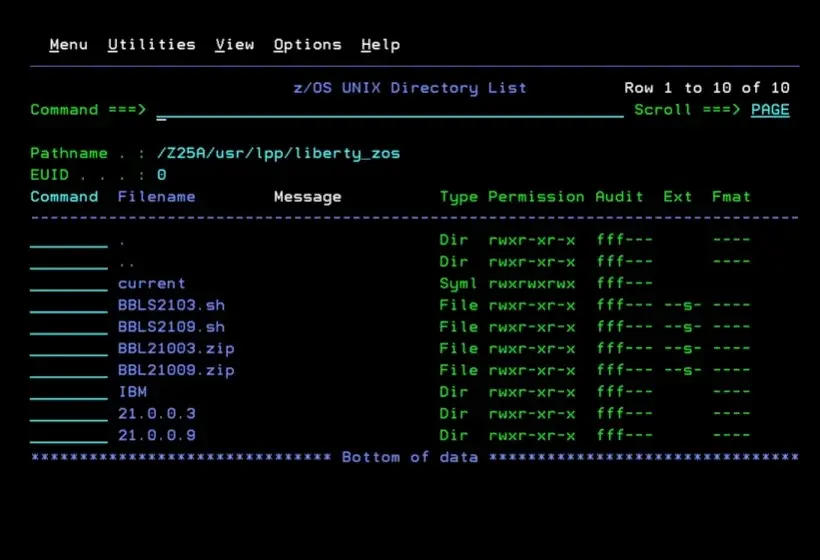
Following the way it's installed in ADCD version 2.5, I will mount it inside a directory in /usr/lpp/liberty_zos.
Job to Move a ZFS to a New Directory (Unmount a ZFS, Create a New Directory, and Mount it in That Directory)
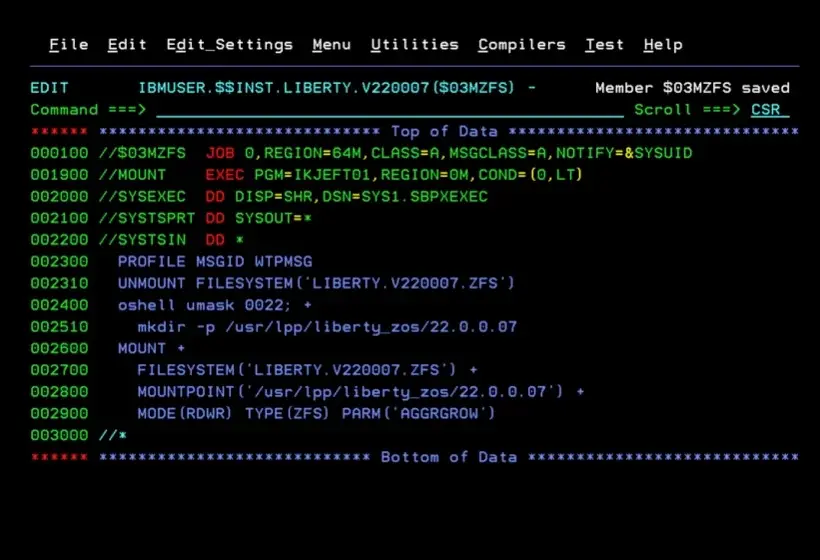
I'm going to use a job that will unmount the ZFS, create the new directory, and mount it there.
//$03MZFS  JOB 0,REGION=64M,CLASS=A,MSGCLASS=A,NOTIFY=&SYSUID
//MOUNT    EXEC PGM=IKJEFT01,REGION=0M,COND=(0,LT)
//SYSEXEC  DD DISP=SHR,DSN=SYS1.SBPXEXEC
//SYSTSPRT DD SYSOUT=*
//SYSTSIN  DD *
  PROFILE MSGID WTPMSG
  UNMOUNT FILESYSTEM('LIBERTY.V220007.ZFS')
  oshell umask 0022; +
    mkdir -p /usr/lpp/liberty_zos/22.0.0.07
  MOUNT +
    FILESYSTEM('LIBERTY.V220007.ZFS') +
    MOUNTPOINT('/usr/lpp/liberty_zos/22.0.0.07') +
    MODE(RDWR) TYPE(ZFS) PARM('AGGRGROW')
/*
We will now have the directory created and the ZFS mounted.
Update current Symbolic Link
Now we need to update the current symbolic link to point to the new version.
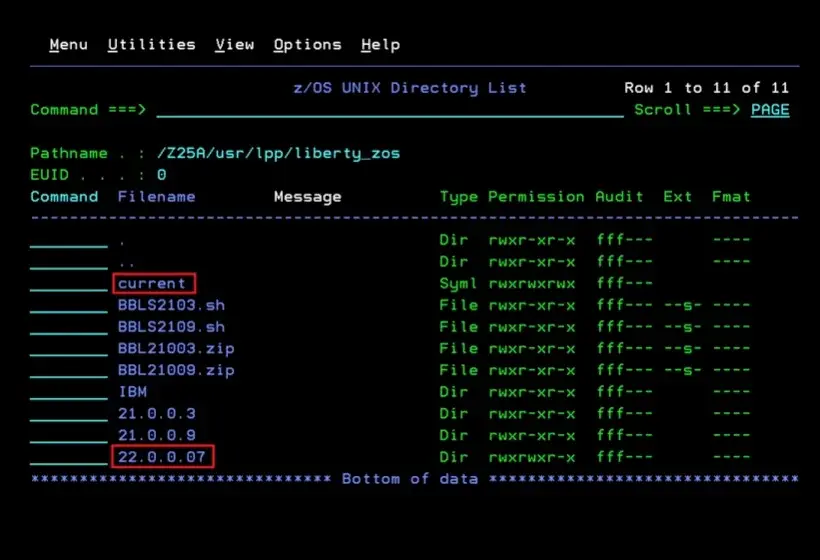
Job to Delete a Symbolic Link and Recreate It
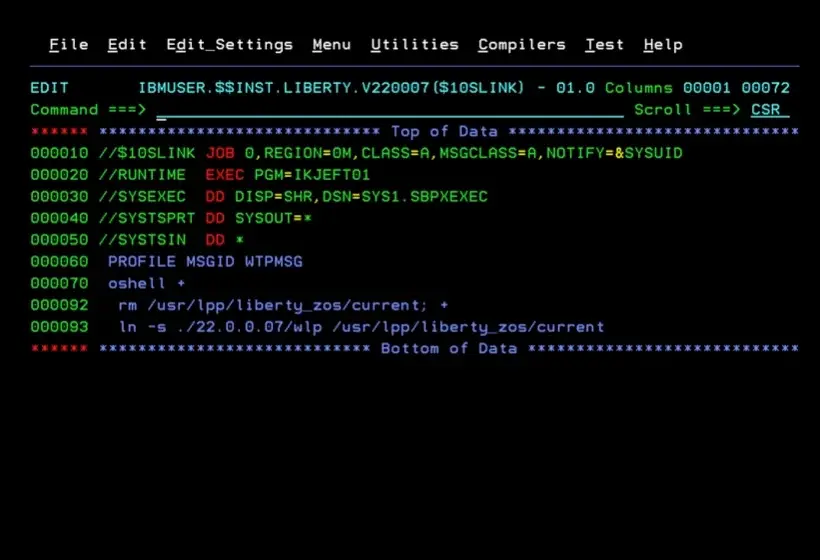
I will use the following job.
//$10SLINK JOB 0,REGION=0M,CLASS=A,MSGCLASS=A,NOTIFY=&SYSUID
//RUNTIME  EXEC PGM=IKJEFT01
//SYSEXEC  DD DISP=SHR,DSN=SYS1.SBPXEXEC
//SYSTSPRT DD SYSOUT=*
//SYSTSIN  DD *
 PROFILE MSGID WTPMSG
 oshell +
  rm /usr/lpp/liberty_zos/current; +
  ln -s ./22.0.0.07/wlp /usr/lpp/liberty_zos/current
/*
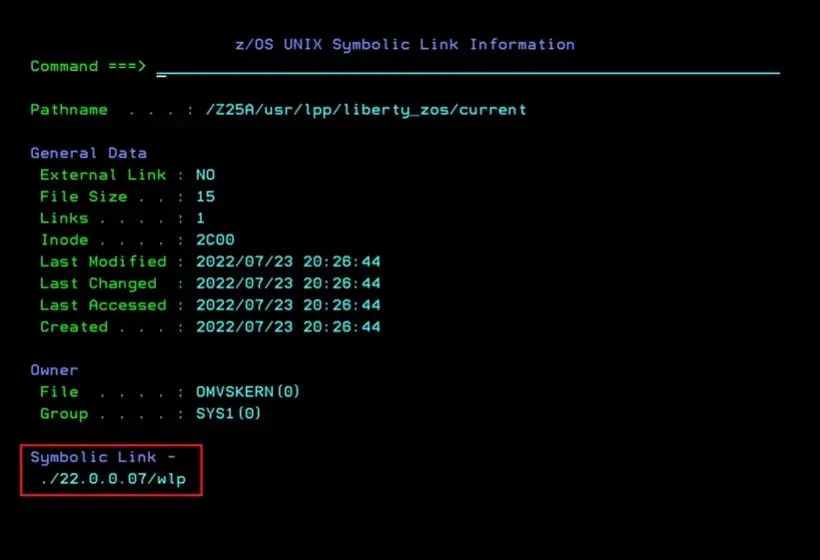
We confirm that the link points to the new library.
Start z/OSMF and Verify
Now we start z/OSMF.
S IZUANG1
S IZUSVR1
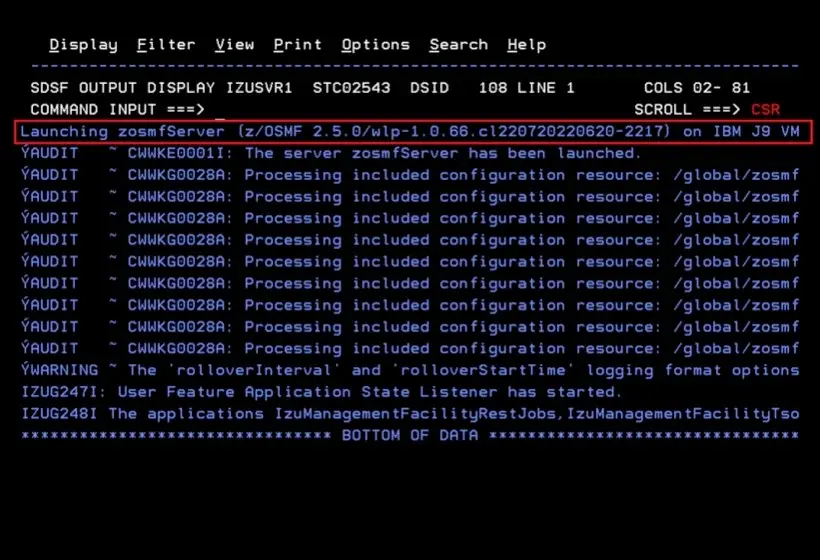
We notice that it uses the new version.
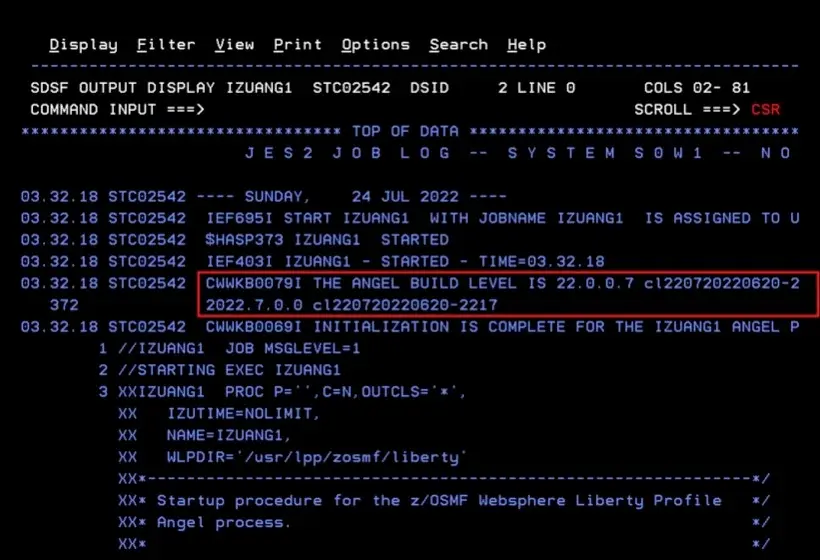
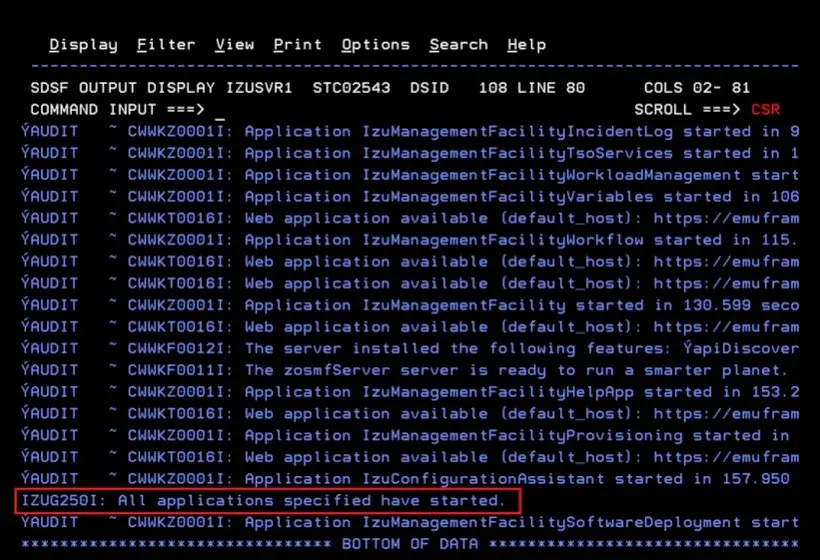
We confirm that everything starts.
When entering to see the available APIs, we will now see the content.
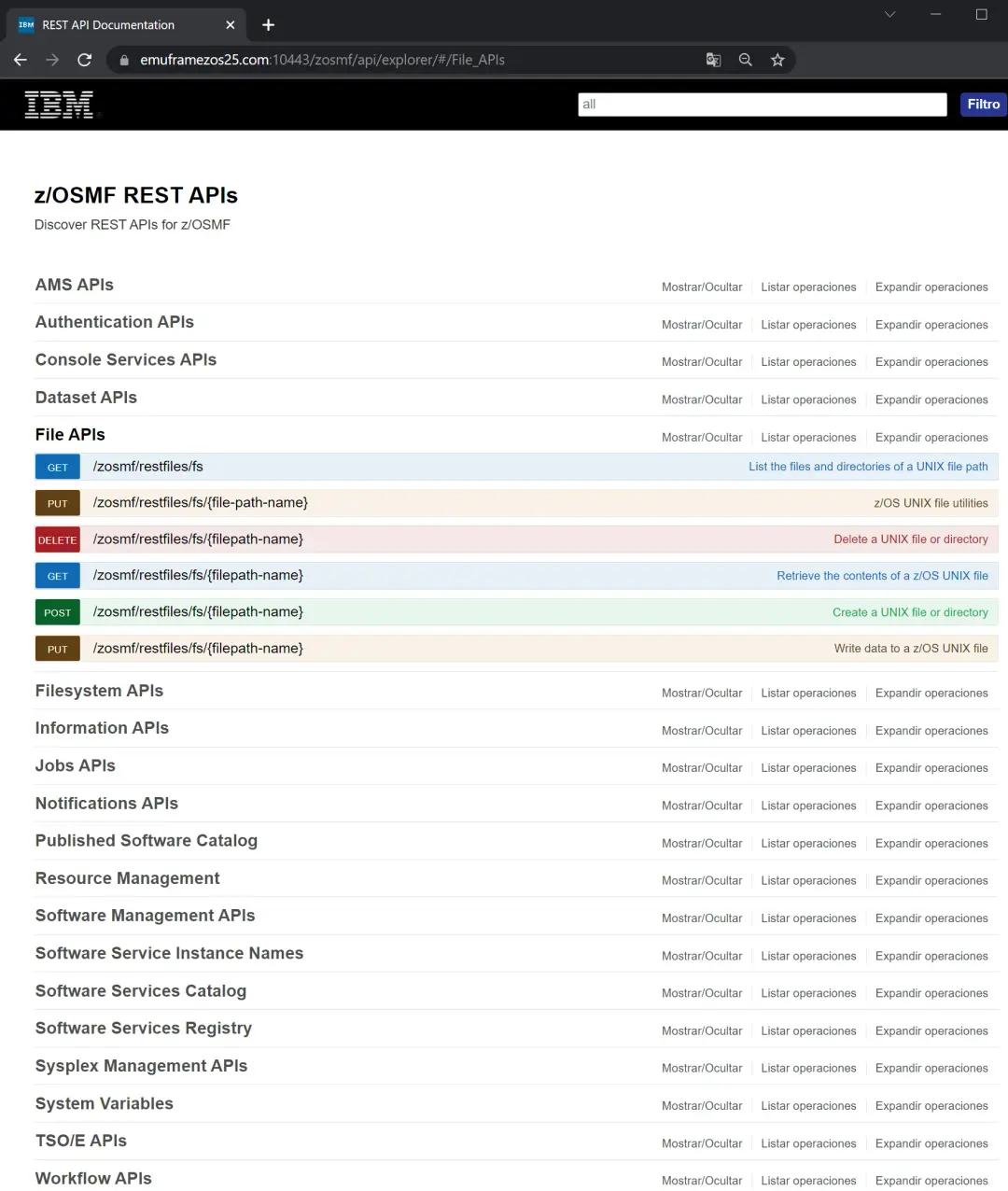
We now have the new version of Liberty installed and have confirmed that with this version we can explore the APIs correctly.