System Automation 4.3 - Extending the policy database (part 1)
Back up the PDB and SOCNTL
The following jobs make a backup of the configuration data sets (**.SOCNTL) and the automation policy data sets (**.PDB).
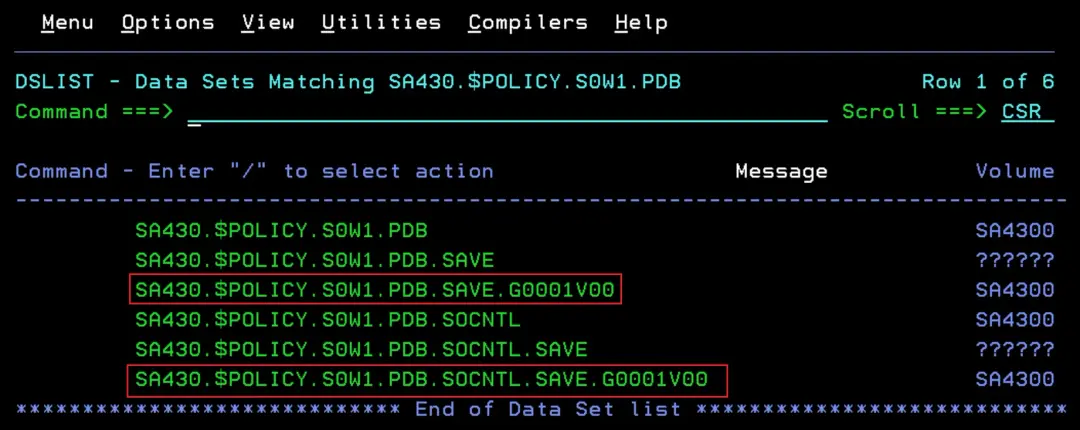
If you did the installation following the “Configuration Assistant” steps (System Automation 4.3 - Installation), you will have two GDGs to keep the versions of the data sets: **.PDB.SAVE and **.PDB.SOCNTL.SAVE.
These jobs copy the data sets to those GDGs. You can also make the backup to a data set that is not a GDG.
Back up the PDB data set
Optionally, you can remove the RLSE parameter
//BACKPDB  JOB CLASS=A,MSGCLASS=Q,MSGLEVEL=(1,1),NOTIFY=&SYSUID,
//   REGION=256M
//COPYPDB  EXEC PGM=IEBCOPY
//SYSPRINT DD SYSOUT=*
//SYSIN    DD DUMMY
//SYSUT1   DD DSN=SA430.$POLICY.S0W1.PDB,DISP=SHR
//SYSUT2   DD DSN=SA430.$POLICY.S0W1.PDB.SAVE(+1),DISP=(,CATLG),
// STORCLAS=SCNOSMS,UNIT=3390,VOL=SER=SA4300,
// DCB=(DSORG=PO,LRECL=80,RECFM=FB),DSNTYPE=LIBRARY,
// SPACE=(TRK,(100,100,200),RLSE)
Back up the SOCNTL data set
Optionally, you can remove the RLSE parameter
//BACKCFG  JOB CLASS=A,MSGCLASS=Q,MSGLEVEL=(1,1),NOTIFY=&SYSUID,
//   REGION=256M
//COPYPDB  EXEC PGM=IEBCOPY
//SYSPRINT DD SYSOUT=*
//SYSIN    DD DUMMY
//SYSUT1   DD DSN=SA430.$POLICY.S0W1.PDB.SOCNTL,DISP=SHR
//SYSUT2   DD DSN=SA430.$POLICY.S0W1.PDB.SOCNTL.SAVE(+1),DISP=(,CATLG),
// STORCLAS=SCNOSMS,UNIT=3390,VOL=SER=SA4300,
// DCB=(DSORG=PO,LRECL=80,RECFM=FB),
// SPACE=(TRK,(100,100,200),RLSE)
After running both, we have a version of each data set that serves as a backup.
Add new applications (started tasks) to the PDB
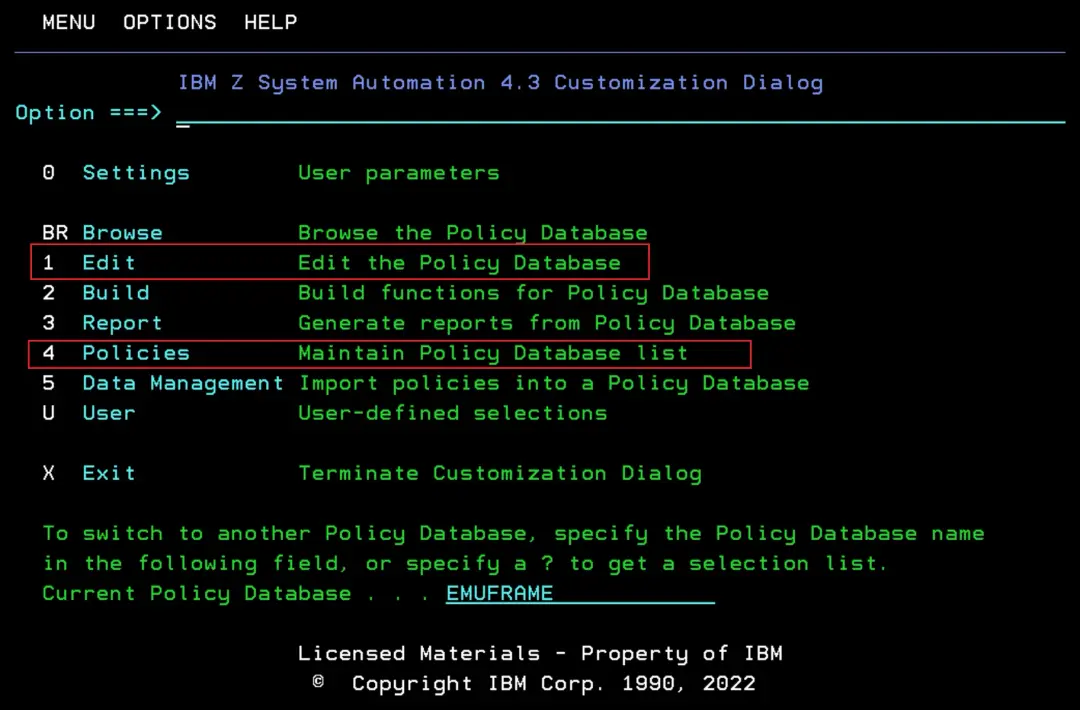
There are two ways to do it: add the tasks by hand (option 1 - Edit) or import more tasks available in “add-ons” and adjust them to our system (option 4 - Policies).
In this case, we go into option “4 - Policies”.
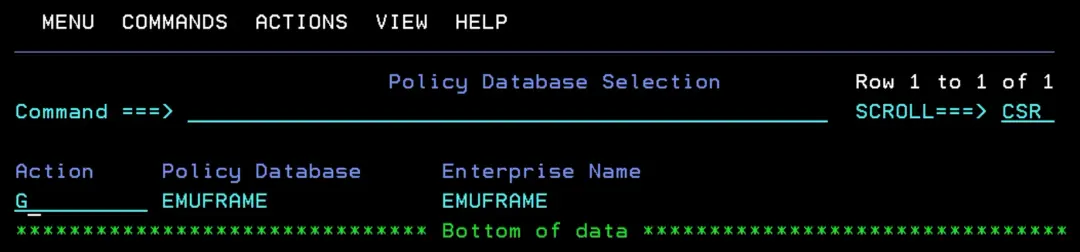
We modify it with the option “G - Manage”
Option “2 - Import from Add-on”
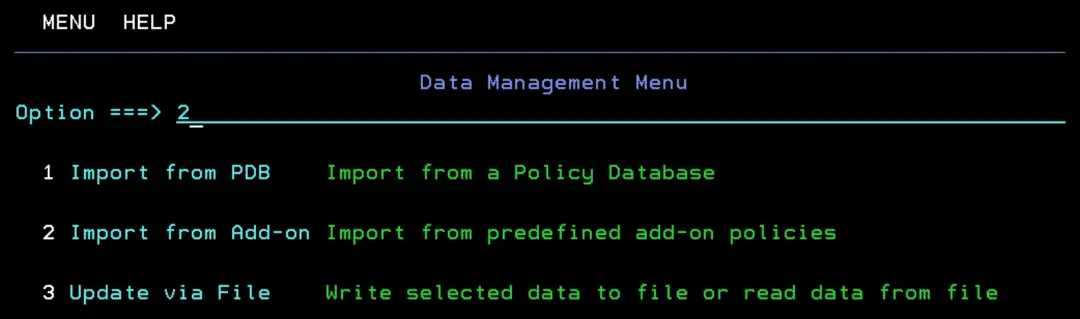
I am going to add several predefined tasks.
For example, I am going to add several *BASE tasks that I did not add during the first installation.
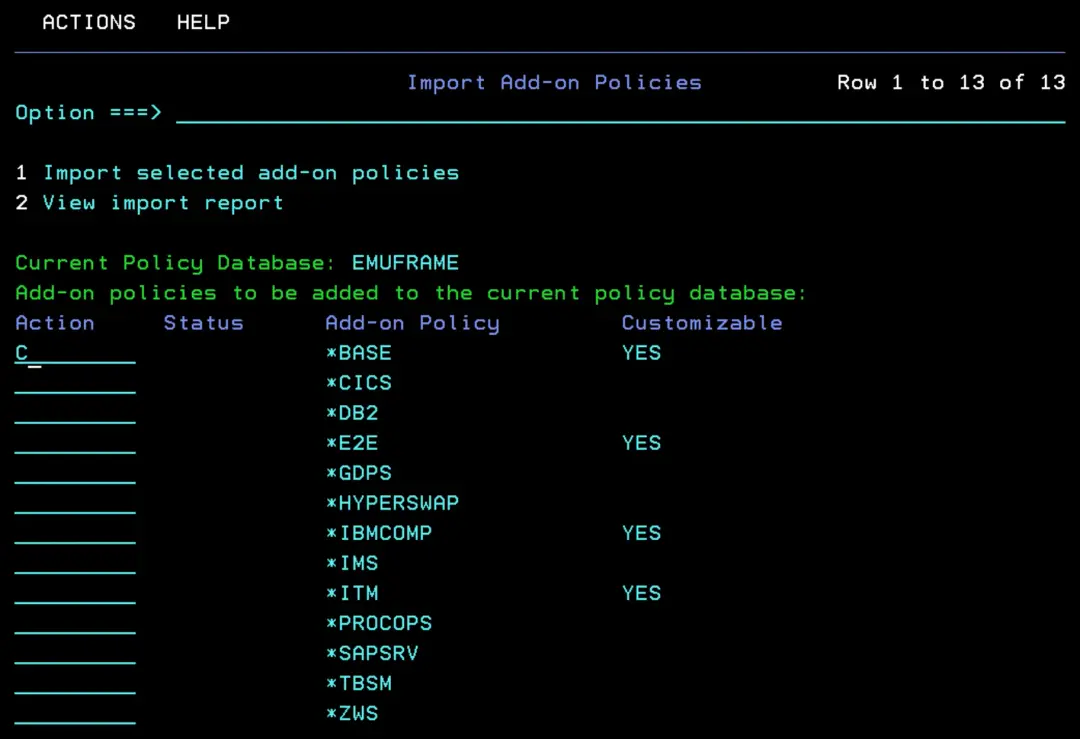
- Base Communication Services (USS)
- File Transfer Protocol Daemon (FTPD)
- IBM HTTP Server
- Secure Shell Daemon (SSHD)
If we use it, we can also add:
Network File System Server and Client (NFS)
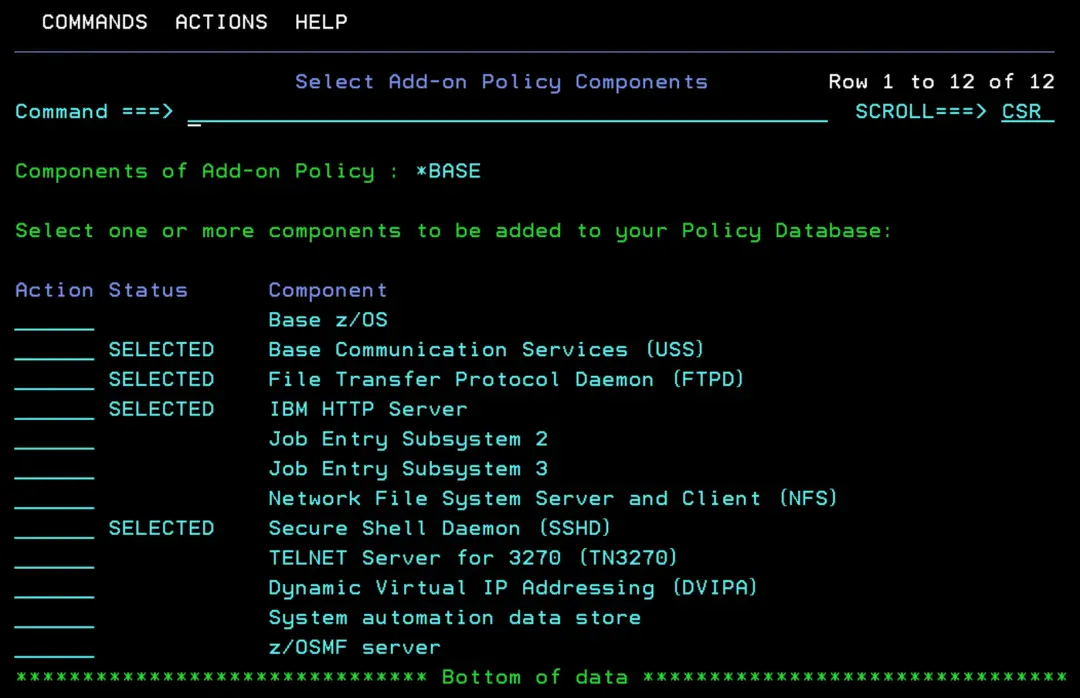
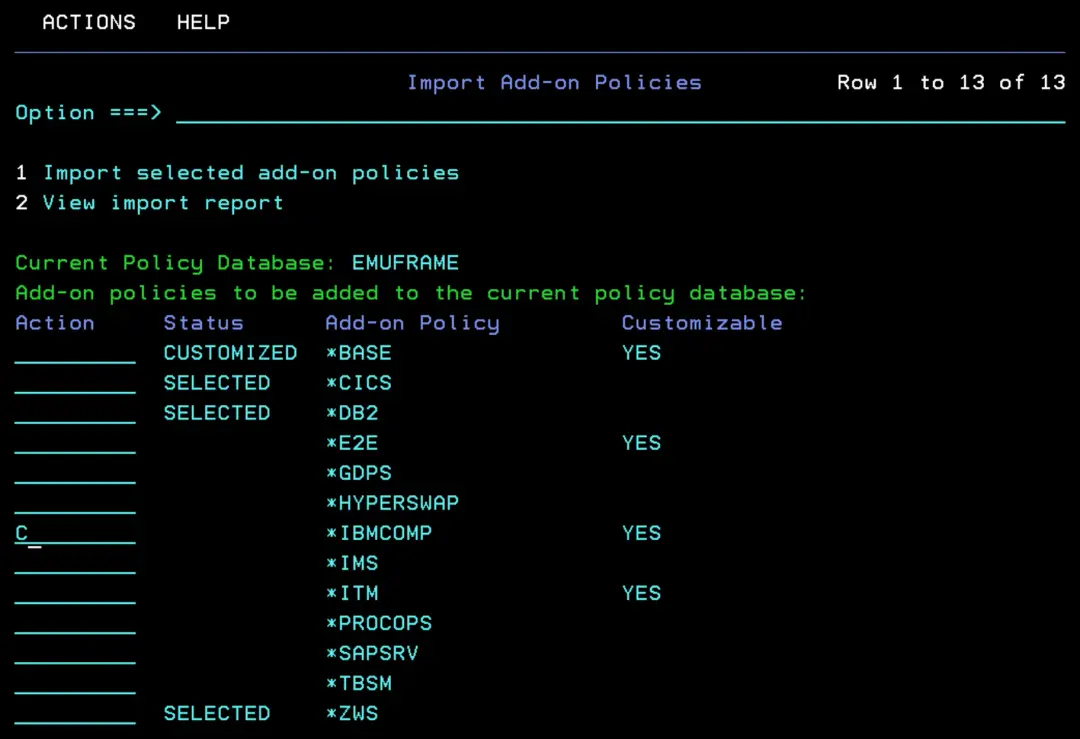
I am also going to add the resources CICS, DB2 and ZWS (TWS - OPC). I do not add IMS.
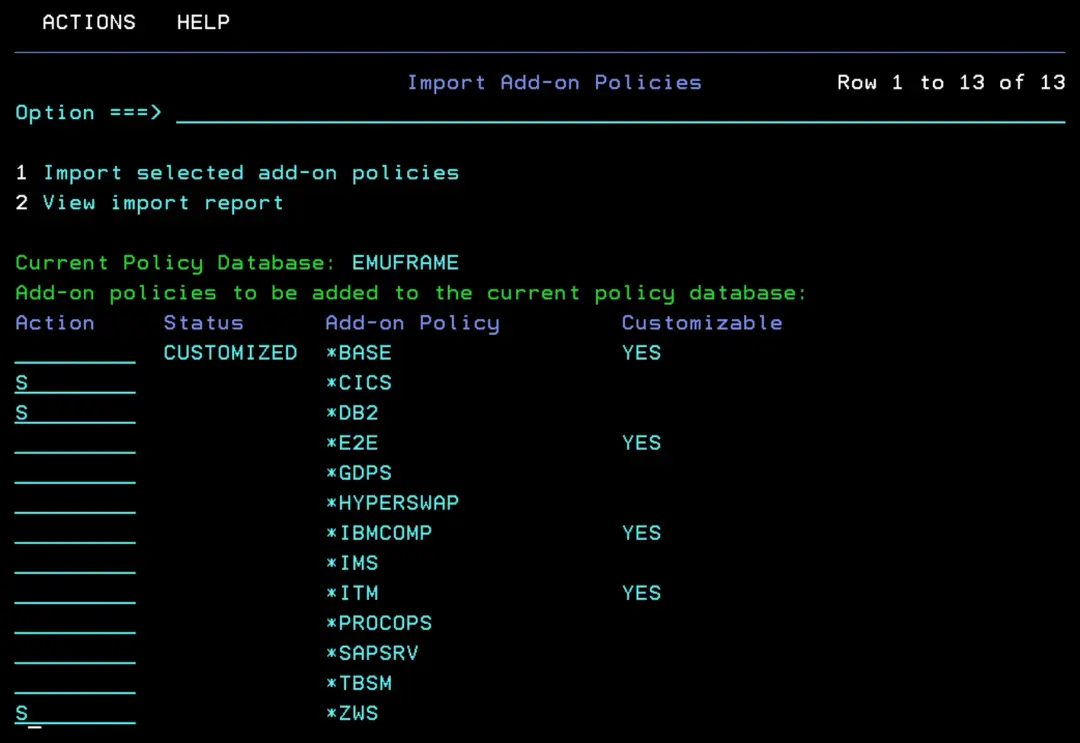
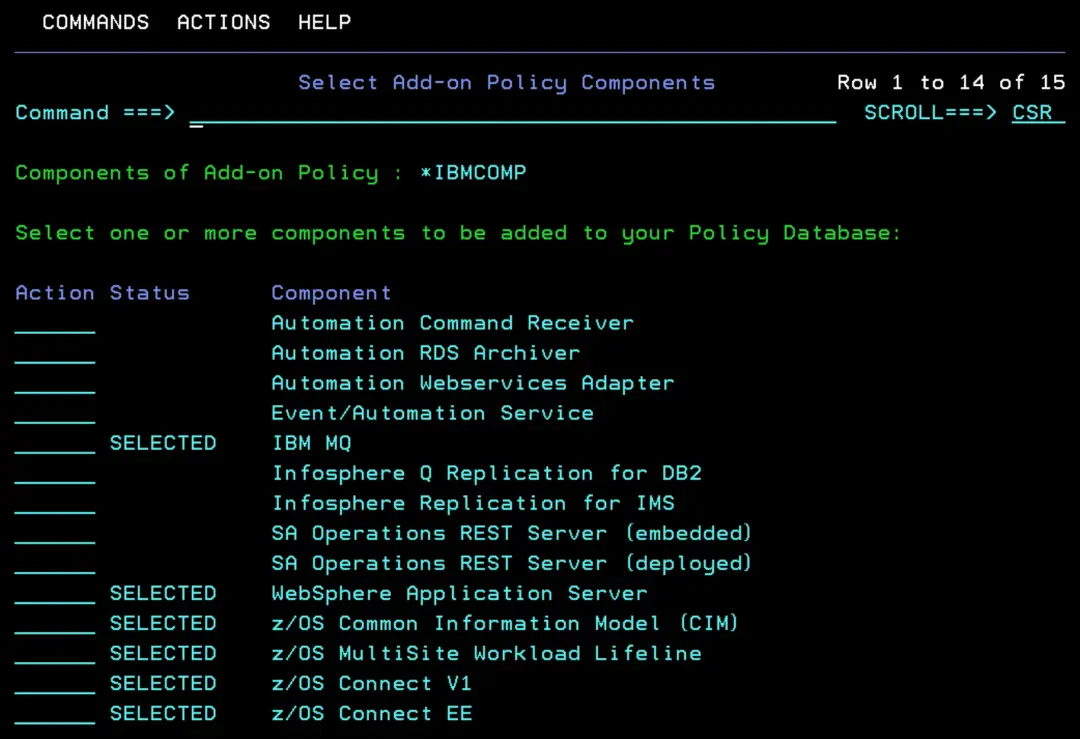
Also, from the IBMCOMP resource I am going to select some components.
- IBM MQ
- WebSphere Application Server
- z/OS Common Information Model (CIM)
- z/OS Connect V1
- z/OS Connect EE
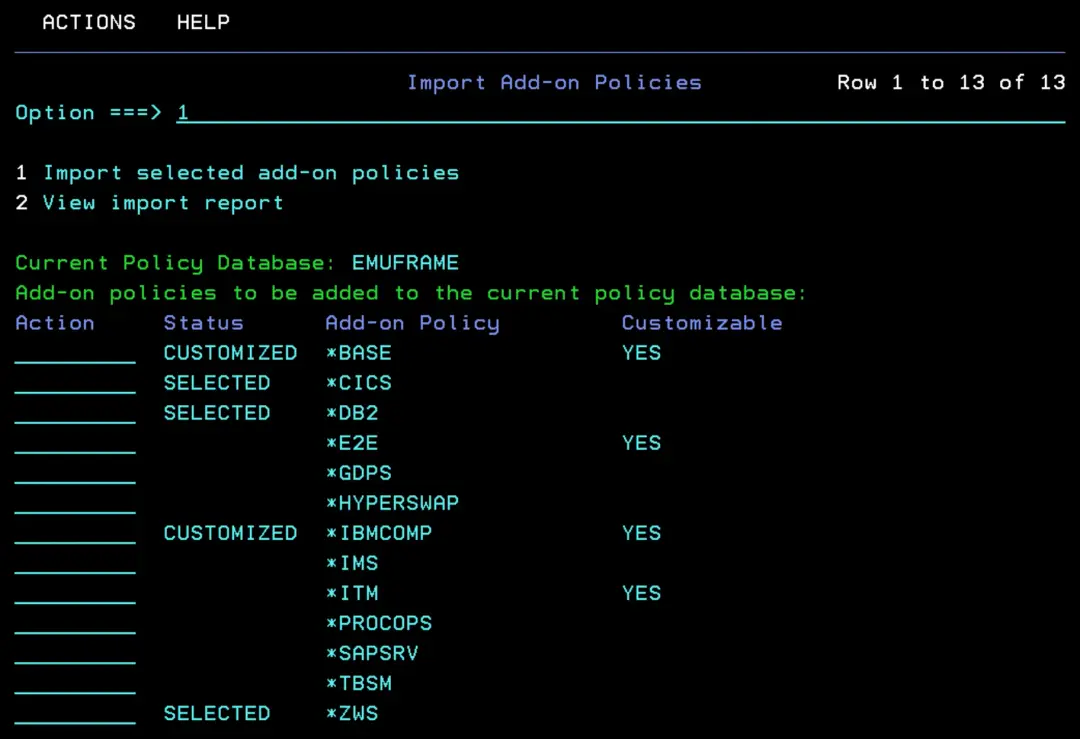
Choose the option “1 - Import selected add-on policies”. We press Enter
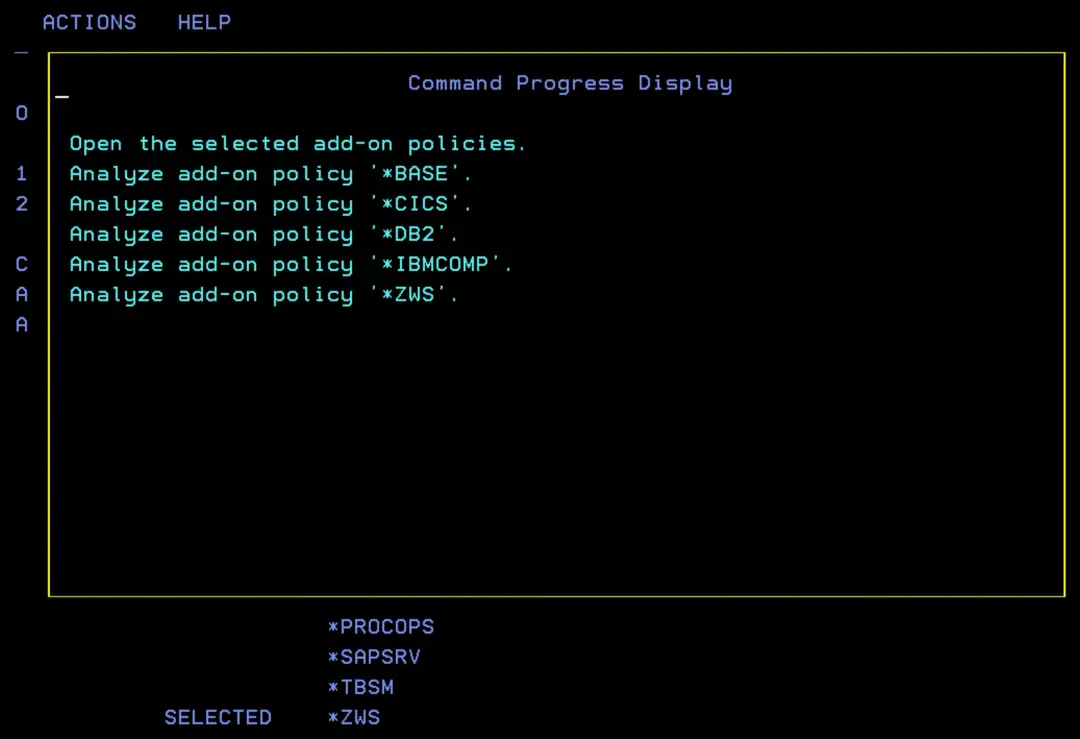
We wait for the analysis to finish.
In my case, a list of 127 entries was generated.
The entries marked with “Y” in the “D” column are duplicate entries.
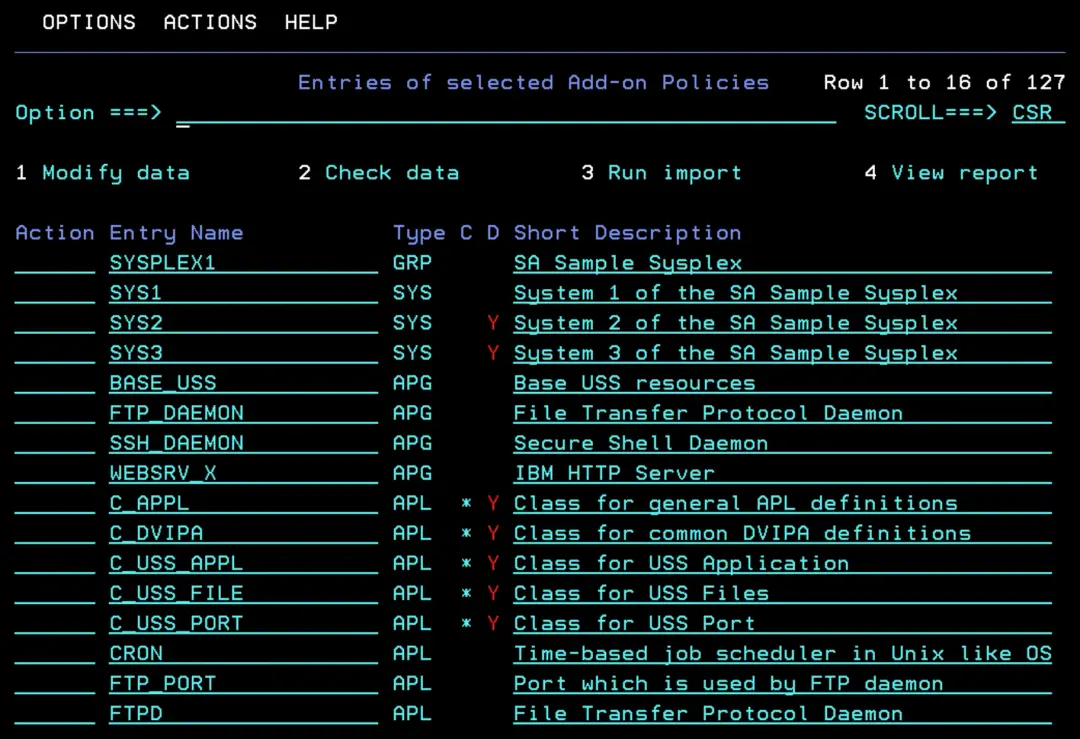
I start deleting entries that I do not need in my case, to make the list shorter.
To remove the entries, we use the command M - Remove.
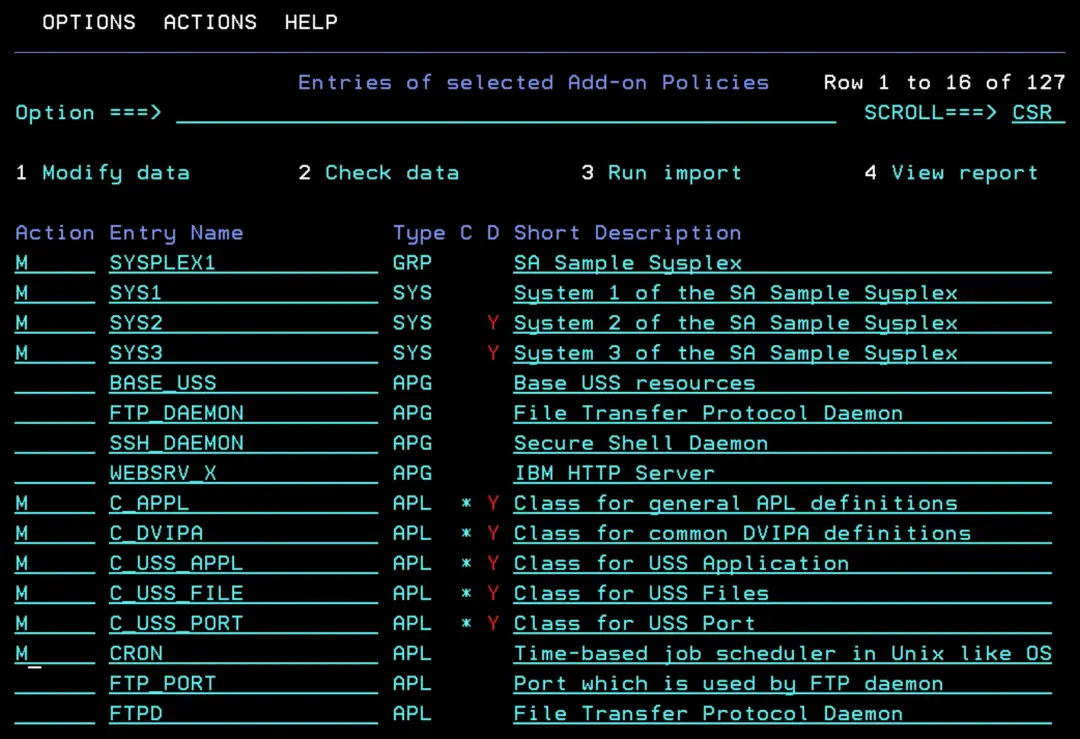
The full list of entries I removed:
SYSPLEX1
SYS1
SYS2
SYS3
C_APPL
C_DVIPA
C_USS_APPL
C_USS_FILE
C_USS_PORT
CRON
INETD
CICS_SHARED
CICS1_X
DB22
DB22_LITE_X
DB22_X
DB23
DB23_LITE_X
DB23_X
DB22ADMT
DB22DBM1
DB22DIST
DB22IRLM
DB22LITE
DB22MSTR
DB23ADMT
DB23DBM1
DB23DIST
DB23IRLM
DB23LITE
DB23MSTR
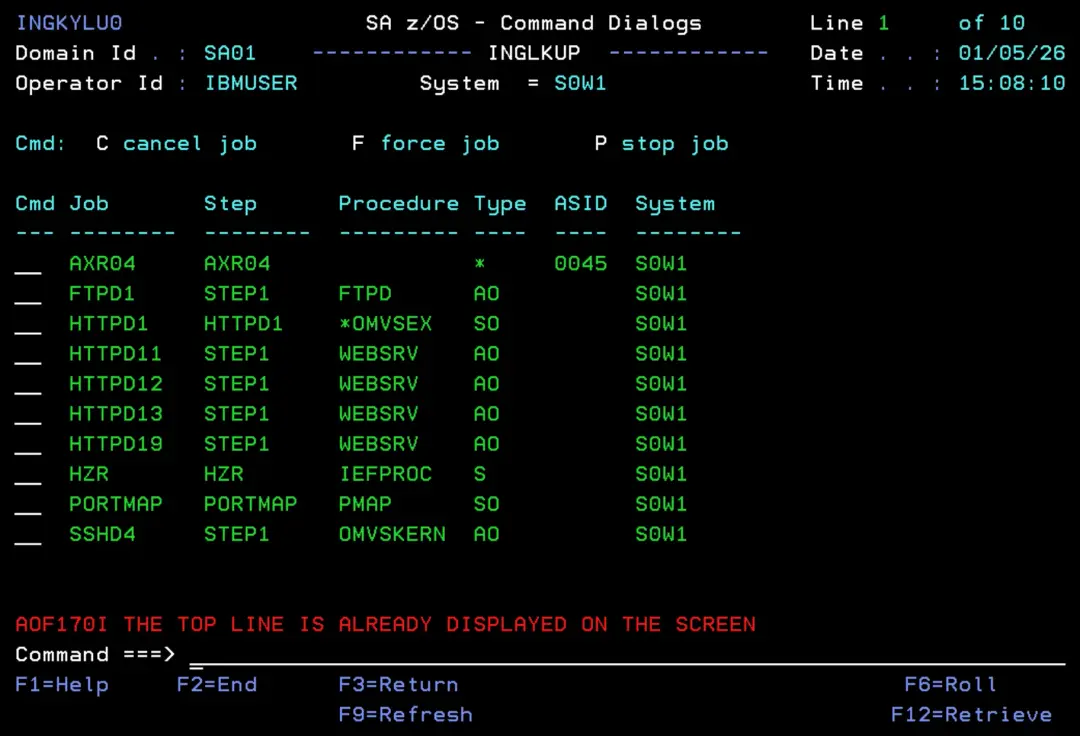
One way to know which tasks we must add to automation, and not leave any out (which could later block the shutdown of a system, for example), is the INGLKUP command in NetView (System Automation 4.3 - INGLKUP: exclude tasks).
It shows the jobs and started tasks that are not defined in the automation. The goal is that no started task appears in this list. That will mean that all the started tasks are controlled by the automation.
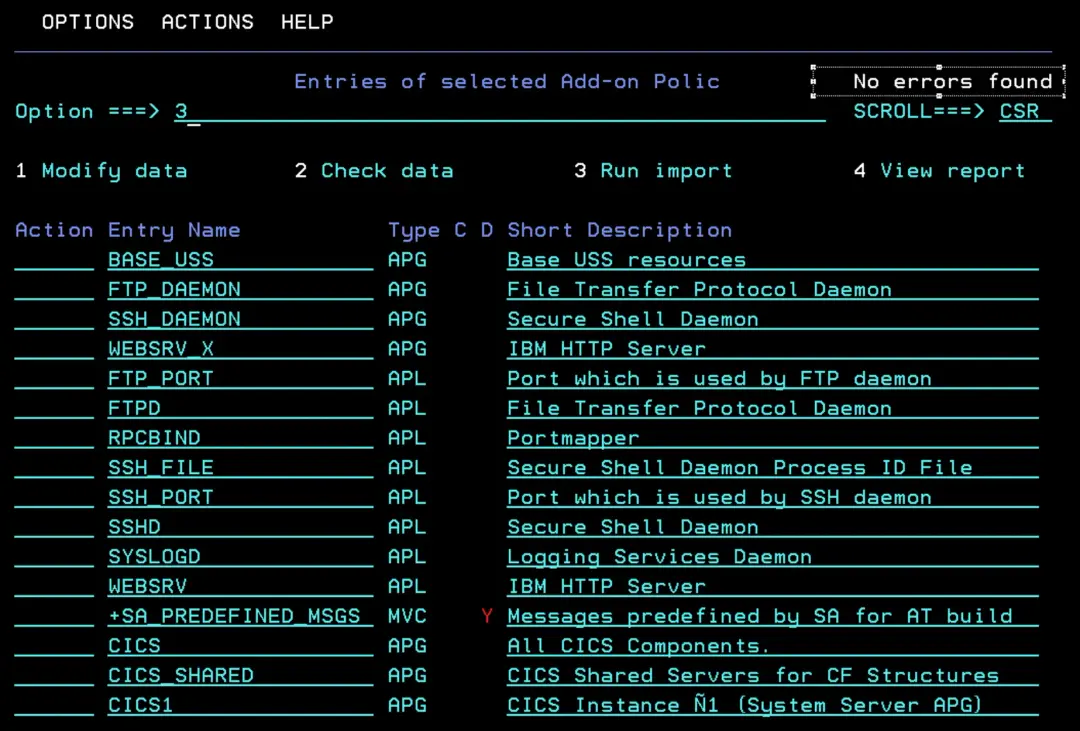
With the option “2 - Check data” we check that there are no errors.
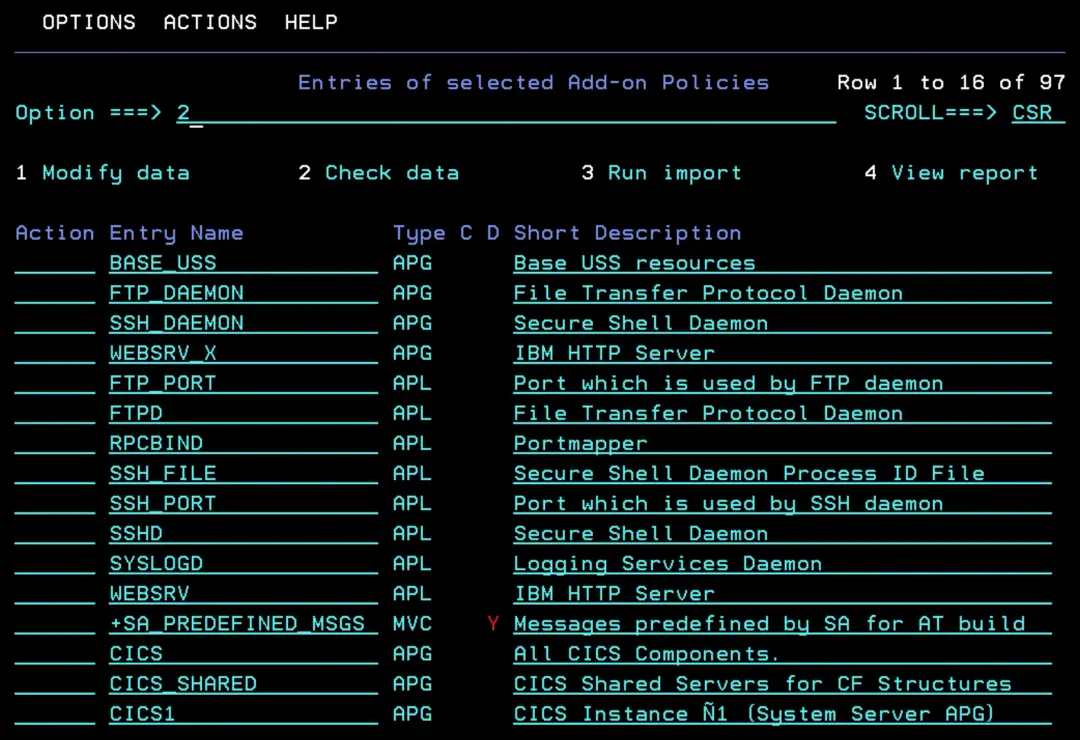
We confirm that the message “No errors found” appears and import the data with the option “3 - Run import”.
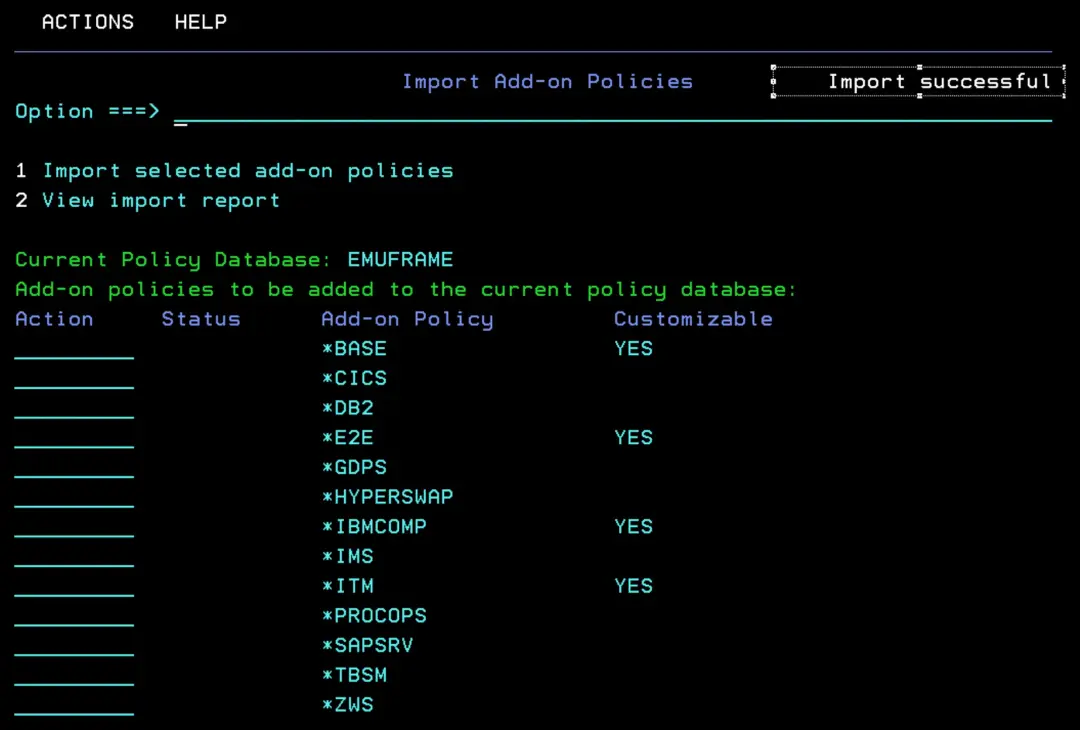
The message “Import successful” appears.
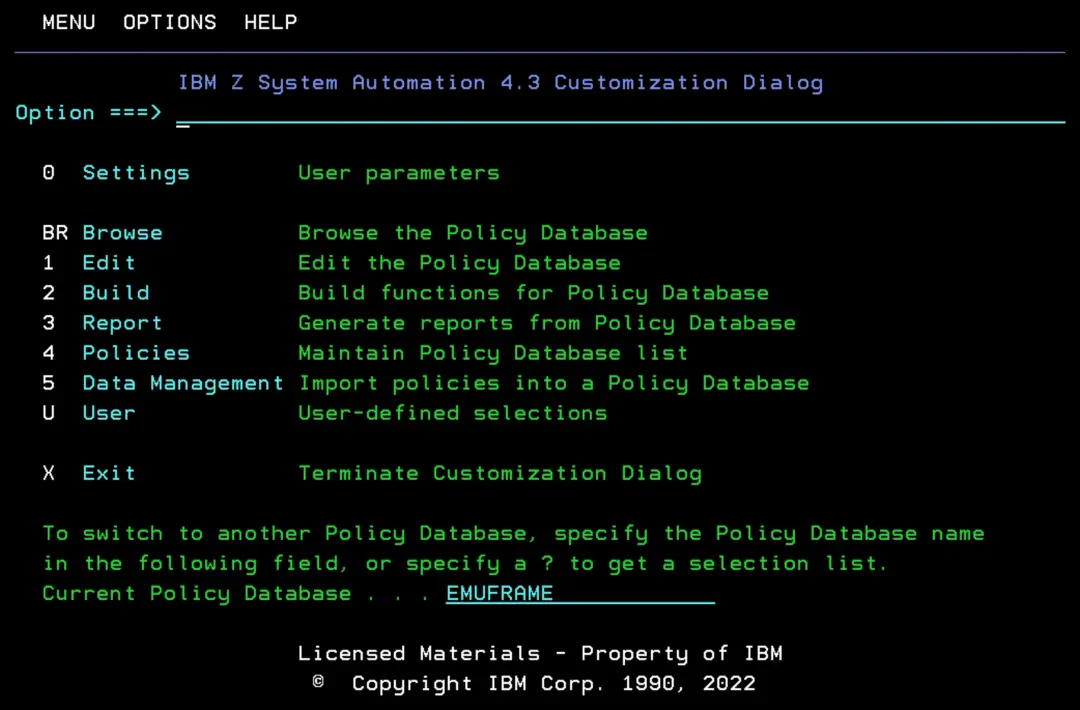
We go to the option “1 - Edit”, in the main panel of the Customization Dialog
We can define tasks little by little: build the configuration data set again (option 2 - Build) and check with the INGLKUP command that the number of tasks shown goes down.
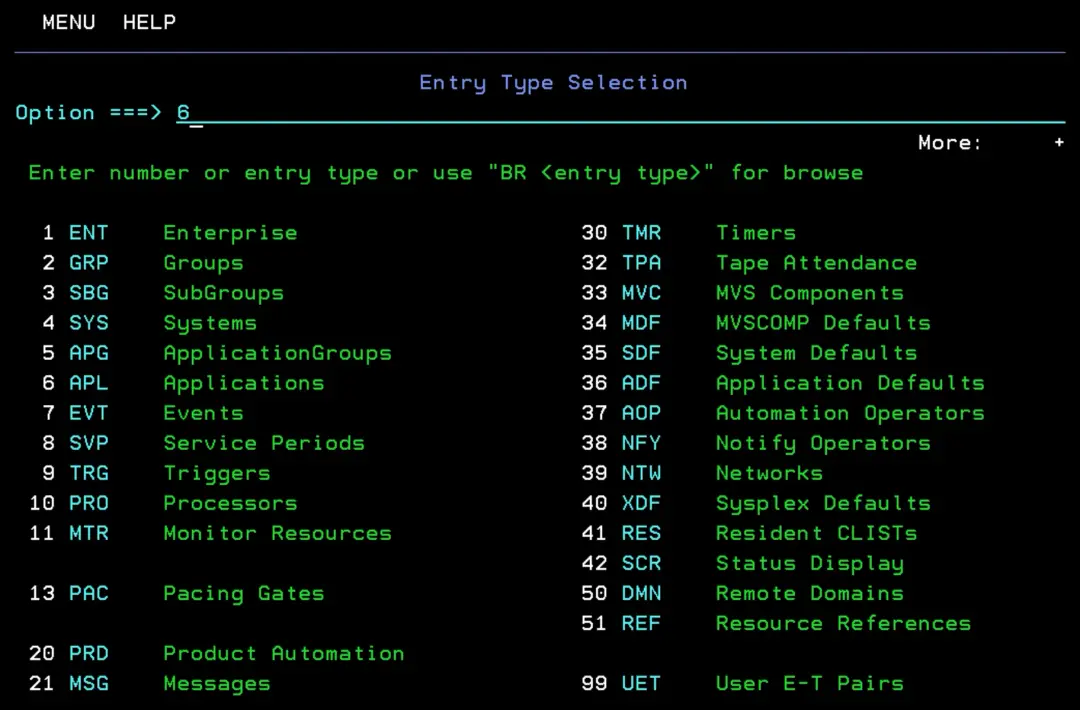
Go into option 6 - Applications
I am going to review some of the tasks that appear (the ones we did not do in the previous section), to adjust them to my system.
Some tasks, such as the ones related to OPC/TWS/ZWS (IBM Z Workload Scheduler), IMS or WAS, are not covered in this article.
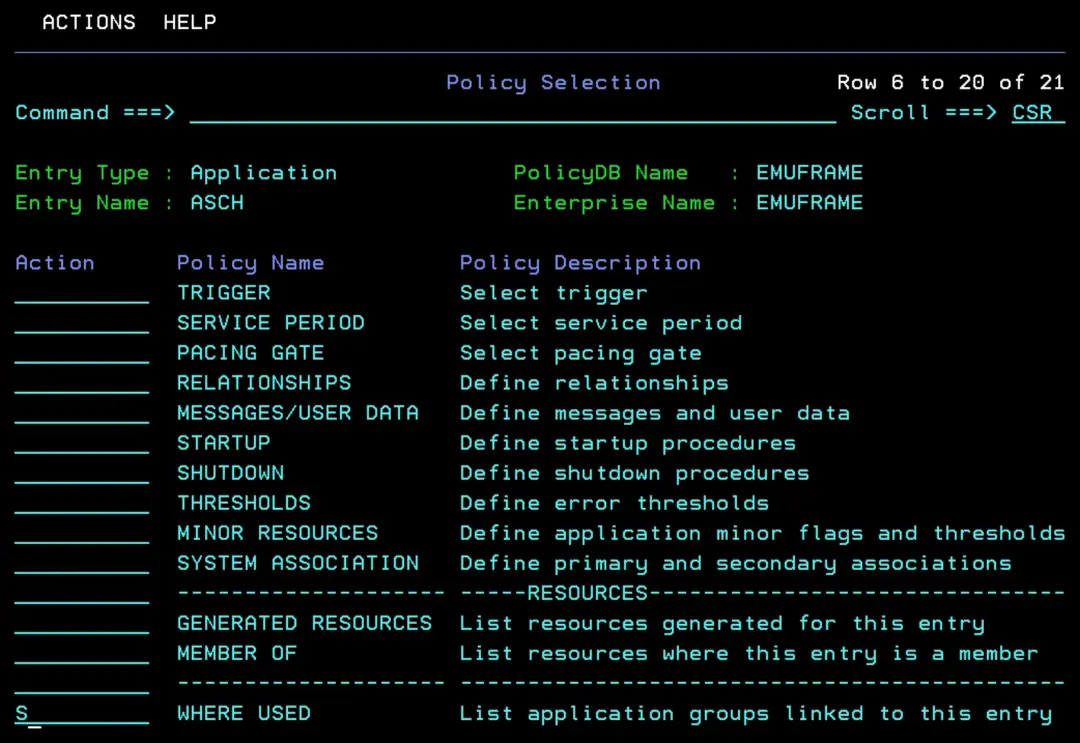
ASCH task
I deactivated this task in the “Automation Policies” section (System Automation 4.3 - Automation Policies), but I am going to activate it again.
Go into the task and select the WHERE USED parameter.
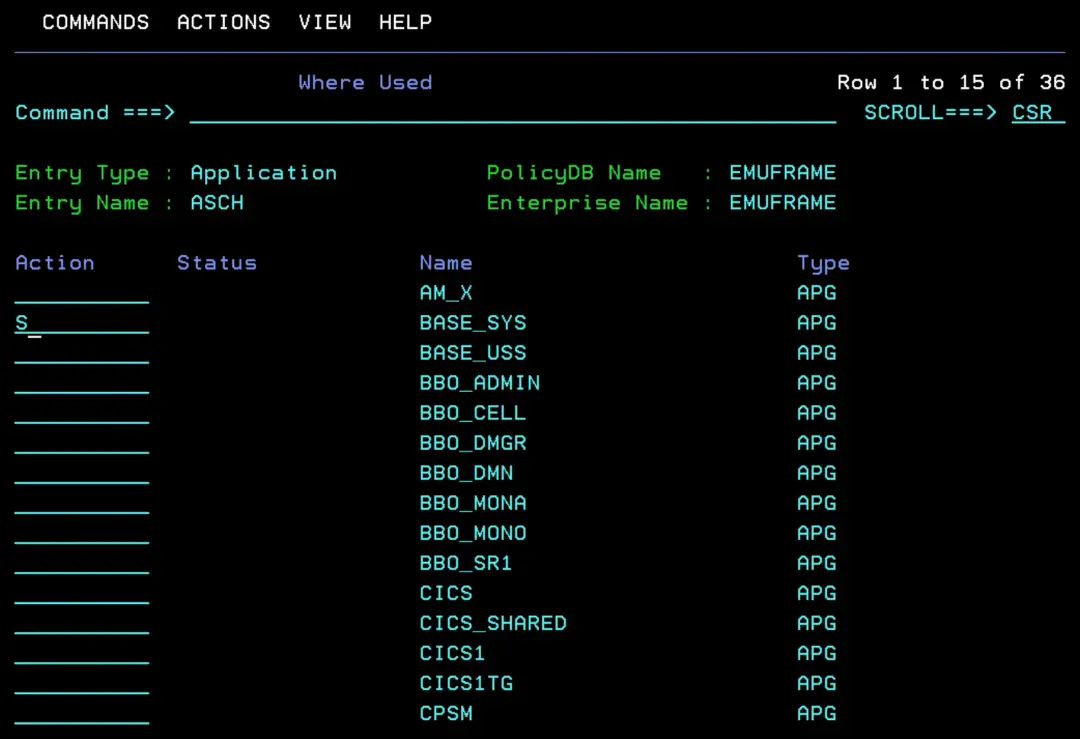
Select the BASE_SYS group
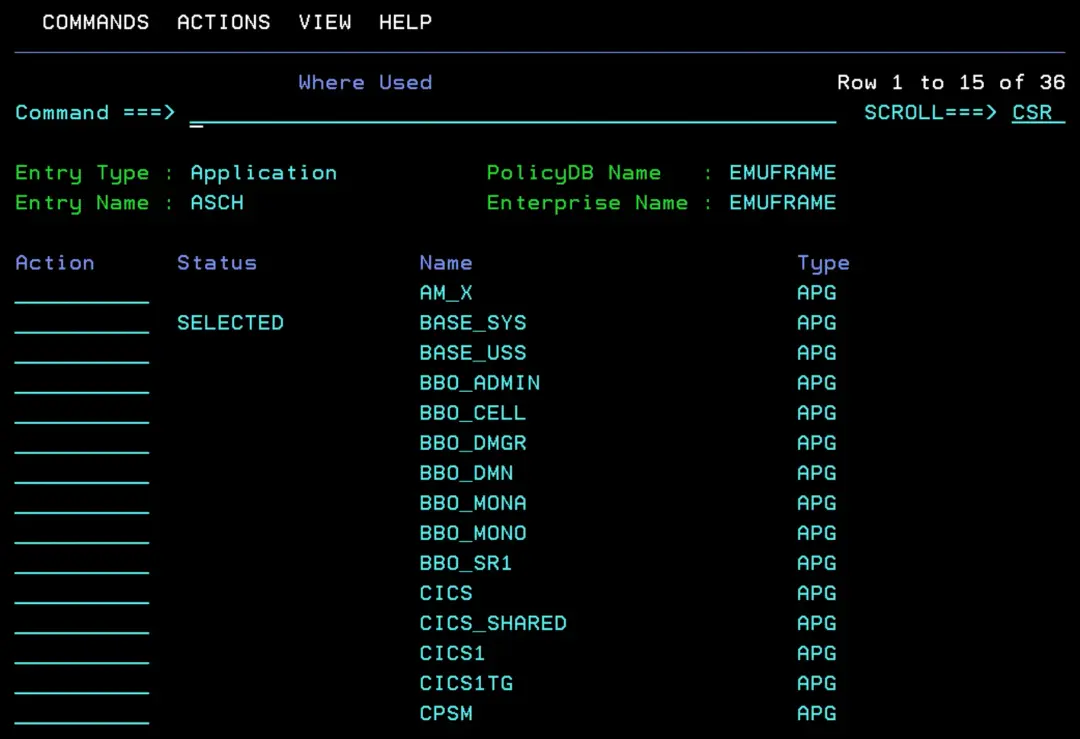
Exit with F3.
CZFCIM task
This task, like others, has a dependency defined on another task that must be started first. That task is TCPIP.
To see it, go into RELATIONSHIPS.
More information about the dependency types:
https://www.ibm.com/docs/en/z-system-automation/4.3.0?topic=item-defining-relationships
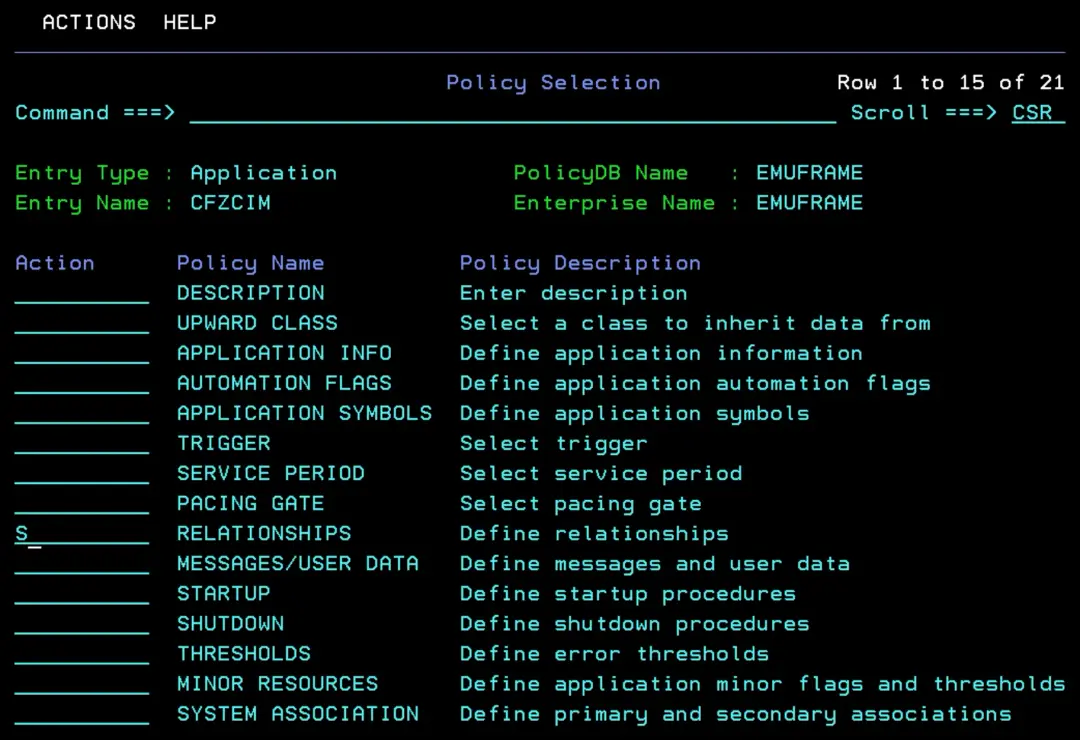
If we press F1, we see the relationship types that exist and what each one means.
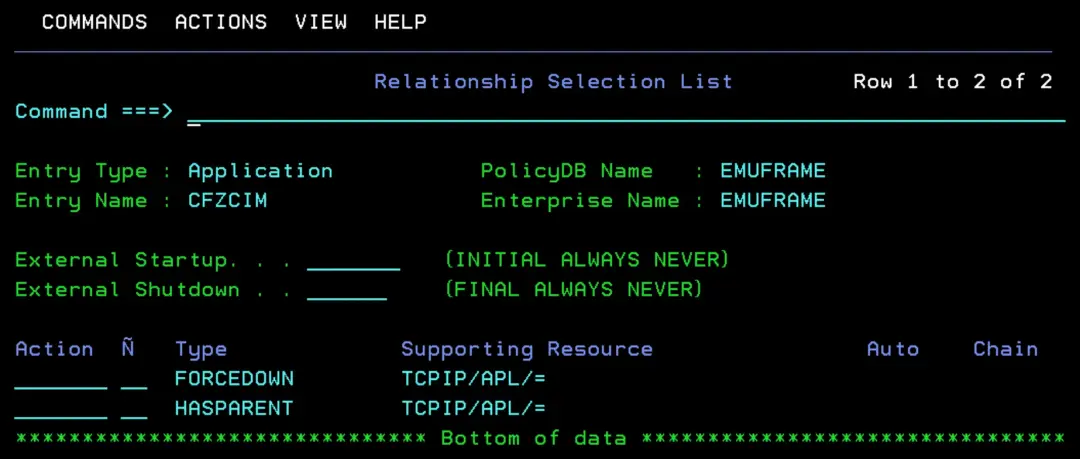
To activate this task in the system, go to the WHERE_USED section.
There we select BASE_SYS
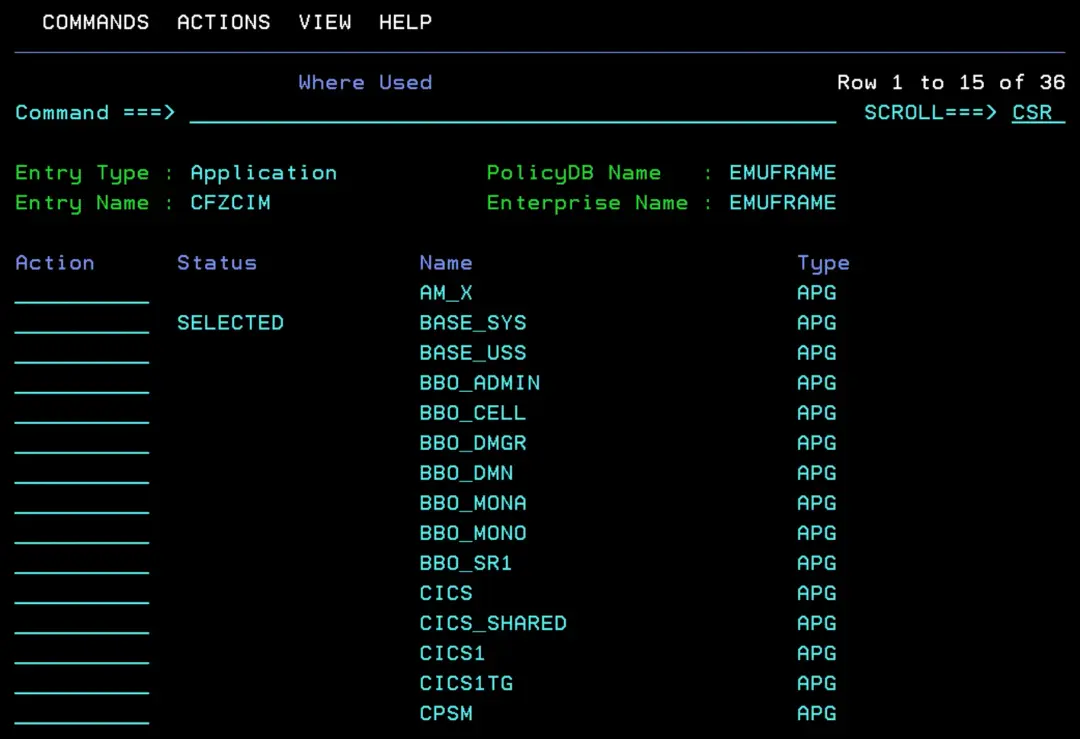
CICS tasks
For CICS there are quite a few resources defined:
- CICSDT - CICS Shared Data Tables CF Support
- CICSNC - CICS Shared Named Counter CF Support
- CICSTS - CICS Shared Temp. Storage CF Support
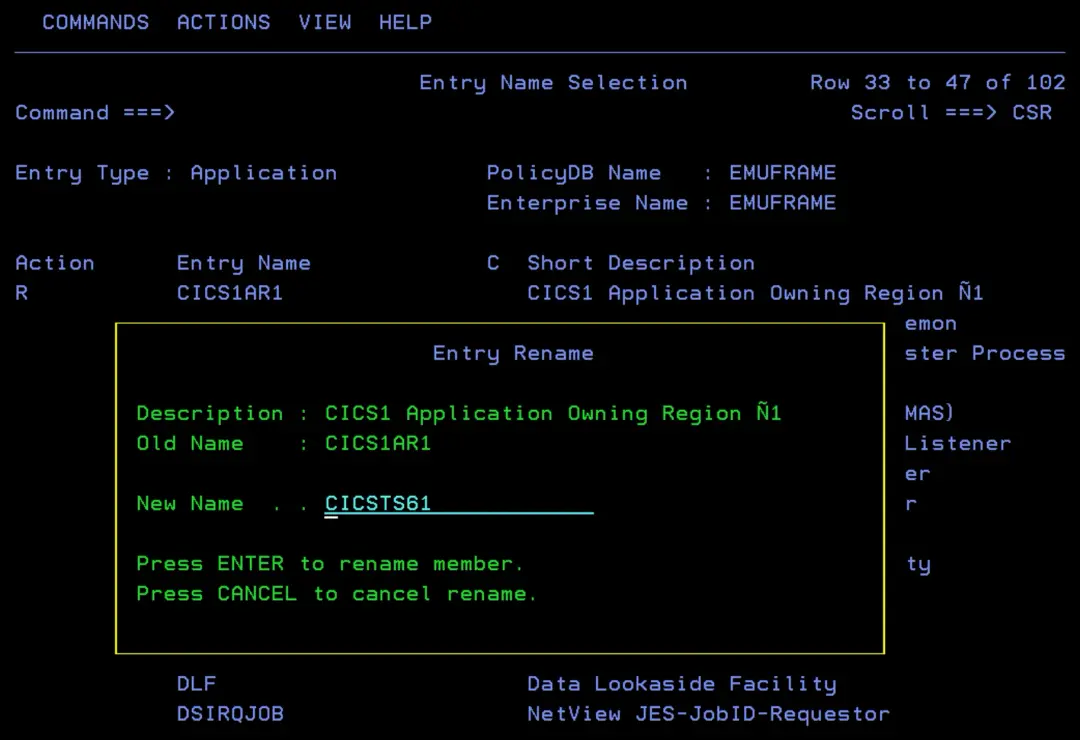
- CICS1AR1 - CICS1 Application Owning Region Ñ1
- CICS1TGD - CICS1 Transaction Gateway Daemon
- CICS1TGM - CICS1 Transaction Gateway Master Process
- CICS1TOR - CICS1 Terminal Owning Region
- CPSMCMAS - CICSPlex SM Address Space (CMAS)
- CPSMLIST - CICSPlex SM - SA z/OS Event Listener
- CPSMWUI - CPSM Web User Interface Server
On the ADCD system there is only one CICS (in my version it is called CICSTS61). There are no other components.
I am going to rename and modify the CICS1AR1 entry to fit my system.
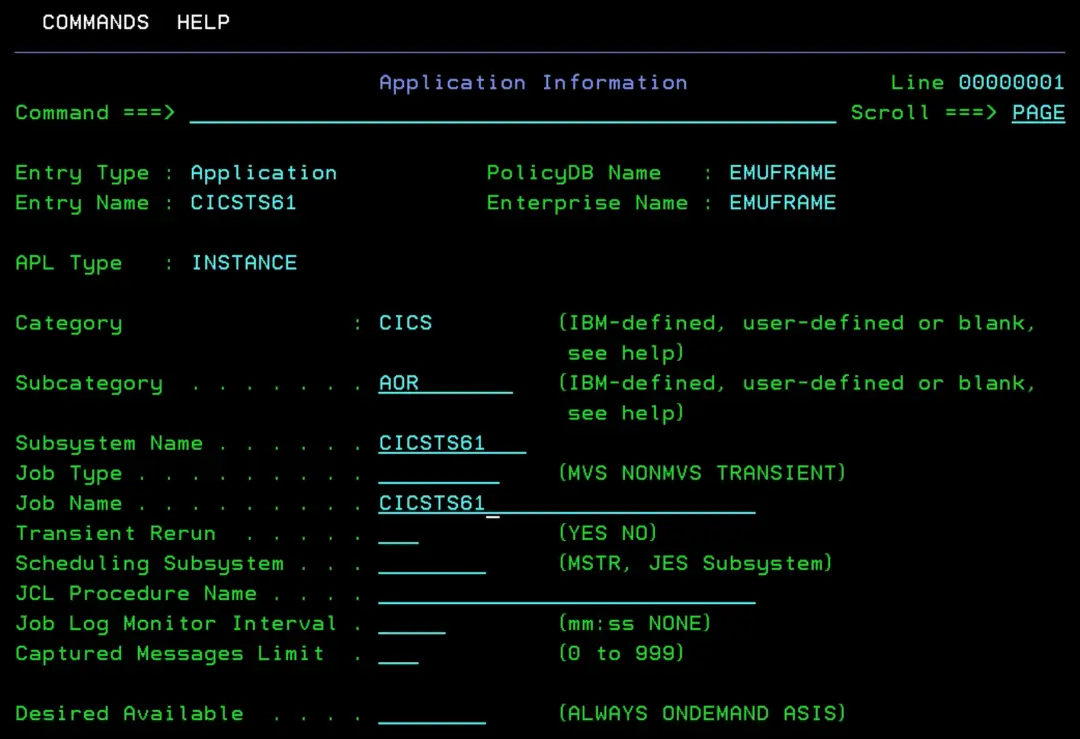
In APPLICATION INFO, we adjust the “Subsystem Name” and “Job Name” parameters.
We go into CICS CONTROL
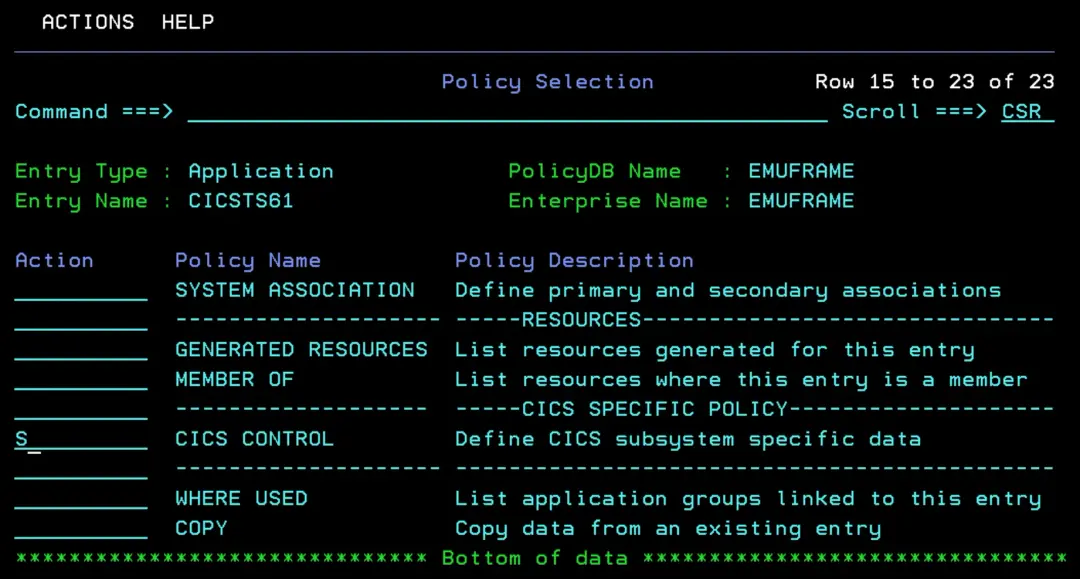
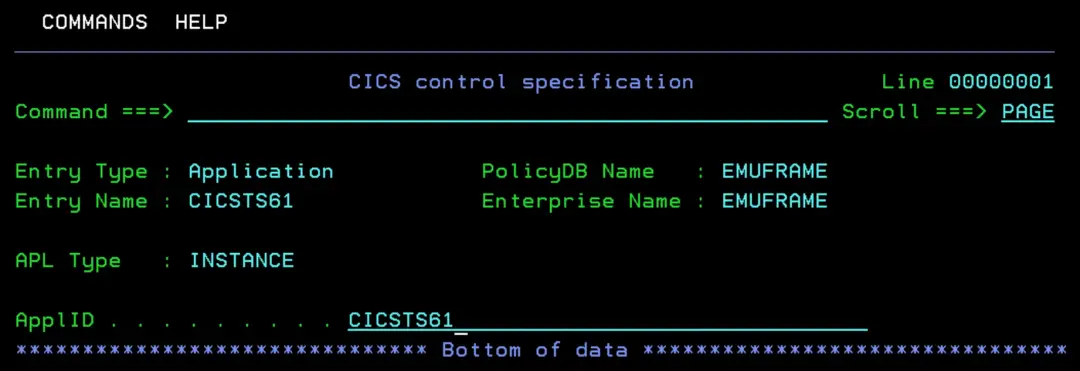
We must fill in the “ApplID” field:
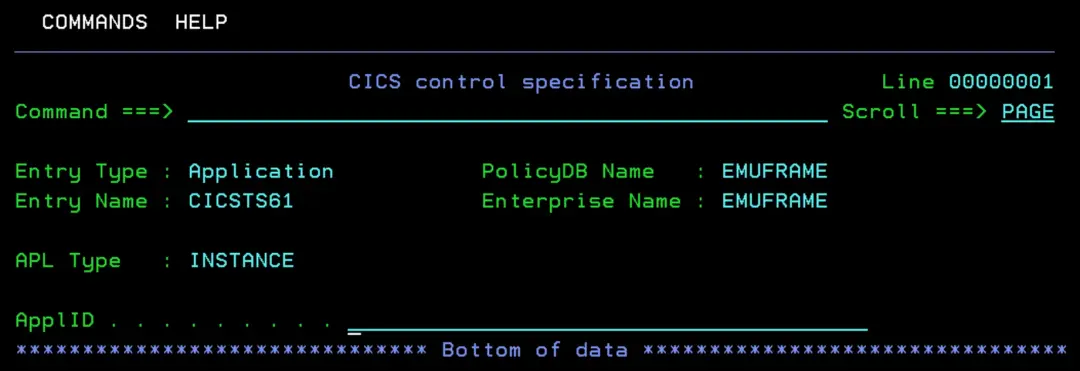
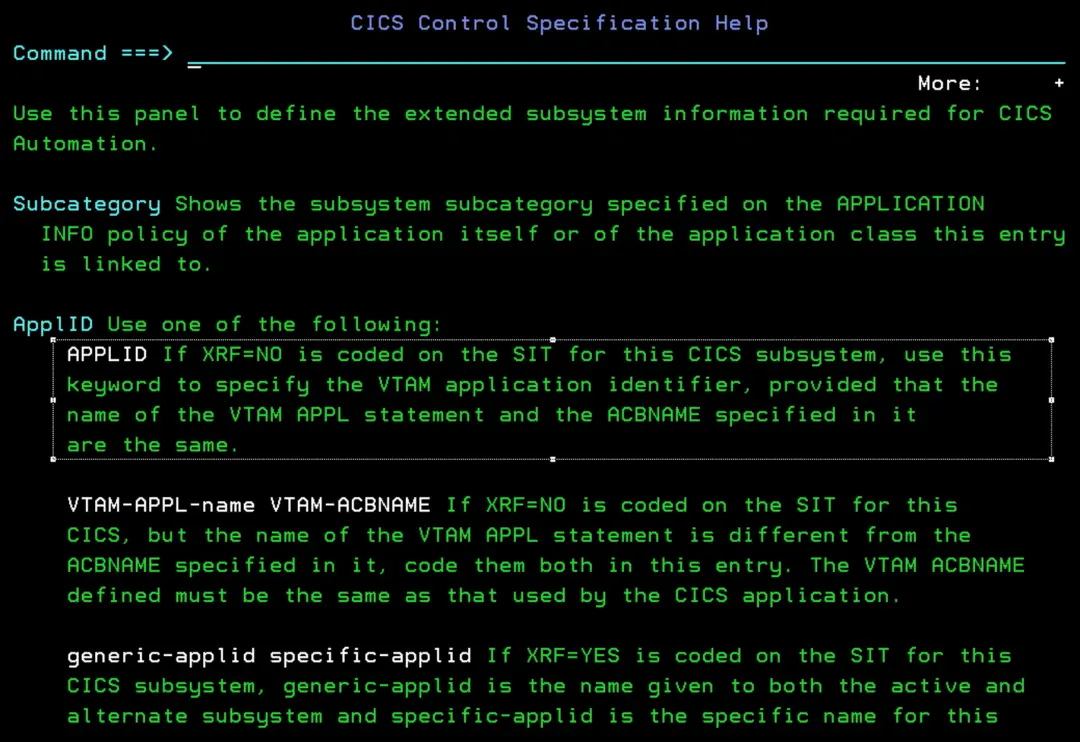
To fill in that field, the documentation says the following:
https://www.ibm.com/docs/en/z-system-automation/4.3.0?topic=subsystems-cics-control-policy-item
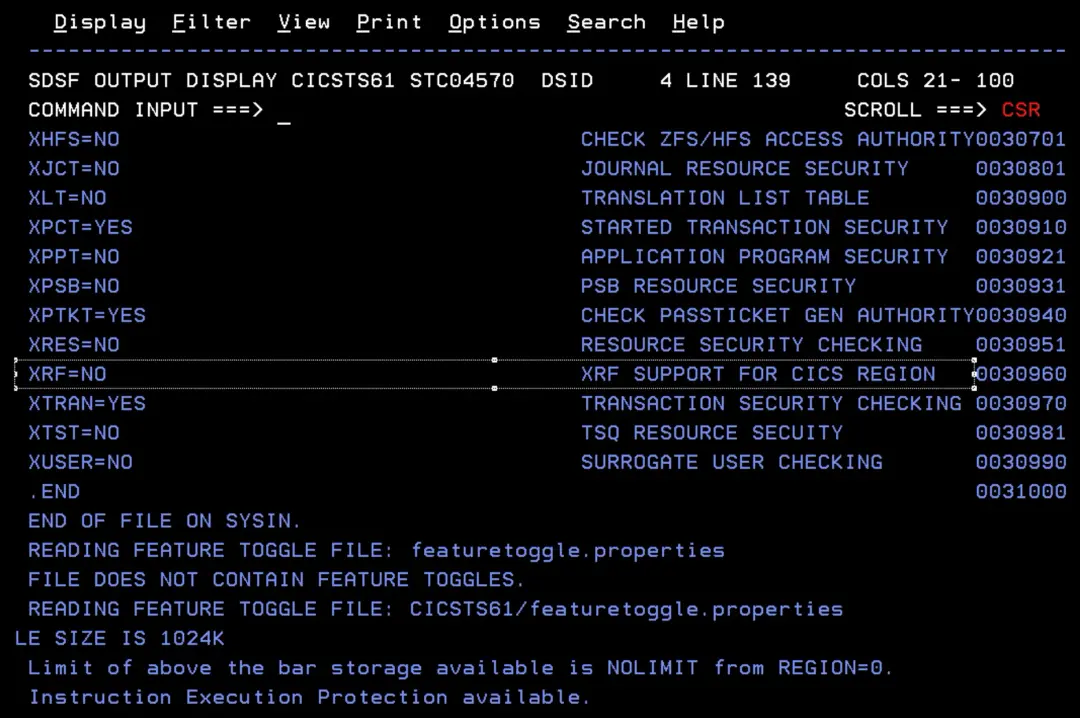
Among the parameters of the CICSTS61 task there is one called APPLID.
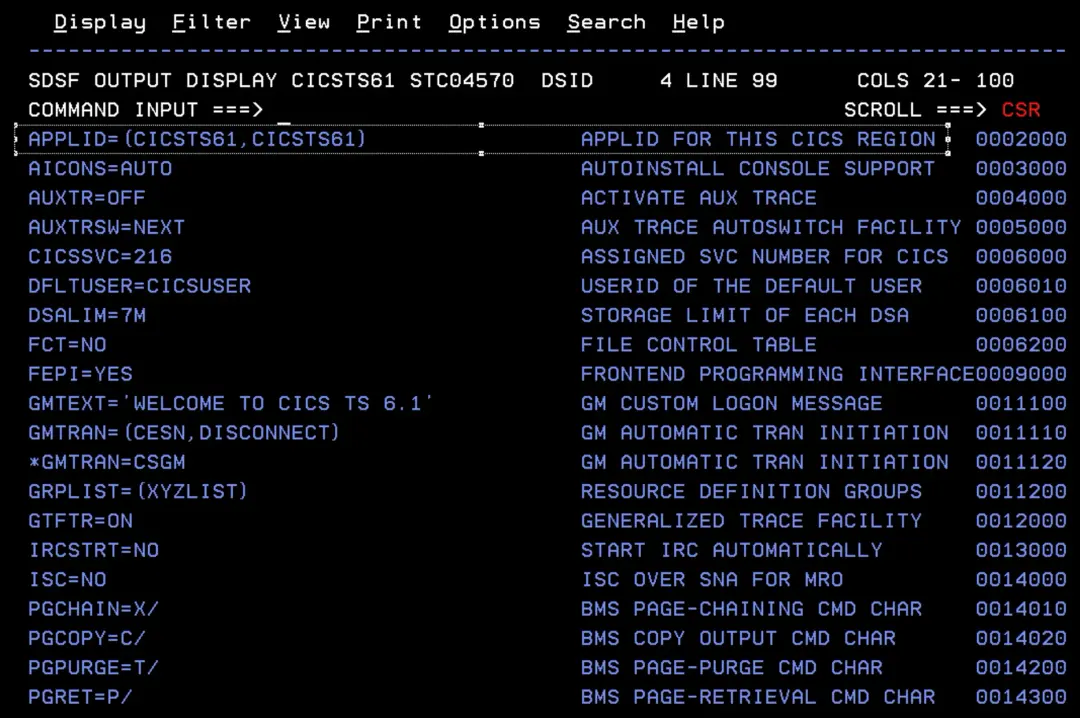
But in my configuration, XRF=NO appears. So, if I understood the documentation correctly, we must check the VTAM definition.
I looked in my **.VTAMLST libraries for the member where the CICS nodes are defined. In my case, the member is called CICSAPPL. The VTAM application “CICSTS61” is defined in it.
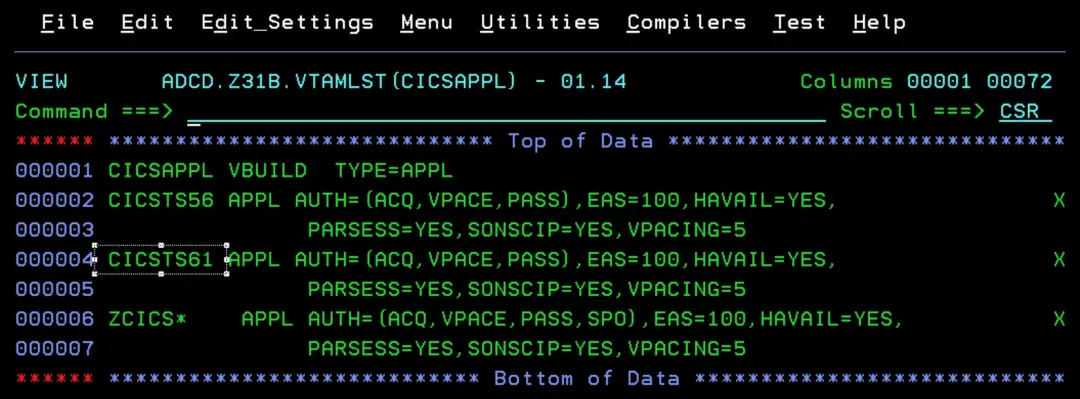
I will use that value for the ApplID parameter.
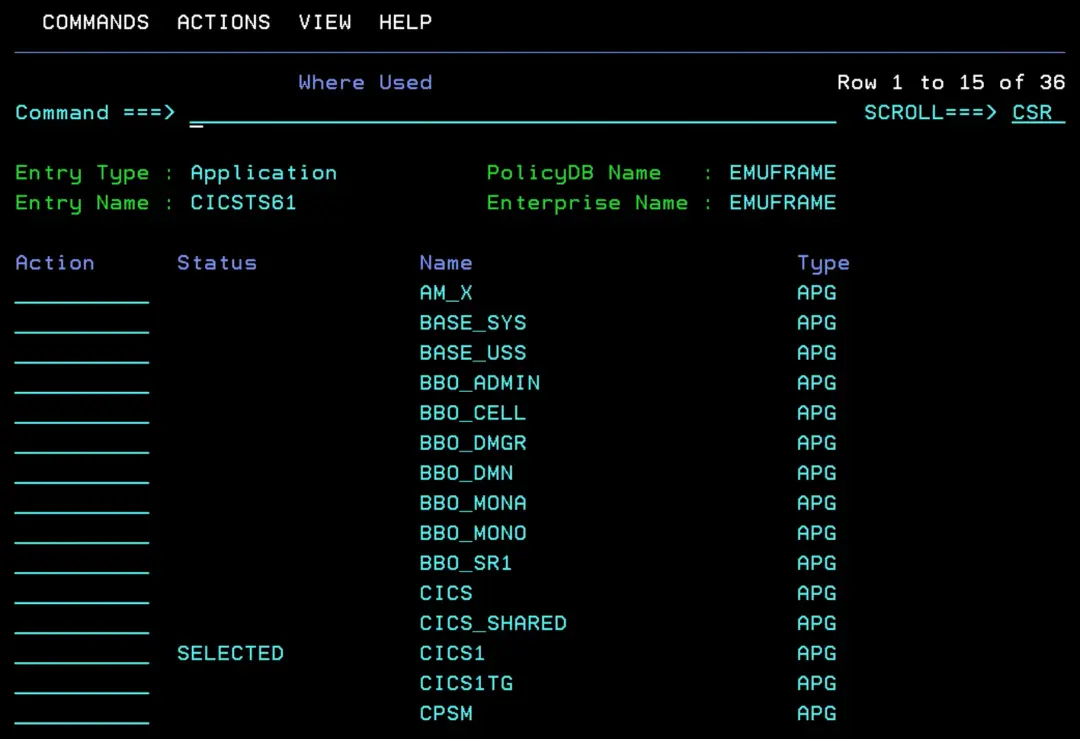
Finally, check that it is assigned to an application group in the WHERE USED section.
DB2 tasks
On my system, I have these DB2-related tasks. They are the ones we have to define in System Automation.
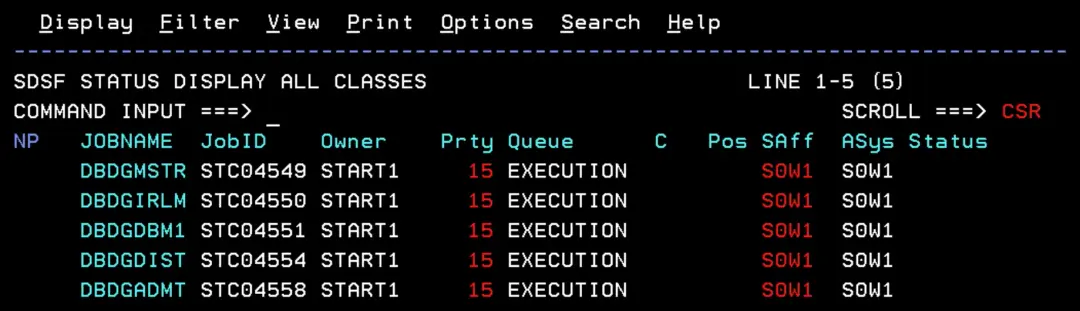
DB2 - DB21ADMT task - DBDGADMT
I rename this entry to fit my system.
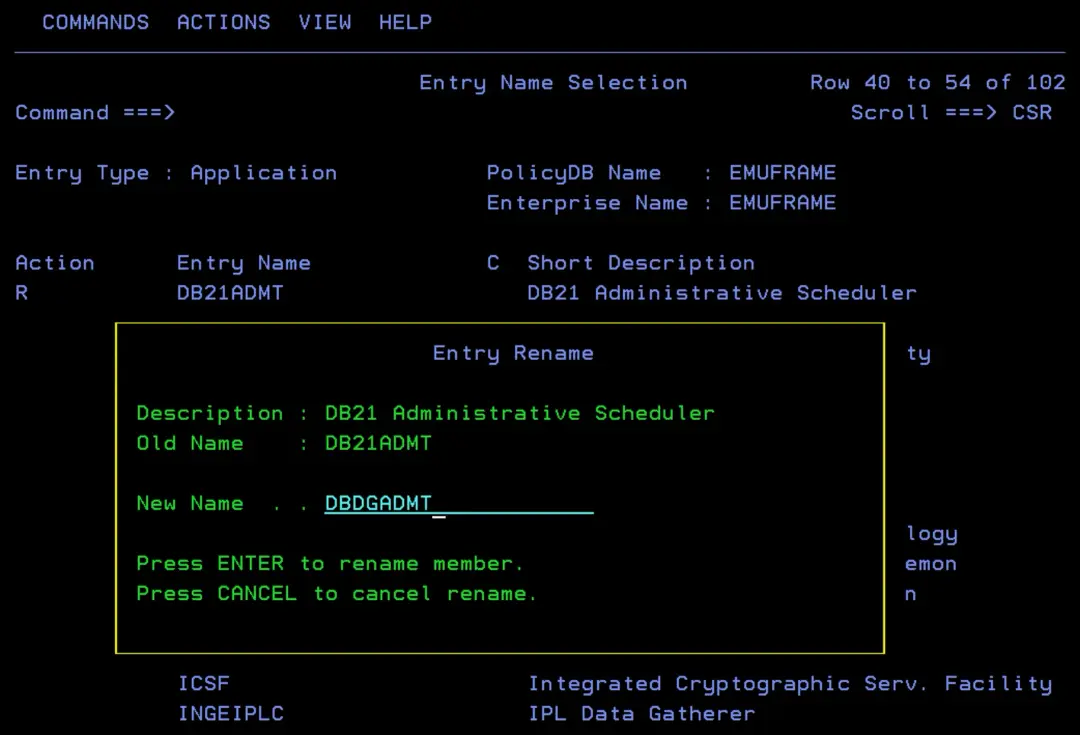
In the “DESCRIPTION” section, I change the description.
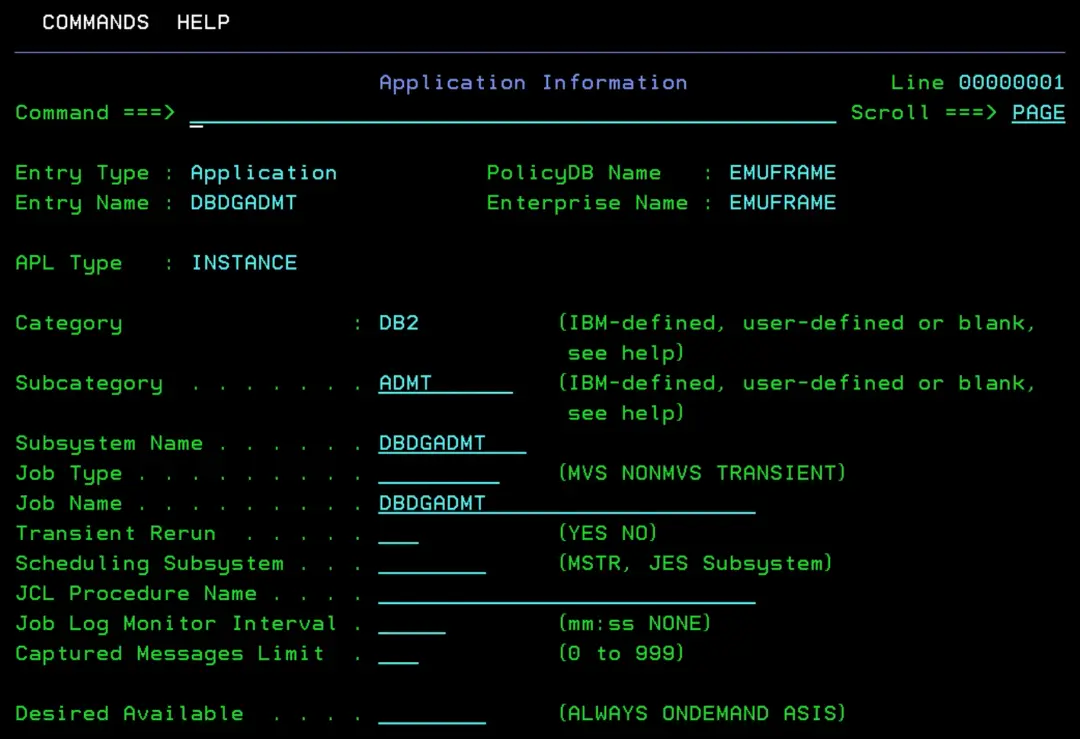
In the “APPLICATION INFO” section, I adjust the “Subsystem Name” and “Job Name” parameters.
DB2 - DB21DBM1 task - DBDGDBM1
I rename this entry to fit my system.
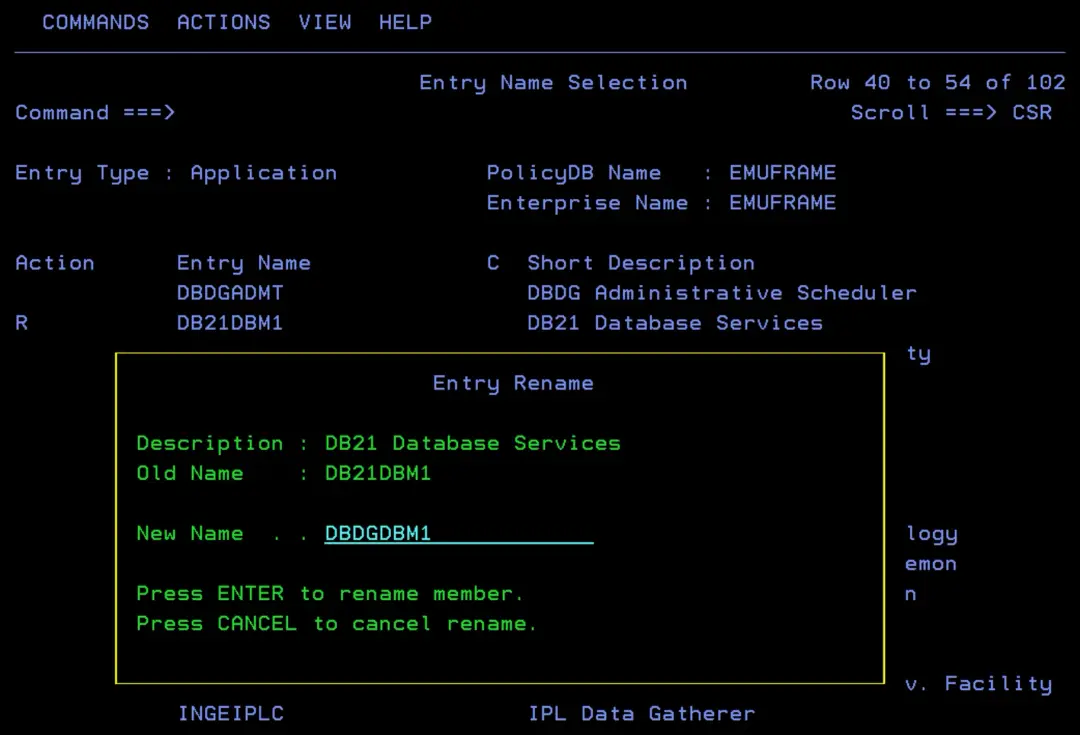
In the “DESCRIPTION” section, I change the description.
In the “APPLICATION INFO” section, I adjust the “Subsystem Name” and “Job Name” parameters.
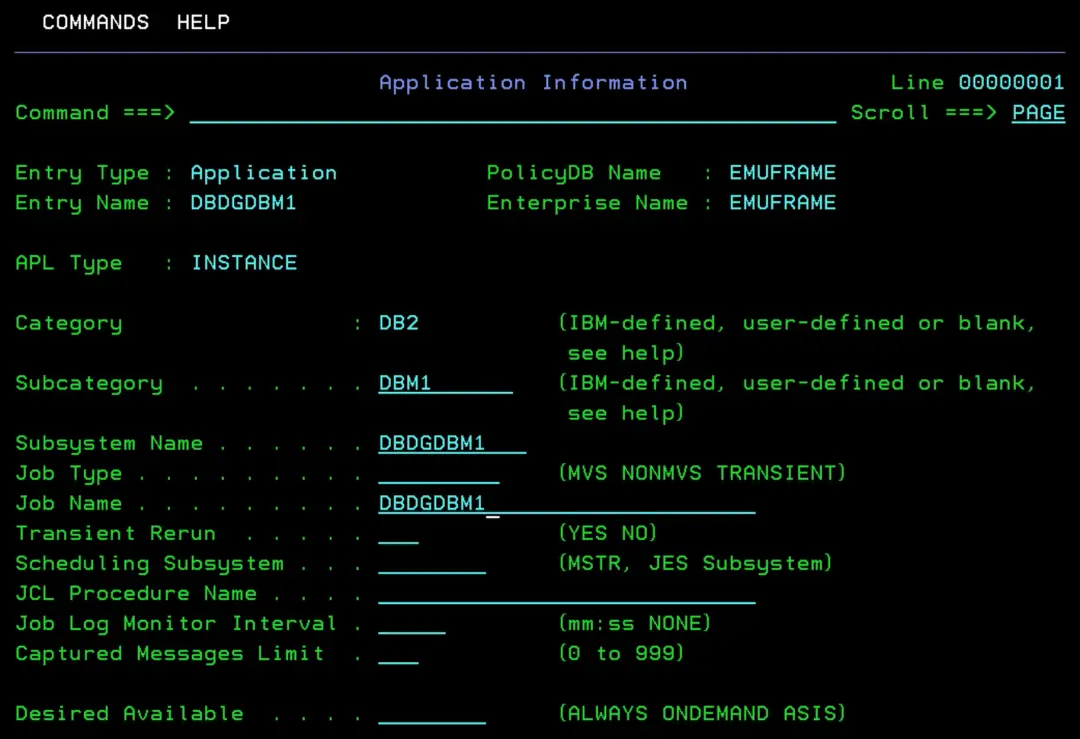
DB2 - DB21DIST task - DBDGDIST
I rename this entry to fit my system.
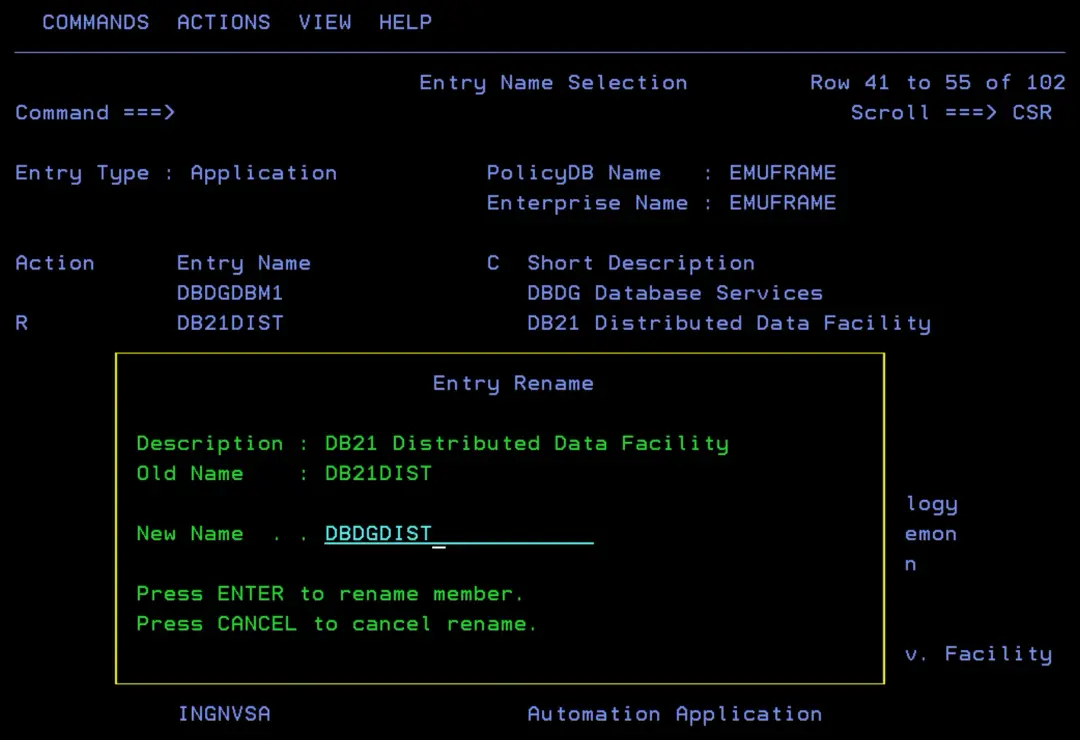
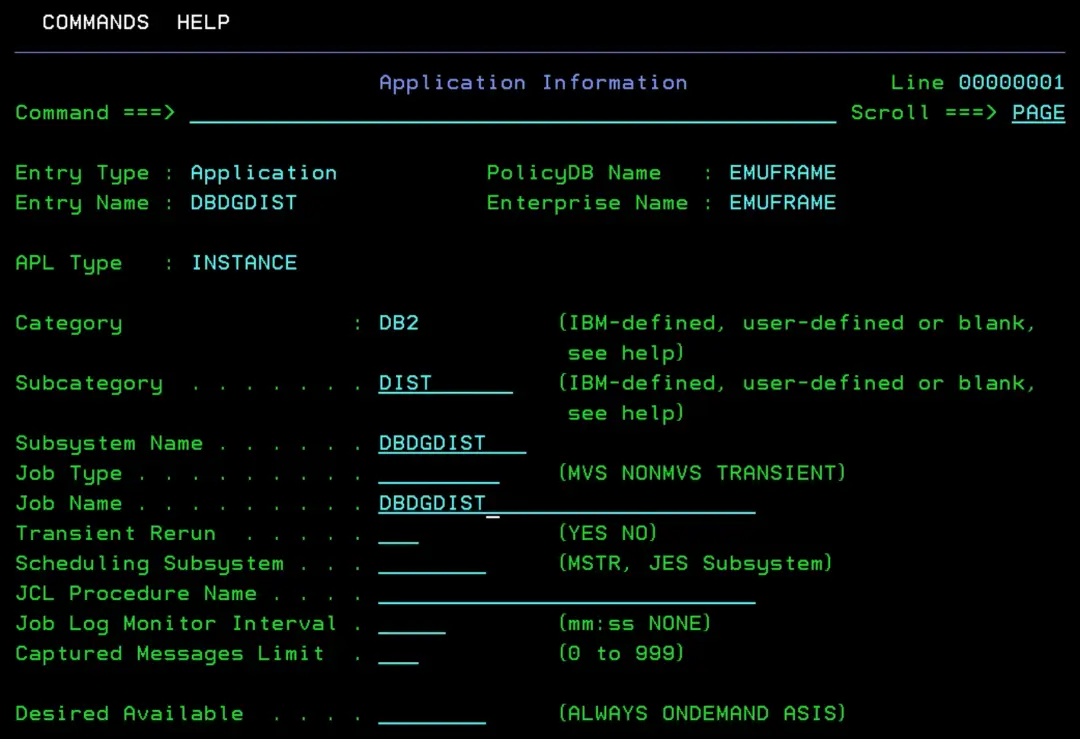
In the “DESCRIPTION” section, I change the description.
In the “APPLICATION INFO” section, I adjust the “Subsystem Name” and “Job Name” parameters.
DB2 - DB21IRLM task - DBDGIRLM
I rename this entry to fit my system.
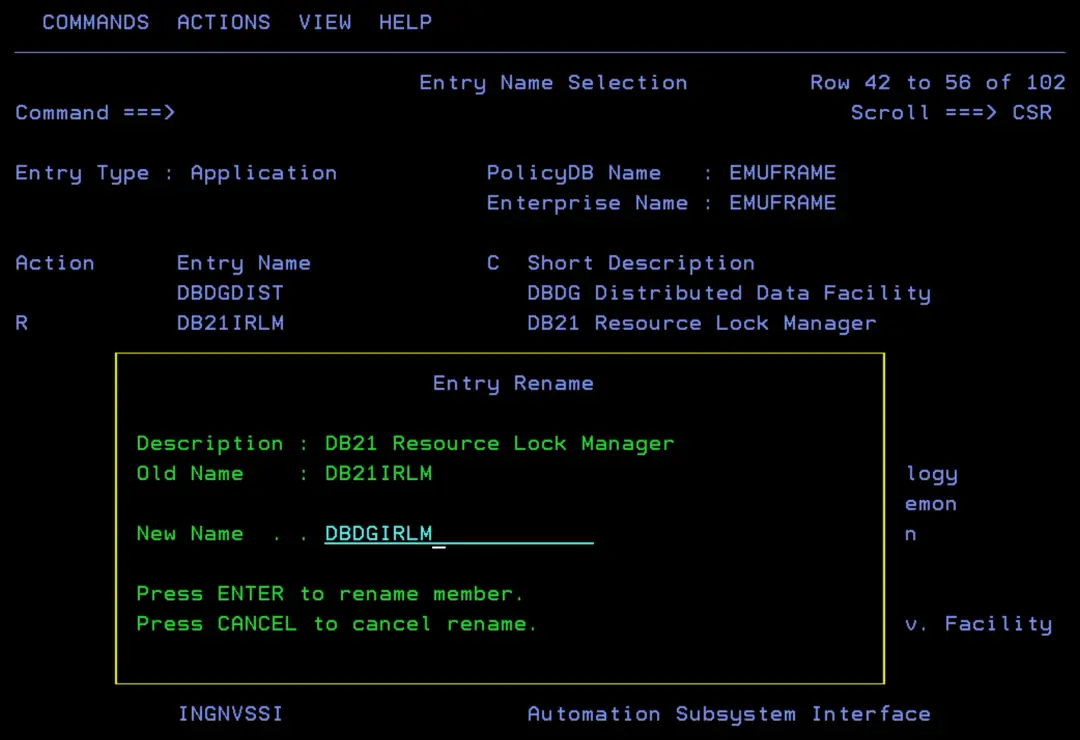
In the “DESCRIPTION” section, I change the description.
In the “APPLICATION INFO” section, I adjust the “Subsystem Name” and “Job Name” parameters.
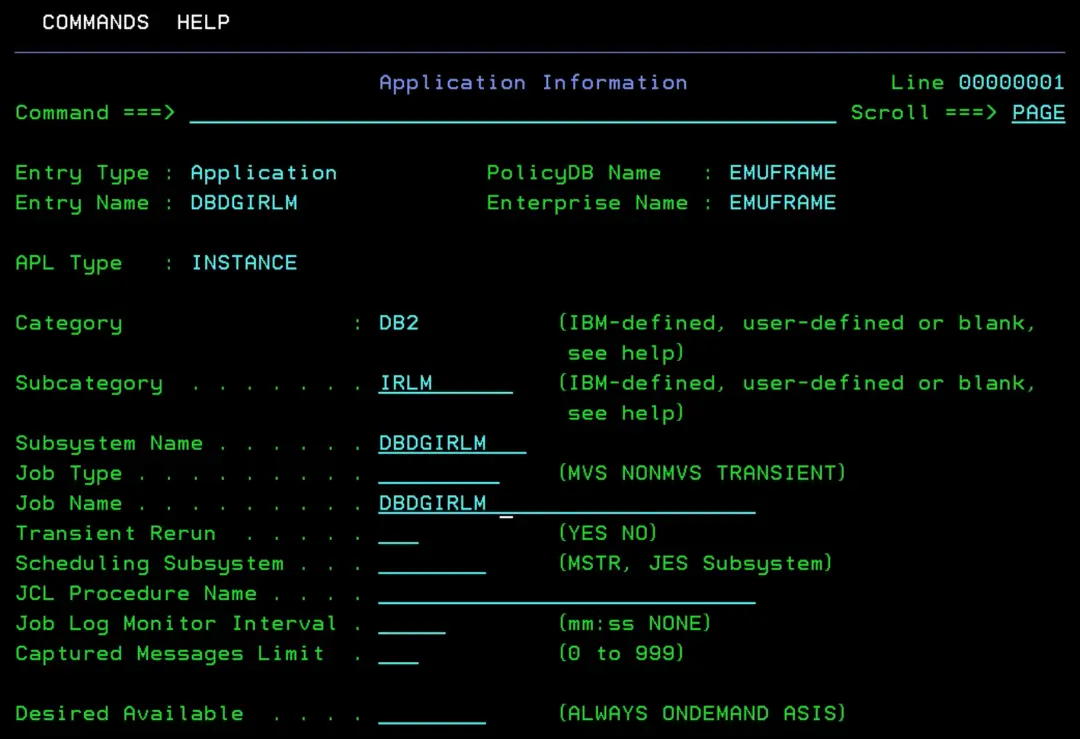
DB2 - DB21MSTR task - DBDGMSTR
I rename this entry to fit my system.
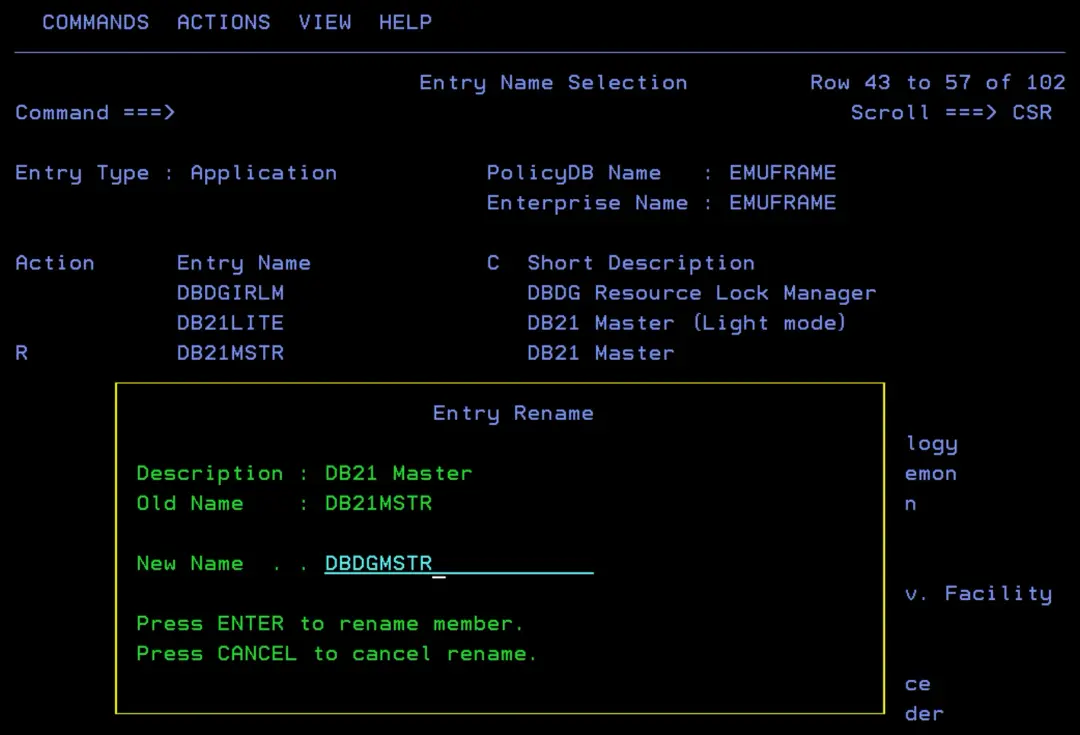
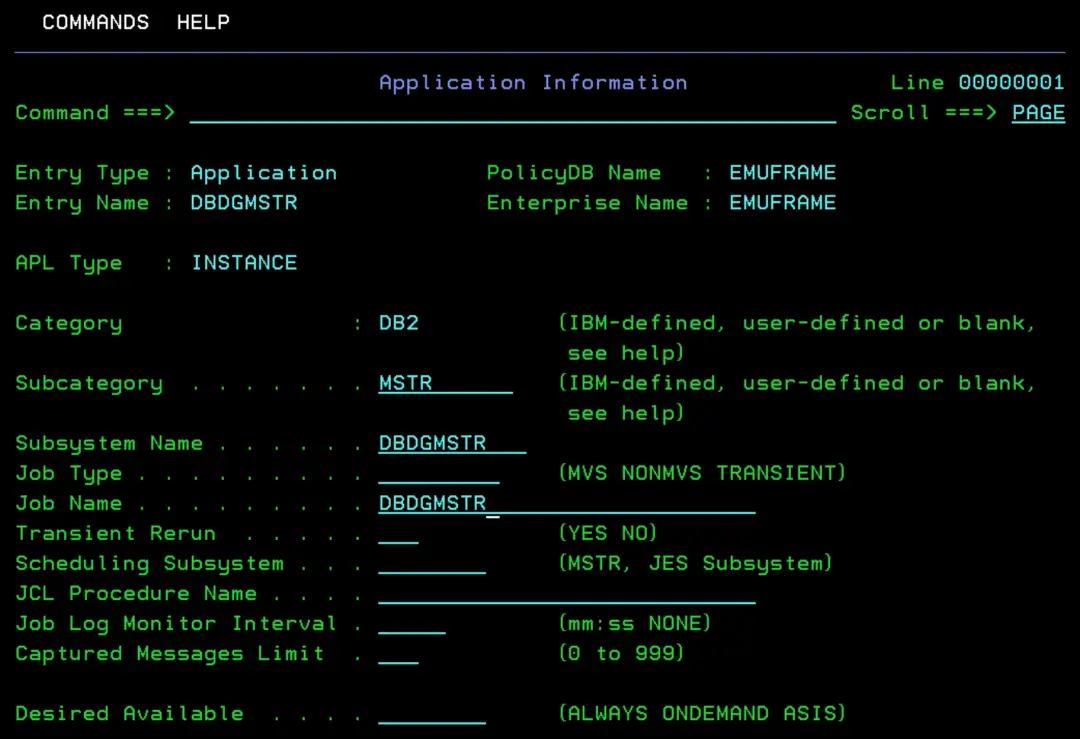
In this entry we must make more changes:
In the “DESCRIPTION” section, I change the description.
In the “APPLICATION INFO” section, I adjust the “Subsystem Name” and “Job Name” parameters.
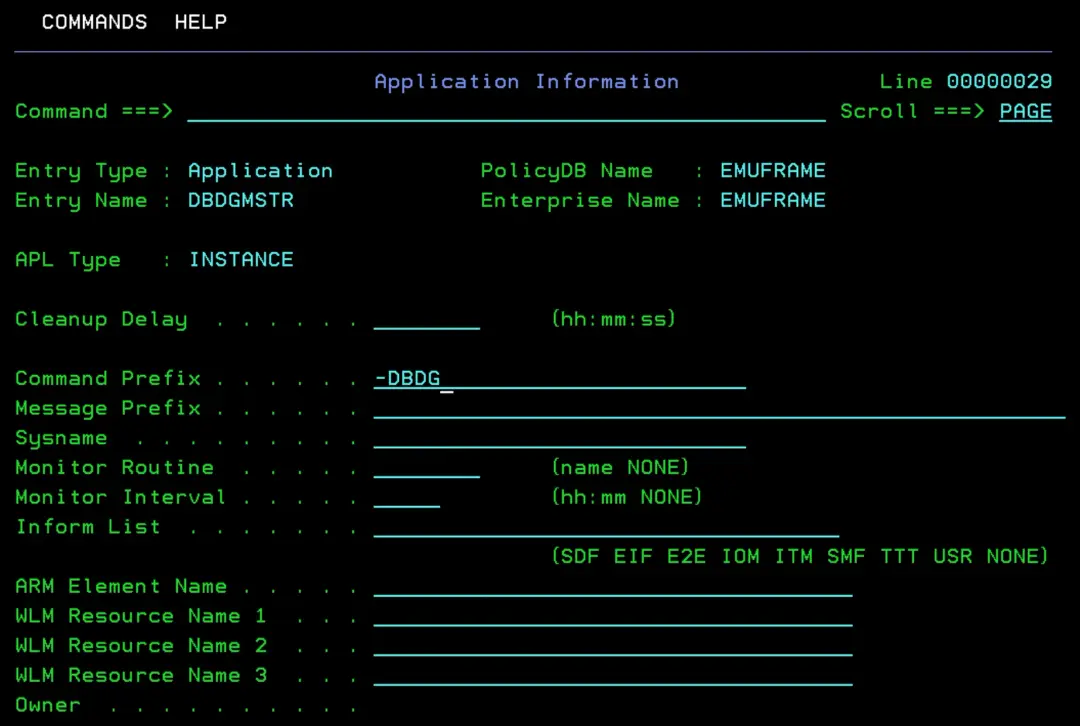
Also in “APPLICATION INFO”, adjust the “Command Prefix” parameter. In my case, DBDG.
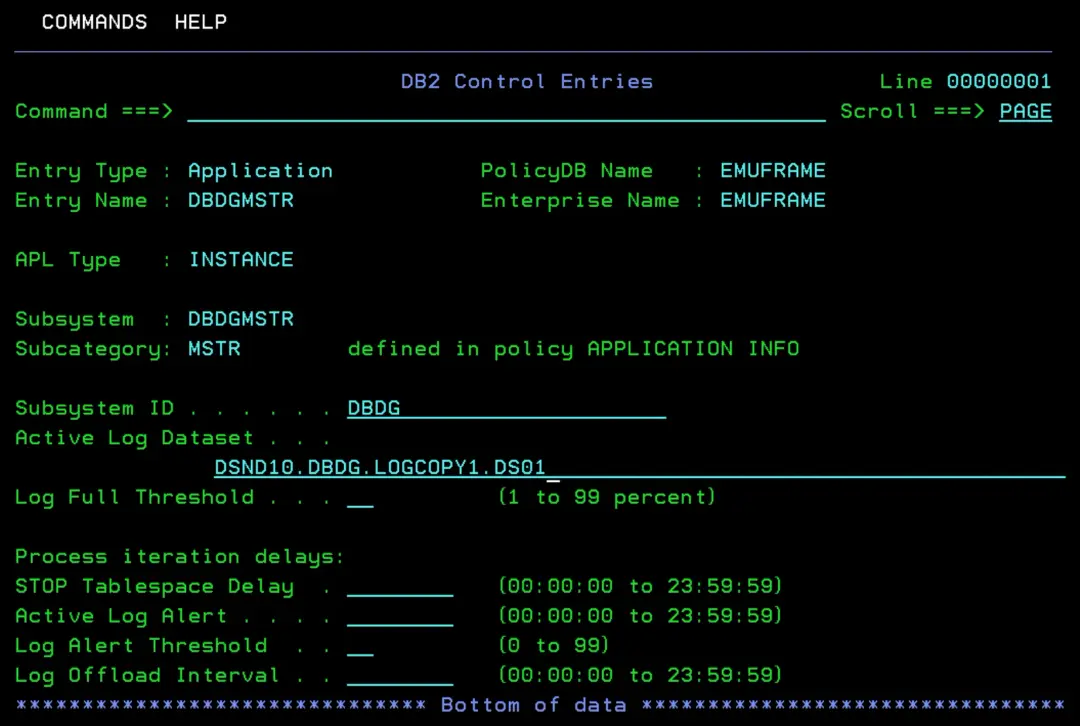
Go into the “DB2 CONTROL” section.
Here we must change the “Subsystem ID”. In this case, it is DBDG.
And we must also specify the “Active Log Dataset” parameter.
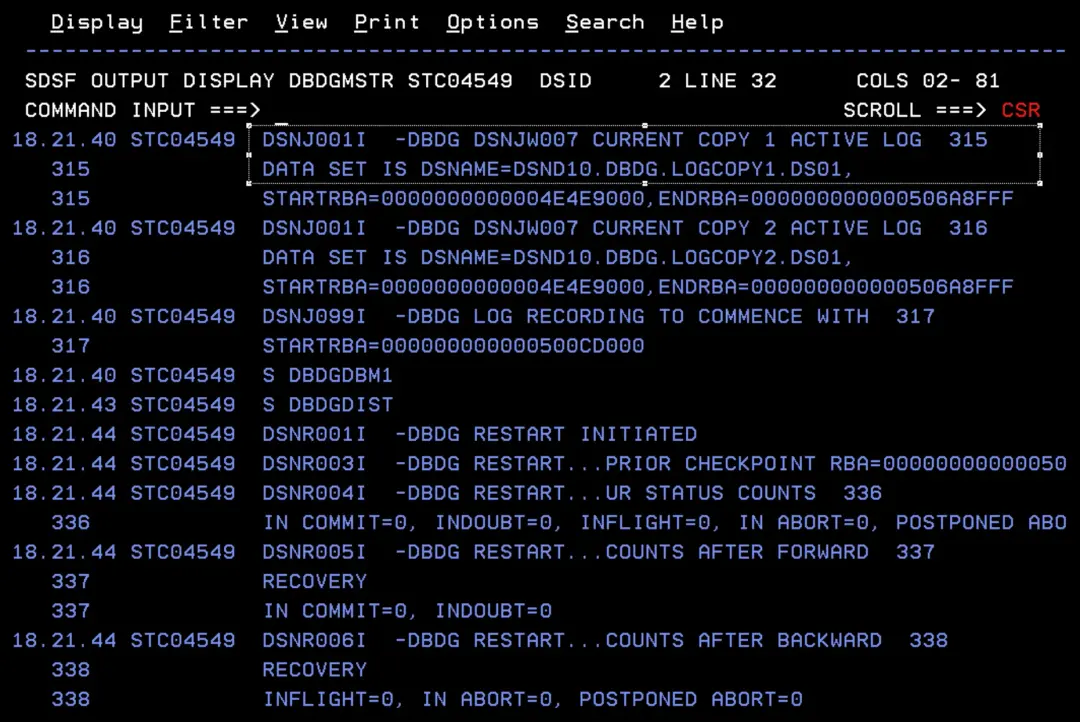
A simple way to find this value is to check the DBDGMSTR started task. There should be a message showing the data set in use.
FTP tasks
FTPD - FTPD1
This task is similar to the definition of the SSHD task. To cover the different possibilities that System Automation offers, I am going to define this task in a different way.
The FTPD (FTP daemon) entry is defined as USS. We are not going to use this definition.
We simply delete this entry or rename it to FTPD_OLD (and remove it from the “application group” in the WHERE USED section).
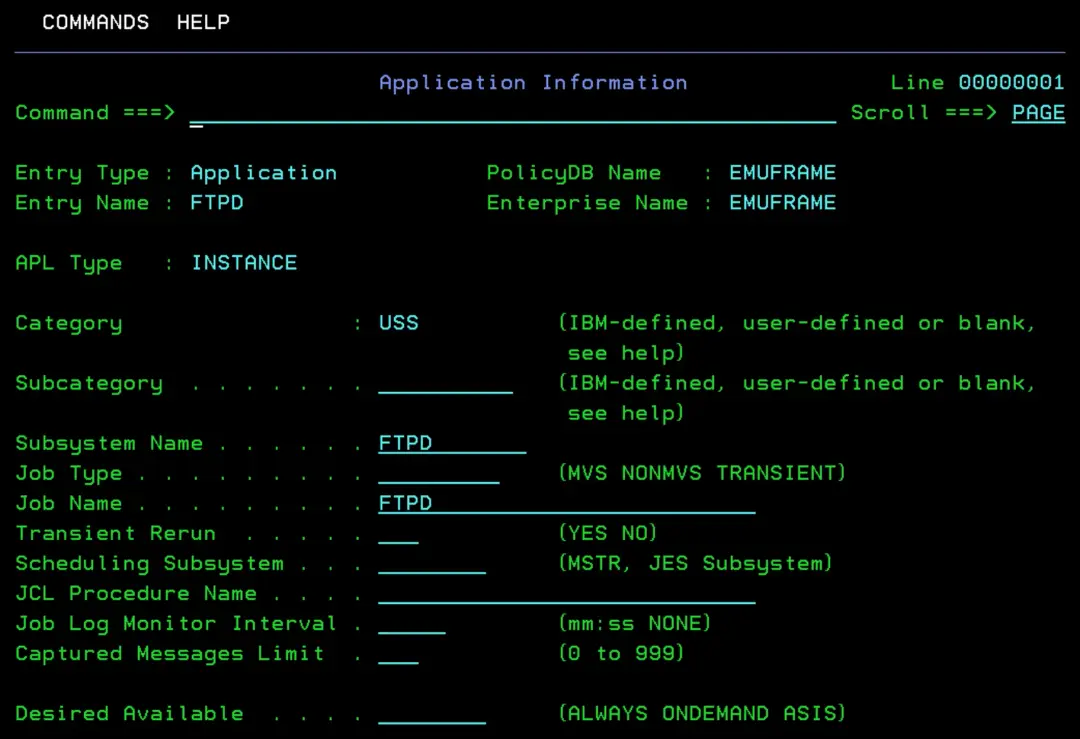
On my system, the FTPD task is started internally by the TCPIP task (AUTOLOG).
The FTPD task starts and stops, but this process starts another started task that keeps running with the name FTPD1. To do this in System Automation, we have to:
- Define a new entry called FTPD. It will be of type “TRANSIENT”.
- Define another entry called FTPD1. This entry will be of type “MVS”, but it will be started externally (by the FTPD task) and System Automation will stop it.
- Remove the start of FTPD from the TCPIP PROFILE (AUTOLOG) so that System Automation controls everything.
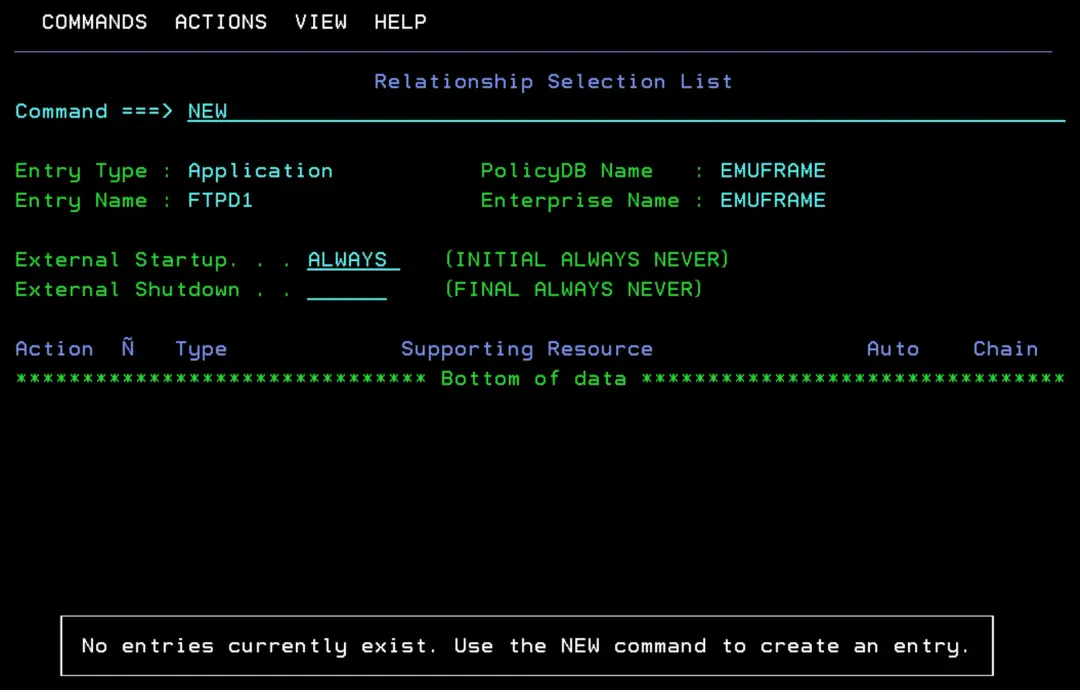
NEW command.
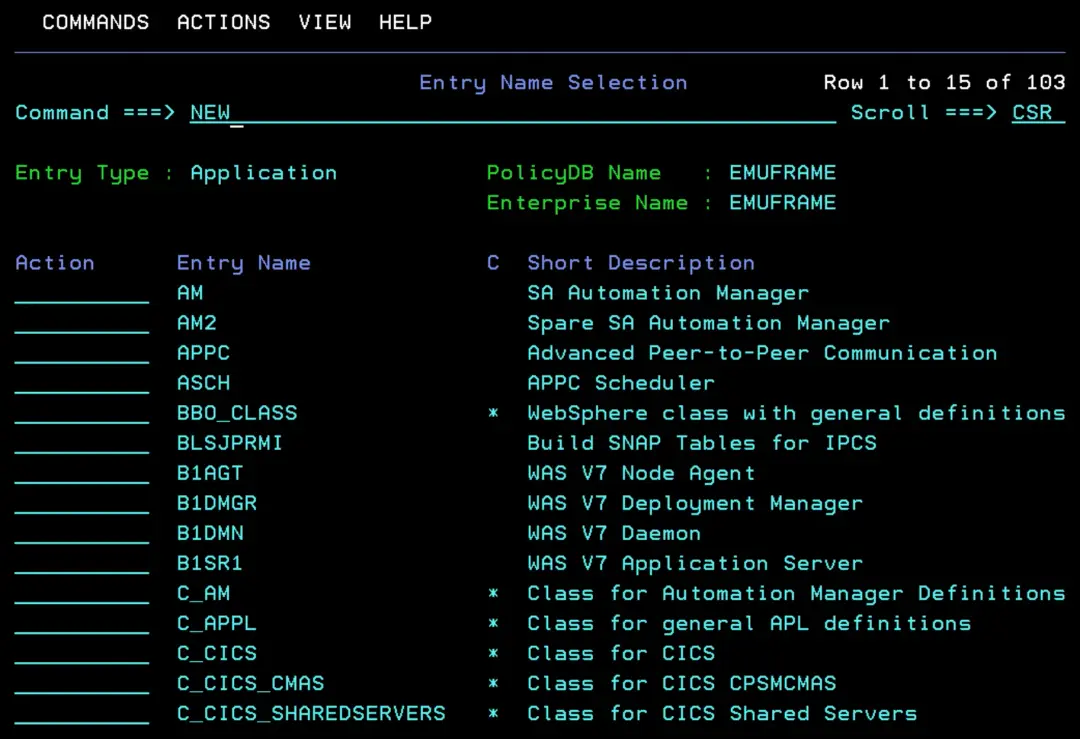
Fill in the data.
Entry Name: FTPD
Subsystem Name: FTPD
Job Type: TRANSIENT
Job Name: FTPD
Transient Rerun: YES
Description: FTPD-FTPD1
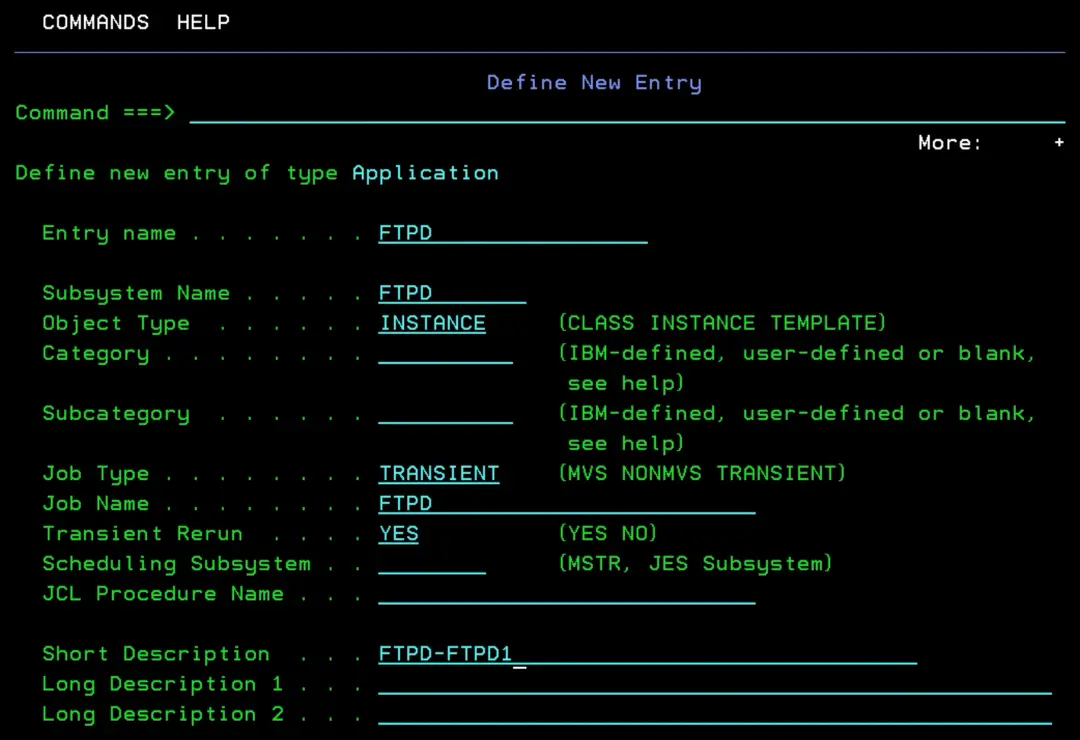
Also, in RELATIONSHIPS we must add the dependency on TCPIP.
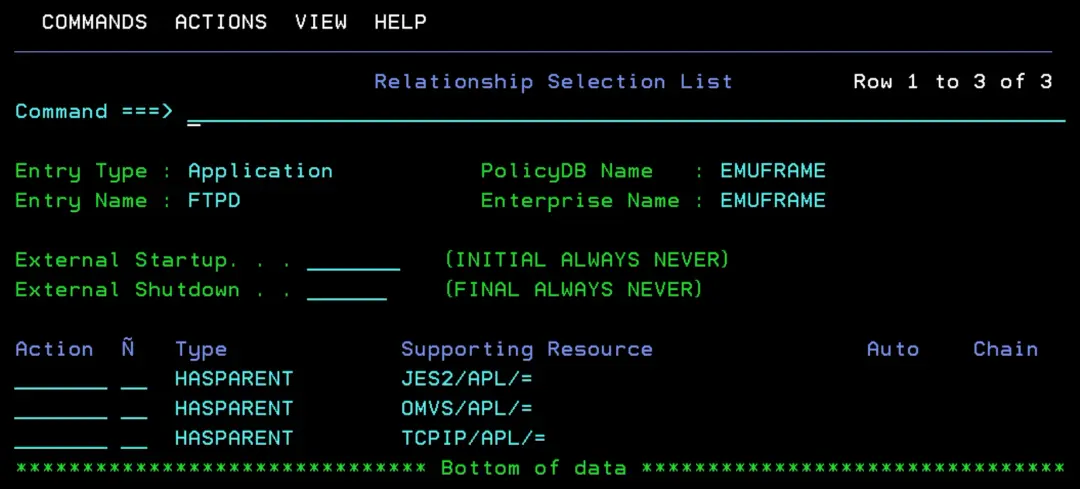
If we take the definition of the TN3270 or SSHD tasks as an example, we see that these 3 entries are added there:
HASPARENT        JES2/APL/=
HASPARENT        OMVS/APL/=
HASPARENT        TCPIP/APL/=
With the NEW command, we add them:
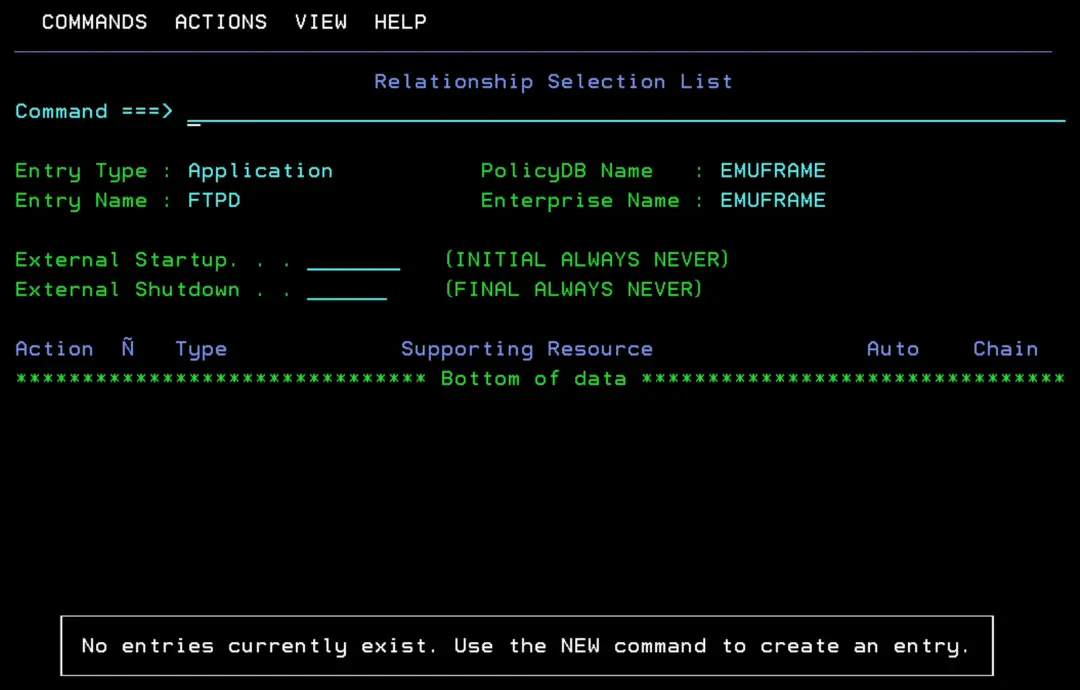
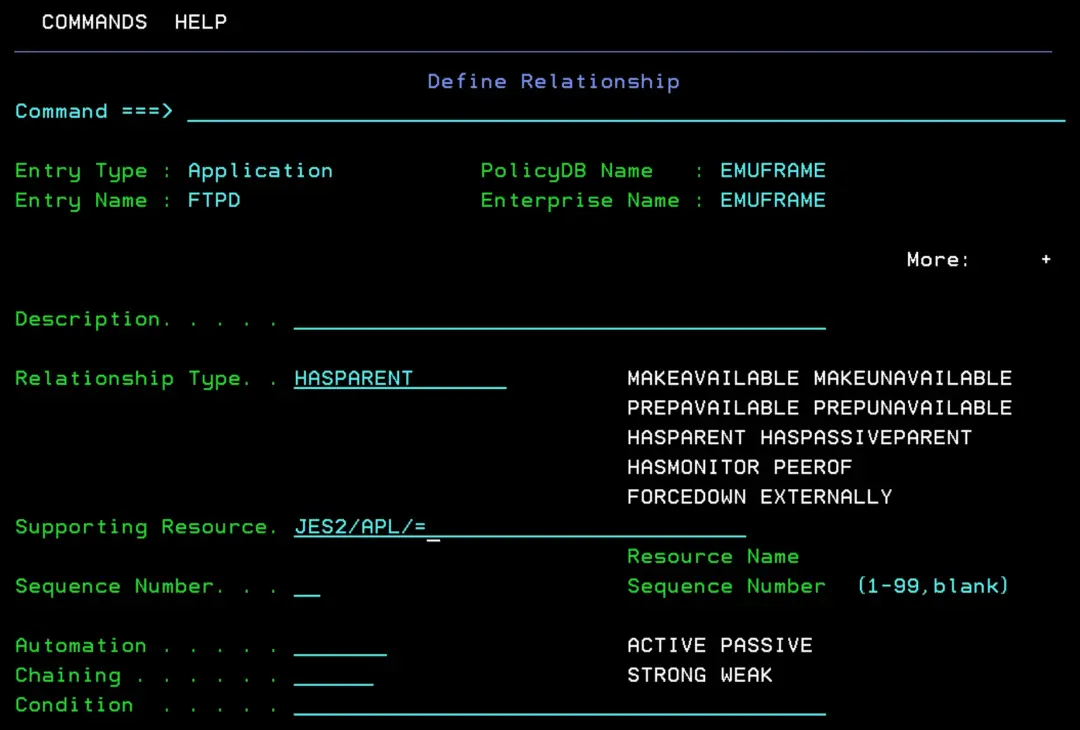
They look like this:
Finally, in WHERE USED, we add it to the FTP_DAEMON group.
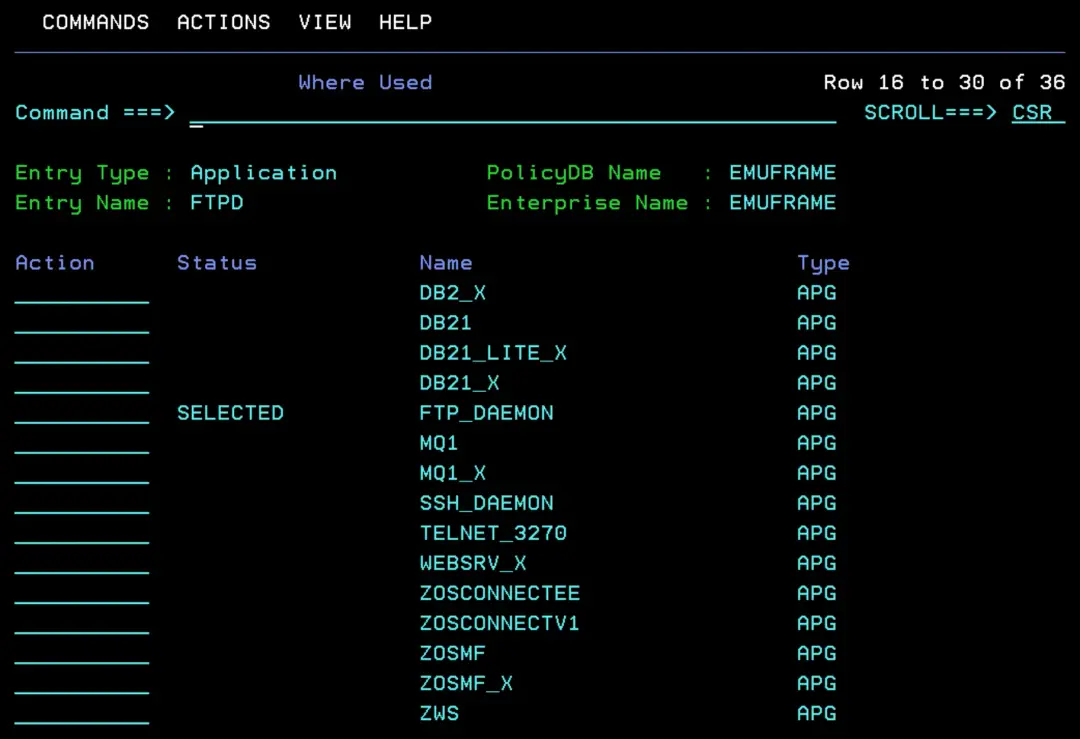
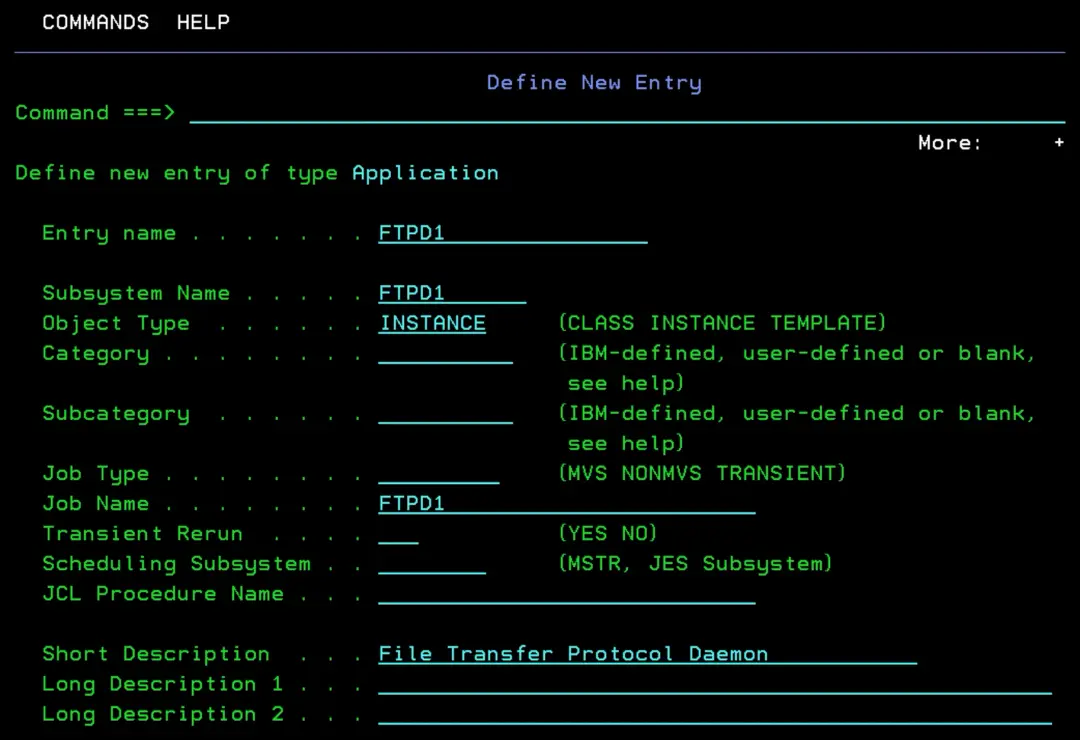
We create a new entry (NEW command) with the following data:
Fill in the data.
Entry Name: FTPD1
Subsystem Name: FTPD1
Job Name: FTPD1
Description: File Transfer Protocol Daemon
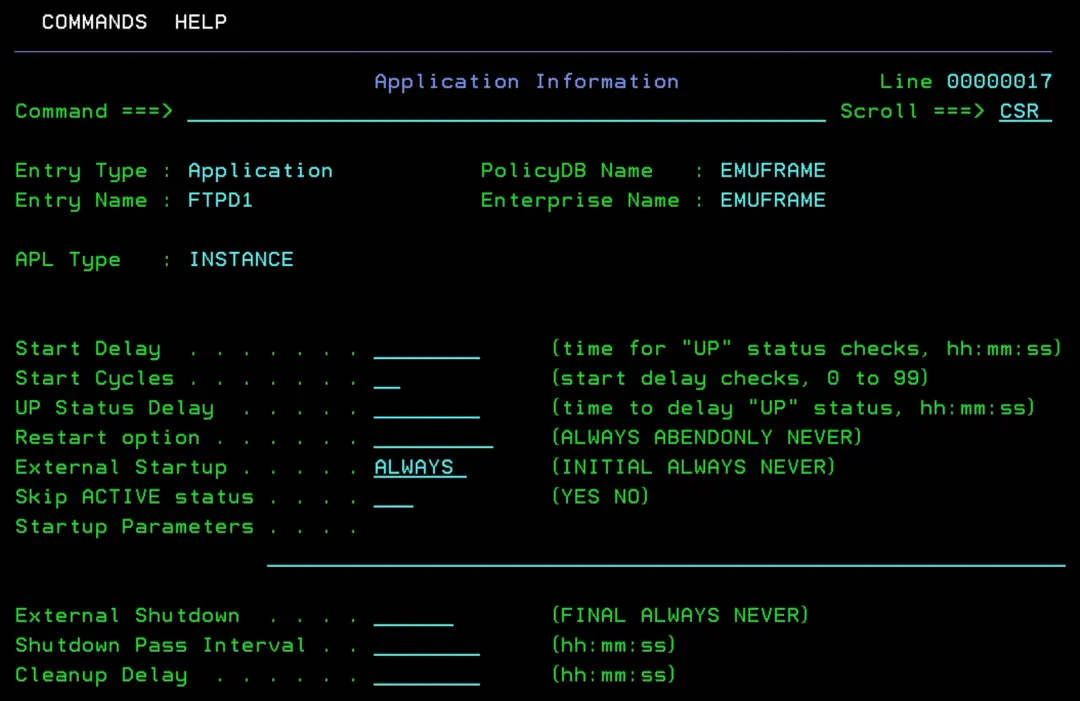
We go into the FTPD1 resource we have just created.
In the “APPLICATION INFO” section, we fill in the parameters:
External Startup: ALWAYS
This means that it will be started externally (by the FTPD task).
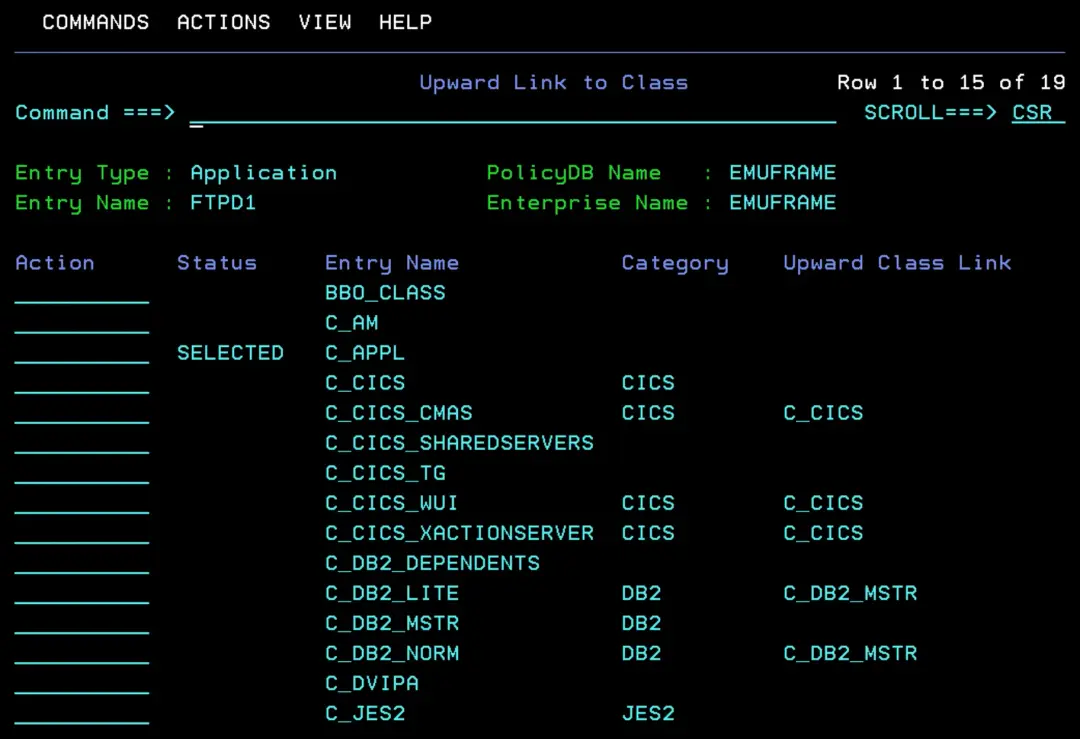
“UPWARD CLASS” section. Here select “C_APPL”.
This makes it inherit the attributes of the C_APPL class, among them, the stop commands of a generic task.
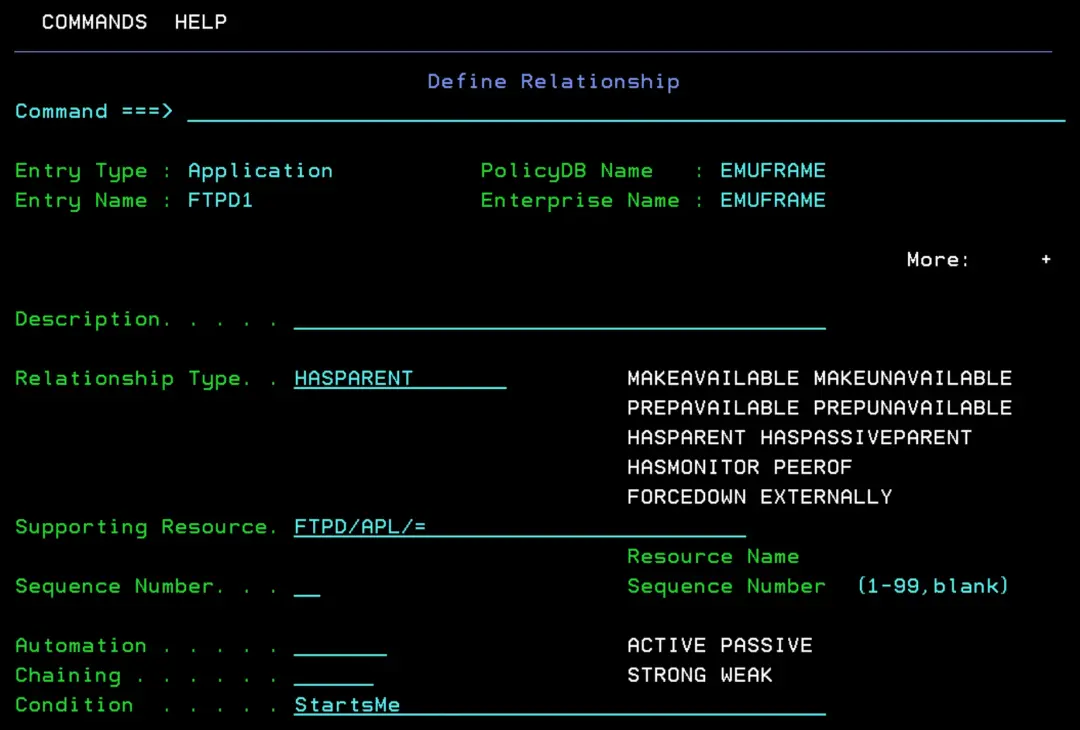
In RELATIONSHIPS we must add the dependency on the FTPD task. We must also indicate that this task will start FTPD1. Add the following:
HASPARENT        FTPD/APL/=

Condition:
StartsMe
With the NEW command, we add it
Relationship Type: HASPARENT
Supporting Resource: FTPD/APL/=
Condition: StartsMe
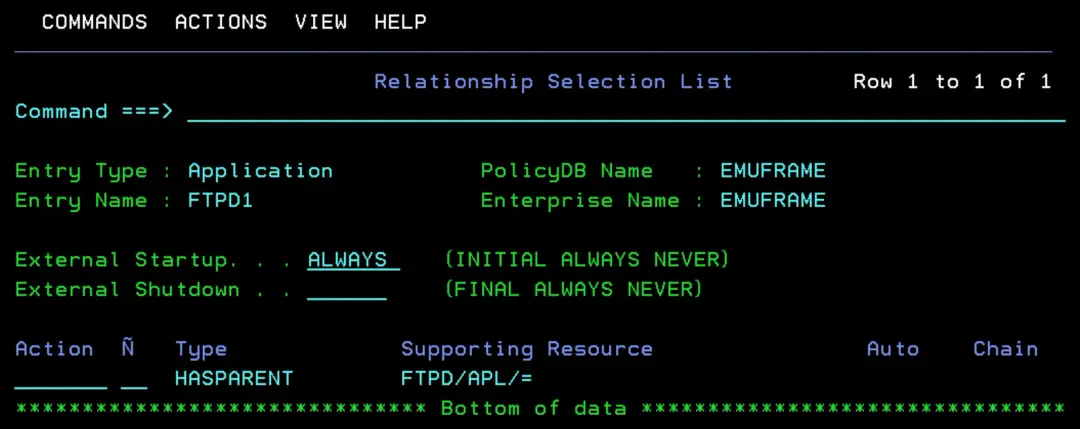
It looks like this
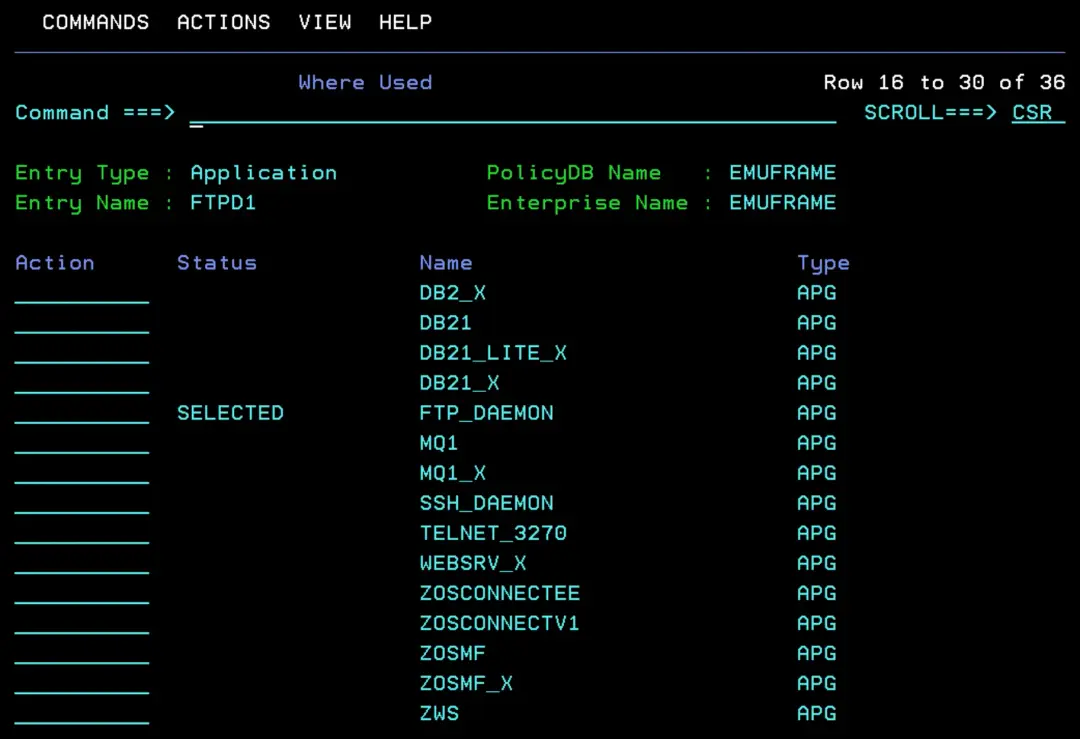
In the WHERE USED section, add it to the FTP_DAEMON “application group”.
FTP_PORT
This task monitors that port 21 is listening.
The TN_PORT entry serves as an example. It does the same but for port 23.
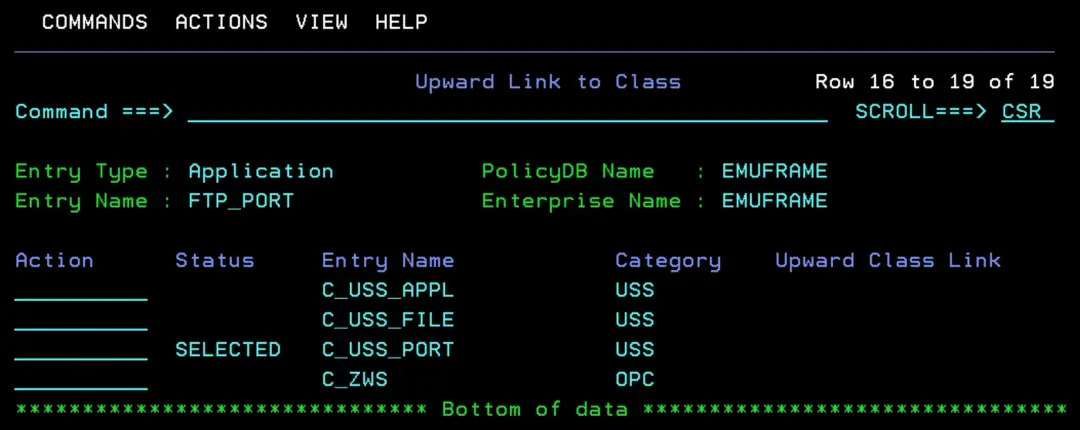
We must go into UPWARD CLASS and select “C_USS_PORT”. This inherits some parameters so that it works correctly (check them in APPLICATION INFORMATION).
In RELATIONSHIPS, we must add a dependency on the FTPD1 task, with the condition “StartsMeAndStopsMe” so that FTPD1 starts and stops this resource:
HASPARENT        FTPD1/APL/=

Condition:
StartsMeAndStopsMe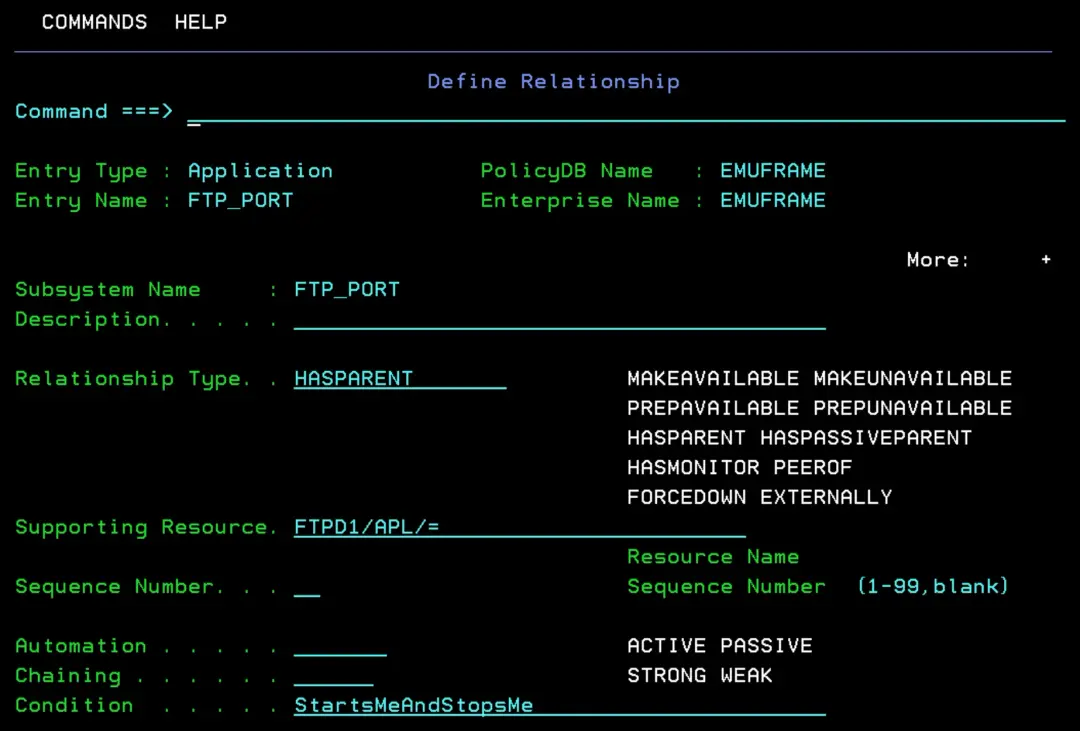
This task should already be included in the FTP_DAEMON “application group” (WHERE USED section).
Finally, I comment out the start line (AUTOLOG) in my TCPIP profile.
I also take the chance to disable the PAGENT and PORTMAP tasks.
;   FTPD JOBNAME FTPD1   ; FTP Server
;   PAGENT               ; Policy Agent Server
; PORTMAP ; Portmap Server 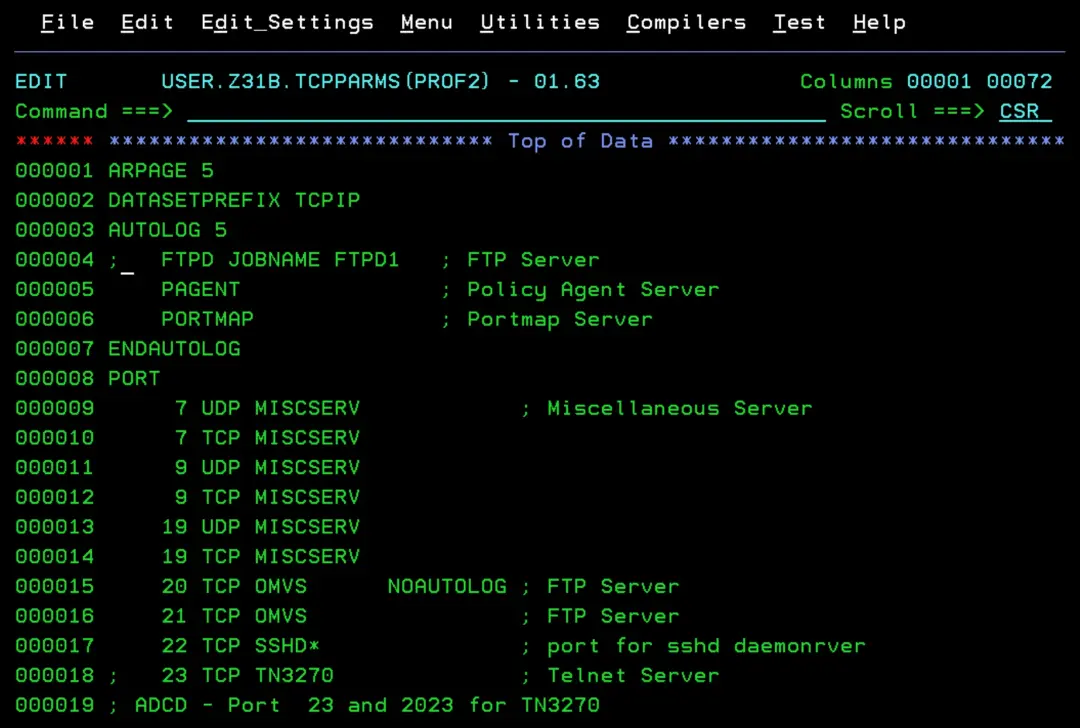
MQ tasks
MQ1CHIN - CSQ9CHIN
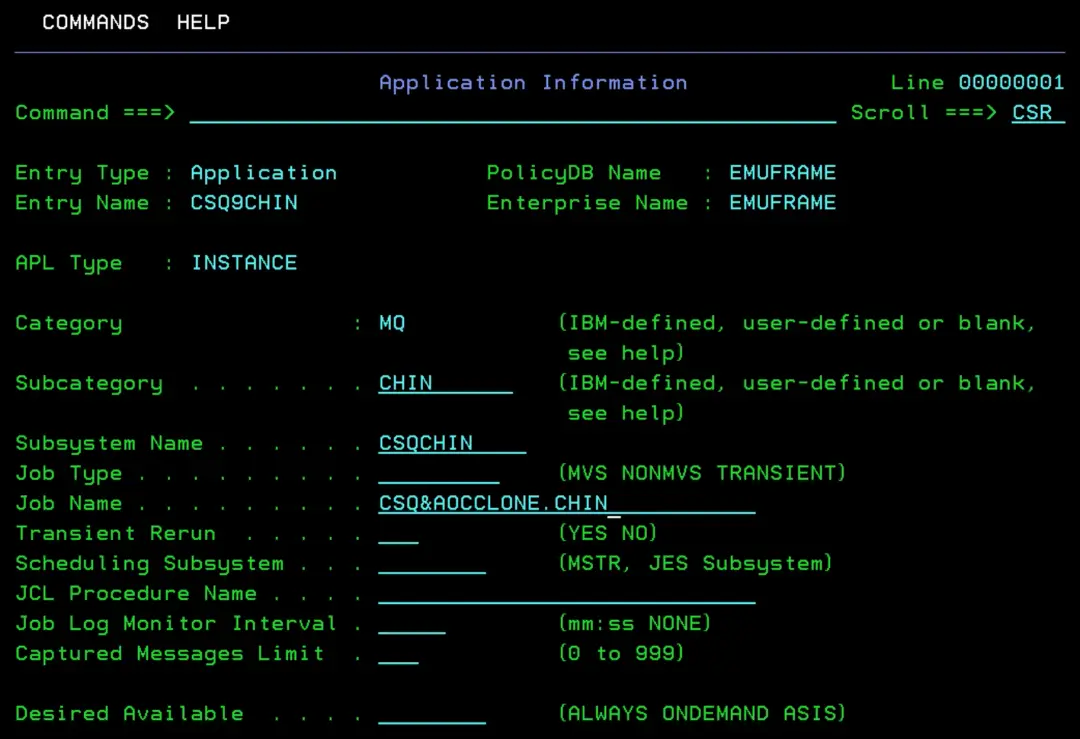
I rename the MQ1CHIN entry with the name of my task (CSQ9CHIN).
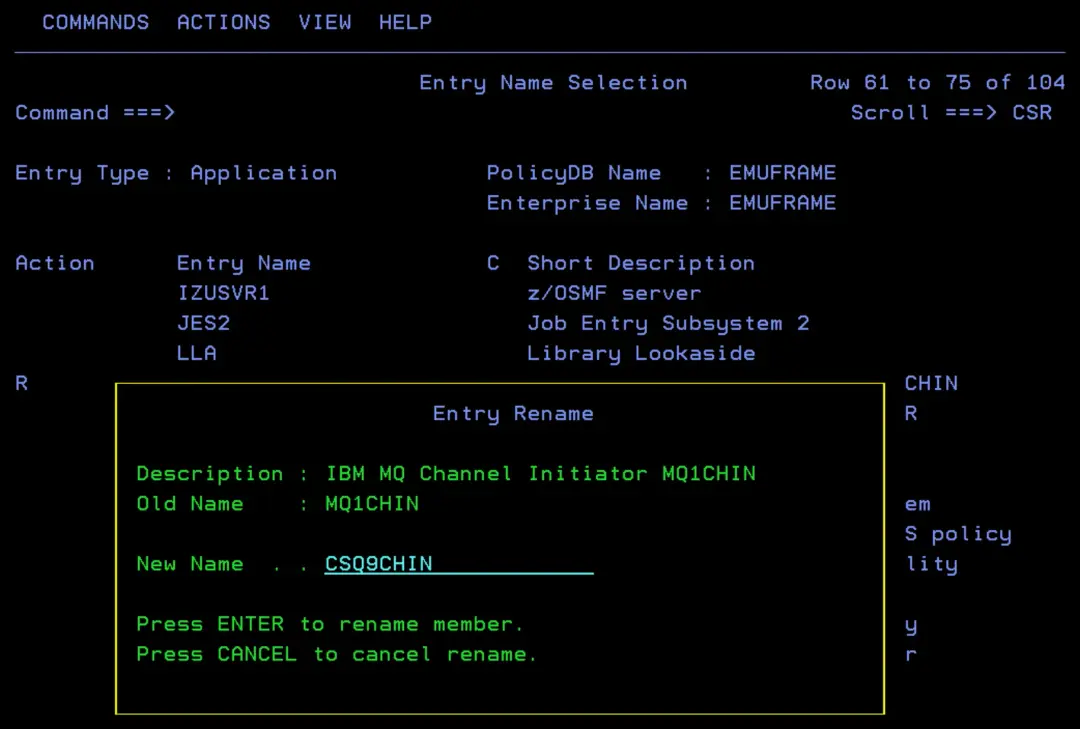
Change the description (DESCRIPTION section).
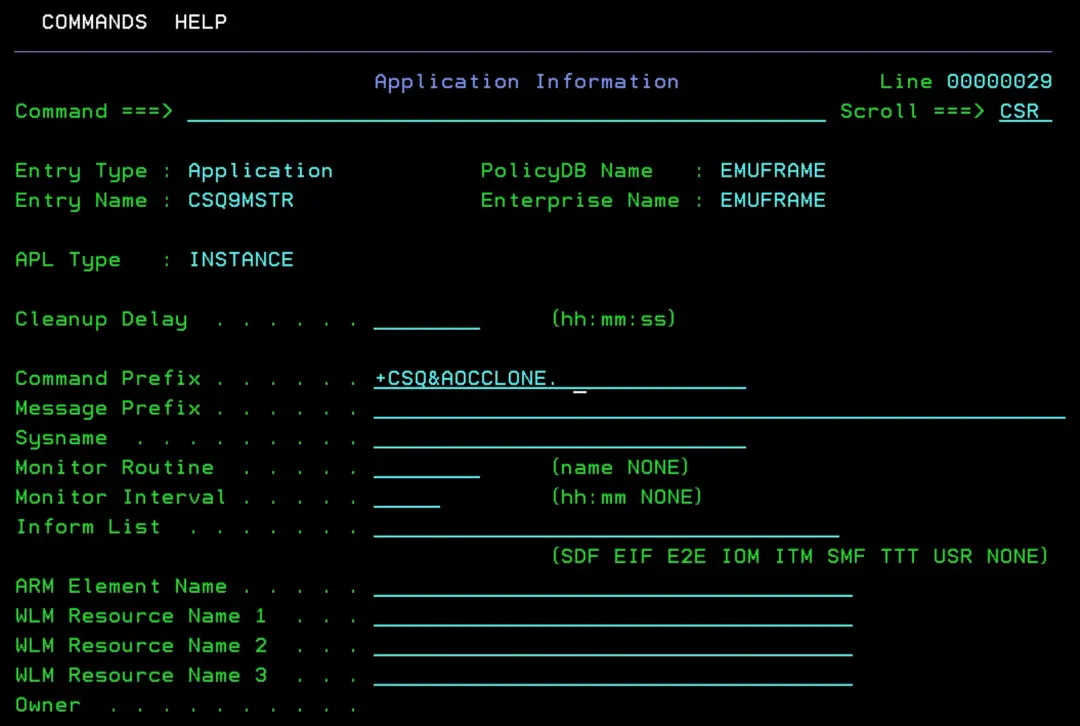
We go into APPLICATION INFO.
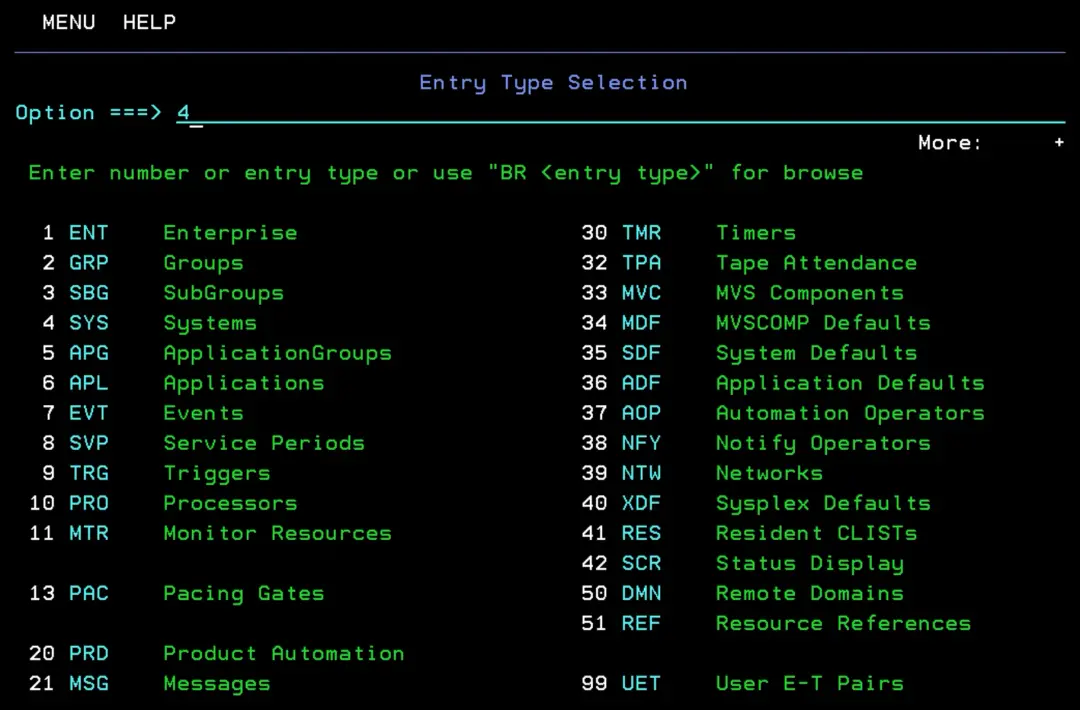
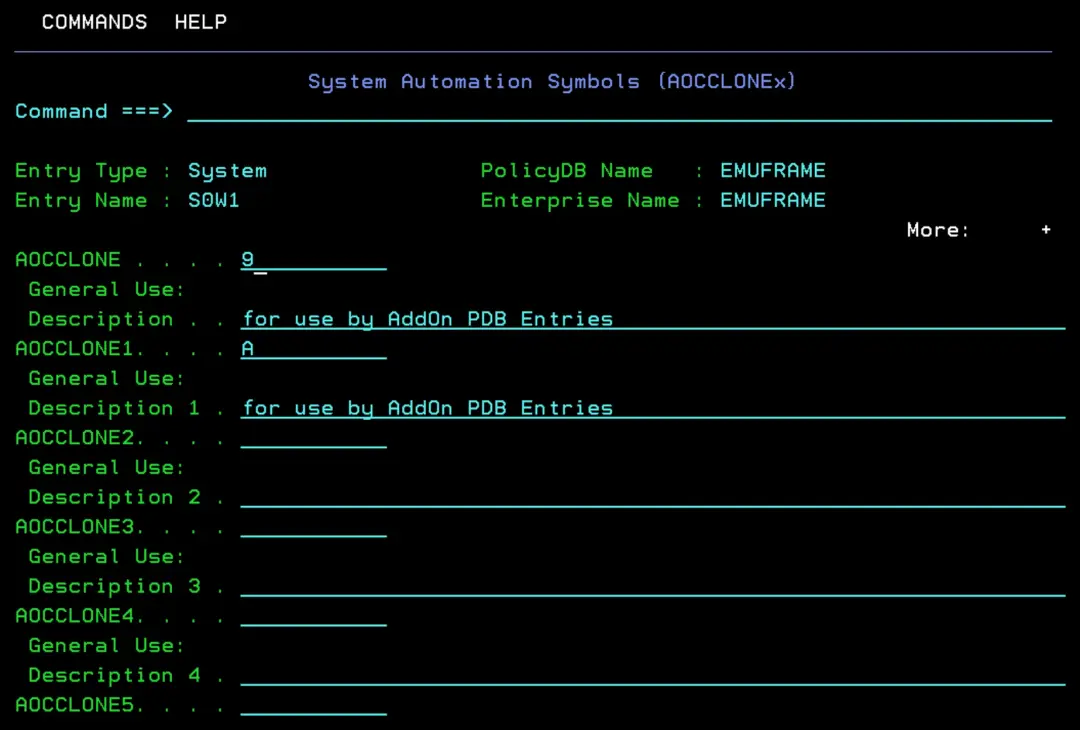
We see that this task uses a variable called “&AOCCLONE”. This variable is defined in option “4 - Systems” of the main panel and can be different between systems.
As we only have one system, we could remove it and leave the task name, but I am going to keep it to show a different part of the configuration.
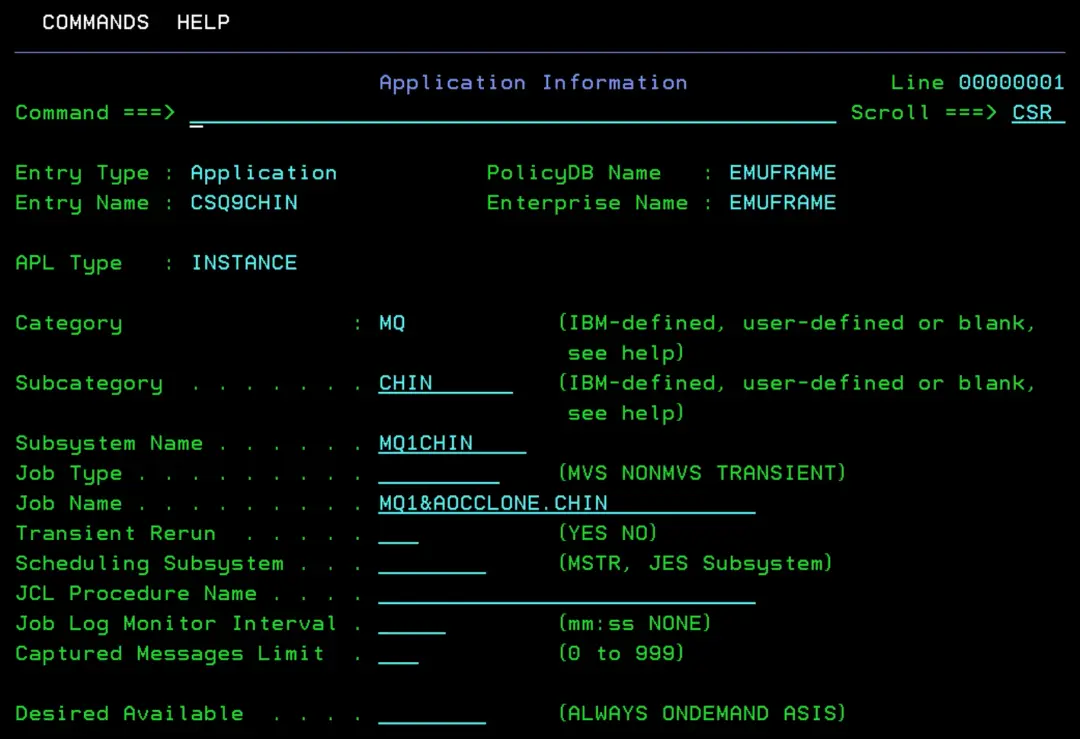
I adapt the “Subsystem Name” and “Job Name” parameters.
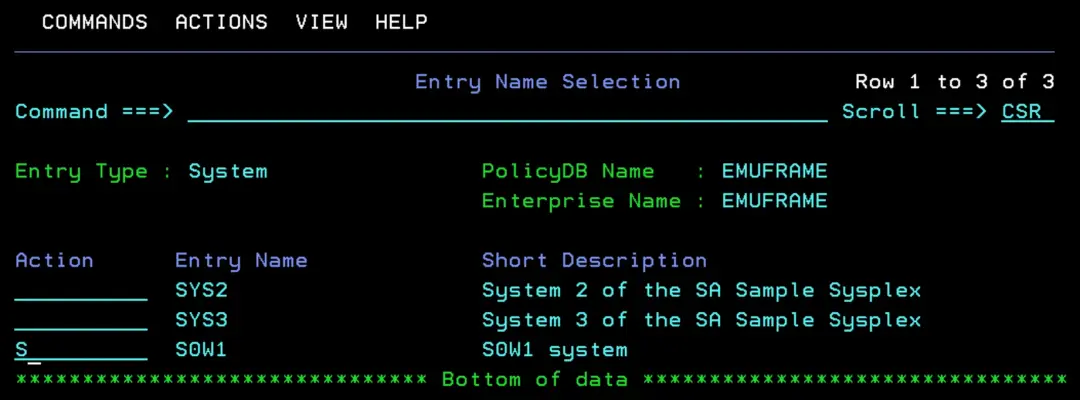
To set the value of the AOCCLONE variable, we go to option “4 - Systems”.
I go into my system.
Option “AUTOMATION SYMBOLS”.
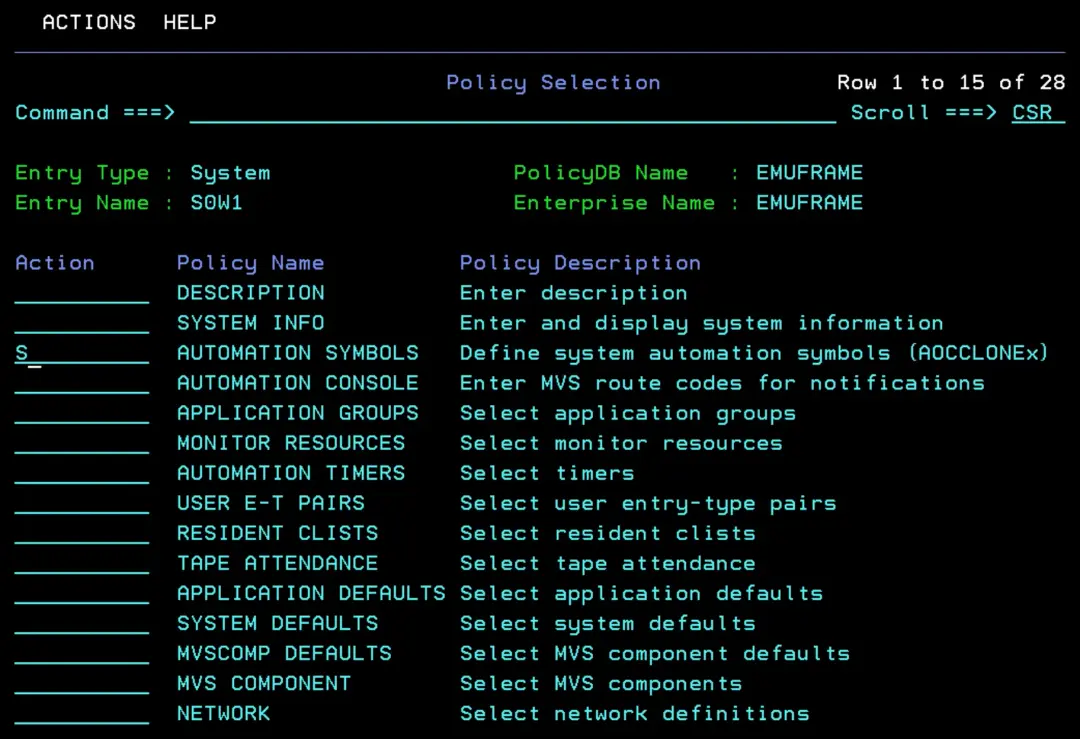
In AOCCLONE, we put 9.
MQ1MSTR - CSQ9MSTR
I rename the MQ1MSTR entry with the name of my task (CSQ9MSTR).
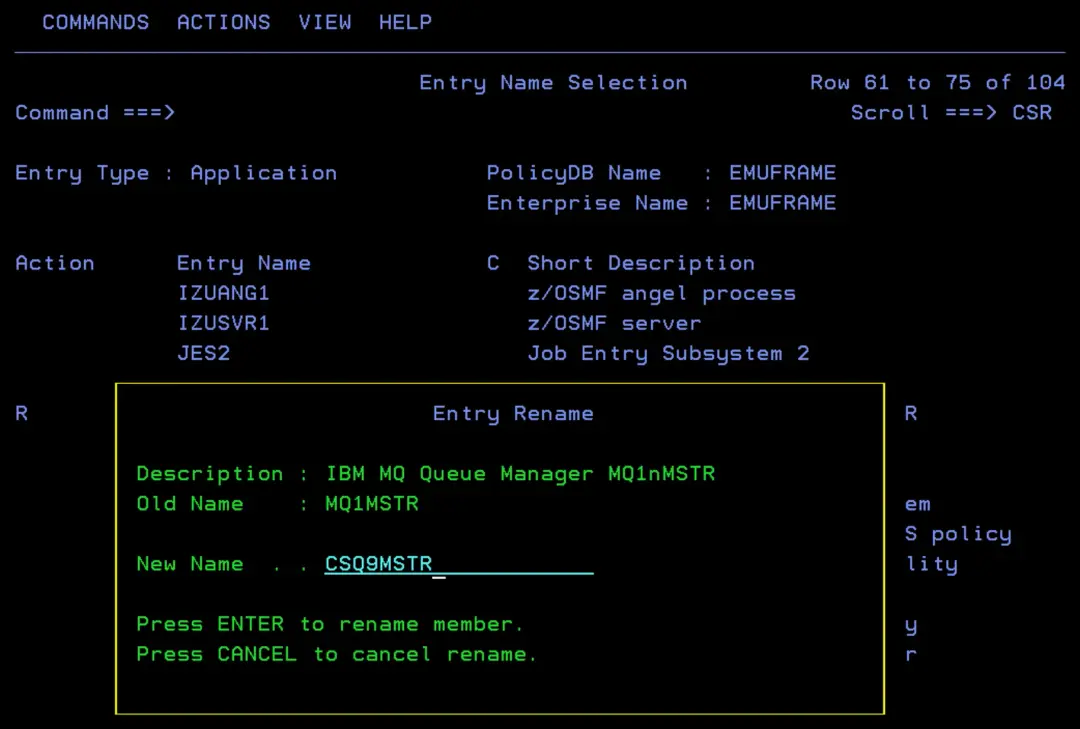
Change the description (DESCRIPTION section).
When we go into APPLICATION INFO we see that it also uses the variable “&AOCCLONE.”. As we have already changed it, we simply modify the rest of the name.
I adapt the “Subsystem Name” and “Job Name” parameters.
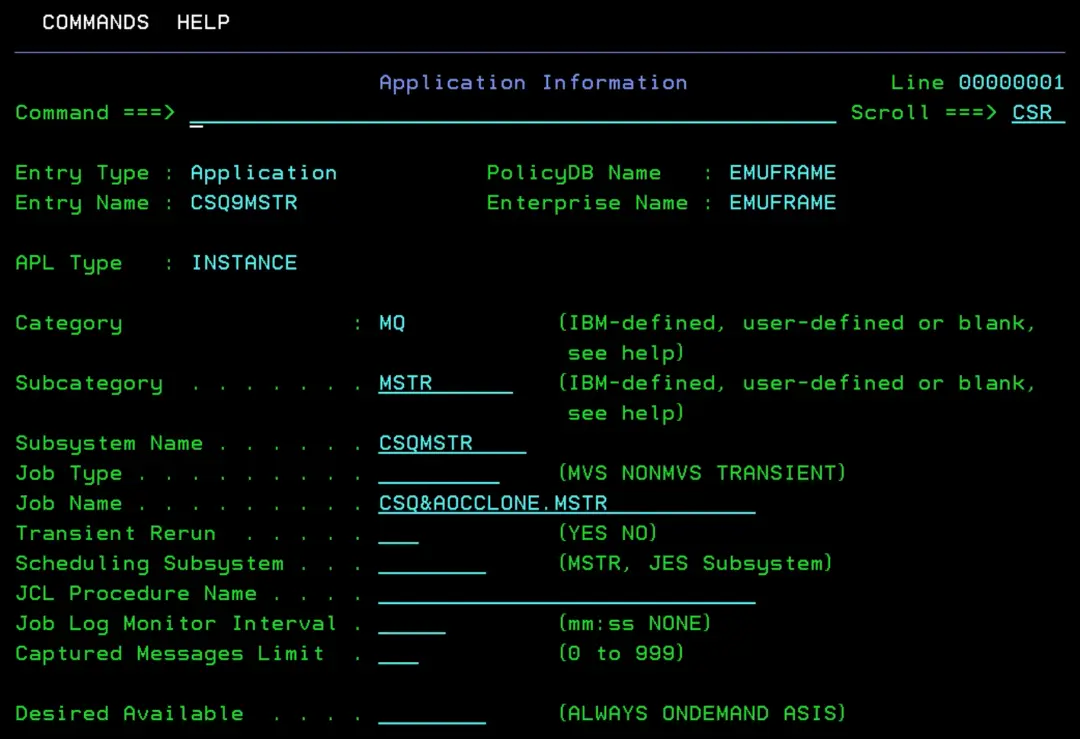
Further down we also change the “Command Prefix” parameter.
SSHD - SSH_PORT - SSH_FILE tasks
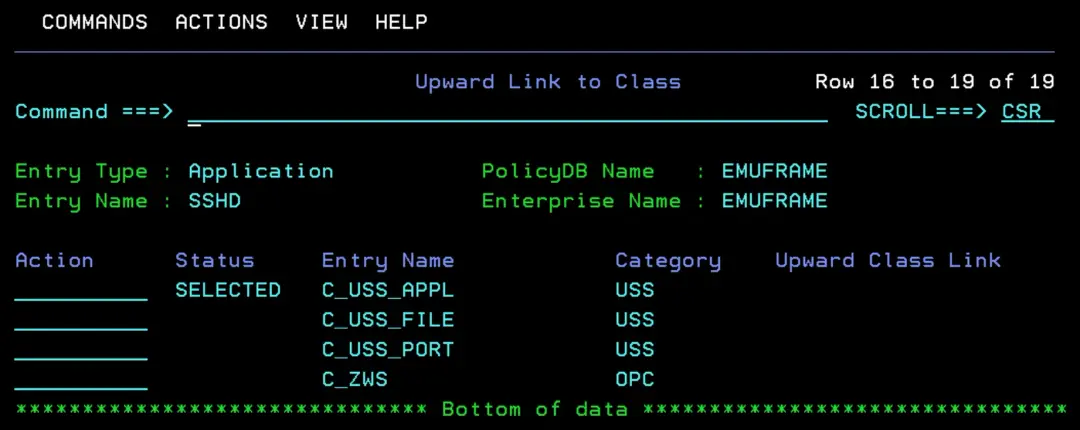
SSHD
The change we must make is to select the “C_USS_APPL” class in the UPWARD CLASS section.
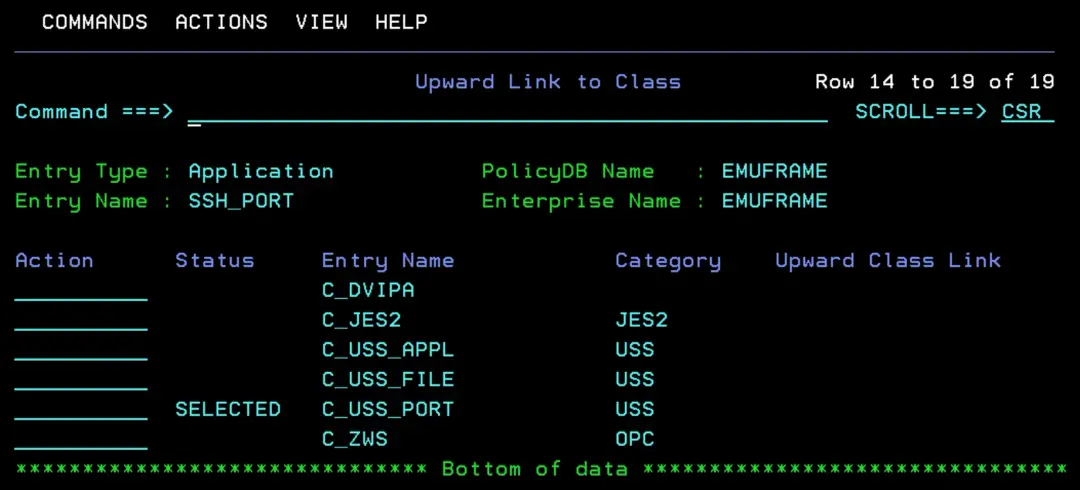
SSH_PORT
In this task we must select the “C_USS_PORT” class in the UPWARD CLASS section.
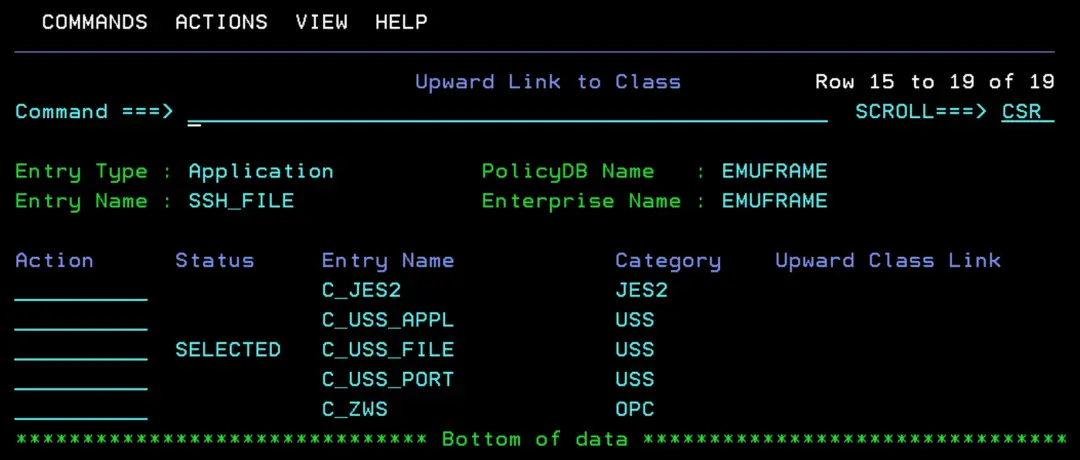
SSH_FILE
In this task we must select the “C_USS_FILE” class in the UPWARD CLASS section.