Update Node.js on z/OS (IBM Open Enterprise SDK for Node.js)
IBM has published versions 24.22.1 and 22.23.4 of IBM Open Enterprise SDK for Node.js for z/OS. In the AI era, more and more security vulnerabilities (CVEs) appear, so I'm taking the chance to show how to update Node.js on z/OS. I think it's something worth knowing well before you need it urgently.
On October 21, 2026, the Node.js project published CVE-2026-111497 ("Node2Shell"): a flaw in the Brotli decoder that ships with Node.js and that allows remote code execution.
It affects the 22.x, 24.x and 26.x branches before 22.23.4, 24.22.1 and 26.12.1.
I have no confirmation from IBM that Node.js on z/OS is affected: that information is restricted and I don't have access to it (it's only available through the IBM Z and LinuxONE Security Portal).
Even so, it's a good reason to prepare the procedure in case we ever face a critical situation.
To get information about vulnerabilities and know whether the software is affected (even if the version matches the affected ones), you have to go to IBM through the IBM Z and LinuxONE Security Portal. IBM doesn't provide this kind of information through cases opened with IBM Support.
This Redbook is also very interesting:
z/OS Patch Velocity: A practical framework for the AI era
Which version we have and where it is
The default path is usually /usr/lpp/IBM/cnj/. My ADCD has two versions:
- 20.11.0 in /usr/lpp/IBM/cnj/IBM/node-v20.11.0-os390-s390x-202402131732 (Brotli 1.0.9). The 20 branch is already out of support in the Node.js project.
- 22.22.1 in /u/nodeJS/node-v22.22.1/node-v22.22.1-os390-s390x-202603191702 (Brotli 1.1.0). I downloaded this version some time ago, and it's the perfect example to update to version 22.23.4.
With the following commands, we can see the current Node.js version or the Brotli version it uses.
cd /u/nodeJS/node-v22.22.1/node-v22.22.1-os390-s390x-202603191702/bin
./node -v

./node -p "process.versions.brotli"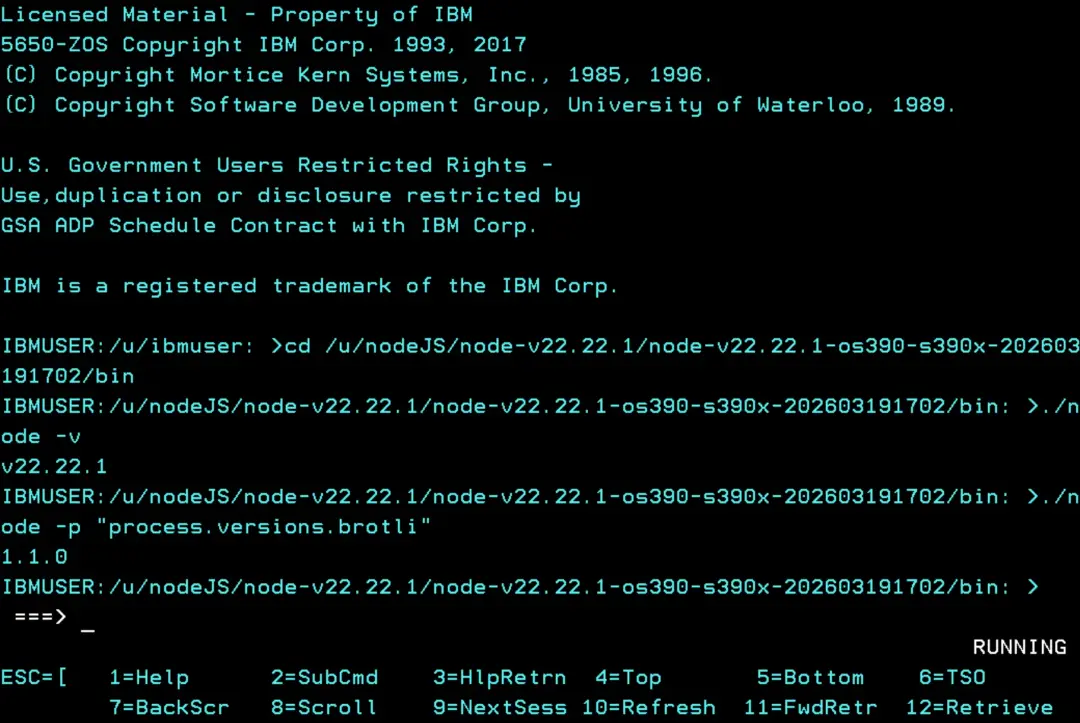
If we want to know which zFS the Node.js directories are in, we can use the "D OMVS,FILE" command and see whether they have their own or are inside a zFS of a higher path, but we can also use the following OMVS command, which is faster.
df -kP /usr/lpp/IBM/cnj /u/nodeJS/node-v22.22.1In this case, we see there are two zFS.
ZFS.Z31B.CNJ
IBMUSER.NODEJS.V22R22M1.ZFS
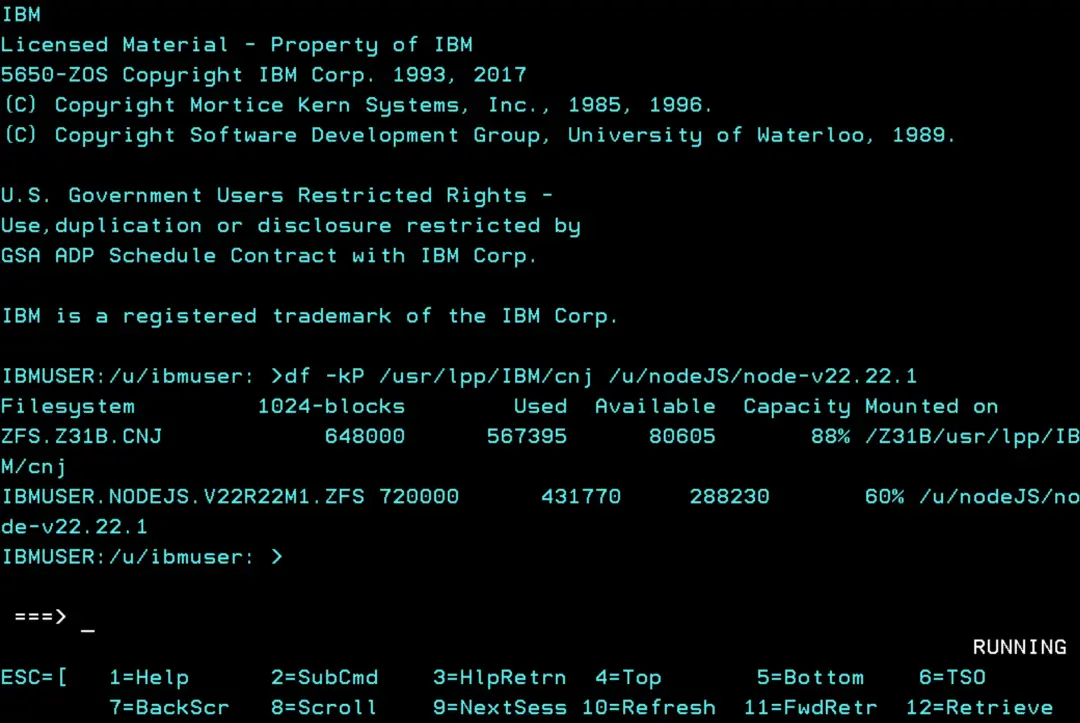
Since I have a zFS just for version v22.22.1, if there's a vulnerability risk and I can stop the started tasks that use it (because they aren't critical, or I don't want to take risks, etc.), I could unmount the zFS of this specific version and keep it from being available on the system.
Then I'd create a new directory and zFS for the new version.
In the higher path (/u/nodeJS/) we can create a symbolic link called "current" that points to the version we want to use. That way, we don't have to change the started tasks to point to the new version.
Download the new version
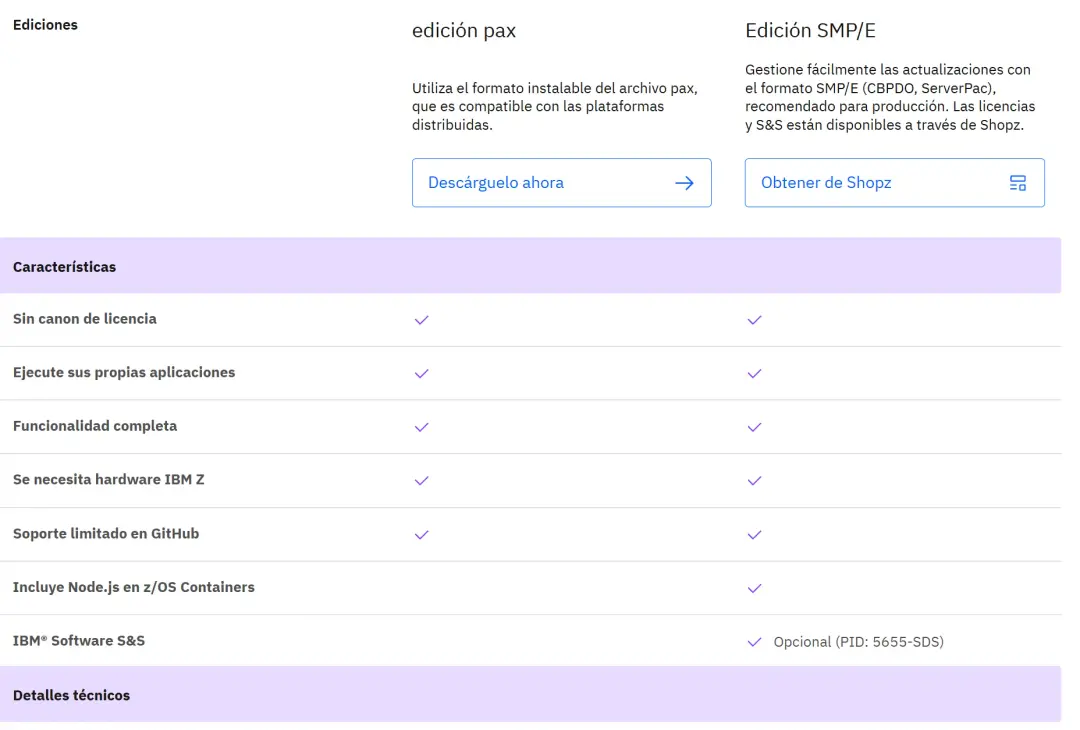
There are two ways to get this software: Shopz (SMP/E, PTFs, etc.) or the pax edition.
In my case, I only have access to the pax edition (and I'm very grateful that it's available).
This is the link:
https://www.ibm.com/products/sdk-nodejs-compiler-zos
Click "Download now" ("Descárguelo ahora" on the Spanish page in the screenshot).
After logging in with our account, we can download the version we want.
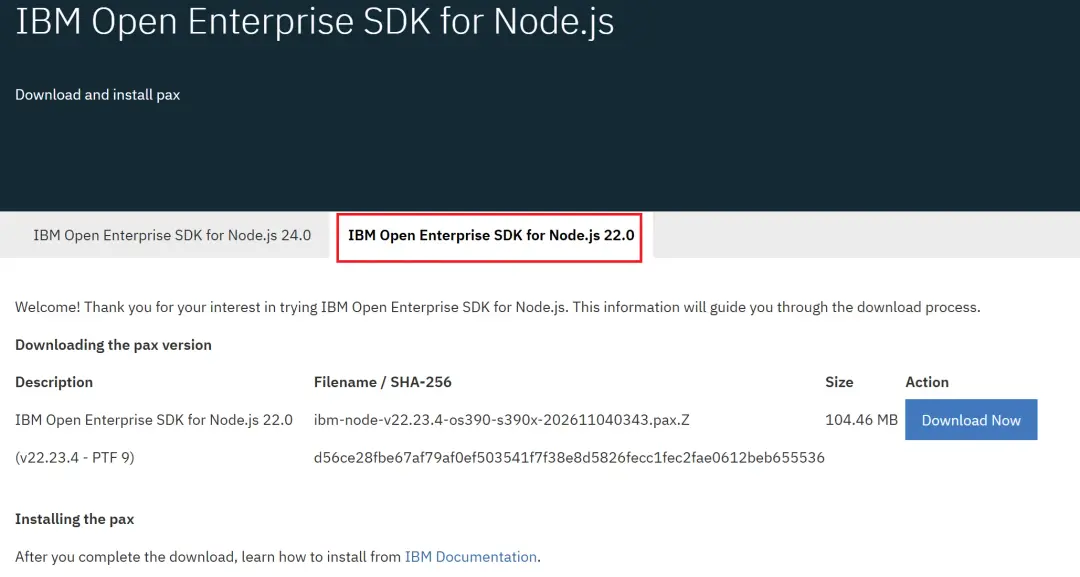
On this page we can also see the new versions as they are published:
Fix list for IBM Open Enterprise SDK for Node.js
https://www.ibm.com/support/pages/fix-list-ibm-open-enterprise-sdk-nodejs
For the installation, we'll follow the steps in IBM's guide.
https://www.ibm.com/docs/en/sdk-nodejs-zos/22.0.0?topic=configuring-installing-pax-format
First, we must check that we meet the prerequisites:
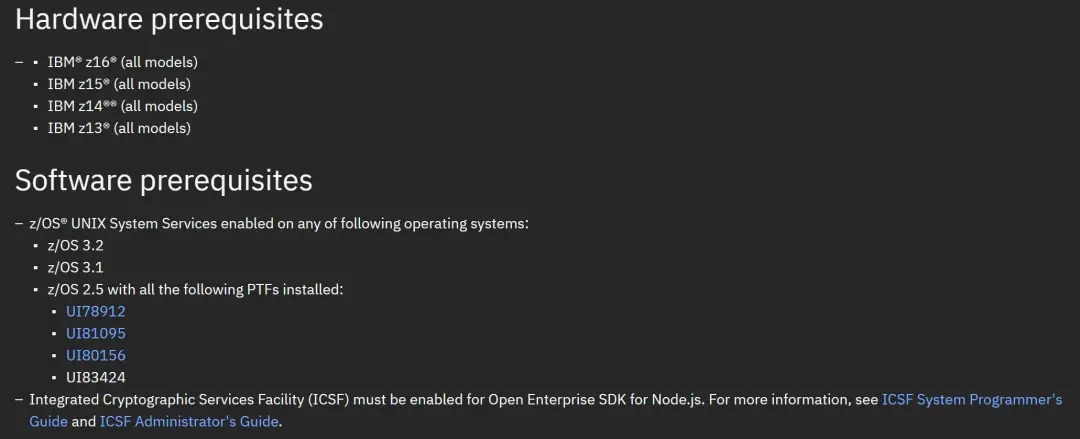
Once we have downloaded it, we'll upload it by FTP, but before that, we'll create a zFS for this version.
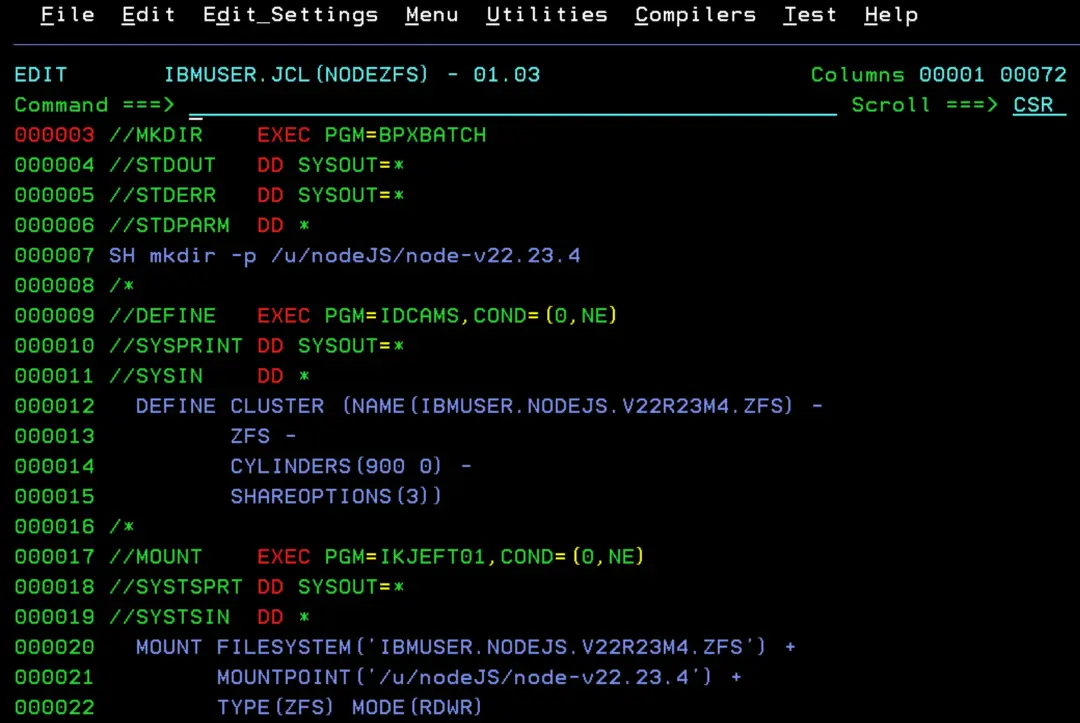
With the site's zFS Generator tool, we can create the job easily. For example:
//ZFSNEW   JOB (ACCT),'CREATE ZFS',CLASS=A,MSGCLASS=X
//* 1. Mount point
//MKDIR    EXEC PGM=BPXBATCH
//STDOUT   DD SYSOUT=*
//STDERR   DD SYSOUT=*
//STDPARM  DD *
SH mkdir -p /u/nodeJS/node-v22.23.4
/*
//* 2. Define the aggregate (ZFS: EA, formatted at mount)
//DEFINE   EXEC PGM=IDCAMS,COND=(0,NE)
//SYSPRINT DD SYSOUT=*
//SYSIN    DD *
  DEFINE CLUSTER (NAME(IBMUSER.NODEJS.V22R23M4.ZFS) -
         ZFS -
         CYLINDERS(900 0) -
         SHAREOPTIONS(3))
/*
//* 3. Mount it
//MOUNT    EXEC PGM=IKJEFT01,COND=(0,NE)
//SYSTSPRT DD SYSOUT=*
//SYSTSIN  DD *
  MOUNT FILESYSTEM('IBMUSER.NODEJS.V22R23M4.ZFS') +
        MOUNTPOINT('/u/nodeJS/node-v22.23.4') +
        TYPE(ZFS) MODE(RDWR)
/*
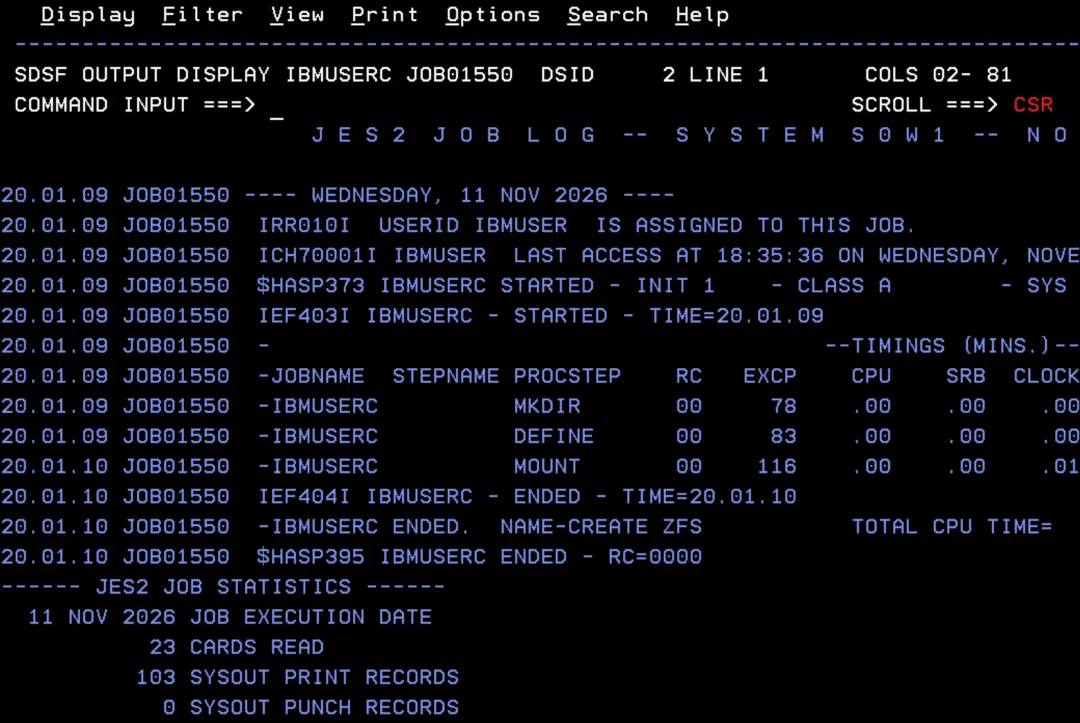
It will end successfully.
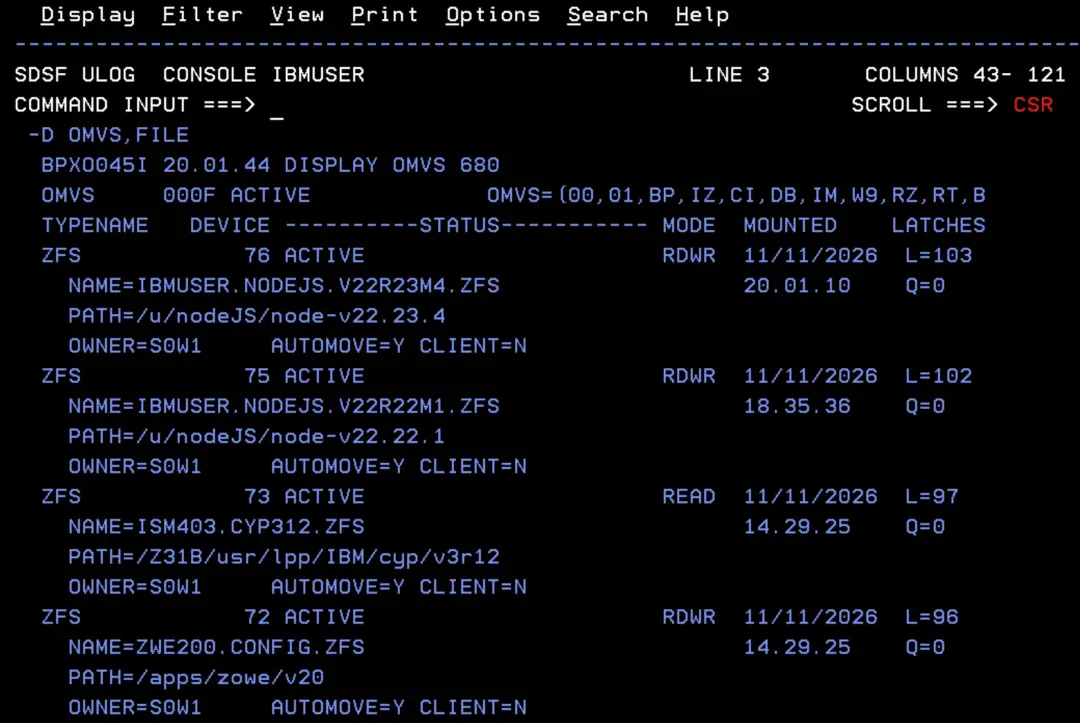
We'll have the new zFS mounted. This MOUNT doesn't survive an IPL: to have it mounted every time, add it to the BPXPRMxx member of your installation's PARMLIB.
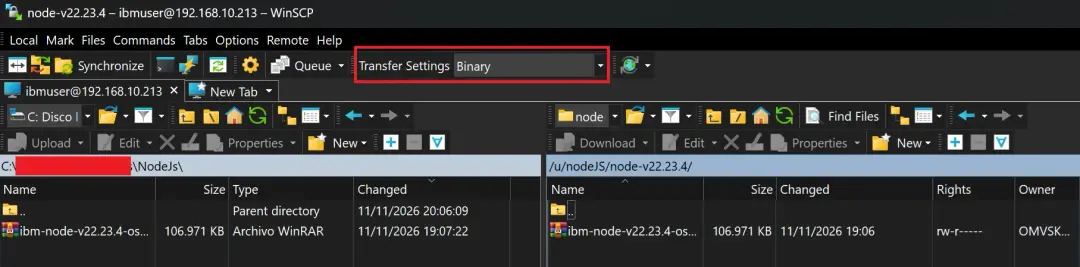
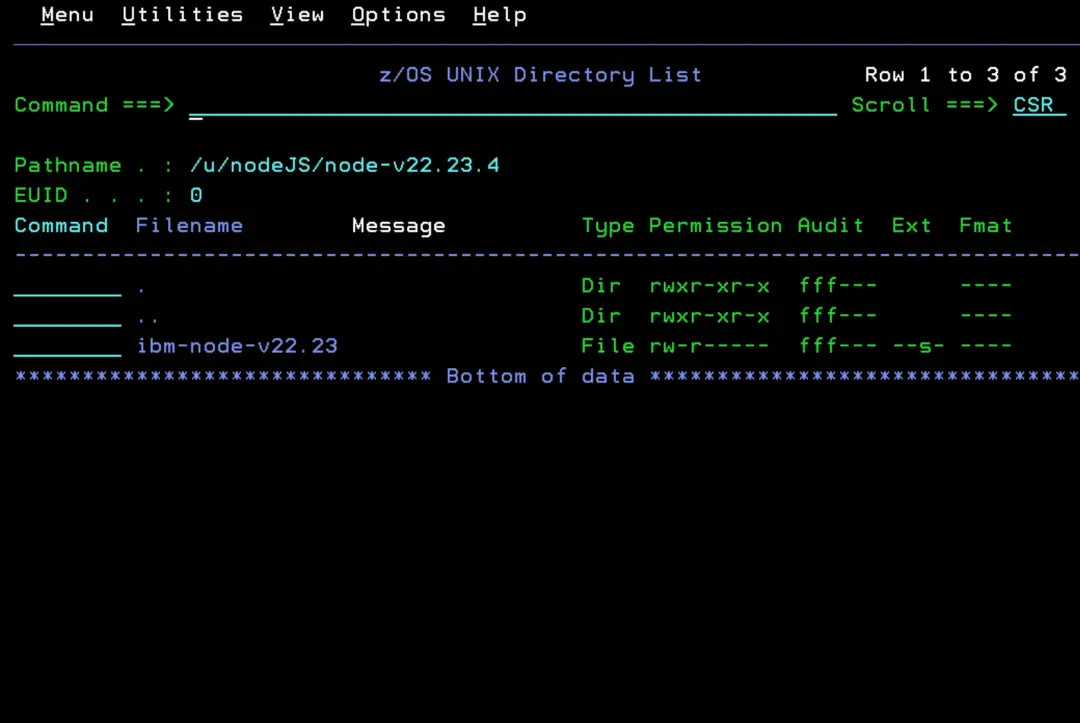
Now we can upload Node.js to that directory using FTP (for example) in BINARY mode.
Extract the software
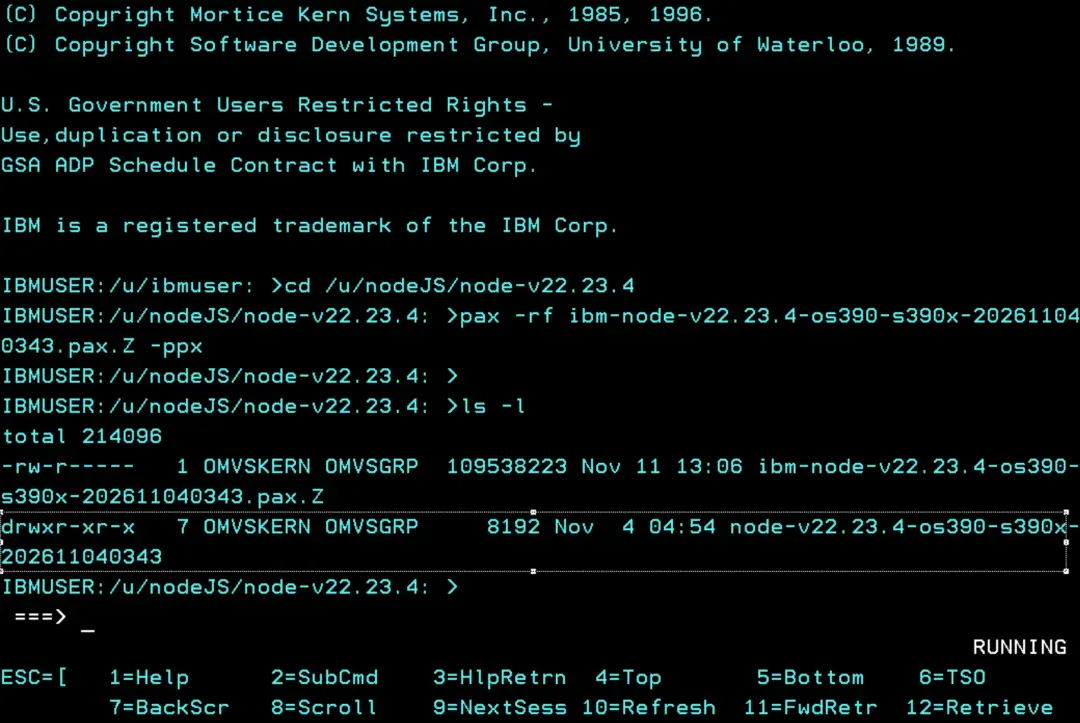
From OMVS (TSO OMVS), run the following commands:
cd /u/nodeJS/node-v22.23.4
pax -rf ibm-node-v22.23.4-os390-s390x-202611040343.pax.Z -ppx
ls -l
With the last command, we'll see the directory "node-v22.23.4-os390-s390x-202611040343".
With the following command, we'll see the contents of the directory.
ls -l node-v22.23.4-os390-s390x-202611040343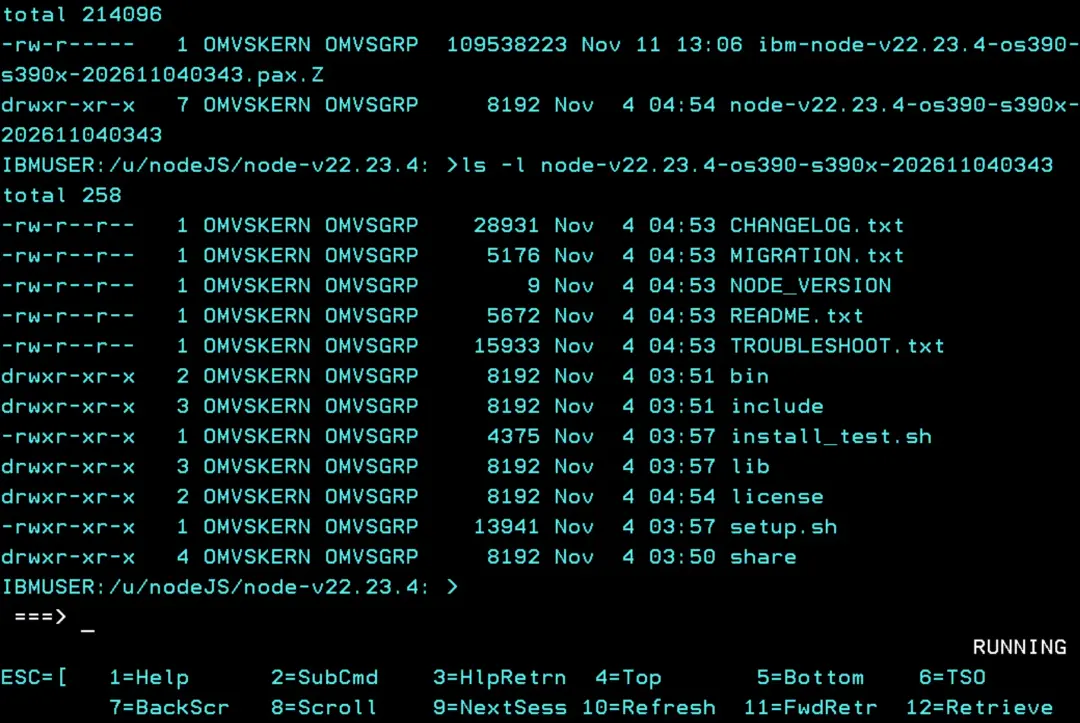
Prepare the environment (setup.sh and .env)
According to IBM's guide, after extracting, you have to run setup.sh inside the version directory. This script checks the system prerequisites and generates the .env file with the environment variables Node.js needs.
cd /u/nodeJS/node-v22.23.4/node-v22.23.4-os390-s390x-202611040343
./setup.sh
. ./.env
When we run setup.sh, we see how it checks each prerequisite: platform, hardware, operating system version, that ICSF is active, memory, Python, Make and the C/C++ header files.
In my case it ends with 2 warnings. One is that the Make version is old: Make 4.1 or higher is only needed to install native Node.js add-ons (for example vsam.js, zcrypto, racf or zrexx), so it doesn't stop us from using Node.js.
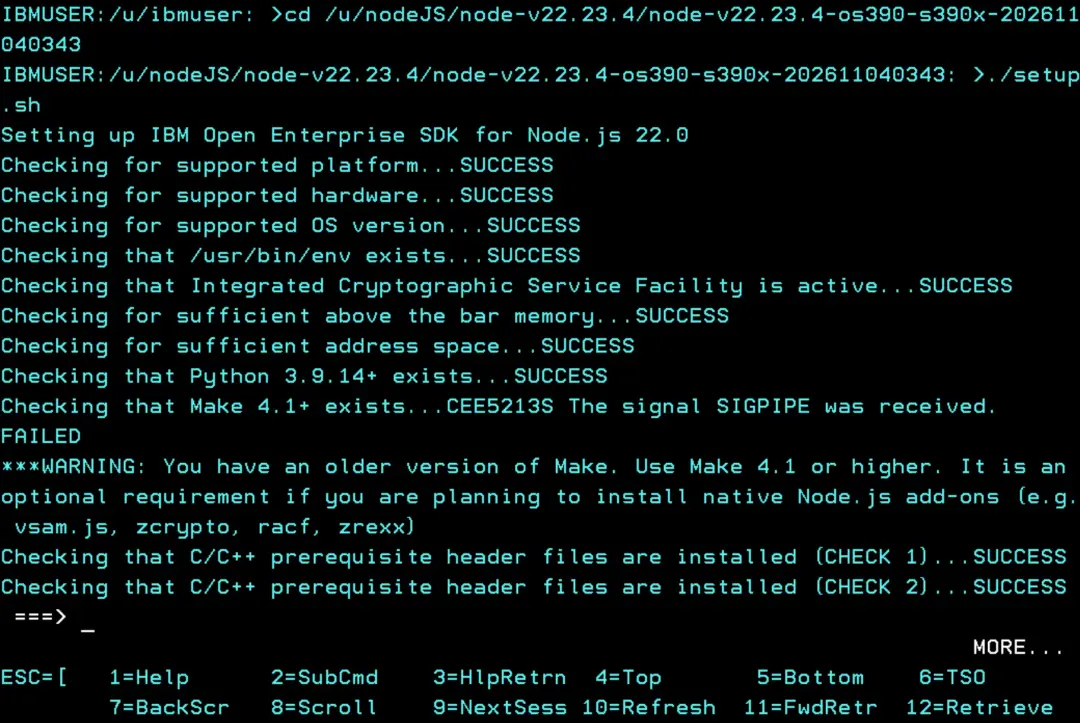
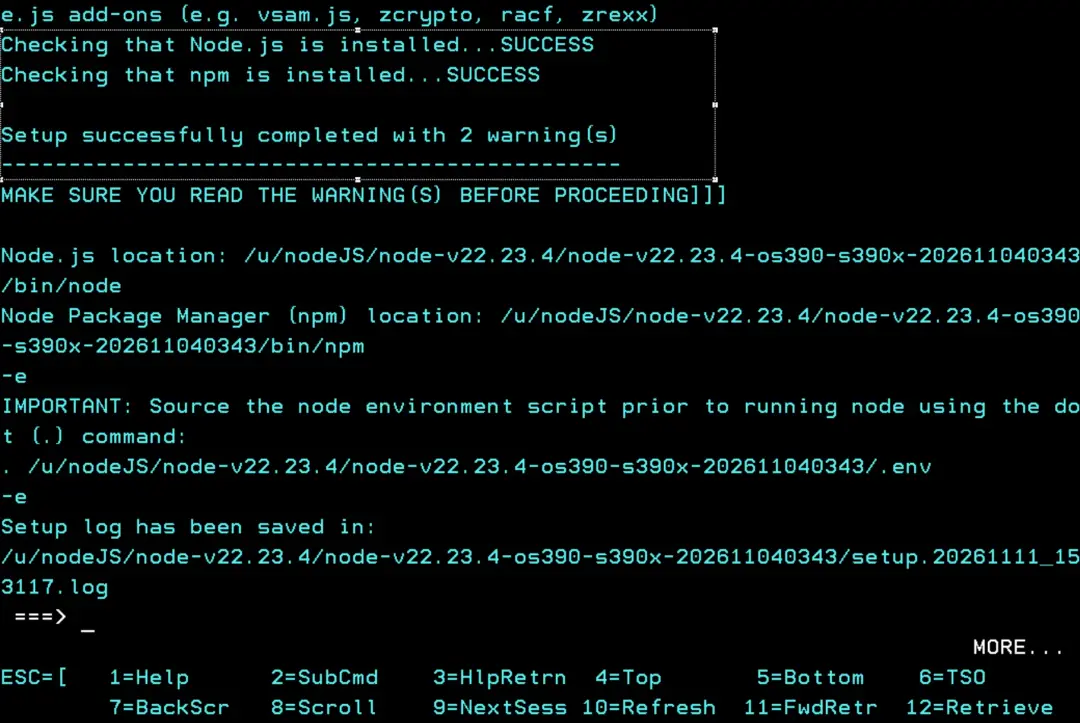
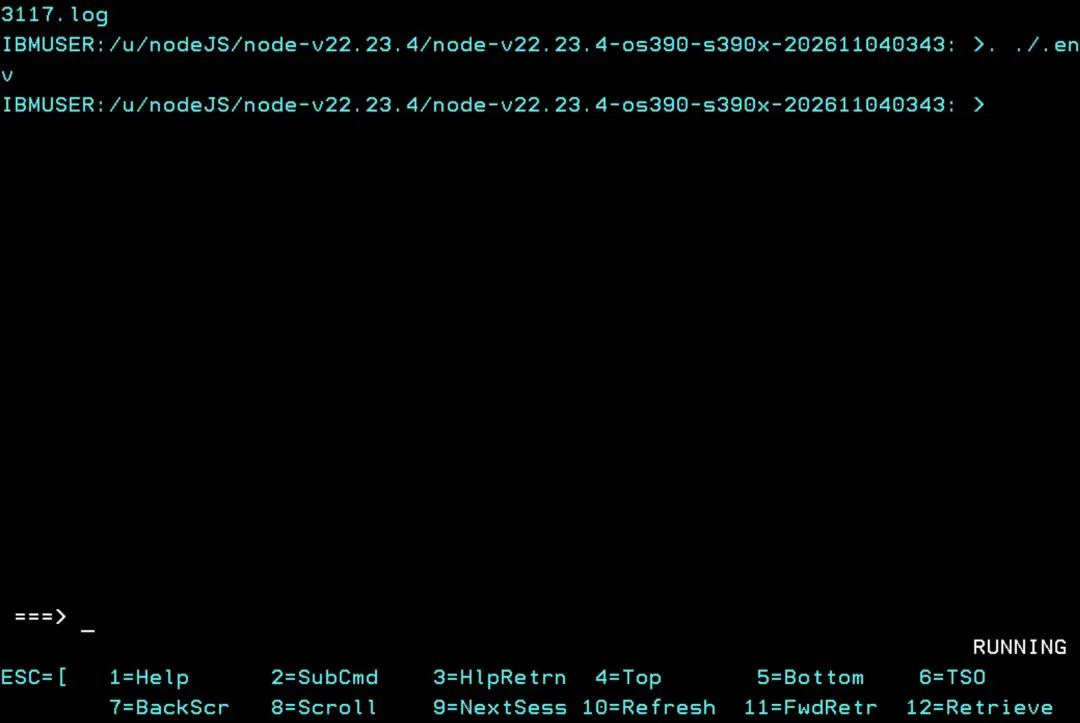
At the end it shows where node and npm are, the log it generated and the command to load the environment, which is the one we run next with a dot followed by a space (. ./.env). It doesn't show anything, but from that moment the session has the Node.js variables and the version's bin directory in the PATH. The dot and the space are important: if we run ./.env without them, the variables are set in another process and are lost when it ends.
Now we can check the versions again:
cd /u/nodeJS/node-v22.23.4/node-v22.23.4-os390-s390x-202611040343/bin
./node -v

./node -p "process.versions.brotli"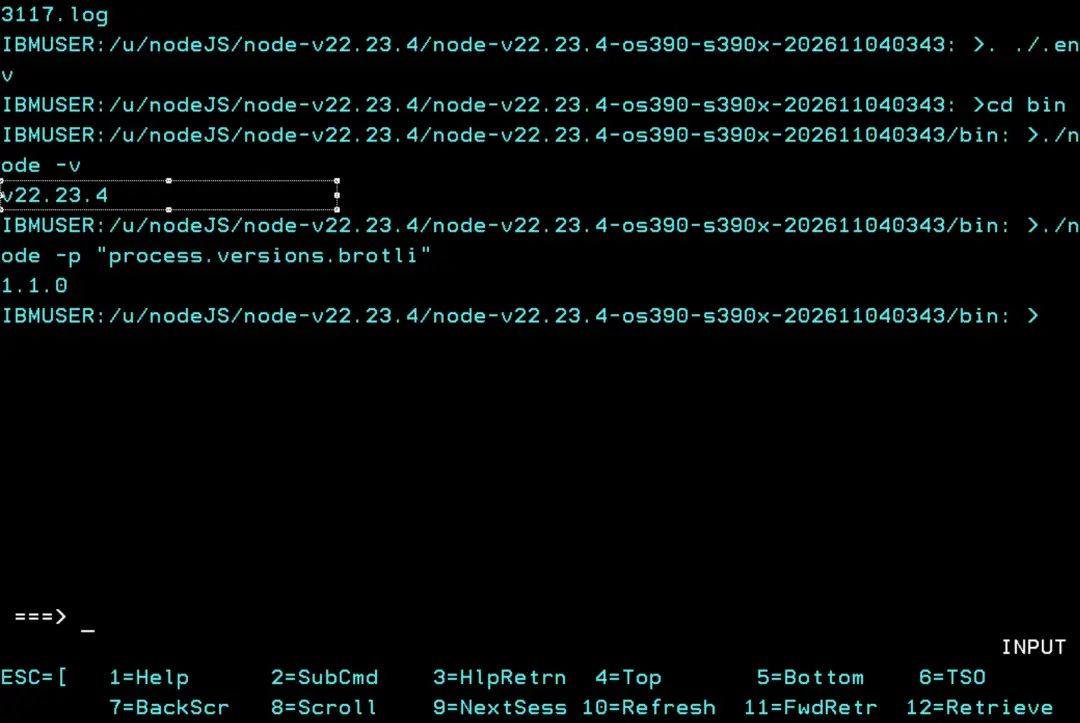
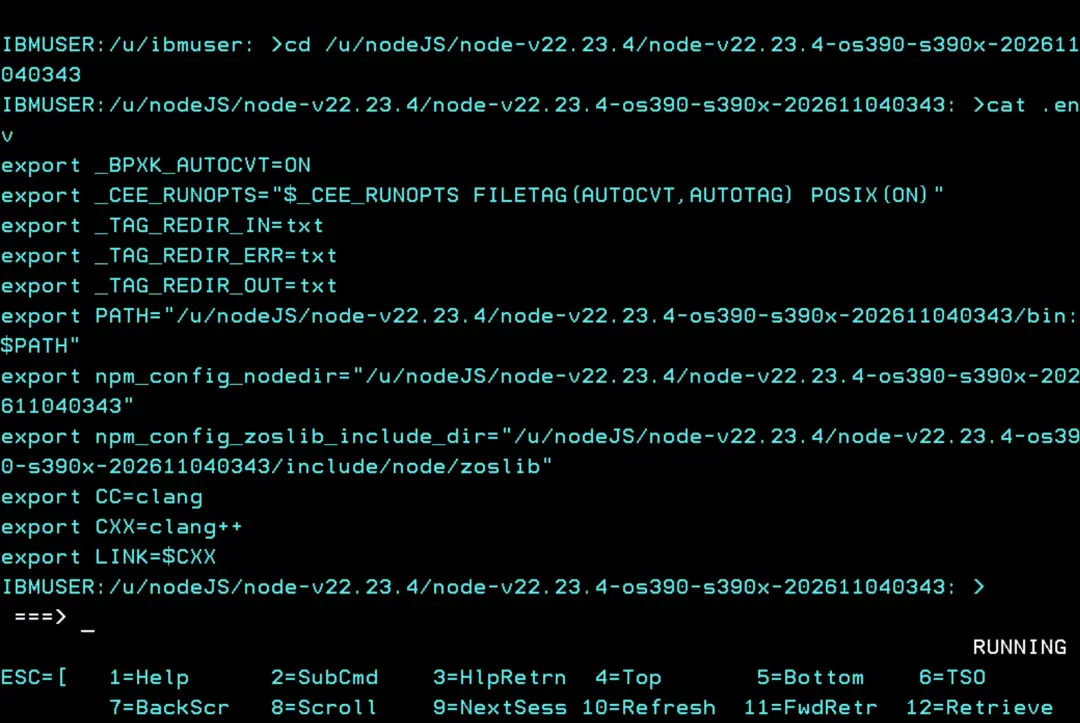
The .env also sets the CC, CXX and LINK variables (C/C++ compiler). If we use the compiler for other things, we'll have to review them.
Since setup.sh writes the .env and the log inside the version directory, you have to run it with the zFS mounted in RDWR mode. If we want to mount it in READ mode later, we'll do it afterwards.
Here are the contents of the .env file:
Switch to the new version
Now we'll create a symbolic link to the new version. This is useful because we can use "current" in the started tasks so they point to the current Node.js.
When we install a new version, we'll only have to change the "current" link.
cd /u/nodeJS

rm -f current   # only if it already exists

ln -s node-v22.23.4/node-v22.23.4-os390-s390x-202611040343 current
ls -l current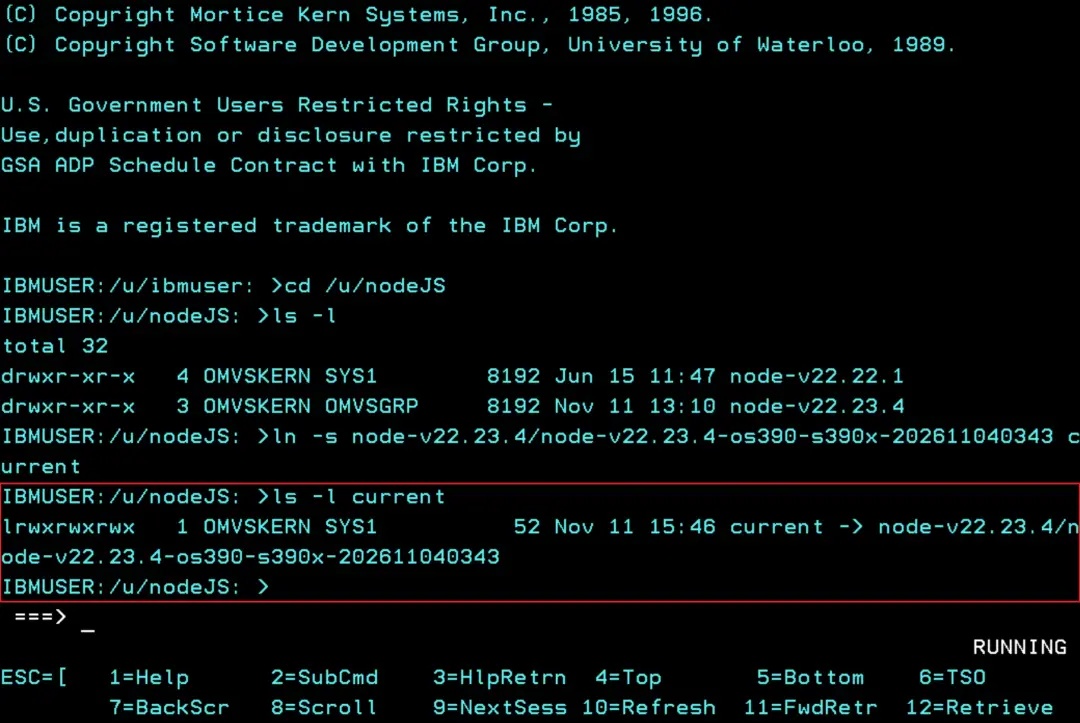
In the user's .profile (in the user's HOME directory), we must add a line if we want it to load the Node.js environment variables when we log in, for example, to OMVS.
To find the user's home, just enter OMVS (TSO OMVS) and we'll see it. In this case, "/u/ibmuser".

But if we have RACF authority and want to look up the HOME of our user (or another one), we'll use the command:
TSO LU IBMUSER OMVS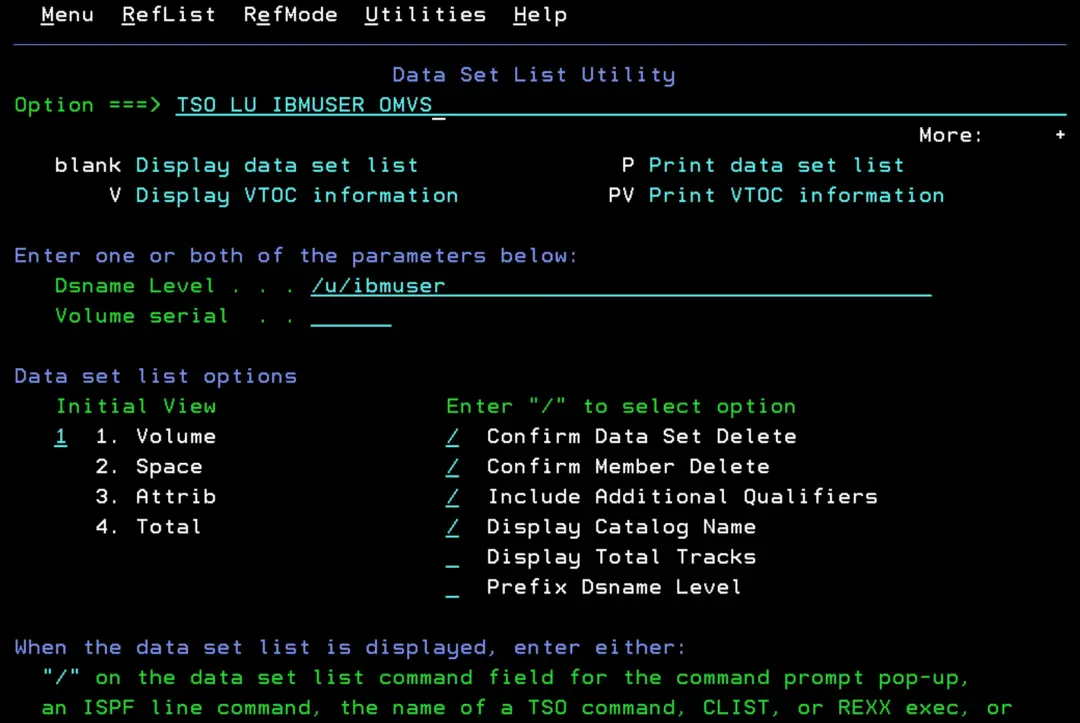
At the end, if the user has an OMVS segment defined, we should see the HOME parameter.
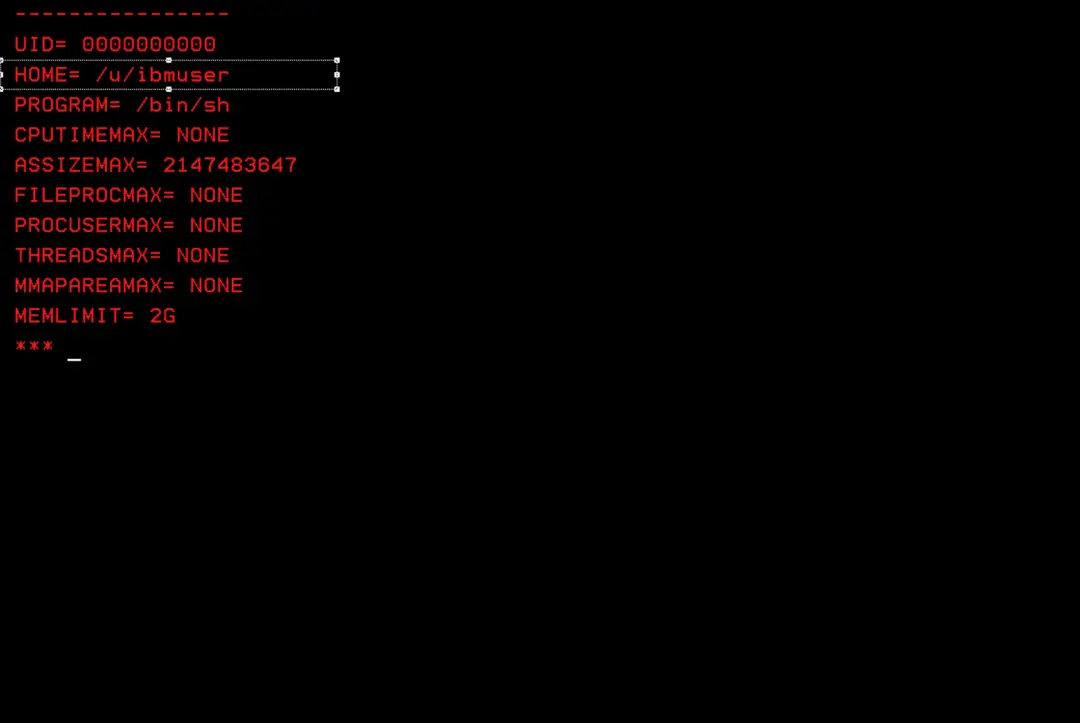
Now we go to that directory and edit the .profile file.
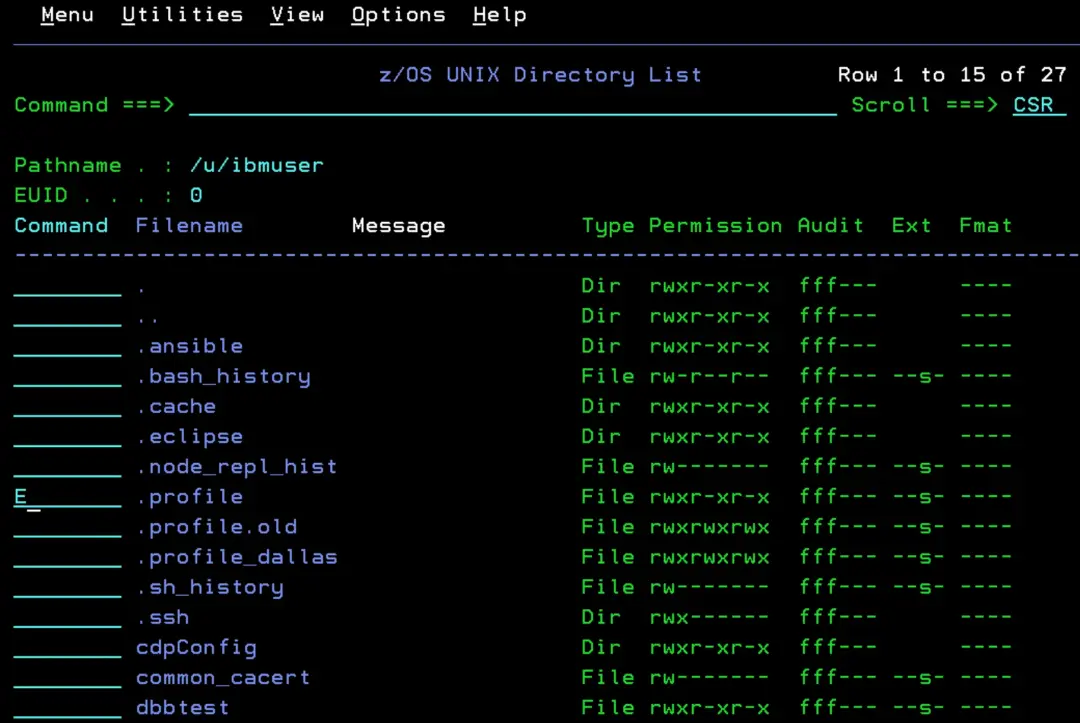
We add the following at the end:
. /u/nodeJS/current/.env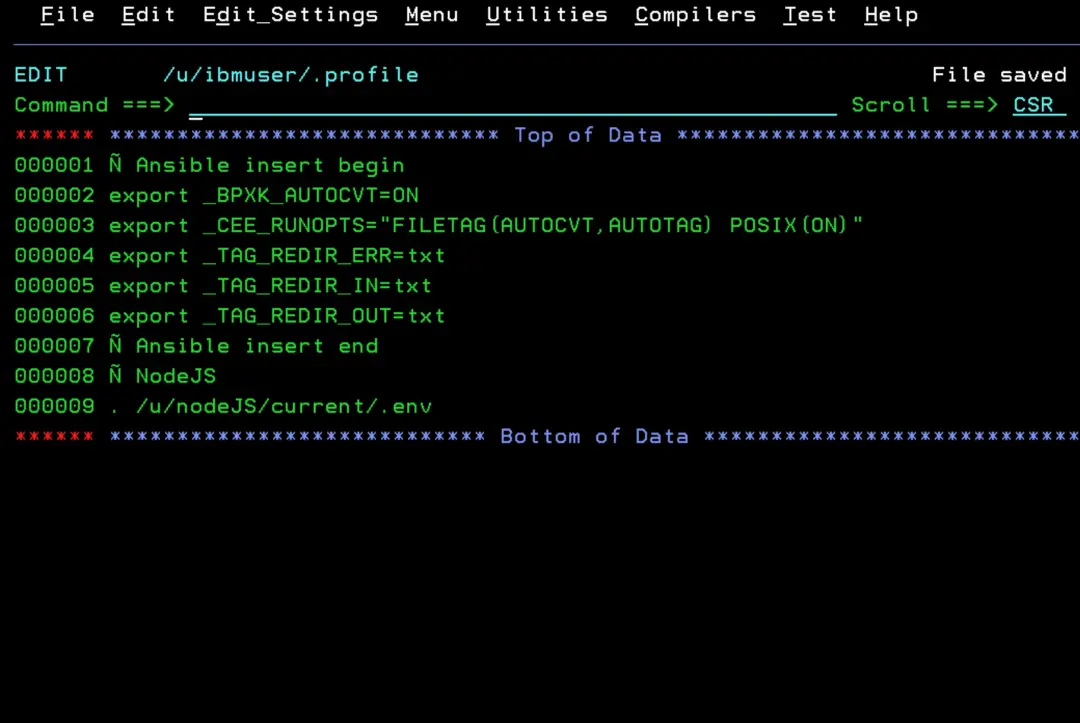
Now, when we enter OMVS and type "node -v", we'll see the version without having to look for the specific Node.js path.
node -v
npm -v
node -p "process.versions.brotli"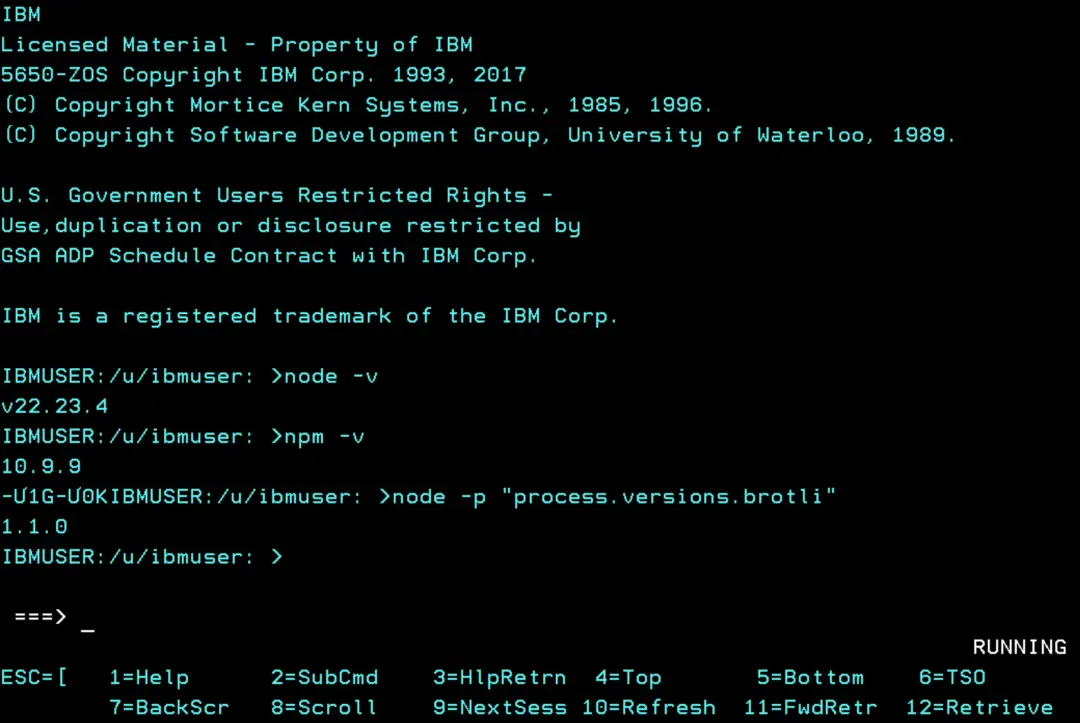
Brotli still shows 1.1.0 in 22.23.4 (the same as in 22.22.1). The fix may have been applied as a patch to the copy already included, without changing the version number.
That's why what counts is node -v: 22.23.4 is the version in which the Node.js project includes the fix. It's to be expected that, if the z/OS version was affected, 22.23.4 includes the fix.
Roll back
If we have to go back to the previous version, we'd only have to recreate the symbolic link. For this reason, it's best not to delete the previous one until we've verified that everything works (if the previous version has serious vulnerabilities, we'd have to weigh how to proceed).
cd /u/nodeJS
rm -f current
ln -s <previous version directory> current
. /u/nodeJS/current/.env
node -v
The .env uses the absolute path of the version, so after changing the link you have to load it again (or enter OMVS again) for the session to use the other version. Any started tasks that use Node.js will have to be restarted.