LLA and LNKLST: Releasing a Library So You Can Delete It
Before changing the LNKLST dynamically, read the IBM note Using the dynamic LNKLST facility safely and properly: what is safe to do, what is not (UNALLOCATE, stopping LLA and renaming) and the risks of SETPROG LNKLST,UPDATE.
You want to delete (or rename) a LOADLIB and the system won't let you: «Data set in use». XCFAS and LLA are holding it. We will see why, how a library is added to LLA and to the LNKLST (and what for), and how to release it properly. All with a test library.
For example, I pick a library from the LNKLST and run the following command:
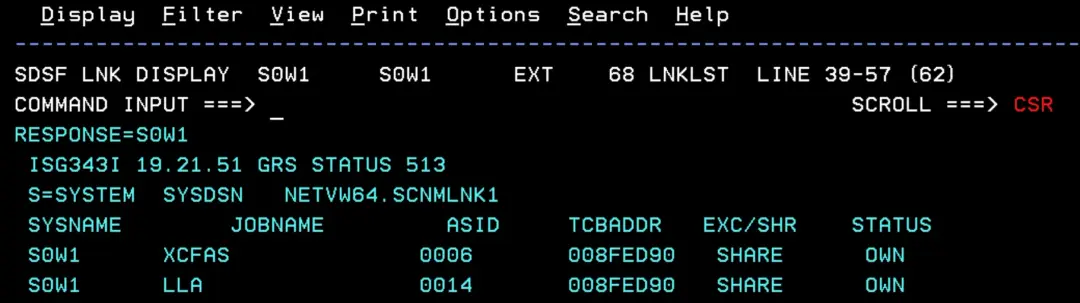
D GRS,RES=(*,NETVW64.SCNMLNK1)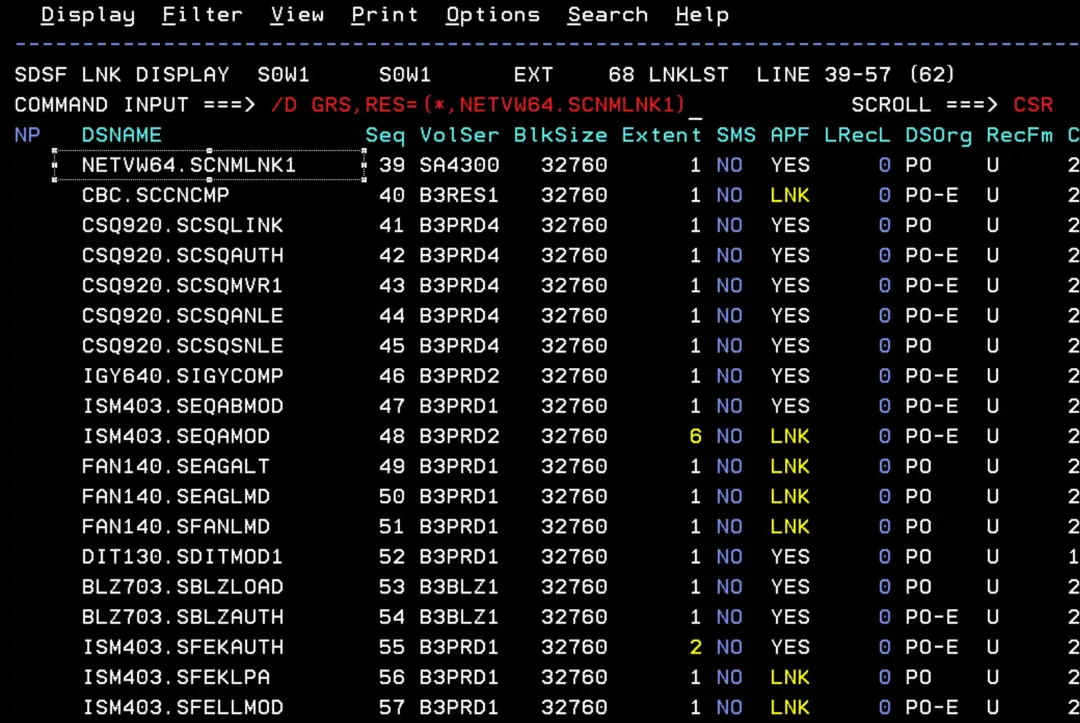
We will see that it is in use by XCFAS and LLA. So we can neither rename it nor delete it.
What LLA does
- Performance. Every time a program is loaded, the system looks for the member in the library directory: without LLA, that is a disk I/O.
- LLA keeps a copy of the directories in its own address space: the search is done in memory.
- When LLA is used with VLF, it keeps the most used modules in memory («staging»), chosen by size and number of loads. Without VLF, LLA only saves the directory search.
- By default, LLA manages the LNKLST libraries. Any others (for example, the load library of an application that hundreds of jobs use in STEPLIB) have to be added in CSVLLAxx.
- Libraries managed by LLA must be cataloged (and stay cataloged while LLA manages them).
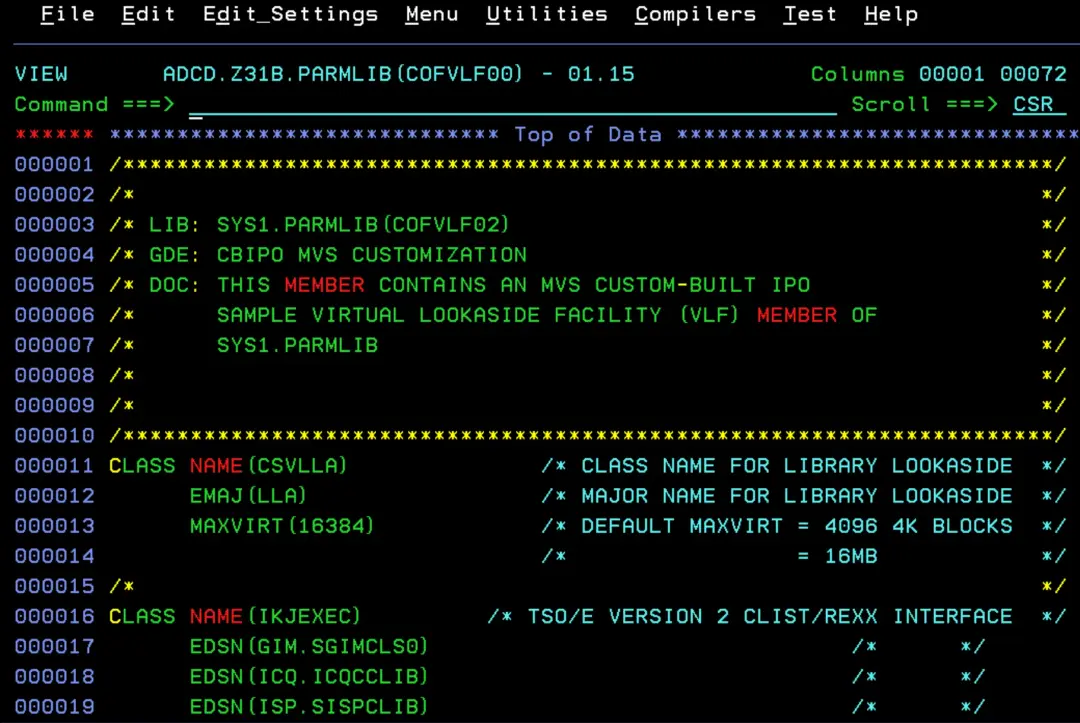
In the COFVLFxx member of PARMLIB we can see that the CSVLLA class is defined.
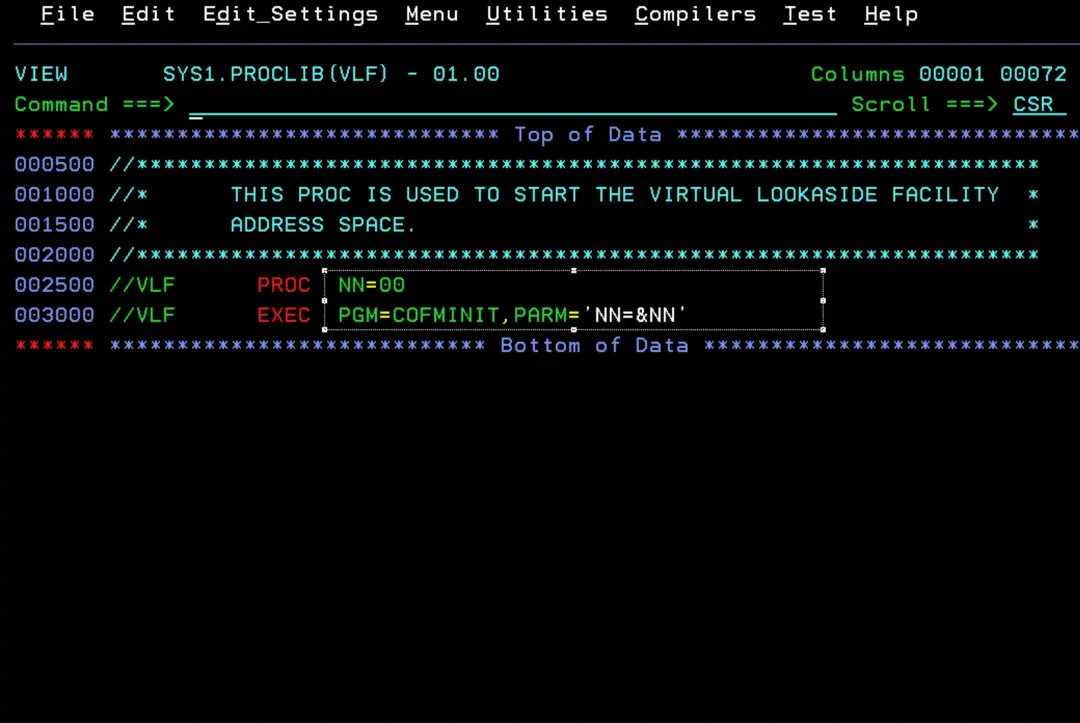
In the PROC of the VLF task we can confirm that it uses parameter member 00 (COFVLF00).
FREEZE and NOFREEZE
When adding a library to LLA, we can set it as FREEZE or NOFREEZE:
- FREEZE: LLA uses its copy of the directory. Fast, but if you change a program, the old one keeps running until you refresh LLA (F LLA,REFRESH or F LLA,UPDATE=xx).
- NOFREEZE: the directory is read from disk. Changes show up right away, but you lose the benefit.
- A LNKLST library, when used through the LNKLST, always behaves as FREEZE, even if it is set to NOFREEZE. If that same library is used some other way (for example in a STEPLIB), its FREEZE or NOFREEZE setting does apply.
- Libraries you add with LIBRARIES are NOFREEZE by default: you have to set FREEZE explicitly (IBM recommends it).
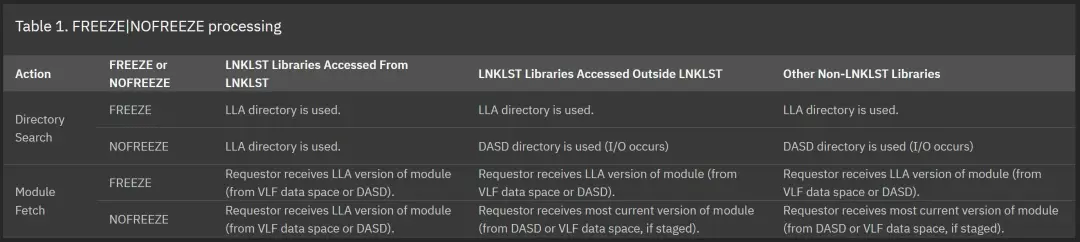
📖 Using the FREEZE|NOFREEZE option
📖 Statements and parameters for CSVLLAxx
Test library
We are going to create a PDS load library (RECFM=U) with a program that just writes a message, so we can see which version runs.
//ALLOCLIB JOB (ACCT),'ALLOC LOADLIB',CLASS=A,MSGCLASS=X
//ALLOC    EXEC PGM=IEFBR14
//LOADLIB  DD DSN=IBMUSER.TEST.LOADLIB,DISP=(NEW,CATLG),
//            UNIT=SYSDA,SPACE=(CYL,(1,1,10)),
//            DSORG=PO,RECFM=U,LRECL=0,BLKSIZE=32760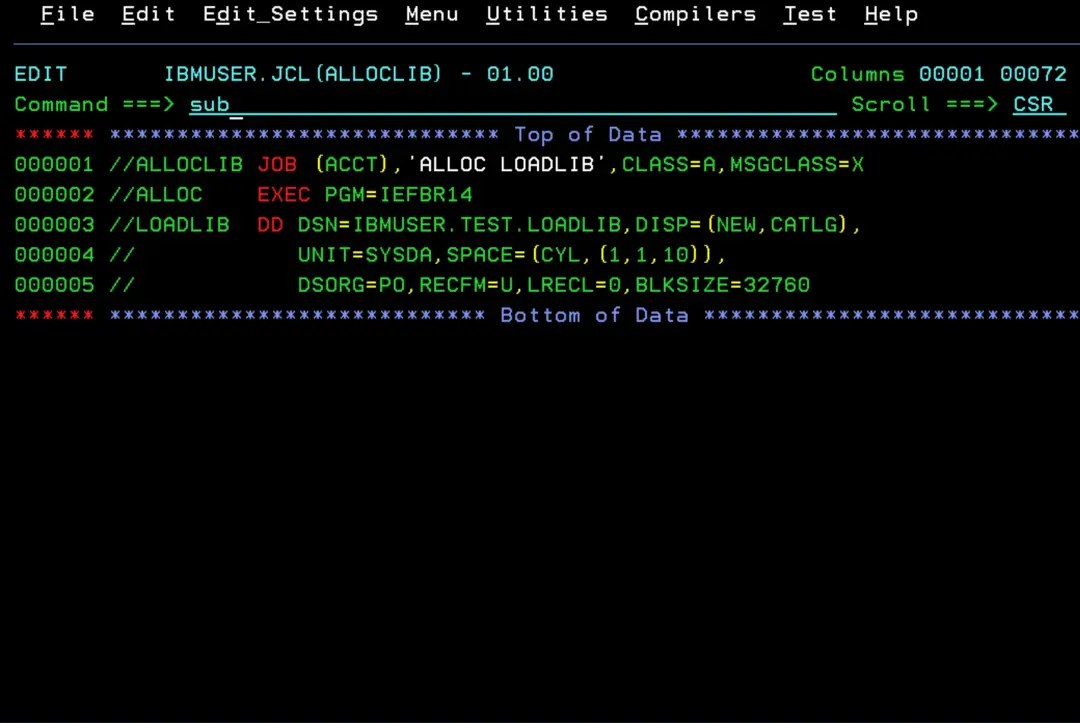
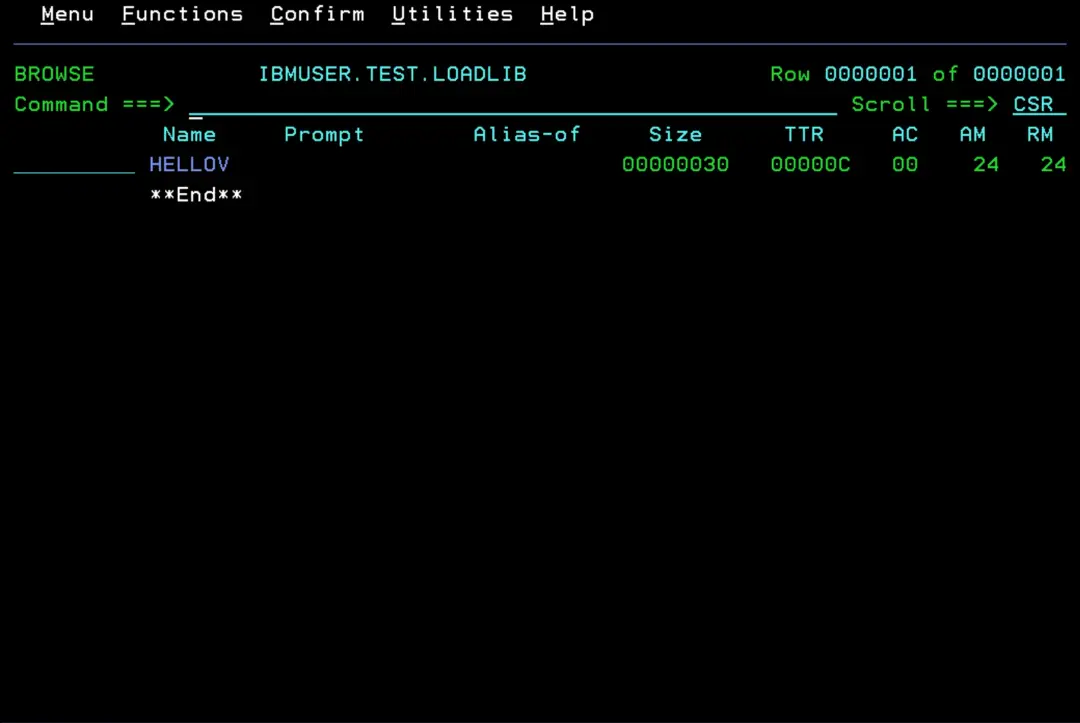
The library is now created.
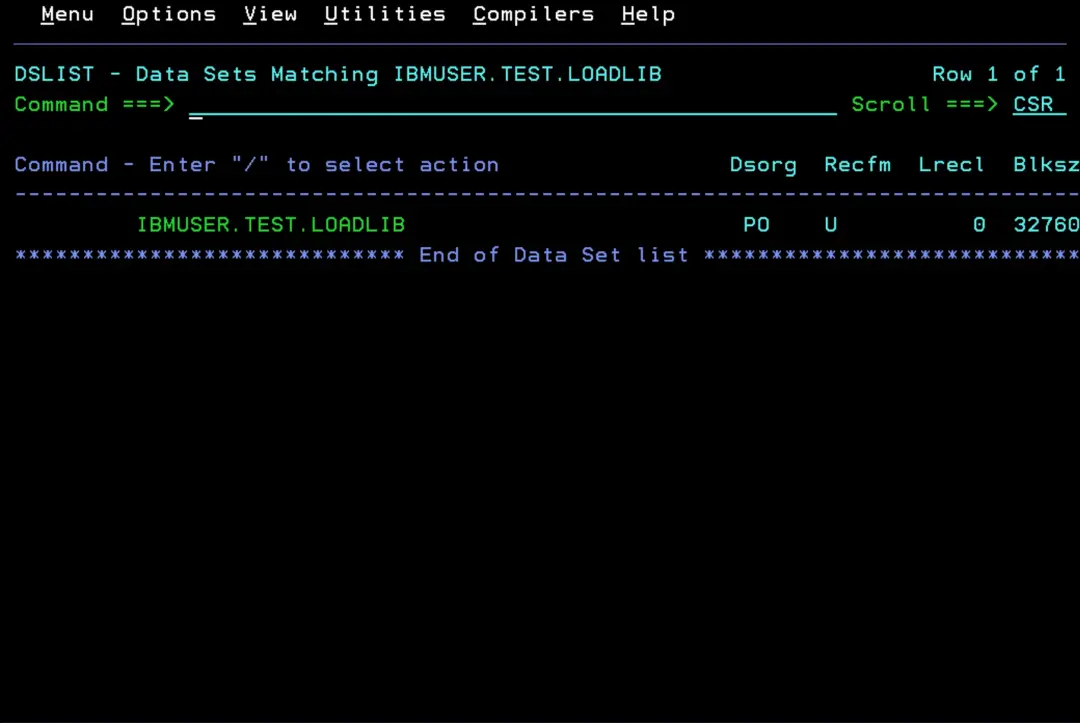
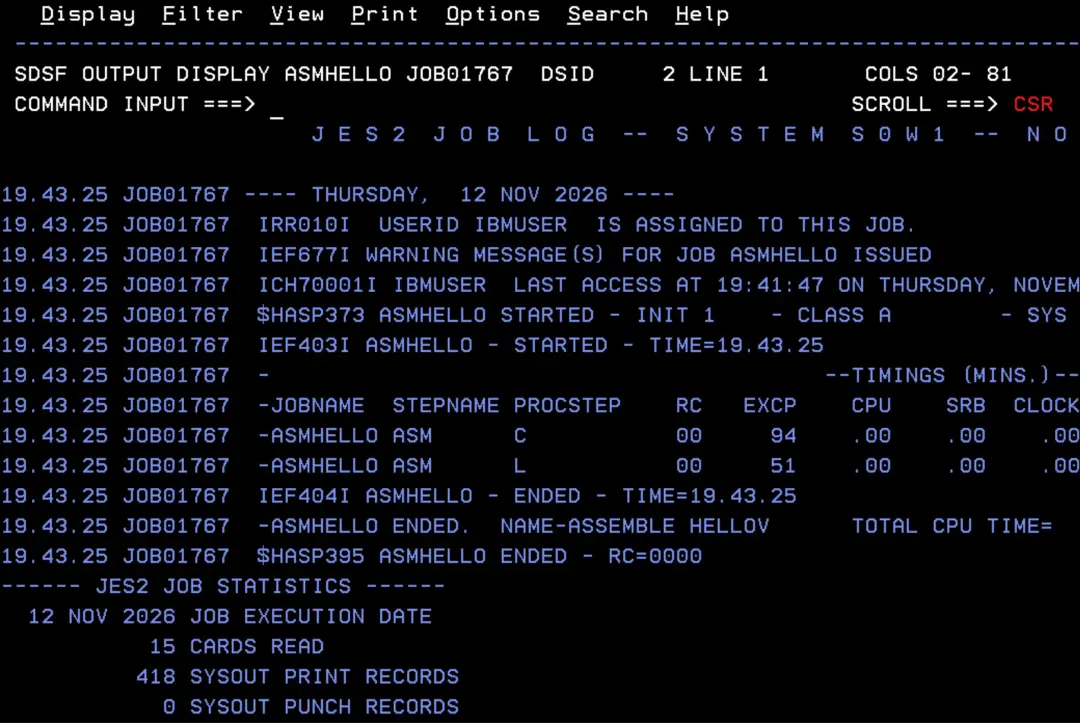
We are going to assemble this test program (it writes a WTO with the version: 'HELLOV VERSION 1'):
//ASMHELLO JOB (ACCT),'ASSEMBLE HELLOV',CLASS=A,MSGCLASS=X
//* Assemble and link HELLOV into the test load library
//ASM      EXEC ASMACL
//C.SYSIN  DD *
HELLOV   CSECT
         STM   14,12,12(13)
         BALR  12,0
         USING *,12
         WTO   'HELLOV VERSION 1'
         LM    14,12,12(13)
         SR    15,15
         BR    14
         END
/*
//L.SYSLMOD DD DSN=IBMUSER.TEST.LOADLIB(HELLOV),DISP=SHR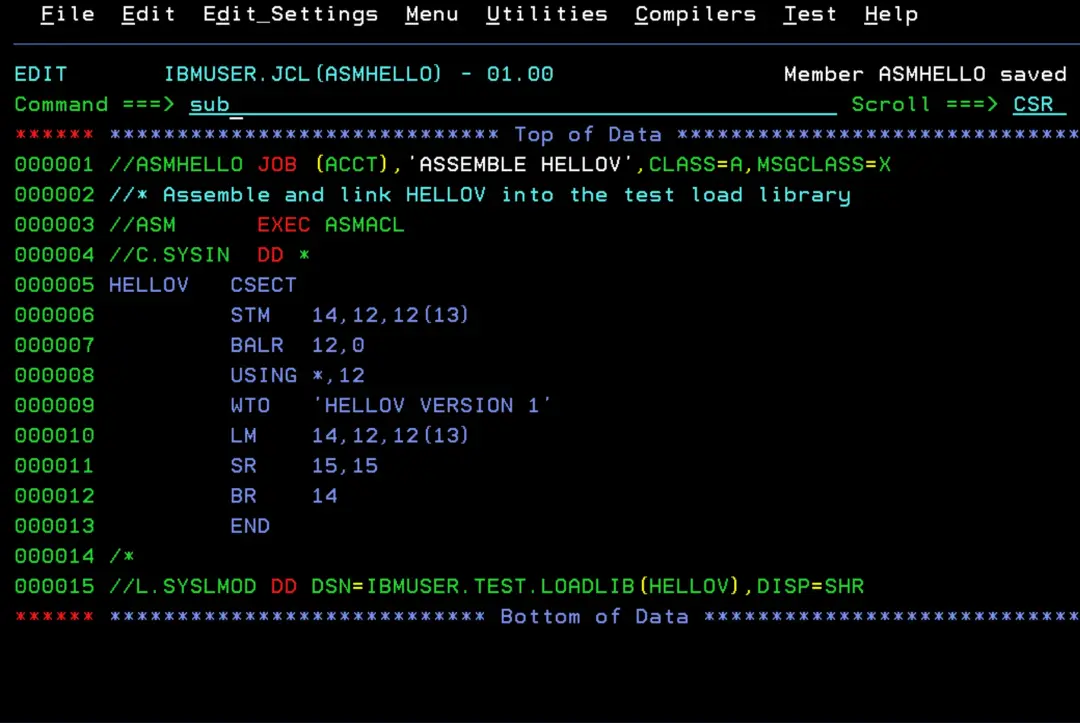
It ends successfully.
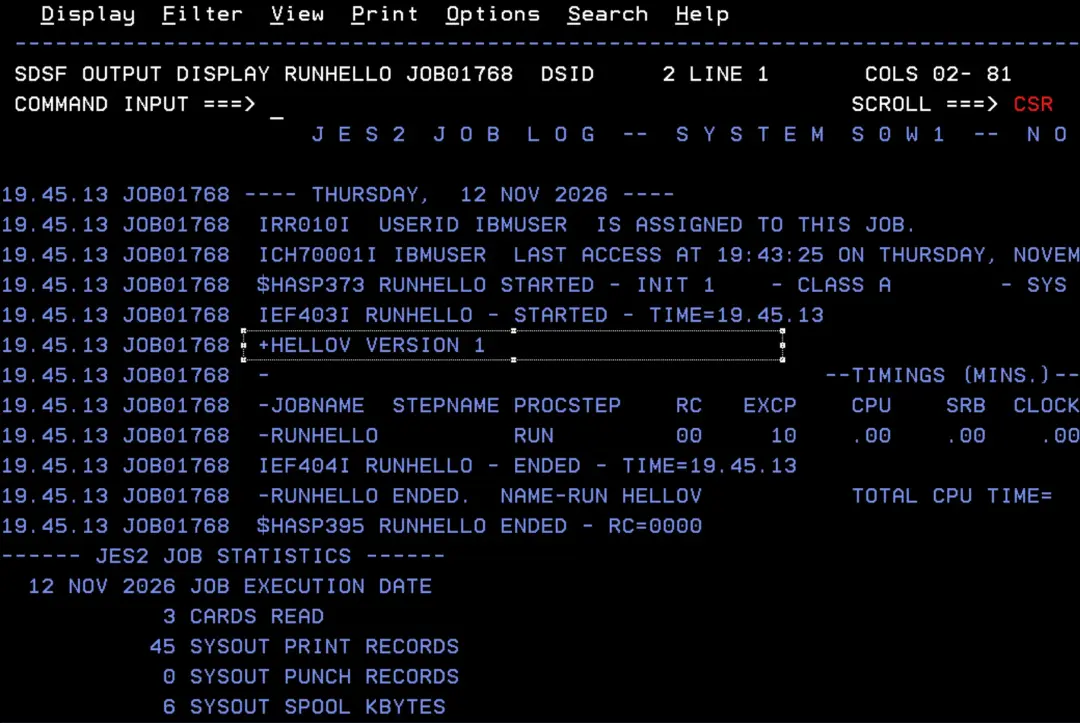
Now let's run it:
//RUNHELLO JOB (ACCT),'RUN HELLOV',CLASS=A,MSGCLASS=X
//RUN      EXEC PGM=HELLOV
//STEPLIB  DD DSN=IBMUSER.TEST.LOADLIB,DISP=SHR
We can see that it shows the message “HELLOV VERSION 1”.
First test: adding the library to LLA (LIBRARIES and FREEZE)
To add libraries to LLA you use a PARMLIB member (CSVLLAxx) with LIBRARIES and, to freeze it, FREEZE.
It is applied with the command:
F LLA,UPDATE=xxBefore and after applying the change, we can use the display command to check that it was added:
D LLAI will create member CSVLLA01 in one of my system's PARMLIBs (the available PARMLIBs are shown with the D PARMLIB command):
LIBRARIES(IBMUSER.TEST.LOADLIB)
FREEZE(IBMUSER.TEST.LOADLIB)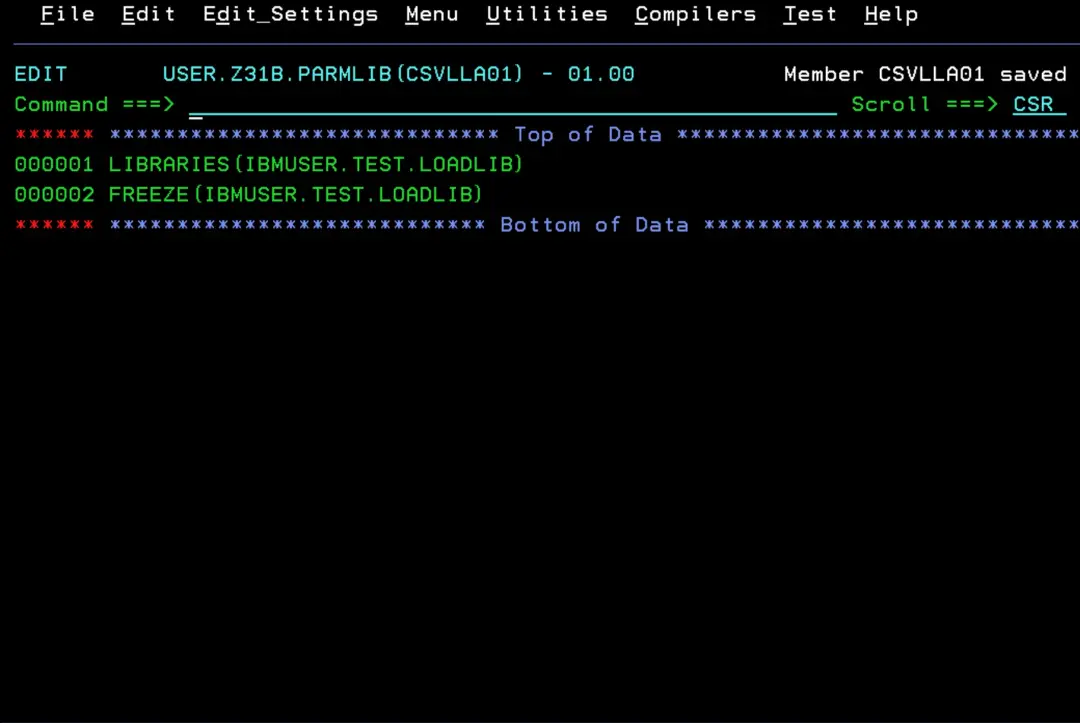
F LLA,UPDATE=01
D LLA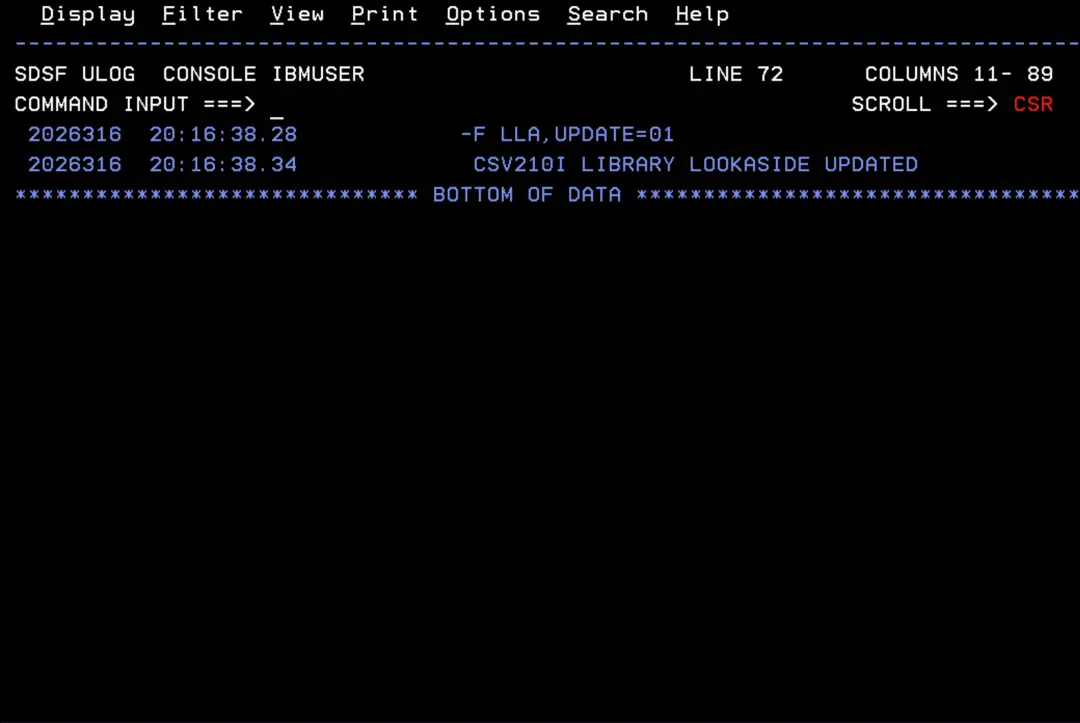
We can see that the library has been added, with the “F” column marked (FREEZE).
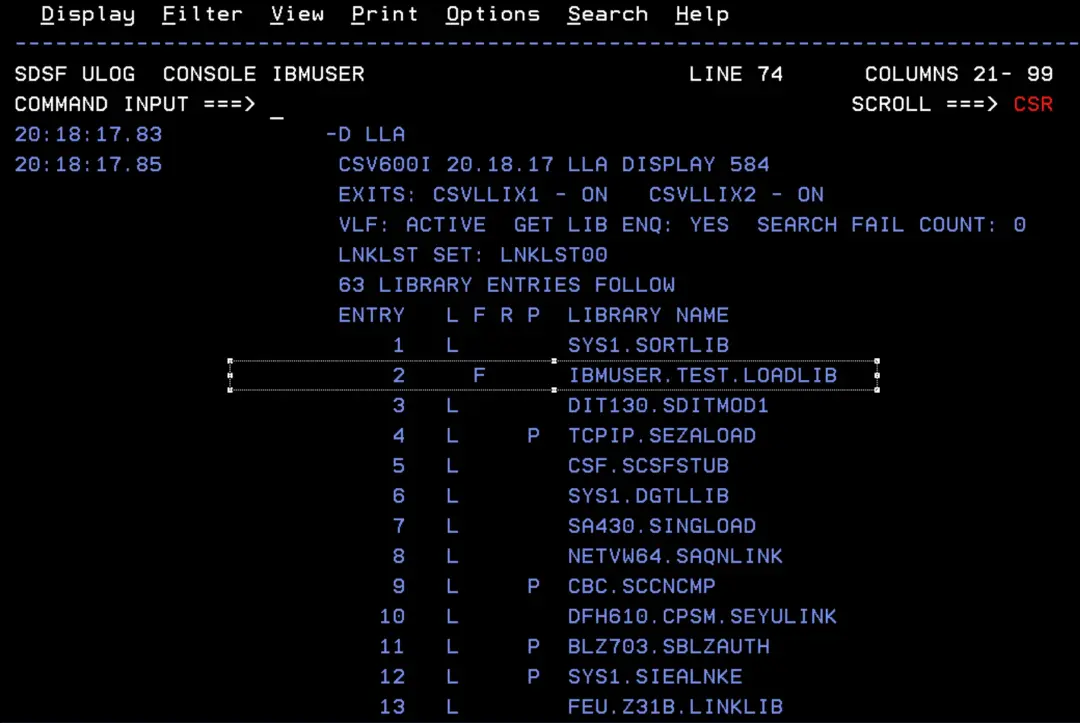
Now we are going to change the program so that it shows “VERSION 2” and assemble it into the same library (IBMUSER.TEST.LOADLIB). Then we will run RUNHELLO again to see the result.
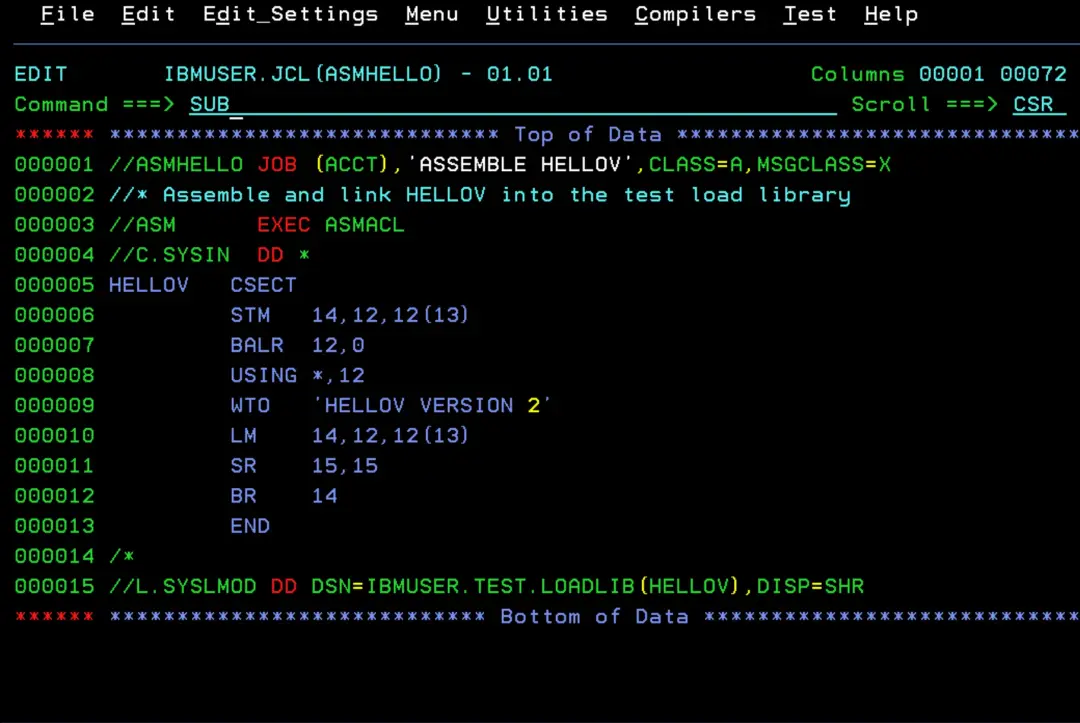
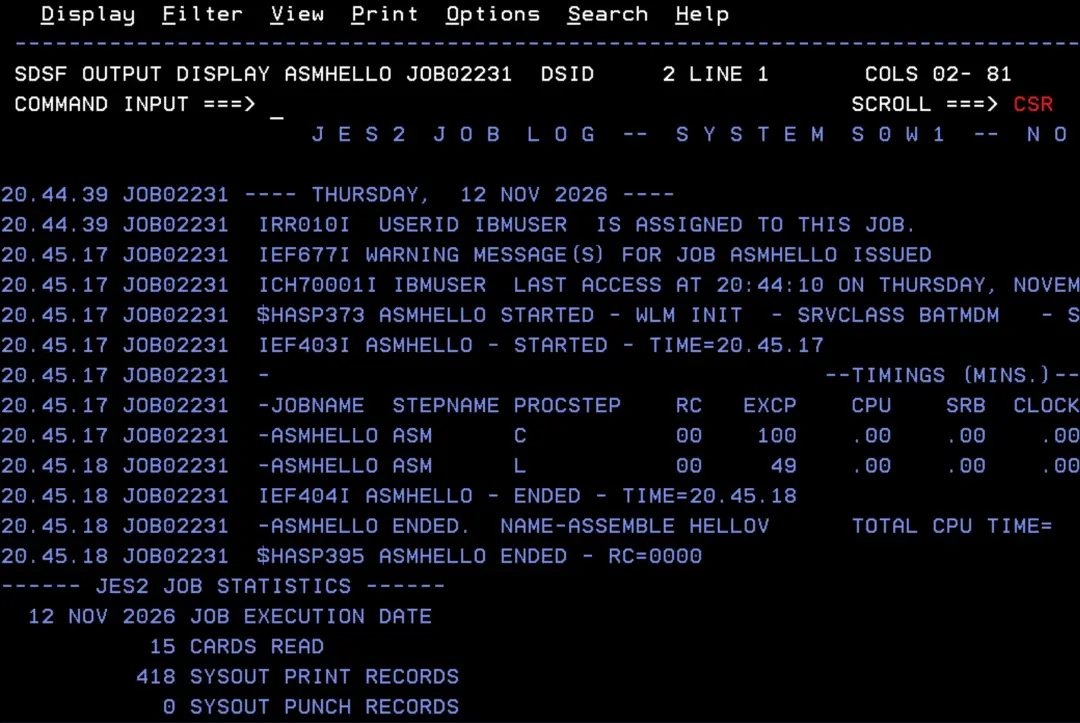
We confirm that the module has been replaced.
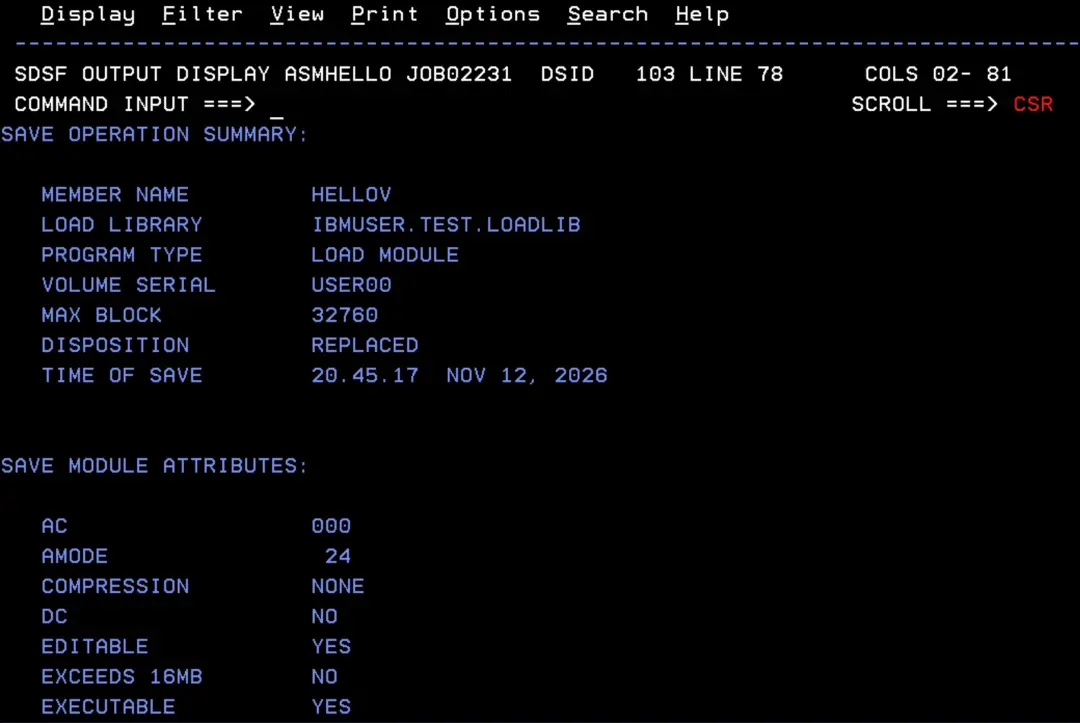
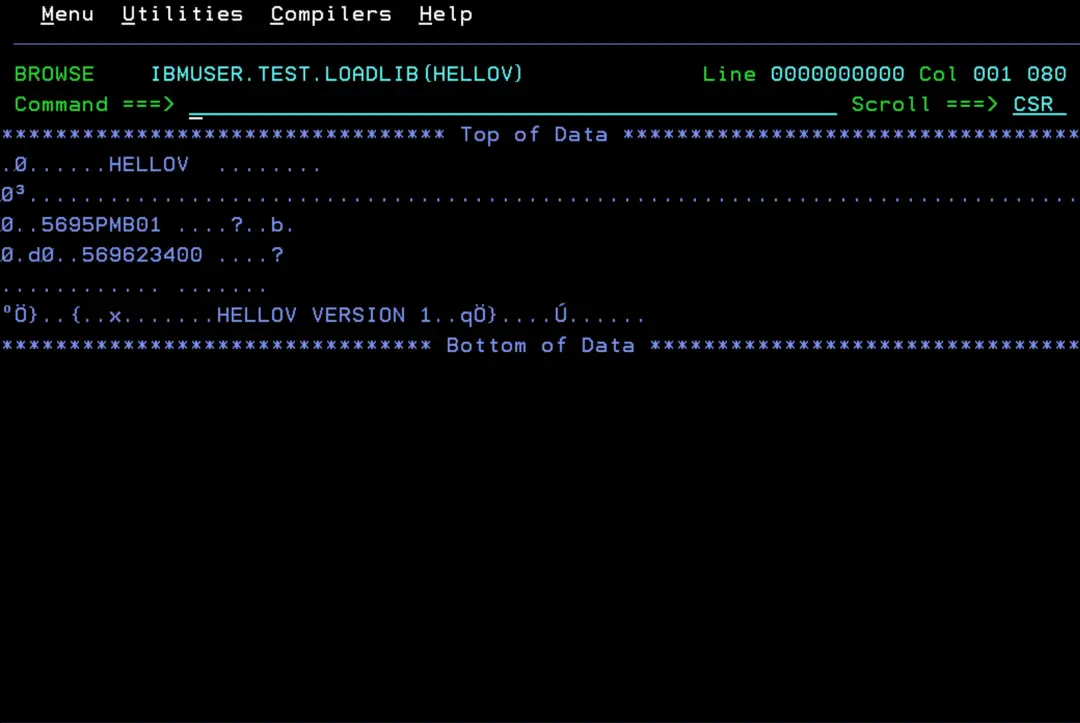
An interesting detail: even though the module has been replaced, browsing it still shows VERSION 1. This is because of FREEZE: LLA uses its copy of the directory, which still points to the old module, and in a PDS the old module stays on disk until the library is compressed.
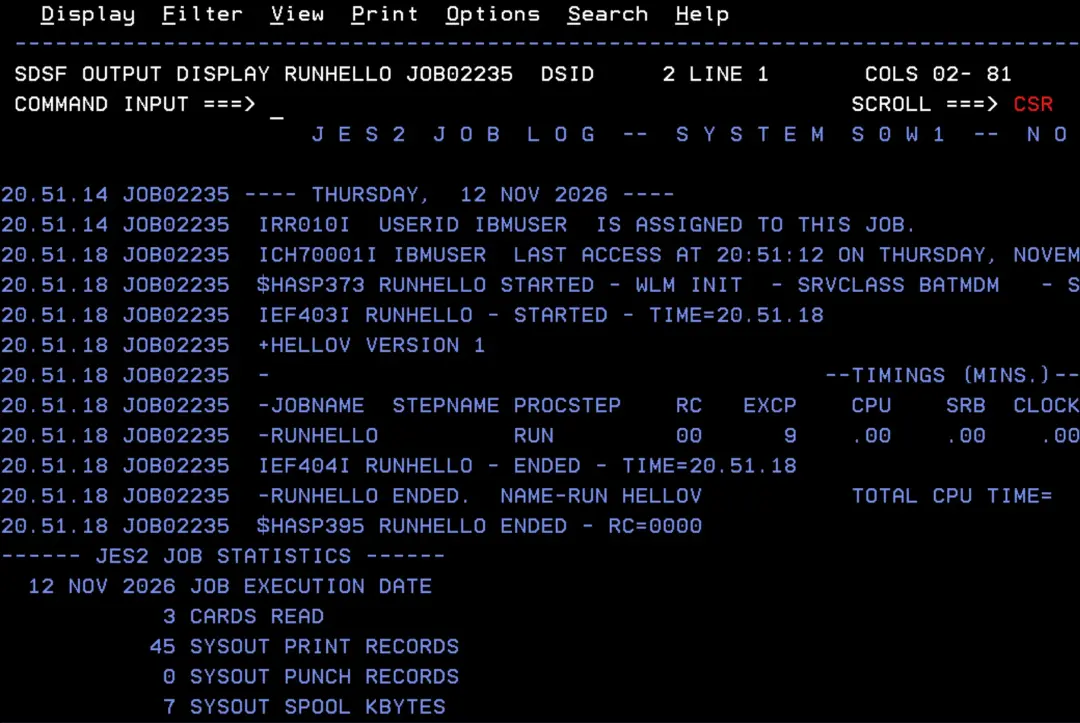
If we run it, we also get the message “VERSION 1”.
Now let's refresh LLA. This command refreshes all the libraries:
F LLA,REFRESHBut it can also be done for a single module:
📖 Identifying members for selective refreshes
Define member CSVLLA02 in PARMLIB:
LIBRARIES(IBMUSER.TEST.LOADLIB)
MEMBERS(HELLOV)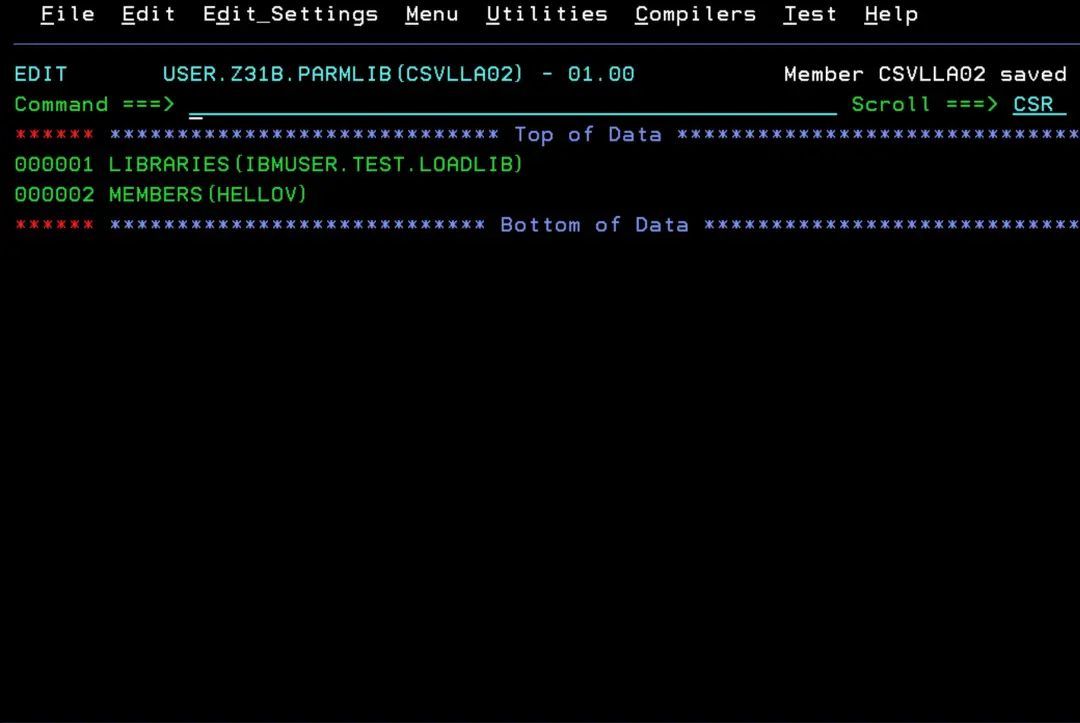
F LLA,UPDATE=02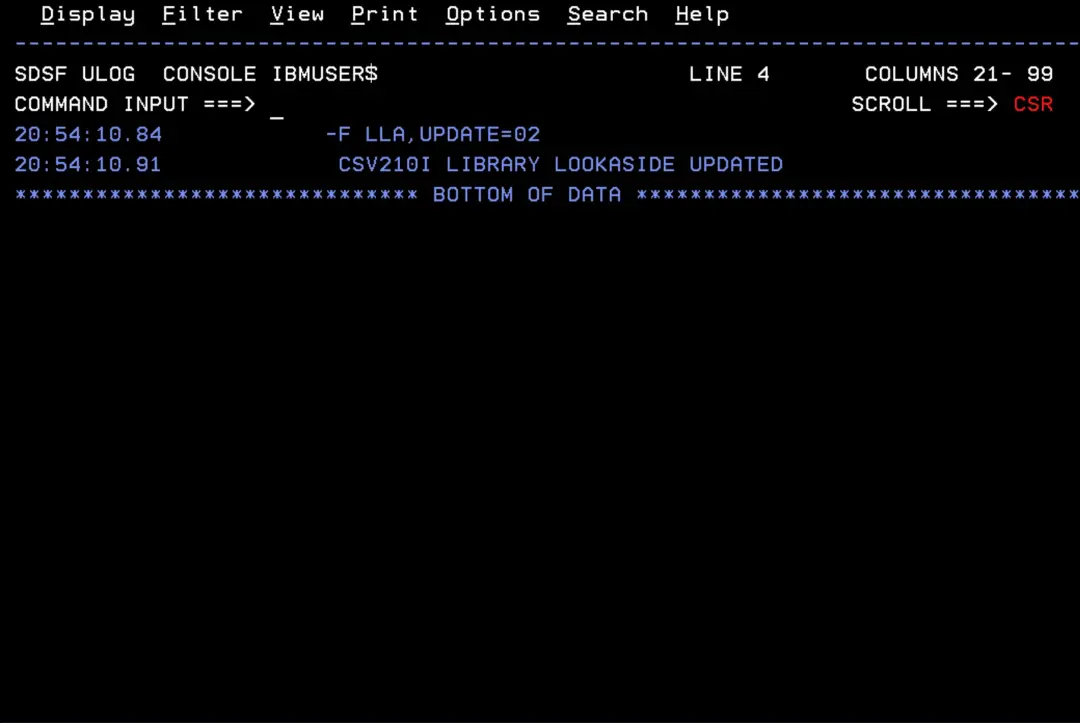
Now the module does show “VERSION 2”.
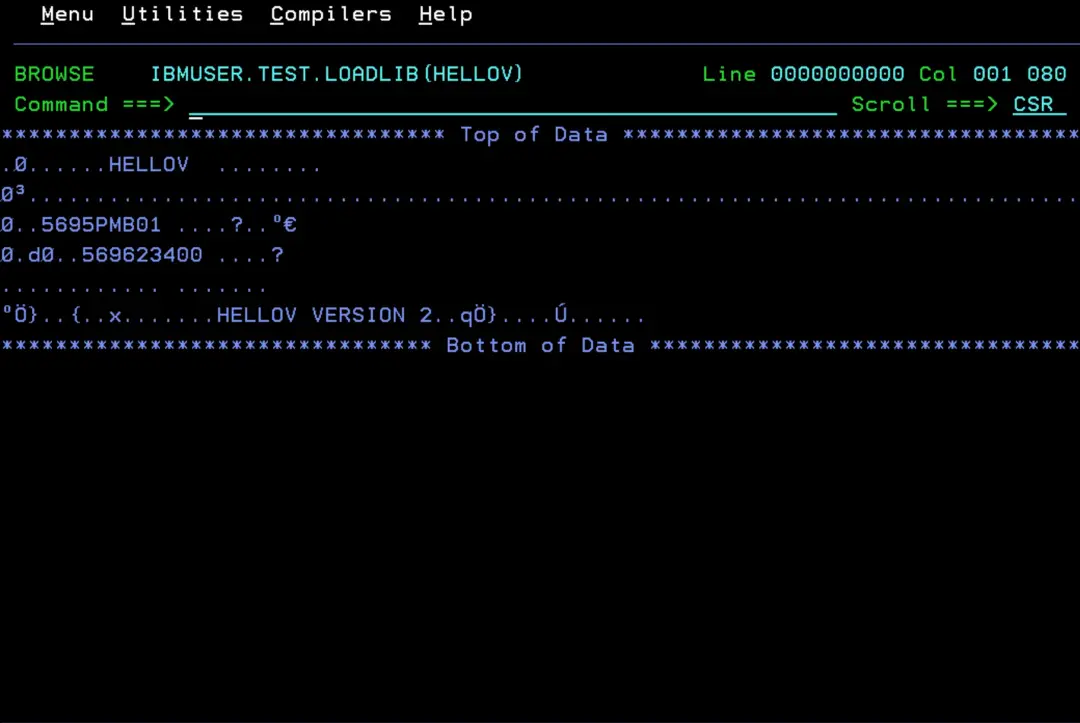
If we run it, the message “VERSION 2” appears.
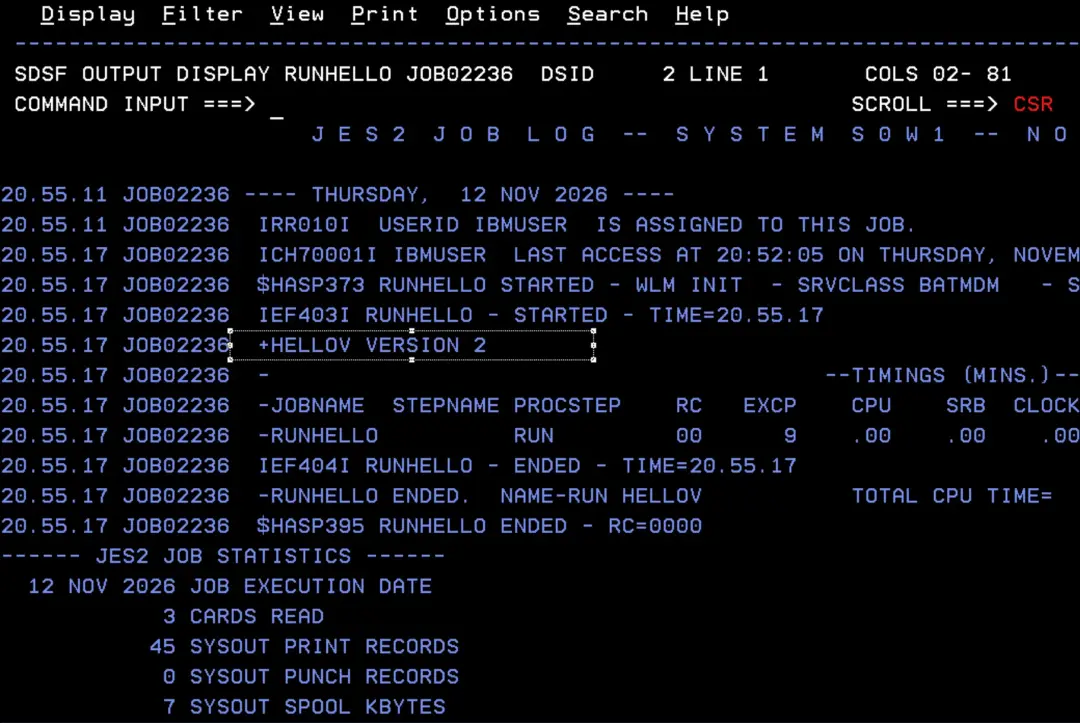
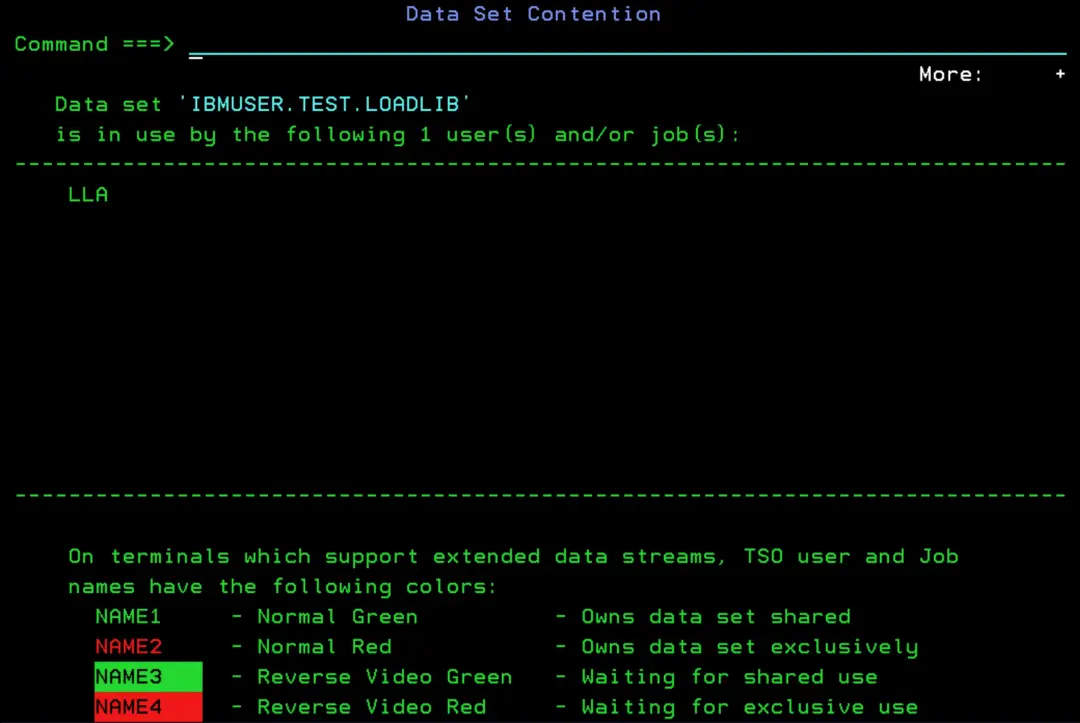
Since the library is in LLA, if we try to delete it, we get the message “Data set in use”.
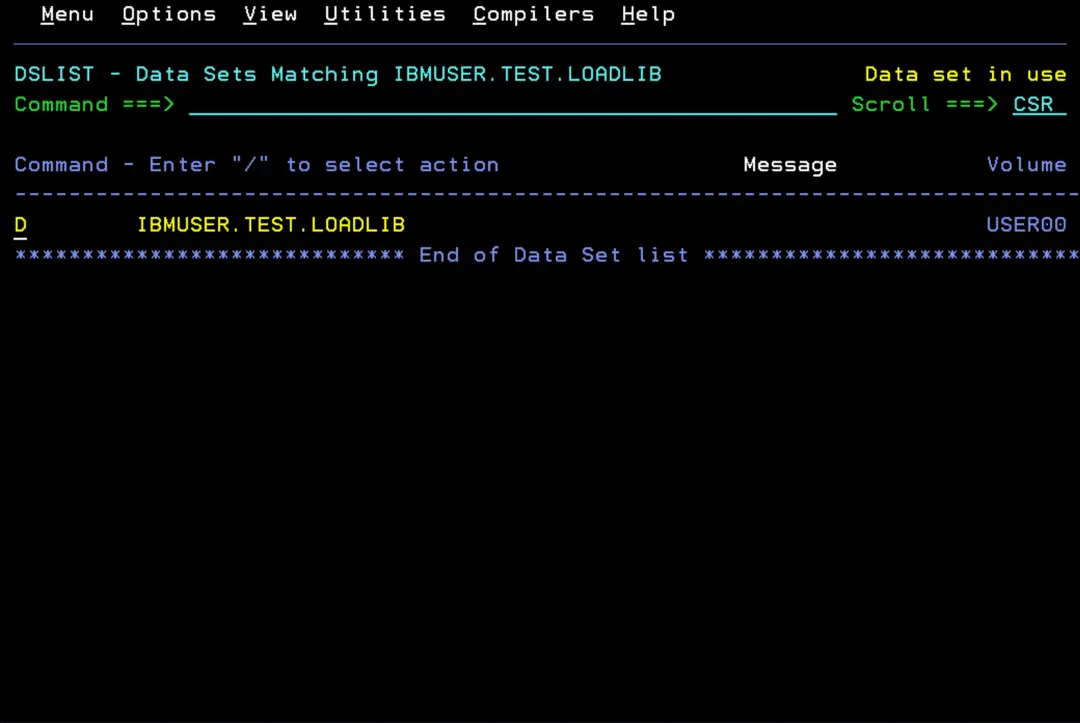
If we press F1 twice, we can see that LLA is using it.
Second test: adding it to the LNKLST dynamically
To show how to remove a library from the LNKLST, I will first add our test library.
📖 Syntax format of the LNKLST statements (PROGxx)
The active LNKLST cannot be changed: you define a new one by copying the current one, add the library to it and activate it. Jobs and STCs that were already running keep using the previous LNKLST.
When the new LNKLST is activated, LLA starts managing the new libraries on its own. And when used through the LNKLST, the library behaves as FREEZE.
We will also change the job that runs the HELLOV program to remove the STEPLIB (because it is no longer needed).
D PROG,LNKLST
SETPROG LNKLST,DEFINE,NAME=LNKTEST,COPYFROM=CURRENT
SETPROG LNKLST,ADD,NAME=LNKTEST,DSNAME=IBMUSER.TEST.LOADLIB
SETPROG LNKLST,ACTIVATE,NAME=LNKTEST
D PROG,LNKLST
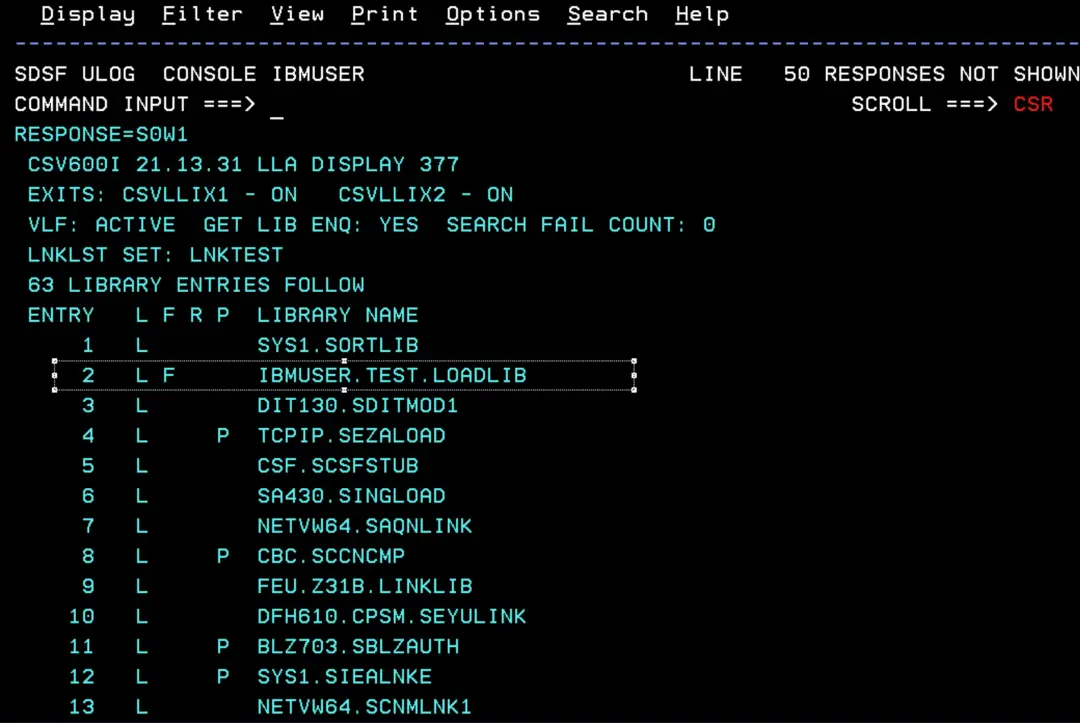
D LLA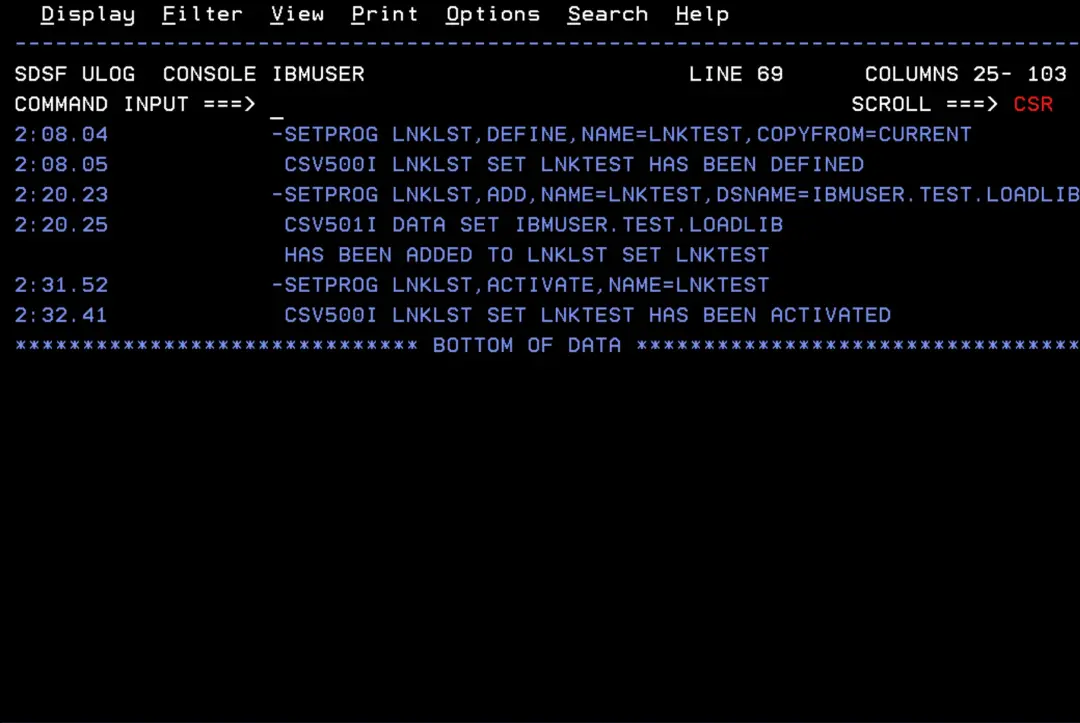
We can see that the library is now in the LNKLST.
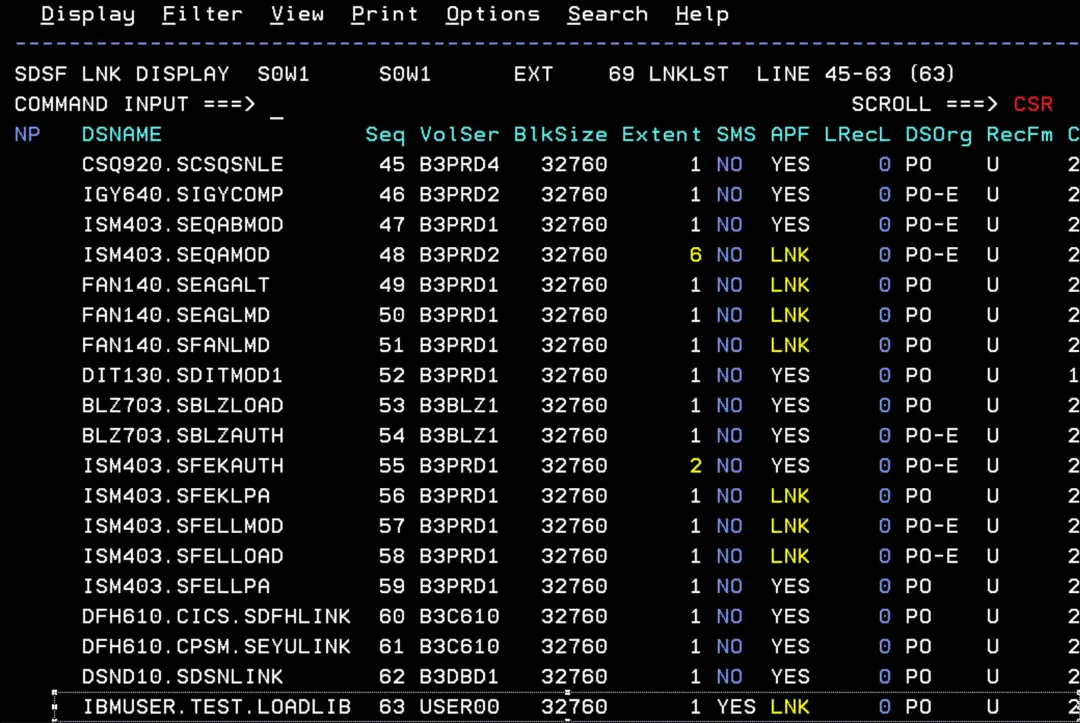
Now, in the LLA display, the “L” column is filled in, which means it is in the LNKLST.
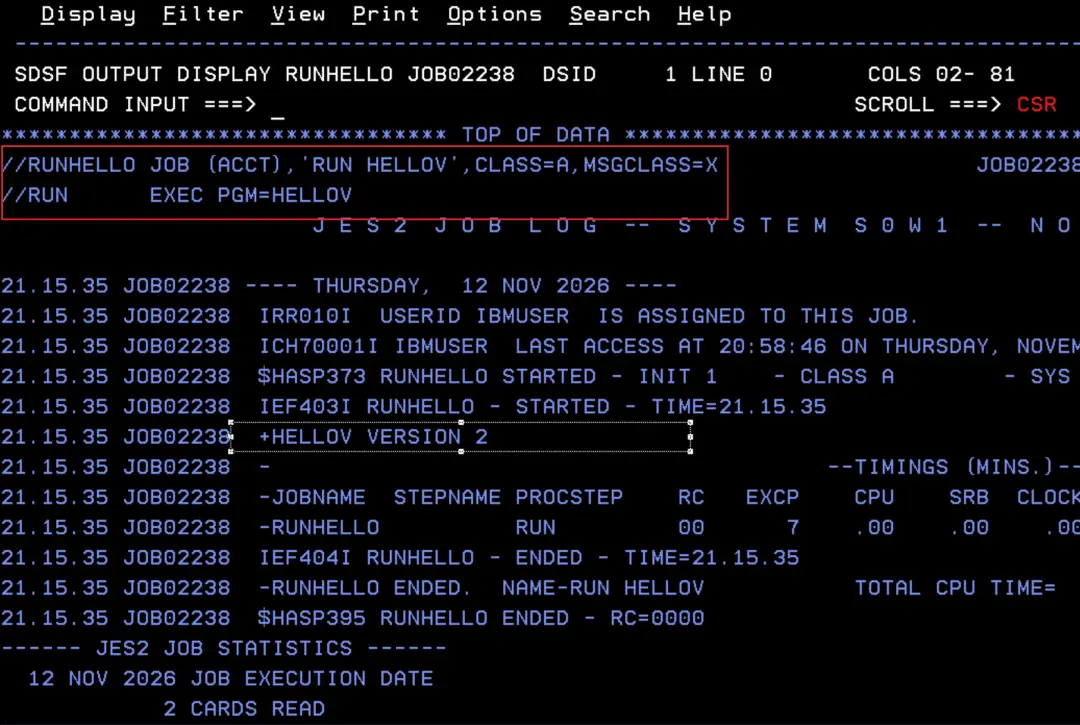
The job no longer has a STEPLIB and still shows VERSION 2.
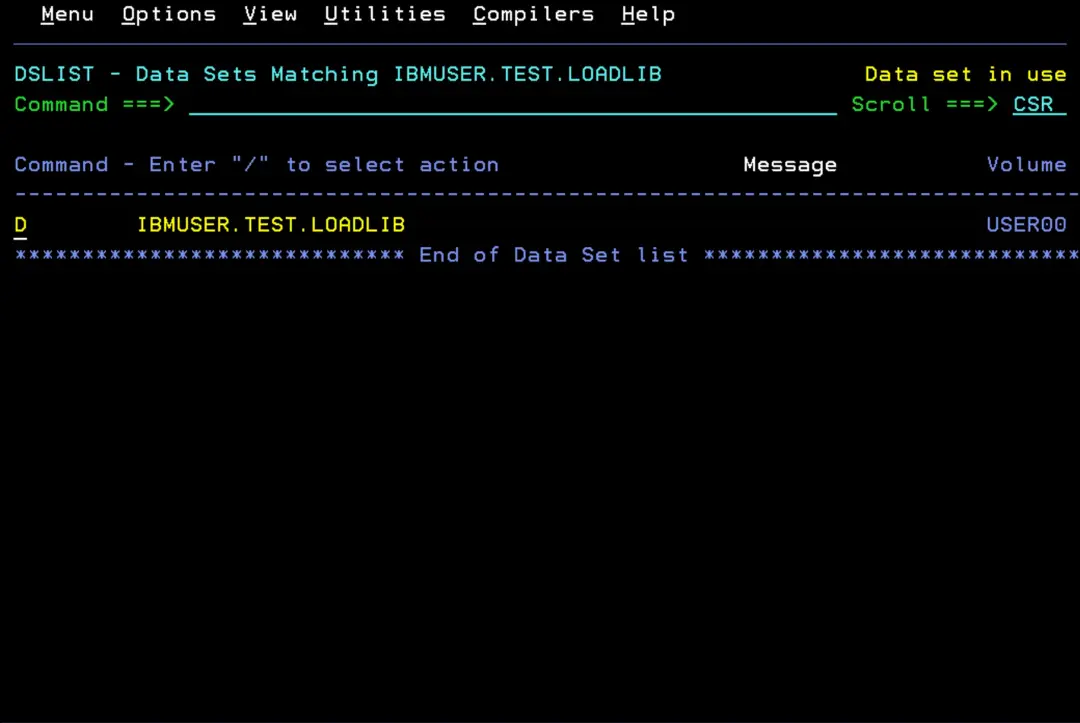
If we try to delete the library again, we get the message “Data set in use”.
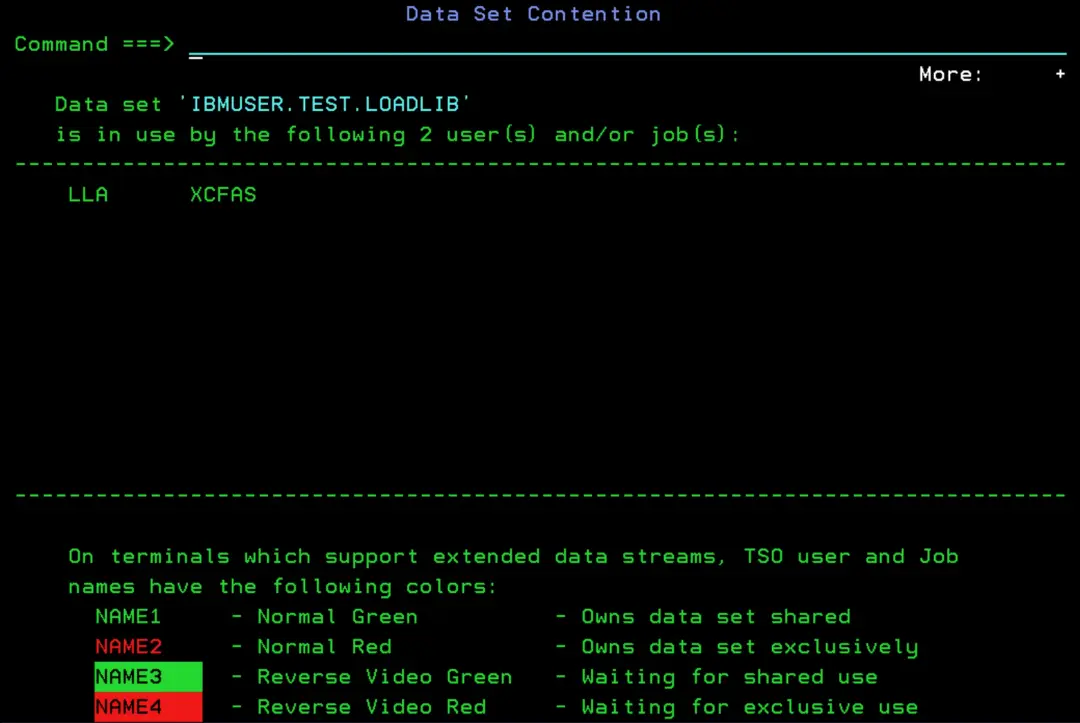
After pressing F1 twice, we can see that it is now in use by LLA and XCFAS.
If we prefer to use a command to see who is using it (just in case we try the delete, nobody is holding it and we delete it for real…), we can use:
D GRS,RES=(SYSDSN,IBMUSER.TEST.LOADLIB)Or also:
D GRS,RES=(*,IBMUSER.TEST.LOADLIB)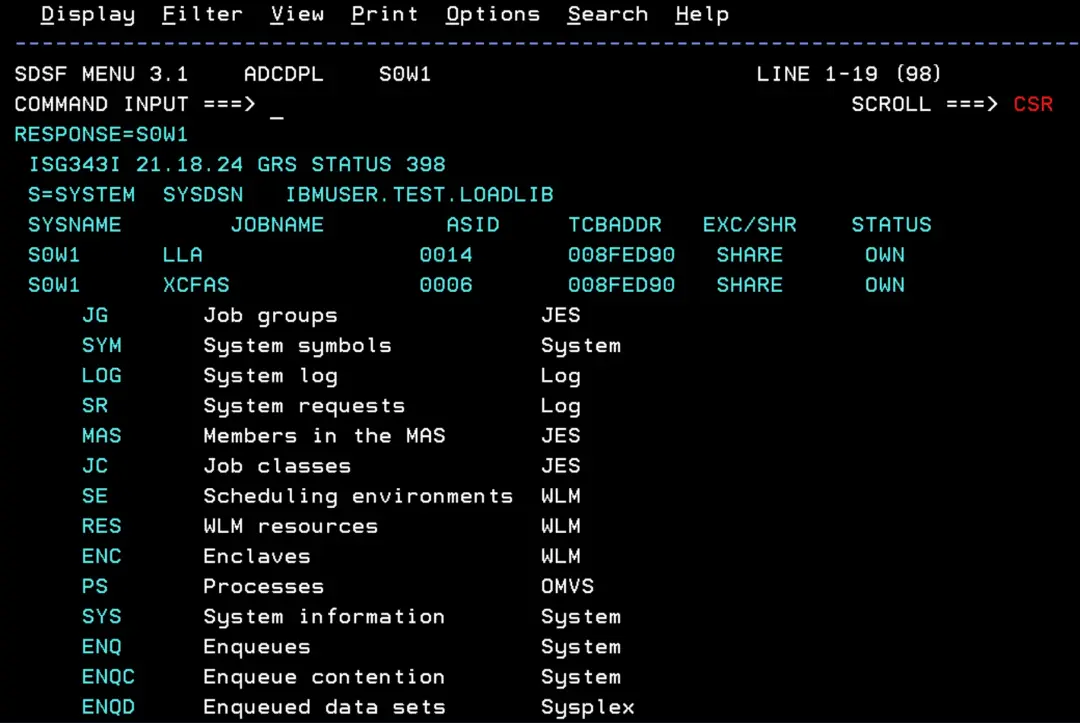
Releasing the XCFAS ENQ: removing it from the LNKLST
📖 Removing or compressing a data set in an active LNKLST set
📖 Updating LNKLST concatenations (SETPROG LNKLST)
Since the active LNKLST cannot be changed, to remove the library we do the same as to add it: we define a new LNKLST by copying the current one, remove the library from it and activate it.
SETPROG LNKLST,DEFINE,NAME=LNKCLEAN,COPYFROM=CURRENT
SETPROG LNKLST,DELETE,NAME=LNKCLEAN,DSNAME=IBMUSER.TEST.LOADLIB
SETPROG LNKLST,ACTIVATE,NAME=LNKCLEAN
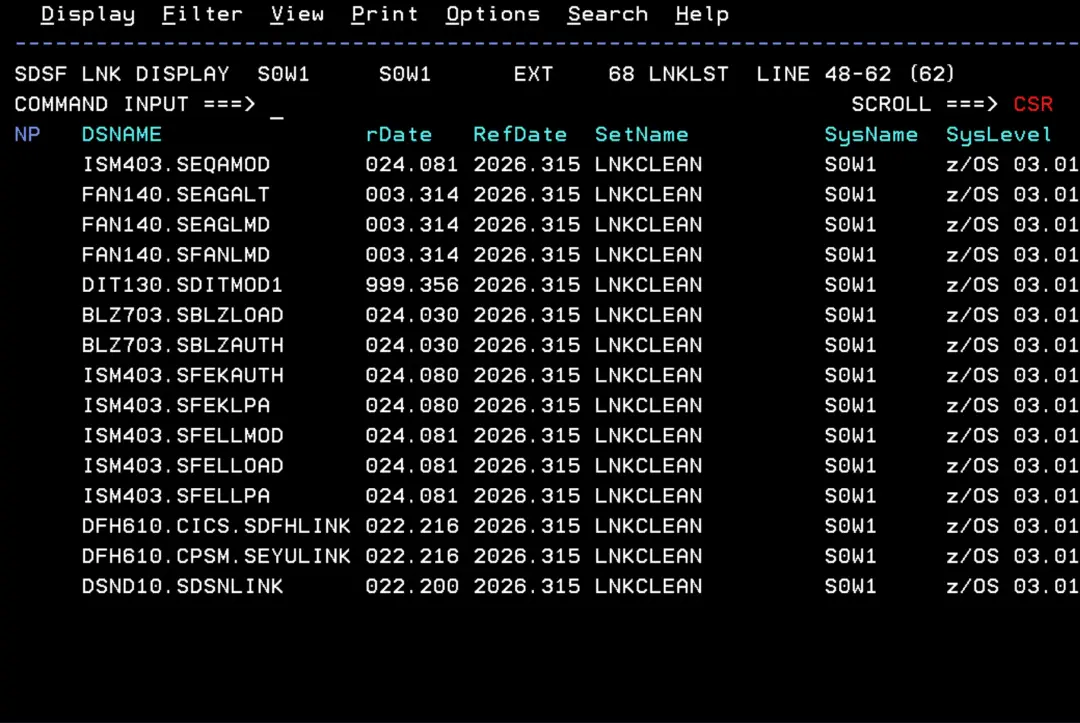
D PROG,LNKLST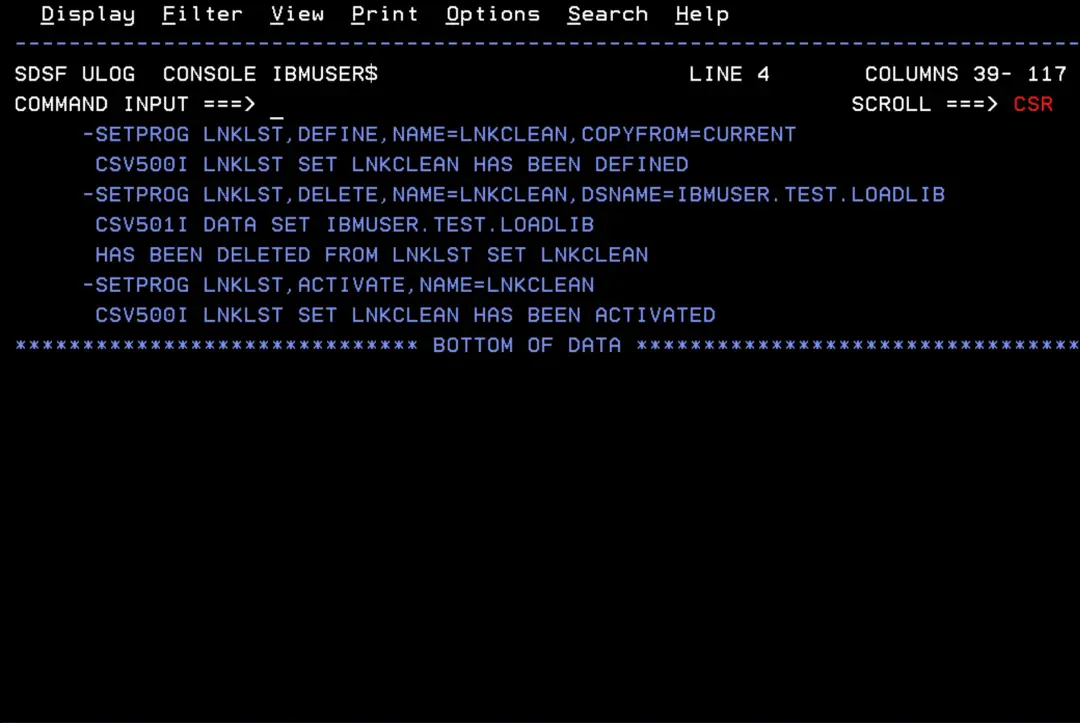
We can see that the active LNKLST is now LNKCLEAN and that the library is not in it.
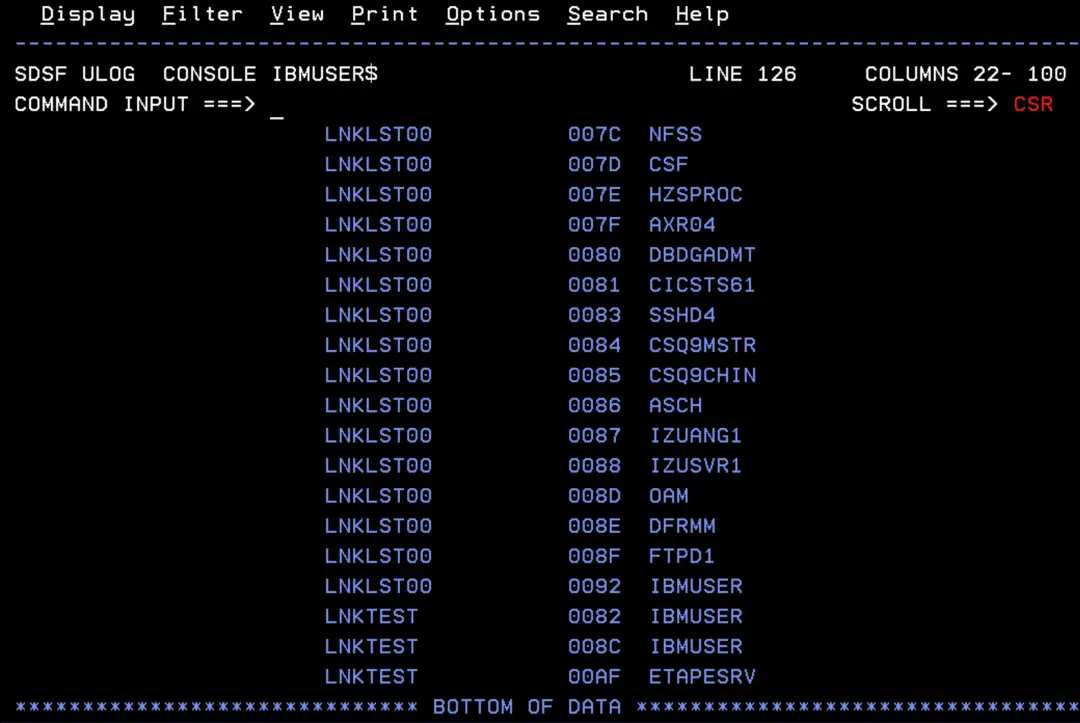
But XCFAS does not release the library while any job is still using the previous LNKLST (LNKTEST): each job keeps the LNKLST that was active when it started. To see who is still on a LNKLST that is not the current one:
D PROG,LNKLST,USERS,NOTCURRENTWe can see that many tasks are still pointing to old LNKLSTs. Almost all of them will be on the original LNKLST, which does not have the library: only the ones using LNKTEST matter to us.
It is also possible to move the jobs to the new LNKLST without stopping them.
But be careful: if a job is loading a program at that very moment, the load can fail or pick up the wrong copy of the module (see the IBM note at the beginning: in production, only in emergencies).
SETPROG LNKLST,UPDATE,JOB=*,DELAY=10Then we check again:
D PROG,LNKLST,USERS,NOTCURRENTThis message appears:
CSV483I ALL LNKLST USERS ARE USING THE CURRENT LNKLST SET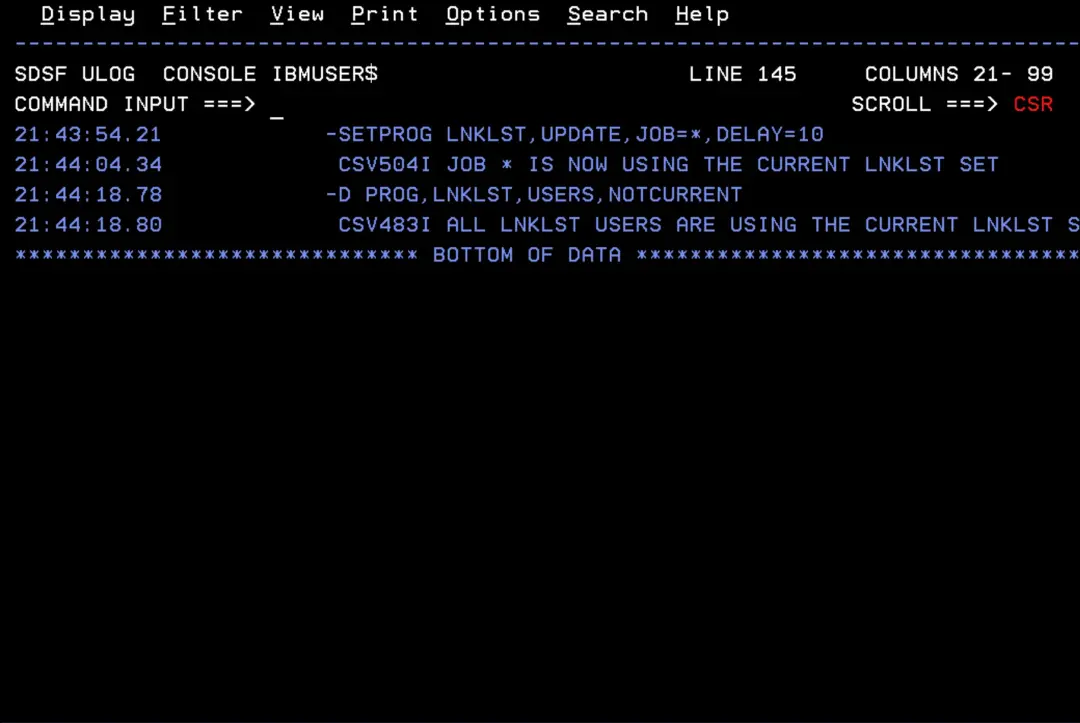
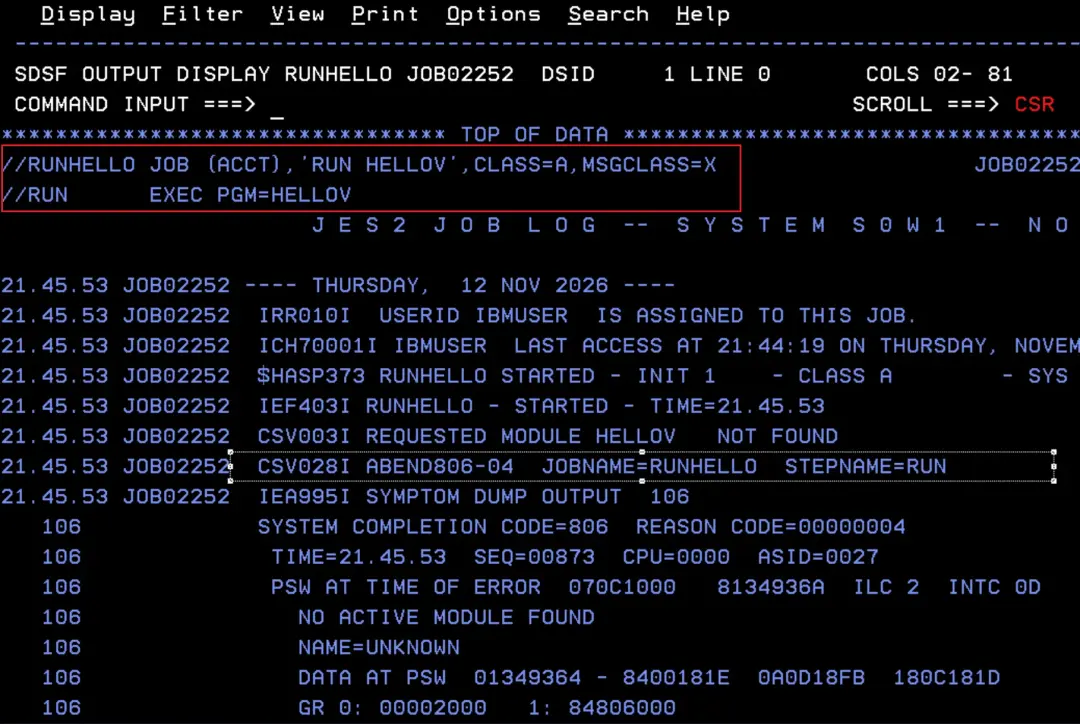
If we now run the job without STEPLIB, it no longer finds HELLOV (abend S806): new jobs use LNKCLEAN, which no longer has the library.
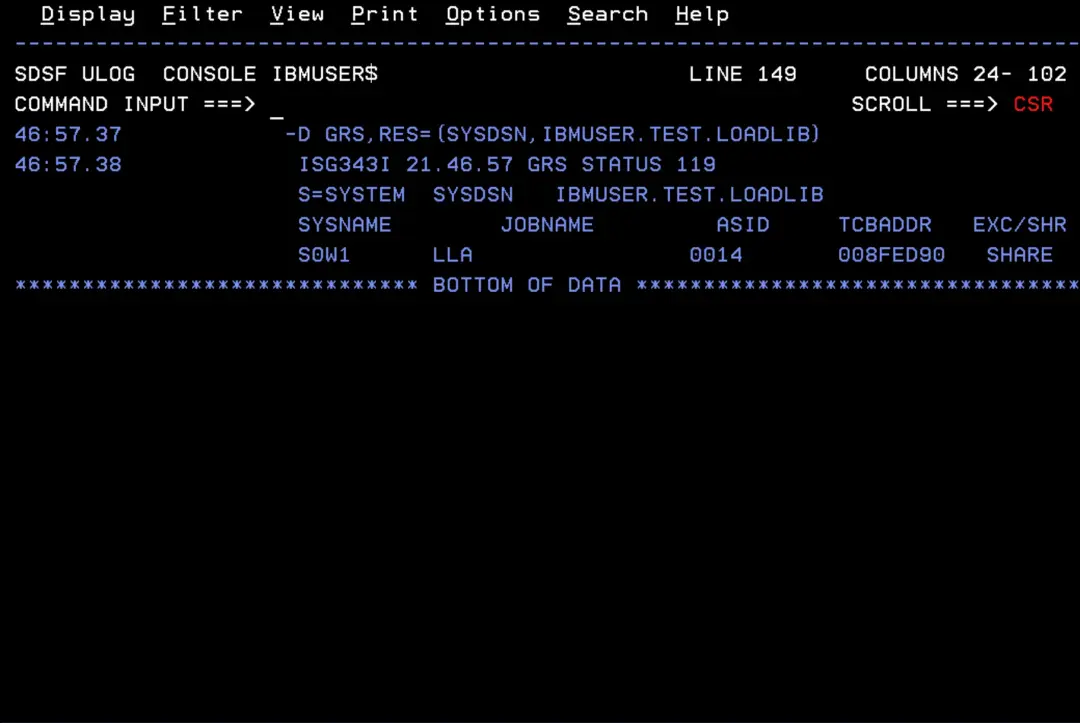
We check again who is holding the library:
D GRS,RES=(SYSDSN,IBMUSER.TEST.LOADLIB)XCFAS no longer shows up: only LLA is left.
Releasing the LLA ENQ: REMOVE
📖 CSVLLAxx (library lookaside list)
You might think that refreshing LLA (F LLA,REFRESH) is enough, but it isn't: a library that has been removed from the LNKLST is still managed by LLA until we explicitly tell it otherwise. IBM explains it in this note: How to remove the LLA enqueue on a library. In our case, we had also added it ourselves with LIBRARIES in CSVLLA01.
To remove it from LLA, I create member CSVLLA03 in PARMLIB with the REMOVE parameter:
REMOVE(IBMUSER.TEST.LOADLIB)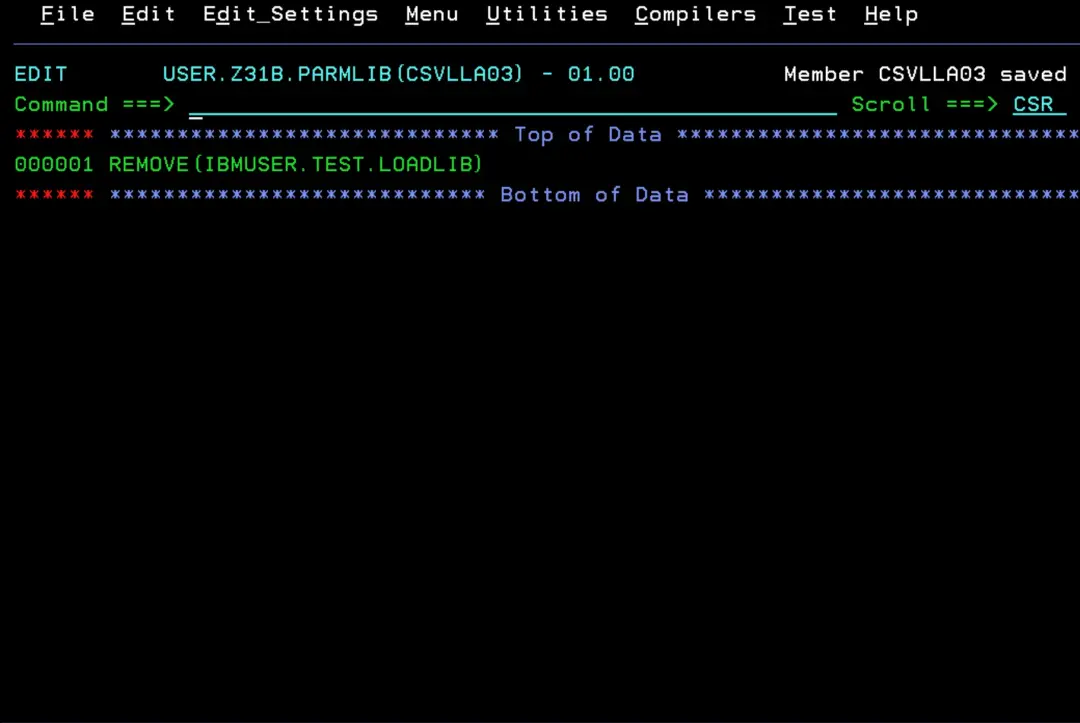
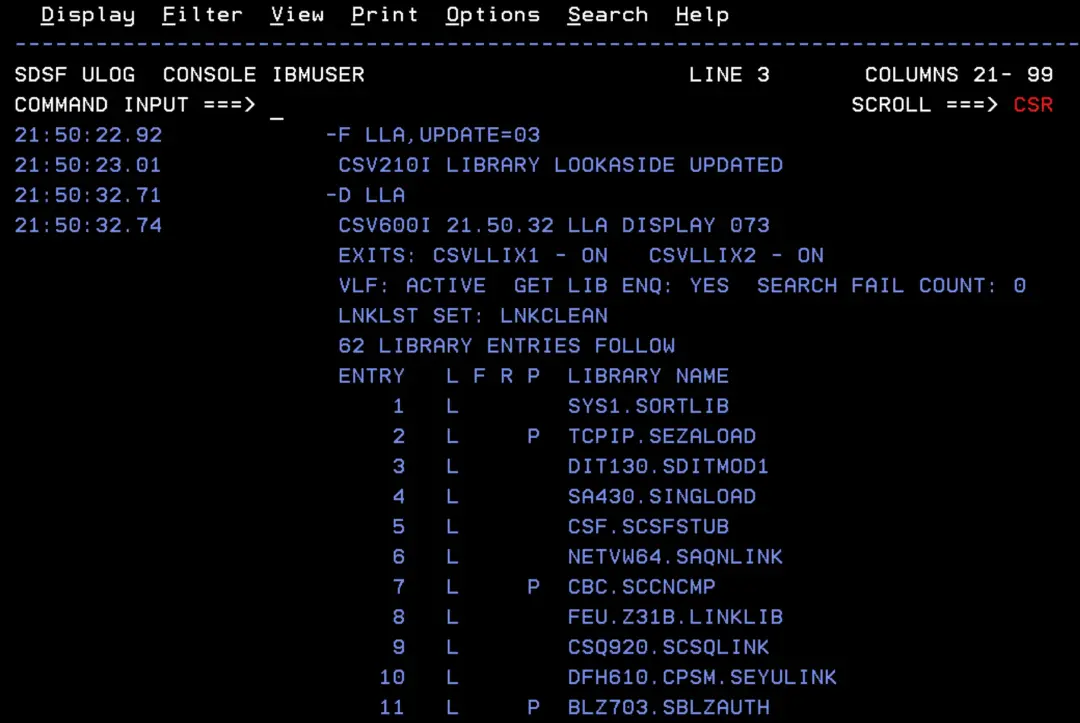
And we apply it:
F LLA,UPDATE=03
D LLA
We can see that the library is no longer in the LLA list.
We check that nobody is holding it anymore:
D GRS,RES=(SYSDSN,IBMUSER.TEST.LOADLIB)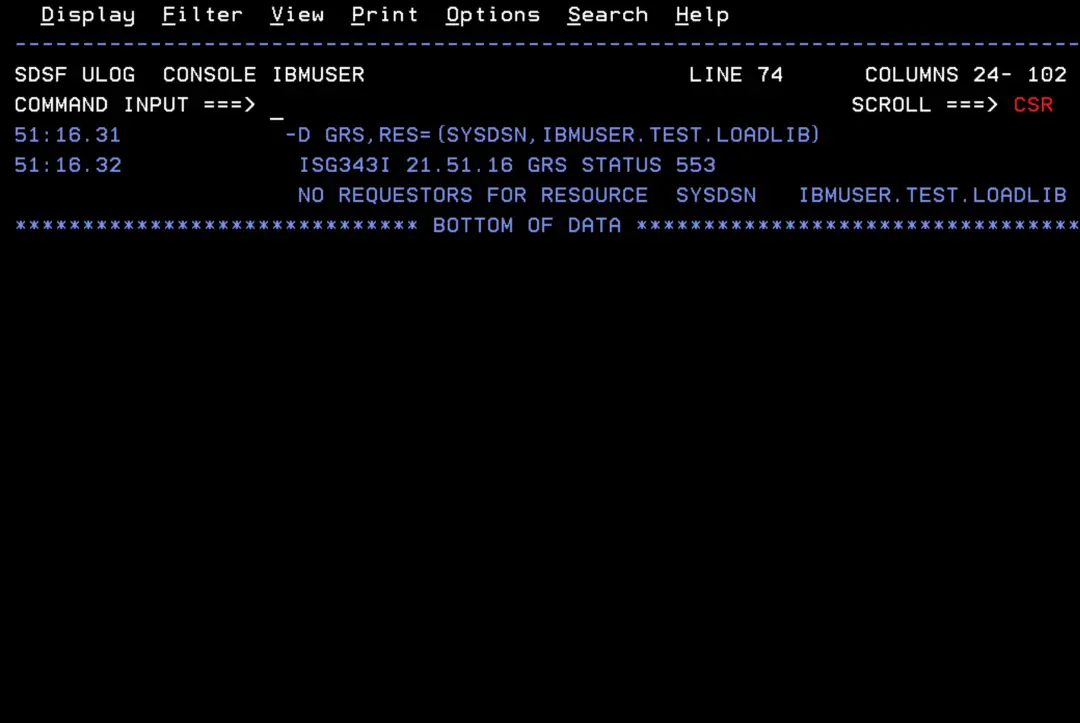
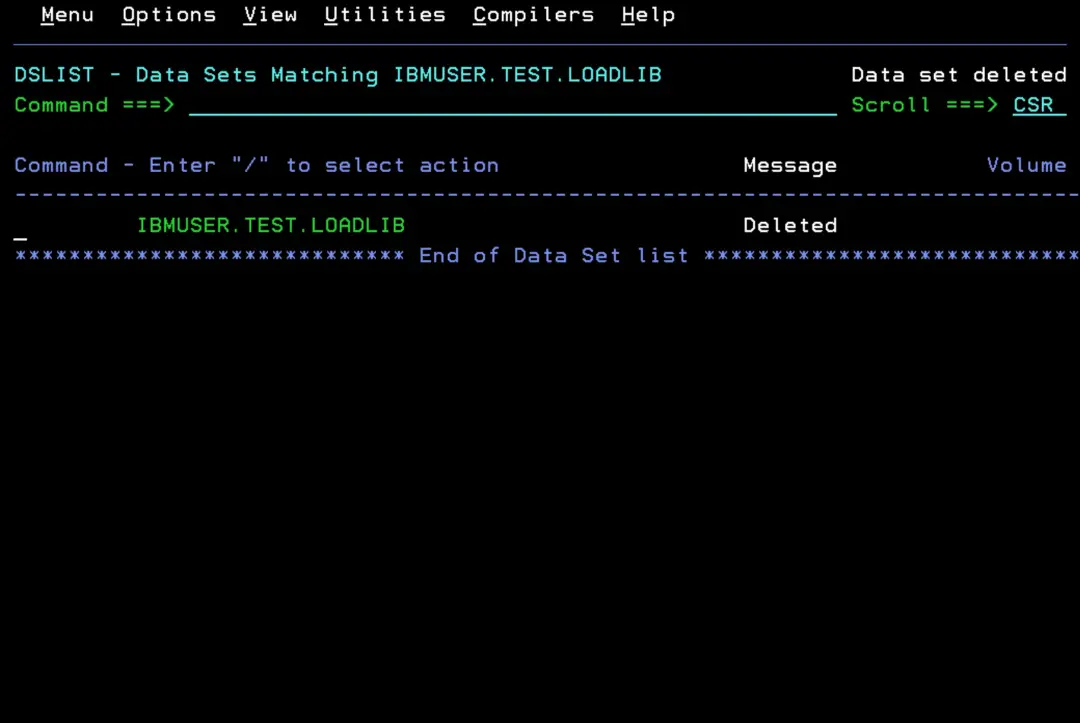
And now we can finally delete it.
Another option would be to stop and start LLA (P LLA and S LLA,SUB=MSTR), but while LLA is down, the whole system loses its benefit. I would not do it unless there is no other way.
Summary
Who holds the library and how to release it:
- XCFAS → remove it from the LNKLST (DEFINE, DELETE, ACTIVATE) and make sure no job is still on the previous LNKLST.
- LLA → REMOVE in CSVLLAxx and F LLA,UPDATE=xx (F LLA,REFRESH is not enough).
References (z/OS 3.1)
- Improving module fetch performance with LLA (MVS Initialization and Tuning Guide)
- Controlling LLA and VLF through operator commands (MVS Initialization and Tuning Guide)
- Identifying members for selective refreshes (MVS Initialization and Tuning Guide)
- CSVLLAxx (library lookaside list) (MVS Initialization and Tuning Reference)
- Statements and parameters for CSVLLAxx (MVS Initialization and Tuning Reference)
- Using the FREEZE|NOFREEZE option (MVS Initialization and Tuning Guide)
- Syntax format of the LNKLST statements (PROGxx)
- Modifying LLA (MVS System Commands)
- Removing or compressing a data set in an active LNKLST set
- MVS System Commands 3.1 (PDF): SETPROG, DISPLAY LLA, DISPLAY PROG,LNKLST and DISPLAY GRS
- Displaying LNKLST information (PROG,LNKLST) (MVS System Commands)
- Updating LNKLST concatenations (SETPROG LNKLST) (MVS System Commands)
- Using the dynamic LNKLST facility safely and properly (IBM Support)
- How to remove the LLA enqueue on a library (IBM Support)