Create a user for Python batch scripts (RACF)
In the article pySDSF on z/OS 3.2: watch the spool and alert on Microsoft Teams the script worked from OMVS, but not in batch. My user, IBMUSER, has UID 0, the same as BPXROOT. In batch, the job ends up with the BPXROOT identity: it does not find my .profile and JES2 rejects the $D SPOOL with $HASP690 COMMAND REJECTED - AUTHORIZATION FAILURE.
IBM recommends not sharing UID 0, so the clean solution is a user only for these scripts, PYBATCH, with its own UID and only the permissions it needs. Also, with the SURROGAT class, other users can run jobs as PYBATCH without knowing any password.
In this article I don't give all the permissions at once. I run the job, check what RACF rejects in the system log (ICH408I messages) and give only that permission. This shows how to find out what a new user needs, which is what helps in any similar case.
For SDSF and the console commands I won't create new profiles, so as not to affect the rest of the system: I use the generic profiles that already exist and only add PYBATCH to them. The only new profiles are PYBATCH's own: the SURROGAT one and the one for its data sets.
What the user needs
- Its own group, PYGRP, with its GID.
- The PYBATCH user, with no password (it is only for batch: nobody can log on to TSO with it), with its UID, its HOME (
/u/pybatch) and/bin/shas shell. - Its own ALIAS, pointing to the system user catalog (CATALOG.VS01.TSO), and a RACF profile to protect its data sets.
- In its HOME, its
.profile, its.teams_webhookand the scripts. - Permission for IBMUSER to run jobs as PYBATCH (SURROGAT class).
- Permission to use SDSF and issue the
$D SPOOLcommand from it (SDSF and OPERCMDS classes).
How security is set up in the stock image
Before creating anything, I check which RACF classes are active and which profiles exist, with a query job (it changes nothing):
//RACFLST  JOB (ACCT),'RACF CHECK',CLASS=A,MSGCLASS=X,NOTIFY=&SYSUID
//* List the RACF options and profiles needed to plan the PYBATCH user
//* (read-only: nothing is changed)
//RACF     EXEC PGM=IKJEFT01
//SYSTSPRT DD SYSOUT=*
//SYSTSIN  DD *
 SETROPTS LIST
 RLIST OPERCMDS JES2.DISPLAY.SPOOL
 RLIST SURROGAT *.SUBMIT
 RLIST FACILITY BPX.NEXT.USER ALL
 RLIST UNIXPRIV SHARED.IDS
 RLIST OPERCMDS JES2.* AUTHUSER
/*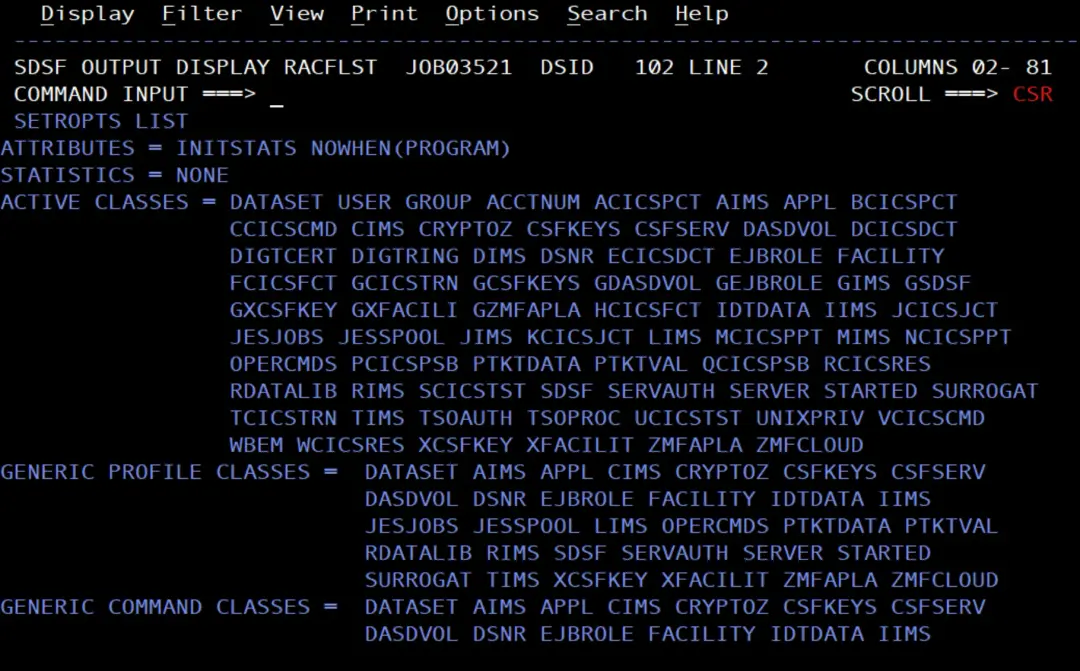
On my system:
- OPERCMDS, SURROGAT, SDSF and JESSPOOL are active and RACLISTed. That is why, after each change, they must be refreshed with
SETROPTS RACLIST(...) REFRESH.
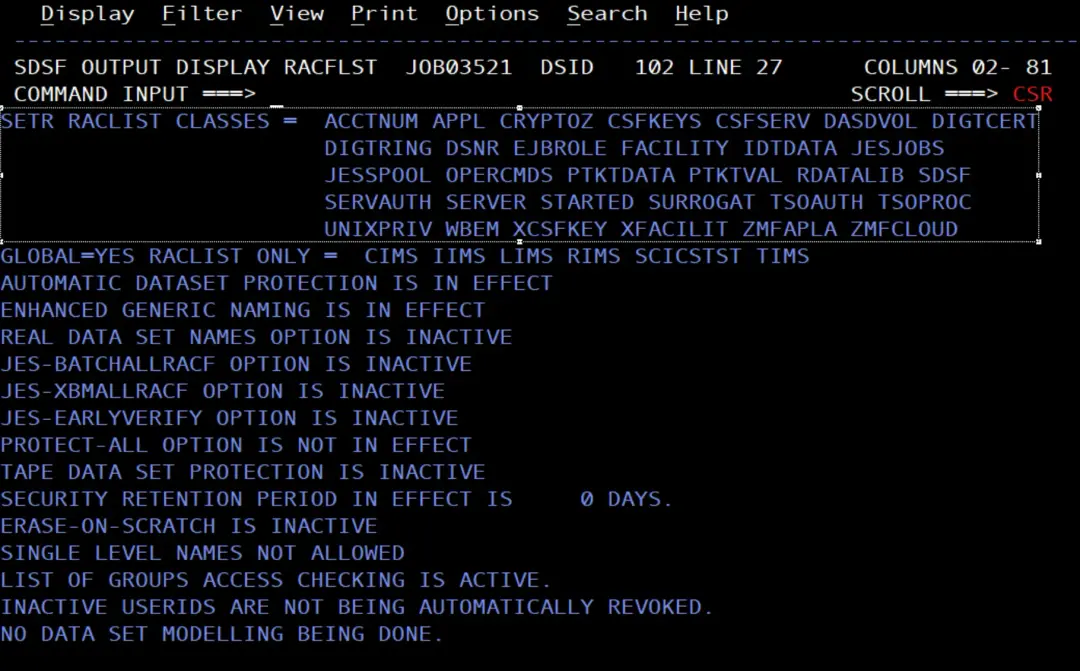
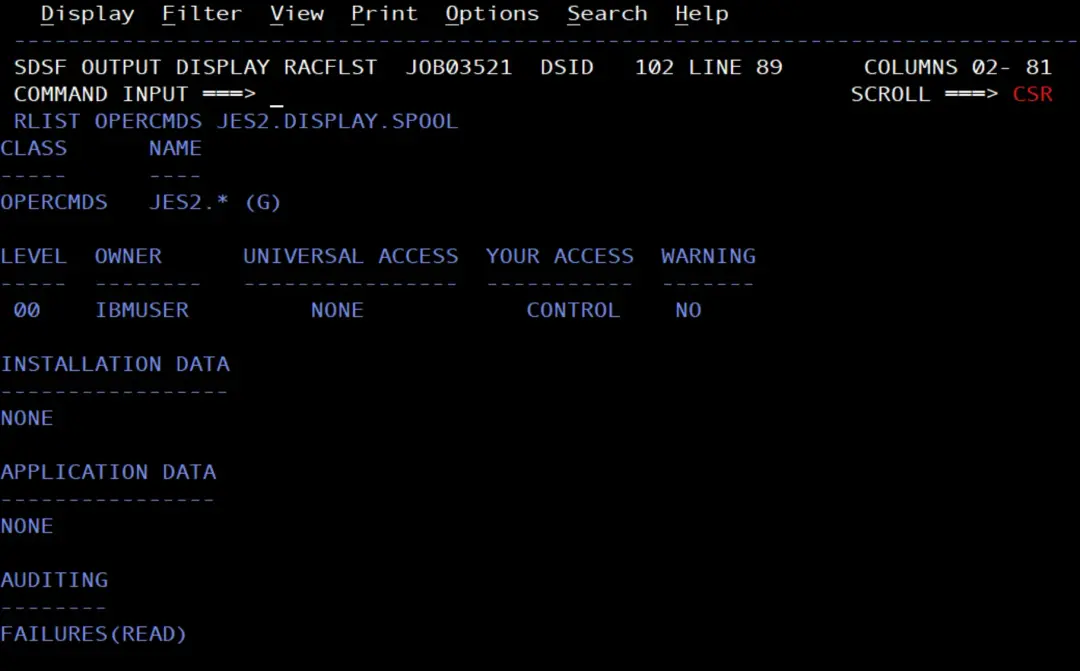
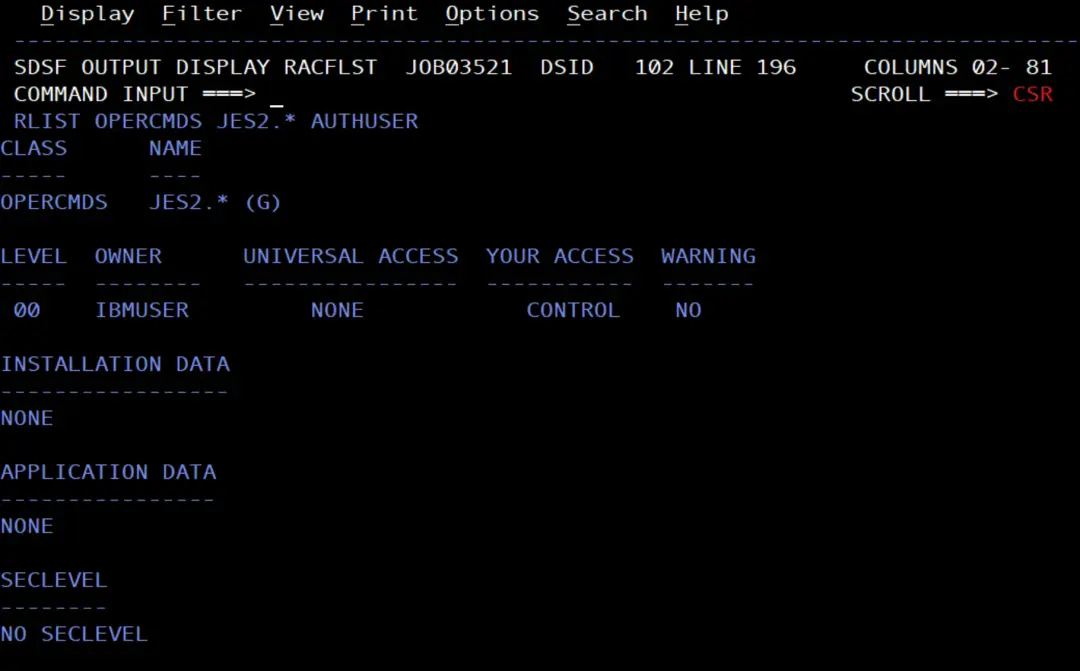
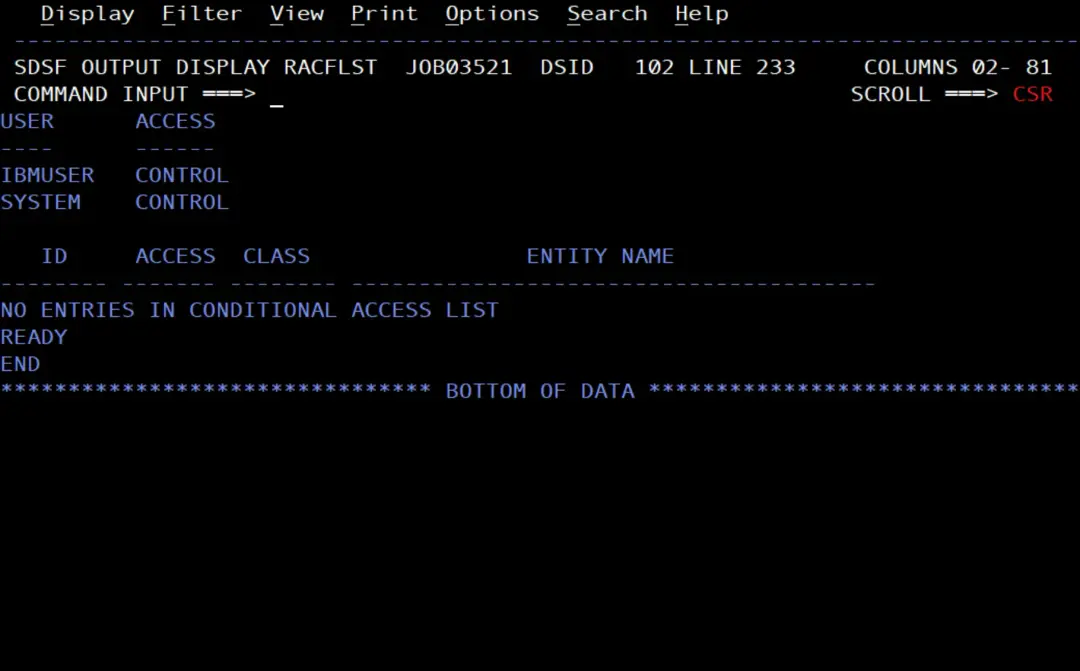
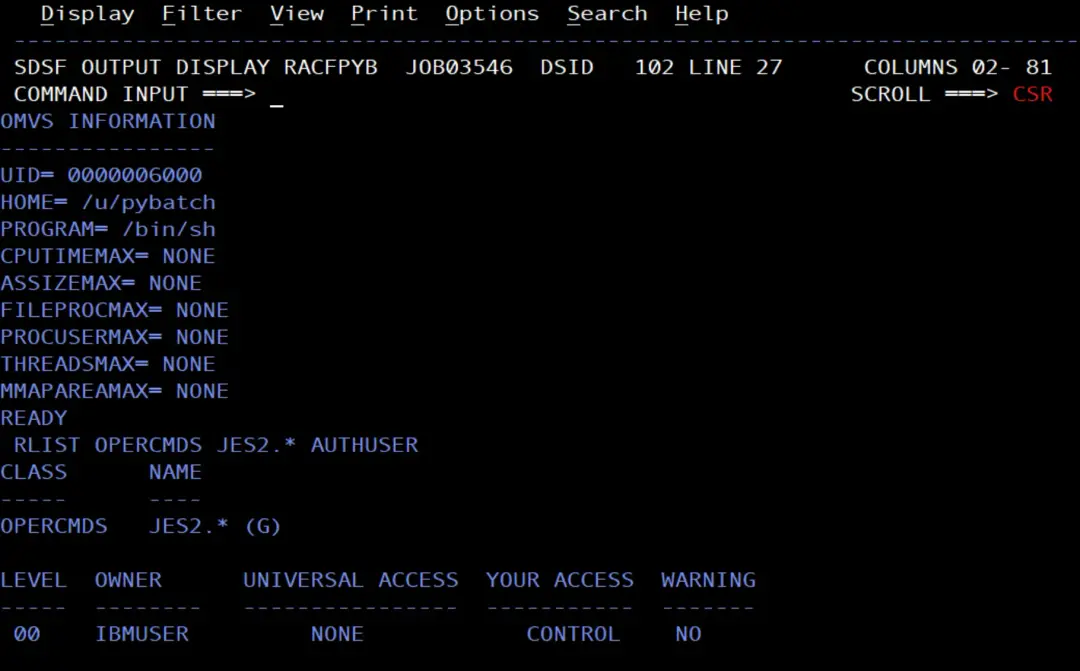
$D SPOOLis protected by the generic profileJES2.*, with UACC NONE. Only IBMUSER and SYSTEM have access, with CONTROL.
- There is no
*.SUBMITprofile in SURROGAT.

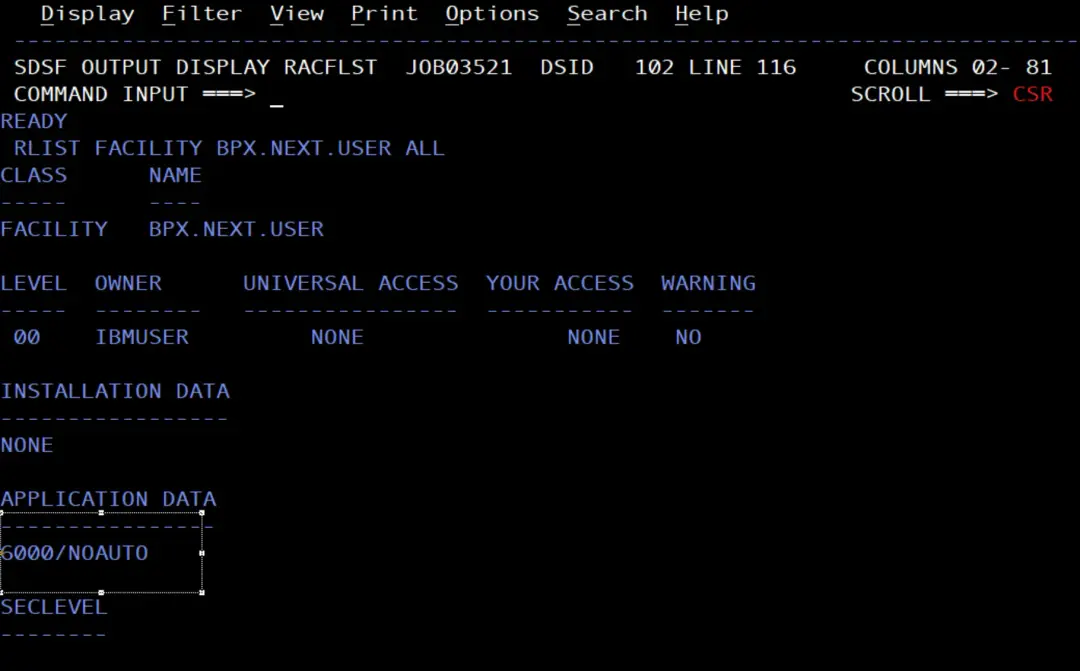
BPX.NEXT.USERexists with the data6000/NOAUTO: RACF assigns only UIDs automatically, from 6000 (AUTOUID), but not GIDs, so the group's GID has to be set by hand.
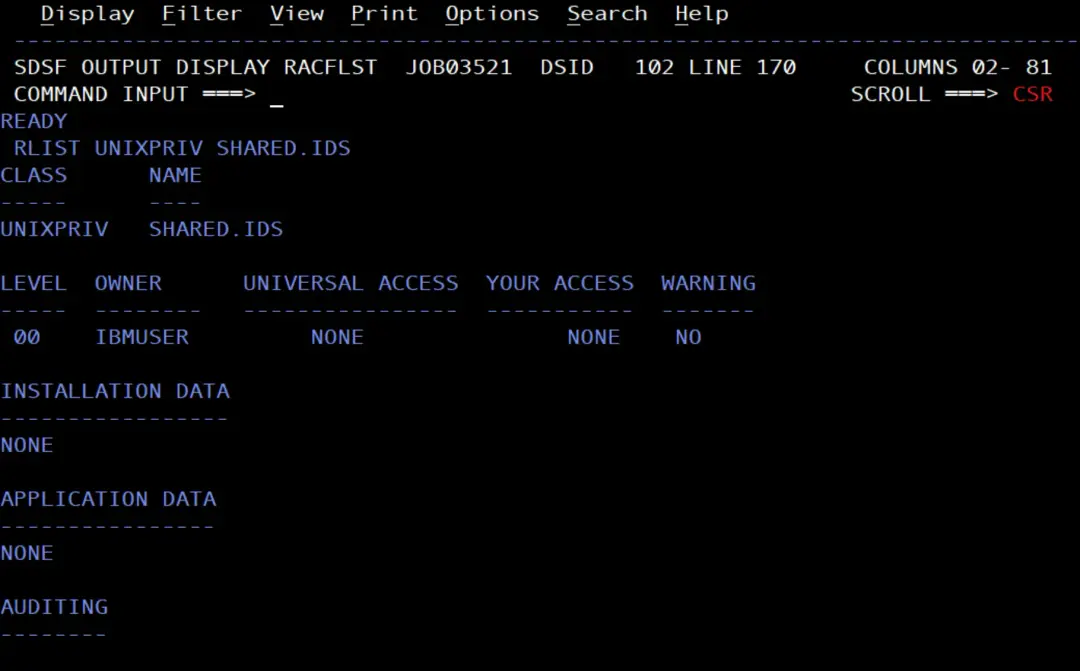
SHARED.IDSexists: RACF does not allow a repeated UID or GID. If I choose one that is already in use, the command fails without breaking anything.
Create the user with a job
I make the changes with a job, which can be repeated and is documented:
//RACFPYB  JOB (ACCT),'RACF PYBATCH',CLASS=A,MSGCLASS=X,NOTIFY=&SYSUID
//* Create the PYBATCH user for Python batch scripts:
//* group with its own GID, user with its own UID and no password,
//* surrogate submit and JES2 display command authority
//RACF     EXEC PGM=IKJEFT01
//SYSTSPRT DD SYSOUT=*
//SYSTSIN  DD *
 ADDGROUP PYGRP SUPGROUP(SYS1) OWNER(SYS1) OMVS(GID(6000))
 ADDUSER PYBATCH DFLTGRP(PYGRP) OWNER(SYS1) NOPASSWORD -
   NAME('PYTHON BATCH') -
   OMVS(AUTOUID HOME('/u/pybatch') PROGRAM('/bin/sh'))
 RDEFINE SURROGAT PYBATCH.SUBMIT UACC(NONE) OWNER(SYS1)
 PERMIT PYBATCH.SUBMIT CLASS(SURROGAT) ID(IBMUSER) ACCESS(READ)
 PERMIT JES2.* CLASS(OPERCMDS) ID(PYBATCH) ACCESS(READ)
 SETROPTS RACLIST(SURROGAT OPERCMDS) REFRESH
 LISTUSER PYBATCH OMVS NORACF
 RLIST OPERCMDS JES2.* AUTHUSER
/*
Step by step:
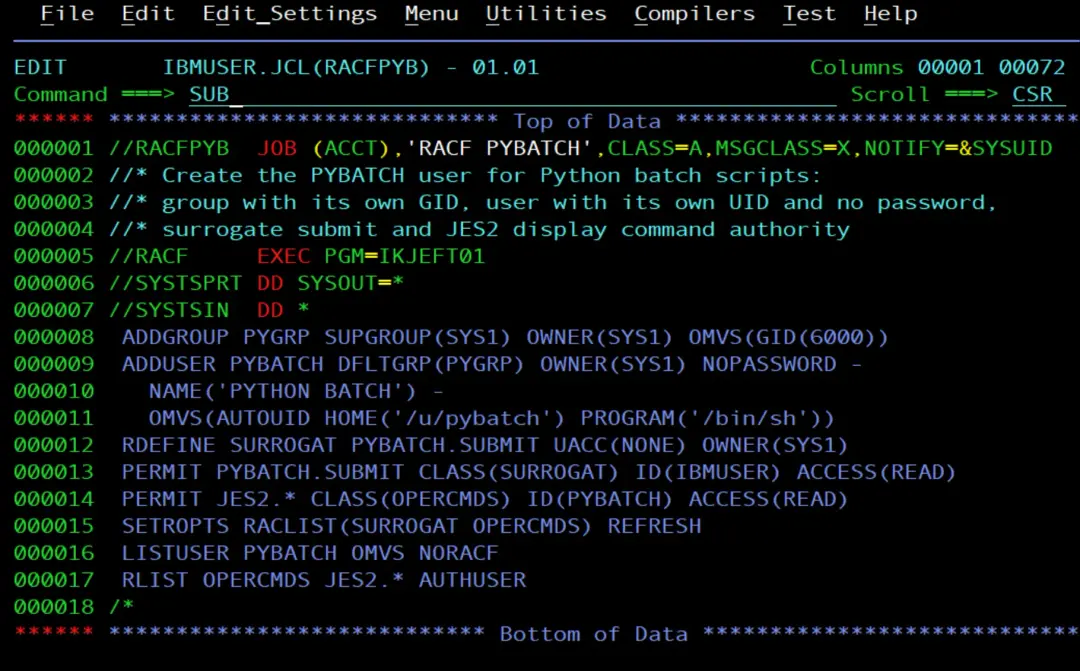
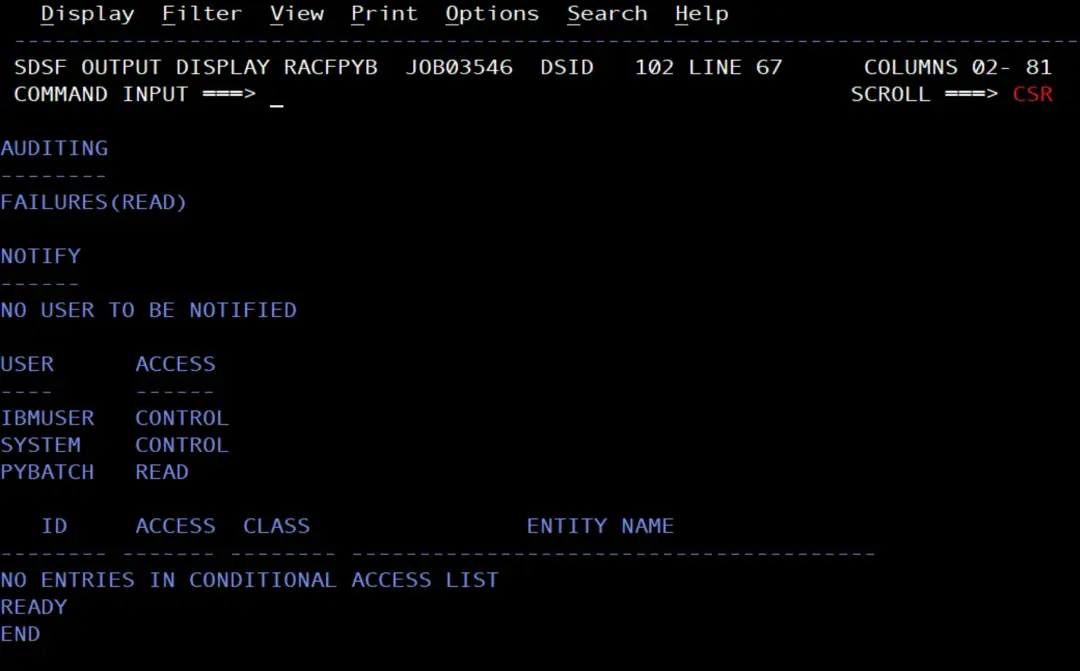
ADDGROUPcreates the PYGRP group with GID 6000.ADDUSER ... NOPASSWORDcreates a protected user: it has no password, so nobody can log on to TSO with it.AUTOUIDgives it the next free UID from 6000.PYBATCH.SUBMITin SURROGAT, with READ for IBMUSER: IBMUSER can run jobs withUSER=PYBATCHwithout a password.PERMIT JES2.*with READ: PYBATCH can issue the JES2 commands that only display information, such as$D SPOOL. The ones that change something require UPDATE or CONTROL, so it cannot issue them.SETROPTS ... REFRESHapplies the changes in both classes, which are RACLISTed.LISTUSERandRLISTshow the result.
The alias and data sets of PYBATCH
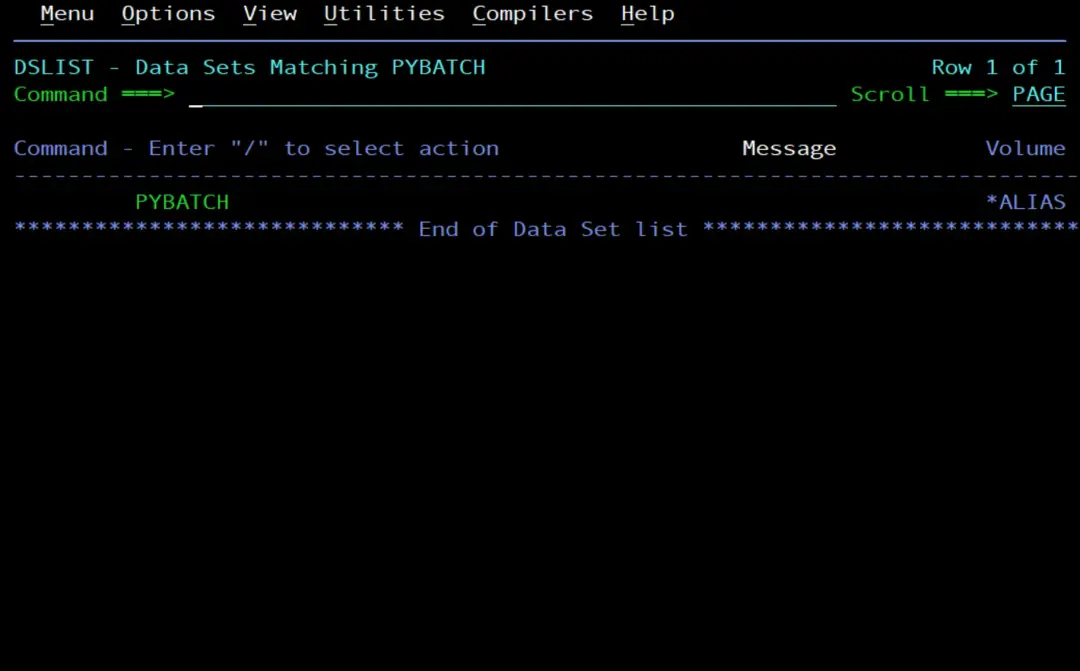
When we create a user, the right thing is to also give it its ALIAS, pointing to the user catalog that applies on the system, and a RACF profile to protect its data sets. That way, everything created with its name as the high-level qualifier is cataloged in that catalog and not in the master catalog. I use the same user catalog as IBMUSER.
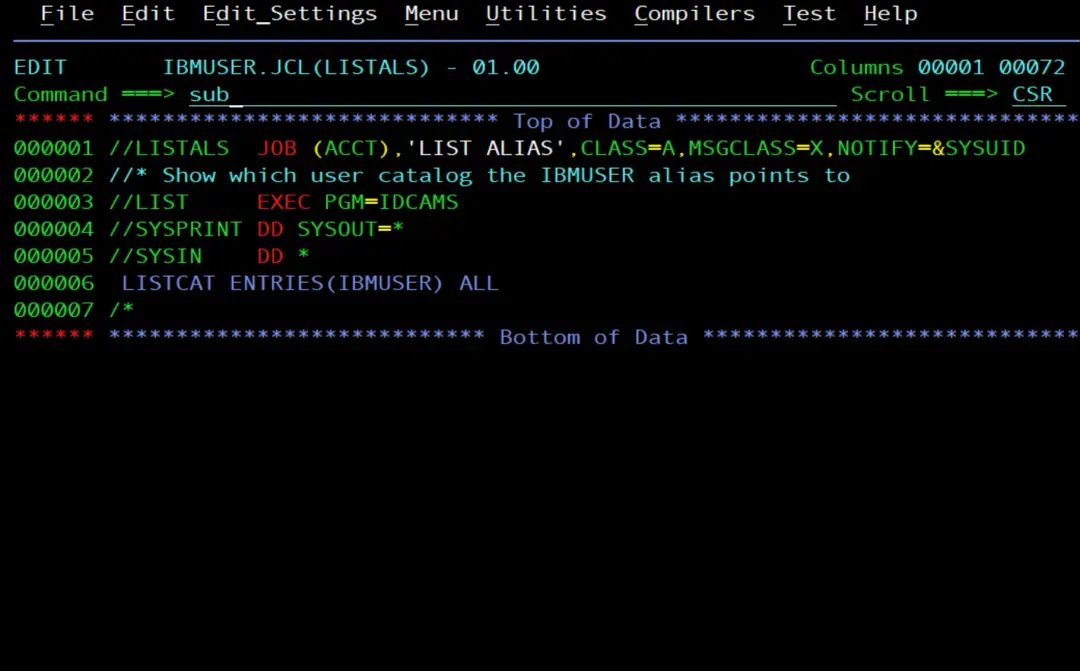
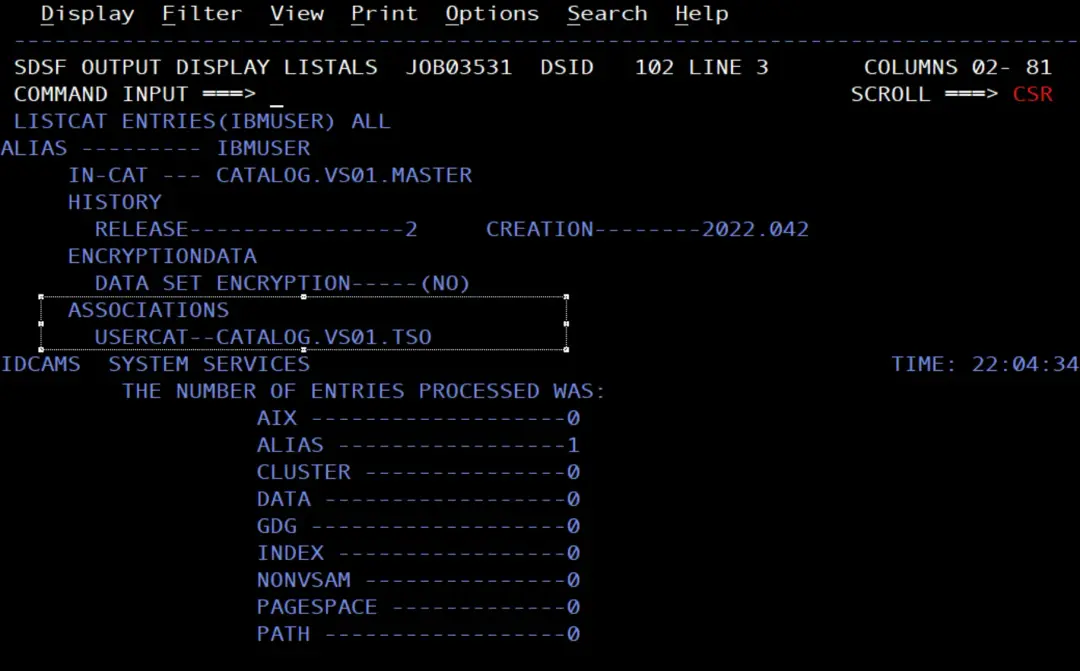
To find out which catalog IBMUSER uses:
//LISTALS  JOB (ACCT),'LIST ALIAS',CLASS=A,MSGCLASS=X,NOTIFY=&SYSUID
//* Show which user catalog the IBMUSER alias points to
//LIST     EXEC PGM=IDCAMS
//SYSPRINT DD SYSOUT=*
//SYSIN    DD *
 LISTCAT ENTRIES(IBMUSER) ALL
/*
In ASSOCIATIONS it shows USERCAT--CATALOG.VS01.TSO.
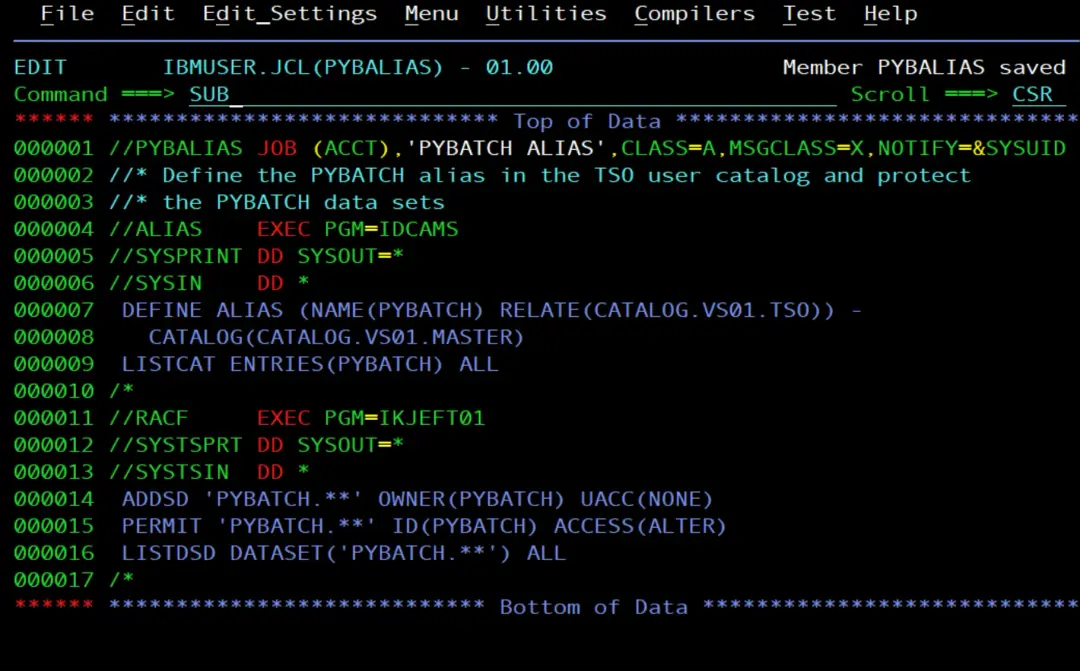
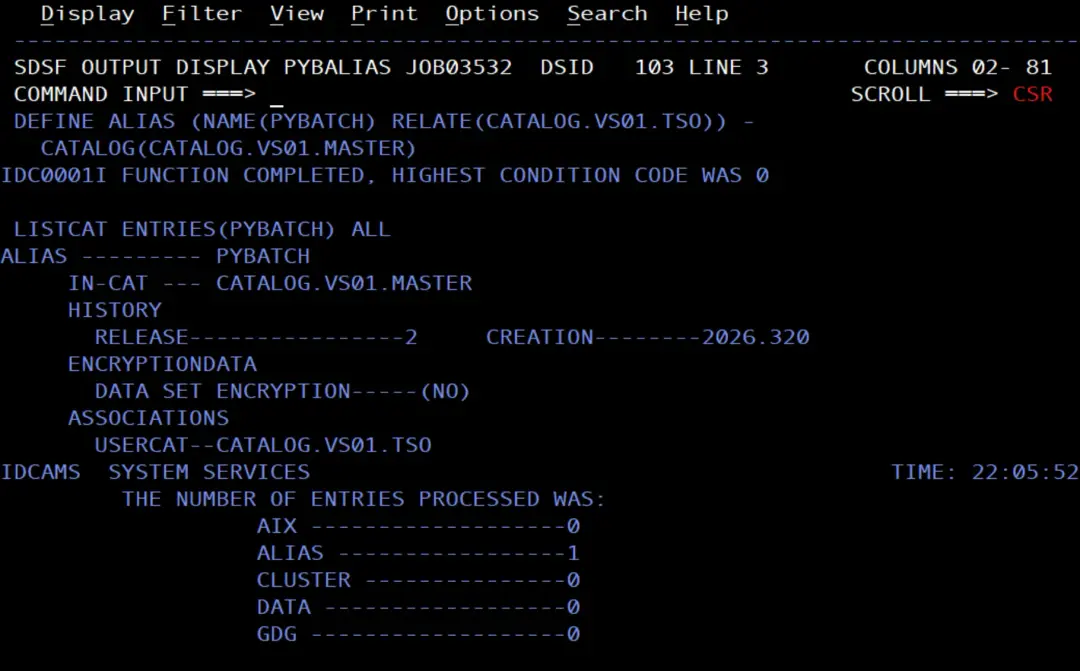
I create the PYBATCH alias, pointing to that catalog, and the profile for its data sets:
//PYBALIAS JOB (ACCT),'PYBATCH ALIAS',CLASS=A,MSGCLASS=X,NOTIFY=&SYSUID
//* Define the PYBATCH alias in the TSO user catalog and protect
//* the PYBATCH data sets
//ALIAS    EXEC PGM=IDCAMS
//SYSPRINT DD SYSOUT=*
//SYSIN    DD *
 DEFINE ALIAS (NAME(PYBATCH) RELATE(CATALOG.VS01.TSO)) -
   CATALOG(CATALOG.VS01.MASTER)
 LISTCAT ENTRIES(PYBATCH) ALL
/*
//RACF     EXEC PGM=IKJEFT01
//SYSTSPRT DD SYSOUT=*
//SYSTSIN  DD *
 ADDSD 'PYBATCH.**' OWNER(PYBATCH) UACC(NONE)
 PERMIT 'PYBATCH.**' ID(PYBATCH) ACCESS(ALTER)
 LISTDSD DATASET('PYBATCH.**') ALL
/*
DEFINE ALIAScreates the alias in the master catalog and relates it toCATALOG.VS01.TSO: PYBATCH's data sets are cataloged there.ADDSD 'PYBATCH.**'protects its data sets with UACC NONE and thePERMITgives ALTER to PYBATCH. Only those in the profile's access list can access them;LISTDSDshows that list.
The HOME of PYBATCH
With a job run by IBMUSER I create its HOME with a folder for the scripts, copy the .profile, the webhook file and the scripts, and give them to PYBATCH:
//PYBHOME  JOB (ACCT),'PYBATCH HOME',CLASS=A,MSGCLASS=X,NOTIFY=&SYSUID
//* Create the PYBATCH home directory with its profile, webhook file
//* and Python scripts, owned by PYBATCH
//SHELL    EXEC PGM=IKJEFT01
//SYSEXEC  DD DSN=SYS1.SBPXEXEC,DISP=SHR
//SYSTSPRT DD SYSOUT=*
//SYSTSIN  DD *
 OSHELL mkdir -p /u/pybatch/scripts
 OSHELL cp /u/ibmuser/.profile /u/pybatch/.profile
 OSHELL cp /u/ibmuser/.teams_webhook /u/pybatch/.teams_webhook
 OSHELL cp /u/ibmuser/scripts/*.py /u/pybatch/scripts/
 OSHELL chtag -tc ISO8859-1 /u/pybatch/scripts/*.py
 OSHELL chown -R PYBATCH:PYGRP /u/pybatch
 OSHELL chmod 750 /u/pybatch /u/pybatch/scripts
 OSHELL chmod 600 /u/pybatch/.teams_webhook
 OSHELL chmod 640 /u/pybatch/.profile /u/pybatch/scripts/*.py
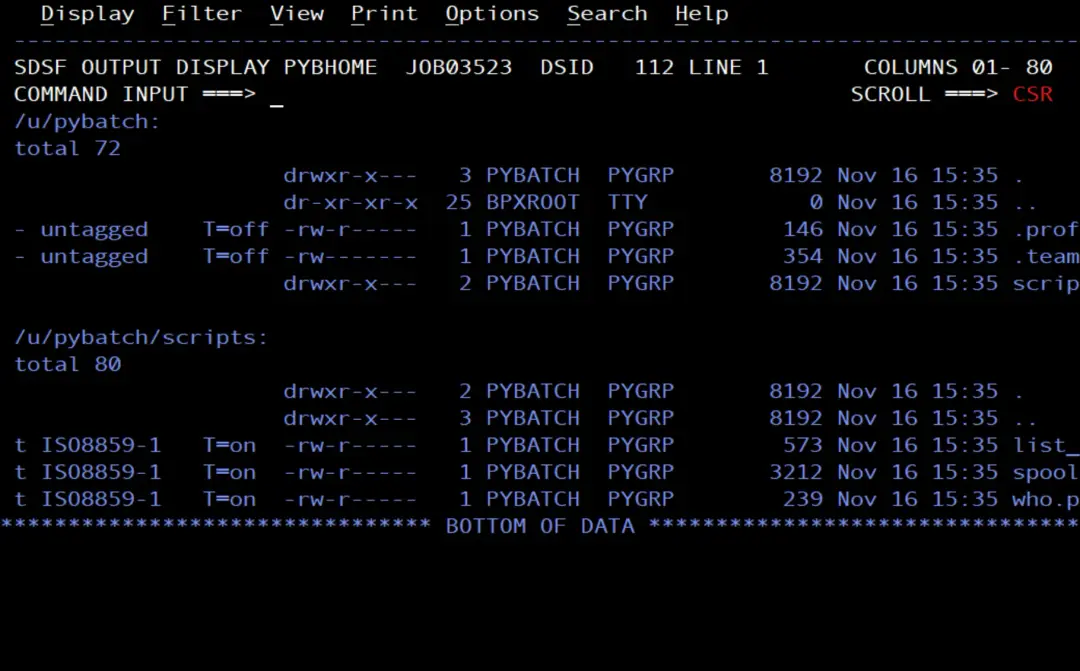
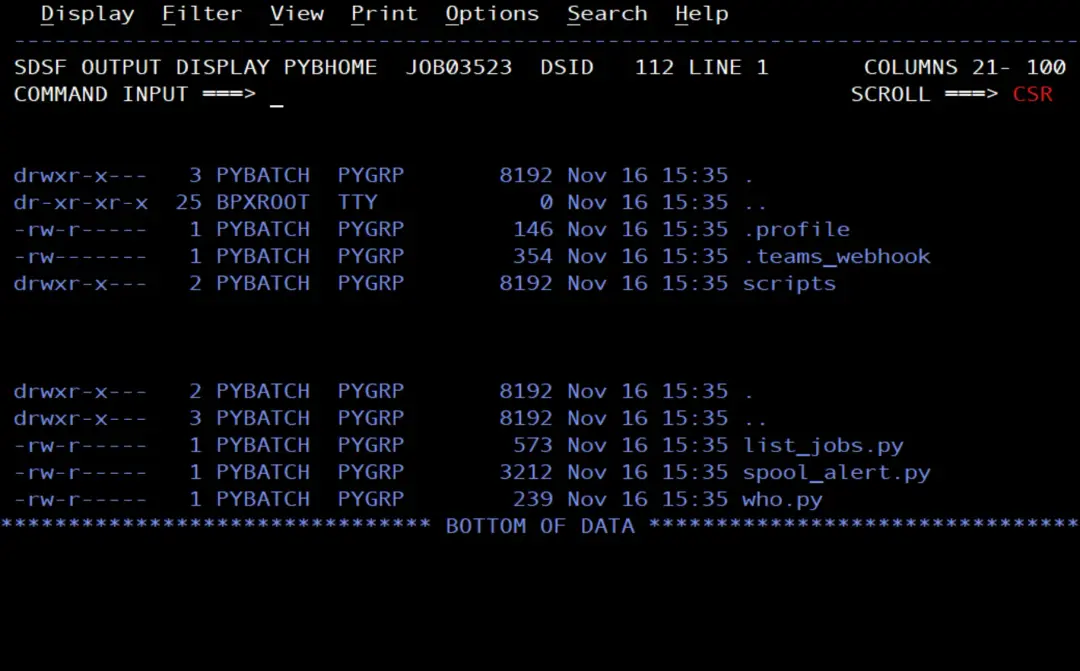
 OSHELL ls -laT /u/pybatch /u/pybatch/scripts
/*
This time I do it with a job (instead of from TSO OMVS), to show different ways to do the same thing. That way you can use the most suitable one in each case.
Each OSHELL line runs a z/OS UNIX shell command from TSO in batch, and its output goes to SYSTSPRT. OSHELL is a REXX exec in SYS1.SBPXEXEC; that is why that library is in the SYSEXEC DD. The file names are in lowercase, so the JCL is edited with CAPS OFF.
The .profile is the same as mine: it puts Python 3.13 in the PATH, sets the LIBPATH and the time zone, and loads $HOME/.teams_webhook. As $HOME is now /u/pybatch, it loads PYBATCH's file. The webhook URL is still not in any JCL.
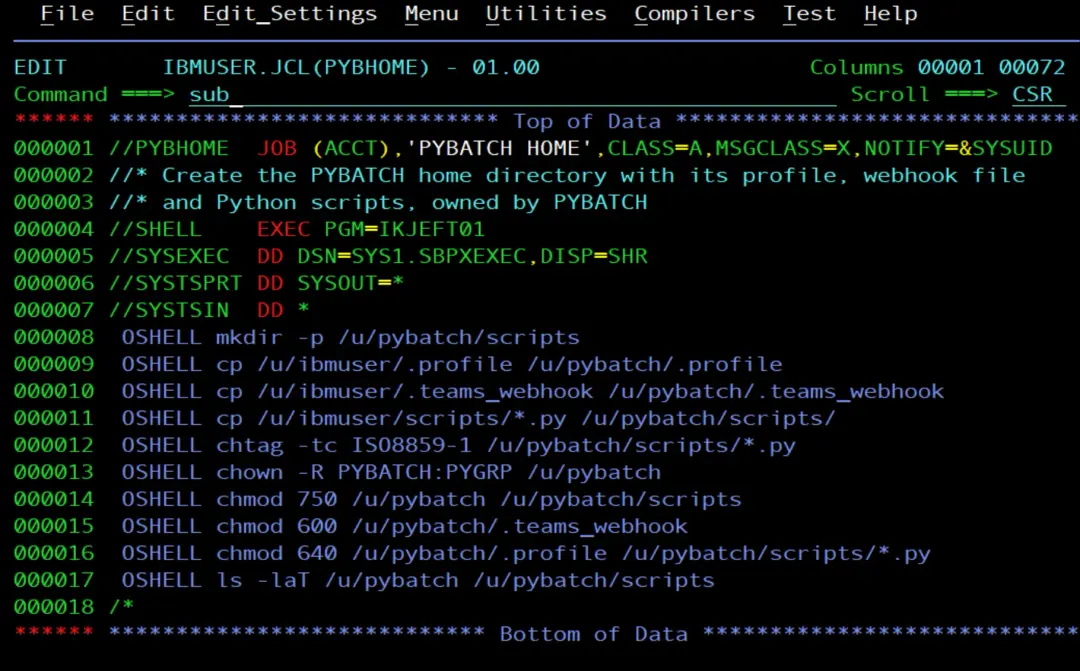
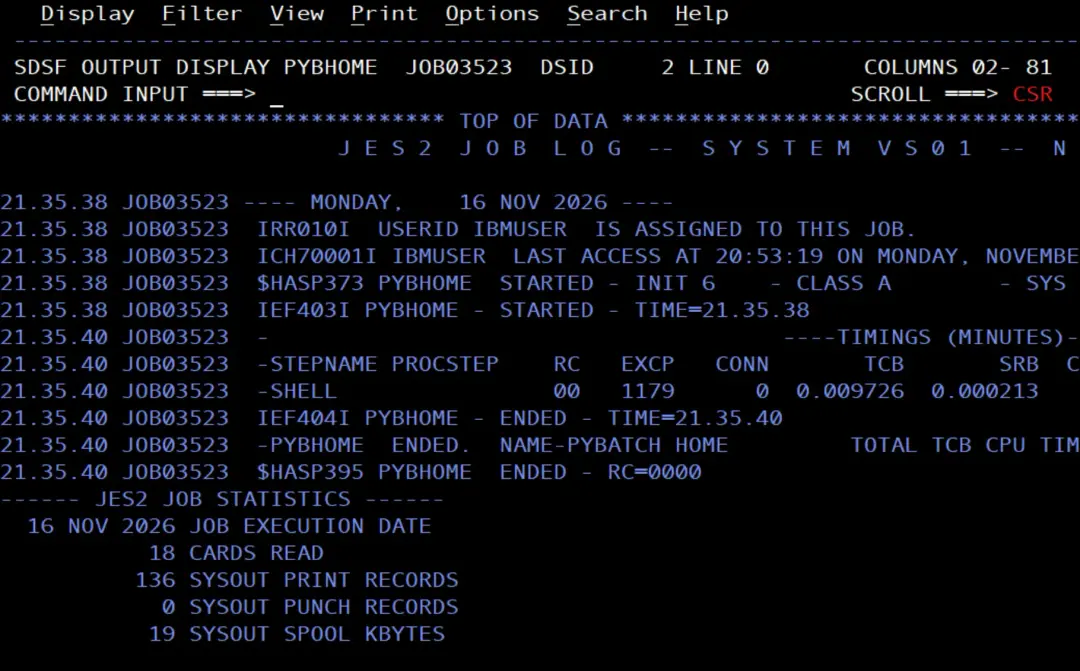
It ends successfully.
At the end of the output we check that the files were created and have the right permissions and attributes.
First test: who() as PYBATCH
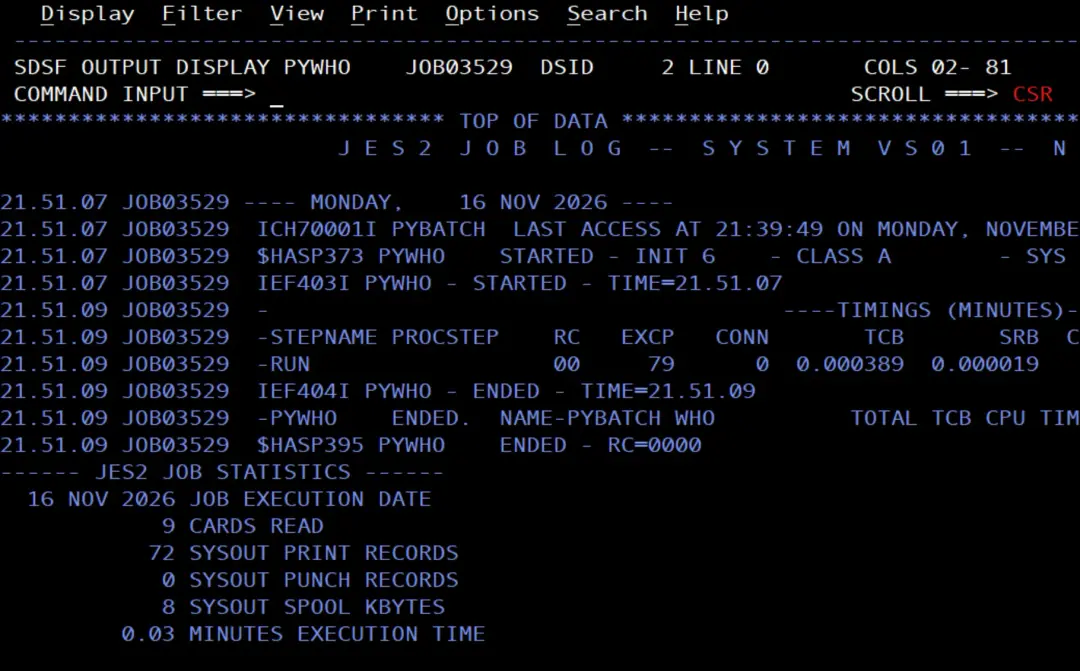
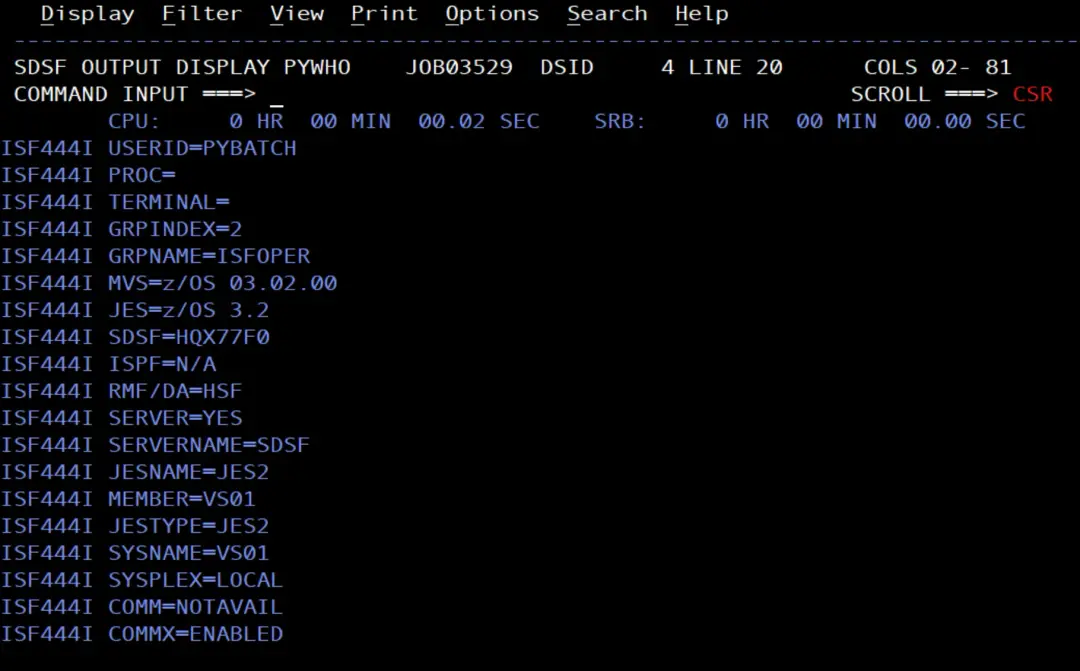
I run who.py with USER=PYBATCH on the JOB card. No password is needed: RACF checks that IBMUSER has READ on PYBATCH.SUBMIT.
In this case NOTIFY=&SYSUID does not notify our user, it notifies the PYBATCH user.
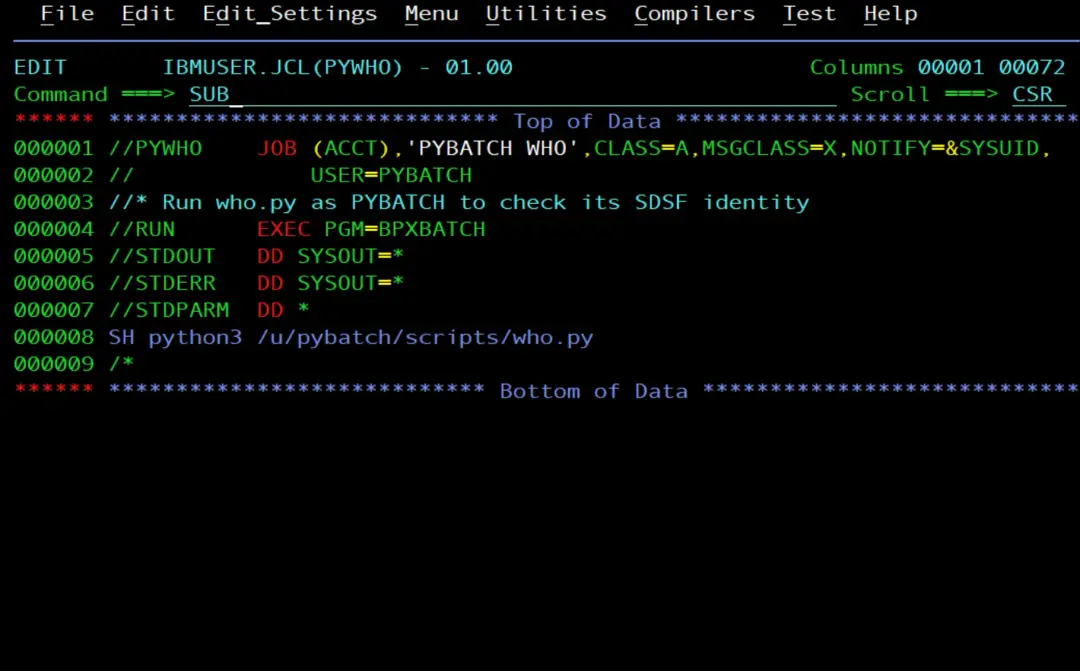
//PYWHO    JOB (ACCT),'PYBATCH WHO',CLASS=A,MSGCLASS=X,NOTIFY=&SYSUID,
//             USER=PYBATCH
//* Run who.py as PYBATCH to check its SDSF identity
//RUN      EXEC PGM=BPXBATCH
//STDOUT   DD SYSOUT=*
//STDERR   DD SYSOUT=*
//STDPARM  DD *
SH python3 /u/pybatch/scripts/who.py
/*
Connecting to SDSF
Although the job ends with RC=00, the script has done nothing.
Another interesting detail: as we have just created the user and this is the first job we run, the LAST ACCESS field of the ICH70001I message is empty.
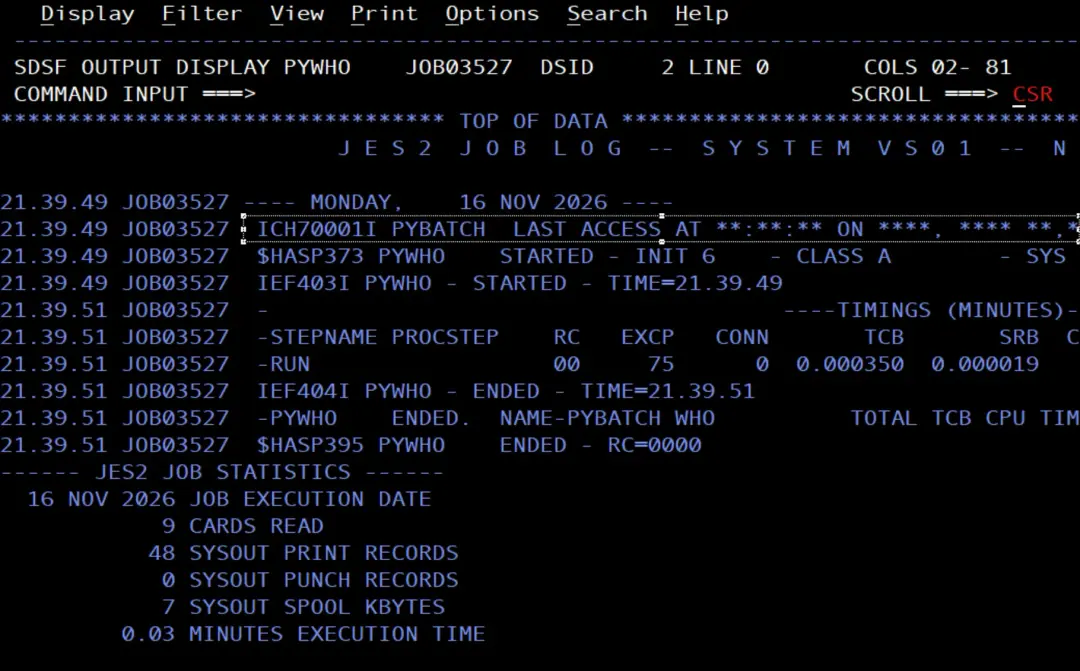
At the end of the output there is:
ISF4000E No host response received.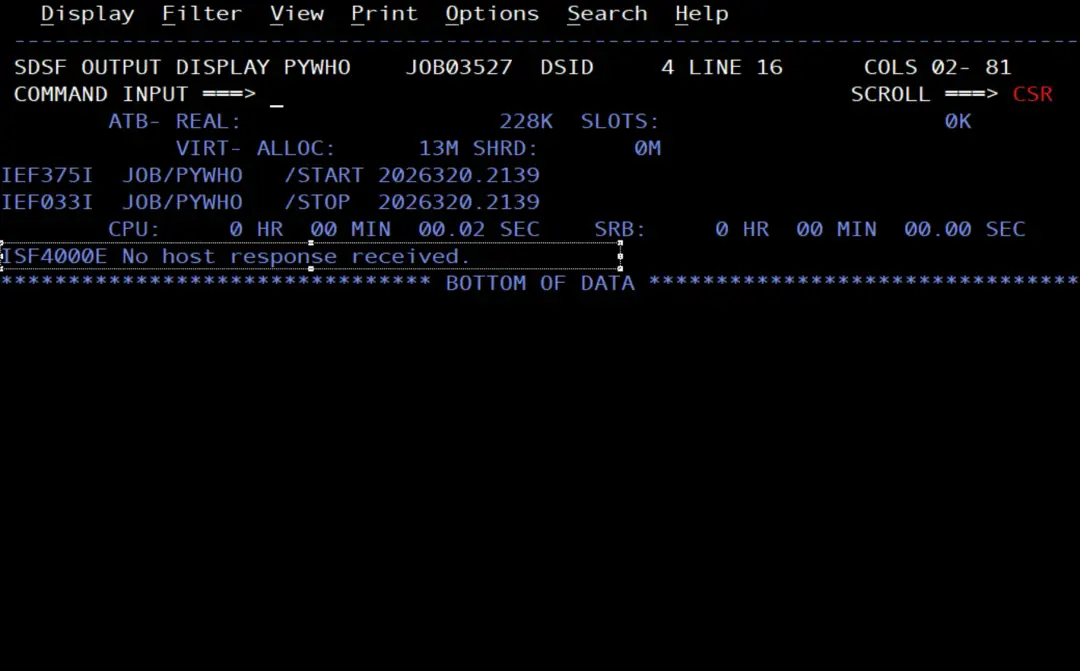
And the system log shows why: RACF does not let PYBATCH connect to SDSF.
+ISF024I USER PYBATCH  NOT AUTHORIZED TO SDSF, CONNECT NOT AUTHORIZED
ICH408I USER(PYBATCH ) GROUP(PYGRP   ) NAME(PYTHON BATCH        ) 842
  ISF.CONNECT.VS01 CL(SDSF    )
  INSUFFICIENT ACCESS AUTHORITY
  FROM ISF.CONNECT.* (G)
  ACCESS INTENT(READ   )  ACCESS ALLOWED(NONE   )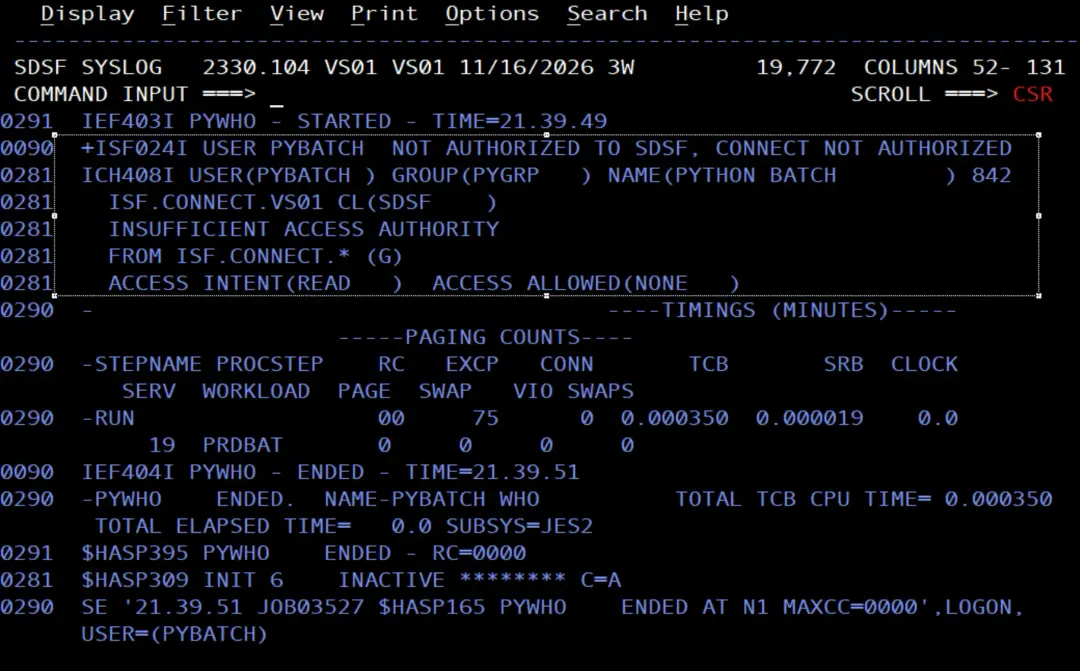
This happens because who.py catches the SDSF error and prints it, so Python ends fine even though the request failed. The problem is in the log.
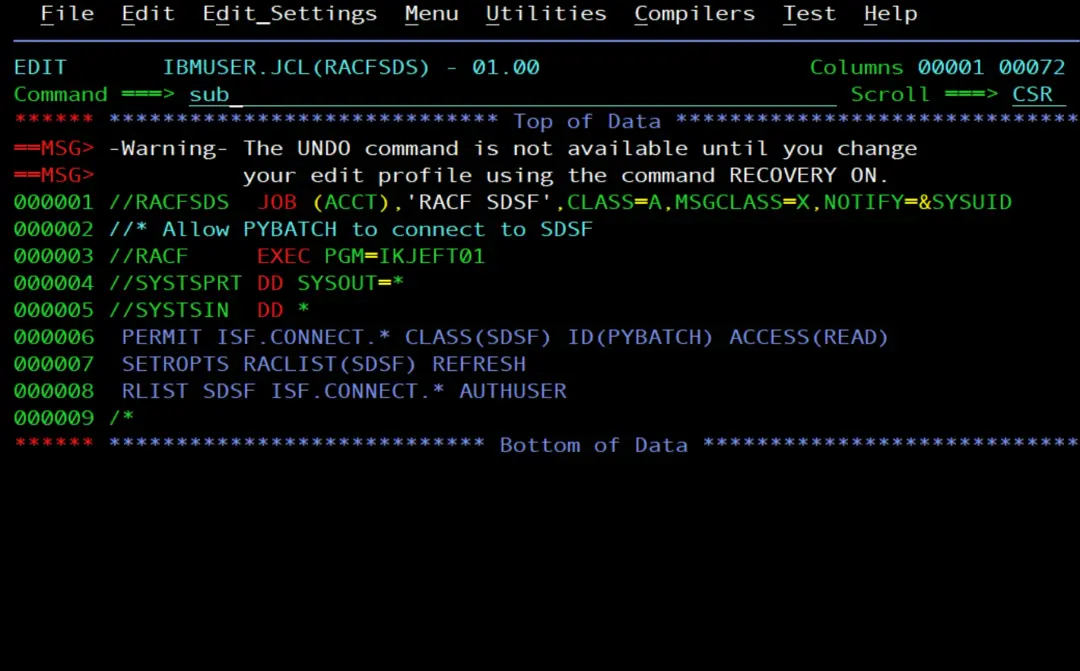
To use SDSF, a user needs READ on the ISF.CONNECT.system profile in the SDSF class. In the stock image it is protected by the generic ISF.CONNECT.*, and PYBATCH has no access. I give it with another job:
//RACFSDS  JOB (ACCT),'RACF SDSF',CLASS=A,MSGCLASS=X,NOTIFY=&SYSUID
//* Allow PYBATCH to connect to SDSF
//RACF     EXEC PGM=IKJEFT01
//SYSTSPRT DD SYSOUT=*
//SYSTSIN  DD *
 PERMIT ISF.CONNECT.* CLASS(SDSF) ID(PYBATCH) ACCESS(READ)
 SETROPTS RACLIST(SDSF) REFRESH
 RLIST SDSF ISF.CONNECT.* AUTHUSER
/*
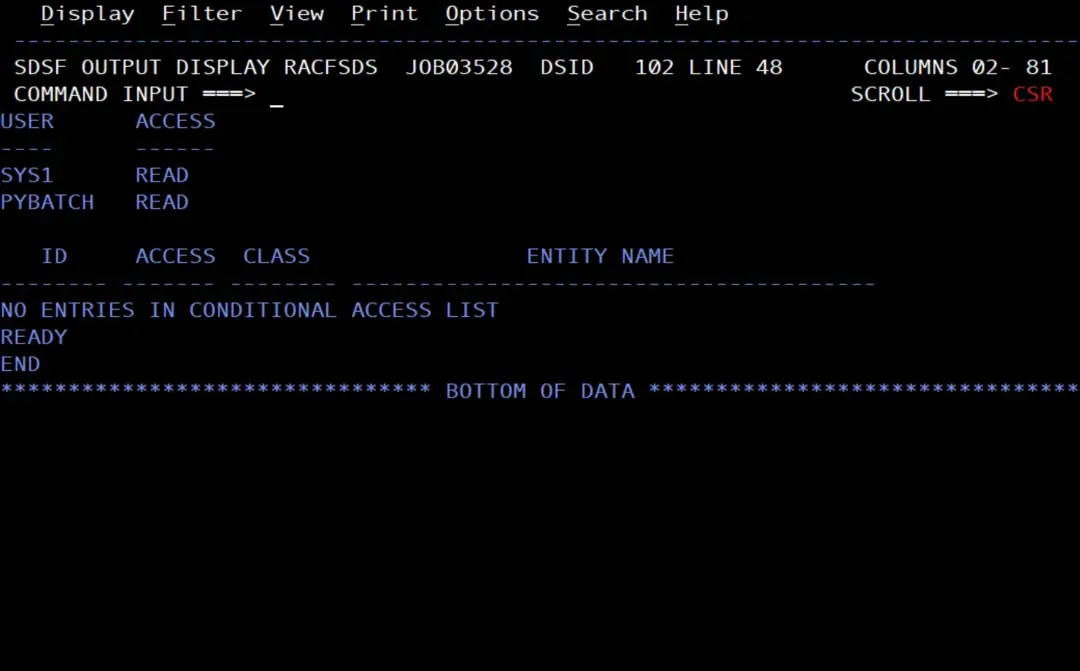
Then I run PYWHO again. Now it shows what is expected.
The monitoring job as PYBATCH
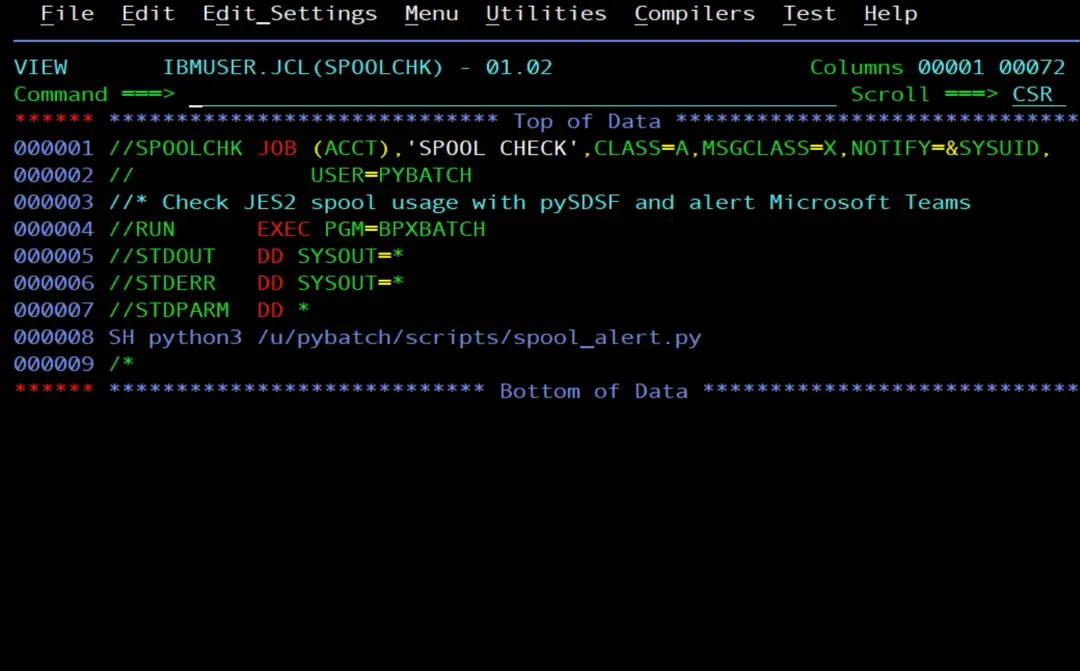
With its own UID, the BPXBATCH shell now finds PYBATCH's HOME and reads its .profile, so the job is simple:
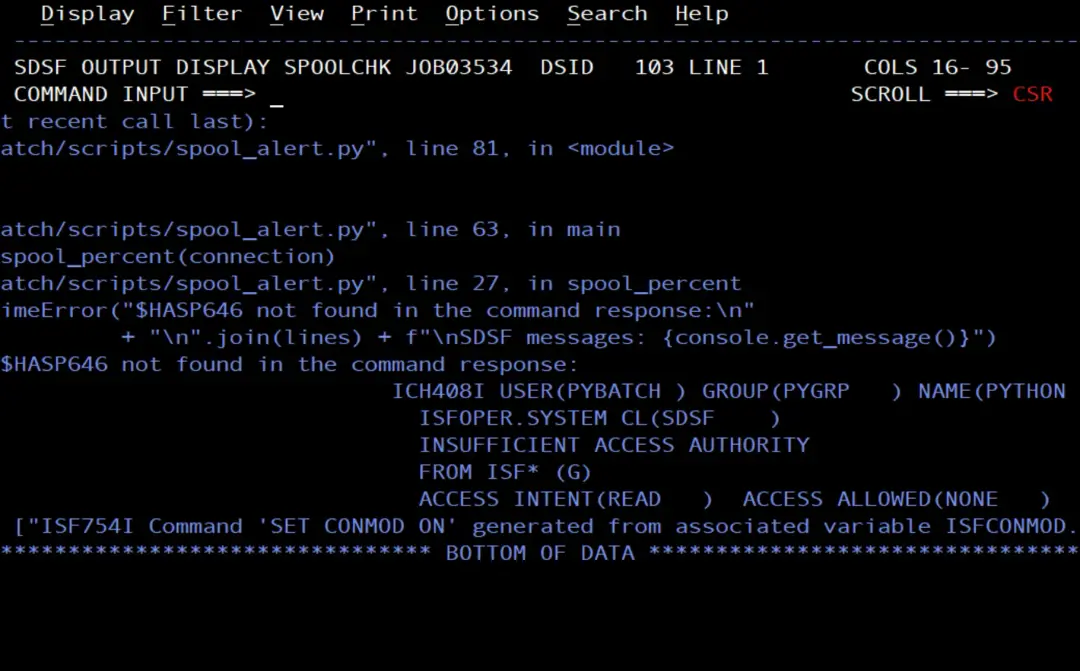
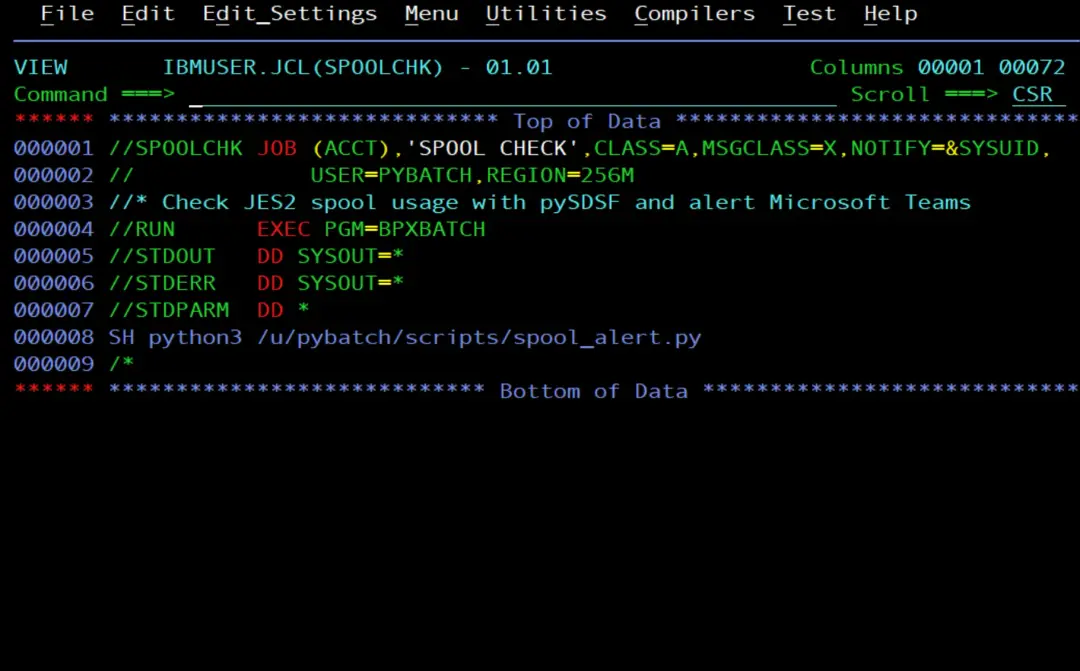
//SPOOLCHK JOB (ACCT),'SPOOL CHECK',CLASS=A,MSGCLASS=X,NOTIFY=&SYSUID,
//             USER=PYBATCH
//* Check JES2 spool usage with pySDSF and alert Microsoft Teams
//RUN      EXEC PGM=BPXBATCH
//STDOUT   DD SYSOUT=*
//STDERR   DD SYSOUT=*
//STDPARM  DD *
SH python3 /u/pybatch/scripts/spool_alert.py
/*
Job memory and the alias
The first time, the SPOOLCHK job failed with SDSF error: ISF4000E No host response received. The system log shows two chained problems. The first thing you notice is a catalog error: SDSF tries to create the data set PYBATCH.ISF.D261116.T205413.SPOOLCHK.S001 and, as PYBATCH did not have an alias yet, it had to be cataloged in the master catalog:
ICH408I USER(PYBATCH ) GROUP(PYGRP   ) NAME(PYTHON BATCH        ) 945
  CATALOG.VS01.MASTER CL(DATASET ) VOL(OPEVS1)
  INSUFFICIENT ACCESS AUTHORITY
  FROM CATALOG.*.** (G)
  ACCESS INTENT(UPDATE )  ACCESS ALLOWED(READ   )
IKJ56893I DATA SET PYBATCH.ISF.D261116.T205413.SPOOLCHK.S001 NOT
ALLOCATED+
IGD17102I CATALOG ERROR IN DEFINING NONVSAM DATA SET 947
PYBATCH.ISF.D261116.T205413.SPOOLCHK.S001
RETURN CODE IS 56 REASON CODE IS 6 IGG0CLFT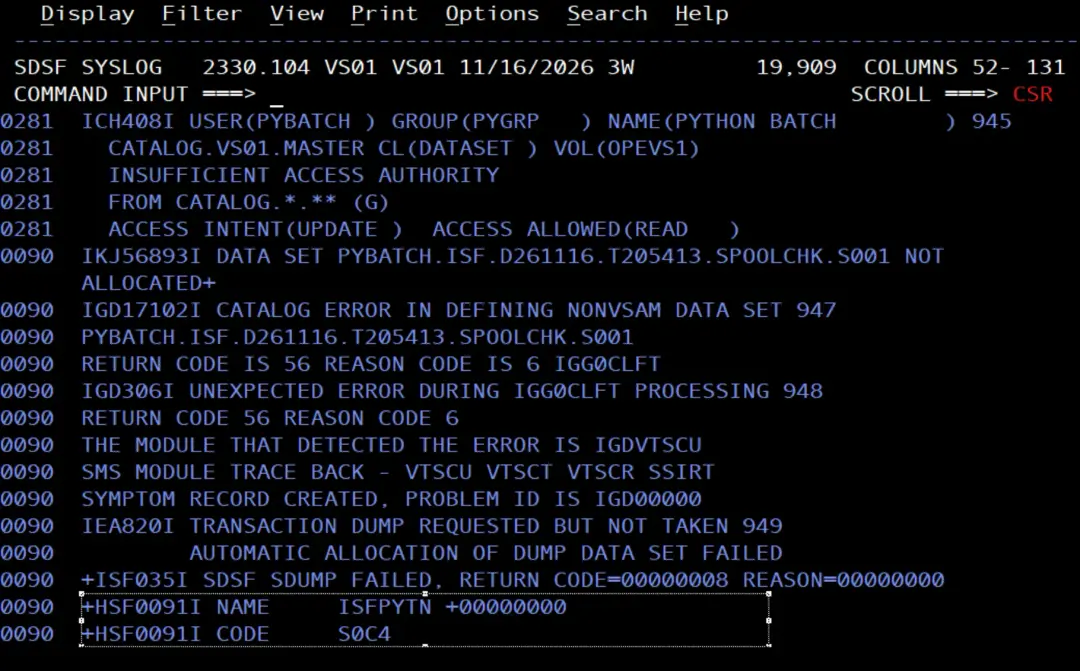
But that data set is a dump: next to those messages there are IEA820I TRANSACTION DUMP REQUESTED BUT NOT TAKEN, ISF035I SDSF SDUMP FAILED and an S0C4 abend in ISFPYTN. In other words, SDSF had already failed and was trying to save a dump of the error, and it could not because PYBATCH had nowhere to catalog it.
It was an oversight during the tests: when we created the user we did not create its ALIAS, and we found out thanks to this error. That is why, in this article, the alias comes right after creating the user, in the section The alias and data sets of PYBATCH. The solution is not to give UPDATE on the master catalog.
The root cause, the one that made SDSF fail, is at the start of the job: it runs out of memory when loading the ISFVTBL module.
IEF403I SPOOLCHK - STARTED - TIME=21.54.11
IEW4000I FETCH FOR MODULE ISFVTBL  FROM DDNAME *VLF*    FAILED BECAUSE
INSUFFICIENT STORAGE WAS AVAILABLE.
CSV031I LIBRARY ACCESS FAILED FOR MODULE ISFVTBL , RETURN CODE 24,
REASON CODE 26080021, DDNAME *LNKLST*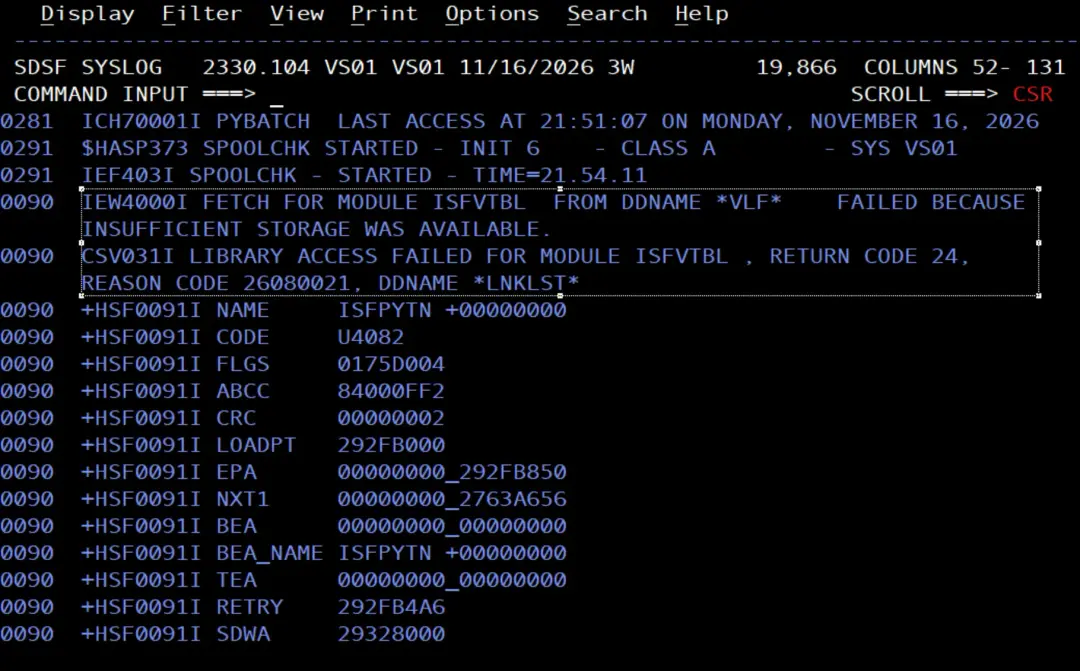
Python and SDSF together need memory, and the job's default REGION is not enough. Instead of removing the limit with REGION=0M, I set a specific one on the JOB card, REGION=256M. It is more prudent: the job has the memory it needs, but not all of the system's.
//SPOOLCHK JOB (ACCT),'SPOOL CHECK',CLASS=A,MSGCLASS=X,NOTIFY=&SYSUID,
//             USER=PYBATCH,REGION=256M
Issuing commands from SDSF
With the REGION fixed, SDSF now runs, but RACF rejects the console command:
ICH408I USER(PYBATCH ) GROUP(PYGRP   ) NAME(PYTHON BATCH        )
  ISFOPER.SYSTEM CL(SDSF    )
  INSUFFICIENT ACCESS AUTHORITY
  FROM ISF* (G)
  ACCESS INTENT(READ   )  ACCESS ALLOWED(NONE   )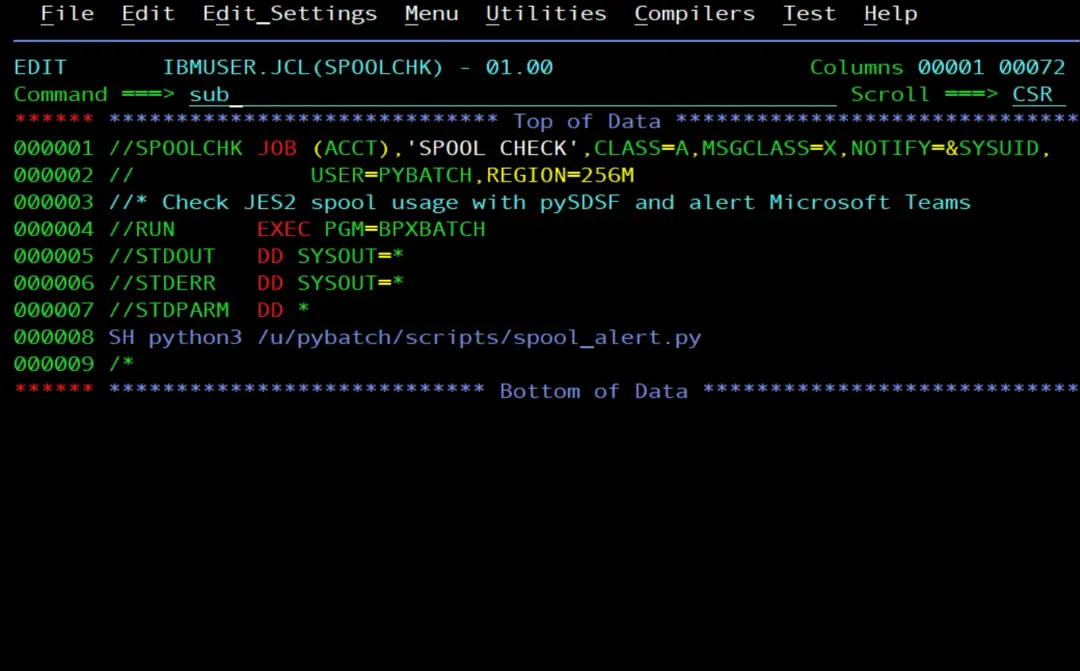
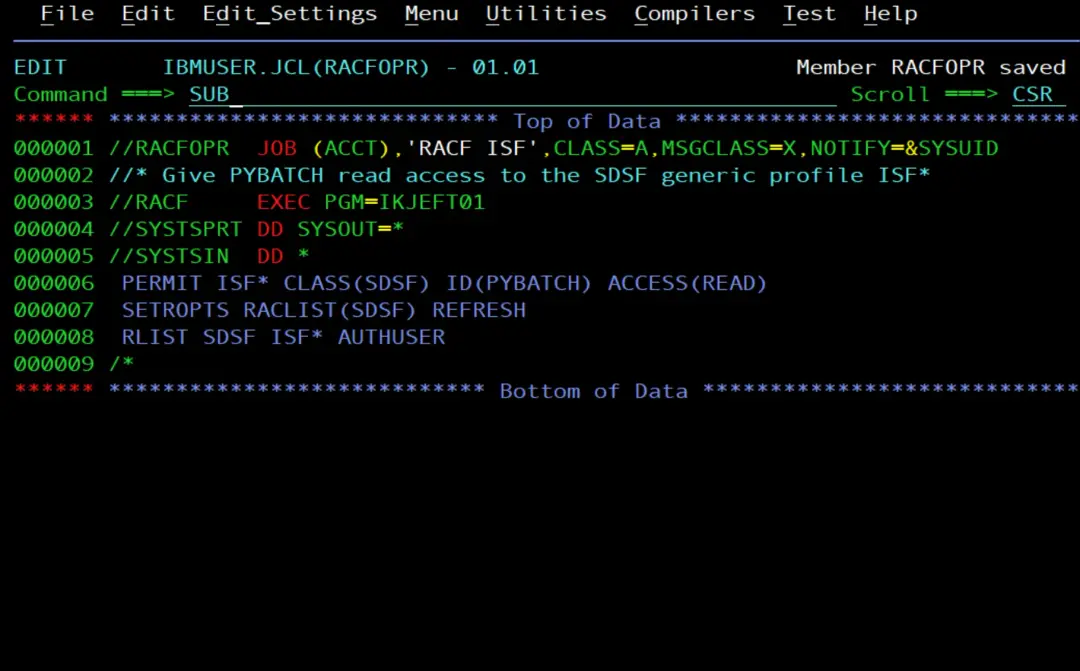
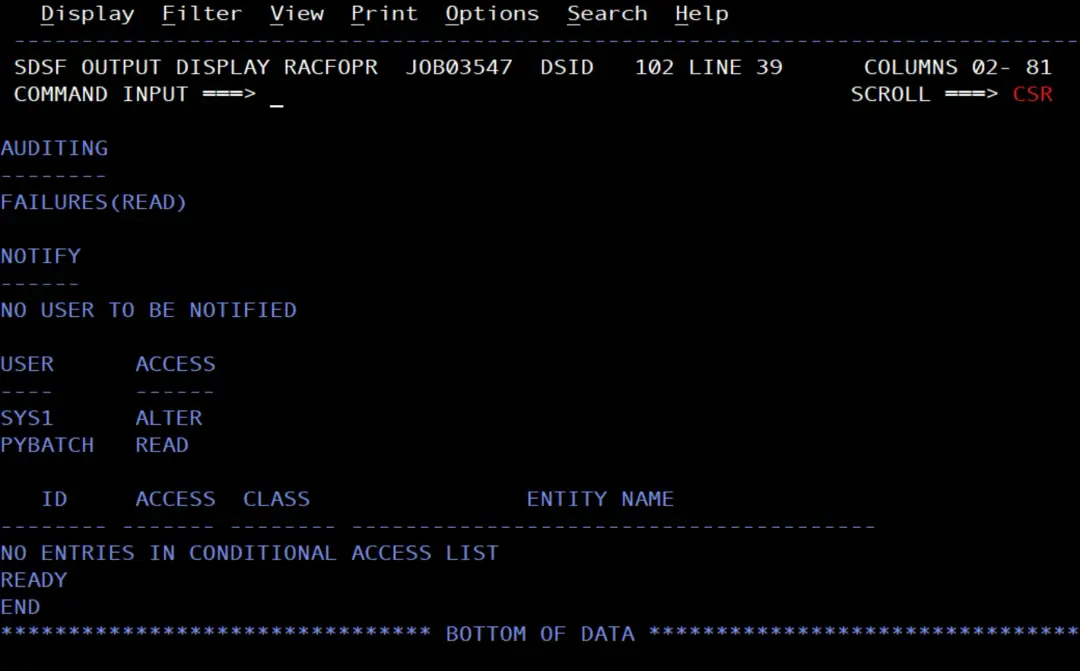
ISFOPER.SYSTEM, in the SDSF class, is the permission to issue system commands from SDSF, which is what the script does with $D SPOOL. In the stock image it has no profile of its own: it is covered by the generic ISF*. I give PYBATCH READ on that generic:
//RACFOPR  JOB (ACCT),'RACF ISF',CLASS=A,MSGCLASS=X,NOTIFY=&SYSUID
//* Give PYBATCH read access to the SDSF generic profile ISF*
//RACF     EXEC PGM=IKJEFT01
//SYSTSPRT DD SYSOUT=*
//SYSTSIN  DD *
 PERMIT ISF* CLASS(SDSF) ID(PYBATCH) ACCESS(READ)
 SETROPTS RACLIST(SDSF) REFRESH
 RLIST SDSF ISF* AUTHUSER
/*
ISF* covers all the SDSF resources that do not have a more specific profile. Besides ISFOPER.SYSTEM, it covers ISFCMD.FILTER.OWNER and ISFCMD.FILTER.PREFIX, the OWNER * and PREFIX * filters that the script uses to list the jobs of all users. With a single permission, PYBATCH has what it needs from SDSF. In exchange, it has READ on everything else that ISF* covers.
Activating the extended console
With ISFOPER.SYSTEM permitted, the command still does not go out. SDSF cannot activate the extended console it uses to issue it, which is named after the user:
ISF032I CONSOLE PYBATCH ACTIVATE FAILED, RETURN CODE 000C, REASON CODE 0000And in the system log, right before, is the missing permission:
ICH408I USER(PYBATCH ) GROUP(PYGRP   ) NAME(PYTHON BATCH        ) 264
  MVS.MCSOPER.PYBATCH CL(OPERCMDS)
  INSUFFICIENT ACCESS AUTHORITY
  FROM MVS.MCSOPER.* (G)
  ACCESS INTENT(READ   )  ACCESS ALLOWED(NONE   )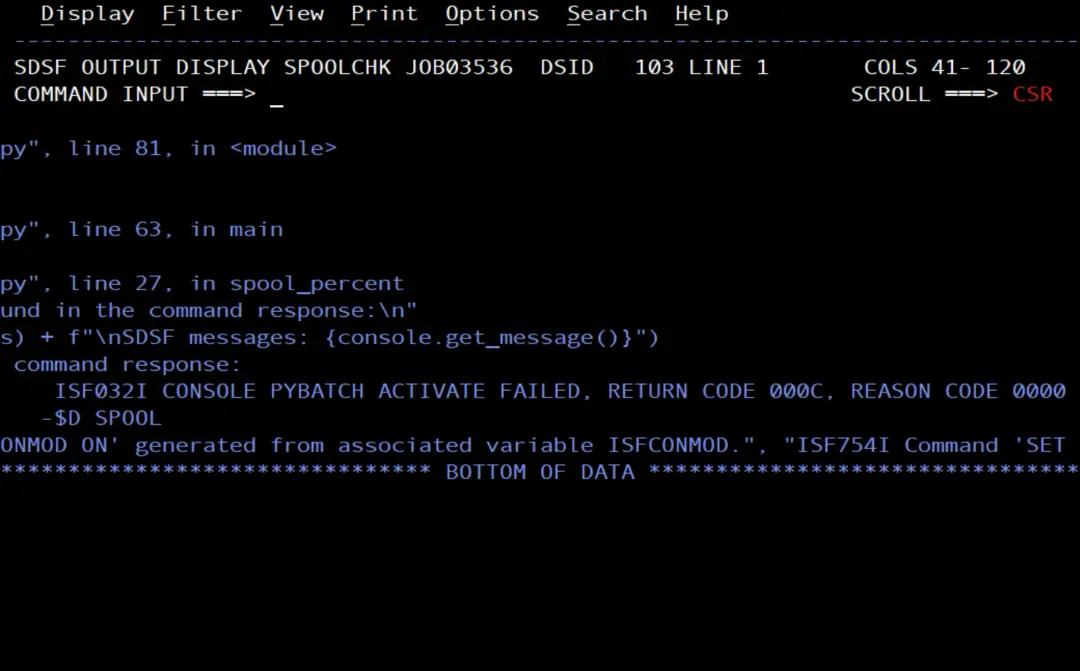
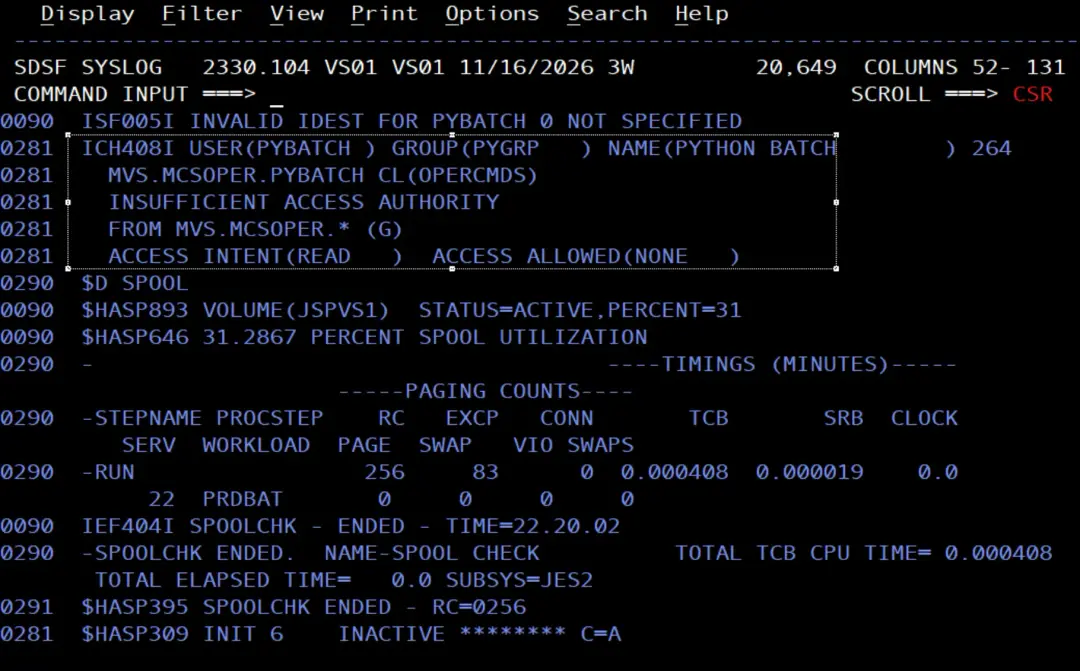
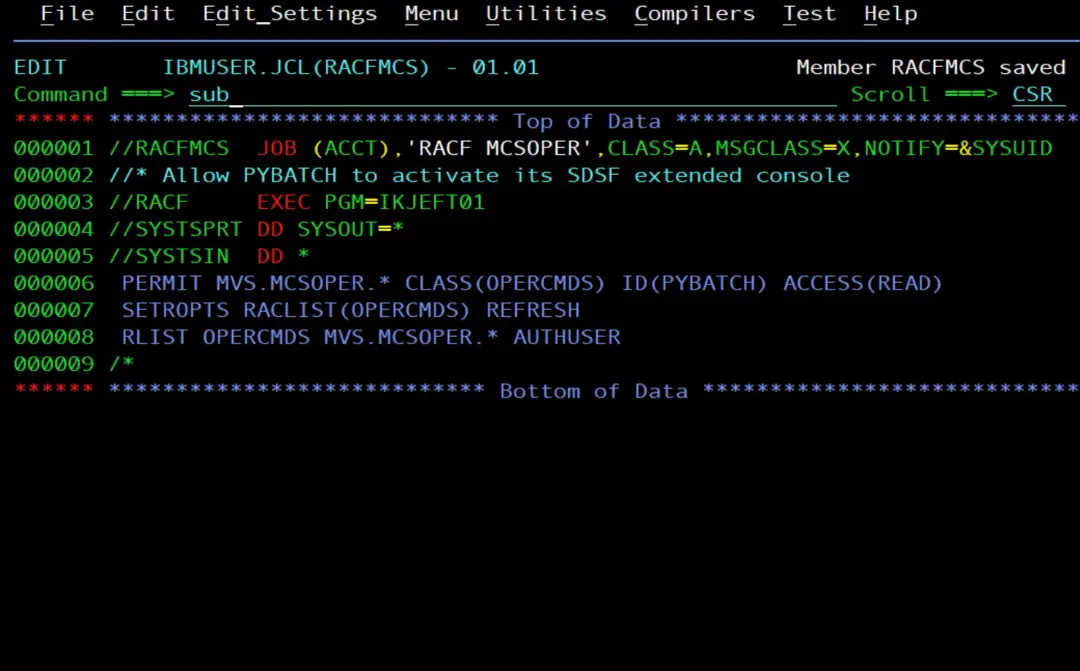
To activate an extended console, the user needs READ on MVS.MCSOPER.console name, in the OPERCMDS class. In the stock image it is protected by the generic MVS.MCSOPER.*. As with SDSF, I give PYBATCH READ on the generic:
//RACFMCS  JOB (ACCT),'RACF MCSOPER',CLASS=A,MSGCLASS=X,NOTIFY=&SYSUID
//* Allow PYBATCH to activate its SDSF extended console
//RACF     EXEC PGM=IKJEFT01
//SYSTSPRT DD SYSOUT=*
//SYSTSIN  DD *
 PERMIT MVS.MCSOPER.* CLASS(OPERCMDS) ID(PYBATCH) ACCESS(READ)
 SETROPTS RACLIST(OPERCMDS) REFRESH
 RLIST OPERCMDS MVS.MCSOPER.* AUTHUSER
/*
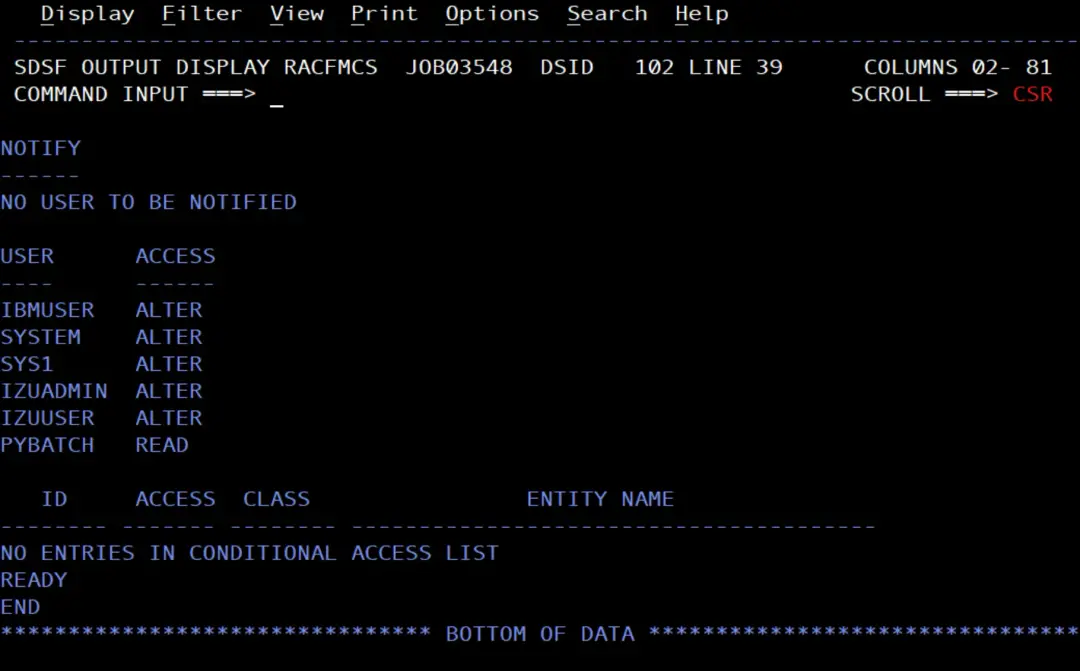
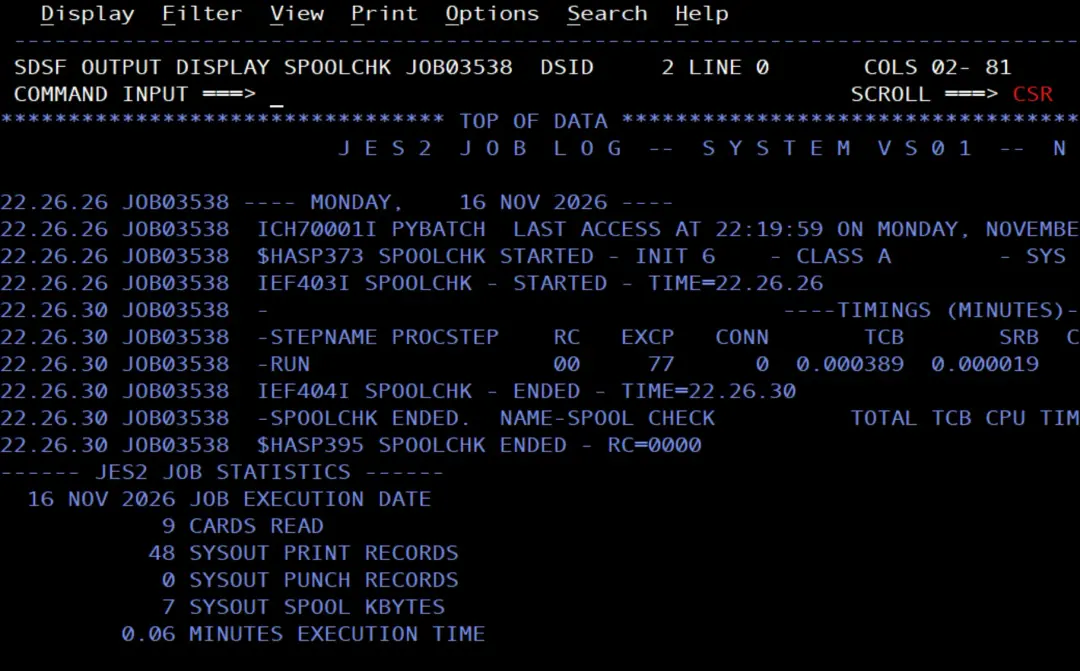
With this permission, the SPOOLCHK job now works.
It shows the spool usage, but does not send the alert: it is below the threshold, which is 70 % by default.
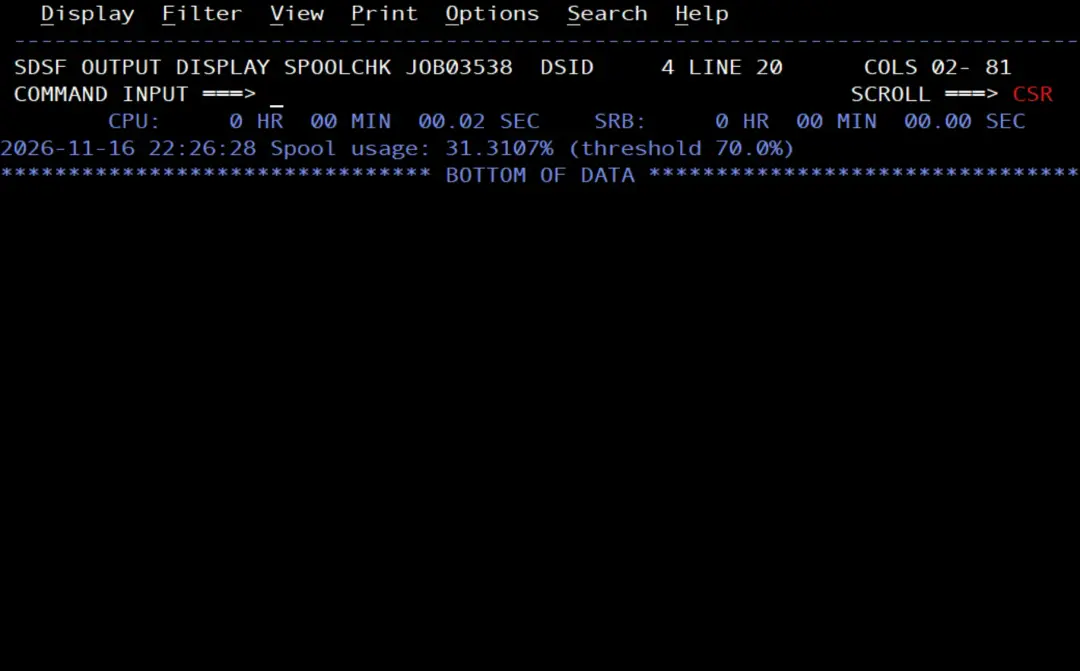
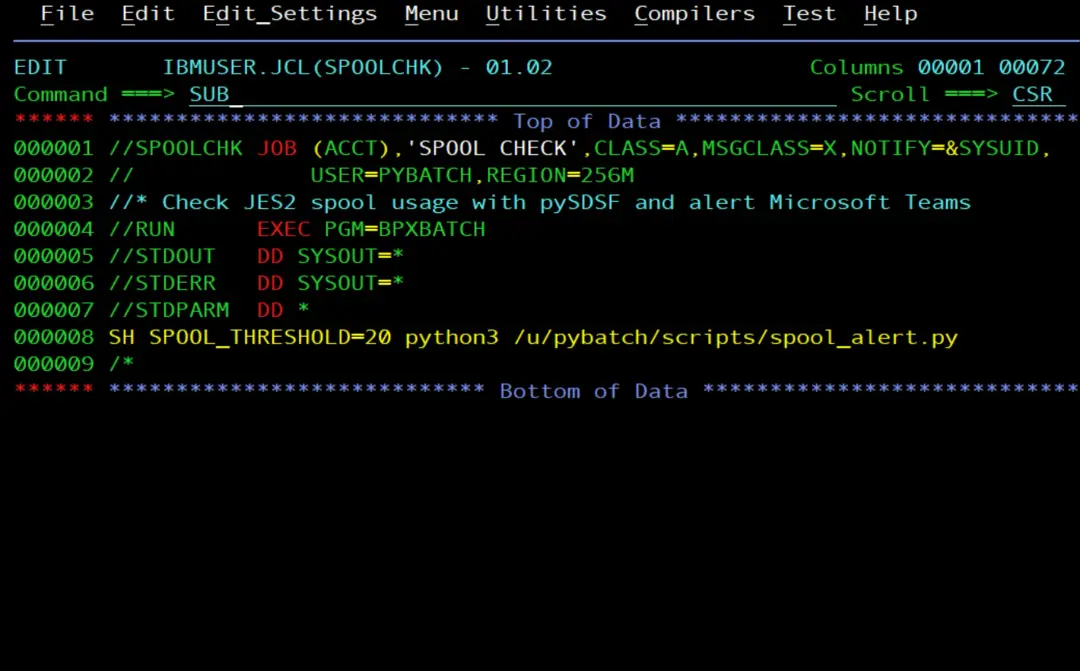
To test the card, I lower the threshold with the SPOOL_THRESHOLD variable:
//STDPARM  DD *
SH SPOOL_THRESHOLD=20 python3 /u/pybatch/scripts/spool_alert.py
/*
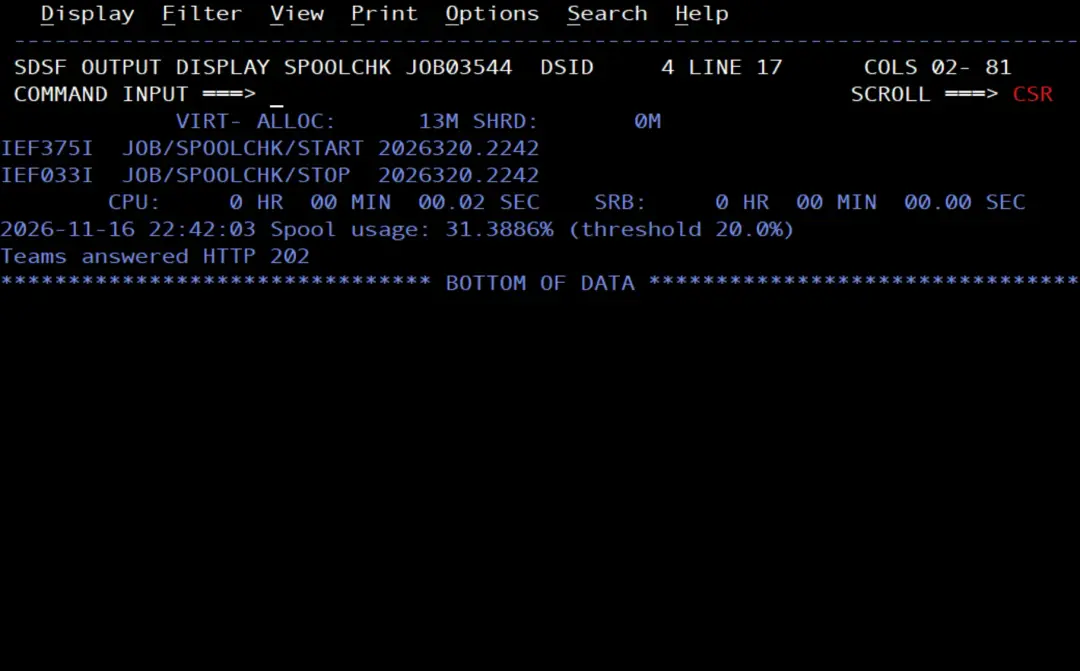
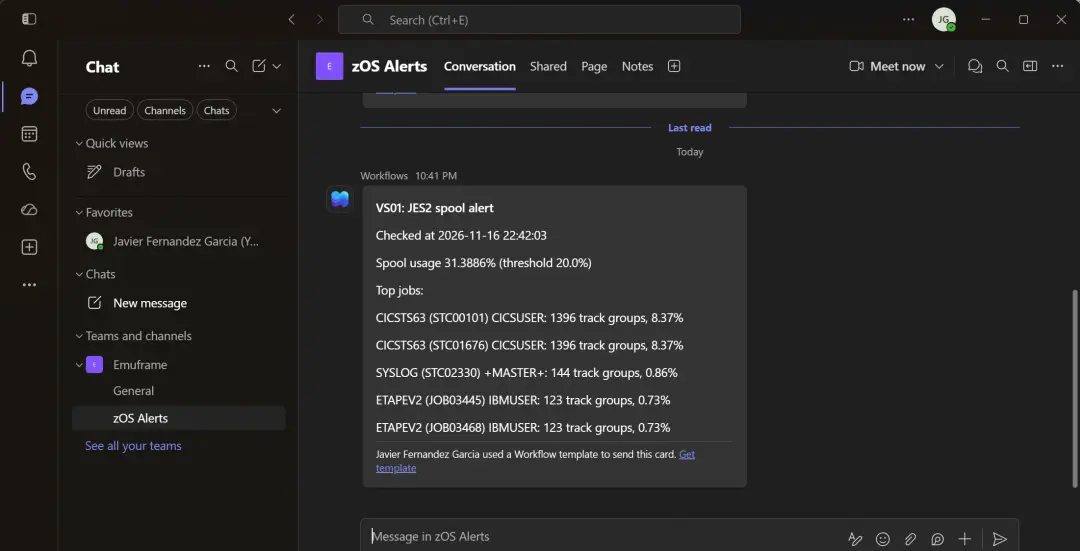
Above the threshold, the script lists the jobs that use the most spool, from all users, and sends the card to Teams.
What PYBATCH needed
In the end, to run the script in batch, PYBATCH needs:
PYBATCH.SUBMITin SURROGAT, with READ for IBMUSER: to run jobs as PYBATCH without a password. Job RACFPYB, in Create the user with a job.JES2.*in OPERCMDS, with READ: for the$D SPOOLcommand. Job RACFPYB, in Create the user with a job.- Its ALIAS, pointing to
CATALOG.VS01.TSO, and thePYBATCH.**profile: for its data sets. Job PYBALIAS, in The alias and data sets of PYBATCH. ISF.CONNECT.*in SDSF, with READ: to connect to SDSF. Job RACFSDS, in Connecting to SDSF.REGION=256Mon the JOB card: enough memory for Python and SDSF. In Job memory and the alias.ISF*in SDSF, with READ: to issue system commands from SDSF (ISFOPER.SYSTEM) and use the OWNER and PREFIX filters (ISFCMD.FILTER.*). Job RACFOPR, in Issuing commands from SDSF.MVS.MCSOPER.*in OPERCMDS, with READ: to activate its extended console. Job RACFMCS, in Activating the extended console.
I found the SDSF and console command permissions with the same method: run the job, look for the ICH408I in the system log and give READ on the profile that FROM shows, which is the one that protects the resource.
Summary
With a dedicated user for the scripts:
- The job no longer depends on IBMUSER or UID 0, and reads its own
.profile. - In SDSF and in the console commands, PYBATCH only has READ: it can issue the JES2 commands that display information, such as
$D SPOOL, but not the ones that change something. - Any user authorized in SURROGAT can run the scripts without knowing any password.