Python on z/OS: virtual environment (venv and pyproject.toml)
This article continues the Python on z/OS series: Update Python on z/OS, pySDSF on z/OS 3.2: watch the spool and alert on Microsoft Teams and Create a user for Python batch scripts (RACF).
Until now, the SPOOLCHK job runs python3, the one it finds in the PATH through the /u/python/current link. That link is handy for switching versions, but it has a problem: pySDSF is installed in 3.13 (its wheel is cp313), and if tomorrow I point current to 3.14, the job stops working without anyone touching it.
The solution is a virtual environment: a folder that uses a specific Python version and has its own packages. And with a pyproject.toml, the script is installed as a command, spool-alert, which is what the job runs.
What a virtual environment and pyproject.toml are
- A virtual environment (
venv) is a directory with a lightweight Python that uses the interpreter it was created with and has its own package folder. What I install in it does not touch the system Python or other users' Python. Itspyvenv.cfgfile records the path of the Python that created it. pyproject.tomlis the standard file that describes a Python project: its name, its version, the Python version it needs, its dependencies and the commands it creates when installed.
The Python versions I have
On my system these live side by side:
- The 3.14 of the stock image, in
/usr/lpp/IBM/cyp/v3r14/pyz, which I do not touch. - The 3.13.15.1 and the 3.14.7.1 that I installed, each in its own zFS under
/u/python. - The
/u/python/currentlink, which points to the one I use day to day.
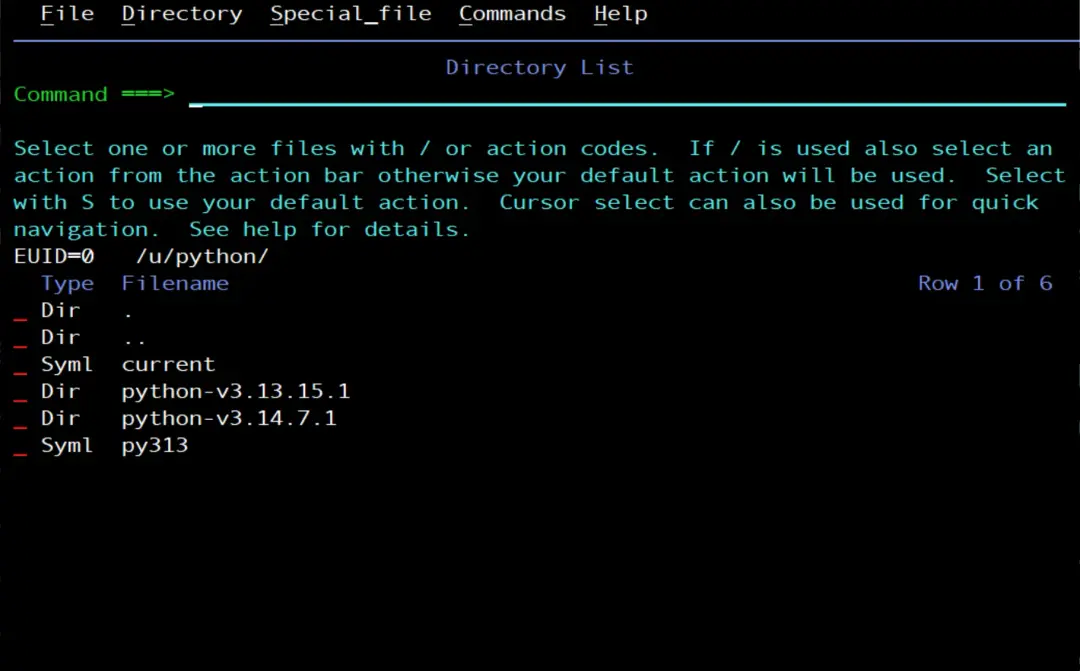
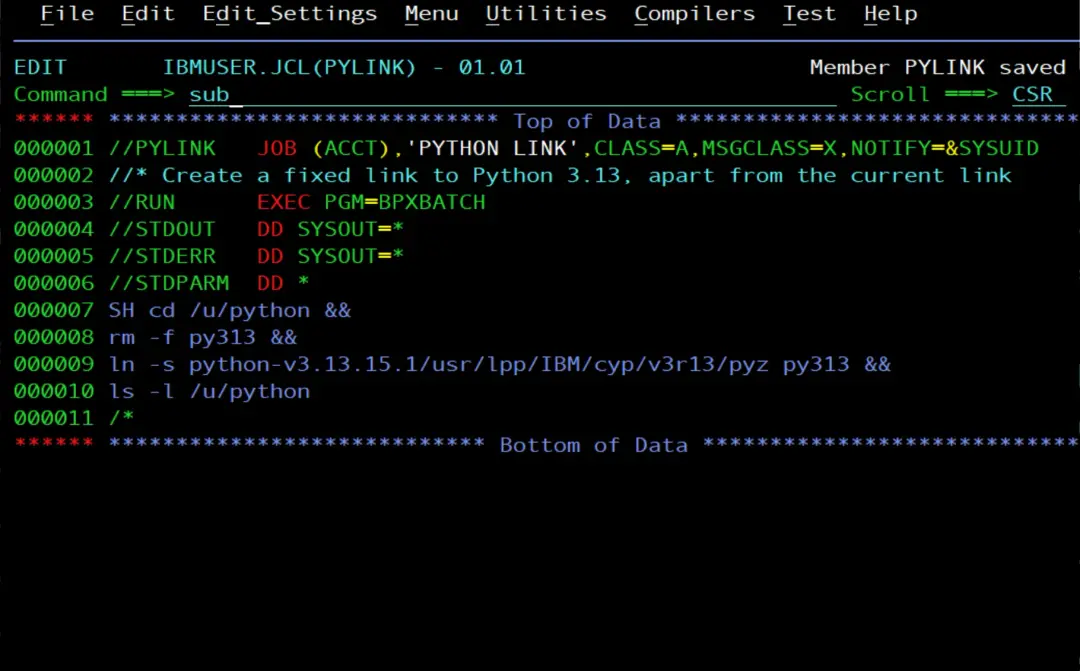
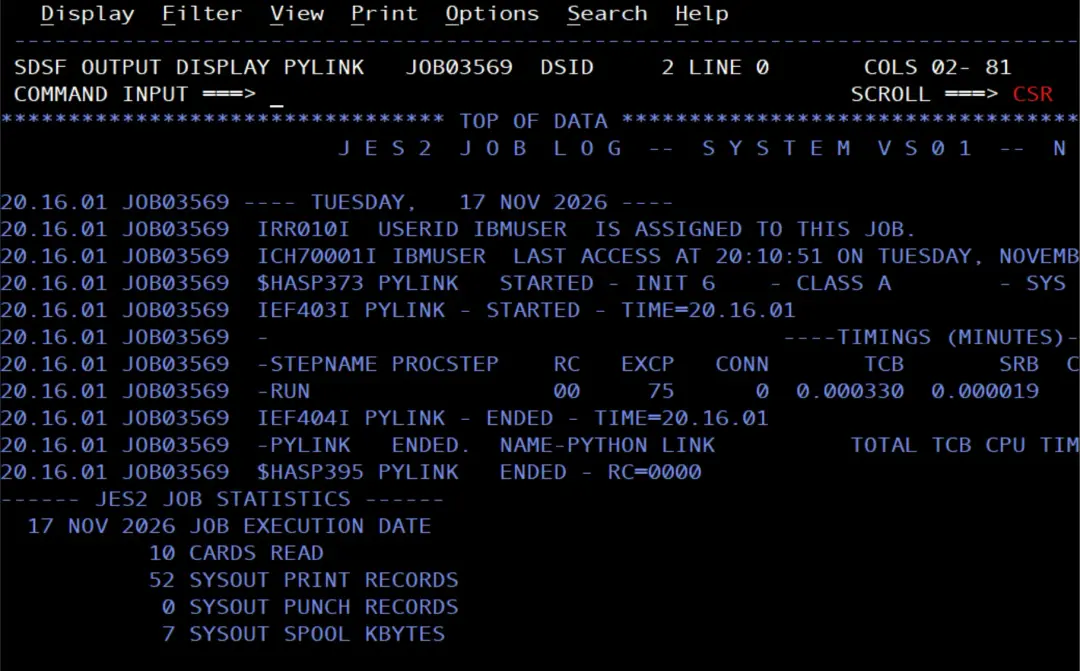
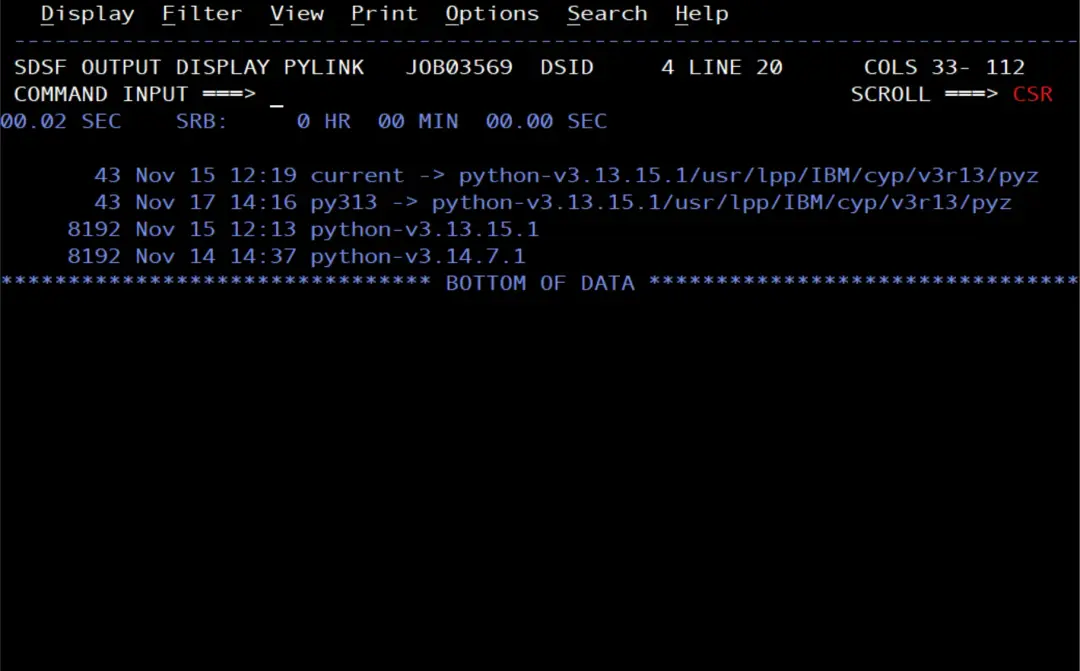
I create a fixed link for 3.13, /u/python/py313, to have a short path to this version that does not change when I point current to another one. I use it to create the environment, in the LIBPATH of the jobs and to find the setuptools wheel. And if I install a new 3.13 release, I only need to point py313 to it and create the environment again, without touching the jobs. I create it with a job submitted by IBMUSER:
//PYLINK   JOB (ACCT),'PYTHON LINK',CLASS=A,MSGCLASS=X,NOTIFY=&SYSUID
//* Create a fixed link to Python 3.13, apart from the current link
//RUN      EXEC PGM=BPXBATCH
//STDOUT   DD SYSOUT=*
//STDERR   DD SYSOUT=*
//STDPARM  DD *
SH cd /u/python &&
rm -f py313 &&
ln -s python-v3.13.15.1/usr/lpp/IBM/cyp/v3r13/pyz py313 &&
ls -l /u/python
/*
The link is relative, like current: it points to the 3.13 folder inside /u/python. The rm -f removes the link if it already existed, so the job can be run again.
Create the environment as PYBATCH
The environment belongs to PYBATCH, so a job with USER=PYBATCH creates it, and it lives in its HOME, in /u/pybatch/venv. In the same job I install pySDSF in the environment from its wheel, which comes with SDSF in /usr/lpp/sdsf/python/dist:
//PYVENV   JOB (ACCT),'PYBATCH VENV',CLASS=A,MSGCLASS=X,NOTIFY=&SYSUID,
//             USER=PYBATCH,REGION=256M
//* Create a Python 3.13 virtual environment for PYBATCH and
//* install pySDSF in it
//RUN      EXEC PGM=BPXBATCH
//STDOUT   DD SYSOUT=*
//STDERR   DD SYSOUT=*
//STDPARM  DD *
SH PY=/u/python/py313;
export LIBPATH=$PY/lib:$LIBPATH;
V=/u/pybatch/venv;
W=/usr/lpp/sdsf/python/dist;
$PY/bin/python3 -m venv $V &&
$V/bin/pip install --no-index $W/pysdsf-3.2-cp313-none-any.whl &&
$V/bin/pip list &&
cat $V/pyvenv.cfg
/*
Step by step:
PYis 3.13, through its fixed link. IBM asks for the Pythonlibto be in theLIBPATH, and the PYBATCH.profilesets the one ofcurrent; that is why I put the 3.13 one first, so it is found first even ifcurrentpoints to another version.python3 -m venvcreates the environment with 3.13.pip install --no-indexinstalls the pySDSF wheel without looking for anything on the internet.pip listandpyvenv.cfgshow what is in the environment and which Python created it.
I write each complete command on its own STDPARM line, ending with ; or &&, so that none is split across two lines.
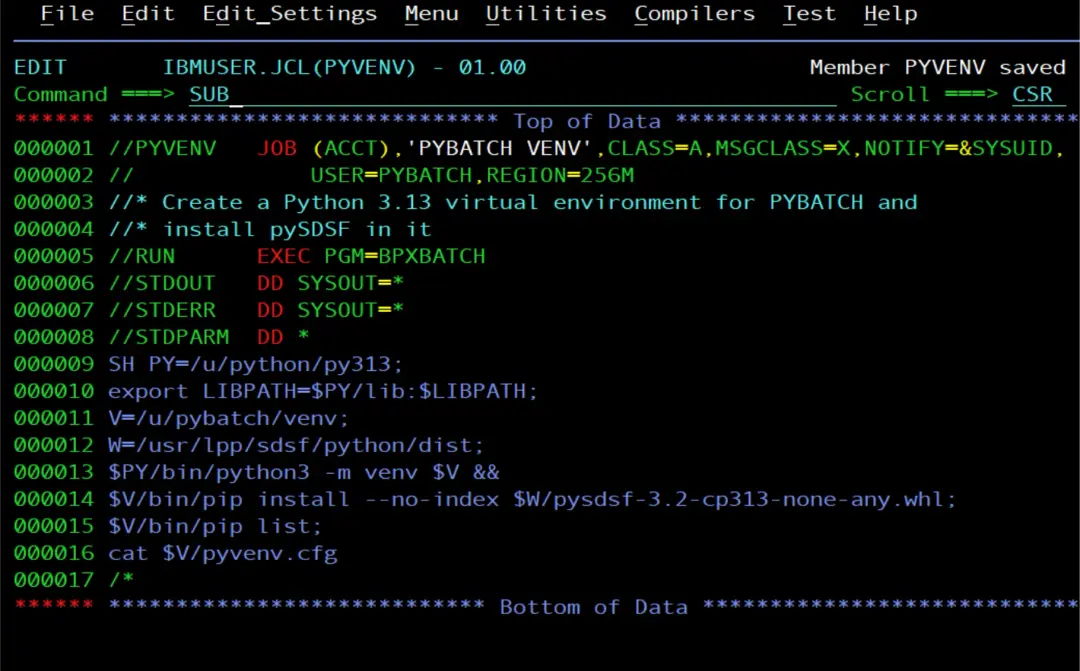
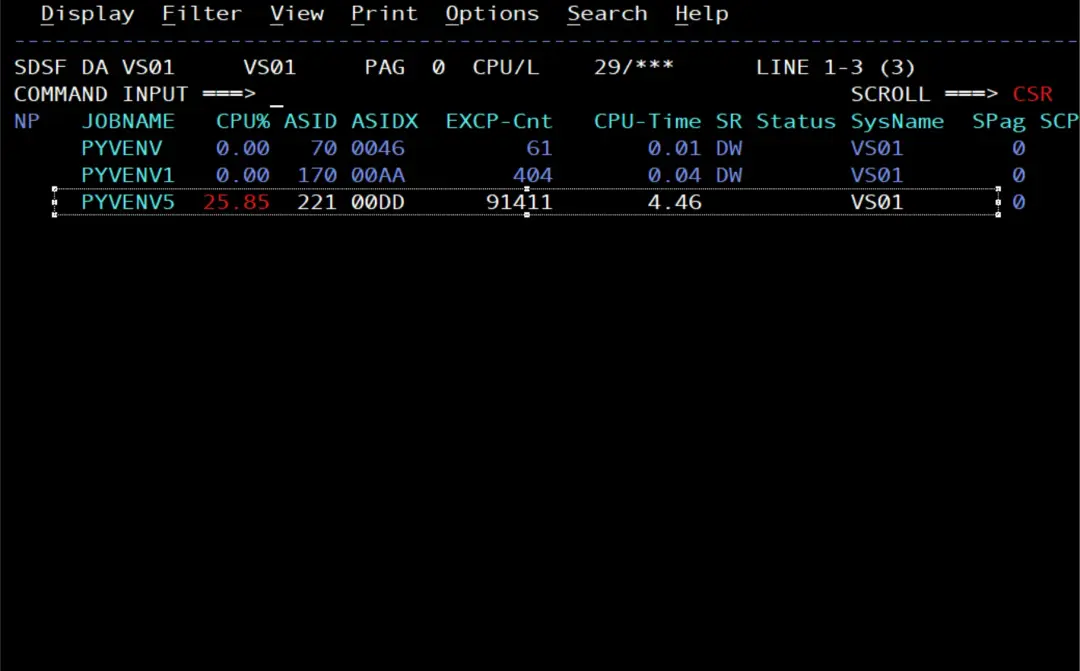
We can see the processes that run to create the environment.
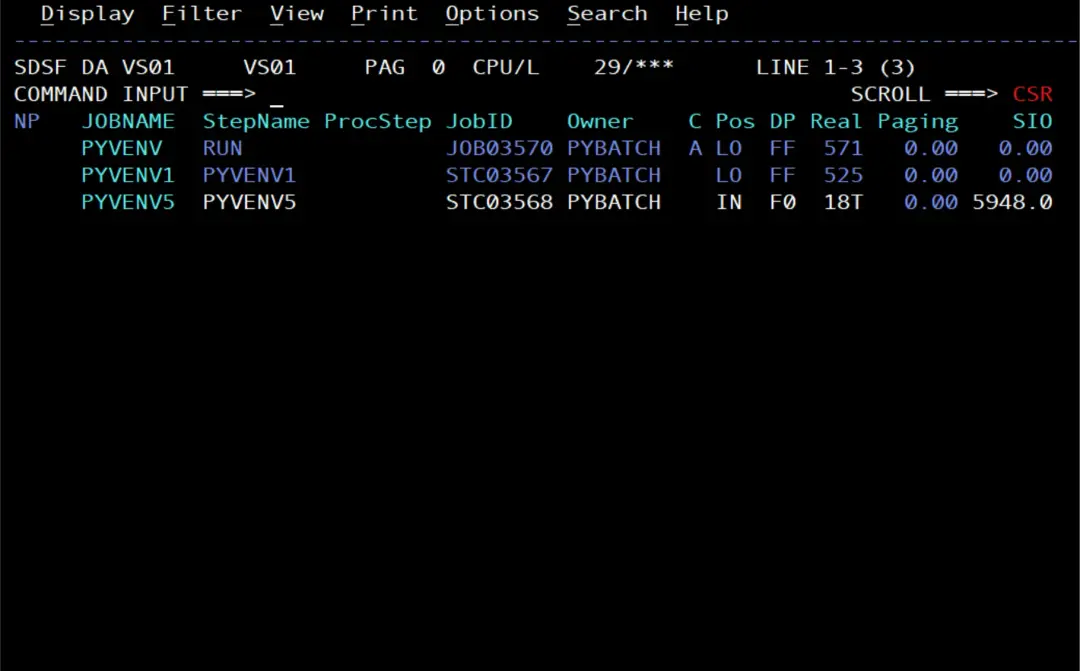
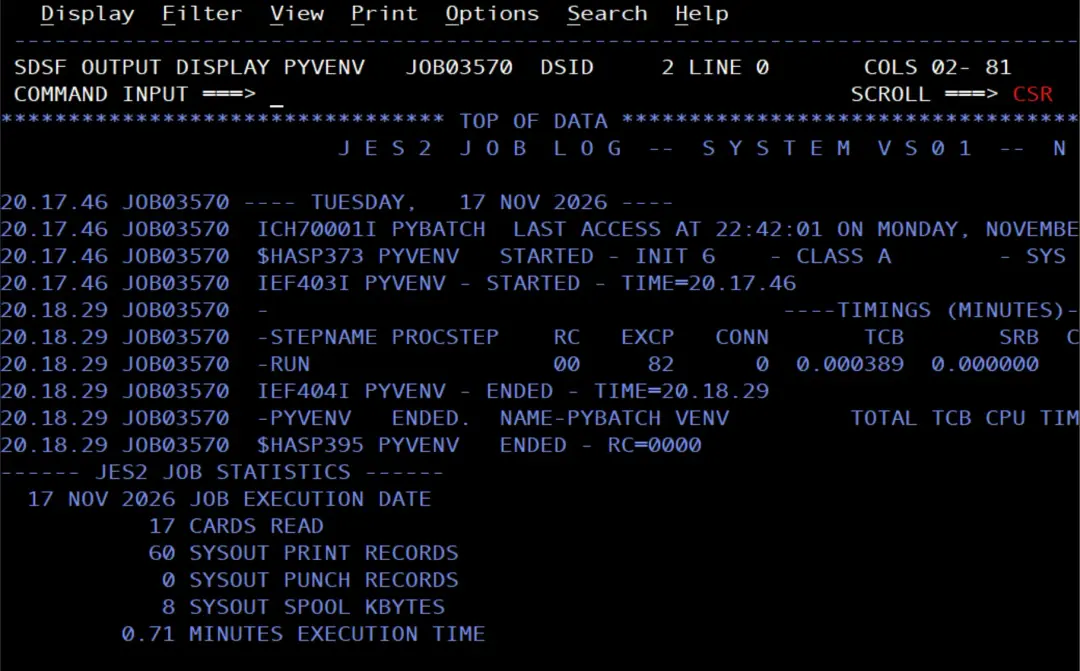
We check that it ends fine.
We see that it installed the pySDSF 3.2 package.
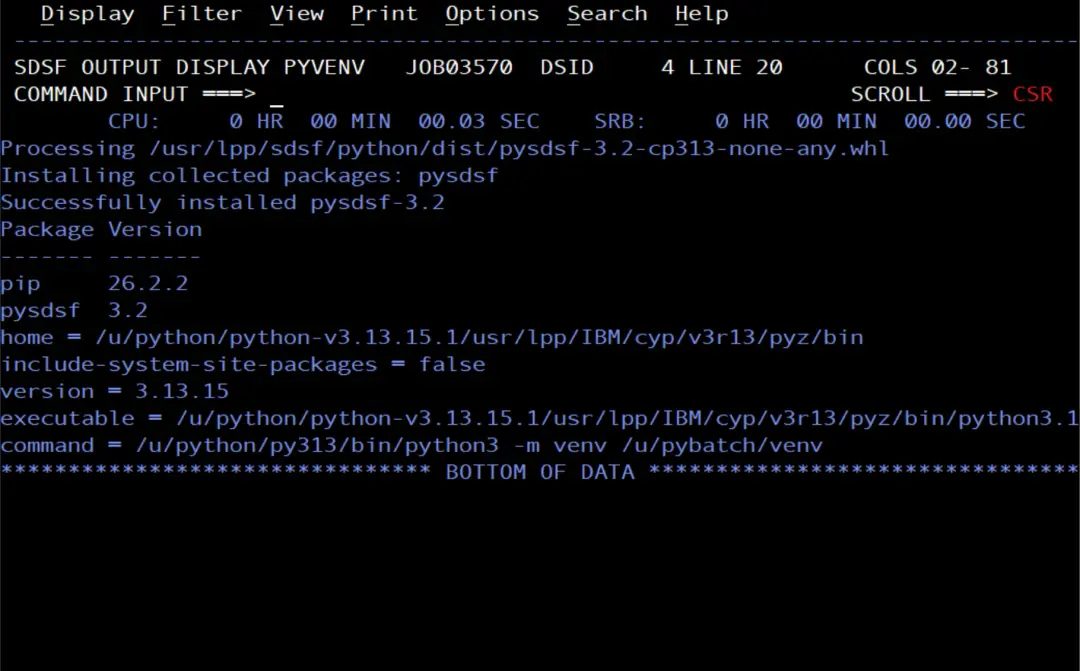
In pyvenv.cfg, command shows that the environment was created with /u/python/py313, but home and executable point to the real path of 3.13.15.1: venv resolves the link when it creates the environment, and the environment is tied to that release. If one day I install another 3.13 release and point py313 to it, the environment would keep using the old one, so it has to be created again: delete /u/pybatch/venv and run PYVENV and PYINST.
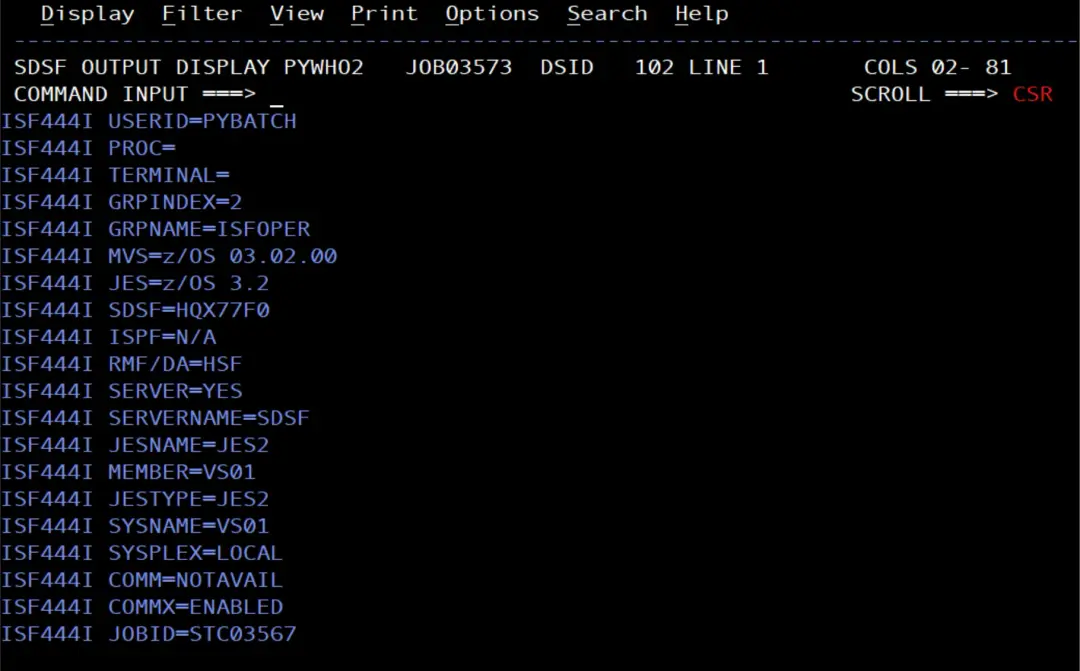
Test the environment with who()
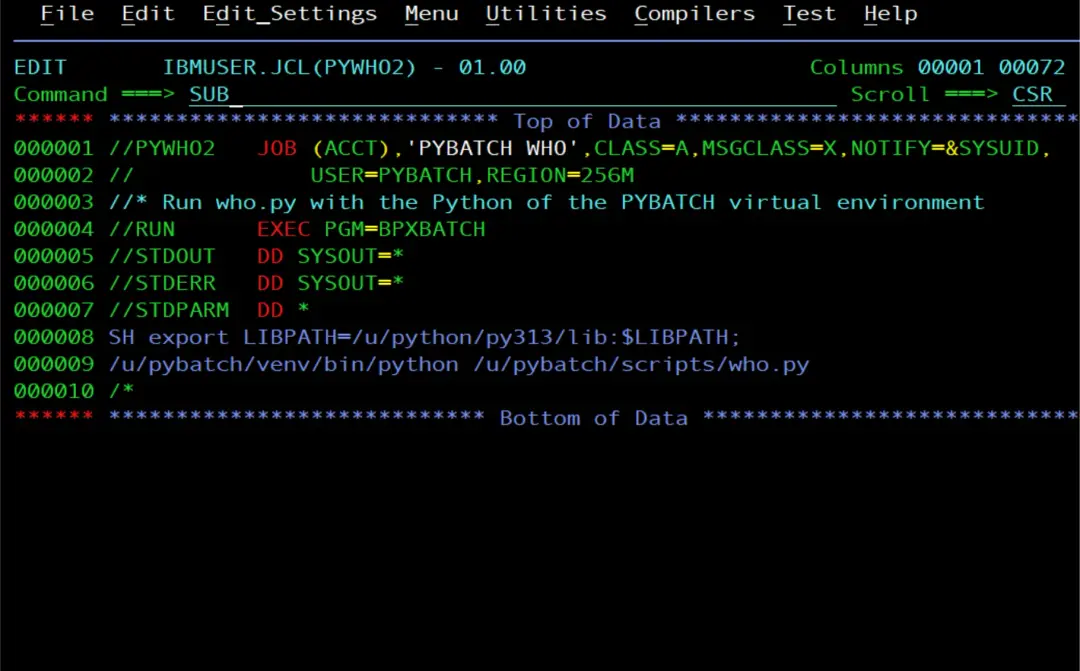
I run who.py with the Python of the environment:
//PYWHO    JOB (ACCT),'PYBATCH WHO',CLASS=A,MSGCLASS=X,NOTIFY=&SYSUID,
//             USER=PYBATCH,REGION=256M
//* Run who.py with the Python of the PYBATCH virtual environment
//RUN      EXEC PGM=BPXBATCH
//STDOUT   DD SYSOUT=*
//STDERR   DD SYSOUT=*
//STDPARM  DD *
SH export LIBPATH=/u/python/py313/lib:$LIBPATH;
/u/pybatch/venv/bin/python /u/pybatch/scripts/who.py
/*
We confirm that it runs correctly. Also, we are using the PYBATCH user, which we created in Create a user for Python batch scripts (RACF), so we should not run into problems.
The project with pyproject.toml
I create the project folder, /u/pybatch/spoolalert, with the script and its pyproject.toml:
[build-system]
requires = ["setuptools>=70"]
build-backend = "setuptools.build_meta"

[project]
name = "spool-alert"
version = "1.0.0"
requires-python = ">=3.13,<3.14"
dependencies = ["pysdsf"]

[project.scripts]
spool-alert = "spool_alert:main"

[tool.setuptools]
py-modules = ["spool_alert"]requires-pythonrecords that the project is for 3.13: if someone installs it with another version, pip rejects it.dependenciessays that it needs pySDSF, which is already in the environment.[project.scripts]creates thespool-alertcommand, which calls themain()function ofspool_alert.py.
To install the project, pip needs setuptools, and a new environment does not include it. There is no need to download it: IBM's Python SDK ships its wheel among the Python test data, in lib/python3.13/test/wheeldata (setuptools-80.8.0-py3-none-any.whl). It is pure Python (py3-none-any), so it works on z/OS. If it were not there, it can be downloaded from PyPI and uploaded in binary.
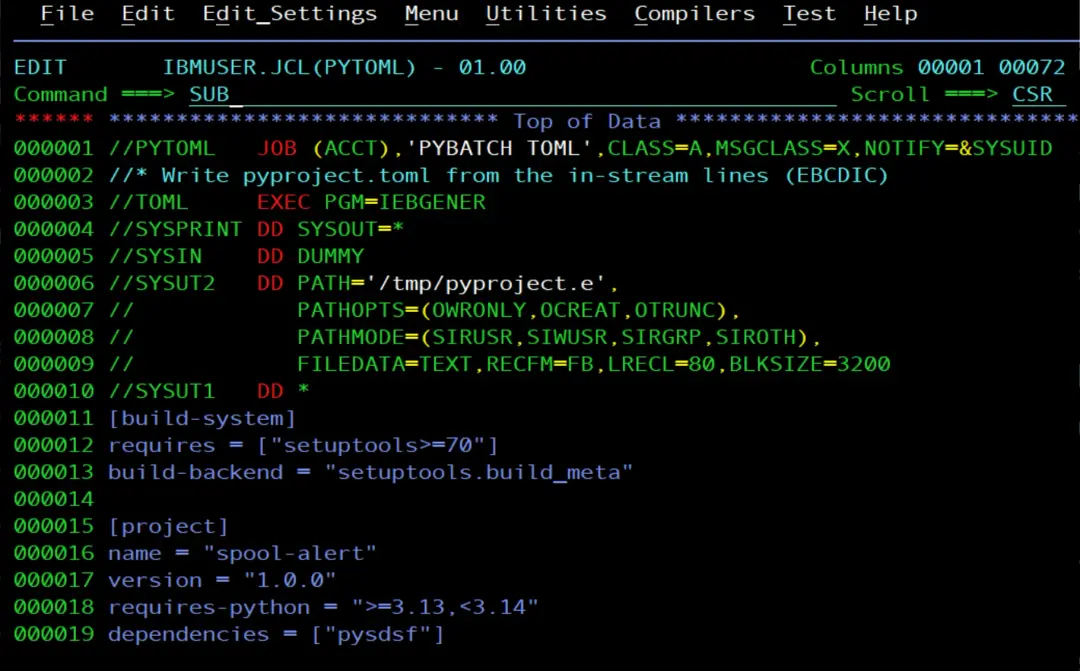
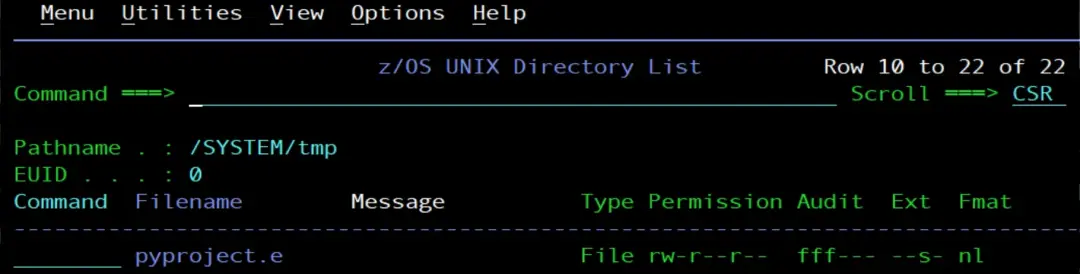
I write the pyproject.toml with a job: IEBGENER copies the lines in the JCL to a z/OS UNIX file. (There are more ways to create the file; this is simply a different way of doing it, to have more resources we can use in different situations.)
//PYTOML   JOB (ACCT),'PYBATCH TOML',CLASS=A,MSGCLASS=X,NOTIFY=&SYSUID
//* Write pyproject.toml from the in-stream lines (EBCDIC)
//TOML     EXEC PGM=IEBGENER
//SYSPRINT DD SYSOUT=*
//SYSIN    DD DUMMY
//SYSUT2   DD PATH='/tmp/pyproject.e',
//            PATHOPTS=(OWRONLY,OCREAT,OTRUNC),
//            PATHMODE=(SIRUSR,SIWUSR,SIRGRP,SIROTH),
//            FILEDATA=TEXT,RECFM=FB,LRECL=80,BLKSIZE=3200
//SYSUT1   DD *
[build-system]
requires = ["setuptools>=70"]
build-backend = "setuptools.build_meta"

[project]
name = "spool-alert"
version = "1.0.0"
requires-python = ">=3.13,<3.14"
dependencies = ["pysdsf"]

[project.scripts]
spool-alert = "spool_alert:main"

[tool.setuptools]
py-modules = ["spool_alert"]
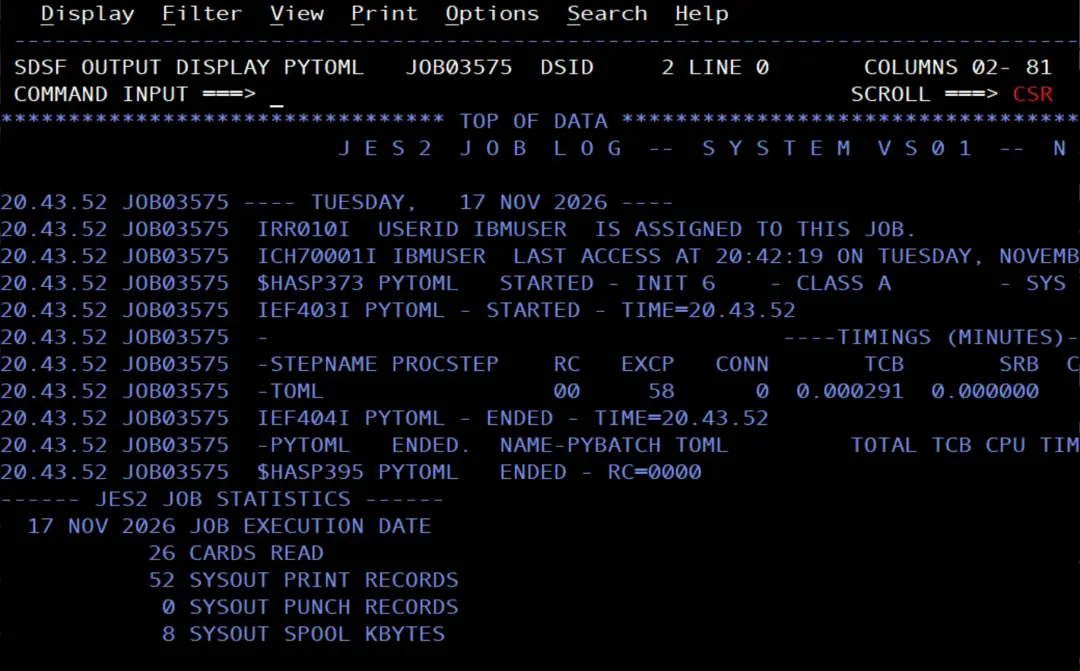
/*SYSUT1holds the content of thepyproject.tomlas is, betweenDD *and/*.SYSUT2, withPATH, writes to a z/OS UNIX file instead of a data set.PATHOPTScreates it, or empties it if it already exists, andPATHMODEgives itrw-r--r--permissions.FILEDATA=TEXTmakes each line end with a newline. The lines stay in EBCDIC, as they are in the JCL, in a temporary file,/tmp/pyproject.e.
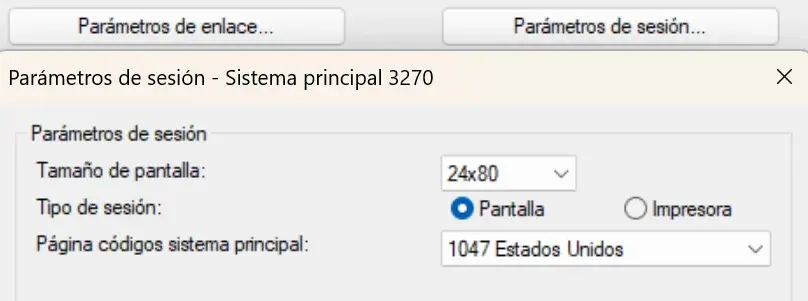
The emulator code page. The JCL lines get the code page of the 3270 emulator I use to type or paste them in the editor, and the next job converts them from IBM-1047. With another code page, for example the Spanish one (IBM-284), the brackets of the pyproject.toml get other codes, iconv converts them as if they were 1047 and pip fails to read the file with a UnicodeDecodeError. That is why I set the emulator session to 1047 before typing or pasting the job. And with NUM OFF in the editor, so there are no sequence numbers in columns 73 to 80, which would end up in the file.
Python expects the file in ASCII. Another job, also submitted by IBMUSER:
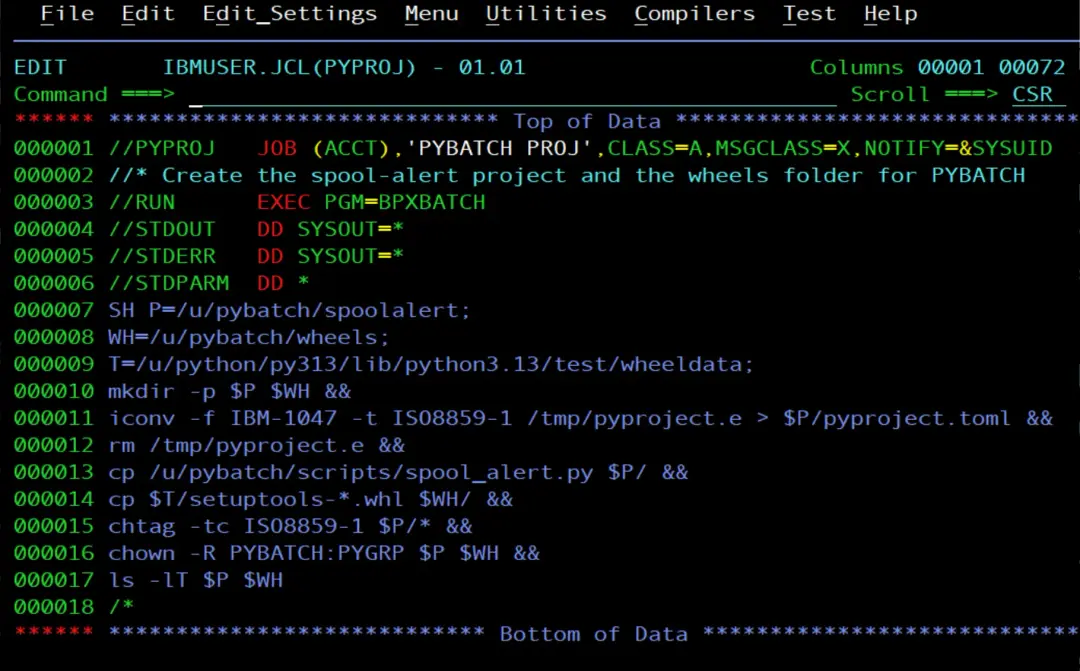
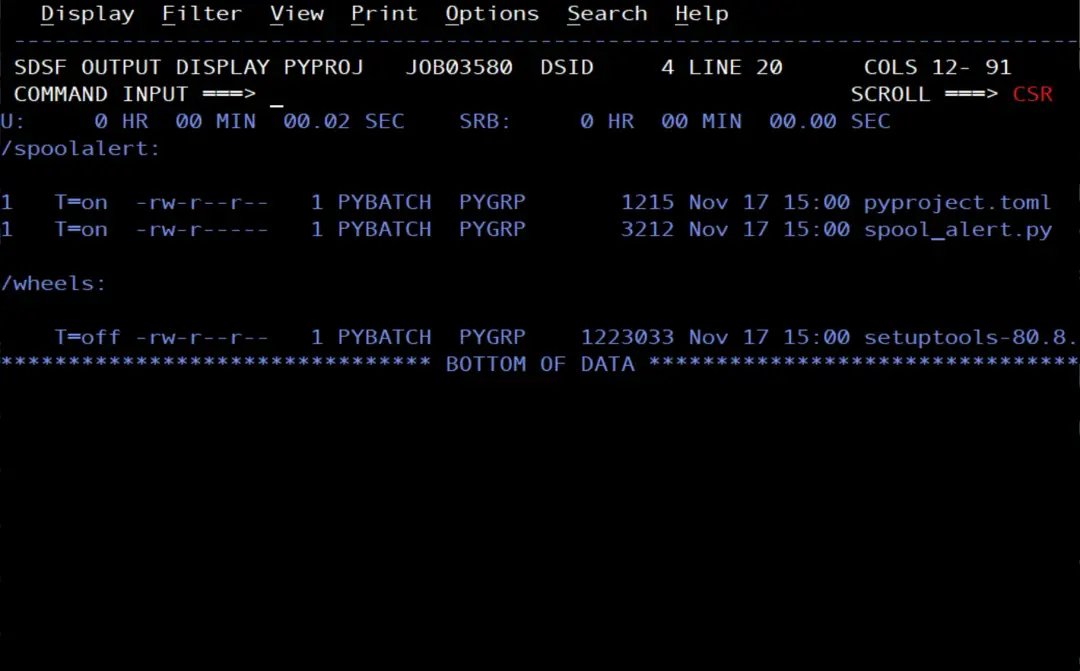
- Creates the project folder and the wheels folder.
- Converts the file to ASCII and deletes the temporary one.
- Copies the script and the setuptools wheel.
- Sets the text tag on the project files, like on the scripts (the wheel is binary and does not get it).
- Sets the owner to PYBATCH.
//PYPROJ   JOB (ACCT),'PYBATCH PROJ',CLASS=A,MSGCLASS=X,NOTIFY=&SYSUID
//* Create the spool-alert project and the wheels folder for PYBATCH
//RUN      EXEC PGM=BPXBATCH
//STDOUT   DD SYSOUT=*
//STDERR   DD SYSOUT=*
//STDPARM  DD *
SH P=/u/pybatch/spoolalert;
WH=/u/pybatch/wheels;
T=/u/python/py313/lib/python3.13/test/wheeldata;
mkdir -p $P $WH &&
iconv -f IBM-1047 -t ISO8859-1 /tmp/pyproject.e > $P/pyproject.toml &&
rm /tmp/pyproject.e &&
cp /u/pybatch/scripts/spool_alert.py $P/ &&
cp $T/setuptools-*.whl $WH/ &&
chtag -tc ISO8859-1 $P/* &&
chown -R PYBATCH:PYGRP $P $WH &&
ls -lT $P $WH
/*
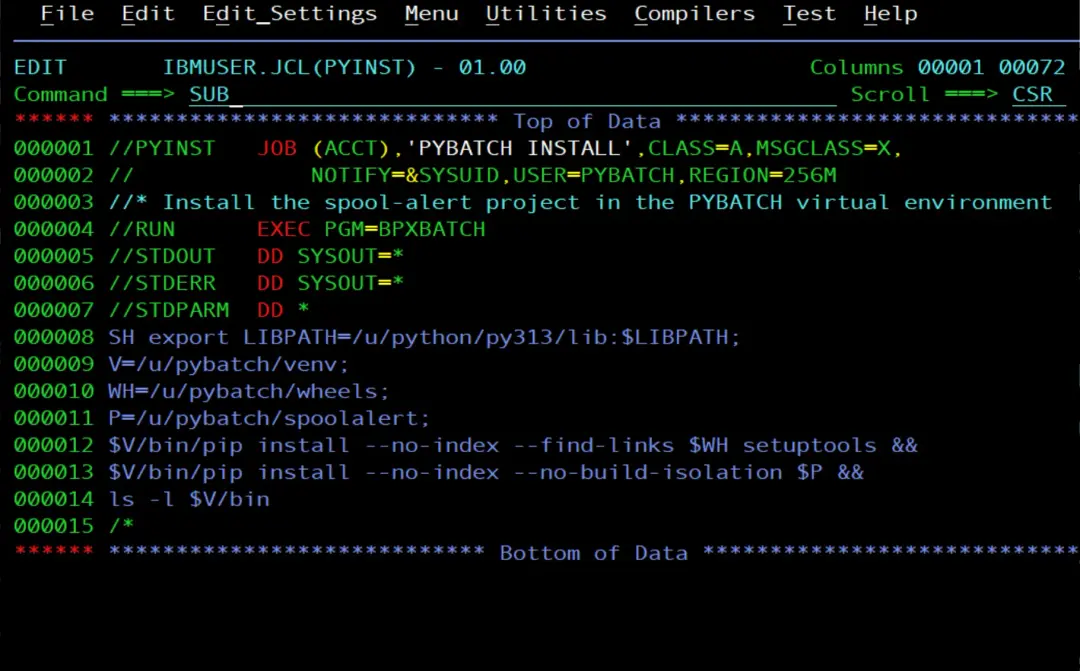
And I install it in the environment with another job as PYBATCH:
//PYINST   JOB (ACCT),'PYBATCH INSTALL',CLASS=A,MSGCLASS=X,
//             NOTIFY=&SYSUID,USER=PYBATCH,REGION=256M
//* Install the spool-alert project in the PYBATCH virtual environment
//RUN      EXEC PGM=BPXBATCH
//STDOUT   DD SYSOUT=*
//STDERR   DD SYSOUT=*
//STDPARM  DD *
SH export LIBPATH=/u/python/py313/lib:$LIBPATH;
V=/u/pybatch/venv;
WH=/u/pybatch/wheels;
P=/u/pybatch/spoolalert;
$V/bin/pip install --no-index --find-links $WH setuptools &&
$V/bin/pip install --no-index --no-build-isolation $P &&
ls -l $V/bin
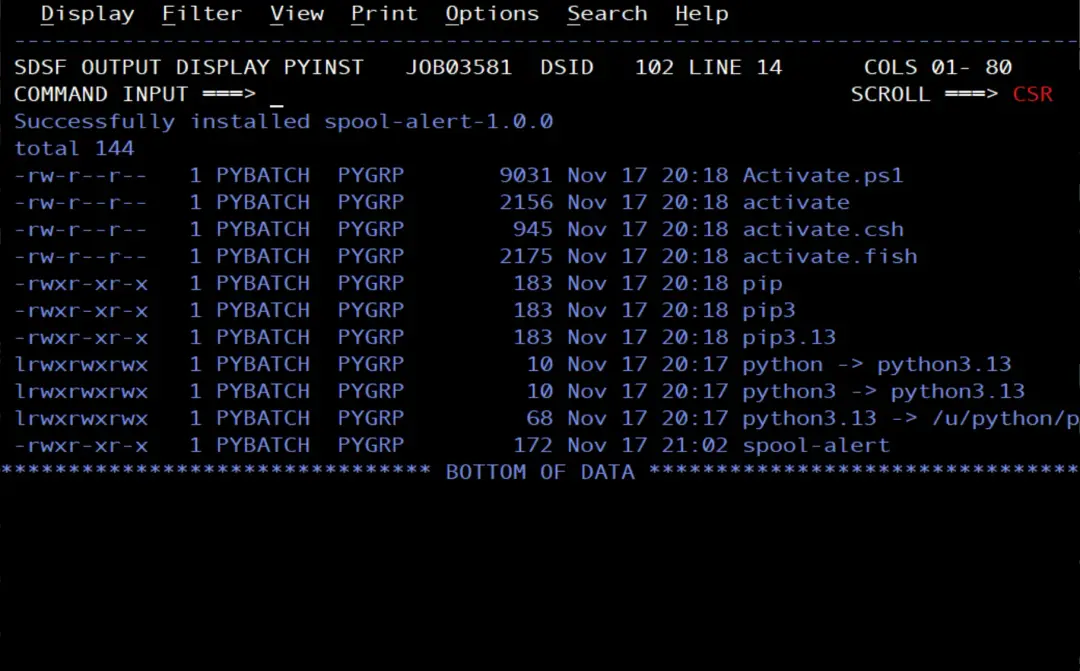
/*- The first
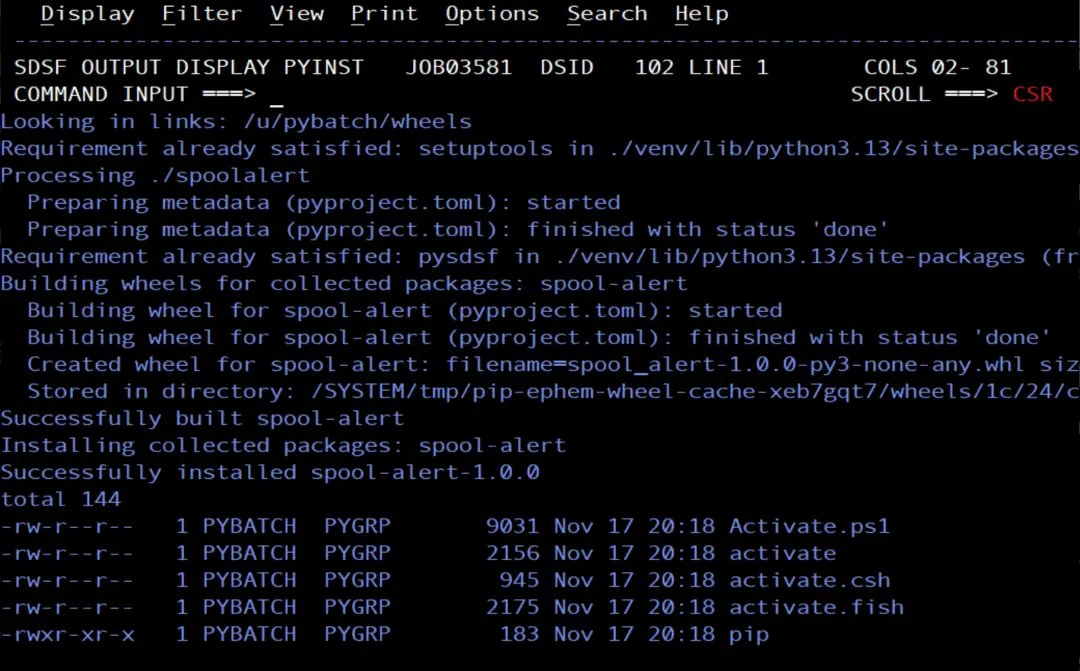
pip installinstalls setuptools from the wheels folder. - The second one installs the project. With
--no-build-isolation, pip uses the setuptools of the environment instead of trying to download it. ls -lshows thespool-alertcommand inbin.
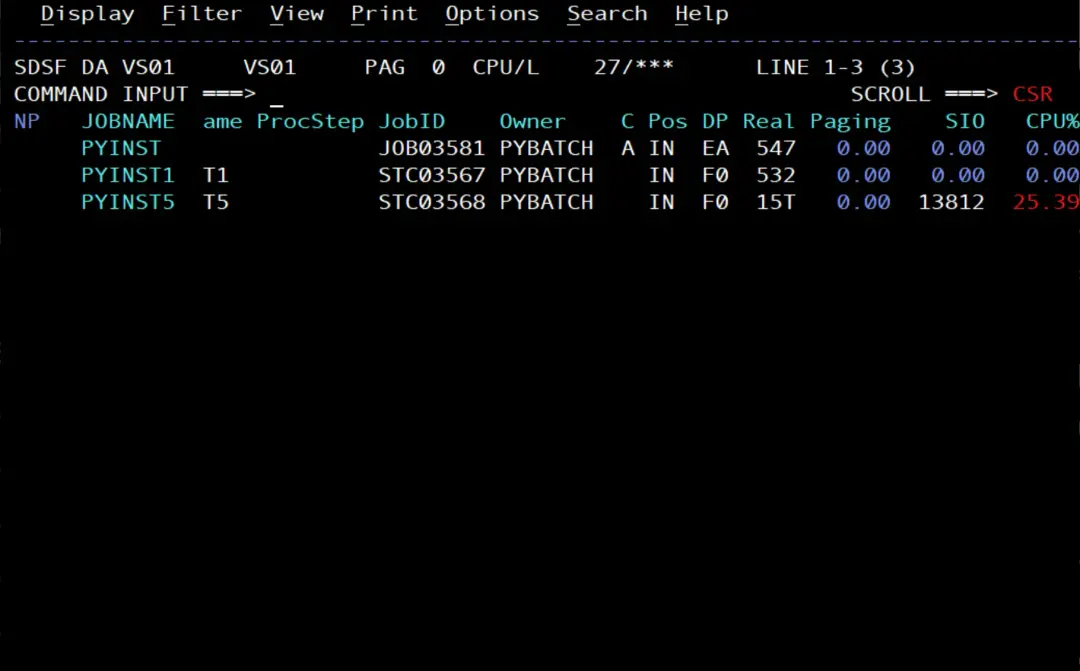
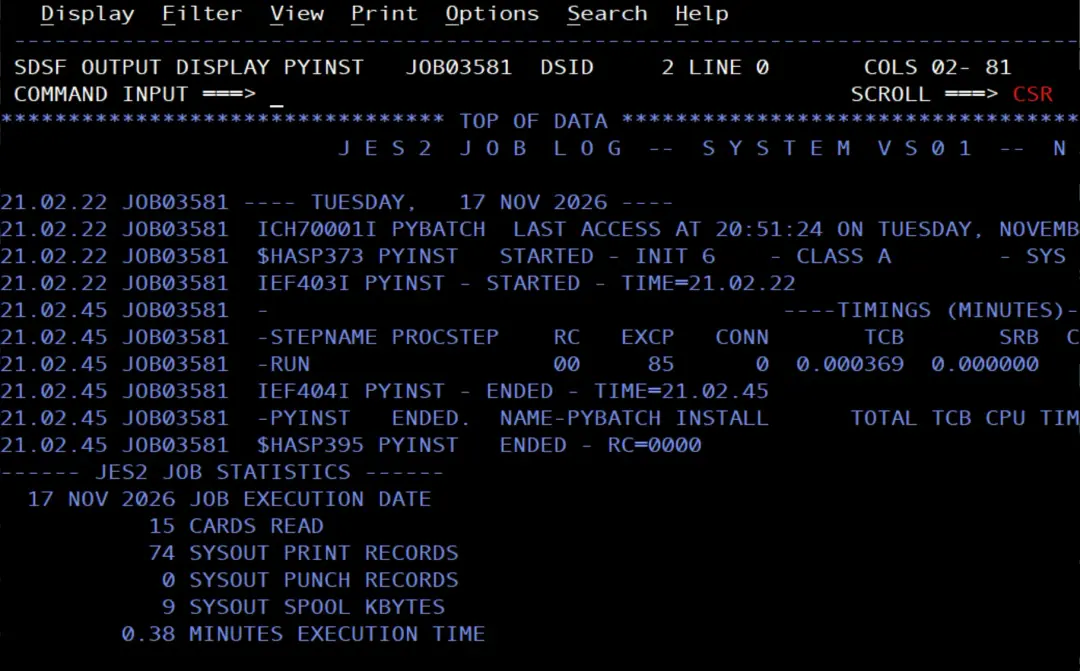
We wait for it to end.
The watch job with the command
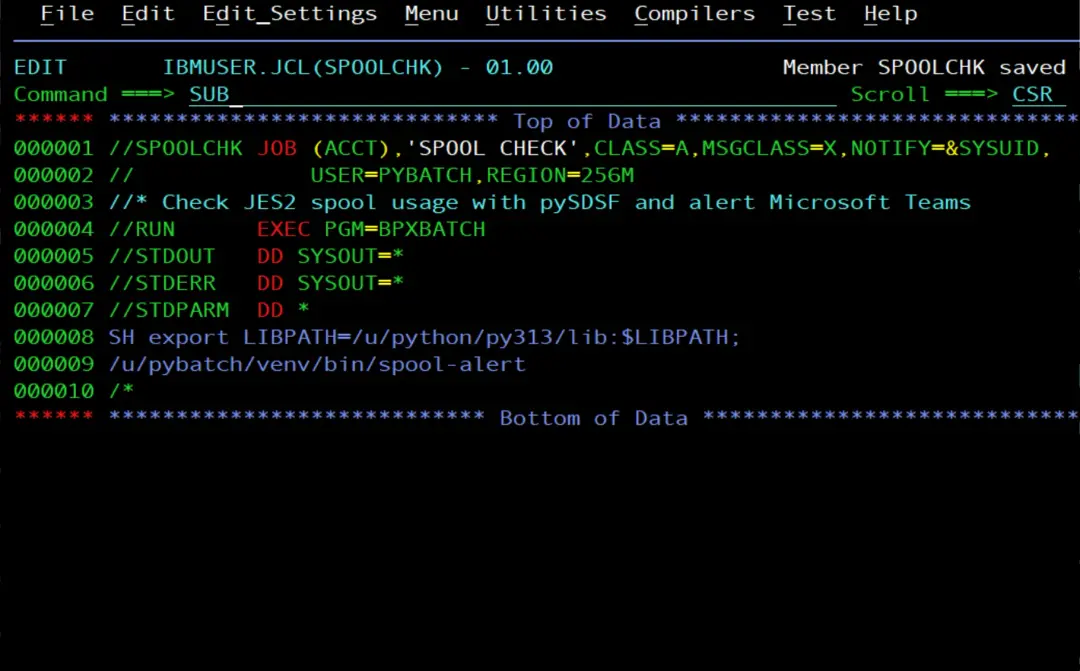
The SPOOLCHK job now looks like this:
//SPOOLCHK JOB (ACCT),'SPOOL CHECK',CLASS=A,MSGCLASS=X,NOTIFY=&SYSUID,
//             USER=PYBATCH,REGION=256M
//* Check JES2 spool usage with pySDSF and alert Microsoft Teams
//RUN      EXEC PGM=BPXBATCH
//STDOUT   DD SYSOUT=*
//STDERR   DD SYSOUT=*
//STDPARM  DD *
SH export LIBPATH=/u/python/py313/lib:$LIBPATH;
/u/pybatch/venv/bin/spool-alert
/*
The PYBATCH .profile still loads the webhook URL, so nothing else changes in the job.
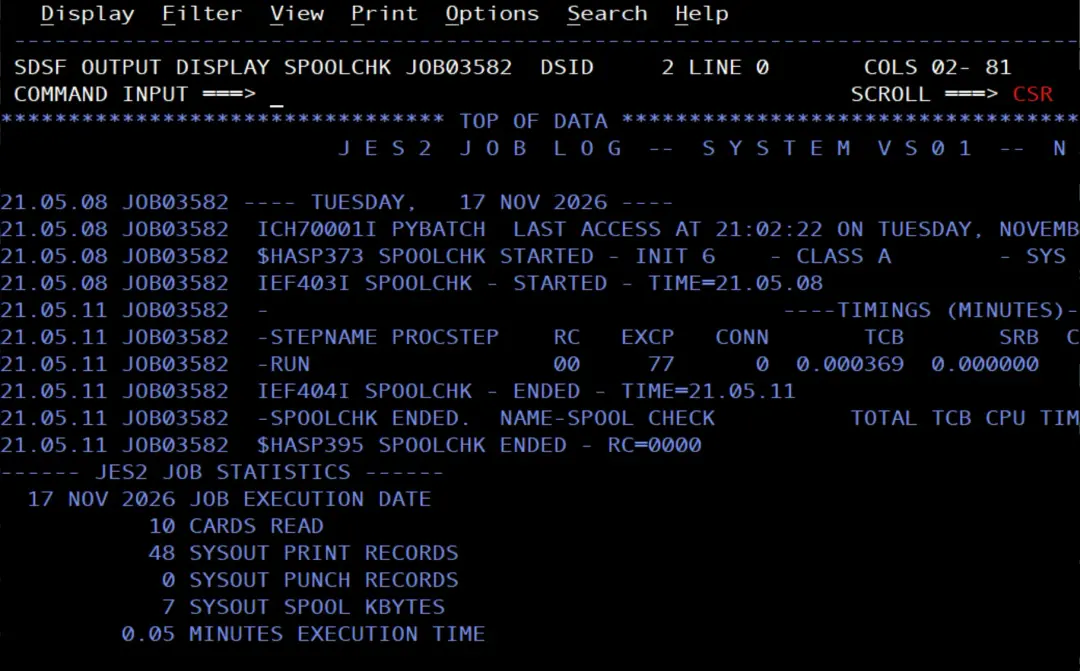
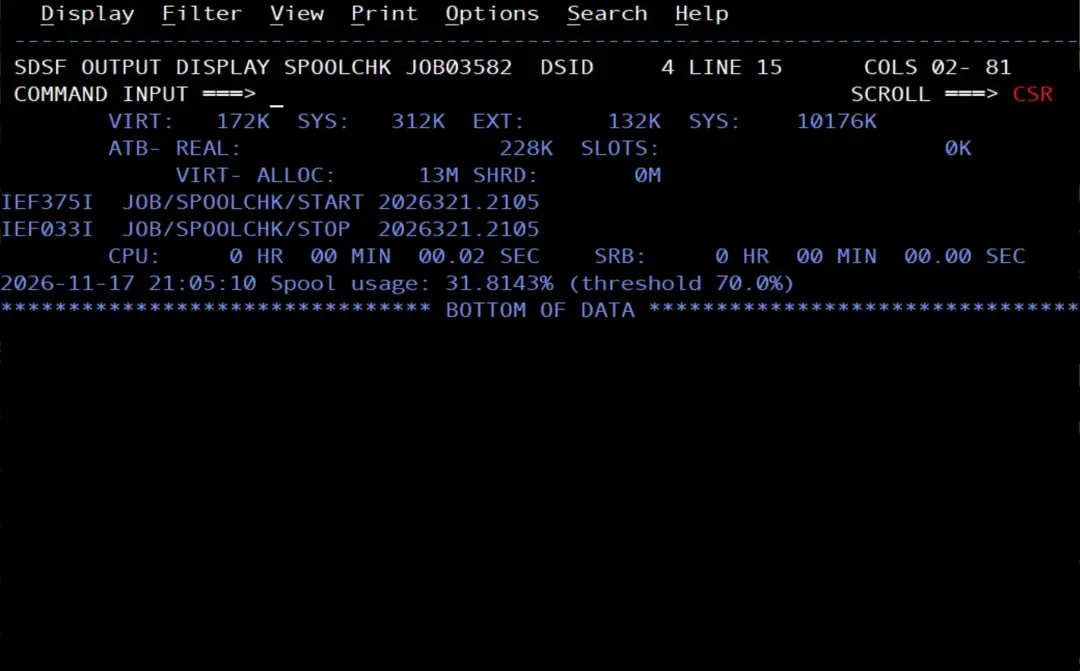
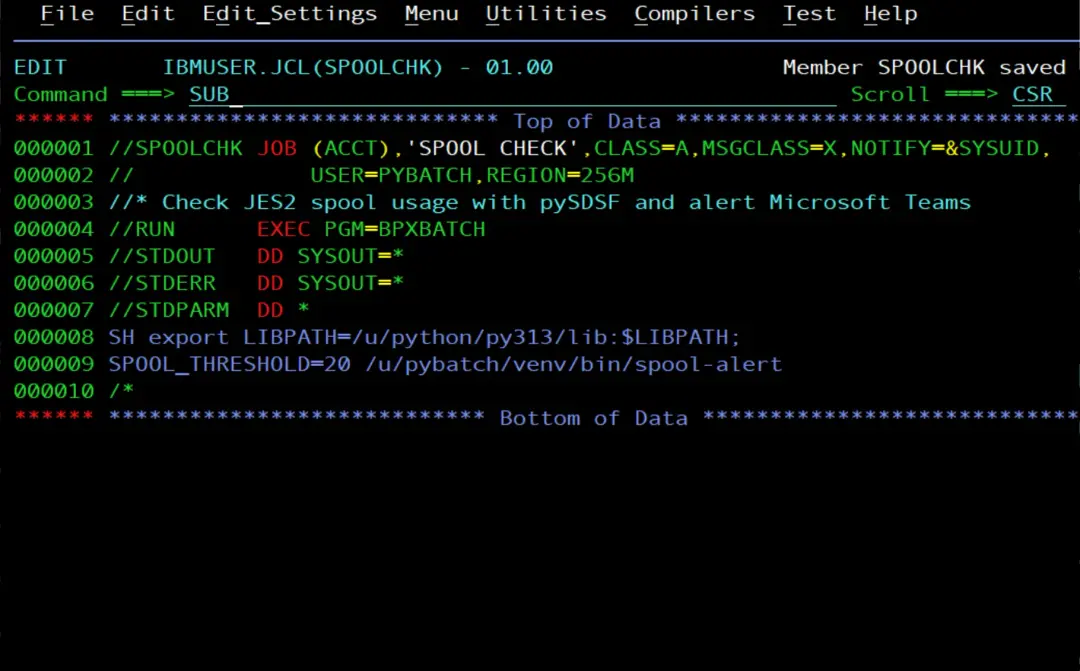
The spool is below 70 %, so there is no alert. To test the card, I lower the threshold with the SPOOL_THRESHOLD variable:
//SPOOLCHK JOB (ACCT),'SPOOL CHECK',CLASS=A,MSGCLASS=X,NOTIFY=&SYSUID,
//             USER=PYBATCH,REGION=256M
//* Check JES2 spool usage with a 20% threshold to test the alert
//RUN      EXEC PGM=BPXBATCH
//STDOUT   DD SYSOUT=*
//STDERR   DD SYSOUT=*
//STDPARM  DD *
SH export LIBPATH=/u/python/py313/lib:$LIBPATH;
SPOOL_THRESHOLD=20 /u/pybatch/venv/bin/spool-alert
/*
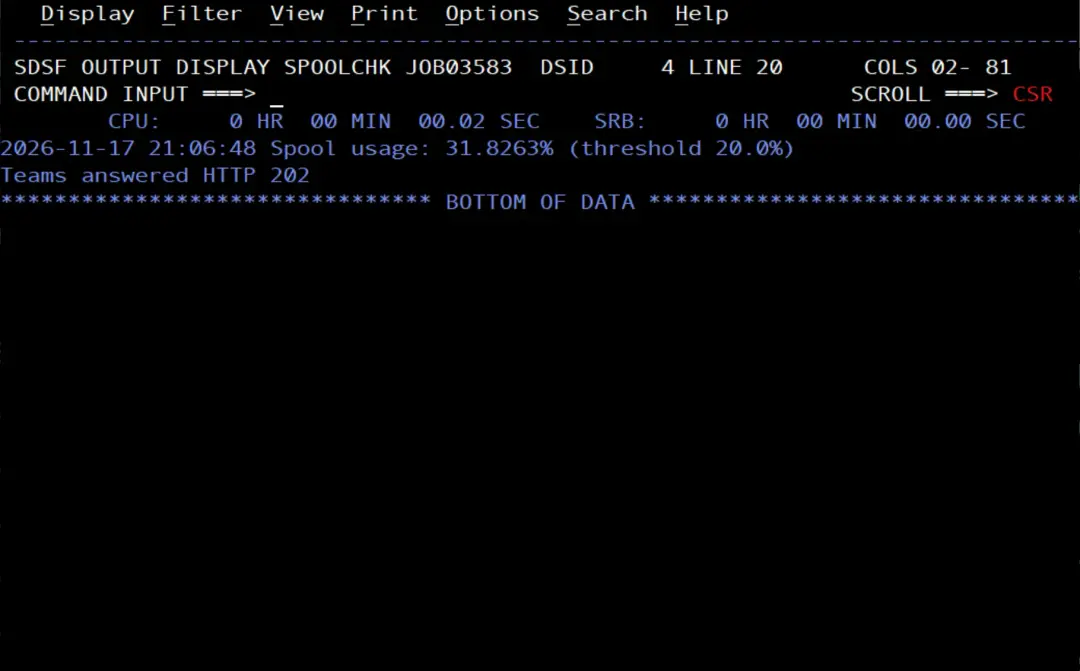
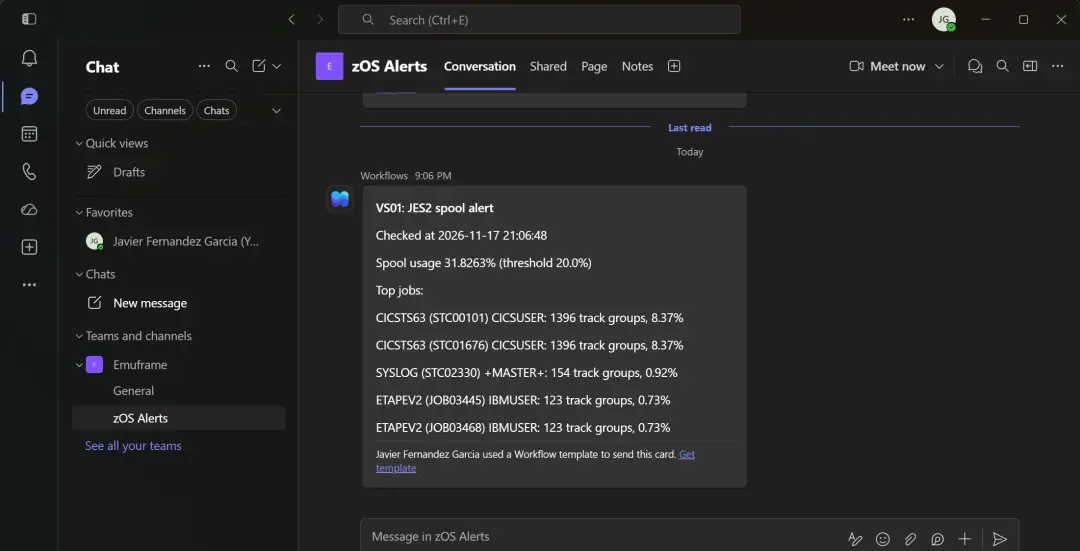
We check that the alert arrived in Microsoft Teams.
More than one command in the same project
A project can create several commands. Each line of [project.scripts] is a command, in the form name = "module:function", and each new module is added to py-modules. For example, to also have who.py as a command, I first rewrite it with a main() function:
"""Show the SDSF session of the user (who) with pySDSF."""
import sys

from pysdsf import Connection
from pysdsf.isfexception import ISFException


def main():
    connection = Connection()
    try:
        for row in connection.who():
            print(row)
    except ISFException as e:
        print(e, file=sys.stderr)
        return 8
    finally:
        connection.close()
    return 0


if __name__ == "__main__":
sys.exit(main())- It does the same as before, but if SDSF returns an error it writes it to STDERR and returns 8, so the job step no longer ends with RC 0.
- With the
if __name__at the end it can still be run as a script, as in the PYWHO job.
I upload it in binary to /u/pybatch/scripts, replacing the old one, and, as IBMUSER from OMVS, I set its tag and give it to PYBATCH:
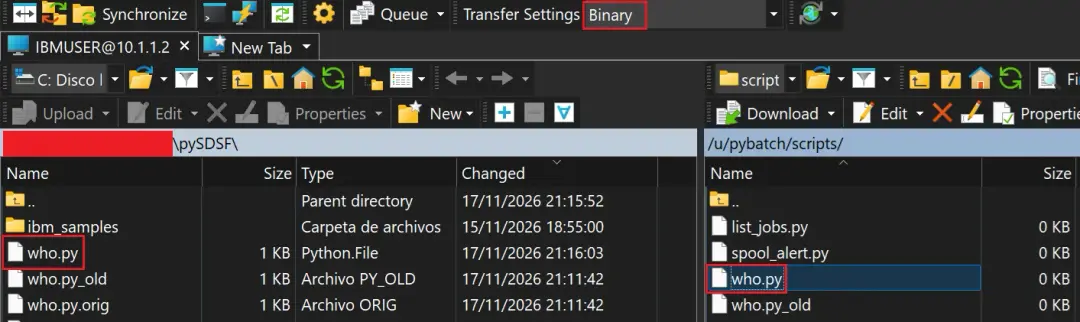
chtag -tc ISO8859-1 /u/pybatch/scripts/who.py
chown PYBATCH:PYGRP /u/pybatch/scripts/who.py
ls -lT /u/pybatch/scripts/who.py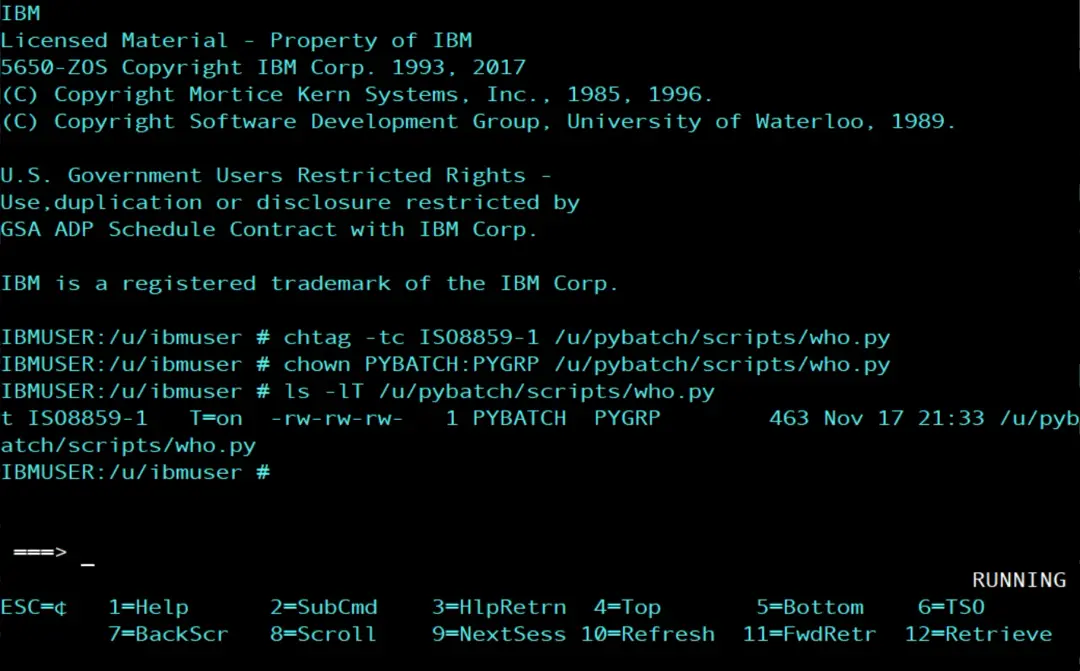
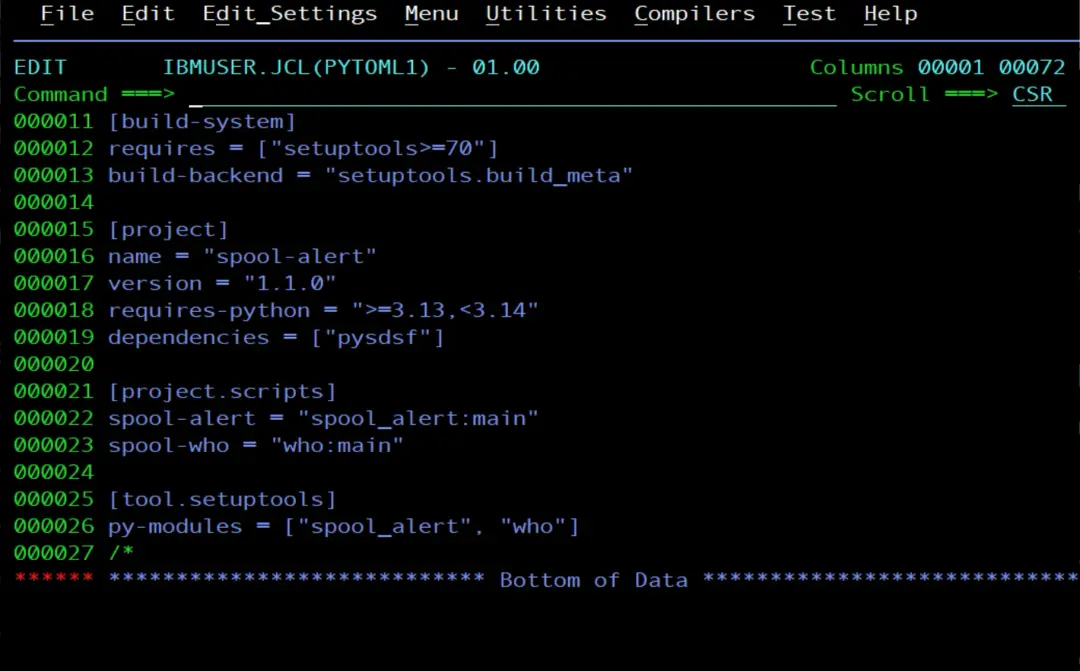
In the pyproject.toml I raise the version, add the command and add the module, and I write it again with PYTOML1, with the emulator session in 1047:
//PYTOML1  JOB (ACCT),'PYBATCH TOML',CLASS=A,MSGCLASS=X,NOTIFY=&SYSUID
//* Write pyproject.toml from the in-stream lines (EBCDIC)
//TOML     EXEC PGM=IEBGENER
//SYSPRINT DD SYSOUT=*
//SYSIN    DD DUMMY
//SYSUT2   DD PATH='/tmp/pyproject.e',
//            PATHOPTS=(OWRONLY,OCREAT,OTRUNC),
//            PATHMODE=(SIRUSR,SIWUSR,SIRGRP,SIROTH),
//            FILEDATA=TEXT,RECFM=FB,LRECL=80,BLKSIZE=3200
//SYSUT1   DD *
[build-system]
requires = ["setuptools>=70"]
build-backend = "setuptools.build_meta"

[project]
name = "spool-alert"
version = "1.1.0"
requires-python = ">=3.13,<3.14"
dependencies = ["pysdsf"]

[project.scripts]
spool-alert = "spool_alert:main"
spool-who = "who:main"

[tool.setuptools]
py-modules = ["spool_alert", "who"]
/*
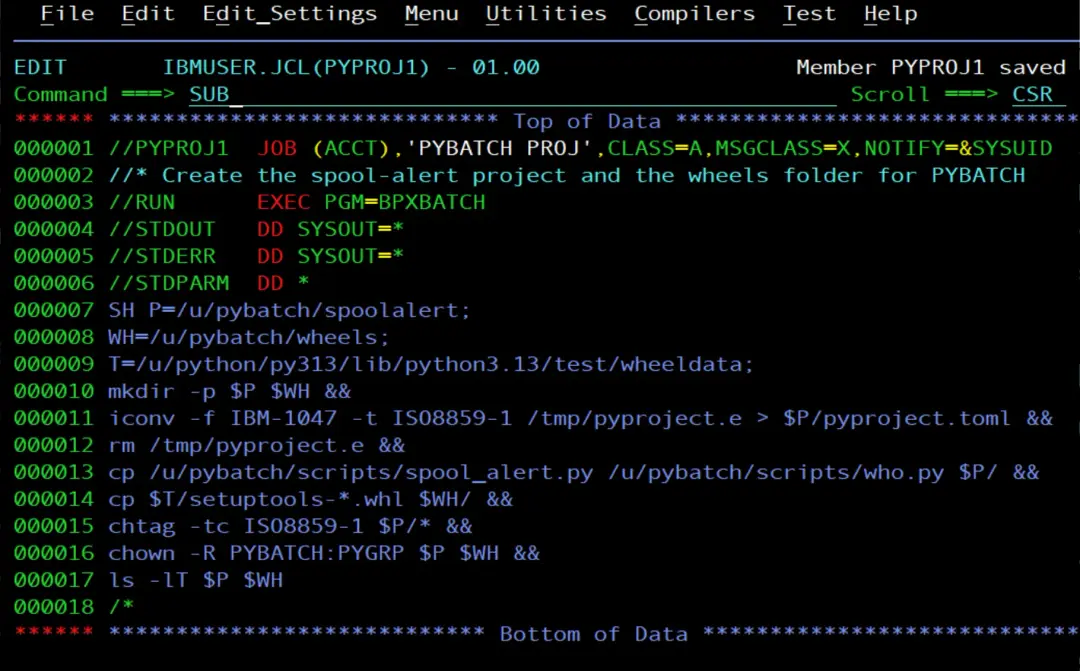
And PYPROJ1, which now also copies who.py to the project:
//PYPROJ1  JOB (ACCT),'PYBATCH PROJ',CLASS=A,MSGCLASS=X,NOTIFY=&SYSUID
//* Copy who.py and the new pyproject.toml to the spool-alert project
//RUN      EXEC PGM=BPXBATCH
//STDOUT   DD SYSOUT=*
//STDERR   DD SYSOUT=*
//STDPARM  DD *
SH P=/u/pybatch/spoolalert;
WH=/u/pybatch/wheels;
T=/u/python/py313/lib/python3.13/test/wheeldata;
mkdir -p $P $WH &&
iconv -f IBM-1047 -t ISO8859-1 /tmp/pyproject.e > $P/pyproject.toml &&
rm /tmp/pyproject.e &&
cp /u/pybatch/scripts/spool_alert.py /u/pybatch/scripts/who.py $P/ &&
cp $T/setuptools-*.whl $WH/ &&
chtag -tc ISO8859-1 $P/* &&
chown -R PYBATCH:PYGRP $P $WH &&
ls -lT $P $WH
/*
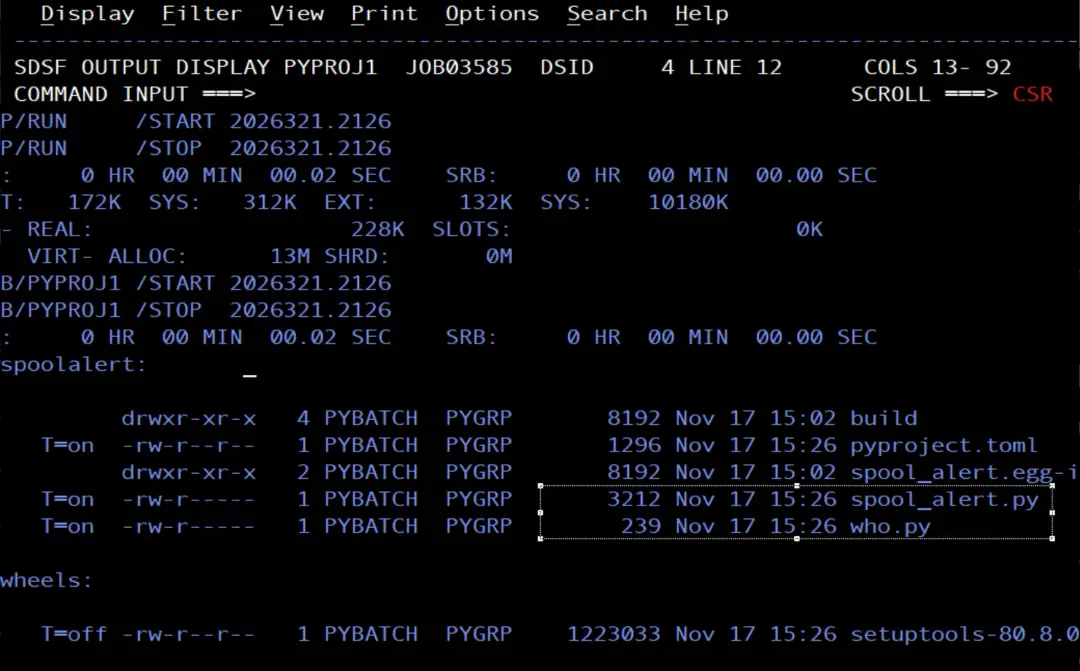
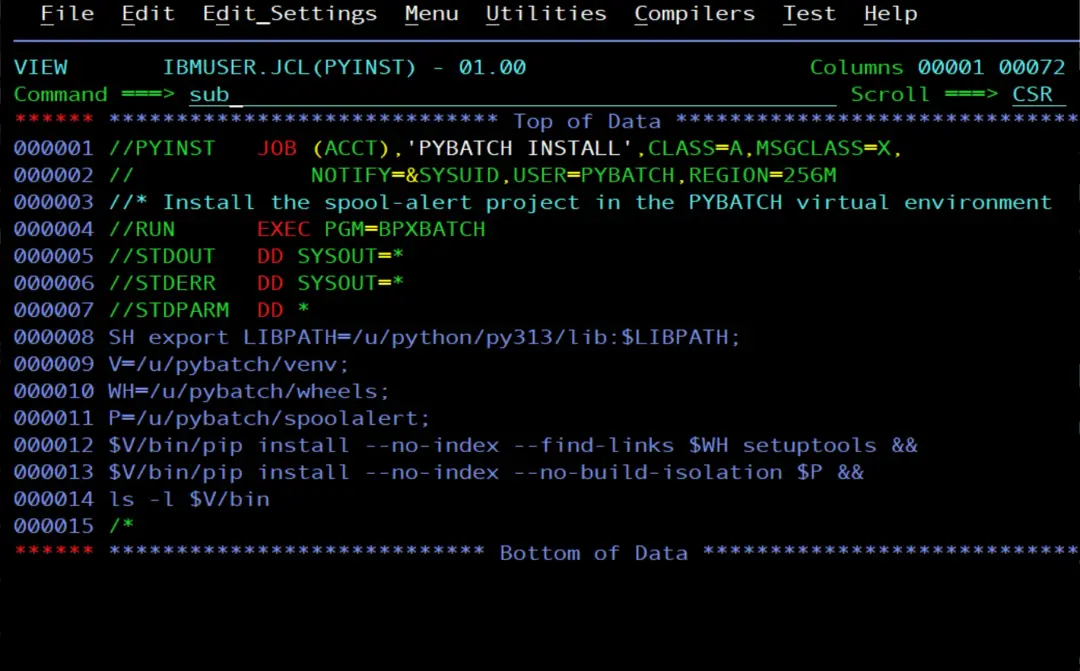
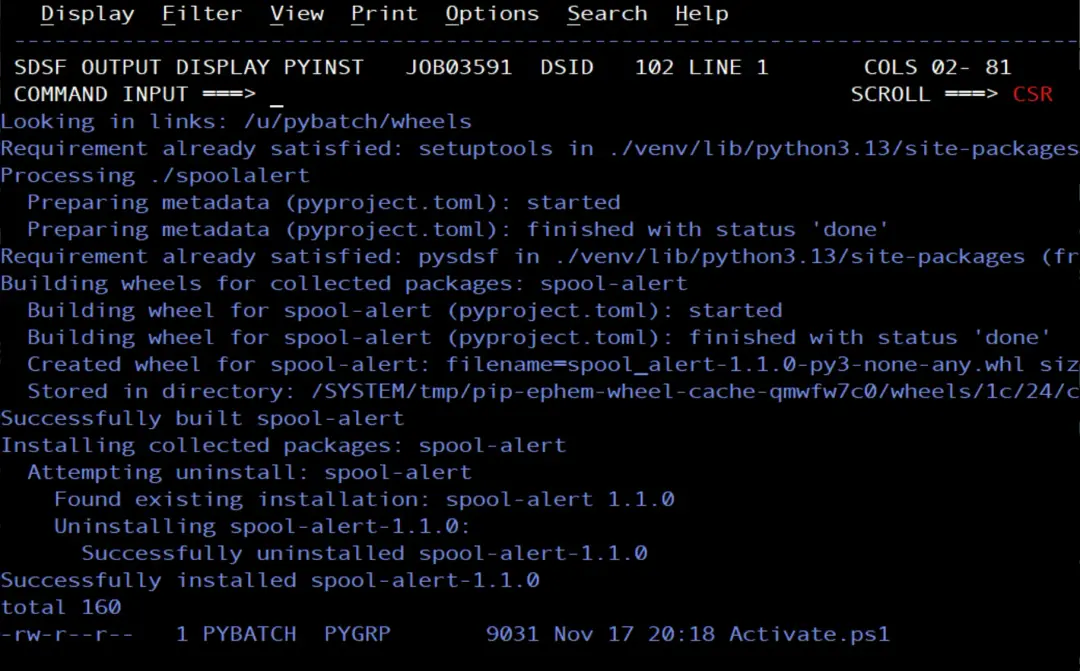
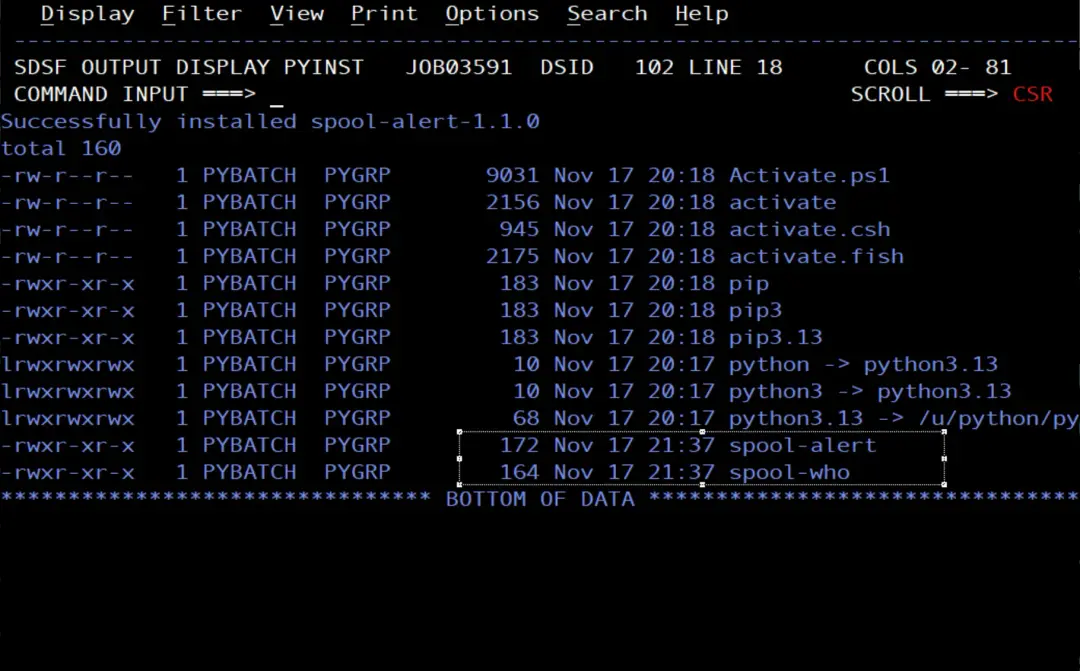
Then I run PYINST again, unchanged, as PYINST1: it installs version 1.1.0 and spool-who appears in bin next to spool-alert.
//PYINST1  JOB (ACCT),'PYBATCH INSTALL',CLASS=A,MSGCLASS=X,
//             NOTIFY=&SYSUID,USER=PYBATCH,REGION=256M
//* Install the spool-alert project in the PYBATCH virtual environment
//RUN      EXEC PGM=BPXBATCH
//STDOUT   DD SYSOUT=*
//STDERR   DD SYSOUT=*
//STDPARM  DD *
SH export LIBPATH=/u/python/py313/lib:$LIBPATH;
V=/u/pybatch/venv;
WH=/u/pybatch/wheels;
P=/u/pybatch/spoolalert;
$V/bin/pip install --no-index --find-links $WH setuptools &&
$V/bin/pip install --no-index --no-build-isolation $P &&
ls -l $V/bin
/*
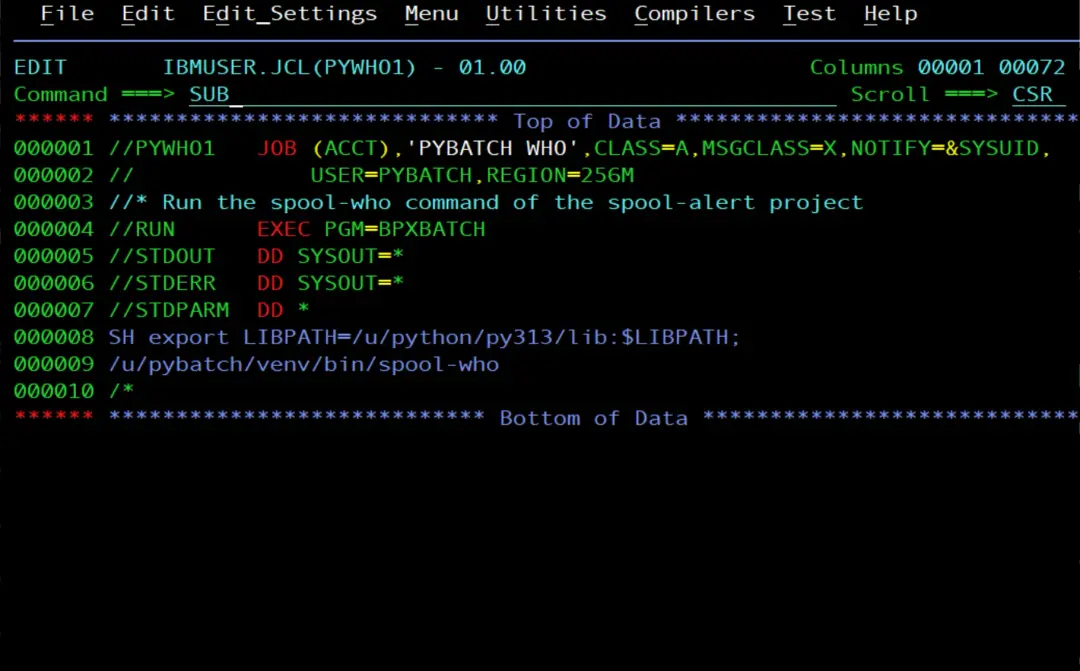
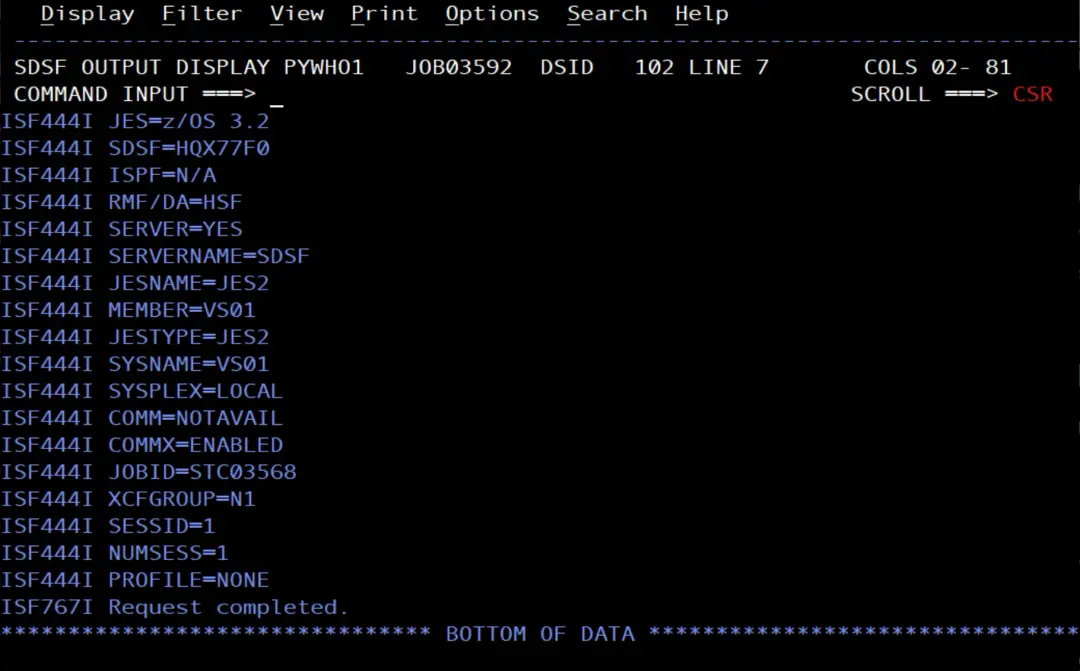
And I run it with a job as PYBATCH:
//PYWHO1   JOB (ACCT),'PYBATCH WHO',CLASS=A,MSGCLASS=X,NOTIFY=&SYSUID,
//             USER=PYBATCH,REGION=256M
//* Run the spool-who command of the spool-alert project
//RUN      EXEC PGM=BPXBATCH
//STDOUT   DD SYSOUT=*
//STDERR   DD SYSOUT=*
//STDPARM  DD *
SH export LIBPATH=/u/python/py313/lib:$LIBPATH;
/u/pybatch/venv/bin/spool-who
/*
A few more things about the commands:
- The command calls the function without arguments. If it needs parameters, it reads them with
sys.argvorargparse. - What the function returns is the exit code of the command: if it is not 0, the BPXBATCH step does not end with RC 0.
- One file can provide several commands, each with a different function: for example,
spool-alert = "spool_alert:main"andspool-status = "spool_alert:status", ifspool_alert.pyhad astatus()function. - pip copies the modules into the environment, in its
site-packages. If I change a script, I have to run PYTOML1, PYPROJ1 and PYINST1 again, in that order, for the command to use the new version: PYPROJ1 needs the file that PYTOML1 leaves in/tmp. - Raising the project version in the
pyproject.toml(theversionline, from 1.0.0 to 1.1.0) is not required: pip reinstalls the project from its folder even if it has the same version. I raise it to keep a record of the change.
Loose modules or a package
In Python, each .py file is a module, and its name is the file name without the .py: who.py is the who module. When a program runs import who, Python looks for a module with that name in the folders it knows. In a virtual environment, the main one is site-packages, which is where pip puts everything it installs.
What we have done in this project are loose modules: spool_alert.py and who.py sit directly in the project folder, and when it is installed pip copies them as they are to site-packages, side by side and next to what other packages install, such as pySDSF.
A package is a folder that groups several modules under one name. For Python to treat it as a package, it contains an __init__.py file, which can be empty. With a package, the project would look like this:
/u/pybatch/spoolalert/
  pyproject.toml
  spoolalert/
    __init__.py
    alert.py
    who.py
Now the module is no longer just who, but spoolalert.who: the package name, a dot and the module name. In the pyproject.toml, py-modules is replaced by packages = ["spoolalert"], and the commands point to "spoolalert.alert:main" and "spoolalert.who:main".
What changes:
- Names do not clash.
whois a very common name: if another package installed in the environment also brought awho.py, one would overwrite the other insite-packages. Inside the package it isspoolalert.who, and there is no confusion. - Sharing code is easy. If both commands need the same thing, for example opening the SDSF connection or sending the alert to Teams, it goes in a module of the package, such as
spoolalert/common.py, and both use it, instead of repeating it in each script. - Everything stays together. With many scripts,
site-packageshas a single folder for the project instead of many loose files.
With two scripts, as now, loose modules are enough. If the project grows, it is better to move to a package.
What we gain
- The job no longer uses
current: the environment always uses 3.13.15.1, the release it was created with, and theLIBPATHputs itslibfirst. - The PYBATCH packages are in its environment and do not touch the system Python or other users' Python.
- The project records which Python version and which dependencies it needs.
- The JCL runs a named command instead of the path of the script.
- One project can provide several commands, such as
spool-alertandspool-who.
References
- venv — Creation of virtual environments (Python documentation).
- Writing your pyproject.toml (Python Packaging User Guide).