JES2 automatic commands with $TA
JES2 can issue commands by itself, at a set time or at regular intervals, without anyone typing them on the console. These are automatic commands, and you create them with the $T A command (usually written $TA).
They are useful for tasks that repeat: writing the SYSLOG every night with W L (as in Archive the SYSLOG with XWTR), issuing a display every few minutes to keep an eye on something, or bringing a device online at a given time. They come with JES2, so no scheduler is needed.
In this post I follow the IBM documentation for z/OS 3.2: what an automatic command is, how to create one, how to see what is scheduled, how to change it and how to halt or delete it. I issue every command from SDSF, with / in front.
What an automatic command is
An automatic command is an entry that JES2 keeps with:
- An identifier, 1 to 4 characters. If I don't give one, JES2 assigns one.
- The time when it is issued (
T=). - The interval at which it repeats, in seconds (
I=). - The command or commands it issues.
When the time comes, JES2 issues the command as if the user who created the entry had typed it: RACF checks the authority of the user who created it. And that check is done when the command is issued, not when the entry is created: if the command has an error, I don't see it until JES2 tries to issue it.
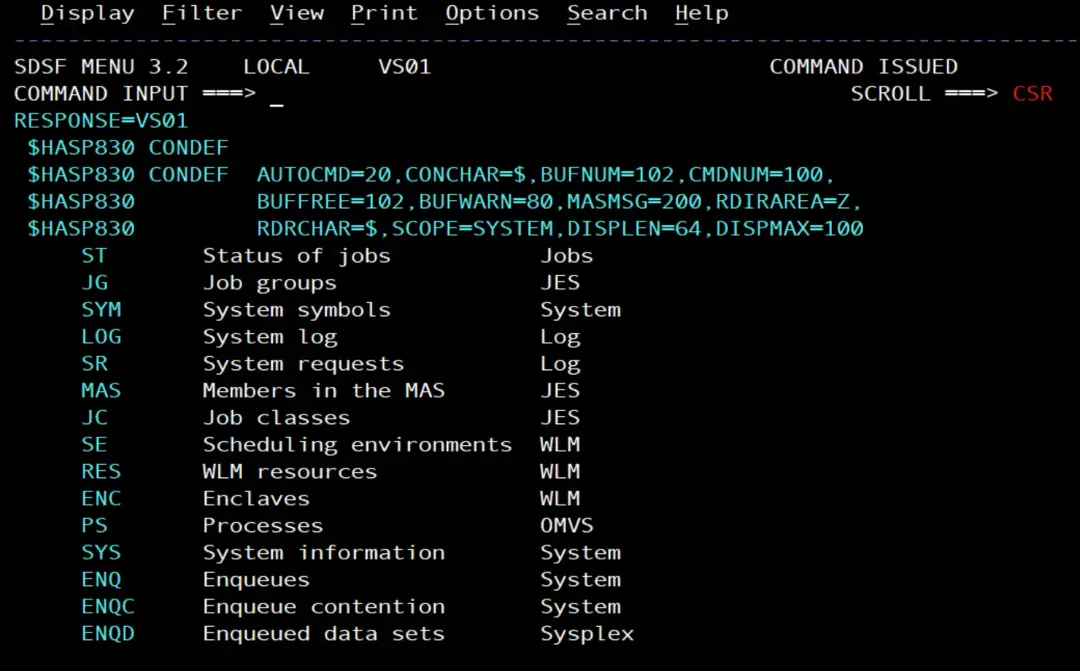
The number of automatic commands that can be active at the same time is set by the AUTOCMD parameter of the CONDEF statement in the JES2 initialization: from 2 to 9999, and 20 if not specified. On my system, $D CONDEF shows AUTOCMD=20:
The $TA syntax
According to the IBM documentation, the command is:
$TA[cccc|,ALL][,I=sssss][,T=hhh.mm][,'comando[;comando]...'][,L=destino]cccc: the entry identifier. If it exists,$TAchanges it; if it doesn't, it creates it with that name. It goes right after$TA, with no comma (for example$TA1). IBM warns against using an identifier that makes the command look like another JES2 command:$TA PPL,...would be read as the$TAPPLcommand.ALL: with other parameters, it changes every entry I am allowed to change; without other parameters, it displays them.I=: the interval in seconds. The minimum is 10 and the maximum 86400 (one day). If I giveI=withoutT=, the command is issued right away and then everyI=seconds.T=: the time, in hours and minutes since the last midnight (hhh.mm). It can go past 23 for the following days:T=50.20is the day after tomorrow at 2:20. The maximum is168.59.'comando': the JES2 command to issue. Several commands are separated with;. Single quotes inside the command are written twice.L=: where the responses go. If I leave it out, to the console where I created the entry.
What happens with the time in each case:
- If the time has already passed today and there is an interval, the command is issued right away and then repeated at the given time, with that interval.
- If the time has already passed today and there is no interval, the command is issued right away and the entry is deleted.
- If the entry has no interval, it is deleted after it runs: to issue it again you have to create it again.
MVS commands inside $TA
$TA issues JES2 commands. To issue an MVS command, such as D T or W L, you use the JES2 command $VS, which passes the text to MVS. Since $VS takes the command in single quotes, and those quotes are inside the $TA quotes, they are written twice. This is the example from the IBM documentation: for JES2 to issue $VS,'D A', the automatic command is:
$TA,I=20,T=12.05,'$VS,''D A'''Create an automatic command
A command that repeats
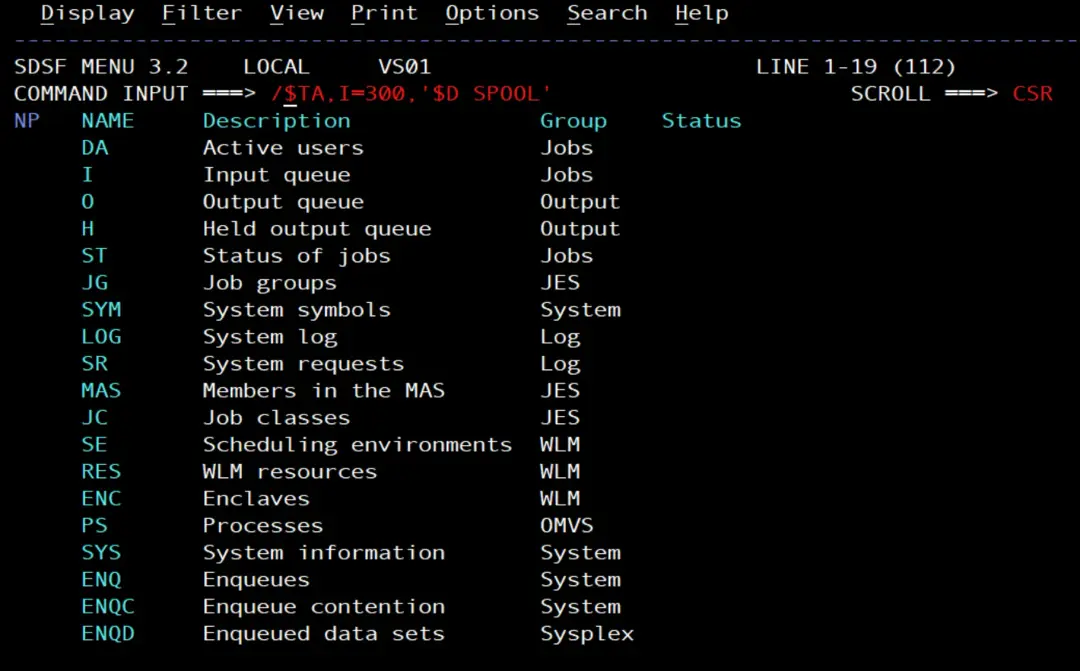
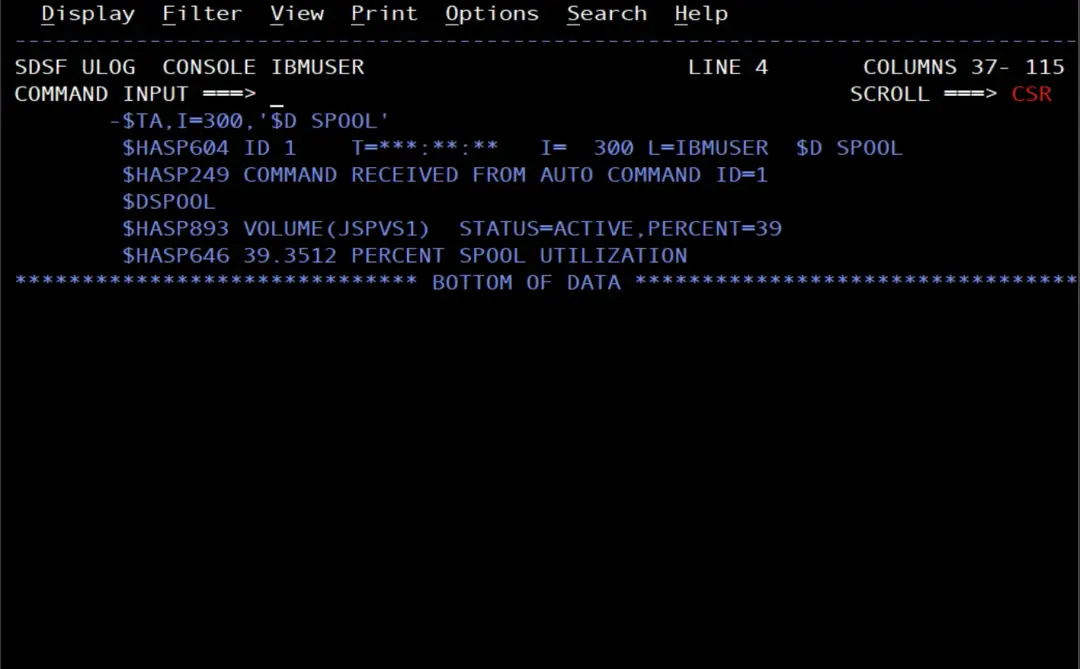
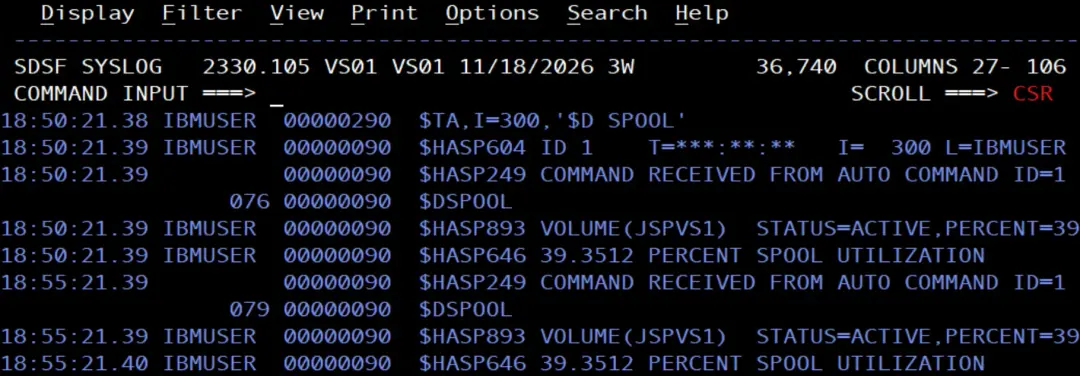
To try it, I create an entry that shows spool usage every 5 minutes:
$TA,I=300,'$D SPOOL'Since I don't give T=, the command is issued right away and then every 300 seconds. JES2 responds with the $HASP604 message, which shows the entry it created, and each time it issues it, it writes $HASP249 COMMAND RECEIVED FROM AUTO COMMAND ID= followed by the identifier.
A command at a set time
Now, an MVS command at a set time. I pick a time a few minutes after the current one:
$TA,T=19.03,'$VS,''D R,L'''Since it has no interval, it is issued once at that time and the entry is deleted. In the screenshots of the following sections there is another entry with the same command for 19.10 (ID 3).
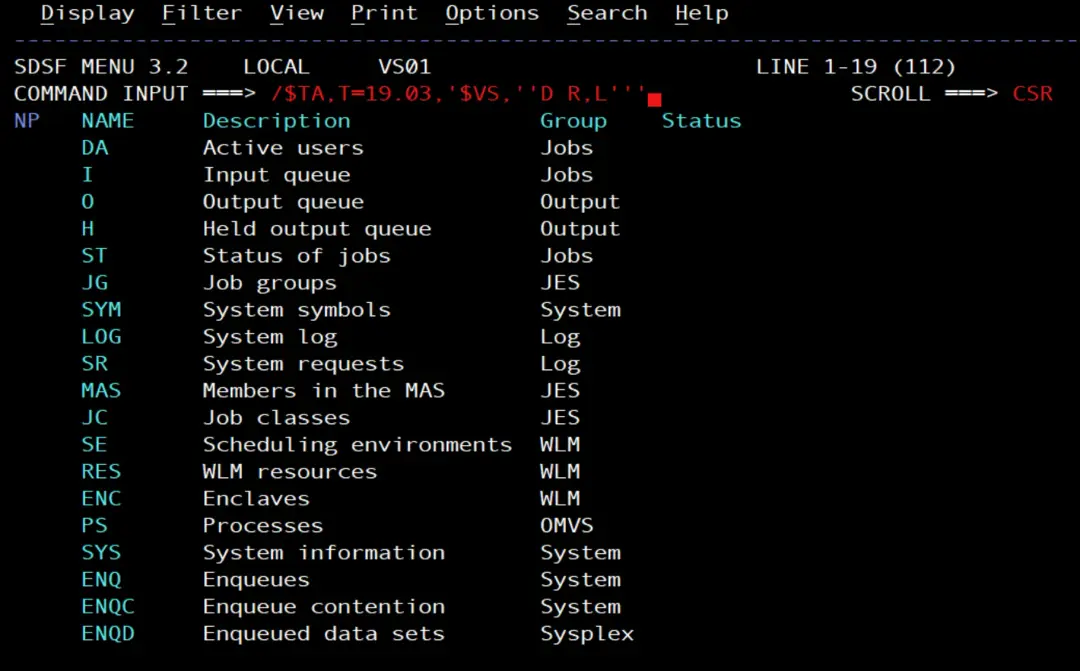
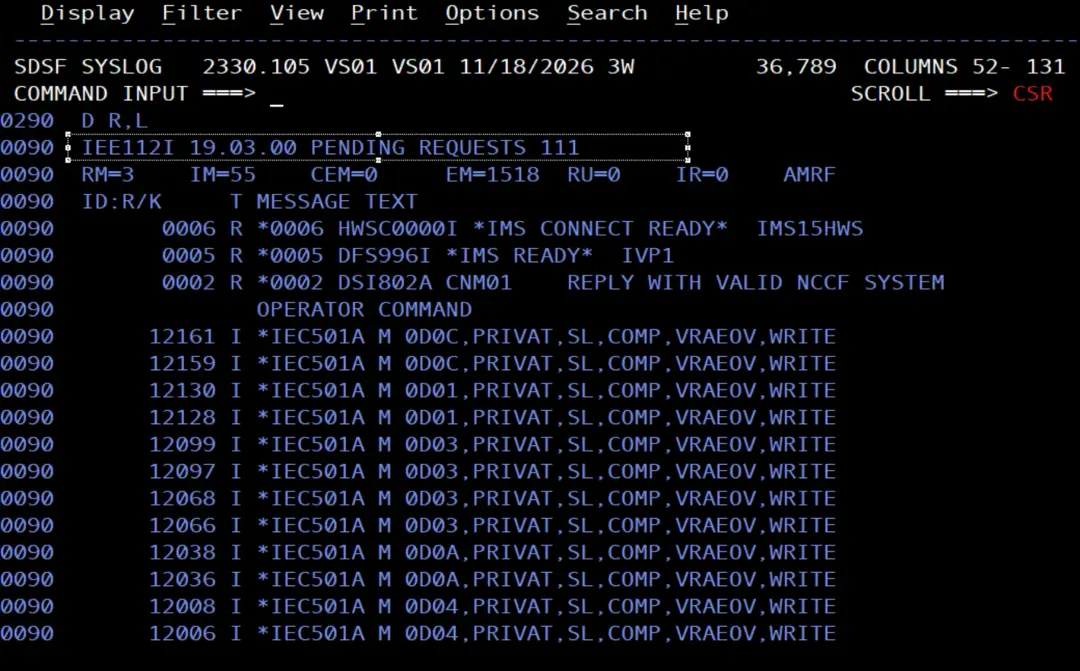
A command every day at the same time
To repeat it every day, you combine T= with I=86400. The example in the IBM documentation issues I SMF (switch the SMF data set) at 0:30 every 24 hours:
$TA,T=00.30,I=86400,'$VS,''I SMF'''IBM explains that, if this command is created at 13:00, the time has already passed: it is issued right away, then again at 0:30 and, from then on, every 24 hours at 0:30.
In the same way, to write the SYSLOG every night at 0:05:
$TA,T=00.05,I=86400,'$VS,''W L'''See what is scheduled
To see every scheduled entry (if an entry only had to run once and it already has, it doesn't show), $TA,ALL:
$TA,ALLJES2 responds with one $HASP604 for each entry:
ID: the identifier.T=: the next time it will be issued. In the response when you create an entry with only an interval, it shows***:**:**, because it is issued right away; after that,$TA,ALLshows the time of the next run. If it is on another day, the time is followed by/and the number of days.I=: the interval in seconds.L=: the console where the responses go.- The command it issues.
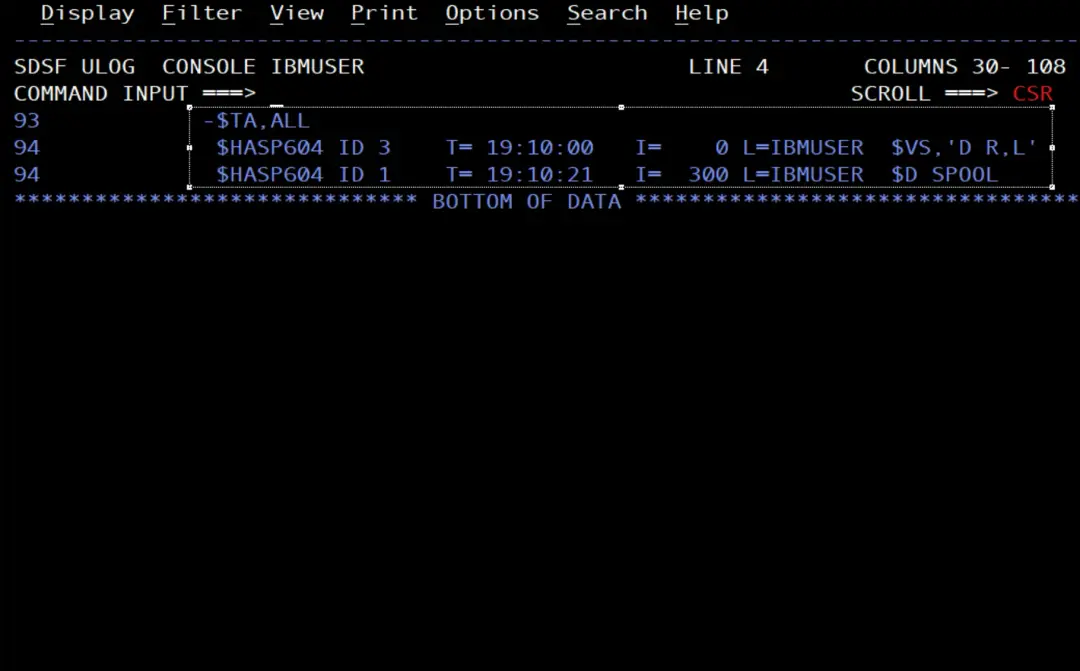
To see a single entry, its identifier:
$TA3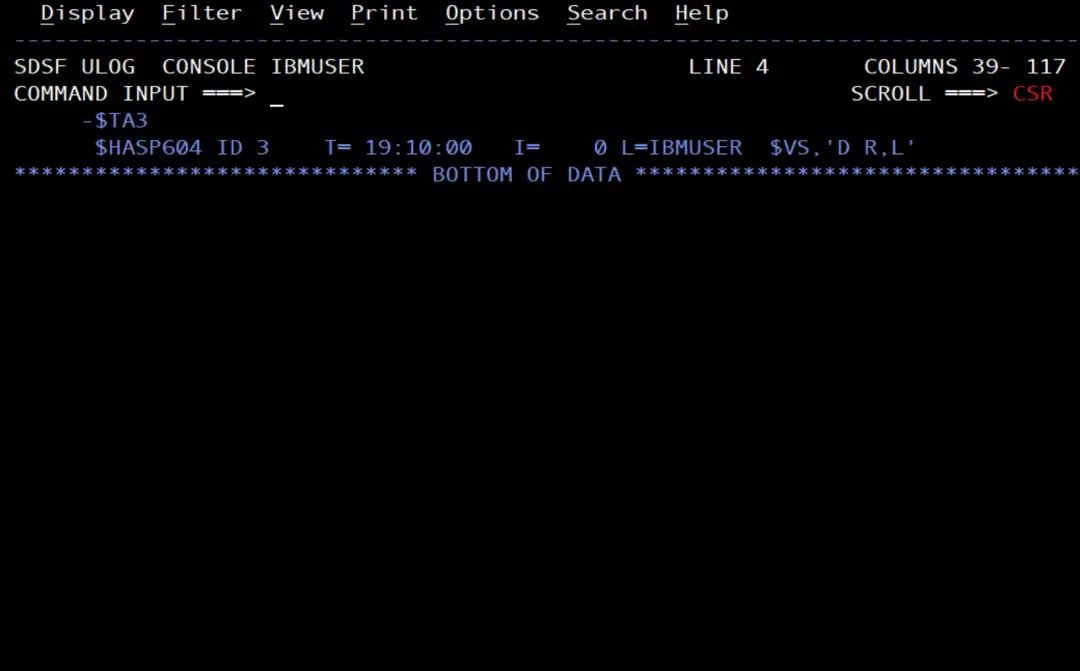
Change an automatic command
With $TA and the identifier of an entry that already exists, JES2 changes it. For example, so that entry 1 runs every 10 minutes instead of every 5:
$TA1,I=600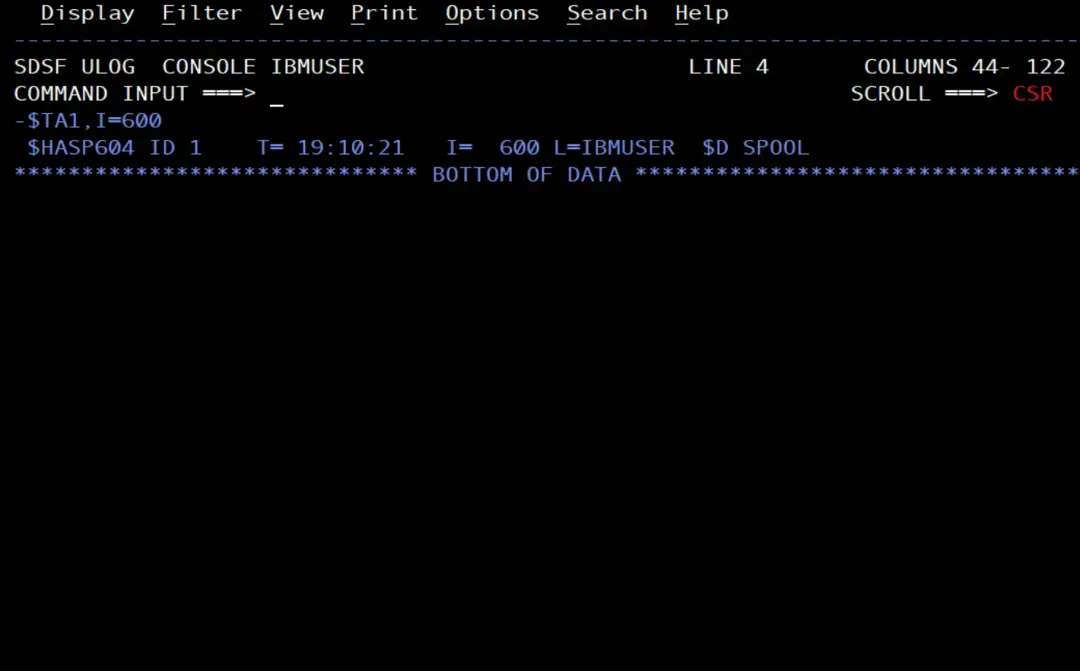
If the system time changes, JES2 keeps the interval and recalculates the next time of each entry.
Halt and delete automatic commands
There are two ways to stop them from running: halt them all without deleting them, or delete them.
Halt them all: $ZA and $SA
$Z A,ALL halts every automatic command, but doesn't delete them:
$ZA,ALLIf I then issue $TA,ALL, all the entries still show, followed by the message $HASP601 AUTOMATIC COMMANDS HALTED BY OPERATOR.
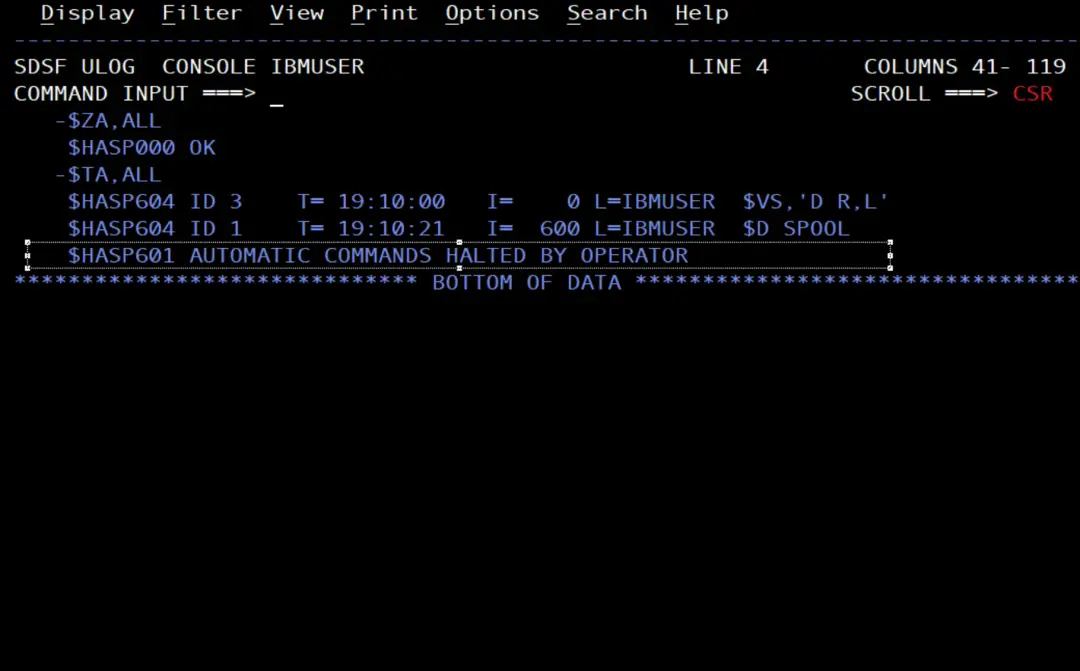
To have them run again, $S A,ALL:
$SA,ALL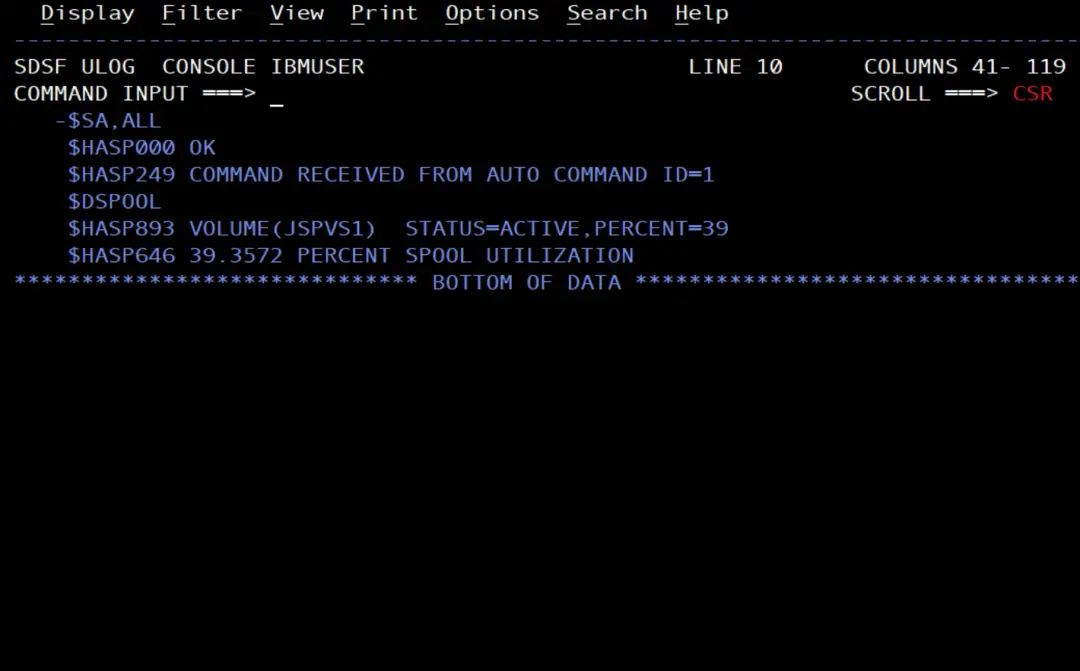
According to IBM, if more than 24 hours pass between the $ZA and the $SA, entries with a time have to be created again. And JES2 issues a $ZA by itself in some cases: if for 5 minutes it can't issue an automatic command because it is out of console message buffers (CMB), or if the system time is set forward by more than 24 hours or set back by any amount.
Delete one entry or all of them: $CA
$C A cancels and deletes entries. A single one, with its identifier right after it (no comma):
$CA1JES2 responds $HASP000 OK. With $TA,ALL I check that it is gone.
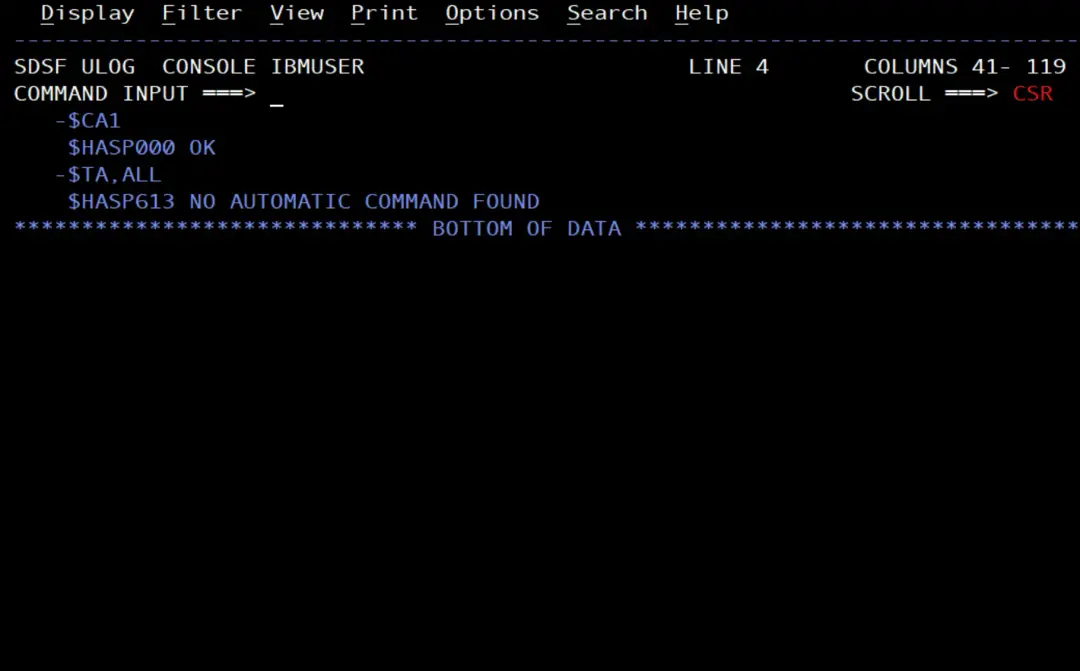
If I have several entries:
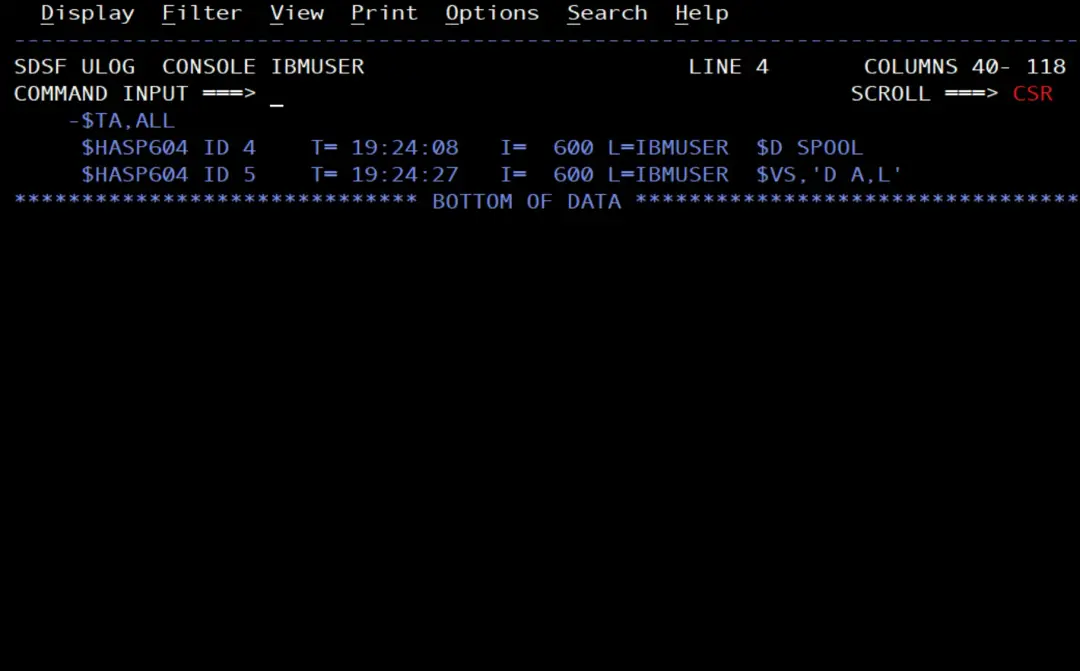
With $CA,ALL I delete all the ones I am allowed to delete:
$CA,ALL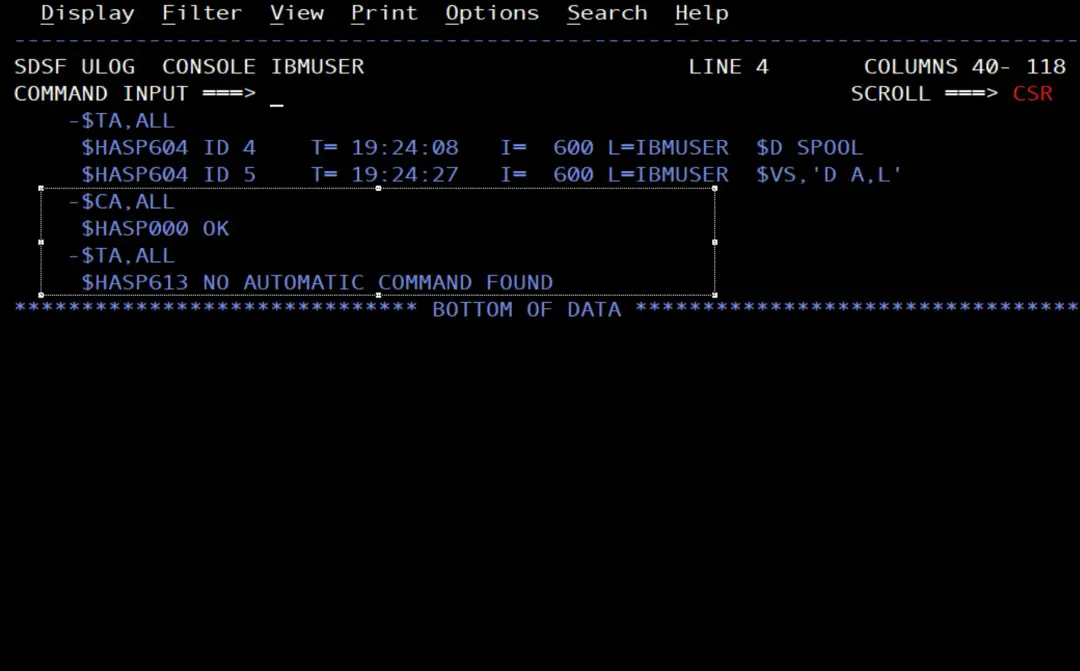
Authority
Each automatic command needs two kinds of authority: to create the entry, and for the commands it issues, which is checked against the user who created it.
The OPERCMDS class profiles for automatic commands, with the JES2 subsystem name in front, are:
JES2.MODIFY.AUTOCMD:$TA. READ to create entries and to change your own; CONTROL to change other users' entries.JES2.CANCEL.AUTOCMD:$CA. According to the$TApage, READ if the entry is your own and CONTROL if not.JES2.START.AUTOCMD:$SA. CONTROL.JES2.HALT.AUTOCMD:$ZA. CONTROL.
And the commands they issue have their own profiles: for example, $VS uses JES2.VS with CONTROL, plus the profile of the MVS command inside it.
First of all, I check which profile protects them on my system:
RLIST OPERCMDS JES2.MODIFY.AUTOCMD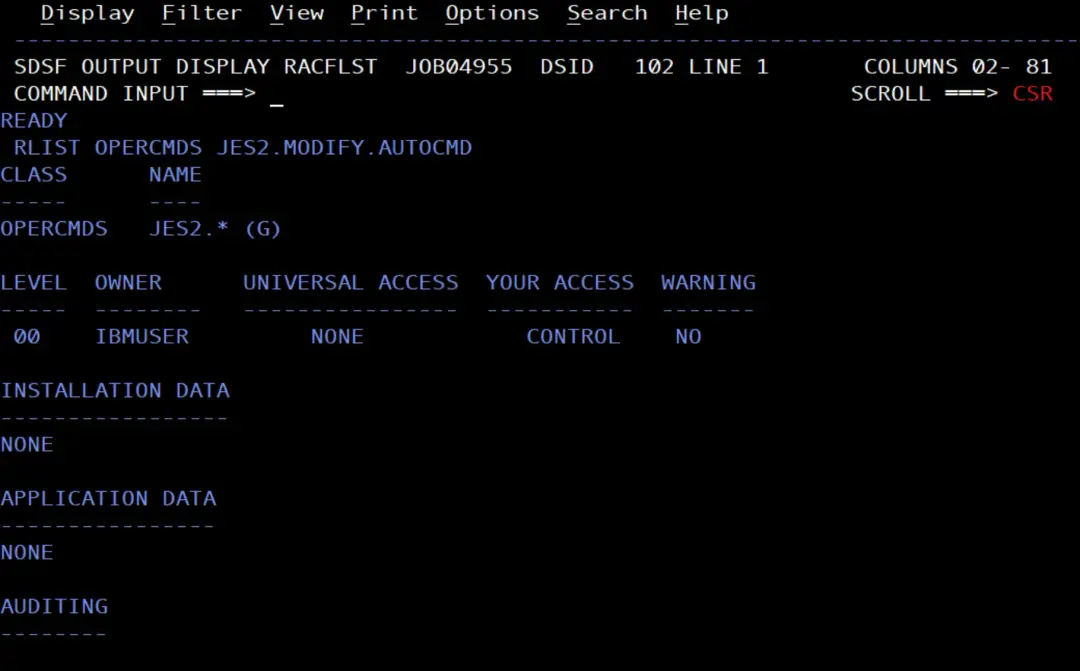
On the stock image it is protected by the generic profile JES2.*, with UACC NONE, and IBMUSER has CONTROL.
Keep them across a JES2 restart
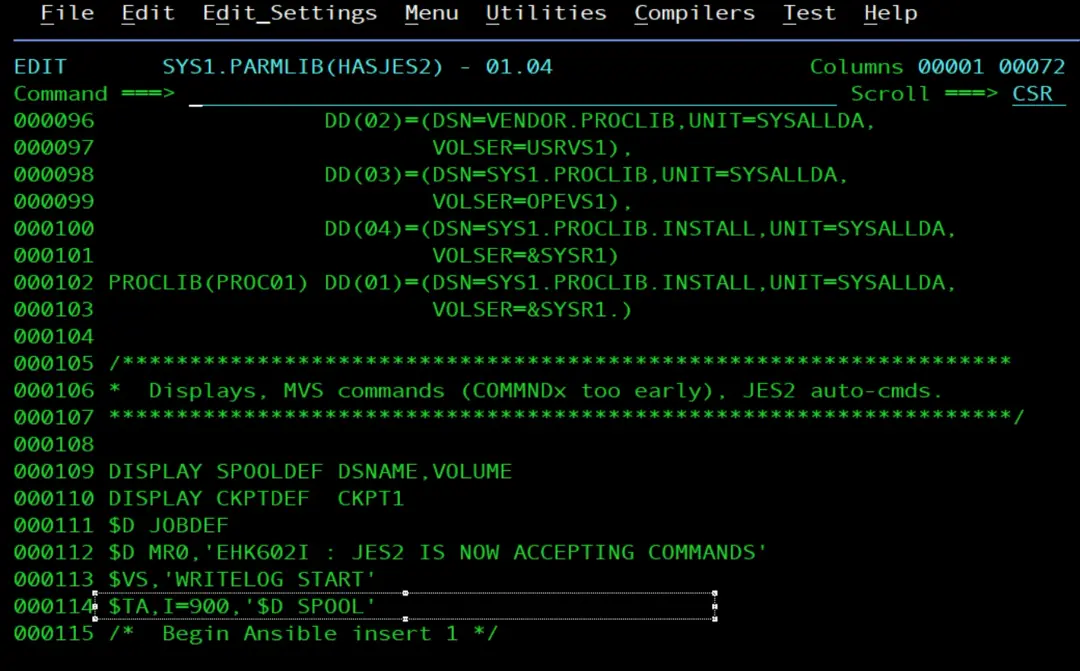
The IBM documentation warns that, if JES2 fails and the automatic commands are not in the JES2 initialization parameters (the member that the HASPPARM DD of the JES2 procedure points to), they are lost. To have them created every time JES2 starts, the $TA statements can go in that parameter member, each one on a single 80-column line.
In my case it is the member SYS1.PARMLIB(HASJES2).
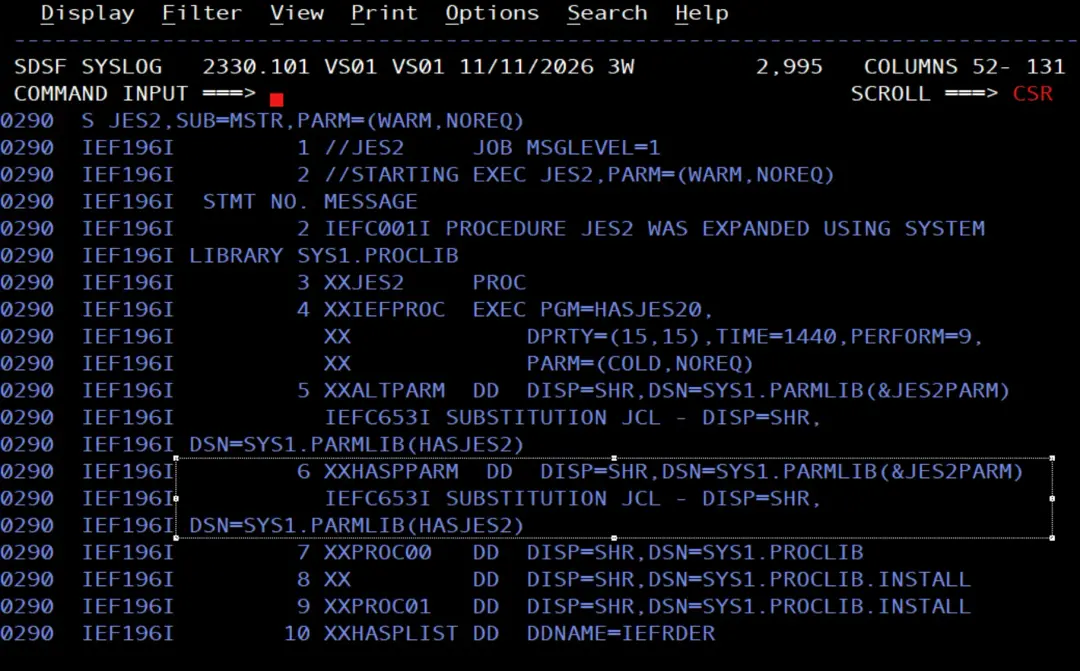
I add $TA,I=900,'$D SPOOL' at the end of the commands section, outside the Ansible block:
Things to keep in mind
- The command and its authority are checked when it is issued, not when the entry is created: after creating one, it is worth waiting for it to run the first time and checking the response.
- Automatic commands are issued at system speed, not at operator speed. IBM warns that they can congest the system: better reasonable intervals than 10 seconds.
- An automatic command only acts on the system where it is created. In a MAS, for all members, you use the MVS
ROUTE *ALLcommand (if the JES2 command character is the same on all of them).
References
- $T A - Display, specify, and modify automatic commands (z/OS 3.2, JES2 Commands).
- $C A - Cancel automatic command processing.
- $S A - Start automatic command processing.
- $Z A - Halt automatic command processing.
- Automatic command processing (JES2 Initialization and Tuning Guide).
- JES2 commands and the OPERCMDS profiles.
- CONDEF AUTOCMD (JES2 Initialization and Tuning Reference).
- Writing a day's work scheduler (JES2 Initialization and Tuning Guide).
- Post: Archive the SYSLOG with XWTR.