Python on z/OS: submit jobs from a script and get the result in Microsoft Teams
This post continues the Python on z/OS series: pySDSF on z/OS 3.2: watch the spool and alert on Microsoft Teams, Create a user for Python batch scripts (RACF) and Python on z/OS: virtual environment (venv and pyproject.toml).
Until now, the scripts read information from SDSF. In this post we go one step further: a script that builds a job, submits it to JES, waits for it to end, shows its output and tells us through Microsoft Teams whether it went well or not. All on z/OS 3.2 (stock image), with the PYBATCH user and its virtual environment.
This is useful when the JCL depends on data that the script works out (a prefix, a date, a list of data sets) or when a process has to submit a job and act depending on how it ends.
How to submit a job from z/OS UNIX
📖 submit - Submit a batch job for background processing
z/OS UNIX has the submit command, which sends a file with JCL to JES and writes the job ID. The JCL must have its JOB card: without it, submit fails. I check that it is available in OMVS:
type submitsubmit is cached /bin/submit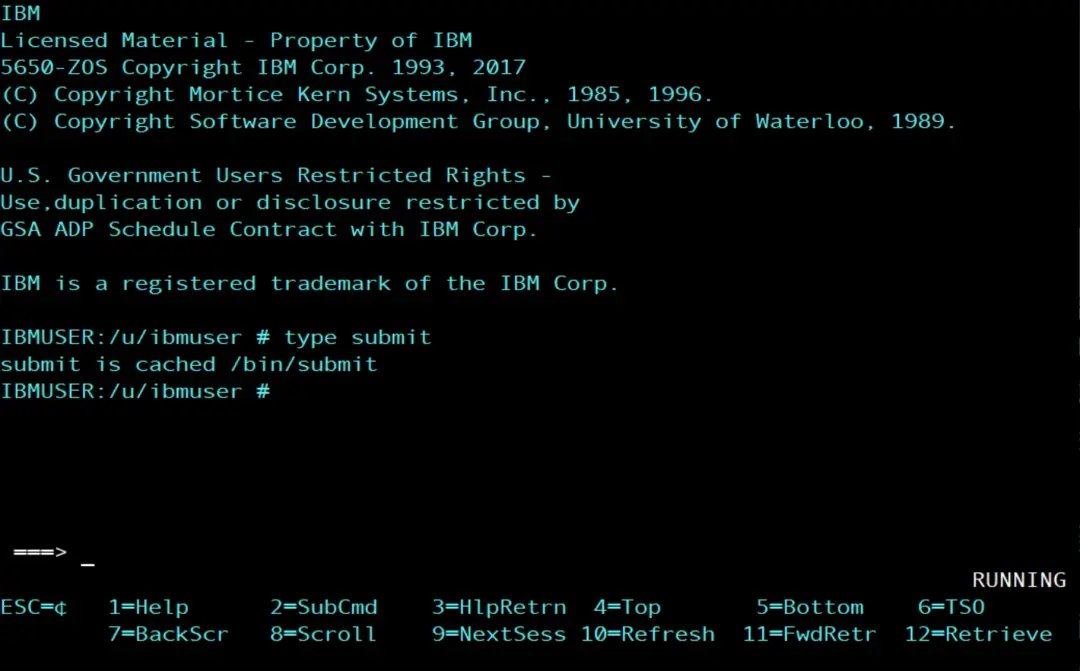
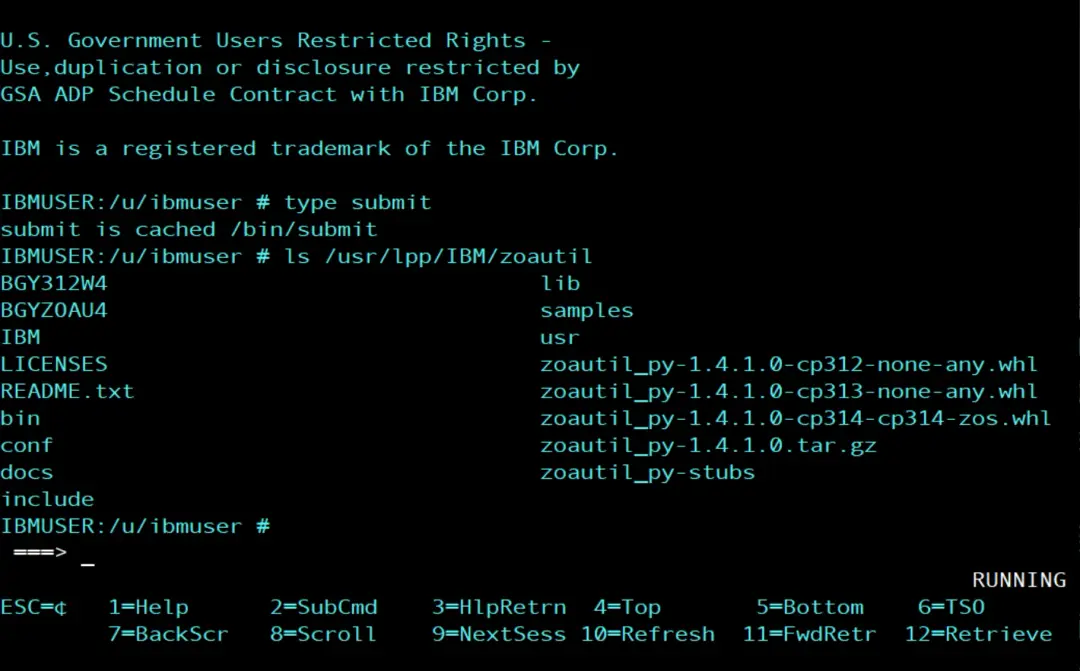
Another way to do it is with ZOAU (IBM Z Open Automation Utilities), which has a Python API to work with jobs and data sets. On the stock image it is installed in /usr/lpp/IBM/zoautil (version 1.4.1.0). Here I use submit because it comes with z/OS UNIX and needs nothing else installed, and pySDSF, which we already have in the PYBATCH virtual environment, to wait for the job and read its output.
The script
The script, submit_job.py, does five things:
- It builds a job from a template: a LISTCAT of the prefix it gets as an argument (IBMUSER if it gets none).
- It submits it with
submitand keeps the job ID. - With pySDSF, it looks at the ST panel every 5 seconds until the job is on the output queue (PRINT), for 120 seconds at most.
- It shows the return code and the whole job output.
- It sends a card to Microsoft Teams with the result: OK if the job ended with CC 0000 and FAILED if not. And it ends with 0 or with 8, depending on the result.
#!/usr/bin/env python3
"""Build a job from a template, submit it and wait for its result with pySDSF."""
import os
import re
import subprocess
import sys
import tempfile
import time
from string import Template

from pysdsf import Connection
from pysdsf.isfexception import ISFException
from spool_alert import post_to_teams

JOBNAME = "PYLISTC"
WAIT_SECONDS = 120
MAX_CC = 0  # highest condition code that counts as a success

# $hlq is replaced by the script; everything else is plain JCL
JCL = Template("""\
//PYLISTC  JOB (ACCT),'LISTCAT',CLASS=A,MSGCLASS=X
//* Job built and submitted by submit_job.py
//LIST     EXEC PGM=IDCAMS
//SYSPRINT DD SYSOUT=*
//SYSIN    DD *
  LISTCAT LEVEL($hlq)
/*
""")

HLQ_PATTERN = re.compile(r"[A-Z@#$][A-Z0-9@#$]{0,7}(\.[A-Z@#$][A-Z0-9@#$]{0,7})*")


def submit(jcl):
    """Write the JCL to a temporary file in EBCDIC, submit it and return the job ID."""
    with tempfile.NamedTemporaryFile("w", encoding="cp1047", suffix=".jcl",
                                     delete=False) as jcl_file:
        jcl_file.write(jcl)
        path = jcl_file.name
    try:
        subprocess.run(["chtag", "-tc", "IBM-1047", path], check=True)
        result = subprocess.run(["submit", path], capture_output=True, text=True)
    finally:
        os.remove(path)
    output = result.stdout + result.stderr
    match = re.search(r"\b(JOB\d{5}|J\d{7})\b", output)
    if result.returncode != 0 or not match:
        raise RuntimeError(f"submit failed (rc {result.returncode}):\n{output}")
    return match.group(1)


def wait_for_job(connection, jobname, jobid):
    """Poll SDSF ST until the job is on the output queue. Returns (result, row)."""
    deadline = time.time() + WAIT_SECONDS
    while time.time() < deadline:
        jobs = connection.status_of_jobs(prefix=jobname, owner="*",
                                         columns=["JNAME", "JOBID", "QUEUE", "RETCODE"])
        for row in jobs:
            if row["JOBID"] == jobid and str(row["QUEUE"]).strip() == "PRINT":
                return jobs, row
        time.sleep(5)
    raise TimeoutError(f"{jobname}({jobid}) did not end in {WAIT_SECONDS} seconds")


def main():
    url = os.environ.get("TEAMS_WEBHOOK_URL")
    if not url:
        sys.exit("TEAMS_WEBHOOK_URL is not set")
    hlq = (sys.argv[1] if len(sys.argv) > 1 else "IBMUSER").upper()
    if not HLQ_PATTERN.fullmatch(hlq):
        sys.exit(f"Not a valid data set prefix: {hlq}")

    jobid = submit(JCL.substitute(hlq=hlq))
    print(f"Submitted {JOBNAME}({jobid}) for LISTCAT LEVEL({hlq})")

    connection = Connection()
    try:
        jobs, row = wait_for_job(connection, JOBNAME, jobid)
        retcode = str(row["RETCODE"]).strip()
        print(f"{JOBNAME}({jobid}) ended: {retcode}")
        for line in jobs.browse(row):
            print(line)
    except TimeoutError:
        retcode = f"not ended after {WAIT_SECONDS} seconds"
        print(f"{JOBNAME}({jobid}) {retcode}")
    except ISFException as e:
        sys.exit(f"SDSF error: {e}")
    finally:
        connection.close()

    # "CC 0000" up to MAX_CC is a success; ABEND, JCL ERROR or a timeout is not
    match = re.fullmatch(r"CC (\d+)", retcode)
    ok = bool(match) and int(match.group(1)) <= MAX_CC
    result = "OK" if ok else "FAILED"
    status = post_to_teams(url, f"{os.uname().nodename}: {JOBNAME}({jobid}) {result}",
                           [f"LISTCAT LEVEL({hlq})", f"Return code: {retcode}"])
    print(f"{result}: Teams answered HTTP {status}")
    return 0 if ok else 8


if __name__ == "__main__":
    sys.exit(main())
Step by step:
The job template
The JCL is in the script as text, with Template from the Python standard library. The only thing that changes is $hlq, which substitute() replaces with the prefix. The rest is plain JCL, with its columns, as if it were in a member.
Watch out for the $ sign: in a template, any $ that is part of the JCL (for example, a data set with $ in its name) must be written $$. If not, substitute() fails or replaces it.
The job name is in two places: in JOBNAME, which is the one the script looks for in SDSF, and in the JOB card of the template. If it changes, it has to be changed in both.
Before putting the prefix in the JCL, the script checks it with a regular expression: one or more qualifiers of up to 8 characters, starting with a letter or with @, # or $. If the argument does not match, the script ends without submitting anything. This way nobody can slip JCL lines in through the argument.
Submit it with submit
- The JCL is written to a temporary file in
/tmp. To avoid depending on conversions, I write it directly in EBCDIC (encoding="cp1047") and tag it withchtag -tc IBM-1047. subprocess.runrunssubmitwith that file and captures what it writes.- The job ID is searched for in that output with a regular expression. On my system it has the form
JOBnnnnn(for example, JOB05055). If the JES2 job number range (JOBDEF RANGE) goes above 99999, new IDs change toJnnnnnnn; the regular expression accepts both forms. - The temporary file is always deleted, whether it went well or not (
finally). - If
submitfails or the ID does not show up, the script ends with the error and whatsubmitwrote.
Wait for it to end
status_of_jobs() is the SDSF ST panel, as in the pySDSF post. I ask only for the name, the ID, the queue and the return code (QUEUE and RETCODE, the SDSF internal names). A job that has ended moves to the PRINT queue; while it runs, it is in EXECUTION. The script repeats the query every 5 seconds. If after 120 seconds the job has not ended, it stops waiting and counts it as failed, with its alert in Teams. The job is not cancelled: it stays in the system and can be checked in SDSF.
I use prefix with the job name and then check the ID, because there can be several PYLISTC jobs in the spool from earlier runs.
Read the output
browse(row) returns all the lines of the job output: the JES log, the JCL, the messages and the IDCAMS SYSPRINT. The script writes them as they are.
Check the result
SDSF shows the result as text: CC 0000, ABEND S0C4, JCL ERROR... The job went well if it is CC with a number that is not above MAX_CC. I leave it at 0: only CC 0000 counts as OK. If for another job a CC 4 is normal (a warning, not an error), changing that line is enough. An ABEND, a JCL ERROR or a job that does not end in time always count as a failure.
The script ends with 0 if the result is OK and with 8 if not. This way, whoever runs the script knows whether the job went well without having to read the output.
There is one more case: if the script does not get to submit the job or to query it (TEAMS_WEBHOOK_URL is missing, the prefix is not valid, submit fails or SDSF fails), or if sending to Teams fails, it ends with 1 and with no alert in Teams.
The Teams alert
For the card there is nothing new to write: post_to_teams() is the function from spool_alert.py, from the pySDSF post. Since the spool-alert project is installed in the PYBATCH virtual environment (we installed it with its pyproject.toml), spool_alert is one more module of the environment, like pySDSF, and it is loaded with an import.
The webhook URL is not in the script either: it reads it from the TEAMS_WEBHOOK_URL variable, which the PYBATCH .profile loads, as in the earlier posts of the "Python" category of the site. If it is not set, the script ends before submitting the job.
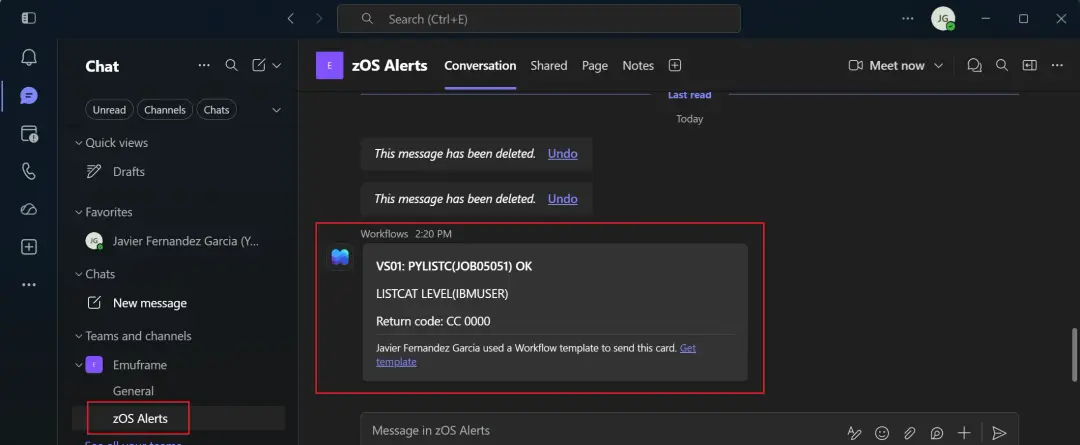
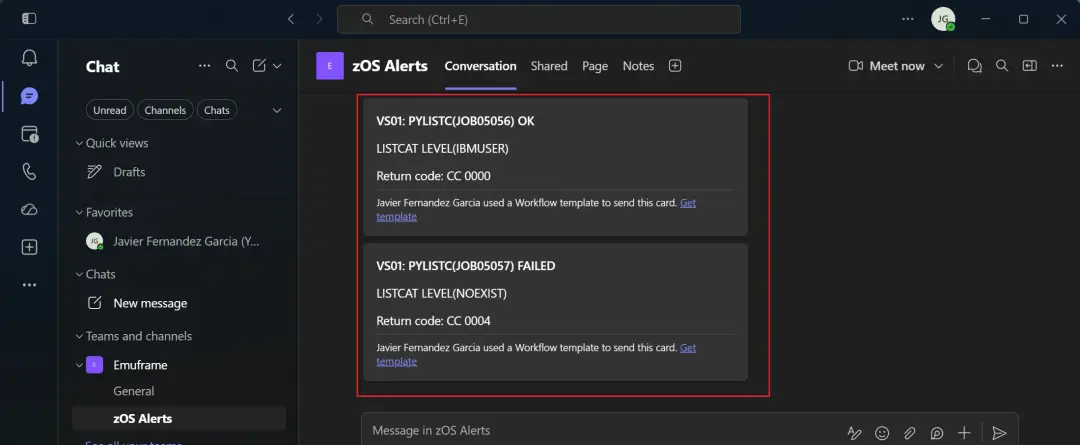
The card has in its title the system name, the job and the result (OK or FAILED), and below it the LISTCAT it did and the return code.
Upload it
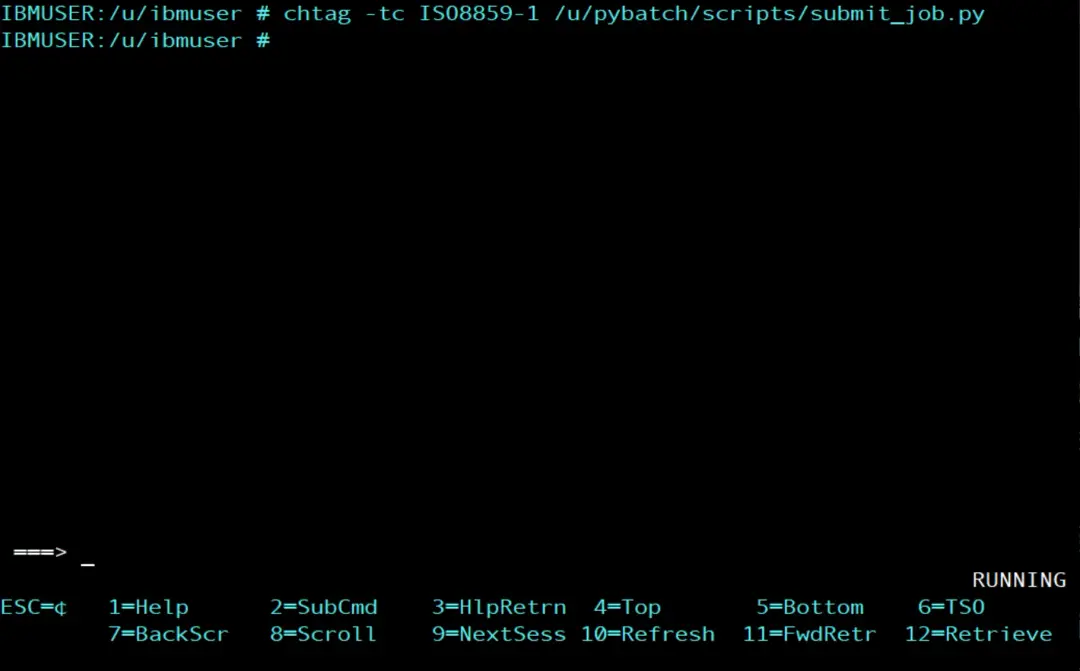
I upload it in binary to /u/pybatch/scripts and, as IBMUSER from OMVS, I set its text tag, like on the other scripts:
chtag -tc ISO8859-1 /u/pybatch/scripts/submit_job.py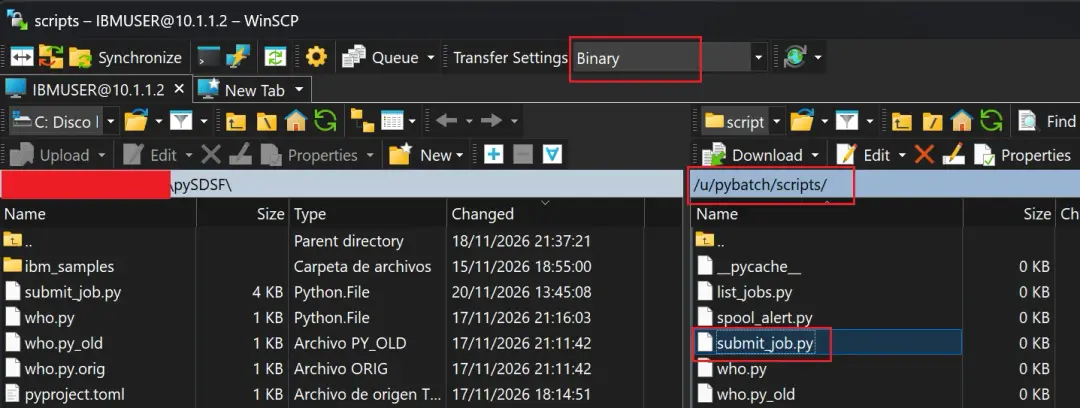
Test it from OMVS
First I run it by hand from OMVS, as IBMUSER, with the Python of the virtual environment. That is why, in this test, the submitted job has the IBMUSER user, and the alert uses the webhook that my .profile loads:
/u/pybatch/venv/bin/python3 /u/pybatch/scripts/submit_job.py IBMUSERSubmitted PYLISTC(JOB05051) for LISTCAT LEVEL(IBMUSER)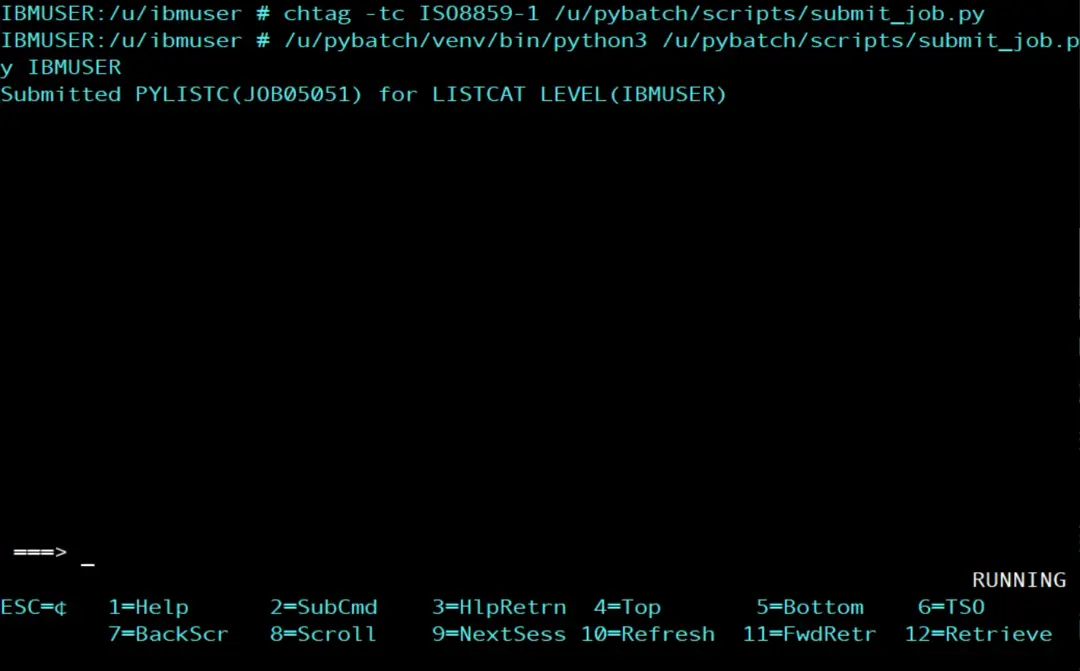
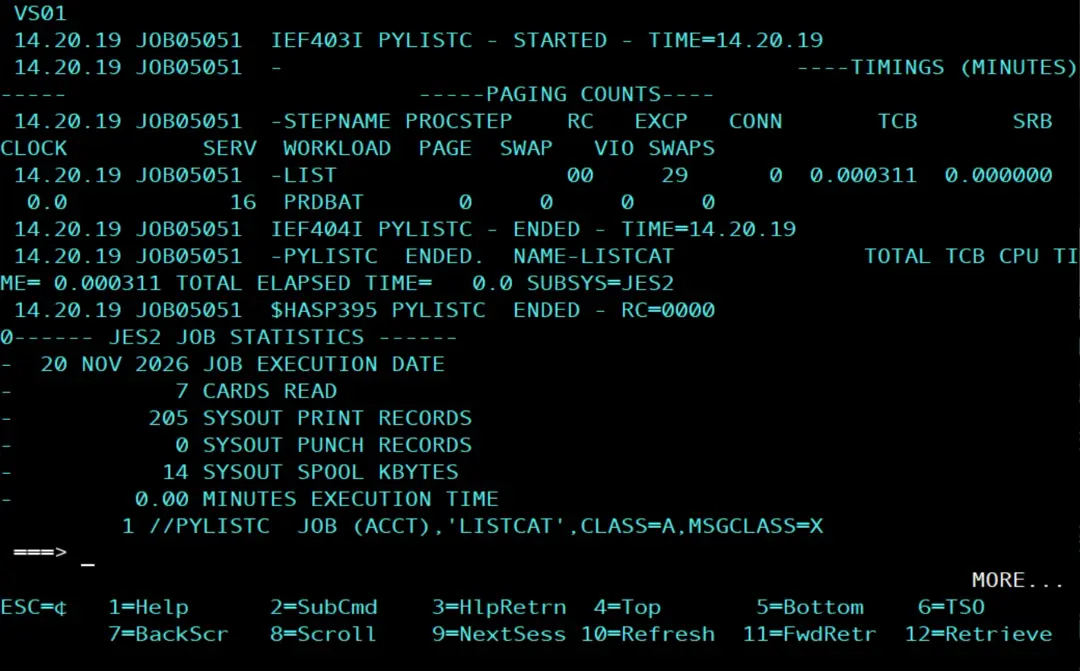
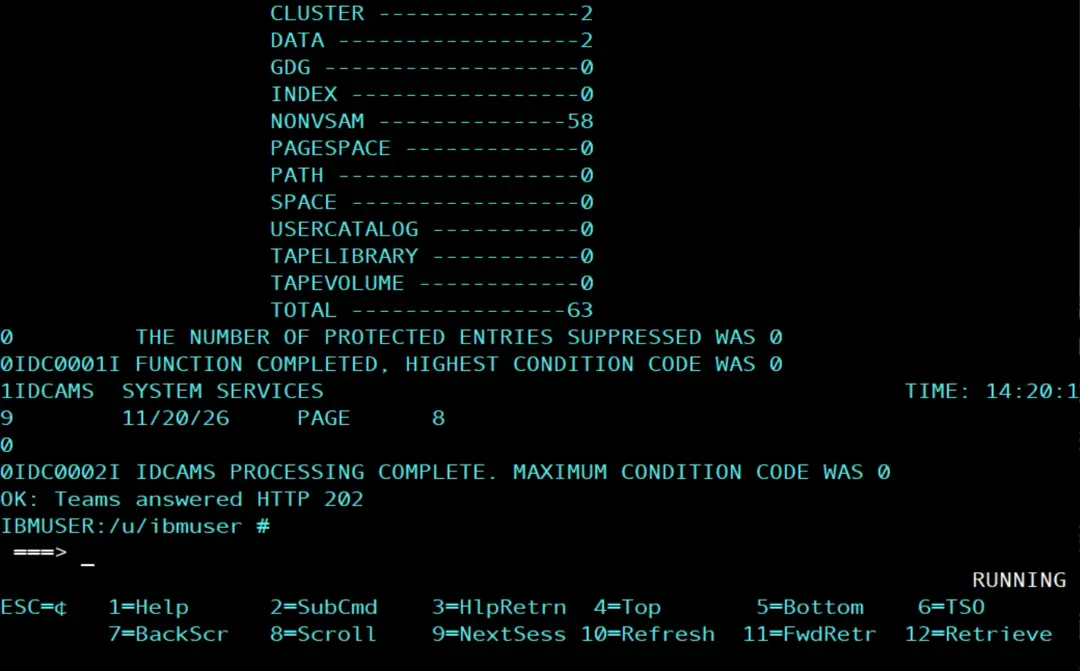
Then the whole job output shows up. It ends with the IDCAMS result and, on the last line, the result of the Teams alert:
0IDC0001I FUNCTION COMPLETED, HIGHEST CONDITION CODE WAS 0
...
0IDC0002I IDCAMS PROCESSING COMPLETE. MAXIMUM CONDITION CODE WAS 0
OK: Teams answered HTTP 202
HTTP 202 is the answer of the Teams webhook: it has accepted the card.
And the notification with the job result will have arrived in Microsoft Teams.
In OMVS the output is long and the first lines scroll off the top. That is why it is easier to run it as a job: everything the script writes stays in the STDOUT of the job and can be seen whole in SDSF.
Run it as a job as PYBATCH
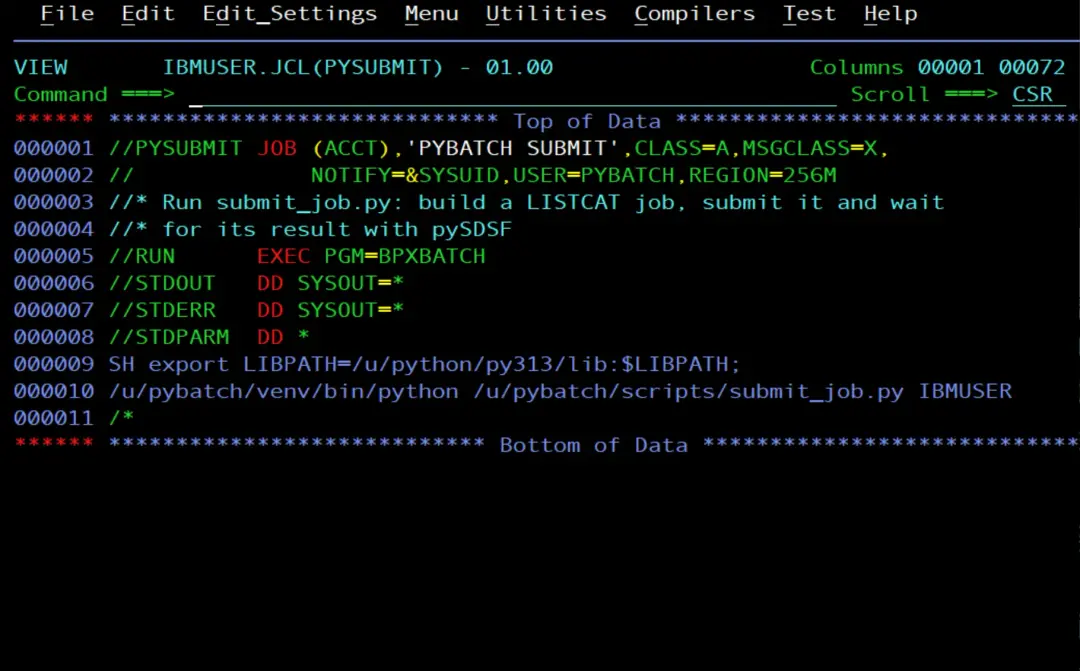
As in the virtual environment post, a job with BPXBATCH and USER=PYBATCH:
//PYSUBMIT JOB (ACCT),'PYBATCH SUBMIT',CLASS=A,MSGCLASS=X,
//             NOTIFY=&SYSUID,USER=PYBATCH,REGION=256M
//* Run submit_job.py: build a LISTCAT job, submit it and wait
//* for its result with pySDSF
//RUN      EXEC PGM=BPXBATCH
//STDOUT   DD SYSOUT=*
//STDERR   DD SYSOUT=*
//STDPARM  DD *
SH export LIBPATH=/u/python/py313/lib:$LIBPATH;
/u/pybatch/venv/bin/python /u/pybatch/scripts/submit_job.py IBMUSER
/*
The STDOUT of PYSUBMIT has the lines of the script and, between them, the output of PYLISTC. At the start:
Submitted PYLISTC(JOB05054) for LISTCAT LEVEL(IBMUSER)
PYLISTC(JOB05054) ended: CC 0000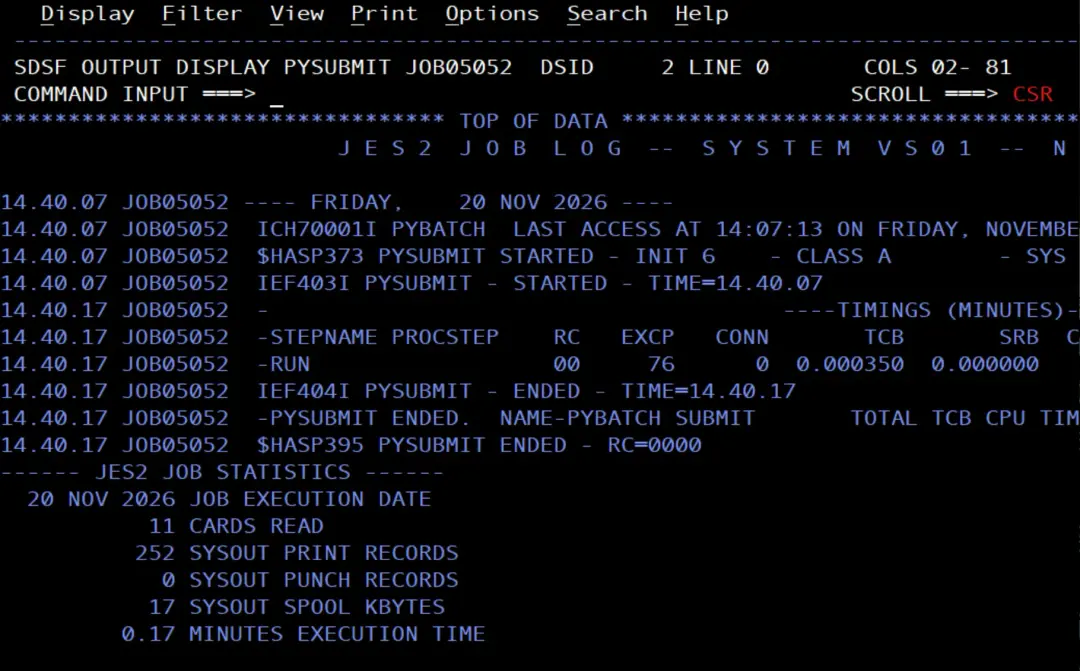
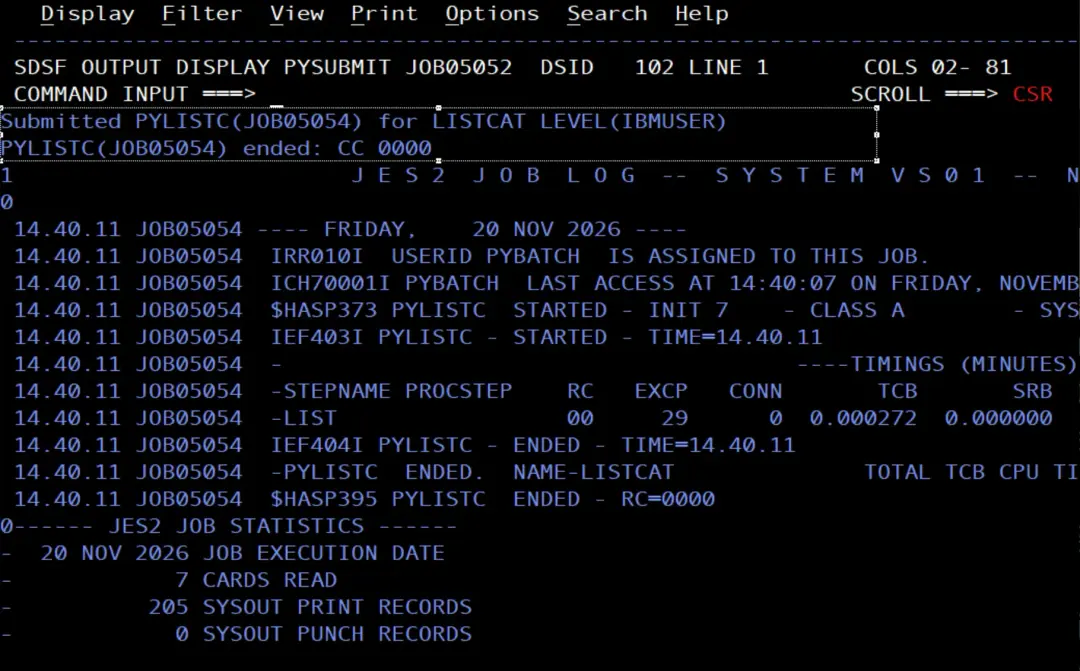
In the job that runs the script we see the output of the job it submitted, but that job is also in the spool.
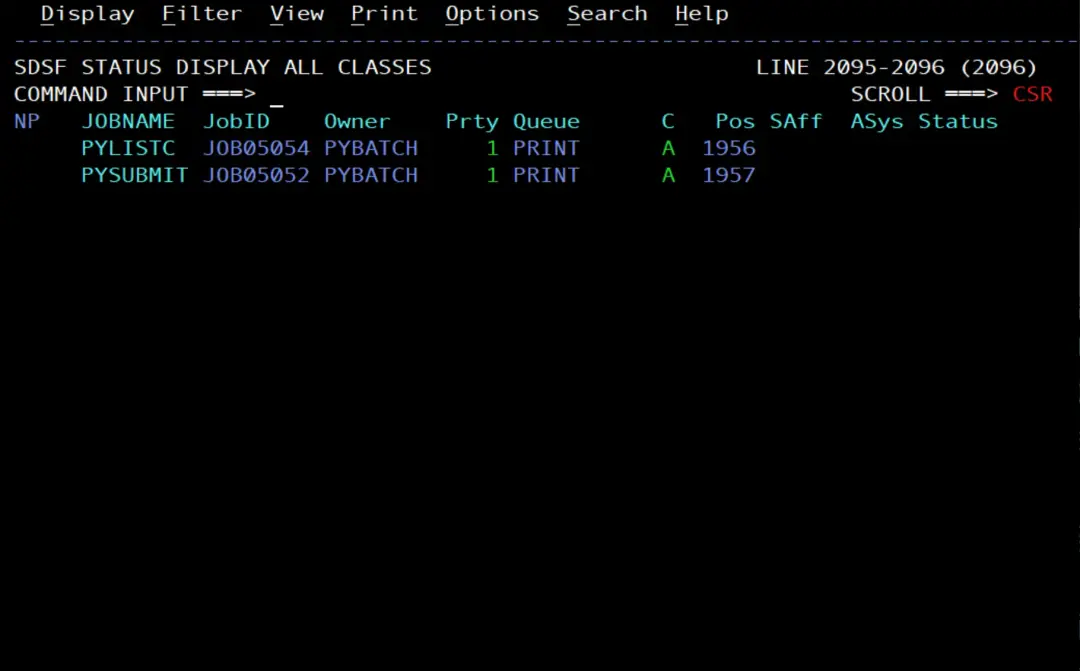
The JES log of PYLISTC shows that the job runs with the PYBATCH user: the job that the script submits has the user of whoever submits it, because its JOB card has no USER=.
IRR010I USERID PYBATCH IS ASSIGNED TO THIS JOB.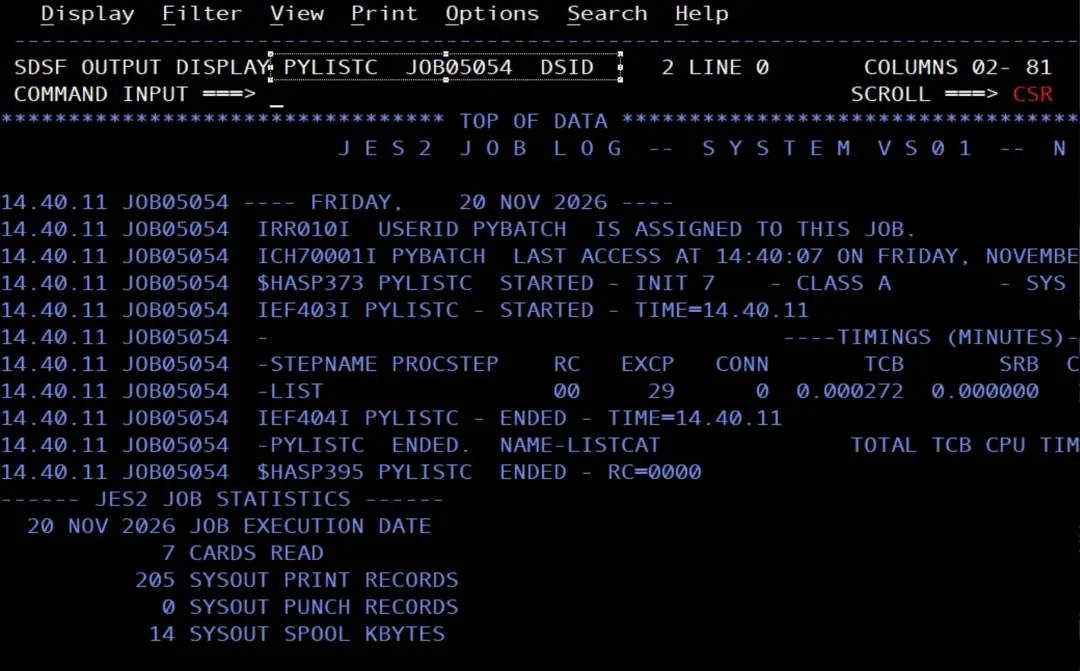
PYBATCH has been able to submit the job, wait for it and read its output without any permission beyond the ones it already had.
The Teams alert: OK and FAILED
To see both alerts, a job that runs the script twice: with IBMUSER, which has data sets, and with a prefix that has none, NOEXIST.
//PYSUBMT1 JOB (ACCT),'PYBATCH SUBMIT',CLASS=A,MSGCLASS=X,
//             NOTIFY=&SYSUID,USER=PYBATCH,REGION=256M
//* Run submit_job.py twice: an existing prefix (expected OK)
//* and a prefix with no data sets (expected FAILED), each one
//* with its alert in Microsoft Teams
//RUN      EXEC PGM=BPXBATCH
//STDOUT   DD SYSOUT=*
//STDERR   DD SYSOUT=*
//STDPARM  DD *
SH export LIBPATH=/u/python/py313/lib:$LIBPATH;
P=/u/pybatch/venv/bin/python;
S=/u/pybatch/scripts/submit_job.py;
$P $S IBMUSER;
$P $S NOEXIST
/*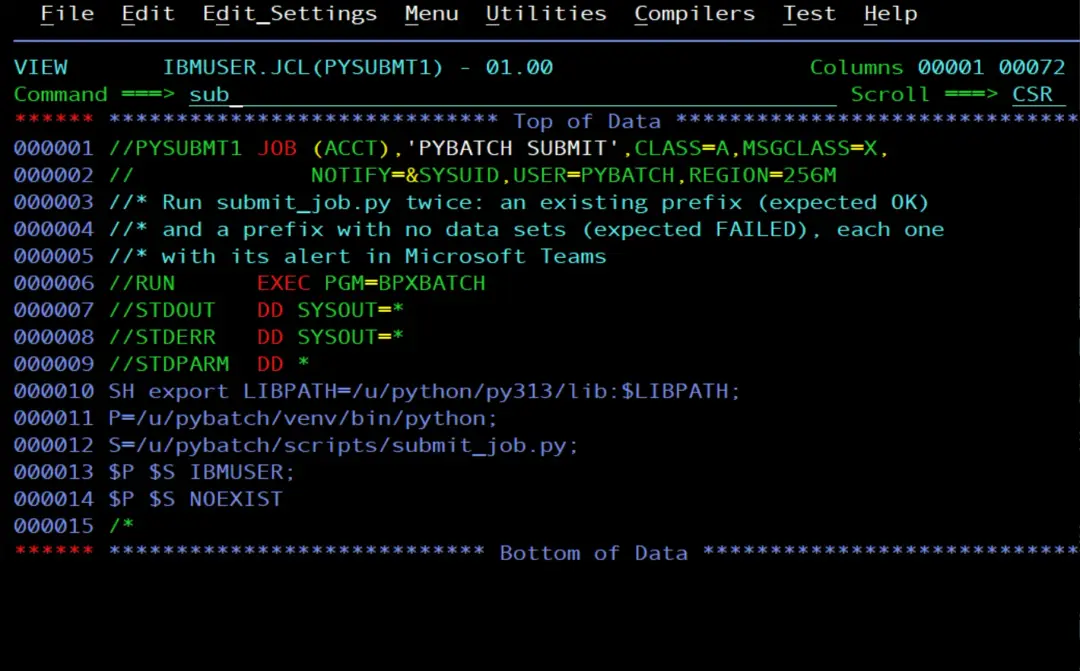
The two runs are separated with ; and not with &&: this way the second one runs even if the first one ends with 8.
Now we have three jobs: the one that runs the script (PYSUBMT1) and the two PYLISTC jobs it submitted.
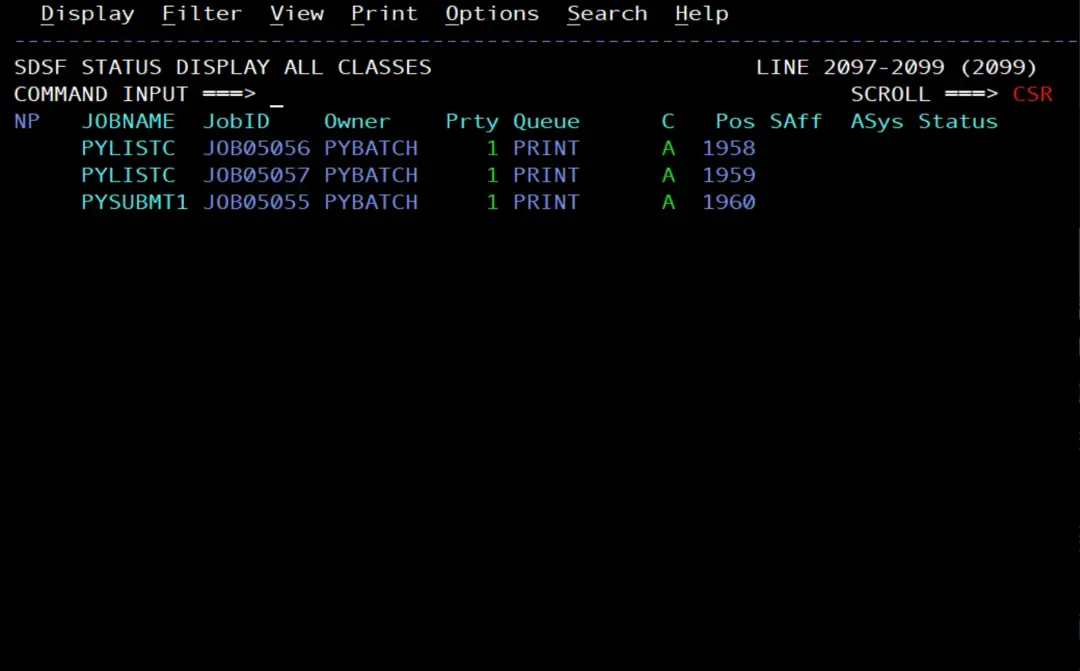
With IBMUSER, PYLISTC ends with CC 0000 and the result is OK.
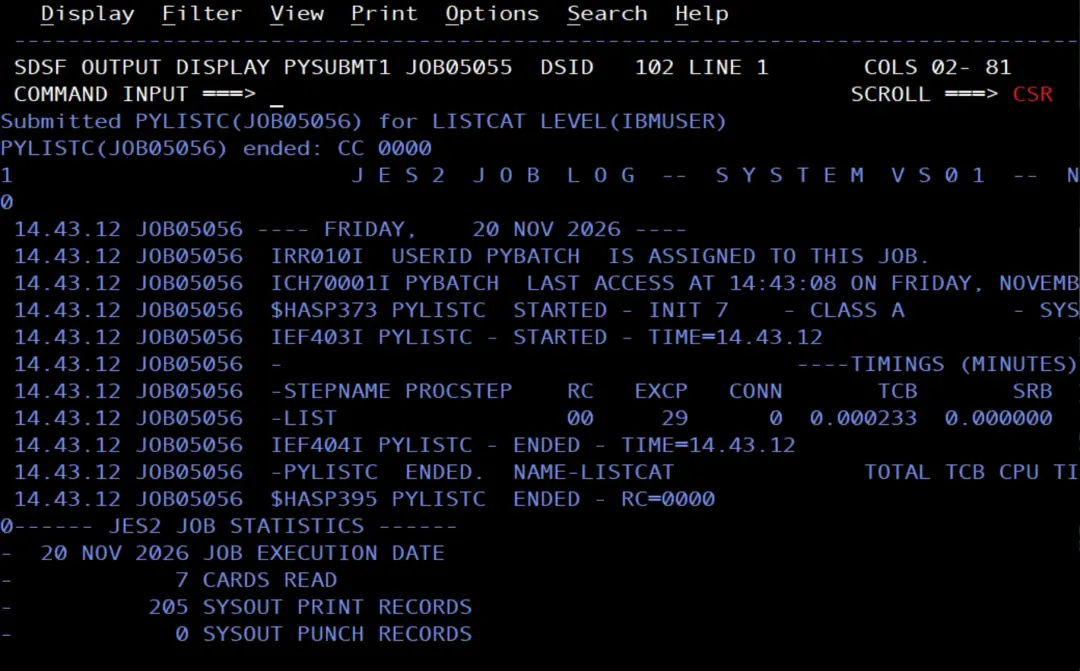
With NOEXIST there is nothing to list, IDCAMS ends with CC 4 and, since MAX_CC is 0, the script counts it as failed:
Submitted PYLISTC(JOB05057) for LISTCAT LEVEL(NOEXIST)
PYLISTC(JOB05057) ended: CC 0004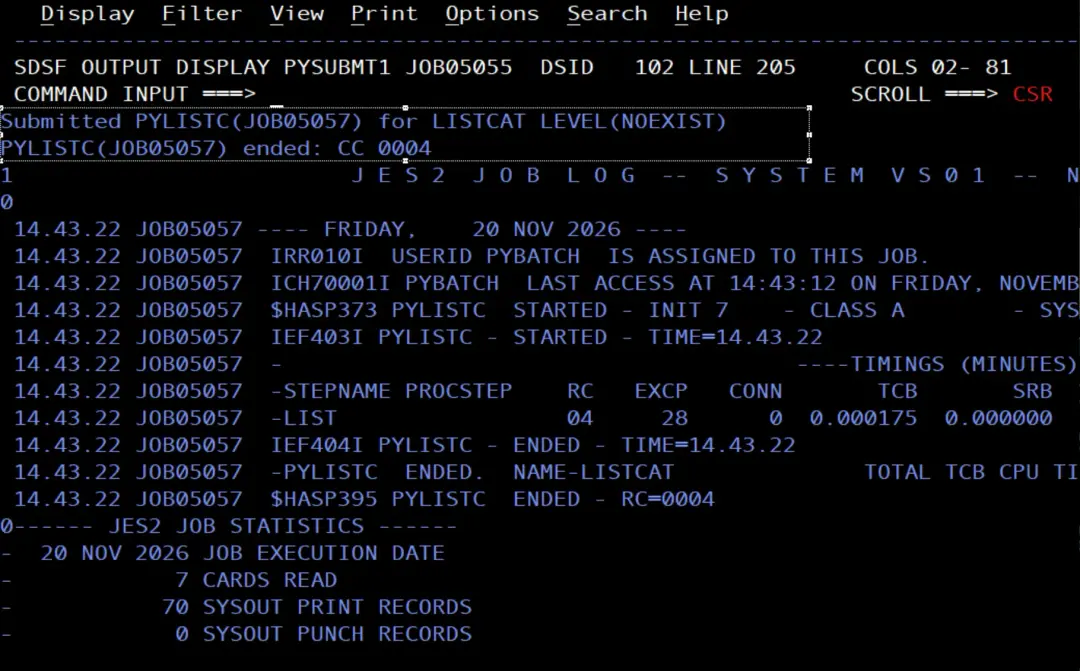
And both cards arrive in Teams: PYLISTC(JOB05056) OK, with CC 0000, and PYLISTC(JOB05057) FAILED, with CC 0004.
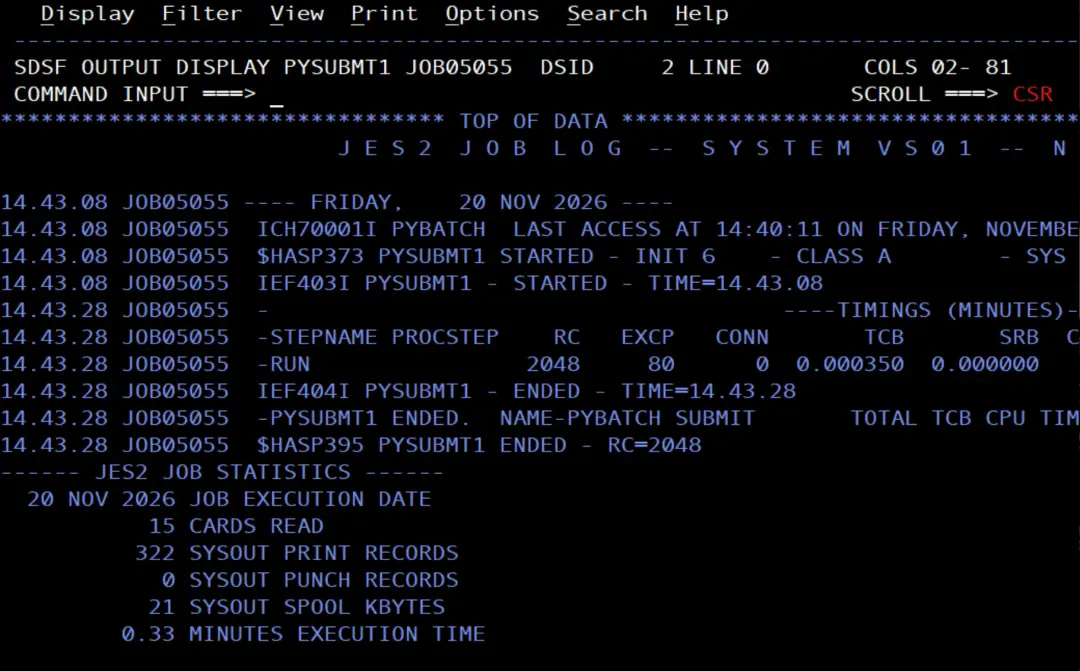
PYSUBMT1 ends with RC=2048:
$HASP395 PYSUBMT1 ENDED - RC=2048It is the 8 the script ended with in the second run: BPXBATCH, with STDOUT and STDERR in SYSOUT as here, returns the exit status of the shell multiplied by 256 (8 × 256 = 2048). And the step RC is the remainder of dividing that value by 4096, so the exit status has to be 15 or less: with 16 (16 × 256 = 4096), the step would end with RC=0000. 8 does not have that problem. With the two runs separated by ;, the step RC is the one of the last run. With a single run, as in PYSUBMIT, the BPXBATCH step tells whether the submitted job went well: RC=0 if it was OK and RC=2048 if not (and RC=256 if the script ends with 1). If there were another step afterwards that must only run when everything goes well, it can be made conditional on that RC.
Summary
- The z/OS UNIX
submitcommand sends a file with JCL to JES and returns the job ID. - From Python, the JCL is built with a template, written in EBCDIC and submitted with
subprocess. - With pySDSF,
status_of_jobs()tells when the job has ended andbrowse()returns its output. - The script checks the job return code with
MAX_CC, sends an OK or FAILED alert to Teams and ends with 0 or with 8 (or with 1, with no alert, if it does not get to submit or query the job or sending to Teams fails). - The alert reuses
post_to_teams()fromspool_alert, which is installed in the virtual environment. - The submitted job runs with the user that submits it, because its JOB card has no
USER=. Submitted from the job with BPXBATCH, that user is PYBATCH.
References
- submit - Submit a batch job for background processing (z/OS 3.2, UNIX System Services Command Reference).
- Using SDSF with the Python programming language (IBM Docs, z/OS 3.2).
- string.Template (Python documentation).
- subprocess (Python documentation).
- APAR OA47398 (IBM Support): the BPXBATCH return code, multiplied by 256, and the remainder by 4096.