SMF on z/OS: automatic dump with IEFU29 and extraction by record type with IFASMFDP
SMF (System Management Facilities) keeps records of what happens in the system: the jobs that run, the accesses RACF checks, device usage... These records are written to some data sets, the SYS1.MANx data sets, which fill up and have to be dumped somewhere else before they can be reused.
In this article I go through the whole cycle on my system, the z/OS 3.1 ADCD: where SMF keeps the records, the IEFU29 exit that starts the dump automatically when a MANx fills up (how it is built, which line to change to choose the procedure it starts and how to assemble it), the procedure that dumps, the GDG where the dumps are kept and, at the end, two jobs: one that extracts only the record types we want and another that shows their subtypes.
Where SMF keeps the records
D SMFRESPONSE=S0W1
IEE974I 08.01.02 SMF DATA SETS 134
NAME VOLSER SIZE(BLKS) %FULL STATUS
P-SYS1.S0W1.MAN1 B3SYS1 7200 0 ALTERNATE
S-SYS1.S0W1.MAN2 B3SYS1 7200 75 ACTIVE 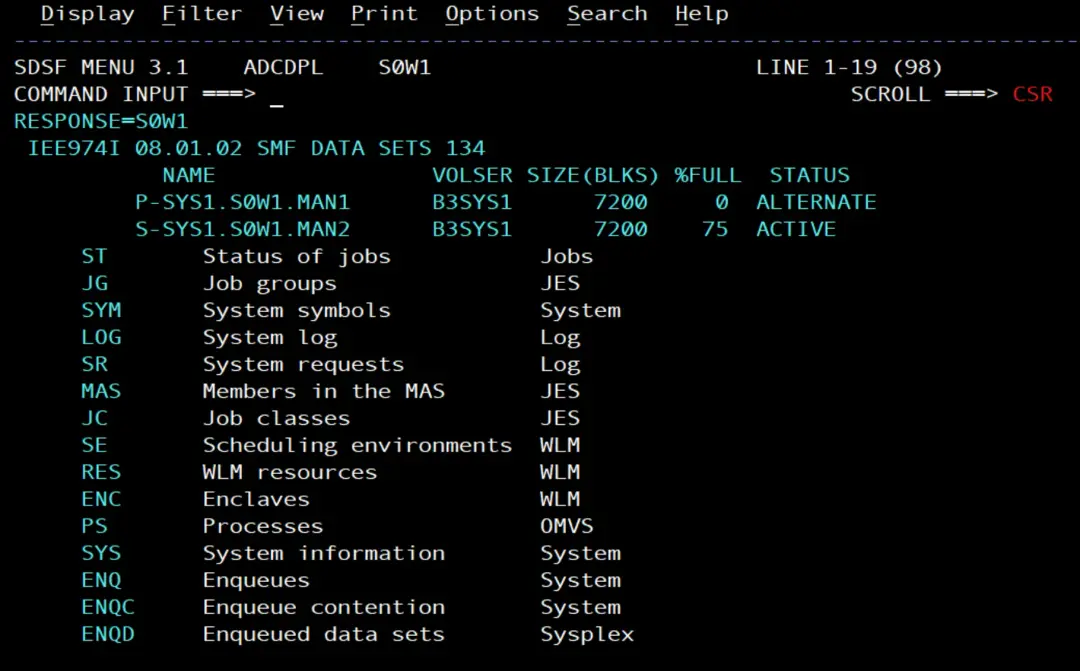
On my system there are two: SYS1.S0W1.MAN1 and SYS1.S0W1.MAN2. SMF writes to the ACTIVE one; when it fills up, it switches to the ALTERNATE one, and the full one has to be dumped so that it is free again. When I took the screenshot, MAN2 was 75 % full.
The options SMF works with are shown with:
D SMF,OOf all the output, these are the lines that matter here:
IEE967I 20.07.50 SMF PARAMETERS 215
        MEMBER = SMFPRM00
        ...
        SYS(EXITS(IEFU29)) -- PARMLIB
        ...
        SID(S0W1) -- PARMLIB
        ...
        DSNAME(SYS1.S0W1.MAN2) -- PARMLIB
        DSNAME(SYS1.S0W1.MAN1) -- PARMLIB
        ACTIVE -- PARMLIB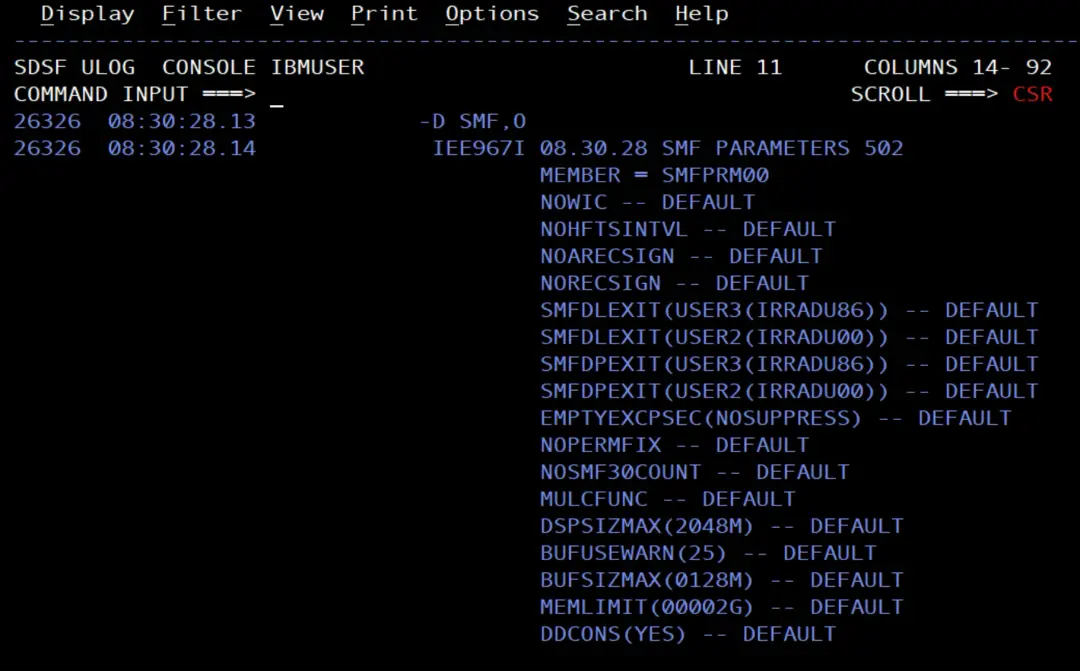
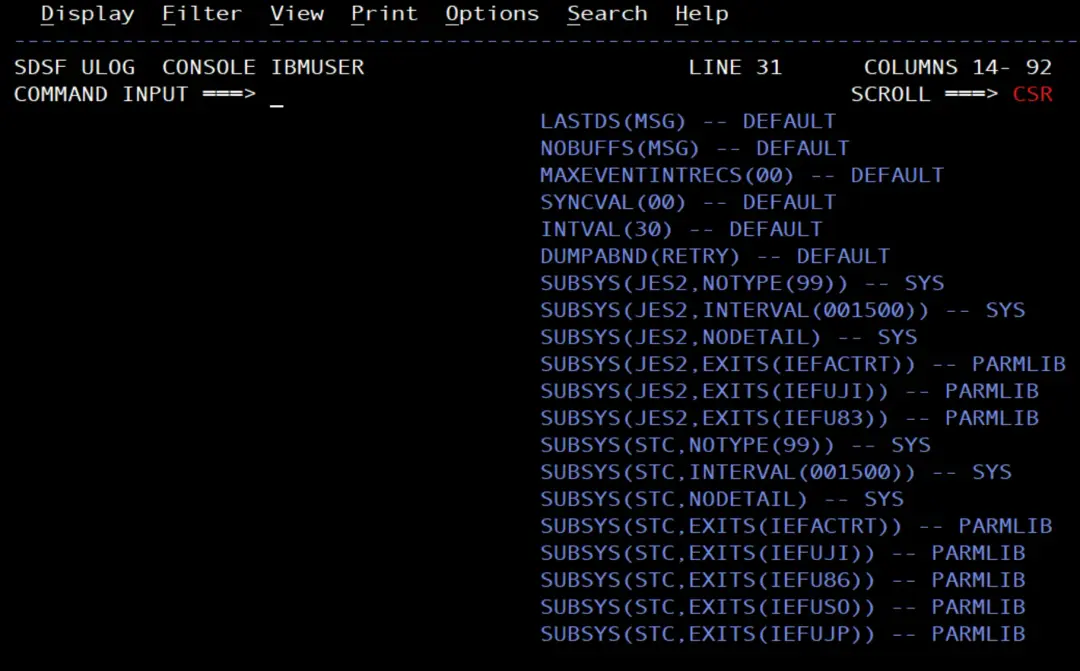
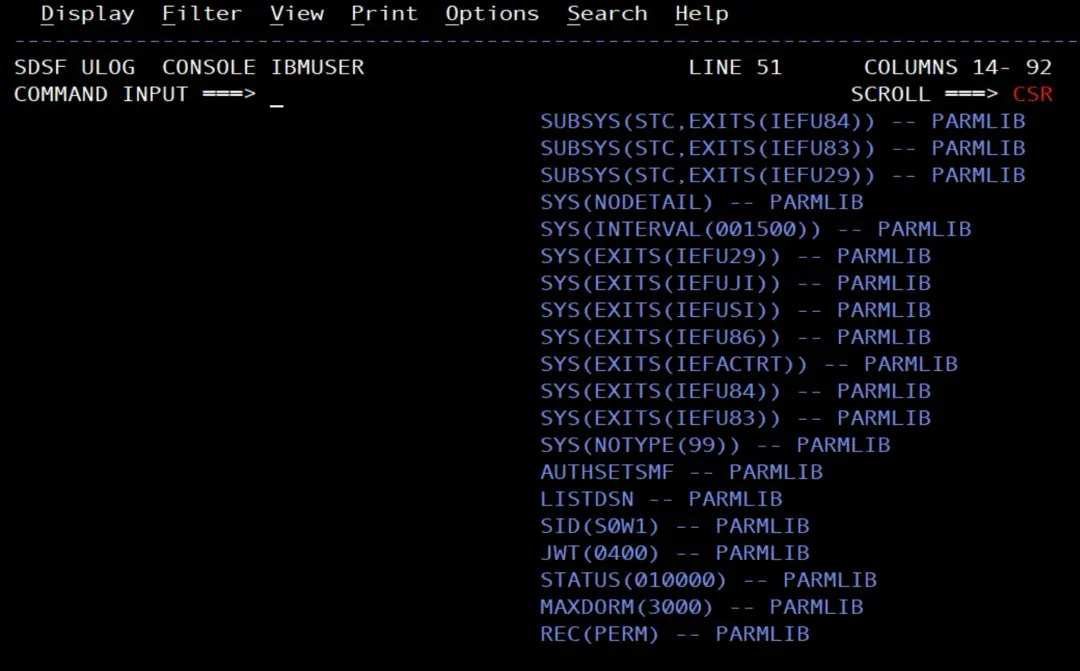
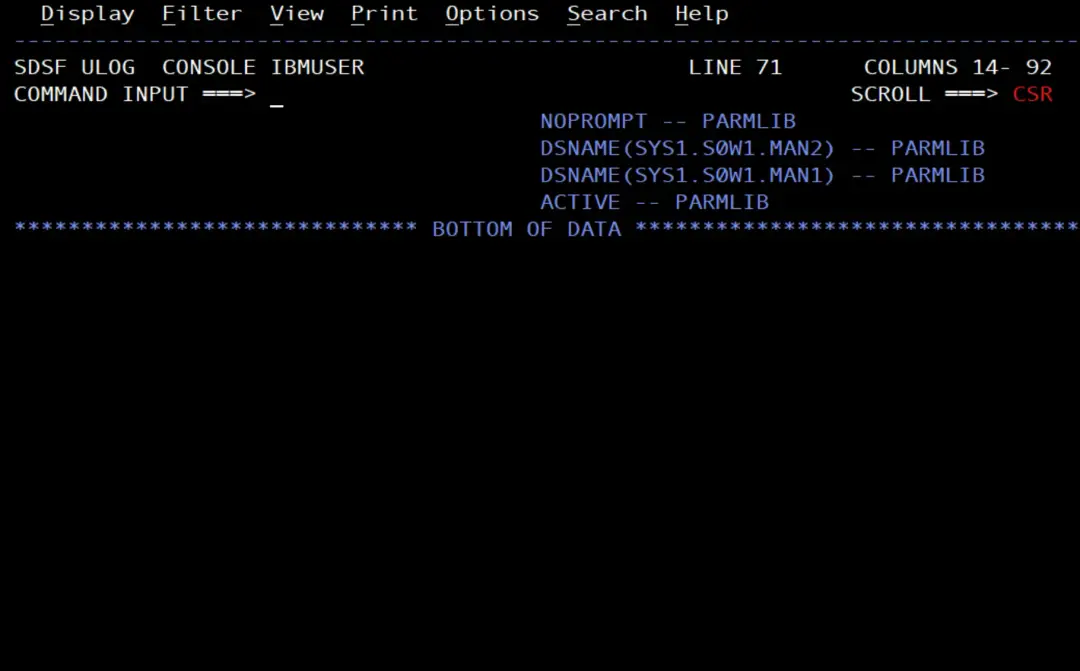
MEMBER = SMFPRM00: the PARMLIB member with the SMF configuration.DSNAME(...): the MANx data sets.SYS(EXITS(IEFU29)): SMF calls the IEFU29 exit. It is the one that starts the dump. If SMFPRMxx has aSUBSYS(STC,EXITS(...)), IEFU29 must be in that list.
SMF can also record to System Logger log streams instead of MANx data sets (RECORDING(LOGSTREAM) in SMFPRMxx). In that case the records are extracted with the IFASMFDL program, not with IFASMFDP. I don't cover that option in this article: here everything uses MANx data sets, which is how my system is set up.
What happens when a MANx fills up
When the active data set fills up, or when we force it with the I SMF command, SMF switches to the next one and calls the IEFU29 exit with the name of the one it has just left. Without the exit, SMF issues message IEE362A so that someone dumps the data set by hand. With the exit, the dump starts on its own and, since the exit returns return code 4, the message is not issued.
The IEFU29 exit
The ADCD ships the sample exit in ADCD.LIB.JCL, in members IEFU29 and IEFU29@. From the name of the resource it uses (IPOSMF01) and the SIPO50 mark, it comes from an IBM sample. I started from them and my version is in IBMUSER.JCL(IEFU29).
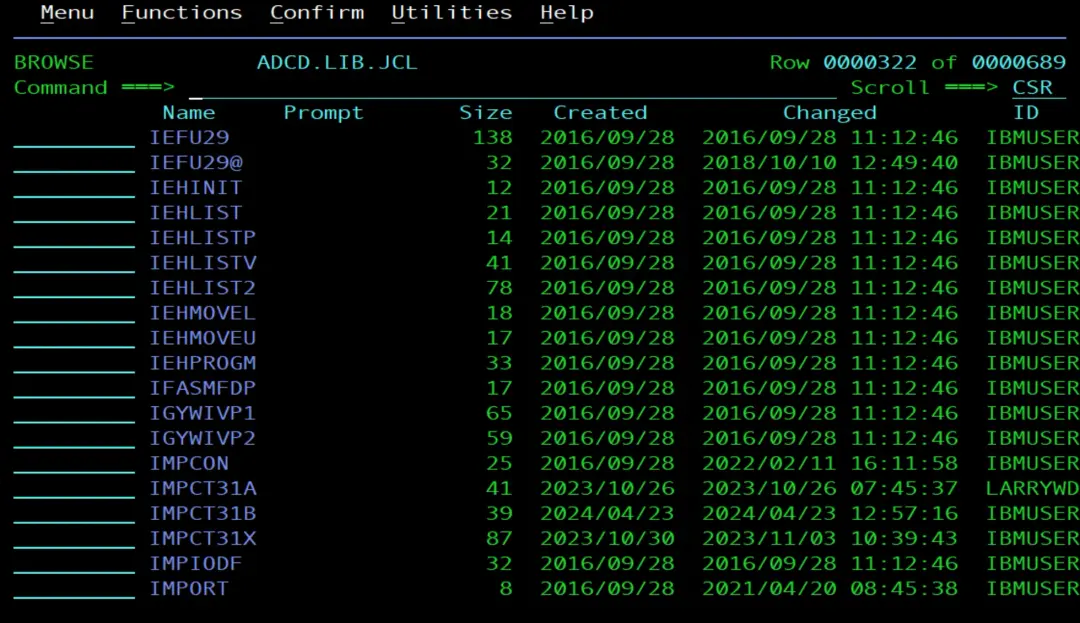
These are the parts of my version that matter:
         L     R8,0(,R1)               SAVE INPUT PARM(DSNAME)
         ...
         MVC   ENQLIST(LENQLIST),ENQLSTX LOAD IN MODEL PARM LIST
         ENQ   MF=(E,ENQLIST)          TEST IF RESOURCE IN USE?
         LTR   R15,R15                 WAS THE RESOURCE AVAILABLE?
         BNZ   SKIPDUMP                NO, DO NOT START DUMP
         MVC   WTOAREA(WTOLEN),WTOL    MOVE IN WTO MESSAGE
         MVC   CMDAREA(CMDLEN),CMDL    MOVE IN START COMMAND
         ...
         MVC   CMDAREA+20(14),0(R8)     MOVE IN MAN DSN    LPJ88259
         SLR   R0,R0                   CLEAR REG ZERO FOR SVC 34
         LA    R1,CMDAREA              POINT TO START COMMAND
         SVC   34                      ISSUE START COMMAND
         WTO   MF=(E,WTOAREA)          ISSUE MSG
SKIPDUMP ...
         RETURN  (14,12),RC=4          RETURN TO CALLER
         ...
CMDL     DS    0F                      START COMMAND FORMAT FOR SVC 34
         DC    AL2(CMDLEN),AL2(00)     LENGTH OF STRING
         DC    C'S SMFDUMPS,MAN=''SYS1.S0W1.MANX''      **IEFU29** '
*                456789012345678 9012345678901234567  CHECK COLUMNS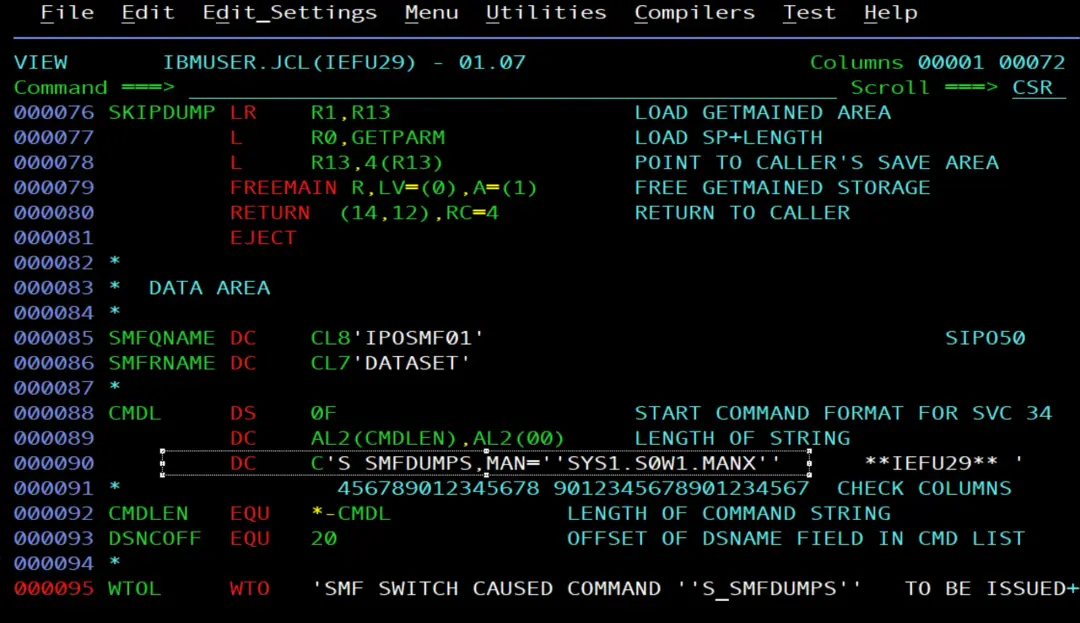
In my case, I don't understand all of the source. What matters is the line with the command it starts: S SMFDUMPS,MAN='SYS1.S0W1.MANX'. The exit puts into it the name of the MANx that has just filled up and issues it as an operator command. To make it start another procedure, you edit that line.
Choosing the procedure it starts
As it comes in the ADCD, the exit does not start SMFDUMPS, but SMFCLEAR:
CMDL     DS    0F                      START COMMAND FORMAT FOR SVC 34
         DC    AL2(CMDLEN),AL2(00)     LENGTH OF STRING
         DC    C'S SMFCLEAR,MAN=''SYS1.S0W1.MANX''      **IEFU29** '
*                456789012345678 9012345678901234567  CHECK COLUMNS
CMDLEN   EQU   *-CMDL             LENGTH OF COMMAND STRING
DSNCOFF  EQU   20                 OFFSET OF DSNAME FIELD IN CMD LIST
*
WTOL     WTO   'SMF SWITCH CAUSED COMMAND ''S SMFCLEAR''   TO BE ISSUED+
               .',ROUTCDE=(1,2,11),MF=L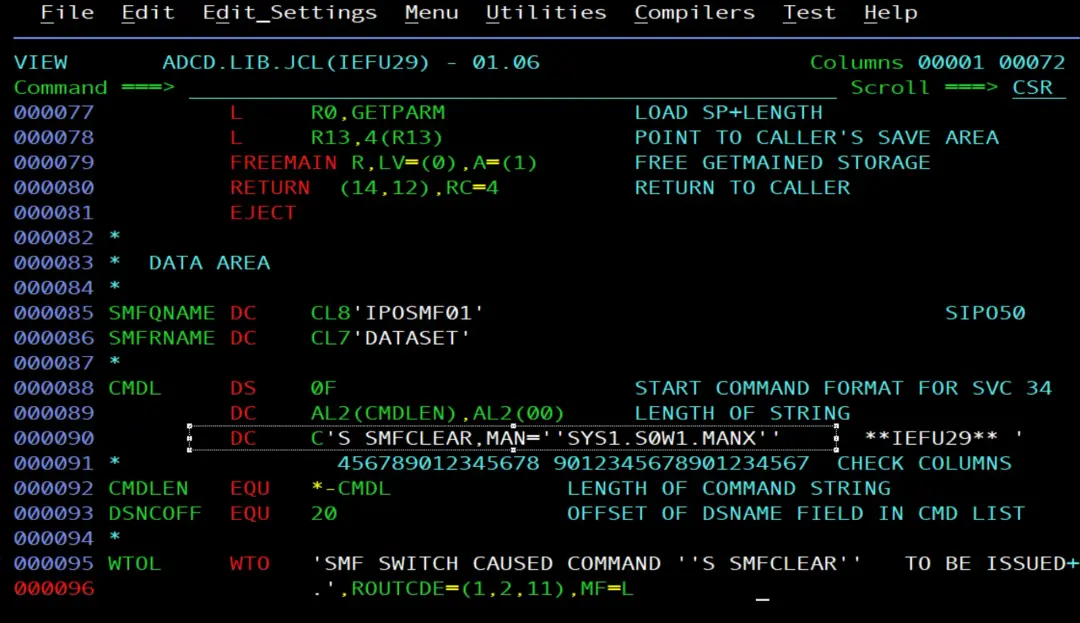
And the SMFCLEAR procedure, in ADCD.Z31B.PROCLIB:
//SMFCLEAR PROC MAN='SYS1.S0W1.MAN1'
//*
//* CLEAR SMF DATASET -
//* SMF MAN DATASET DUMPED REQUIRED MESSAGE RECIEVED
//* OR ISSUE SWITCH, I SMF, THEN THAT FILE WILL BE CLEARED
//*
//*
//DUMP1   EXEC PGM=IFASMFDP,REGION=1M
//INDD1    DD  DSN=&MAN,DISP=SHR
//DUMPOUT  DD  DUMMY
//SYSPRINT DD  SYSOUT=D
//SYSIN    DD  DSN=ADCD.&SYSVER..PARMLIB(CLRMAN),DISP=SHR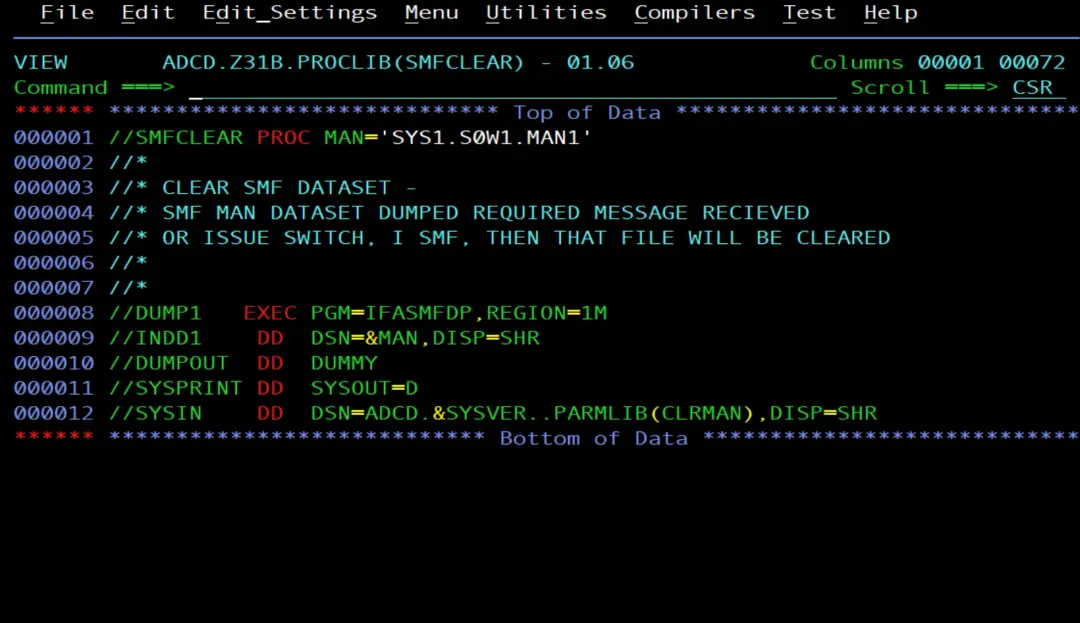
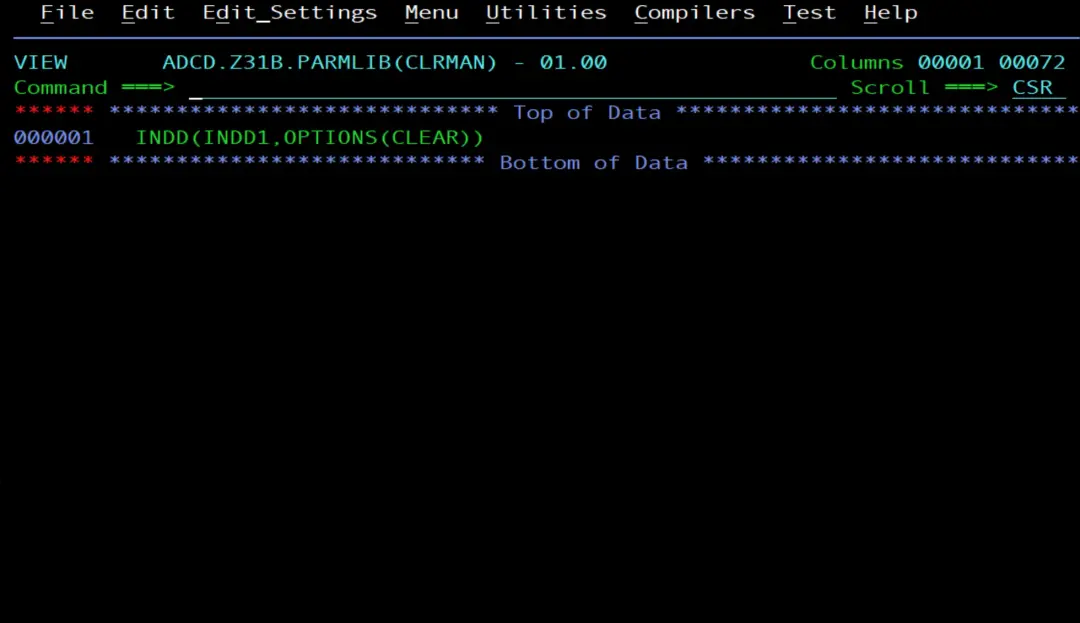
The output, DUMPOUT, goes to DUMMY: IFASMFDP reads the MANx and frees it, but the records are not kept anywhere. I wanted to keep them, so in my version I changed SMFCLEAR to SMFDUMPS in two places: in the command (CMDL) and in the message text (WTOL). If you only change the command, the message would still say S SMFCLEAR.
The procedure name is on the line DC C'S SMFDUMPS,MAN=...'. To start another one, you change the name there, and the simplest way is for the new one to have 8 characters, like SMFCLEAR and SMFDUMPS.
The reason: the exit writes the MANx name at a fixed position in the command, right after MAN='. That position is the 20 in the line MVC CMDAREA+20(14),0(R8): 4 header bytes at the start of the command (2 for the length and 2 set to zero) plus the 16 characters of S SMFDUMPS,MAN='. With a shorter or longer procedure name, the text shifts and the MANx name would end up in the wrong place, so you would also have to change that 20. The same goes for the 14, which is the length of the name of my MANx data sets (SYS1.S0W1.MAN1): with MANx data sets with a different name, you would have to change it too.
Assembling it and linking it into the LPALIB
The job is in IBMUSER.JCL(IEFU29@), a copy of IEFU29@ from ADCD.LIB.JCL. It assembles the source with the High Level Assembler (ASMA90) and links it with the binder (HEWL) into USER.Z31B.LPALIB:
//IEFU29J@ JOB (FB3TR,60000,4365),'SMF',
//             NOTIFY=&SYSUID,REGION=4M,COND=(4,GT),
//             CLASS=A,MSGCLASS=H,MSGLEVEL=(1,1)   ,RESTART=
//*                                                           /*JCTRL*/
//MYASMCL  PROC
//*
//* THIS PROCEDURE RUNS THE HIGH LEVEL ASSEMBLER, LINK-EDITS THE
//* NEWLY ASSEMBLED PROGRAM.                                   @PN22982
//*
//C        EXEC PGM=ASMA90,PARM=(OBJECT,NODECK,RENT)
//SYSLIB   DD  DSN=SYS1.MACLIB,DISP=SHR
//SYSUT1   DD  DSN=&&SYSUT1,SPACE=(4096,(120,120),,,ROUND),UNIT=VIO,
//             DCB=BUFNO=1
//SYSPRINT DD  SYSOUT=*
//SYSPUNCH DD  SYSOUT=B
//SYSLIN   DD  DSN=&&OBJ,SPACE=(3040,(40,40),,,ROUND),UNIT=VIO,
//             DISP=(MOD,PASS),
//             DCB=(BLKSIZE=3040,LRECL=80,RECFM=FBS,BUFNO=1)
//L        EXEC PGM=HEWL,PARM='MAP,LET,LIST,NCAL,RENT,REFR'
//SYSLIN   DD  DSN=&&OBJ,DISP=(OLD,DELETE)
//         DD  DDNAME=SYSIN
//SYSLMOD  DD  DISP=(,PASS),UNIT=SYSDA,SPACE=(CYL,(1,1,1)),
//             DSN=&&GOSET(GO)
//SYSUT1   DD  DSN=&&SYSUT1,SPACE=(1024,(120,120),,,ROUND),UNIT=VIO,
//             DCB=BUFNO=1
//SYSPRINT DD  SYSOUT=*
//      PEND
//*
//STEP01  EXEC MYASMCL
//C.SYSIN    DD DISP=SHR,DSN=IBMUSER.JCL(IEFU29)
//*
//L.SYSLMOD  DD DSN=USER.Z31B.LPALIB(IEFU29),DISP=SHR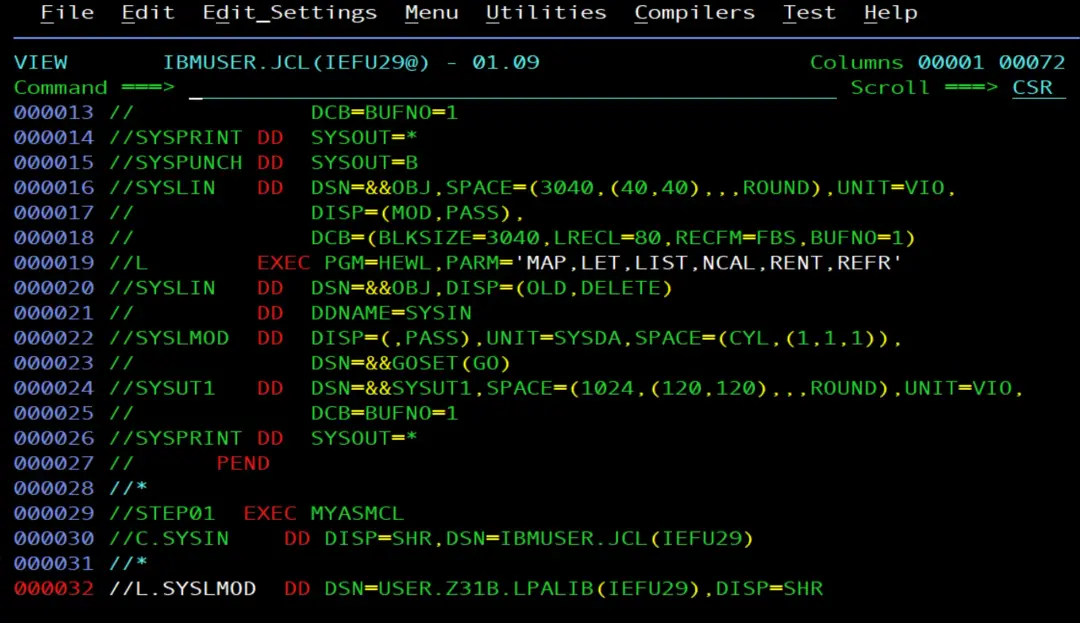
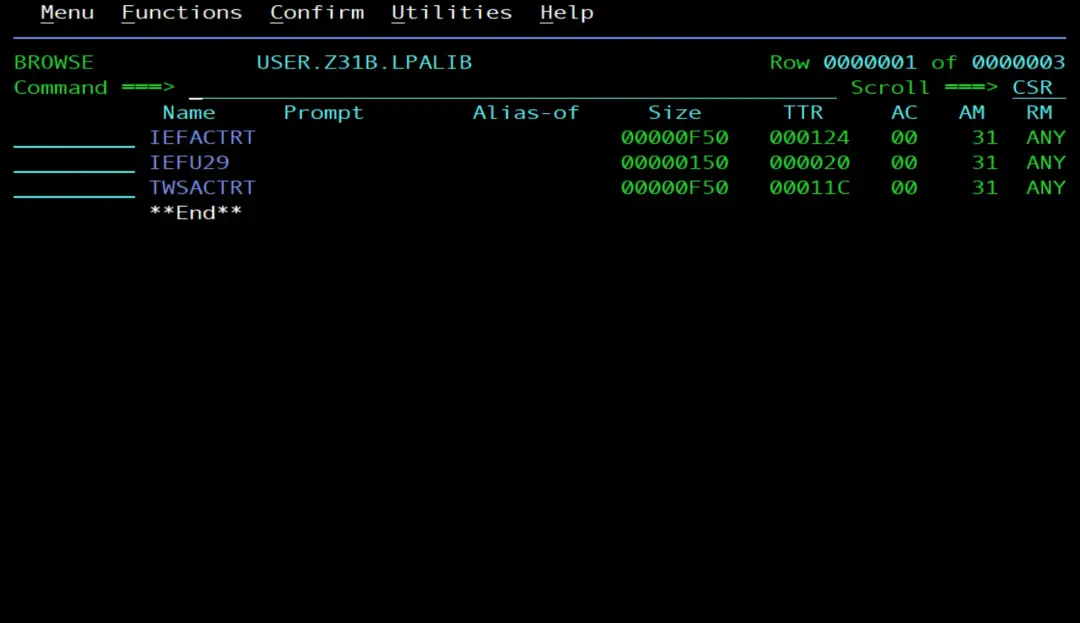
The procedure is inside the job itself (PROC ... PEND). Step C assembles the source it receives through C.SYSIN and step L links the module. L.SYSLMOD replaces the procedure's temporary library with USER.Z31B.LPALIB, with member name IEFU29.
Watch out for the COND=(4,GT) on the JOB card: it means "if 4 is greater than the return code of a step, skip the following ones". In my case the assembly (step C) ends with RC=4, because of the warnings, so the link (step L) runs. If the assembly ended with RC=0, the link would be skipped. To skip the link only when the assembly has errors, the usual choice is COND=(4,LT).
-JOBNAME  STEPNAME PROCSTEP    RC   EXCP    CPU    SRB  CLOCK
-IEFU29J@ STEP01   C           04    164    .00    .00    .00
-IEFU29J@ STEP01   L           00     47    .00    .00    .00
Checking that the exit is active
D PROG,EXIT,EXITNAME=SYS.IEFU29RESPONSE=S0W1
CSV461I 09.09.23 PROG,EXIT DISPLAY 552
EXIT MODULE STATE MODULE STATE MODULE STATE
SYS.IEFU29 IEFU29 A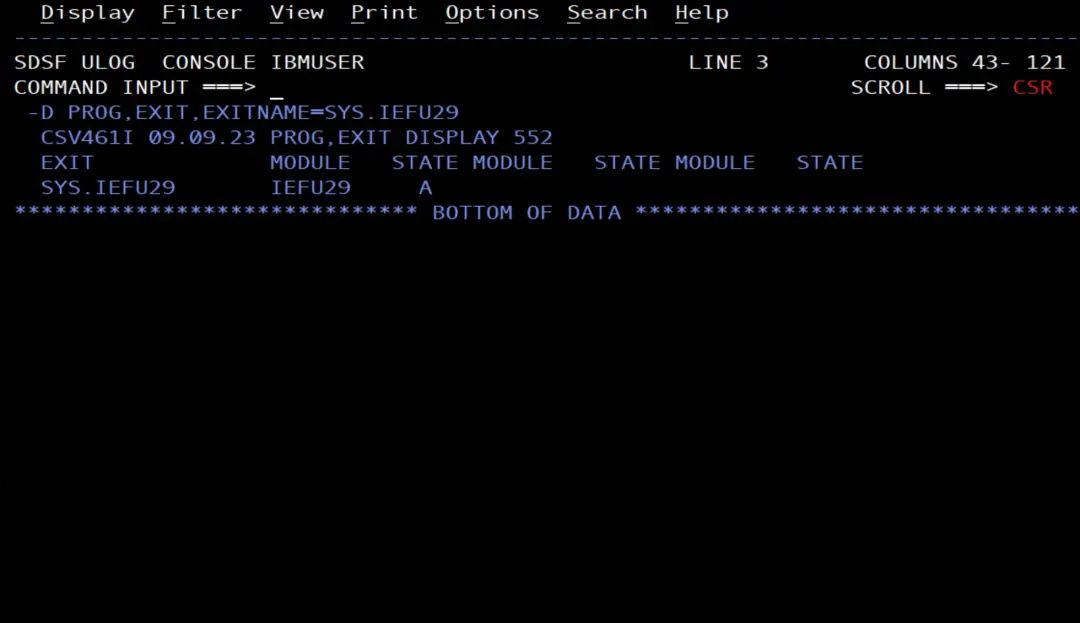
Exit SYS.IEFU29 has module IEFU29 active (A). And this shows that it is loaded in the LPA:
D PROG,LPA,MODNAME=IEFU29RESPONSE=S0W1
CSV550I 09.10.22 LPA DISPLAY 833
FLAGS MODULE ENTRY PT LOAD PT LENGTH DIAG
P IEFU29 84860918 04860918 00000150 02F36430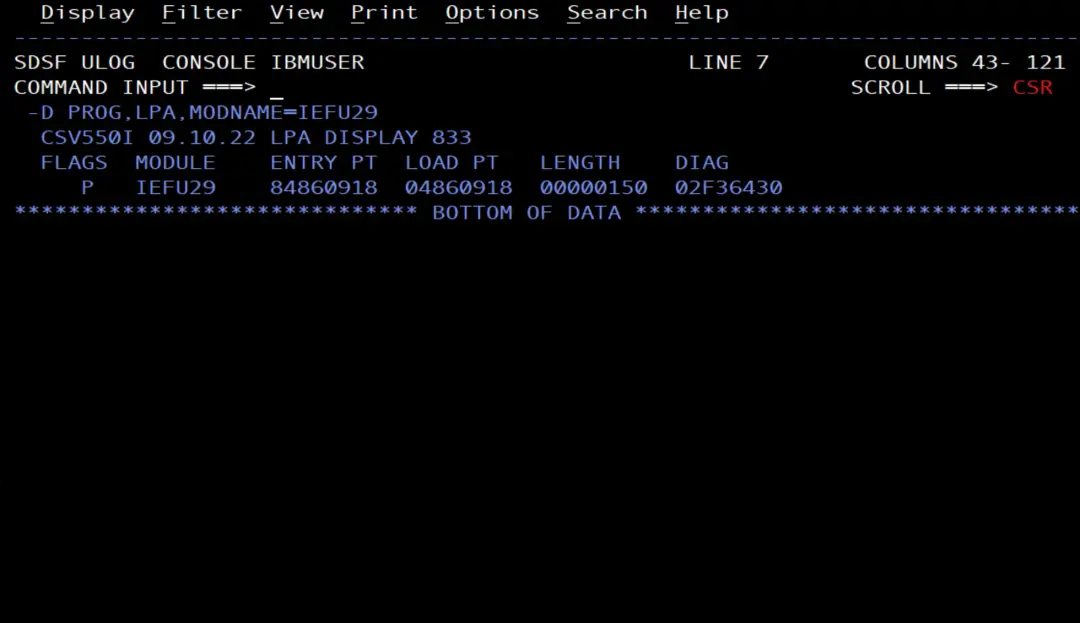
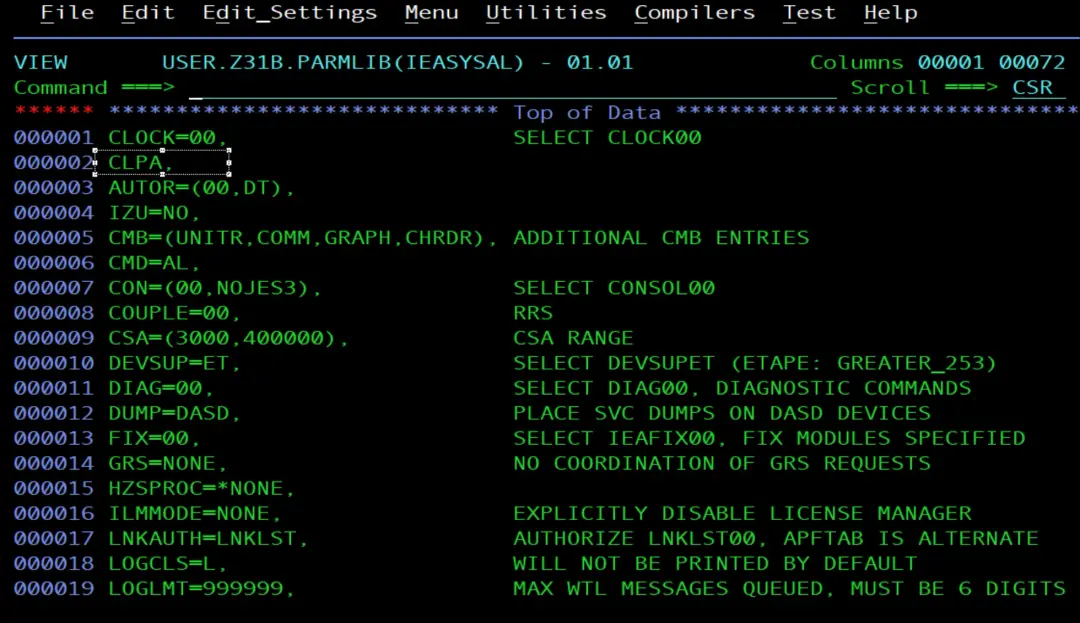
The module is loaded in the LPA. Linking it again into USER.Z31B.LPALIB is not enough for a change to take effect: it has to be loaded into the LPA again. That is done with an IPL with CLPA, which loads the LPA again from the libraries; without CLPA, the system reuses the previous LPA. In my case I did an IPL to load it, and my IEASYSxx (USER.Z31B.PARMLIB(IEASYSAL)) has CLPA.
The SMFDUMPS procedure
It is the one the exit starts. I have it in USER.Z31B.PROCLIB:
//SMFDUMPS PROC MAN='SYS1.S0W1.MAN1'
//*
//* CLEAR SMF DATASET -
//* SMF MAN DATASET DUMPED REQUIRED MESSAGE RECIEVED
//* OR ISSUE SWITCH, I SMF, THEN THAT FILE WILL BE CLEARED
//*
//*
//DUMP    EXEC PGM=IFASMFDP,REGION=4096K
//SYSPRINT  DD SYSOUT=*
//INDD1     DD DSN=&MAN,DISP=SHR
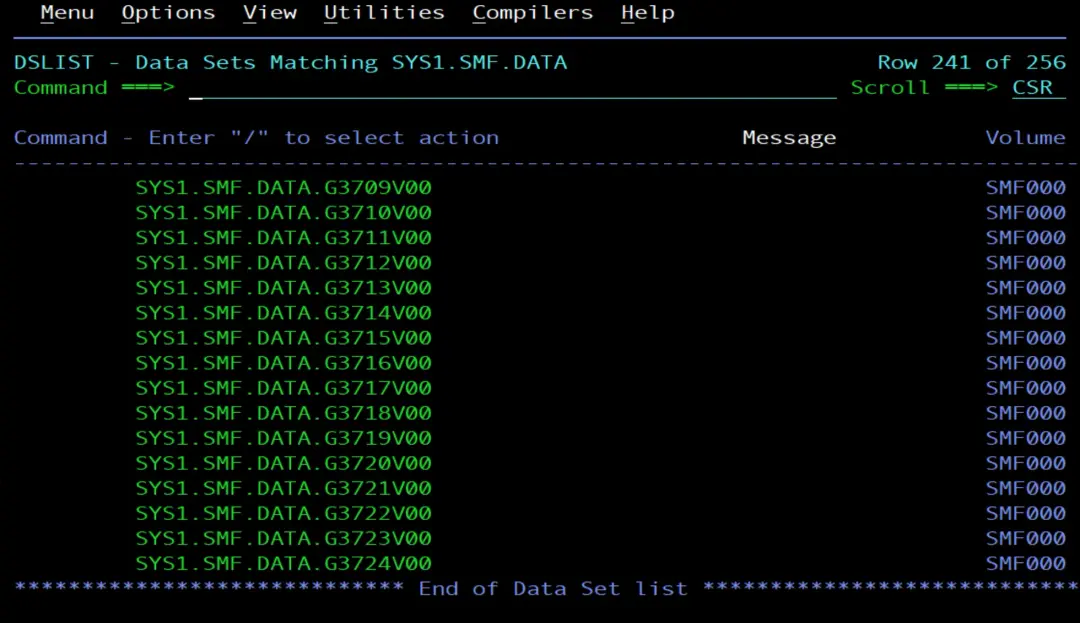
//DUMPOUT   DD DSN=SYS1.SMF.DATA(+1),DISP=(NEW,CATLG),
//             STORCLAS=SCNOSMS,
//             UNIT=3390,VOL=SER=SMF000,SPACE=(CYL,(150,100),RLSE)
//SYSIN     DD DSN=USER.&SYSVER..PARMLIB(SMFDUMP),DISP=SHR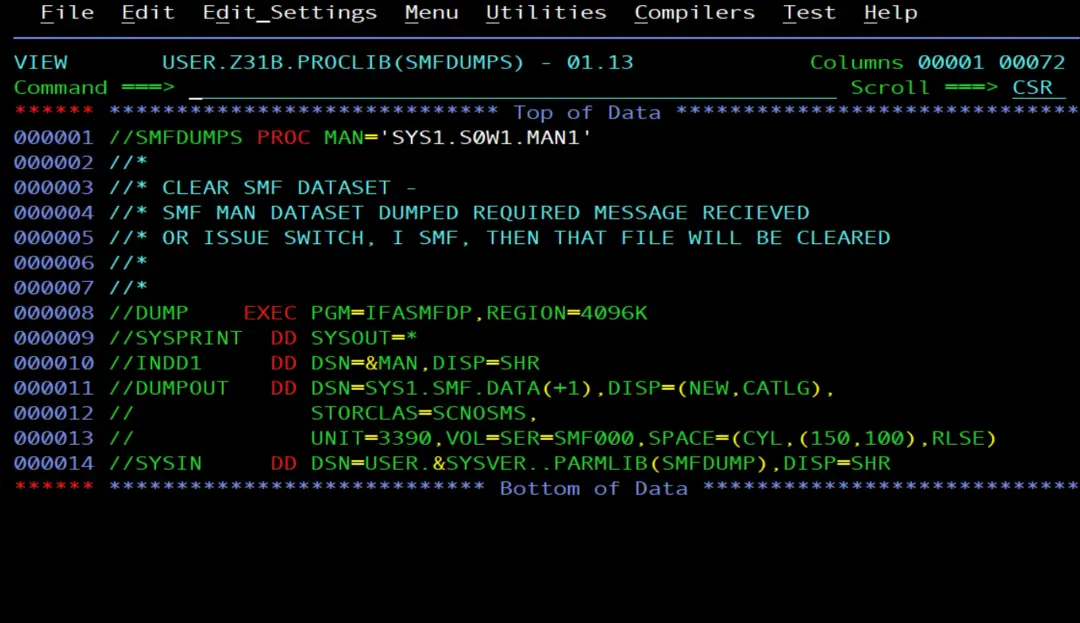
MANis the parameter the exit fills in with the data set name. If you start the procedure by hand without it, it dumps MAN1.- IFASMFDP reads the MANx (
INDD1) and writes a new generation of SYS1.SMF.DATA on volume SMF000. The volume (SMF000) and the storage class (SCNOSMS) are the ones on my system; you have to adapt them. - It reads the IFASMFDP control statements from member SMFDUMP of my PARMLIB. In
USER.&SYSVER..PARMLIB, the double period ends the&SYSVERsymbol and keeps the period of the name.
  INDD(INDD1,OPTIONS(ALL))
  OUTDD(DUMPOUT,TYPE(1:255))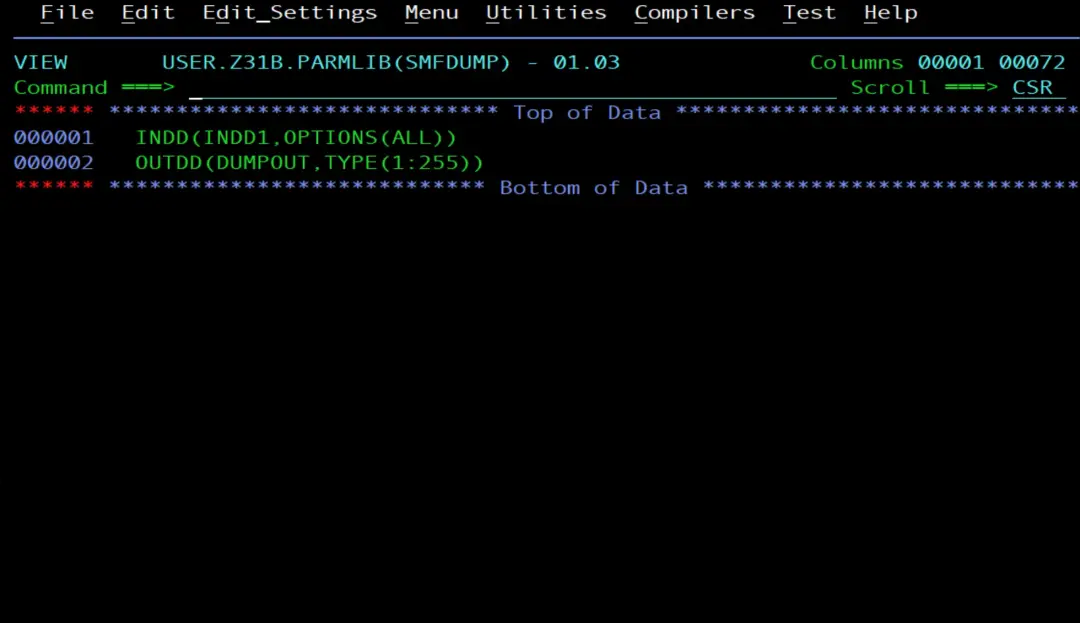
OPTIONS(ALL) dumps the MANx and clears it so that SMF can use it again. TYPE(1:255) copies record types 1 to 255. Without TYPE, IFASMFDP copies all of them, from 0 to 2047.
The GDG
The dumps are kept in the GDG SYS1.SMF.DATA. I created it with this job:
//IBMUSERB JOB (20,FB3),'IDCAMS BUILD GDG',COND=(0,NE),
//            CLASS=A,MSGCLASS=H,NOTIFY=&SYSUID
//*
//ST1      EXEC PGM=IDCAMS
//SYSPRINT DD SYSOUT=*
//SYSIN    DD *
 DEFINE GDG -
   (NAME(SYS1.SMF.DATA) -
    LIMIT(255)           -
    OWNER(IBMUSER)       -
    SCRATCH)
/*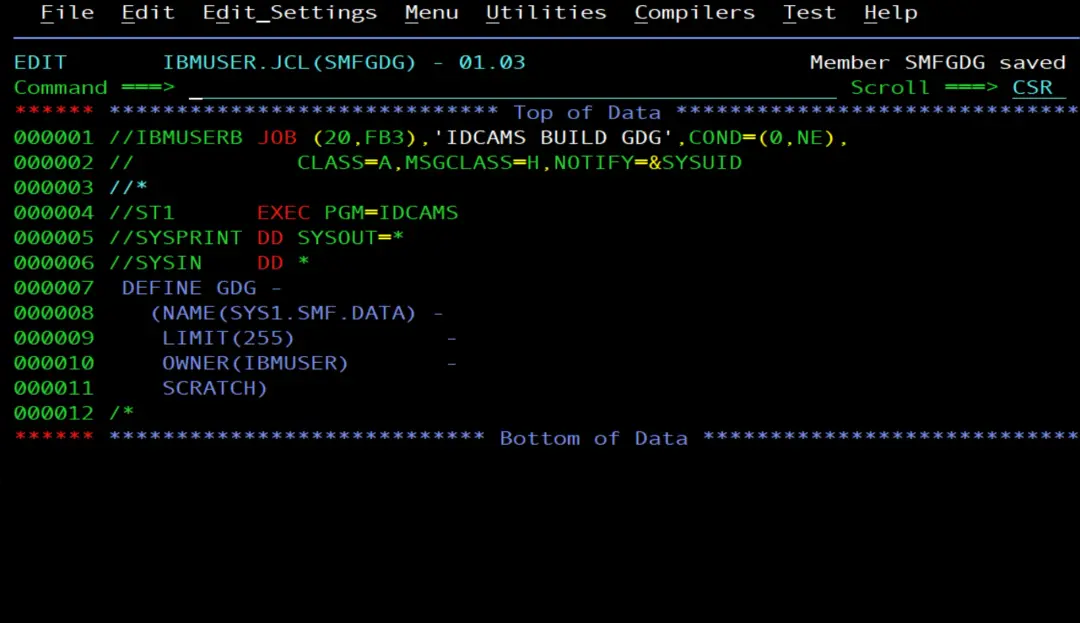
LIMIT(255) keeps up to 255 generations and, with SCRATCH, when one more is created, the oldest one is uncataloged and deleted. Since my MANx data sets are small and fill up often, I have been using this for quite a while, but I had not documented it until now.
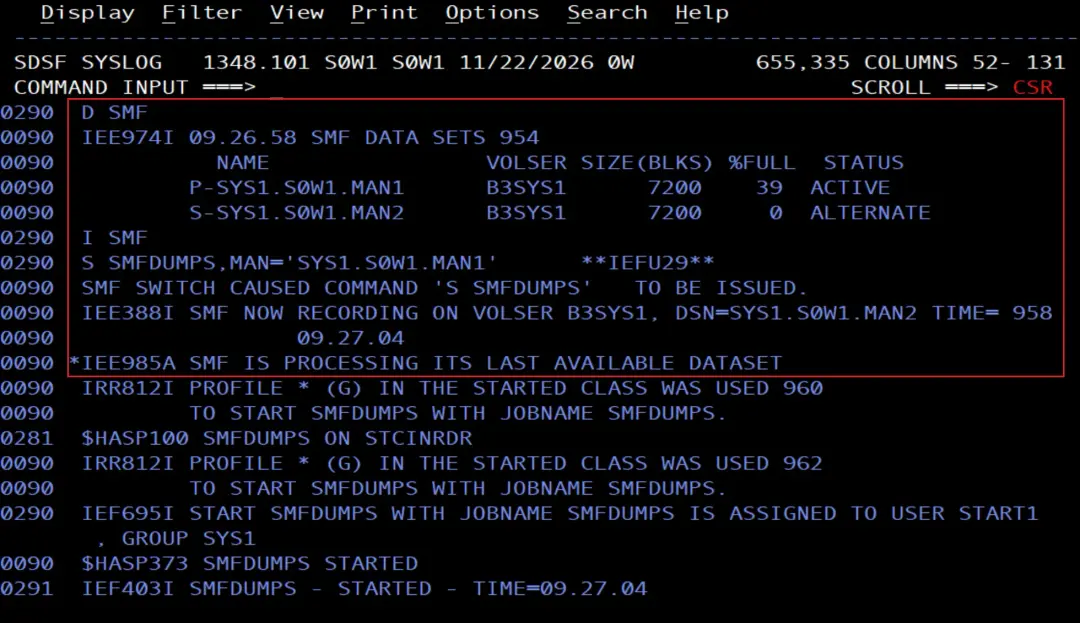
Testing it: I SMF
So as not to wait for it to fill up, I force the data set switch:
D SMF
I SMF
D SMF
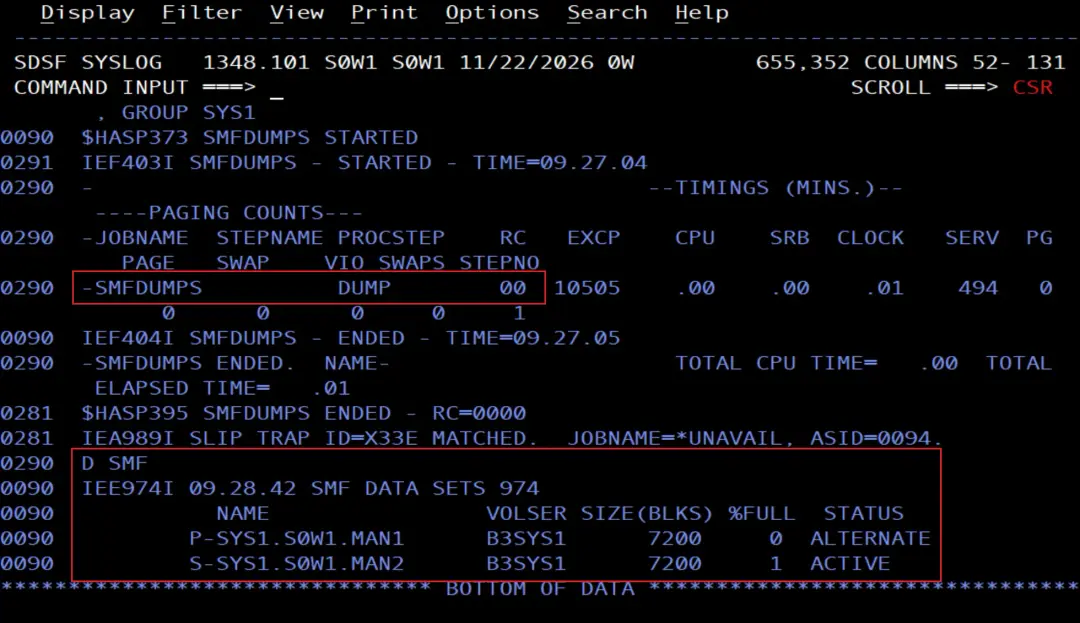
The log shows the whole cycle: SMF switches data sets, the exit writes its message and starts S SMFDUMPS with the name of the MANx that was active, and the procedure dumps it.
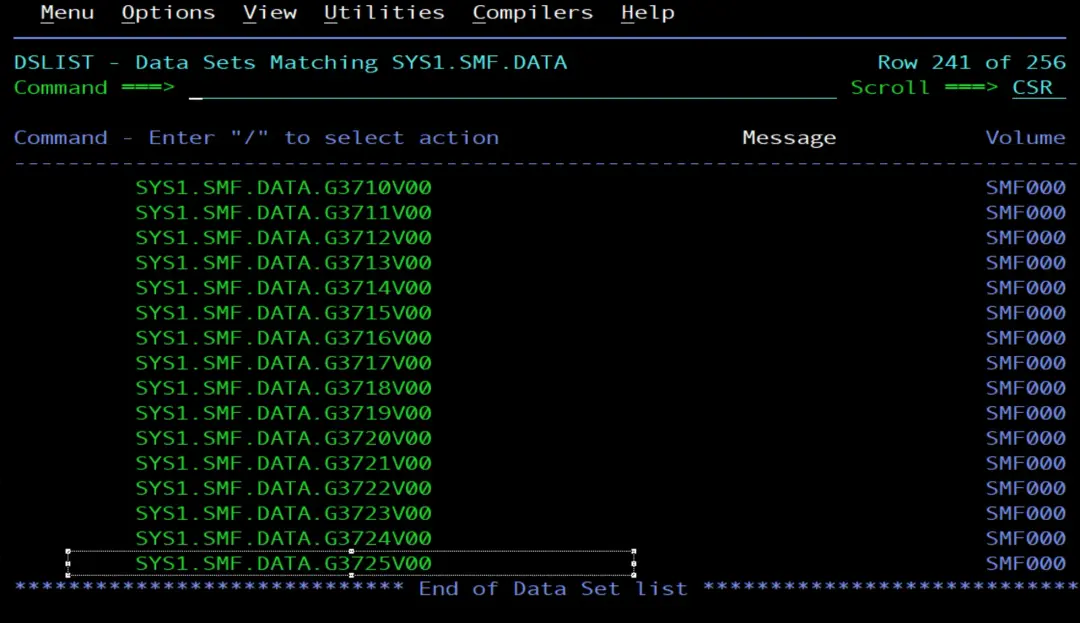
And a new generation appears in the GDG:
Extracting only some record types
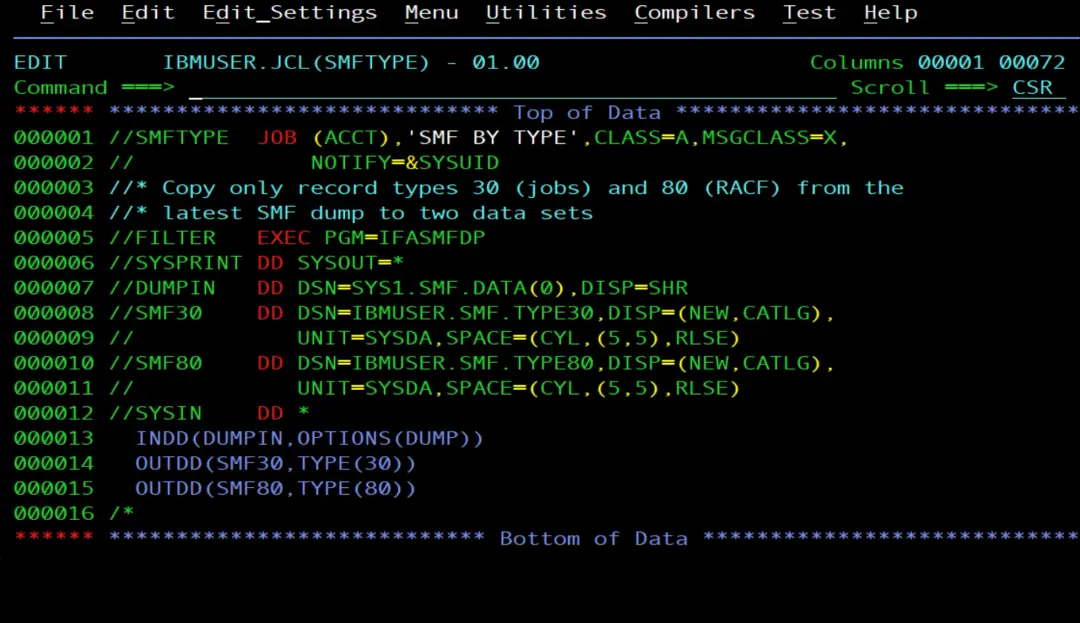
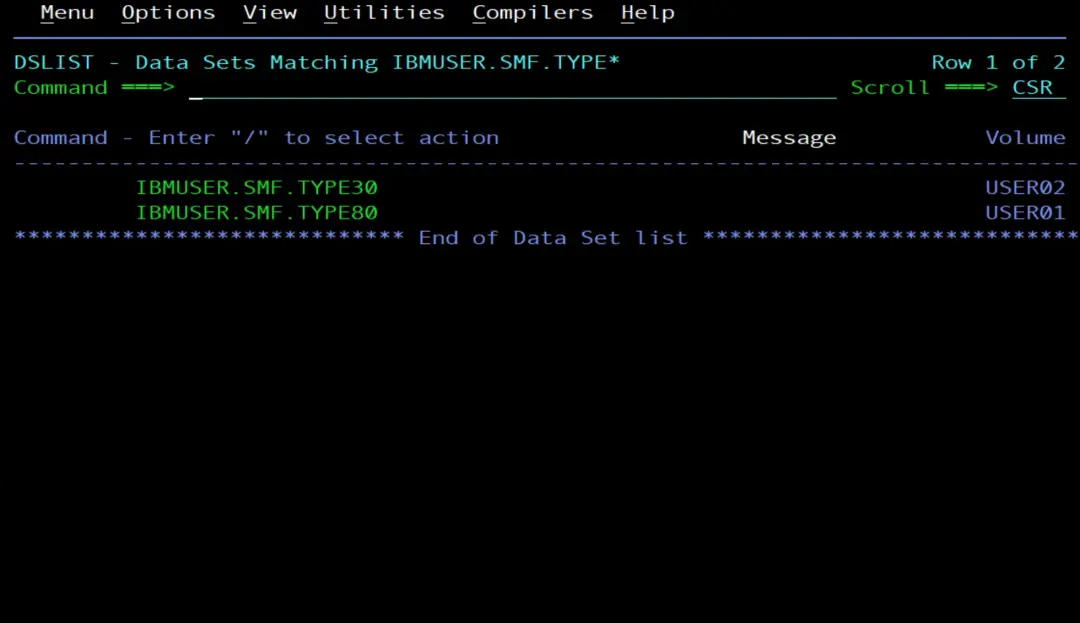
A dump has many record types mixed together. To work with one or two, IFASMFDP can also read an earlier dump and copy only what we want. For example, type 30 (jobs and tasks) and type 80 (RACF), each one into its own data set:
//SMFTYPE  JOB (ACCT),'SMF BY TYPE',CLASS=A,MSGCLASS=X,
//             NOTIFY=&SYSUID
//* Copy only record types 30 (jobs) and 80 (RACF) from the
//* latest SMF dump to two data sets
//FILTER   EXEC PGM=IFASMFDP
//SYSPRINT DD SYSOUT=*
//DUMPIN   DD DSN=SYS1.SMF.DATA(0),DISP=SHR
//SMF30    DD DSN=IBMUSER.SMF.TYPE30,DISP=(NEW,CATLG),
//            UNIT=SYSDA,SPACE=(CYL,(5,5),RLSE)
//SMF80    DD DSN=IBMUSER.SMF.TYPE80,DISP=(NEW,CATLG),
//            UNIT=SYSDA,SPACE=(CYL,(5,5),RLSE)
//SYSIN    DD *
  INDD(DUMPIN,OPTIONS(DUMP))
  OUTDD(SMF30,TYPE(30))
  OUTDD(SMF80,TYPE(80))
/*SYS1.SMF.DATA(0)is the most recent generation.OPTIONS(DUMP)only copies; it does not clear anything.- Each
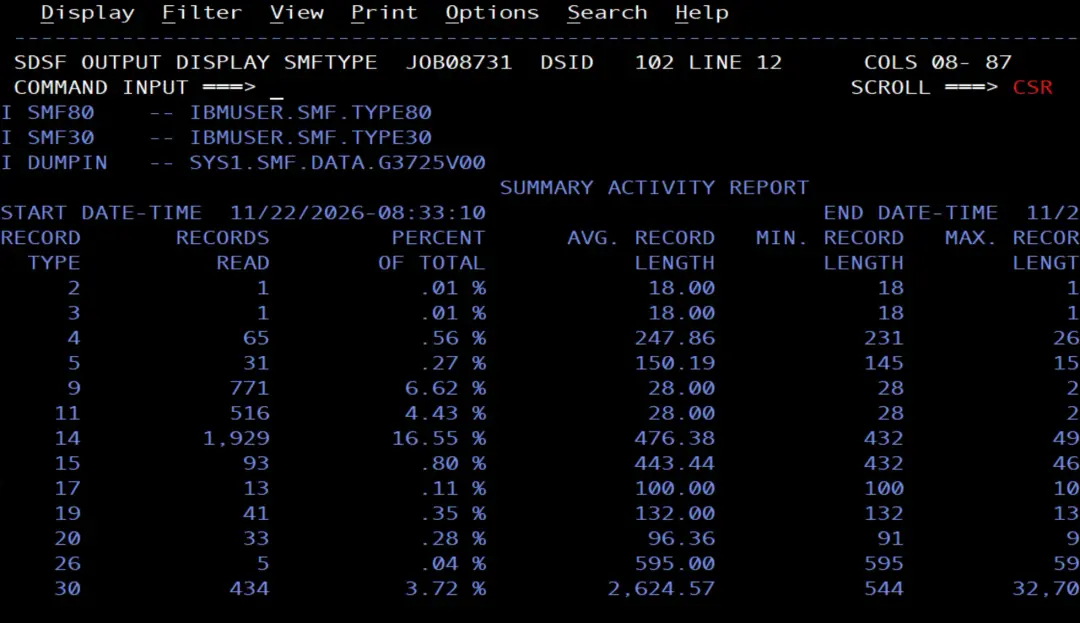
OUTDDhas its ownTYPE: with a single read, the records are split into several data sets. - Besides the requested records, IFASMFDP adds a header record (type 2) and a trailer record (type 3) to each output data set.
- The data sets are created with
DISP=(NEW,CATLG): to run the job again, you first have to delete IBMUSER.SMF.TYPE30 and IBMUSER.SMF.TYPE80.
Seeing the subtypes of a record type
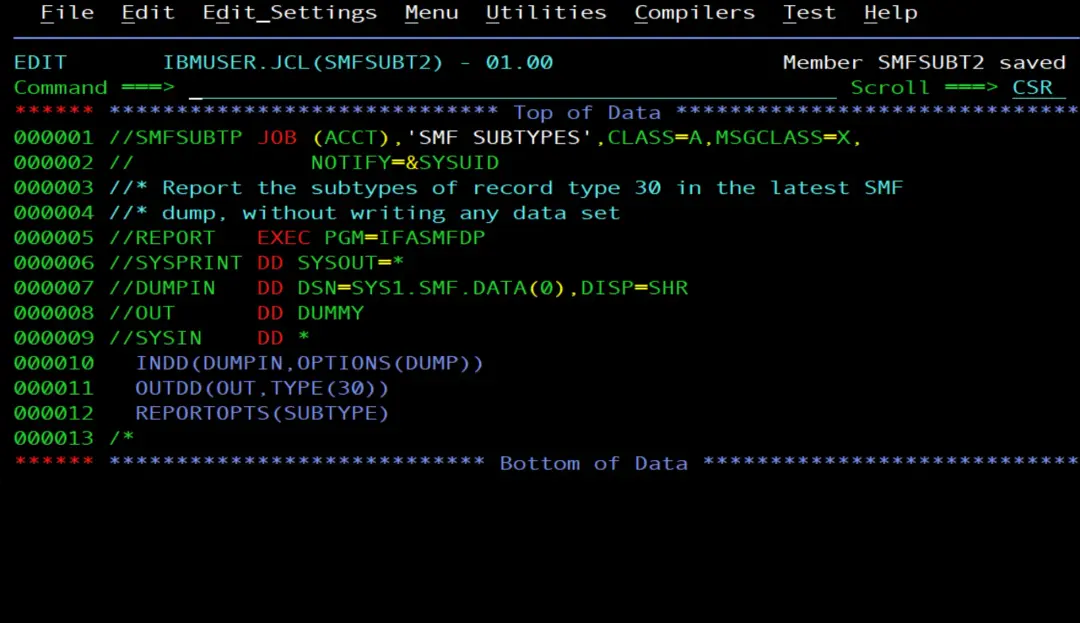
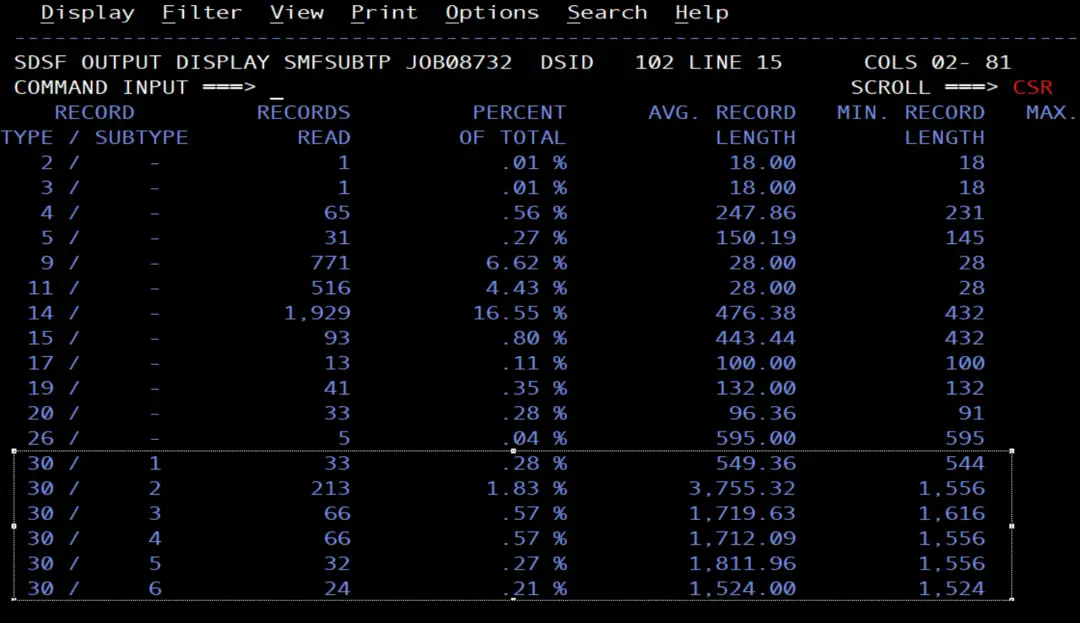
Many record types have subtypes. With REPORTOPTS(SUBTYPE), IFASMFDP writes to SYSPRINT how many records there are of each subtype. If the output goes to DUMMY, you only get the report:
//SMFSUBTP JOB (ACCT),'SMF SUBTYPES',CLASS=A,MSGCLASS=X,
//             NOTIFY=&SYSUID
//* Report the subtypes of record type 30 in the latest SMF
//* dump, without writing any data set
//REPORT   EXEC PGM=IFASMFDP
//SYSPRINT DD SYSOUT=*
//DUMPIN   DD DSN=SYS1.SMF.DATA(0),DISP=SHR
//OUT      DD DUMMY
//SYSIN    DD *
  INDD(DUMPIN,OPTIONS(DUMP))
  OUTDD(OUT,TYPE(30))
  REPORTOPTS(SUBTYPE)
/*
Summary
- SMF writes to the MANx data sets (
D SMF); its configuration is in SMFPRMxx (D SMF,O). - When a MANx fills up, or with
I SMF, SMF switches data sets and calls the IEFU29 exit. - The ADCD IEFU29 starts
S SMFCLEAR, which frees the MANx without keeping the records. Mine startsS SMFDUMPSwith the MANx name. To start another procedure you change the command line, without forgetting the offset of the data set name. - The exit is assembled and linked into USER.Z31B.LPALIB, and loaded into the LPA with an IPL with CLPA;
D PROG,EXITandD PROG,LPAshow whether it is active and whether it is loaded in the LPA. - SMFDUMPS dumps with IFASMFDP to a GDG with
LIMIT(255)andSCRATCH. - IFASMFDP also extracts specific record types from a dump, and with
REPORTOPTS(SUBTYPE)you see their subtypes.
References (z/OS 3.1)
- IEFU29 - SMF dump exit (MVS Installation Exits).
- Using IFASMFDP — the SMF data set dump program (MVS System Management Facilities).
- Specifying parameters for the SMF data set dump program (MVS System Management Facilities).
- Displaying SMF data (SMF) (MVS System Commands).
- Displaying LPA information (PROG,LPA) (MVS System Commands).