Launch a scheduled job with $TA: check D M=CONFIG with Python and alert in Microsoft Teams
This article closes the circle of the latest articles on the blog. Each one built one piece on its own; here I put them together in an automatic process: a job scheduled with $TA that runs a Python script, checks the devices with D M=CONFIG and alerts in Microsoft Teams if one is not as it should be.
The pieces, in the order they came out:
- pySDSF on z/OS 3.2: watch the spool and alert on Microsoft Teams: issue commands from the SDSF console with Python and send a card to Teams with
post_to_teams(). Here the command isD M=CONFIG(01)instead of$D SPOOL. - Create a user for Python batch scripts (RACF): the PYBATCH user, which runs the job, and the SURROGAT profile that allows submitting jobs with its user.
- Python on z/OS: virtual environment (venv and pyproject.toml): the PYBATCH virtual environment, where pySDSF and
spool_alertare installed. - Automatic commands on z/OS: schedule commands with $TA - JES2: the JES2 automatic commands, which here launch the job every so often.
- D M=CONFIG: detect deviations in device status: compare the devices with a CONFIGxx member. There I ended by saying that the right thing was to include it in some automated process that warns us if IEE097I shows units in a state that is not the expected one. That is what I do in this article.
- Python on z/OS: submit jobs from a script and get the result in Microsoft Teams: a script that submits a job. Here it is the other way round: a scheduled command submits the job that runs the script.
Everything on z/OS 3.2 (stock image). I wrote the D M=CONFIG article on the z/OS 3.1 ADCD, so here I start by creating the CONFIG01 of this system.
How it all fits together
$TA only issues commands; it does not submit jobs. For a command to end up submitting a job, you need a procedure that copies the JCL to the JES2 internal reader (INTRDR). The chain is:
- Every so often, the automatic command issues
$VS,'S SUBMIT,...', which passes theS SUBMITcommand to MVS. - The SUBMIT procedure copies the CFGCHK member to the internal reader. It runs with the IBMUSER user.
- The CFGCHK job has
USER=PYBATCHand runs the script with BPXBATCH. - The script issues
D M=CONFIG(01)and, if IEE097I shows any deviation, sends a card to Microsoft Teams. If there is none, it does not alert.
CONFIG01 on the stock image
The stock image does not come with any CONFIGxx. To know where to create it, I look at the PARMLIB concatenation:
D PARMLIBRESPONSE=VS01
IEE251I 14.07.19 PARMLIB DISPLAY 968
PARMLIB DATA SETS SPECIFIED
AT IPL
ENTRY FLAGS VOLUME DATA SET
1 S USRVS1 USER.PARMLIB
2 S USRVS1 VENDOR.PARMLIB
3 S OPEVS1 SYS1.PARMLIB
4 S Z32VS1 SYS1.PARMLIB.INSTALL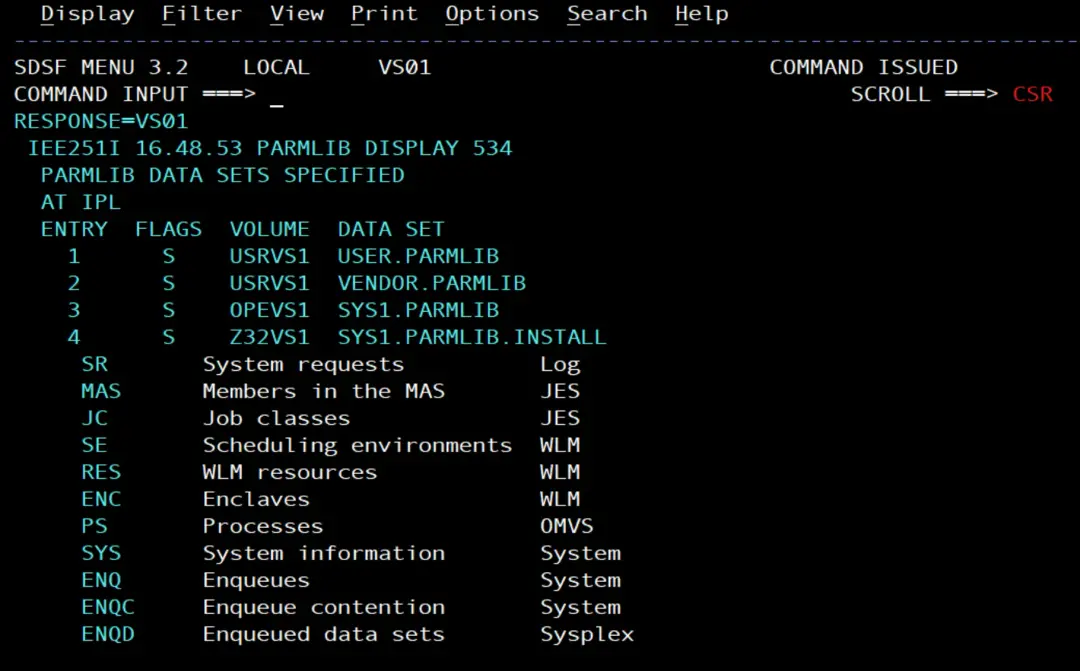
The first one is USER.PARMLIB, so CONFIG01 goes there. To know which devices to put in it, I look at the disks and the tapes:
D U,DASD,ONLINE
D U,TAPE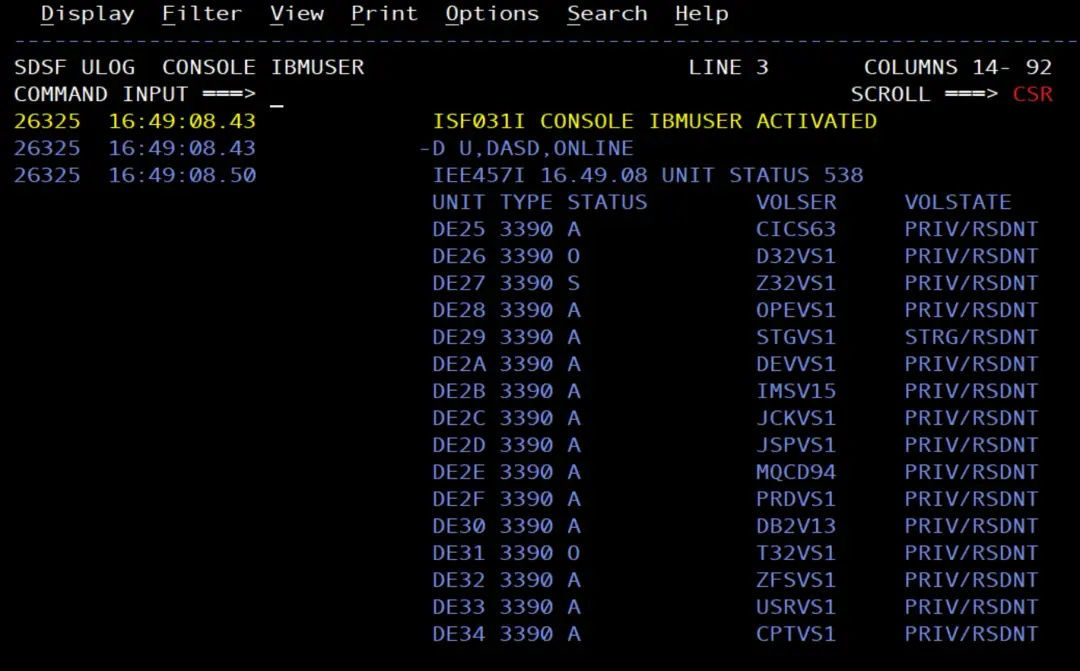
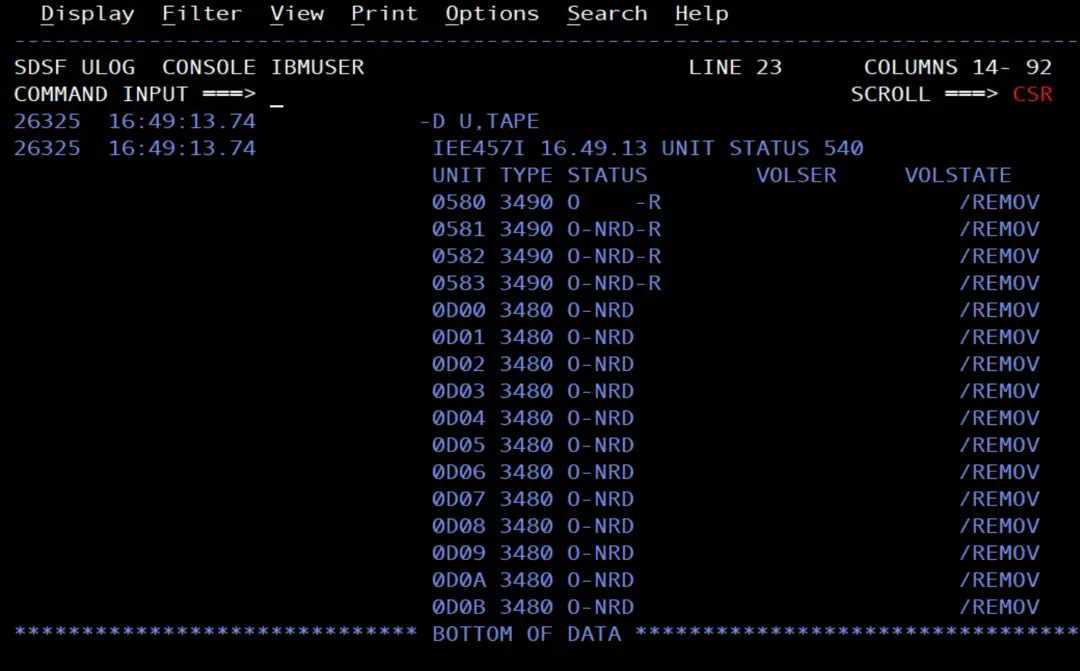
I put the volumes from DE25 to DE34 (all online) and the tape drive 0580, which is the one I will use to cause the deviation: it is online, with no tape mounted (NRD), and nobody has it allocated. As in the D M=CONFIG article, for a test you have to choose a device that is not disruptive.
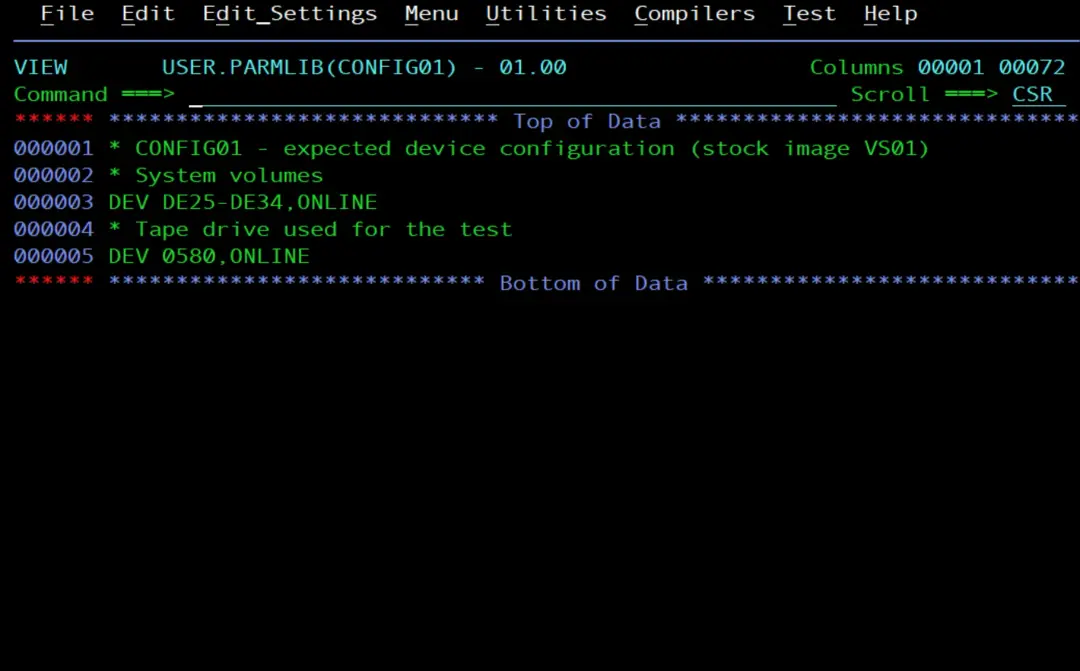
I create the member with IEBUPDTE:
//MKCFG01  JOB (ACCT),'CREATE CONFIG01',CLASS=A,MSGCLASS=X,
//             NOTIFY=&SYSUID
//* Add member CONFIG01 to USER.PARMLIB
//ADD      EXEC PGM=IEBUPDTE,PARM=NEW
//SYSPRINT DD SYSOUT=*
//SYSUT2   DD DSN=USER.PARMLIB,DISP=SHR
//SYSIN    DD *
./ ADD NAME=CONFIG01
* CONFIG01 - expected device configuration (stock image VS01)
* System volumes
DEV DE25-DE34,ONLINE
* Tape drive used for the test
DEV 0580,ONLINE
./ ENDUP
/*
And I check it:
D M=CONFIG(01)RESPONSE=VS01
IEE097I 14.47.16 DEVIATION STATUS 119
FROM MEMBER CONFIG01
NO DEVIATION FROM REQUESTED CONFIGURATION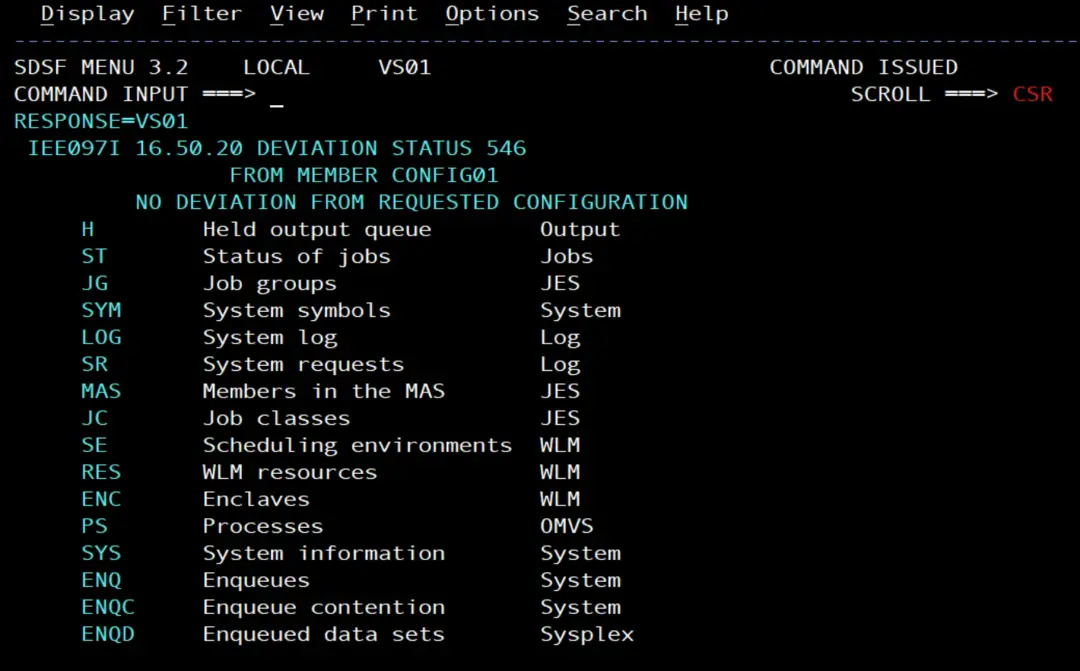
The script
The script, config_check.py, gets the member suffix as an argument (00 if it gets none), issues D M=CONFIG(xx) and reads the response:
#!/usr/bin/env python3
"""Compare devices with a CONFIGxx member (D M=CONFIG) and alert Teams on deviations."""
import os
import re
import sys
from datetime import datetime

from pysdsf import Connection
from pysdsf.isfexception import ISFException
from spool_alert import post_to_teams

SUFFIX_PATTERN = re.compile(r"[A-Z0-9]{2}")
NO_DEVIATION = "NO DEVIATION FROM REQUESTED CONFIGURATION"
DESIRED_STATES = {"ONLINE", "OFFLINE"}  # what a DEV statement can ask for


def config_deviations(connection, suffix):
    """Issue D M=CONFIG(xx) and return the deviations listed in IEE097I."""
    console = connection.console()
    result = console.issue_command([f"D M=CONFIG({suffix})"],
                                   console_name_change=True, delay=1)
    lines = [str(line) for line in result]
    response = "\n".join(lines)
    if "IEE097I" not in response:
        raise RuntimeError("IEE097I not found in the command response:\n"
                           + response + f"\nSDSF messages: {console.get_message()}")
    if NO_DEVIATION in response:
        return []
    # After a header such as "DEVICE DESIRED ACTUAL", each row is one deviation:
    # "0580  ONLINE  OFFLINE" or "0340  ONLINE  NOT GEND"
    deviations = []
    kind = None
    for line in lines:
        words = line.split()
        if words[-2:] == ["DESIRED", "ACTUAL"]:
            kind = " ".join(words[:-2])
        elif kind and len(words) >= 3 and words[1] in DESIRED_STATES:
            deviations.append(f"{kind} {words[0]}: desired {words[1]}, "
                              f"actual {' '.join(words[2:])}")
    if not deviations:
        # For example NO DEVIATION COMPARISONS MADE: nothing was compared
        raise RuntimeError("IEE097I has no deviation list:\n" + response)
    return deviations


def main():
    url = os.environ.get("TEAMS_WEBHOOK_URL")
    if not url:
        sys.exit("TEAMS_WEBHOOK_URL is not set")
    suffix = (sys.argv[1] if len(sys.argv) > 1 else "00").upper()
    if not SUFFIX_PATTERN.fullmatch(suffix):
        sys.exit(f"Not a valid CONFIGxx suffix: {suffix}")

    connection = Connection()
    try:
        checked = datetime.now().strftime("%Y-%m-%d %H:%M:%S")
        deviations = config_deviations(connection, suffix)
    except ISFException as e:
        sys.exit(f"SDSF error: {e}")
    finally:
        connection.close()

    if not deviations:
        print(f"{checked} No deviation from CONFIG{suffix}")
        return 0
    for deviation in deviations:
        print(f"{checked} {deviation}")
    status = post_to_teams(url, f"{os.uname().nodename}: deviation from CONFIG{suffix}",
                           [f"Checked at {checked}"] + deviations)
    print(f"Teams answered HTTP {status}")
    return 0


if __name__ == "__main__":
    sys.exit(main())
Step by step:
Issue the command
connection.console() opens the user's SDSF extended console, and issue_command() issues the command and returns the lines of the response. It is the same thing spool_alert.py does with $D SPOOL. Before putting the suffix in the command, the script checks that it is two letters or digits: that way no other text can be slipped into the command through the argument.
If IEE097I does not appear in the response (for example, because the user is not allowed to issue the command), the script ends with an error and writes everything it received. That way the reason can be seen in the job's STDERR.
Read IEE097I
If everything is as the member says, IEE097I says NO DEVIATION FROM REQUESTED CONFIGURATION and the script has nothing to report. I look for the full text because IEE097I has another message that starts the same way, NO DEVIATION COMPARISONS MADE, which comes out when nothing could be compared (according to IBM, when the parameters do not contain valid data). That case is not an "all good".
If there are deviations, IEE097I shows them in a table with a header and one line per element. For devices, the header is DEVICE DESIRED ACTUAL. Depending on what the member has, there can be other blocks, with their own header (for example, for channels), and some headers are two words long. That is why the script keeps in kind what comes before DESIRED ACTUAL in the last header it read and, in each line below it, takes the element, the desired state and the actual state. The actual state can be more than one word, like NOT GEND (the device is not defined in the IODF), and that is why it is joined with the rest of the line.
Only a line whose desired state is ONLINE or OFFLINE, which is what a DEV statement can ask for, counts as a deviation. That way, other lines the response may bring do not end up in the alert. And if IEE097I neither says NO DEVIATION FROM REQUESTED CONFIGURATION nor brings any deviation, the script ends with an error and writes the whole response.
The alert to Teams
It only alerts when there are deviations. As in the other Python articles, it reads the webhook URL from the TEAMS_WEBHOOK_URL variable, which the PYBATCH .profile loads, and the card is sent with post_to_teams() from spool_alert, which is installed in the PYBATCH virtual environment.
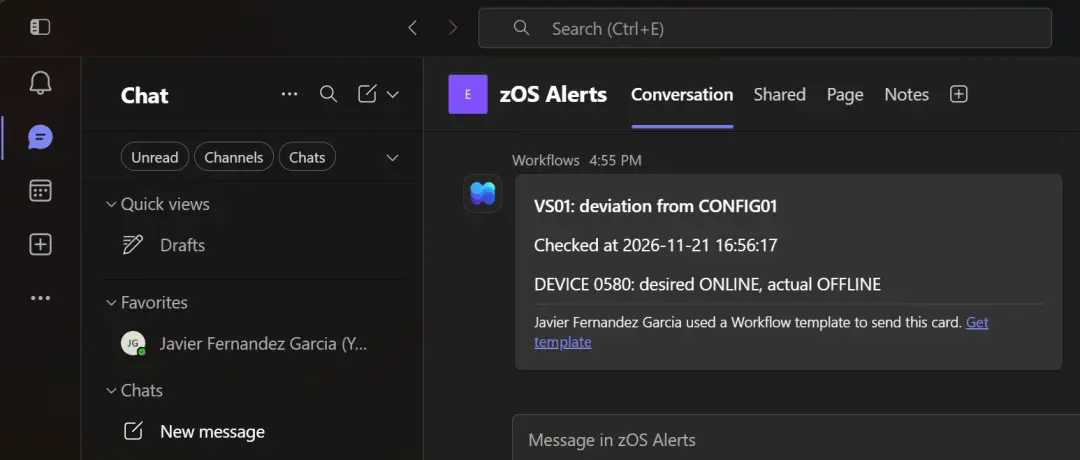
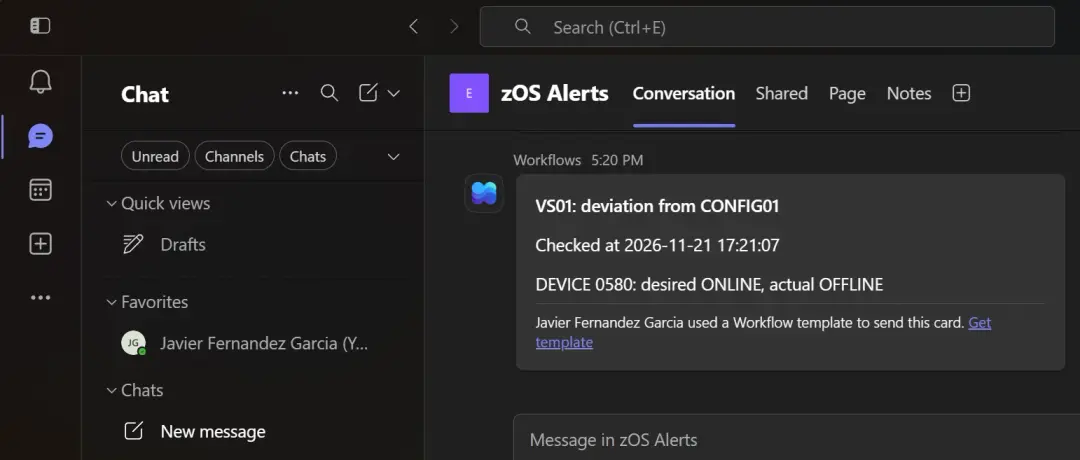
The card has the system name and the member in its title, and below them the time of the check and one line per deviation.
The return code
The script ends with 0 whether there are deviations or not: the alert is the Teams card. If it cannot do the check (TEAMS_WEBHOOK_URL is missing, the suffix is not valid, SDSF fails, IEE097I does not appear or IEE097I brings neither the list nor the "no deviation") or sending to Teams fails, it ends with 1, and the BPXBATCH step with RC=256.
Upload it
I upload it in binary to /u/pybatch/scripts and, as IBMUSER from OMVS, give it the same tag as the other scripts:
chtag -tc ISO8859-1 /u/pybatch/scripts/config_check.py
ls -T /u/pybatch/scripts/config_check.pyt ISO8859-1 T=on /u/pybatch/scripts/config_check.py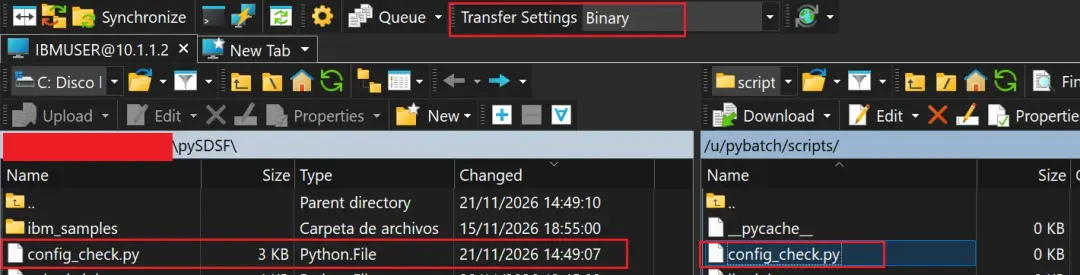
And, as in the PYBATCH user article, I give it to PYBATCH so that only it (and its group) can read it:
chown PYBATCH:PYGRP /u/pybatch/scripts/config_check.py
chmod 640 /u/pybatch/scripts/config_check.py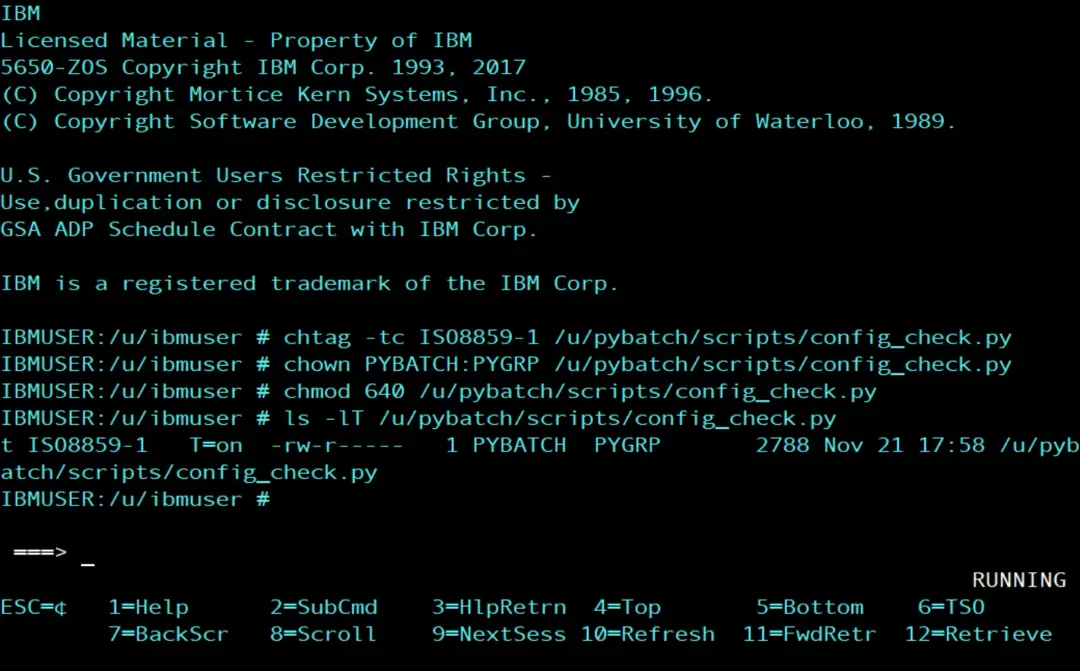
The CFGCHK job
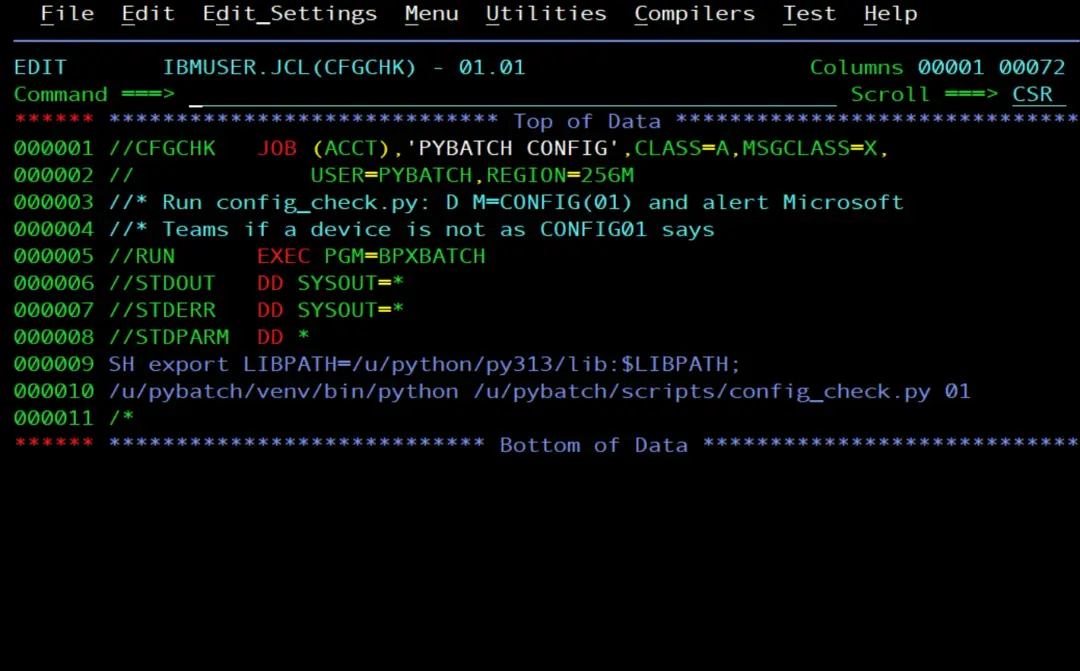
A job with BPXBATCH and USER=PYBATCH, as in the previous articles. I save it as member CFGCHK of my JCL library, IBMUSER.JCL, because the procedure that will submit it reads it from there:
//CFGCHK   JOB (ACCT),'PYBATCH CONFIG',CLASS=A,MSGCLASS=X,
//             USER=PYBATCH,REGION=256M
//* Run config_check.py: D M=CONFIG(01) and alert Microsoft
//* Teams if a device is not as CONFIG01 says
//RUN      EXEC PGM=BPXBATCH
//STDOUT   DD SYSOUT=*
//STDERR   DD SYSOUT=*
//STDPARM  DD *
SH export LIBPATH=/u/python/py313/lib:$LIBPATH;
/u/pybatch/venv/bin/python /u/pybatch/scripts/config_check.py 01
/*
It has no NOTIFY=: the job will run on its own and nobody is waiting for the message that it has ended.
The permission for D M
The first time I run it, the script ends with an error. The reason is in the command response:
 ISF061I User PYBATCH assigned destination operator authority.
 ISF031I CONSOLE PYBATCH ACTIVATED
-D M=CONFIG(01)
 IEE345I DISPLAY  AUTHORITY INVALID, FAILED BY SECURITY PRODUCT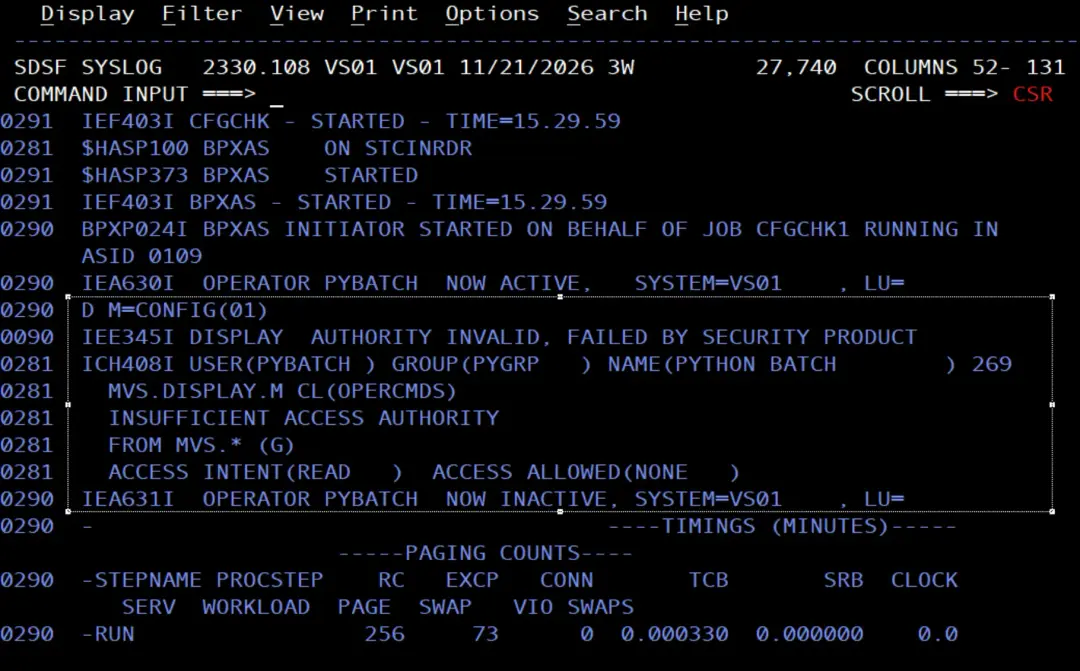
MVS commands are protected in the OPERCMDS class. To see which profile protects D M:
RLIST OPERCMDS MVS.DISPLAY.MOn the stock image it is protected by the generic MVS.*, with UACC NONE, and PYBATCH is not in the access list.
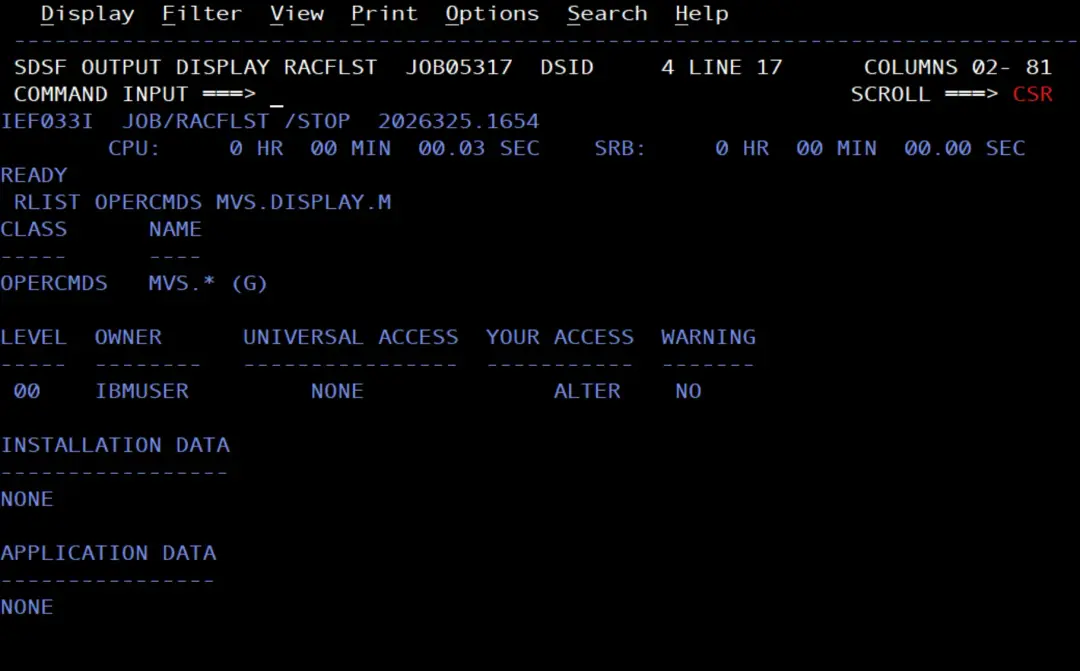
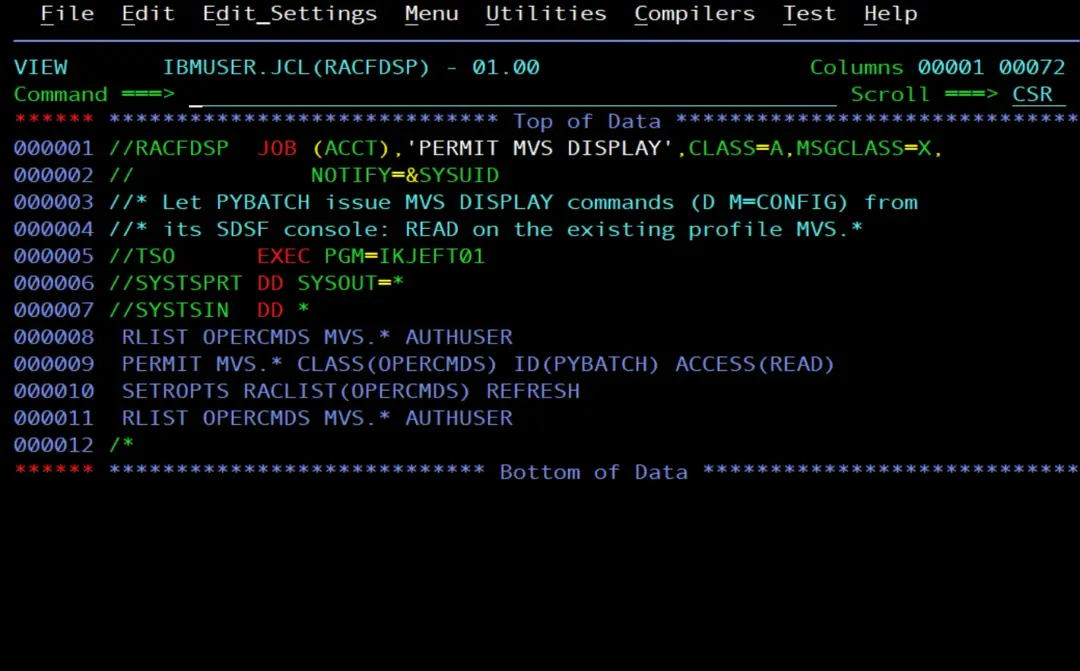
As I did with SDSF in the PYBATCH user article, I give it READ on the profile that already exists, without creating new profiles:
//RACFDSP  JOB (ACCT),'PERMIT MVS DISPLAY',CLASS=A,MSGCLASS=X,
//             NOTIFY=&SYSUID
//* Let PYBATCH issue MVS DISPLAY commands (D M=CONFIG) from
//* its SDSF console: READ on the existing profile MVS.*
//TSO      EXEC PGM=IKJEFT01
//SYSTSPRT DD SYSOUT=*
//SYSTSIN  DD *
 RLIST OPERCMDS MVS.* AUTHUSER
 PERMIT MVS.* CLASS(OPERCMDS) ID(PYBATCH) ACCESS(READ)
 SETROPTS RACLIST(OPERCMDS) REFRESH
 RLIST OPERCMDS MVS.* AUTHUSER
/*
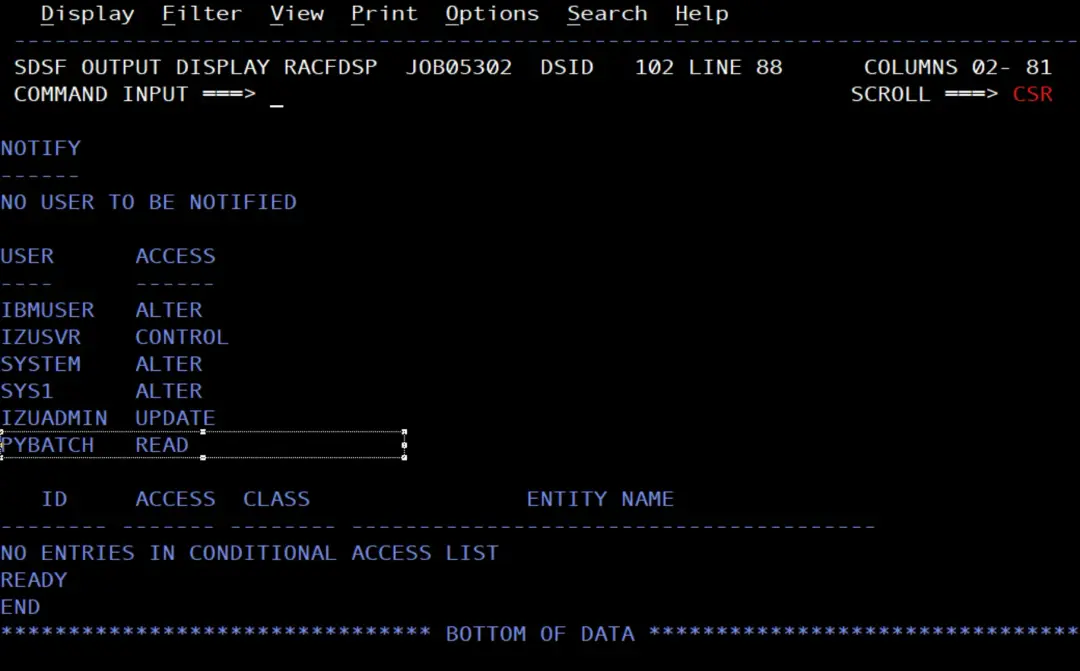
With READ on MVS.*, PYBATCH can issue the MVS commands that need READ, which are mostly the DISPLAY commands (and others, such as REPLY or SEND). The ones that need UPDATE or CONTROL, such as VARY or CANCEL, are still not allowed.
Test it with a deviation
I put the tape drive offline and run CFGCHK:
V 0580,OFFLINE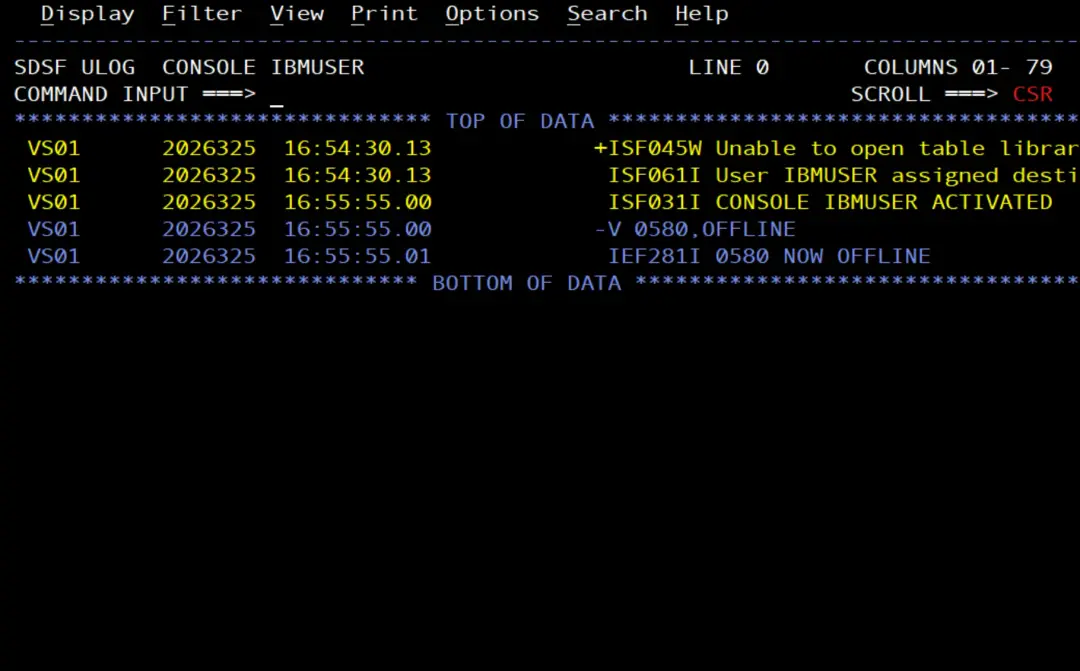
In the job's STDOUT:
2026-11-21 15:34:44 DEVICE 0580: desired ONLINE, actual OFFLINE
Teams answered HTTP 202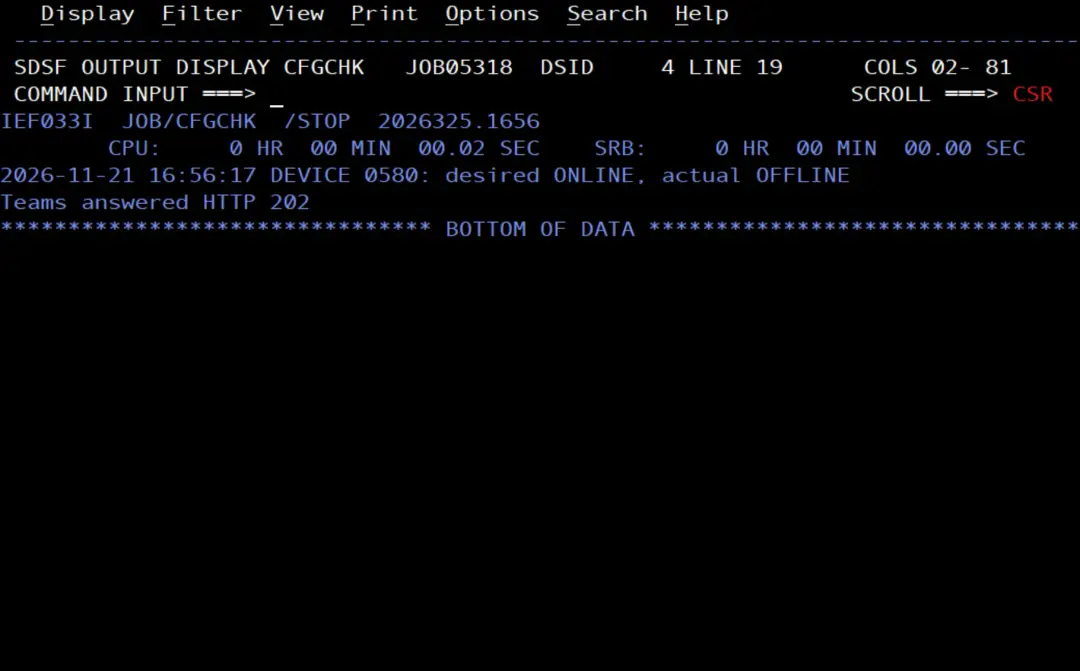
And the card arrives in Teams:
Launch the job from a command: the SUBMIT procedure
For $TA to launch the job, I need a procedure that submits it. The stock image comes with one in SYS1.PROCLIB, SUBMIT, which copies a member to the internal reader with IEBGENER:
//SUBMIT   PROC DS=,M=
//         EXEC PGM=IEBGENER
//SYSIN    DD DUMMY
//SYSPRINT DD DUMMY
//SYSUT2   DD SYSOUT=(A,INTRDR)
//SYSUT1   DD DSN=&DS(&M),DISP=SHR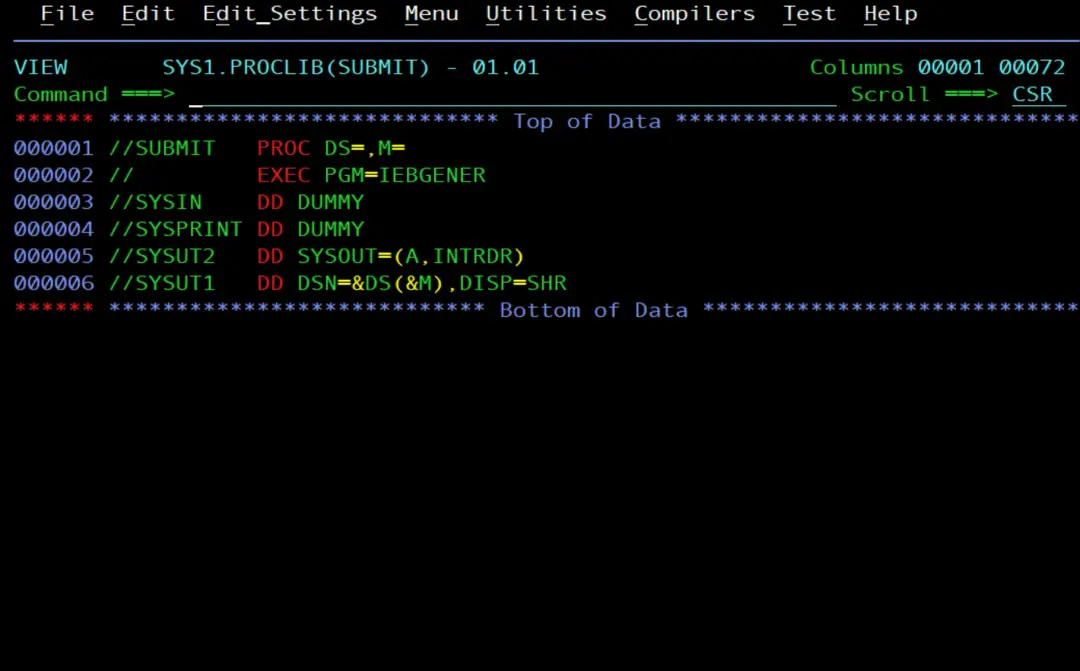
Its profile in the STARTED class says which user it runs with:
RLIST STARTED SUBMIT.* STDATAUSER= IBMUSER
GROUP= SYS1
TRUSTED= NO
PRIVILEGED= NO
TRACE= NO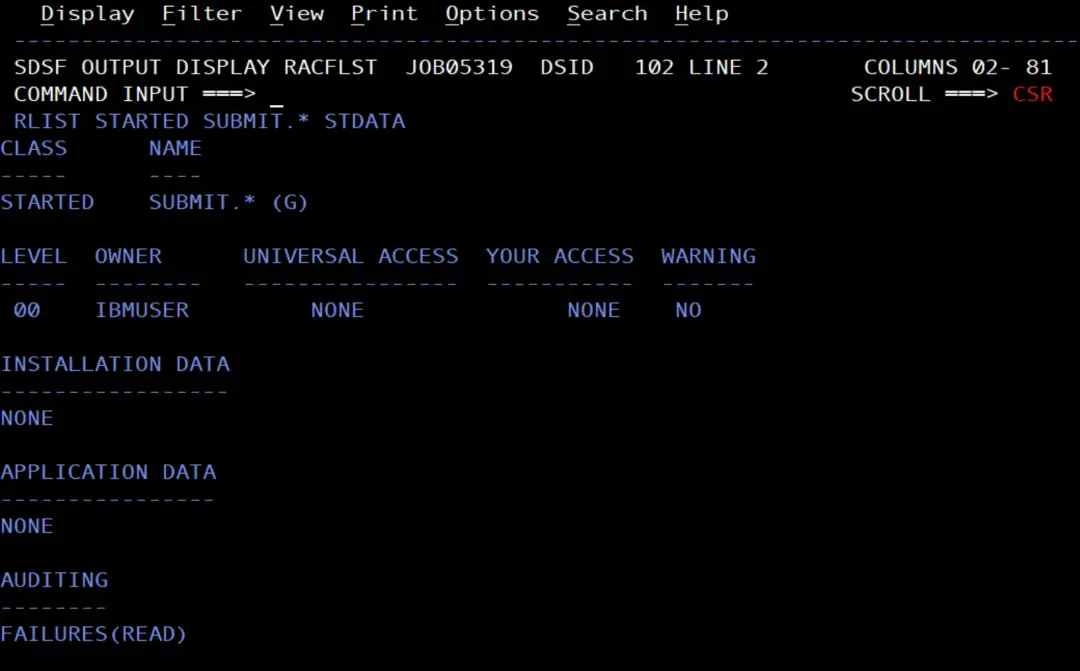
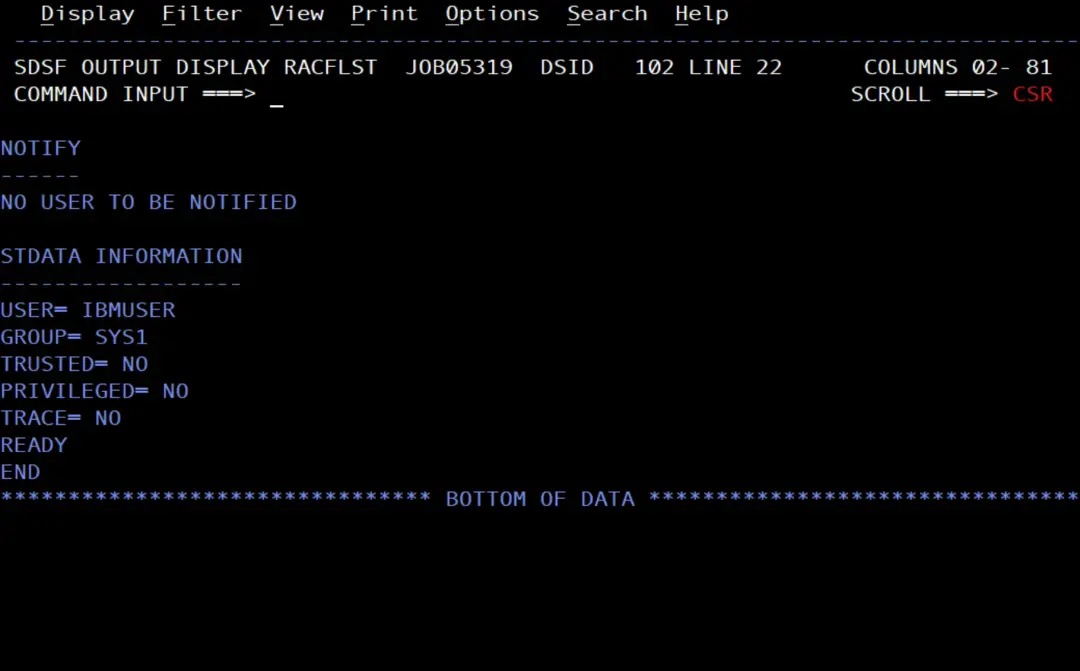
SUBMIT runs as IBMUSER, and the job has USER=PYBATCH. To submit a job with someone else's user, the submitter needs READ on the PYBATCH.SUBMIT profile of the SURROGAT class. I created it in the PYBATCH user article, and IBMUSER already has READ:
RLIST SURROGAT PYBATCH.SUBMIT AUTHUSER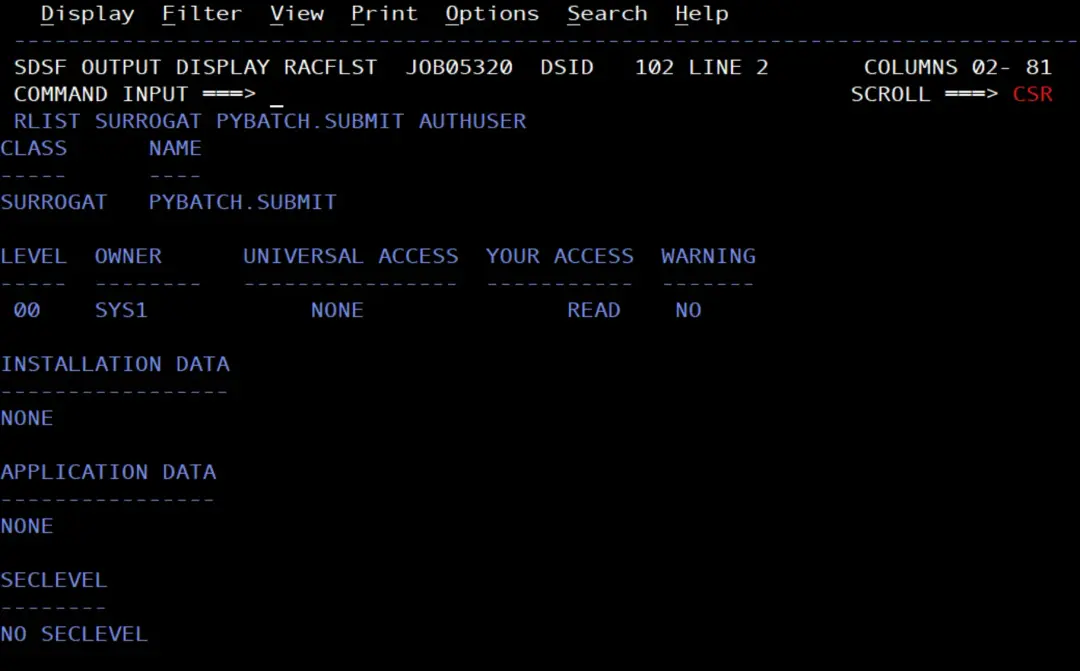
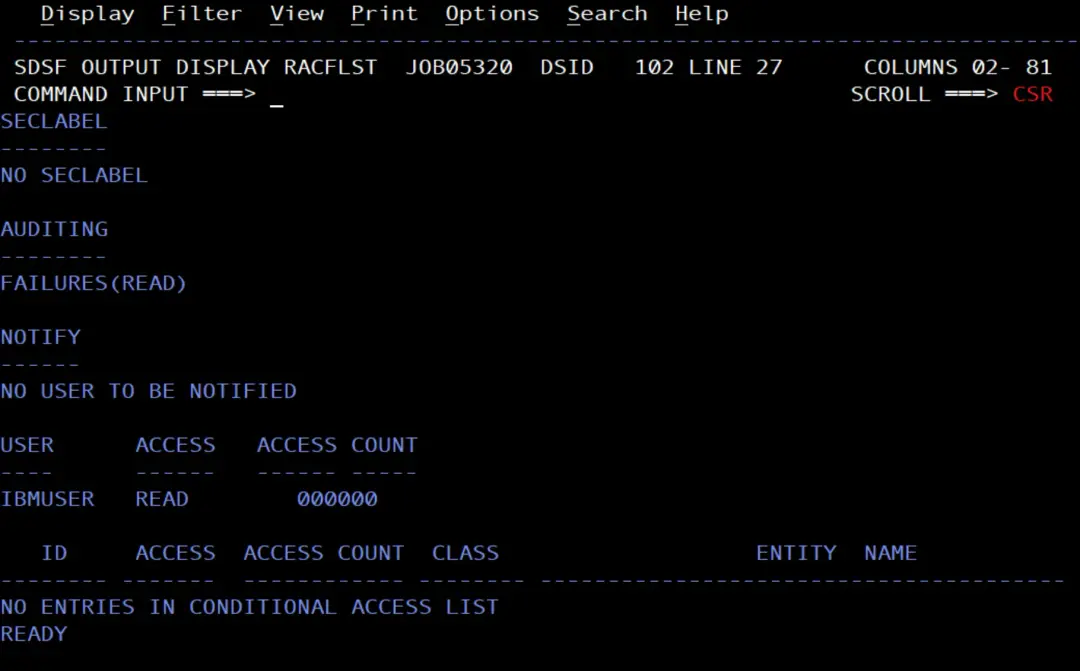
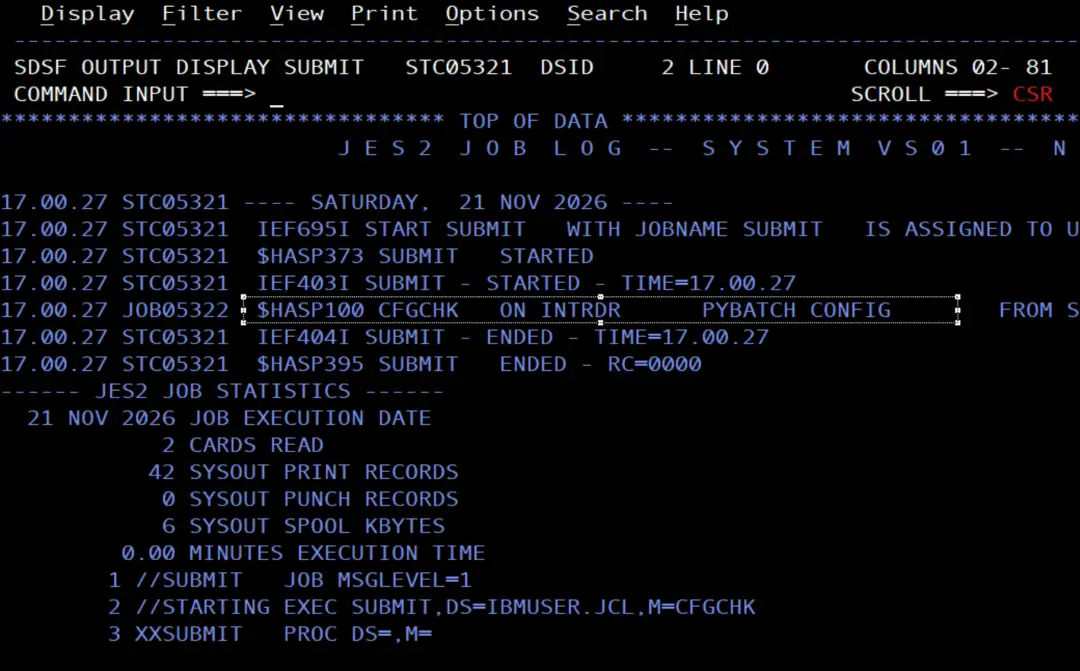
So there is no need to create any procedure or to change anything in RACF. I test it by hand, with the tape still offline:
S SUBMIT,DS=IBMUSER.JCL,M=CFGCHKS SUBMIT,DS=IBMUSER.JCL,M=CFGCHK
$HASP100 SUBMIT ON STCINRDR
IEF695I START SUBMIT WITH JOBNAME SUBMIT IS ASSIGNED TO USER IBMUSER
, GROUP SYS1
$HASP373 SUBMIT STARTED
IEF403I SUBMIT - STARTED - TIME=15.53.58
$HASP100 CFGCHK ON INTRDR PYBATCH CONFIG FROM STC05305
SUBMIT
IEF404I SUBMIT - ENDED - TIME=15.53.58
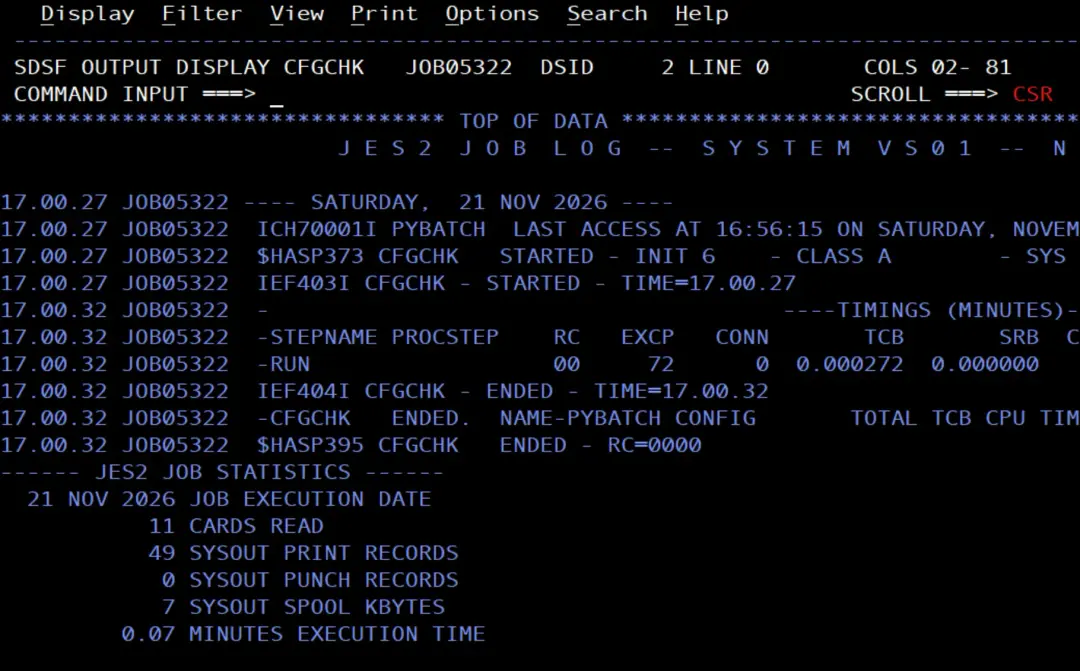
$HASP395 SUBMIT ENDED - RC=0000SUBMIT starts as IBMUSER, submits CFGCHK and ends. Then CFGCHK runs as PYBATCH, issues the command and finds the deviation:
D M=CONFIG(01)
IEE252I MEMBER CONFIG01 FOUND IN USER.PARMLIB
IEE097I 15.54.01 DEVIATION STATUS 381
               FROM MEMBER CONFIG01
DEVICE      DESIRED   ACTUAL
0580         ONLINE   OFFLINE
...
$HASP395 CFGCHK   ENDED - RC=0000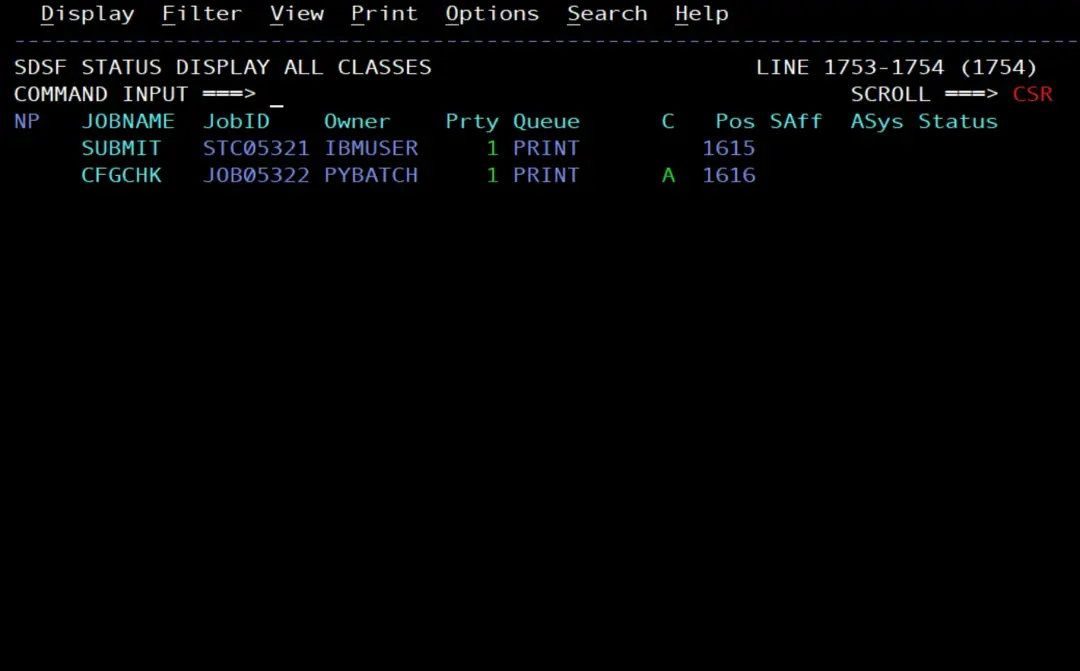
Schedule it with $TA
To issue an MVS command from an automatic command you use $VS, with its single quotes written twice inside those of $TA, as I explained in the $TA article. For the test, every 5 minutes:
$TA,I=300,'$VS,''S SUBMIT,DS=IBMUSER.JCL,M=CFGCHK'''It is a long command and it does not fit on the SDSF command line. If you type it there, it reaches JES2 cut off: the entry is created anyway, but the command it issues is only $VS,'S and JES2 answers $HASP650 'S INVALID OPERAND OR MISPLACED OPERAND. That entry stays active and gives the error every time it runs, so you have to delete it with $CA and its number.
For long commands, SDSF has the System Command Extension window: typing only / on the command line and pressing Enter opens a window where the whole command fits. I type it there:
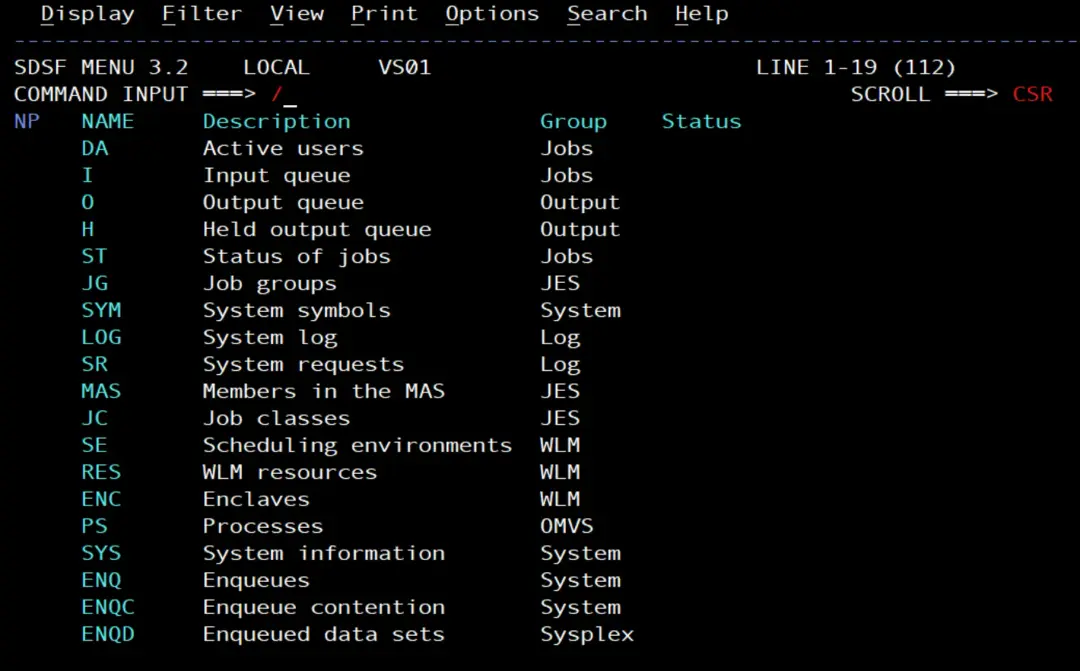
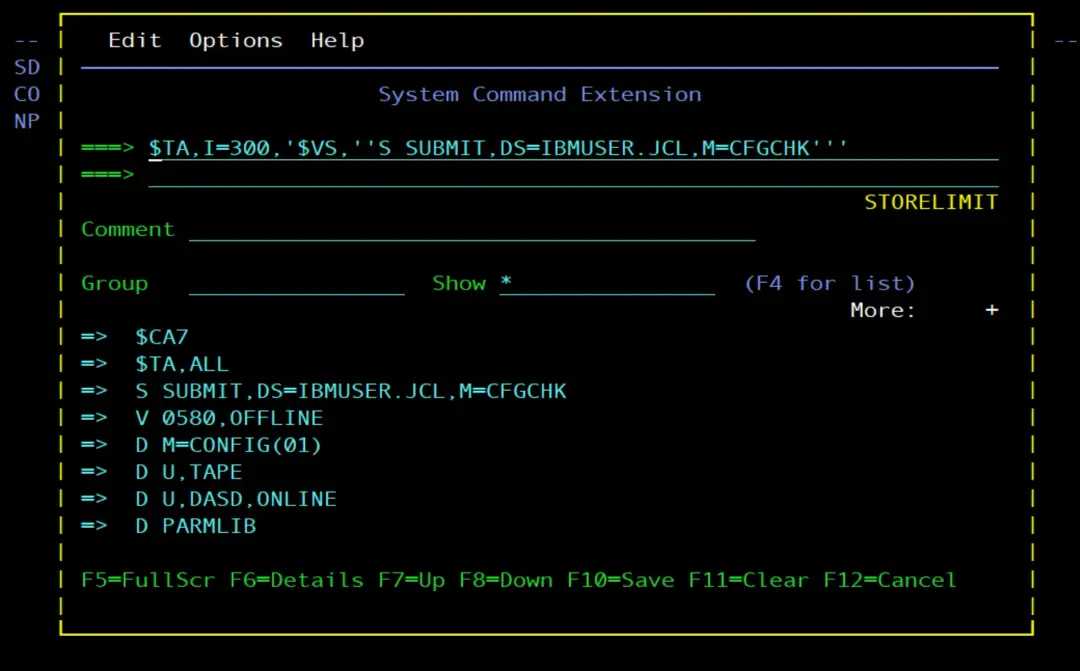
JES2 answers with message $HASP604 and the entry it created, in my case number 8, with the full command. As it has no T=, it runs at that moment: the log shows $HASP249 COMMAND RECEIVED FROM AUTO COMMAND ID=8, the S SUBMIT and then the CFGCHK job.
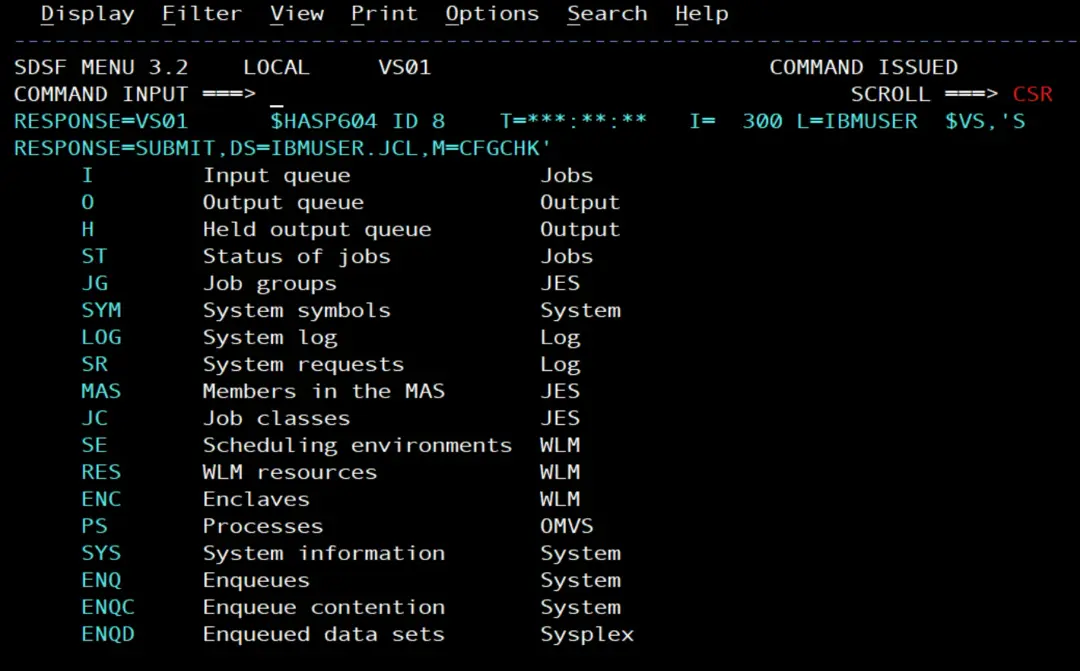
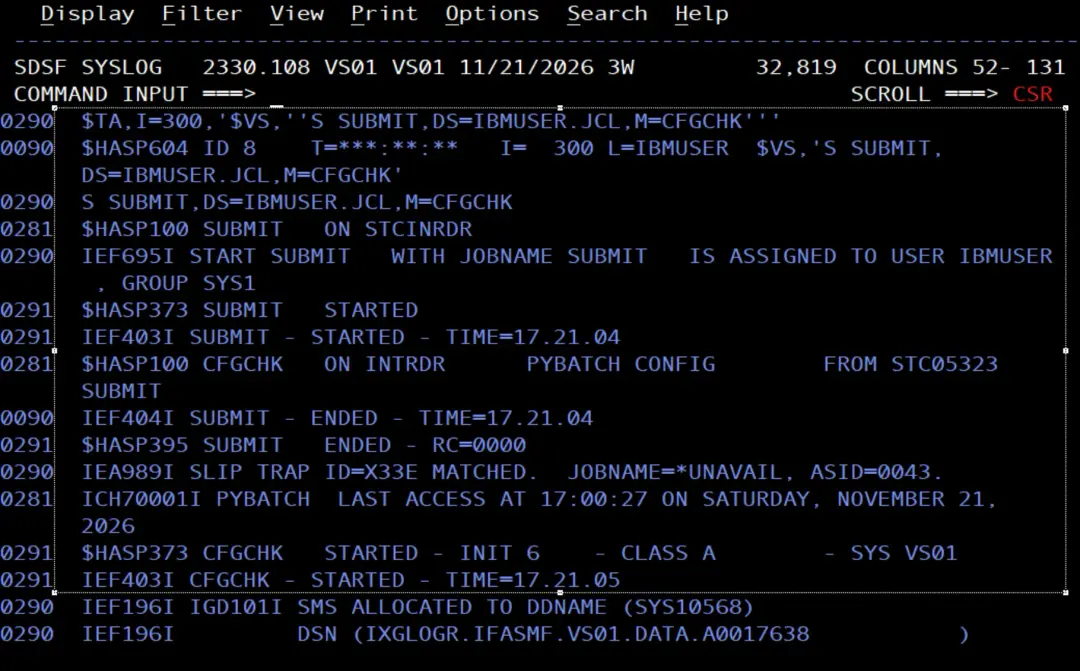
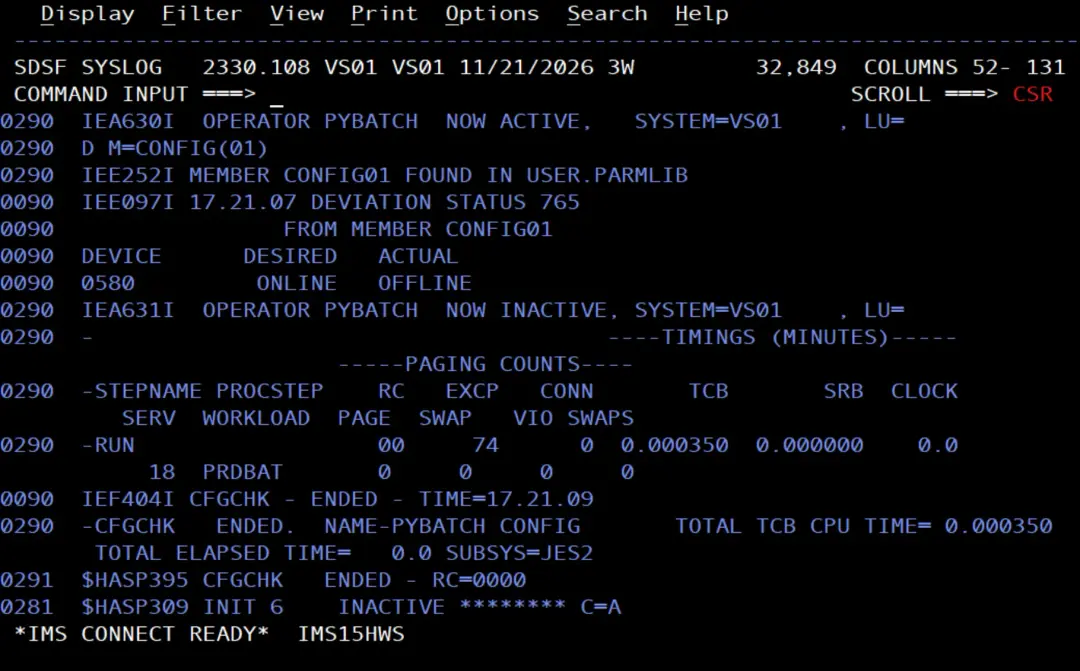
With $TA,ALL you can see the time of the next run:
$TA,ALL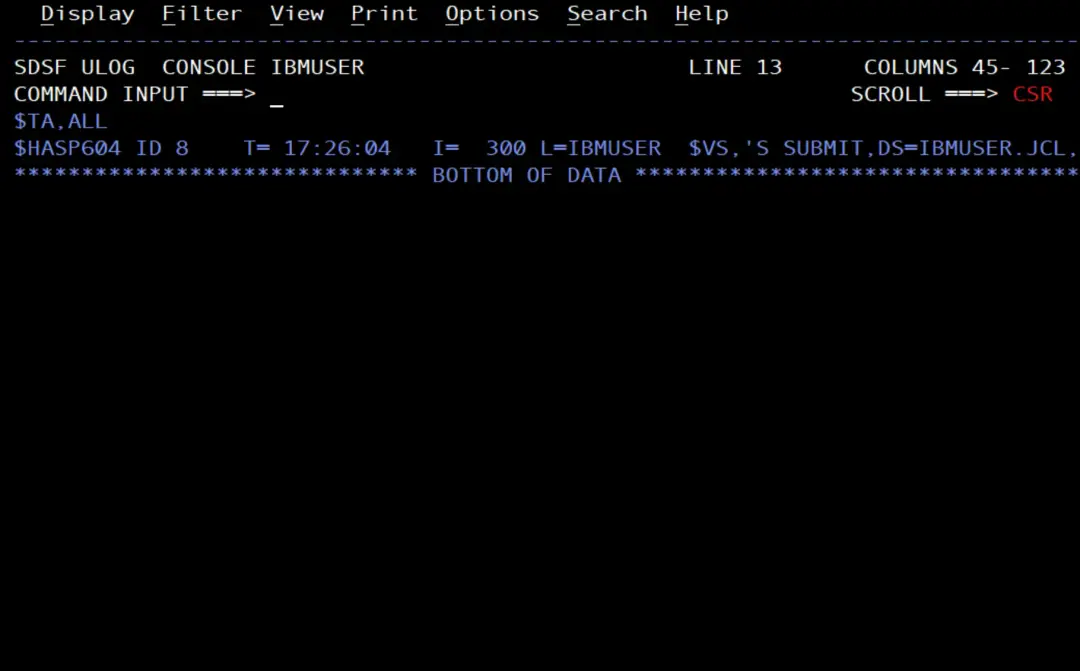
With the tape still offline, a card arrives in Teams every time it runs.
No deviations, no alert
I put the tape back online:
V 0580,ONLINE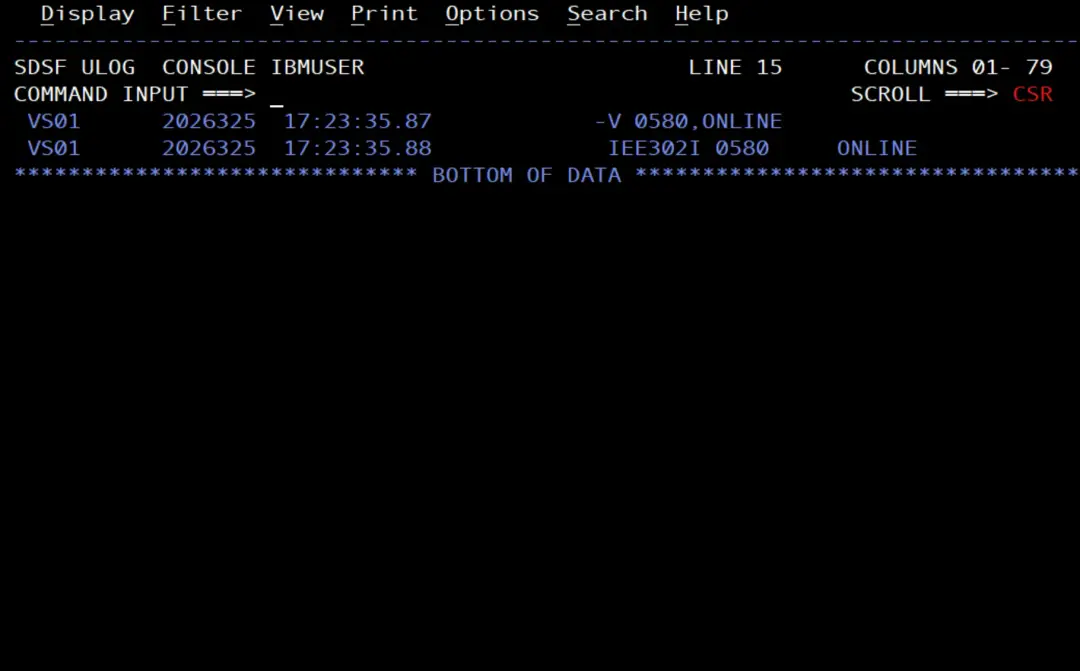
In the next run, IEE097I says there are no deviations, the job ends with RC=0000 and nothing arrives in Teams. In the CFGCHK STDOUT:
2026-11-21 17:26:07 No deviation from CONFIG01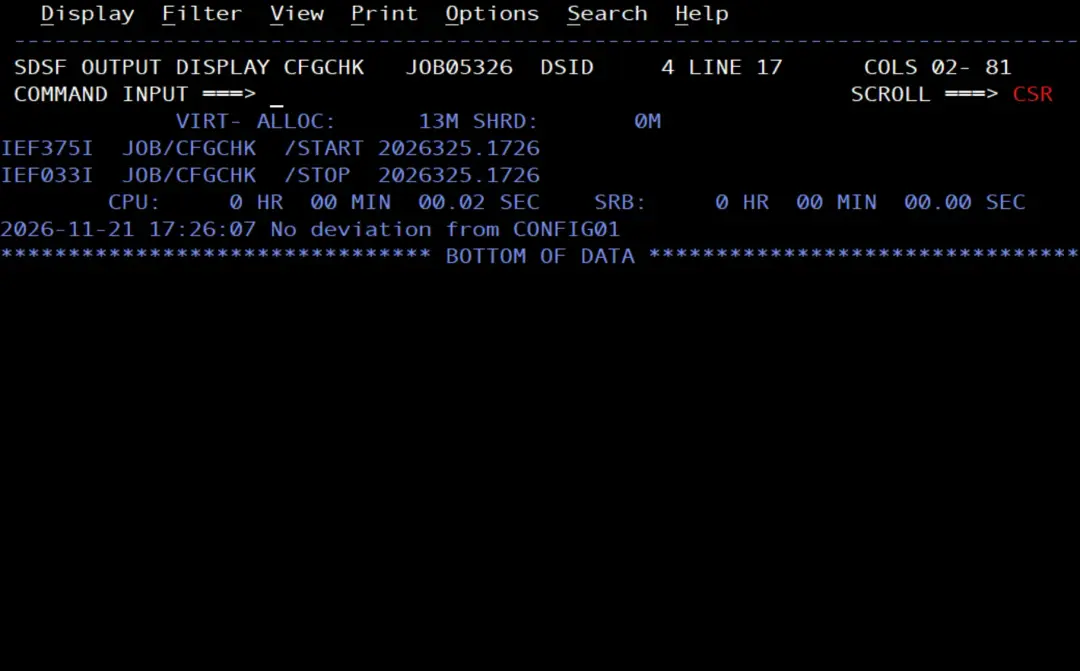
Leave it every hour
Every 5 minutes is fine for testing, but for day-to-day use once an hour is enough. With the identifier of the entry, $TA modifies it:
$TA8,I=3600
$TA,ALL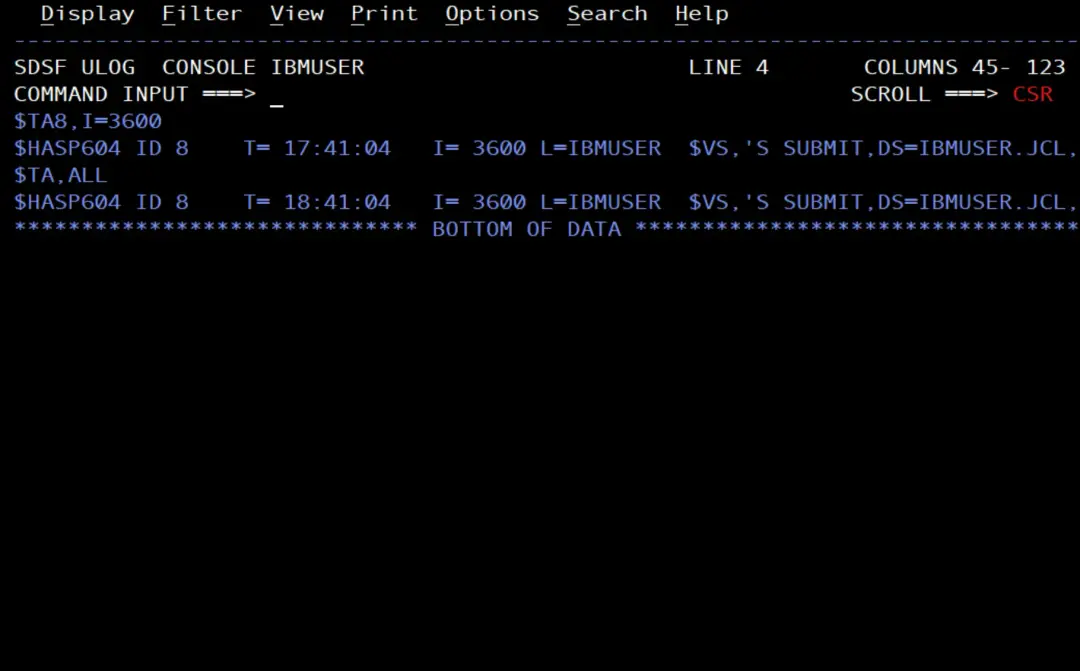
According to the IBM documentation, if JES2 fails, the automatic commands that are not in its initialization parameters are lost. To have them created every time JES2 starts, you can put them in those parameters, as I explained in the $TA article.
To cancel the command:
$CA8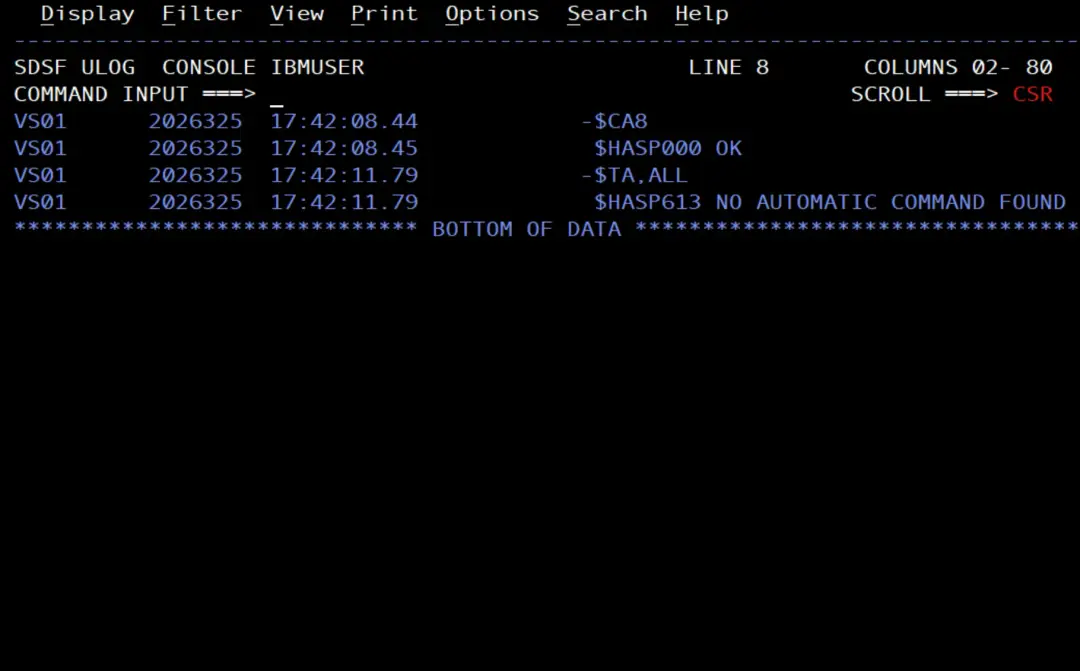
Summary
- CONFIG01 is created in the first PARMLIB of the concatenation (
D PARMLIB), with the devices we want to watch. config_check.pyissuesD M=CONFIG(xx)from the SDSF console with pySDSF, reads IEE097I and alerts in Teams only if there are deviations.- To issue
D M, PYBATCH needs READ on the OPERCMDS profile that protects it; on the stock image,MVS.*. $TAonly issues commands: with$VSit starts the stock image SUBMIT procedure, which submits the job to the internal reader.- SUBMIT runs as IBMUSER, which has READ on
PYBATCH.SUBMIT(SURROGAT), so the job runs as PYBATCH without changing anything else in RACF. - A long
$TAcommand does not fit on the SDSF command line: you type it in the System Command Extension window (/alone). - With this, the pieces of the previous articles (pySDSF, the PYBATCH user, its virtual environment,
$TAand D M=CONFIG) work together: the check runs on its own and the alert arrives in Teams.
References
- D M=CONFIG: detect deviations in device status (emuframe).
- Automatic commands on z/OS: schedule commands with $TA - JES2 (emuframe).
- Displaying system configuration information (M) (z/OS 3.2, MVS System Commands).
- CONFIGxx (standard configuration list) (z/OS 3.2, MVS Initialization and Tuning Reference).
- Using SDSF with the Python programming language (IBM Docs, z/OS 3.2).
- MVS commands, RACF access authorities, and resource names (IBM Docs, z/OS 3.2).
- Writing a day's work scheduler (z/OS 3.2, JES2 Initialization and Tuning Guide): the automatic commands that are not in the initialization parameters are lost if JES2 fails.