CSSMTP - Send Emails with TLS Encryption
We are going to configure sending emails from z/OS with CSSMTP.
Since z/OS 2.3, the mail server is no longer included in z/OS (SMTPD). Instead, the CSSMTP mail client must be used.
An external mail server is required to send emails.
I will configure it in two ways: without encryption and with encryption (TLS).
Install Email Server
It’s important to note that the external mail server cannot have authentication (the AUTH command is not available in CSSMTP).
My mail server (the one I use for this website) requires authentication, so I cannot use it directly. I had to use an intermediate server that does not require authentication to connect from z/OS.
I installed a program on my Windows called hMailServer.
I downloaded it from:
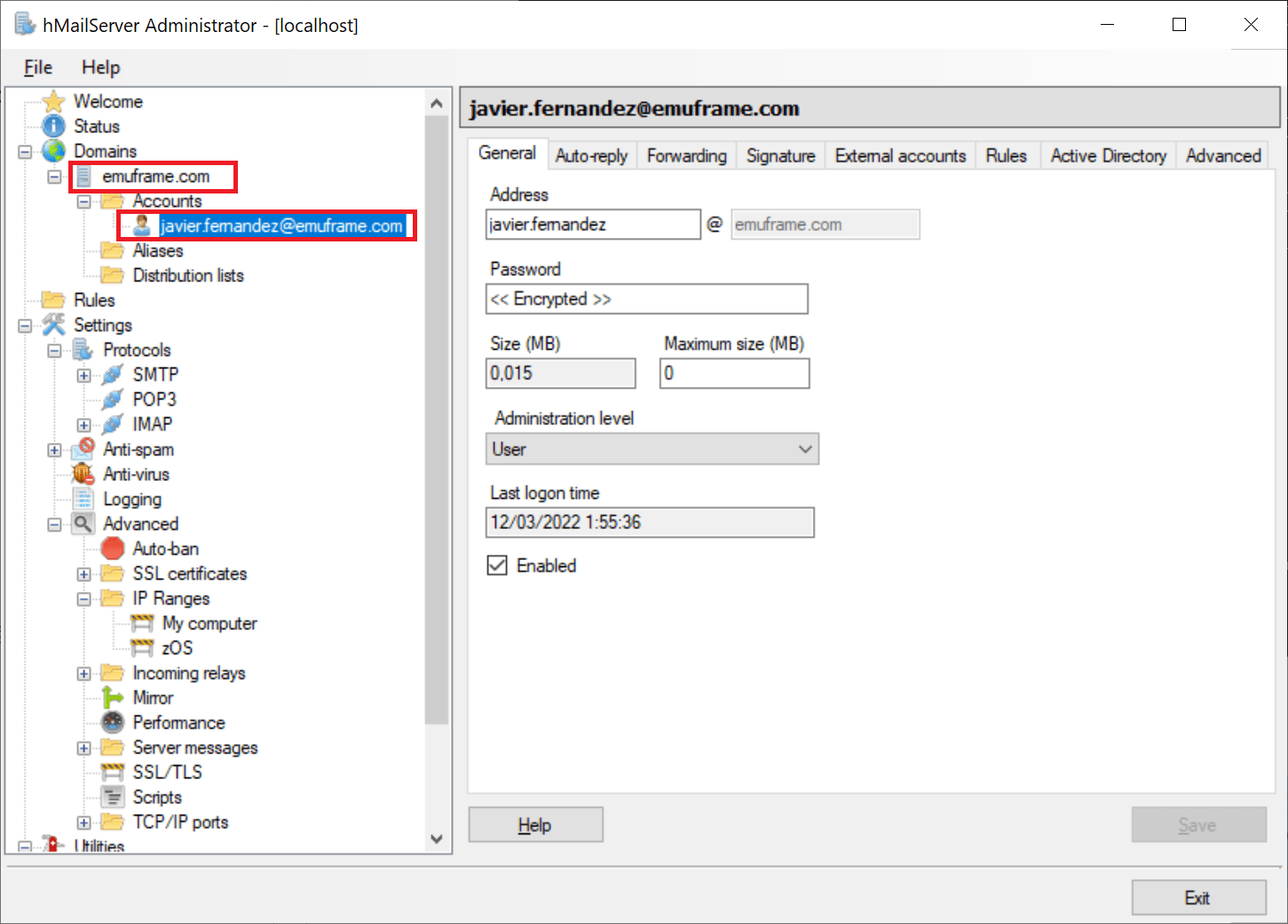
Once installed, I created a domain and an account.
In my case, the local email account has the same name as the email I have configured on the web server.
I do this because the web server requires the user to exist.
If I named the local account differently, when trying to connect to the web server, an error would appear saying that the account does not exist.
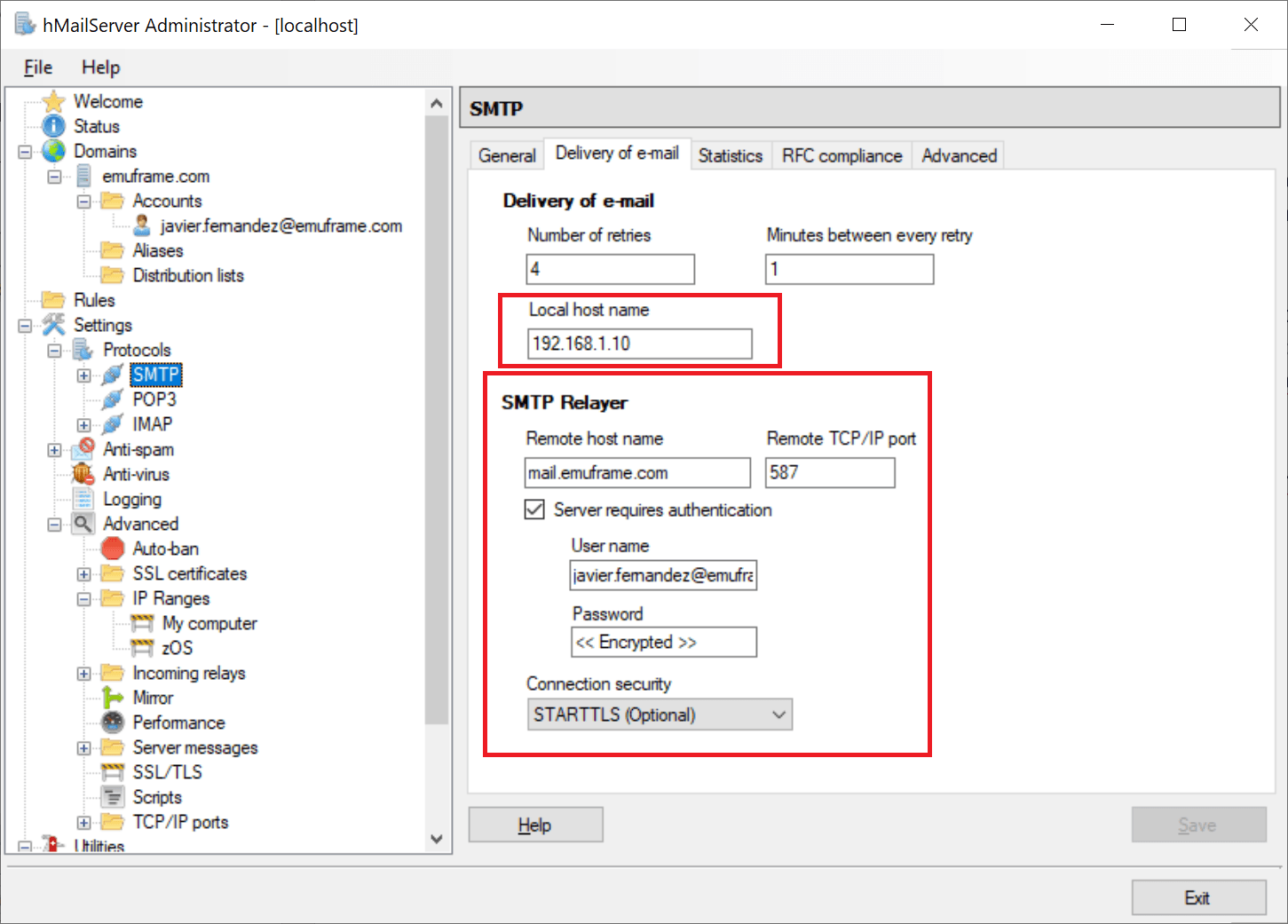
I configure the local server and the remote server that will perform the final email delivery.
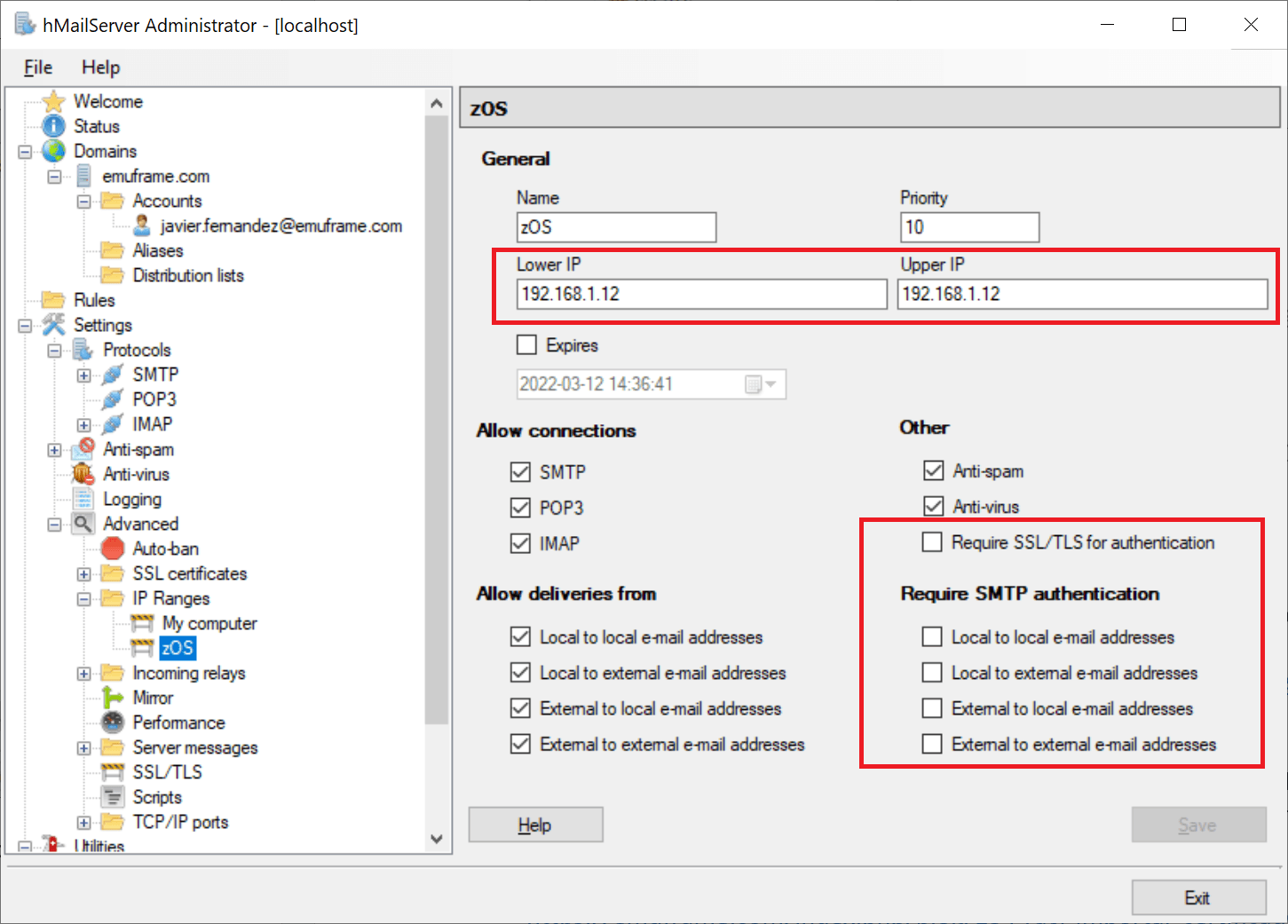
To make it a bit more secure, since it’s not possible to enable authentication, I created a new IP range to only allow connections from my z/OS IP.
For this new range, it is mandatory to disable the Require SMTP authentication fields.
Configure CSSMTP on z/OS
We have finished the basic configuration of the intermediate mail server.
Now we need to configure CSSMTP on z/OS.
In my case, I will follow the steps from the following link:
https://www.ibm.com/docs/en/zos/2.4.0?topic=cssmtp-steps-configuring-starting
To create the STC, we can use **.SEZAINST(CSSMTP) as an example.
I copied it to my PROCLIB and adapted it as follows:
Environment variables file STDENV:
USER.Z24D.PARMLIB(CSSMTPEV)Configuration file CONFIG:
USER.Z24D.PARMLIB(CSSMTPCF)Additionally, I will leave the LOG file in the spool.
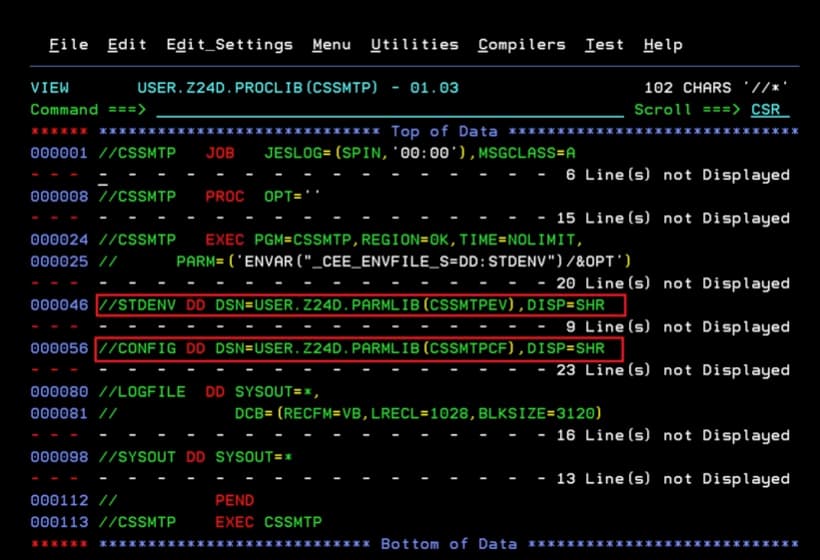
In the file USER.Z24D.PARMLIB(CSSMTPEV), I set my time zone:
TZ=EUROPE/MADRID
CSSMTP_CODEAGE_CONFIG=IBM-1047
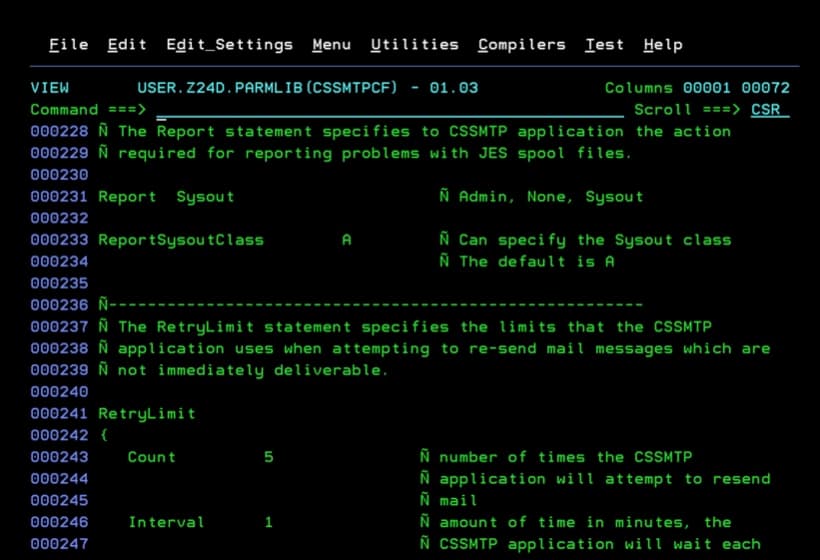
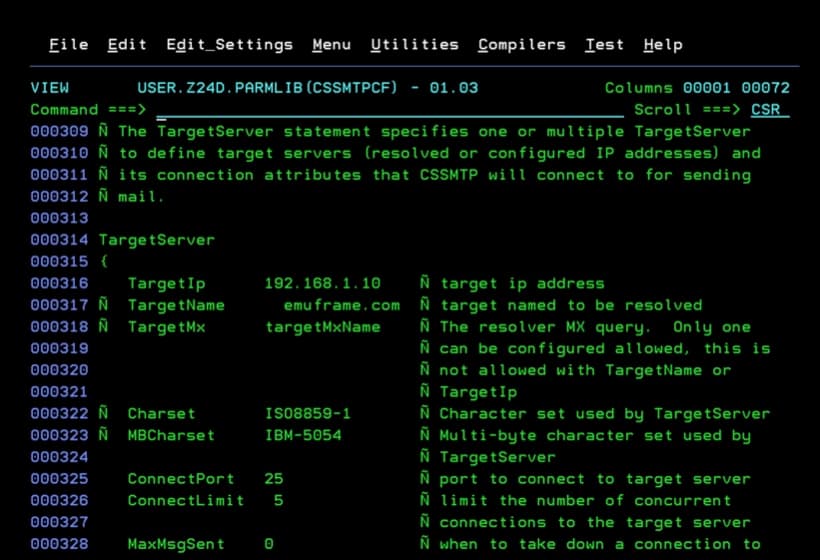
In the file USER.Z24D.PARMLIB(CSSMTPCF), I made the following changes:
- Name of the “external writer”.
ExtWrtName CSSMTP Ñ the external writer name- The class that will “monitor” the task.
ReportSysoutClass A Ñ Can specify the Sysout class- The IP and port of the mail server we will connect to.
TargetIp      192.168.1.10    Ñ target ip address
ConnectPort   25              Ñ port to connect to target server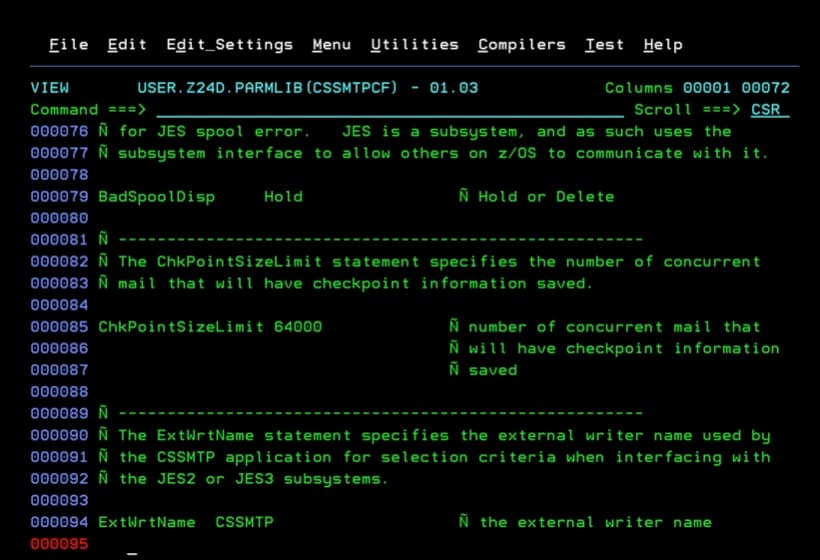
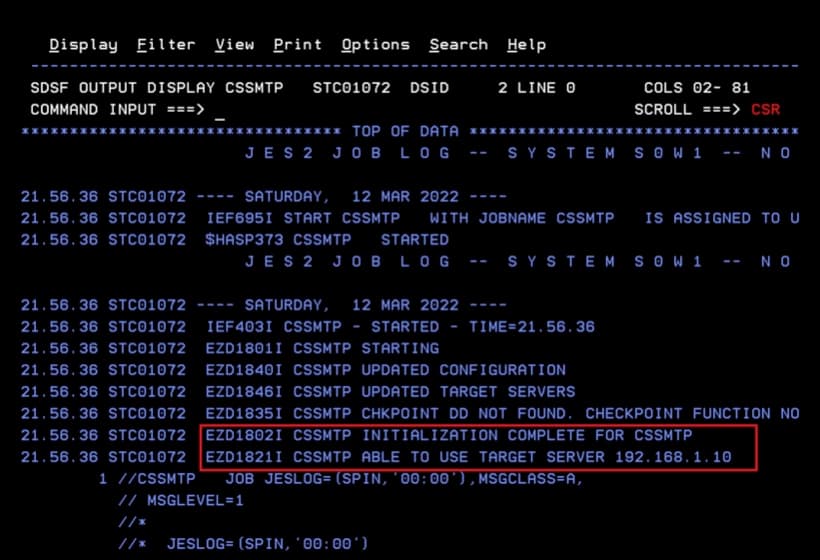
Now we start the task. We should look for the message:
"EZD1821I CSSMTP ABLE TO USE TARGET SERVER …"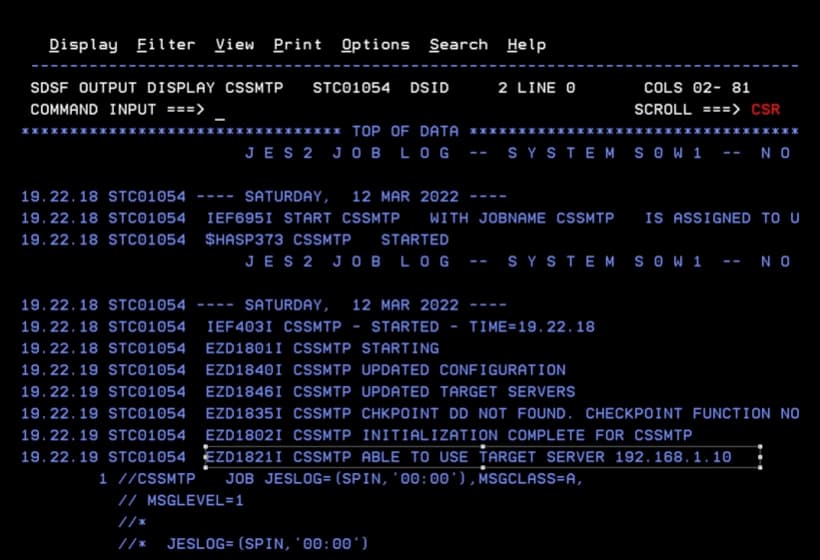
Sending Emails Without Encryption
Once the task is configured and started, we will test that emails are sent.
Any of the following methods can be used: https://www.ibm.com/docs/en/zos/2.4.0?topic=suc-steps-creating-mail-jes-spool-data-set-cssmtp
Job for Sending Emails - CSSMTP
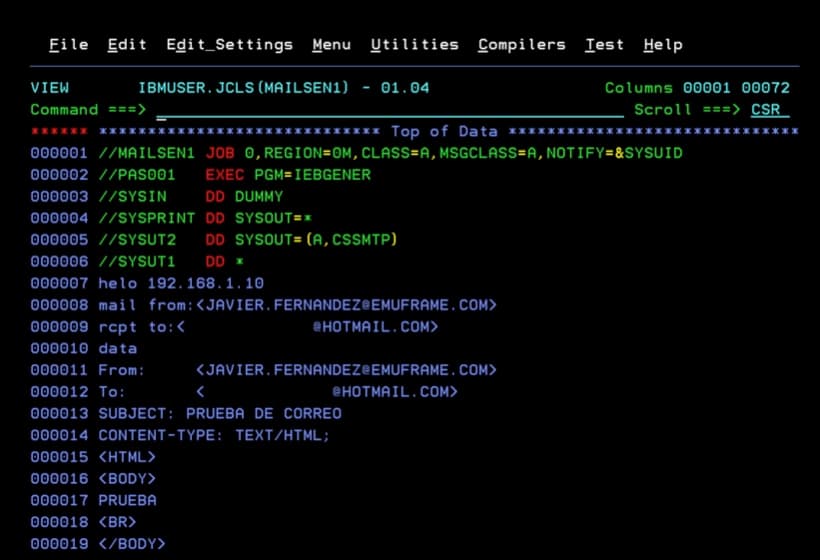
I will use the following job with an IEBGENER step.
//MAILSEN1 JOB 0,REGION=0M,CLASS=A,MSGCLASS=A,NOTIFY=&SYSUID
//PAS001   EXEC PGM=IEBGENER
//SYSIN    DD DUMMY
//SYSPRINT DD SYSOUT=*
//SYSUT2   DD SYSOUT=(A,CSSMTP)
//SYSUT1   DD *
helo 192.168.1.10
mail from:<JAVIER.FERNANDEZ@EMUFRAME.COM>
rcpt to:<XXXXXX@HOTMAIL.COM>
data
From:     <JAVIER.FERNANDEZ@EMUFRAME.COM>
To:       <XXXXXX@HOTMAIL.COM>
SUBJECT: EMAIL TEST
CONTENT-TYPE: TEXT/HTML;
<HTML>
<BODY>
TEST


</BODY>
</HTML>
/*
The job will complete successfully.
Note the job ID (JOB01055).
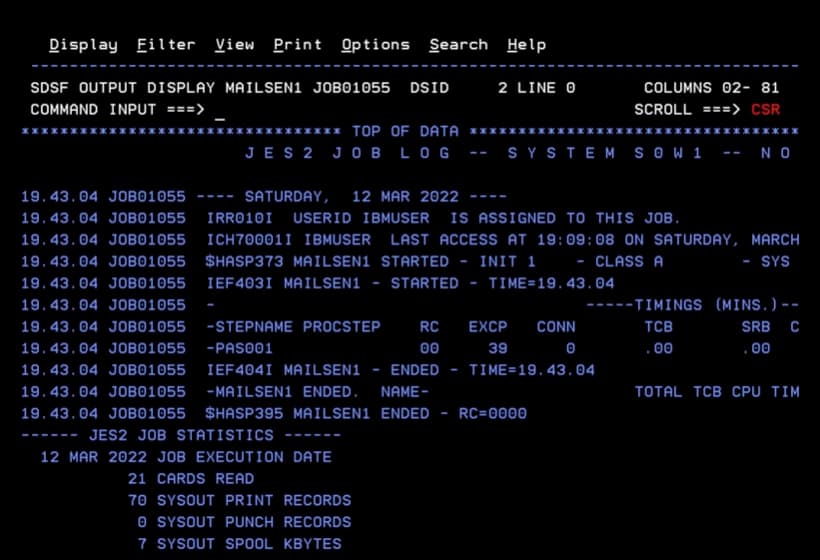
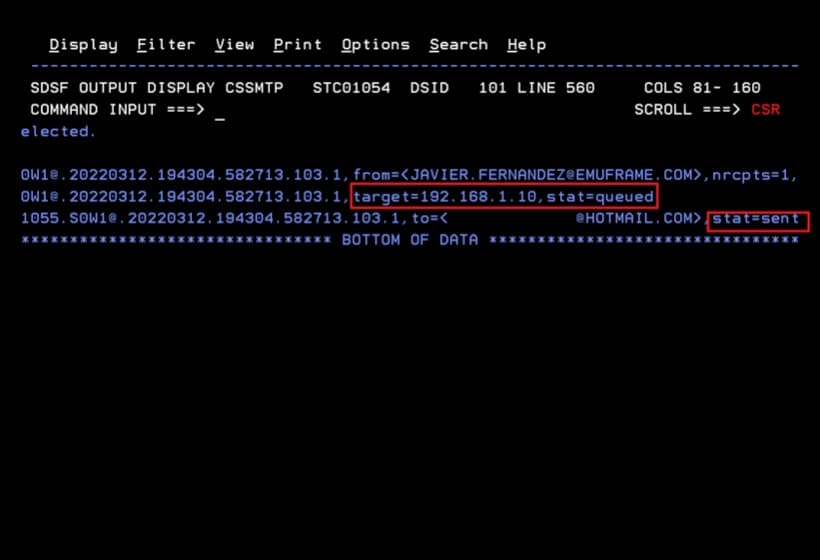
In the CSSMTP task, we will verify that the email has been processed.
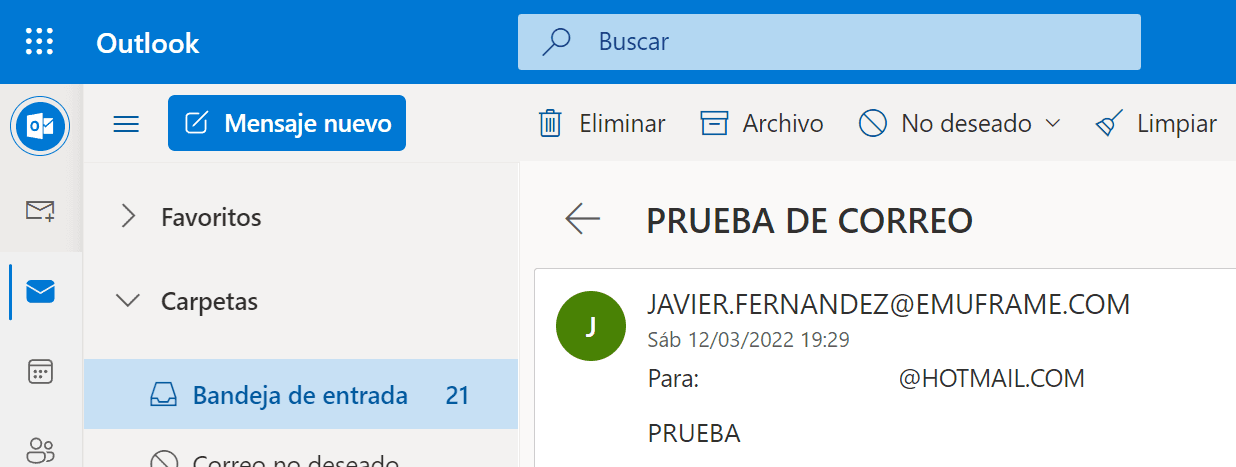
I will check my mailbox to verify that I received it.
Sending Emails with Encryption (TLS)
After seeing that it connects and sends emails without using encryption, I’m going to configure encryption to make this entry a bit more complete.
For this test, I will use a self-generated certificate with OpenSSL on Windows.
The proper thing would be to use a certificate signed by a certificate authority (CA – Certificate Authority), but for this demonstration it’s not necessary.
OpenSSL can be downloaded from the following link:
With the following commands I will generate a new certificate with private key to use with the hMailServer program.
Then I will export this certificate and its private key to PKCS12 to import it into z/OS and make it simpler.
Command to generate the certificate and key separately:
NOTE The certificate cannot have an encryption password since it’s not supported in hMailServer
openssl req -nodes -new -x509 -keyout smtp_key.pem -out smtp_cert.pem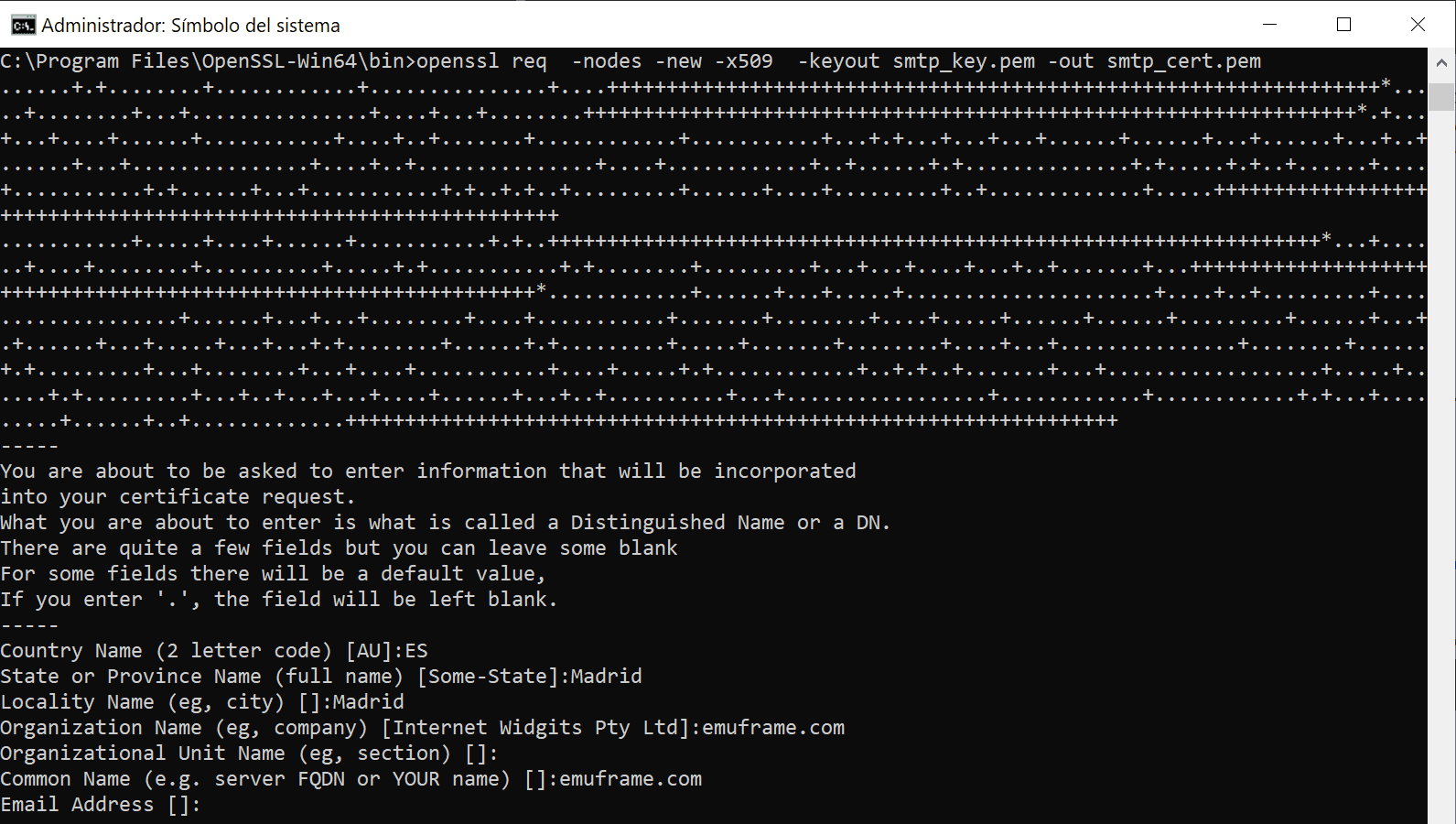
We will have this result.

In hMailServer we go to SSL certificates and click Add.
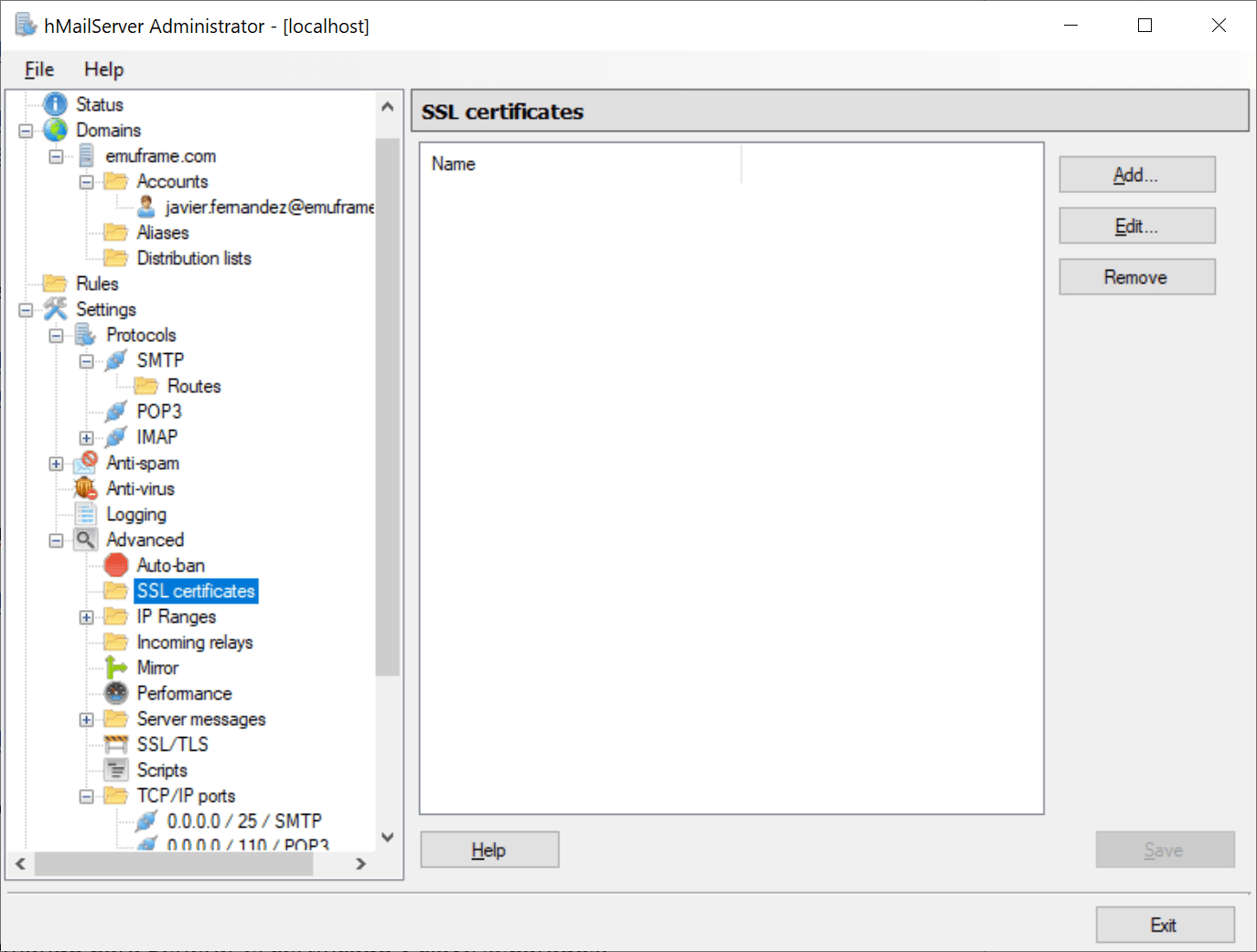
We select the certificates we just generated and save.
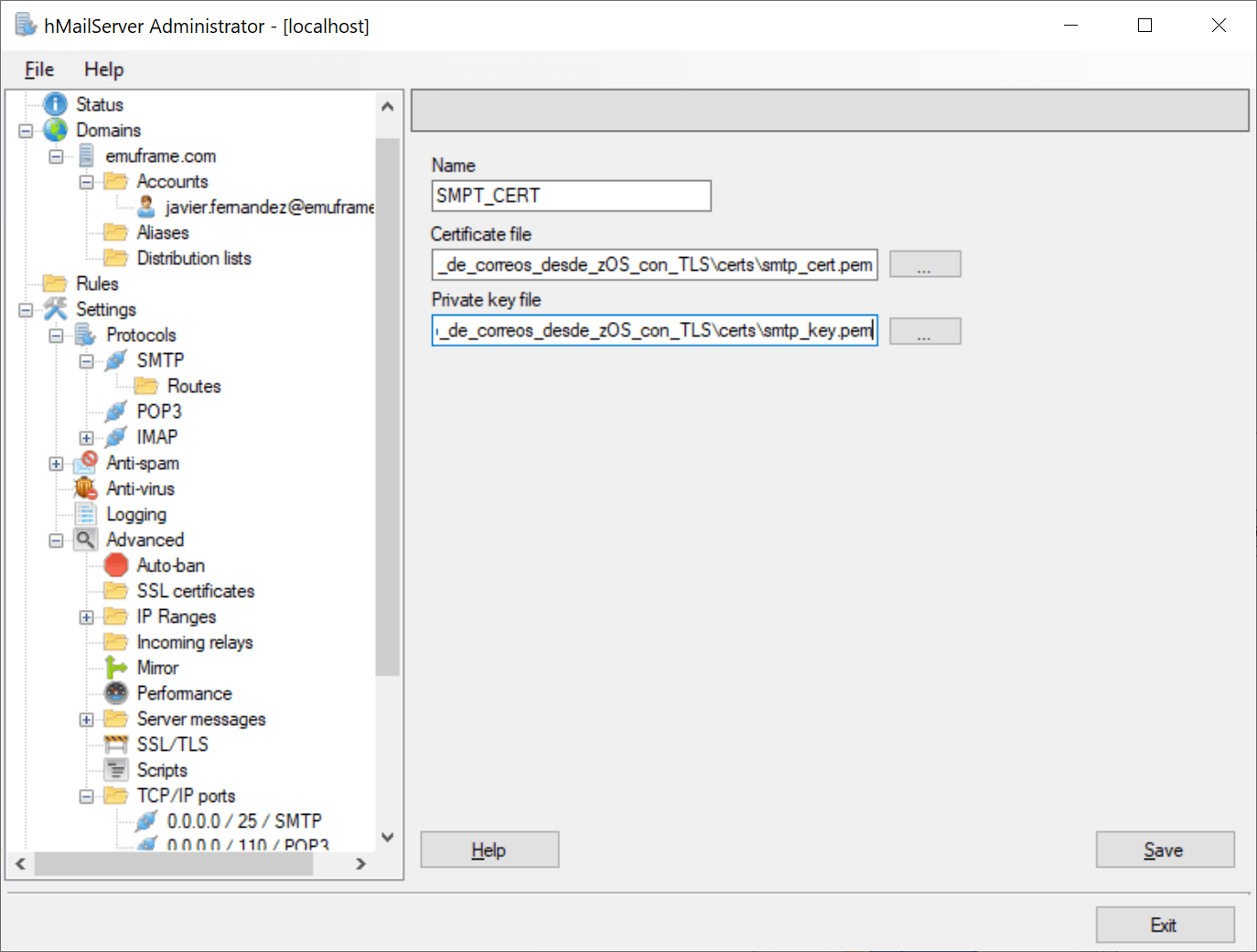
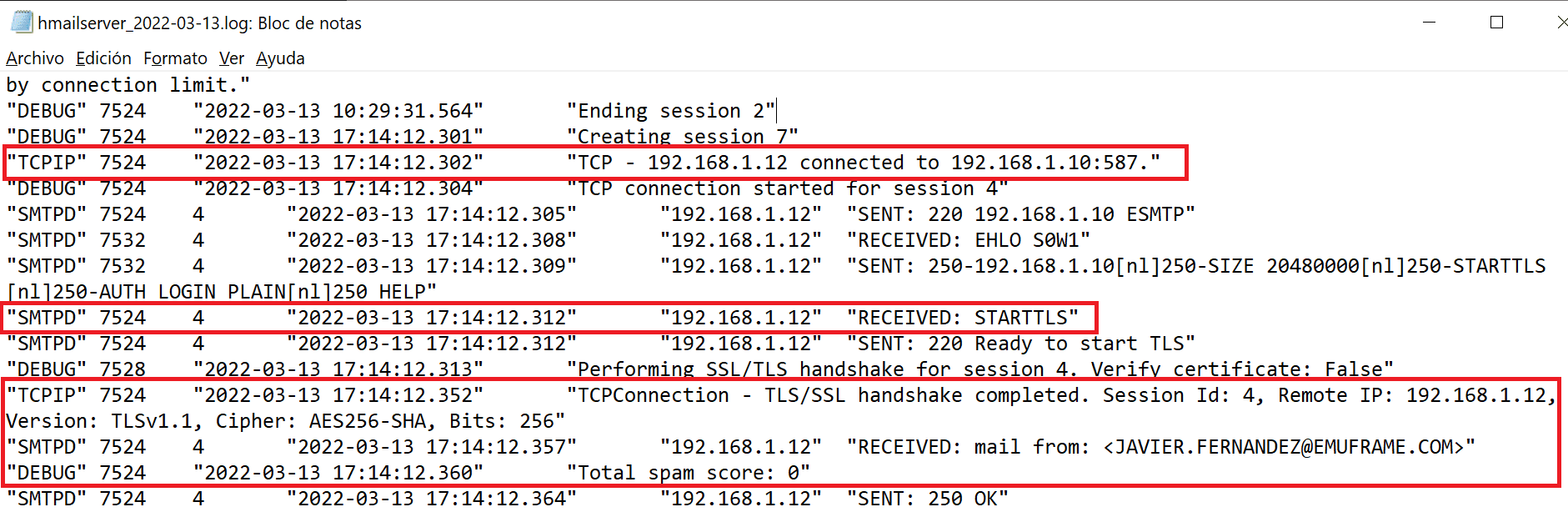
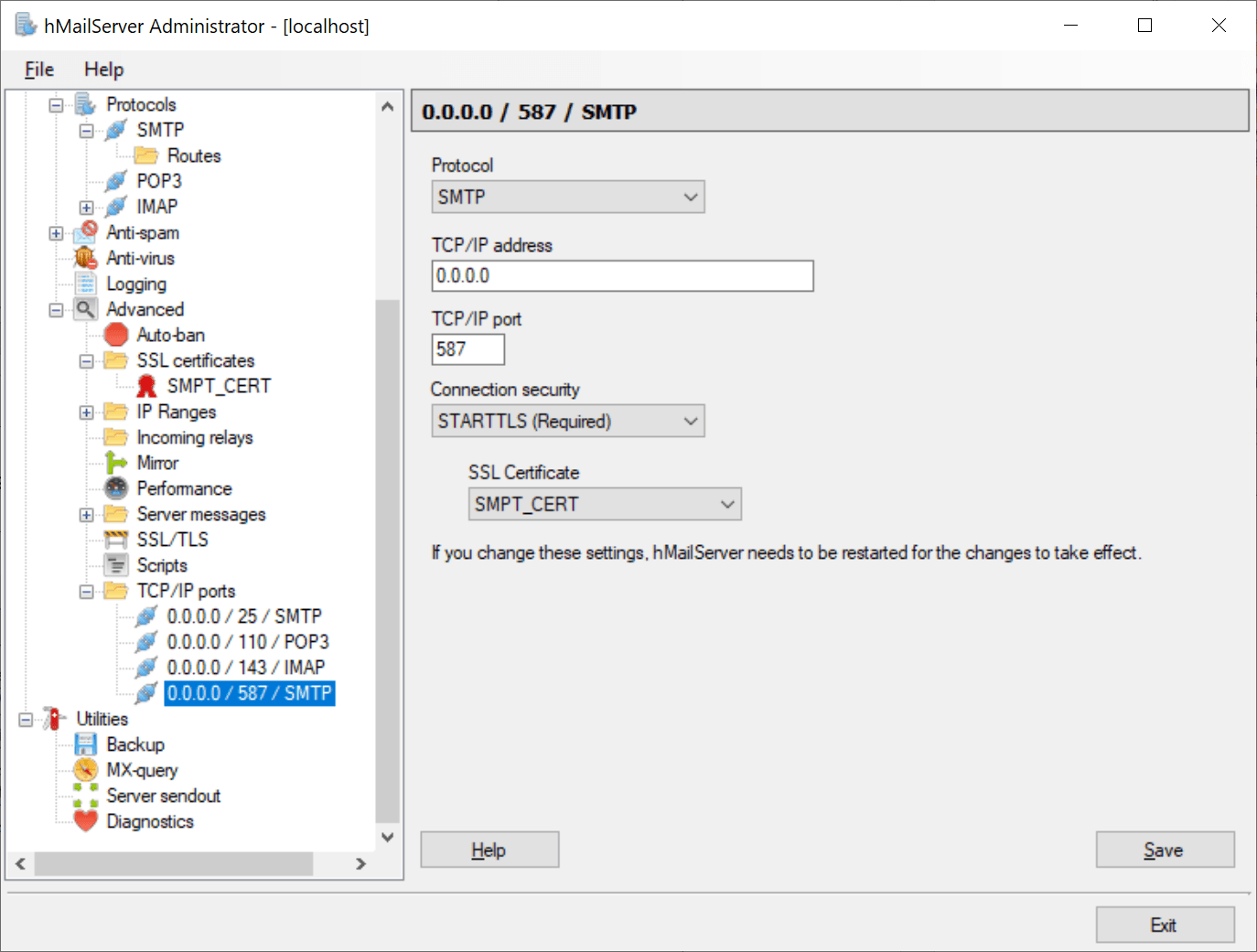
Now we go to the SMTP 587 port configuration and select STARTTLS (Required) and the certificate we just added to the server.
This way, when we connect to this port, the certificate will be required.
Optionally, we can delete the port 25 configuration so that only port 587 is available.
Add Certificates to RACF
Now we need to put the certificate in z/OS, add it to RACF and put it in a keyring.
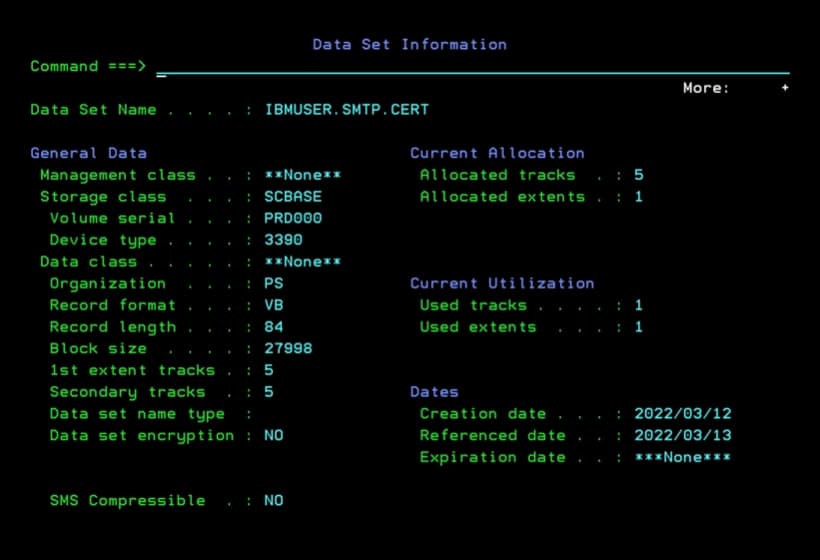
I created a sequential dataset (PS), VB and LRECL 84.
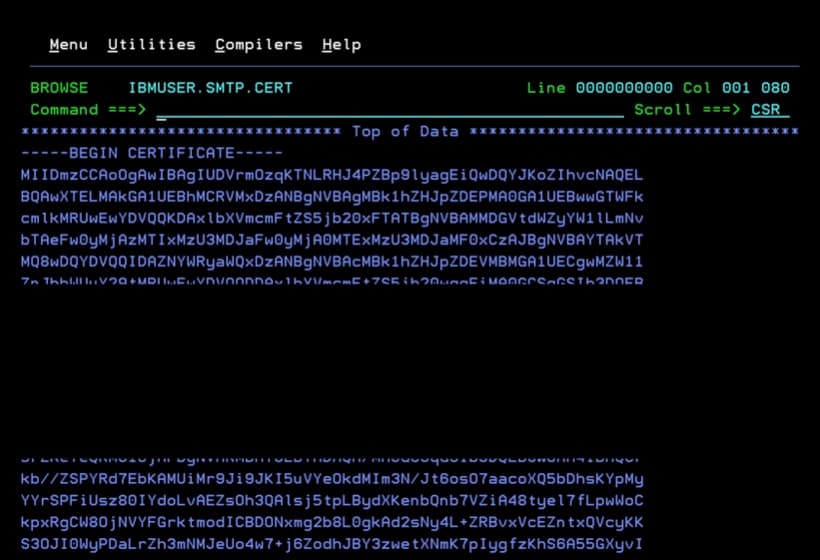
I copied (copy-paste) the contents of the smtp_cert.pem certificate into that dataset.
Job to Add a Certificate to RACF
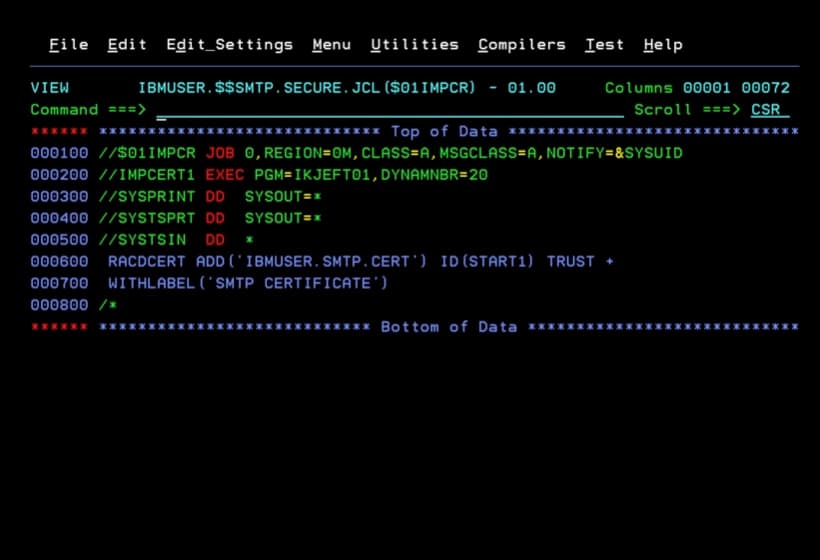
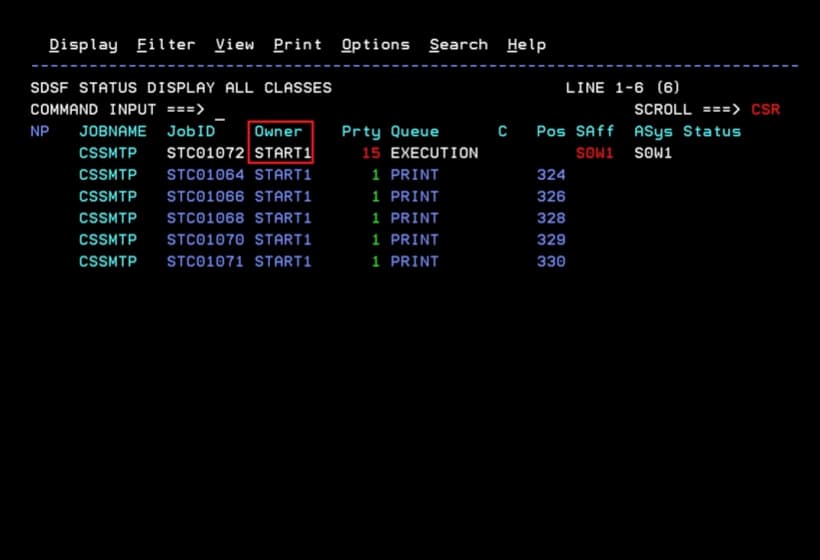
Now I’m going to add the certificate to RACF with the following job.
The ID is the user with which we have the CSSMTP task started (owner). In my case, it’s START1.
//$01IMPCR JOB 0,REGION=0M,CLASS=A,MSGCLASS=A,NOTIFY=&SYSUID
//IMPCERT1 EXEC PGM=IKJEFT01,DYNAMNBR=20
//SYSPRINT DD  SYSOUT=*
//SYSTSPRT DD  SYSOUT=*
//SYSTSIN  DD  *
 RACDCERT ADD('IBMUSER.SMTP.CERT') ID(START1) TRUST +
 WITHLABEL('SMTP CERTIFICATE')
/*
Job to Create a New Keyring in RACF
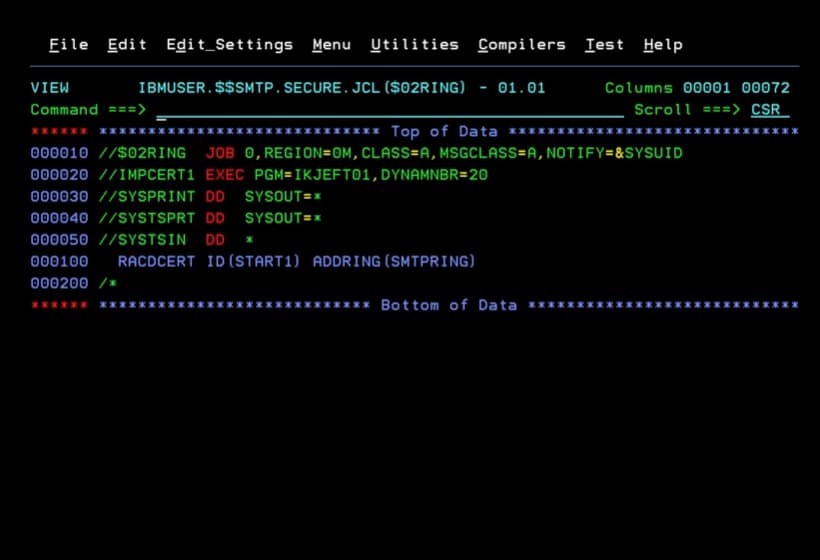
The following job is to create a new RACF keyring in which we will add the certificate.
The ID must be the same as the user with which we have the CSSMTP task started.
//$02RING  JOB 0,REGION=0M,CLASS=A,MSGCLASS=A,NOTIFY=&SYSUID
//IMPCERT1 EXEC PGM=IKJEFT01,DYNAMNBR=20
//SYSPRINT DD  SYSOUT=*
//SYSTSPRT DD  SYSOUT=*
//SYSTSIN  DD  *
  RACDCERT ID(START1) ADDRING(SMTPRING)
/*
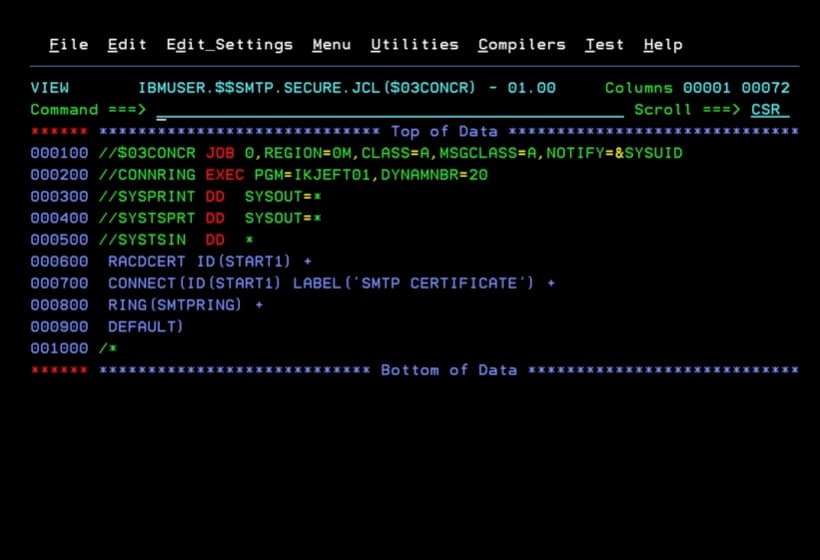
Job to Connect a Certificate to a Keyring in RACF
The following job connects the certificate we loaded into RACF to the keyring we just created.
//$03CONCR JOB 0,REGION=0M,CLASS=A,MSGCLASS=A,NOTIFY=&SYSUID
//CONNRING EXEC PGM=IKJEFT01,DYNAMNBR=20
//SYSPRINT DD  SYSOUT=*
//SYSTSPRT DD  SYSOUT=*
//SYSTSIN  DD  *
 RACDCERT ID(START1) +
 CONNECT(ID(START1) LABEL('SMTP CERTIFICATE') +
 RING(SMTPRING) +
 DEFAULT)
/*
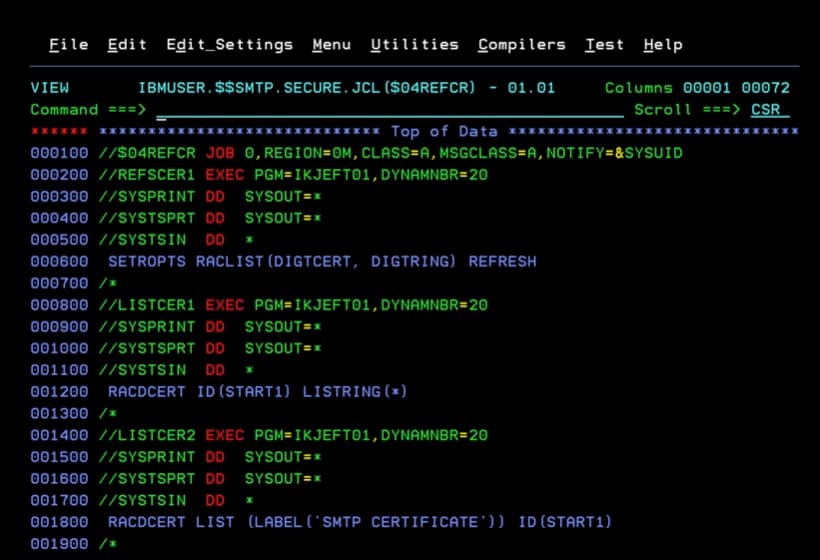
Job REFRESH and Display of a Keyring and Certificates in RACF
Finally, we refresh the configuration and display the information of the keyrings and the certificate.
//$04REFCR JOB 0,REGION=0M,CLASS=A,MSGCLASS=A,NOTIFY=&SYSUID
//REFSCER1 EXEC PGM=IKJEFT01,DYNAMNBR=20
//SYSPRINT DD  SYSOUT=*
//SYSTSPRT DD  SYSOUT=*
//SYSTSIN  DD  *
 SETROPTS RACLIST(DIGTCERT, DIGTRING) REFRESH
/*
//LISTCER1 EXEC PGM=IKJEFT01,DYNAMNBR=20
//SYSPRINT DD  SYSOUT=*
//SYSTSPRT DD  SYSOUT=*
//SYSTSIN  DD  *
 RACDCERT ID(START1) LISTRING(*)
/*
//LISTCER2 EXEC PGM=IKJEFT01,DYNAMNBR=20
//SYSPRINT DD  SYSOUT=*
//SYSTSPRT DD  SYSOUT=*
//SYSTSIN  DD  *
 RACDCERT LIST (LABEL('SMTP CERTIFICATE')) ID(START1)
/*
PAGENT Configuration - AT-TLS
At this point, we have finished the RACF part. The next step is to do the AT-TLS configuration in the PAGENT task.
We look for the policy configuration file.
In my case, it’s indicated inside the environment variables file (DD STDENV).
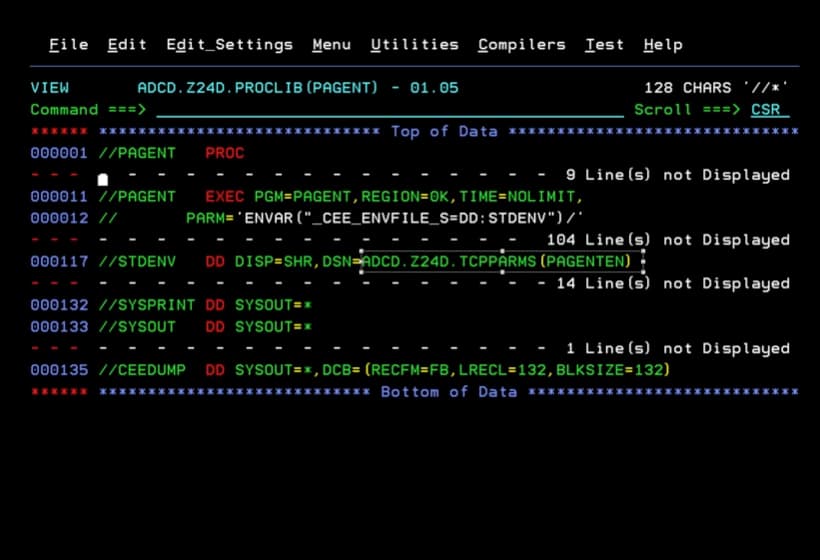
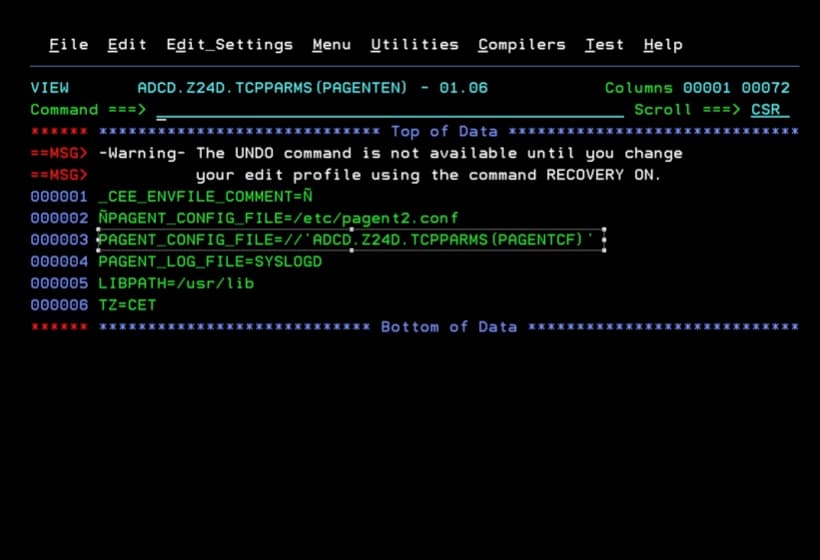
In my case, I will have to review the configuration file ADCD.Z24D.TCPPARMS(PAGENTCF) to find the policy file.
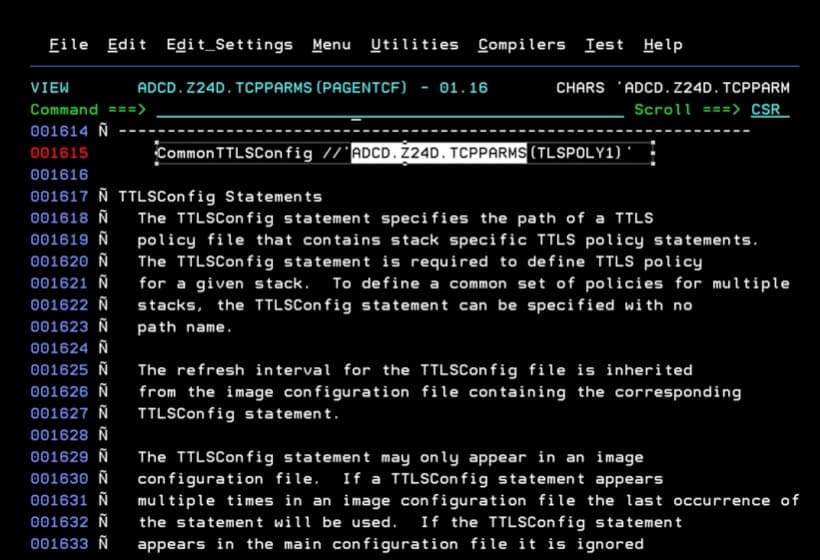
I will have to modify the file ADCD.Z24D.TCPPARMS(TLSPOLY1).
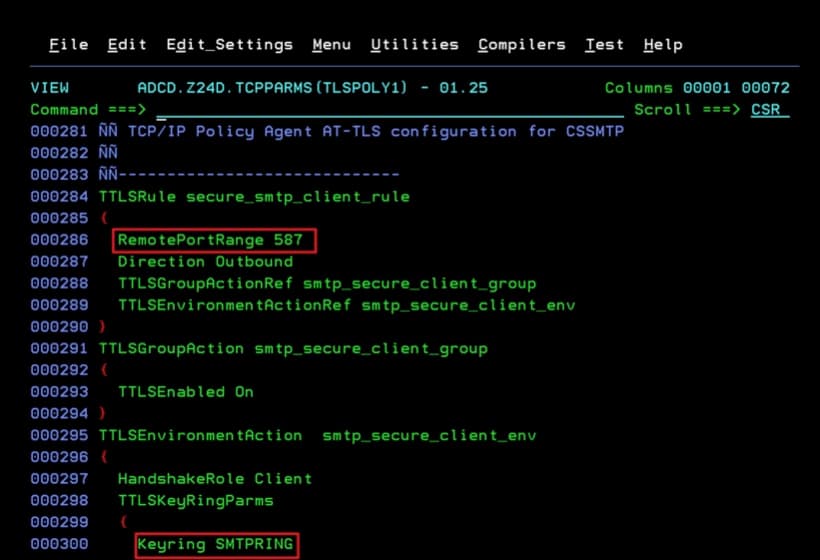
PAGENT Configuration Parameters for CSSMTP
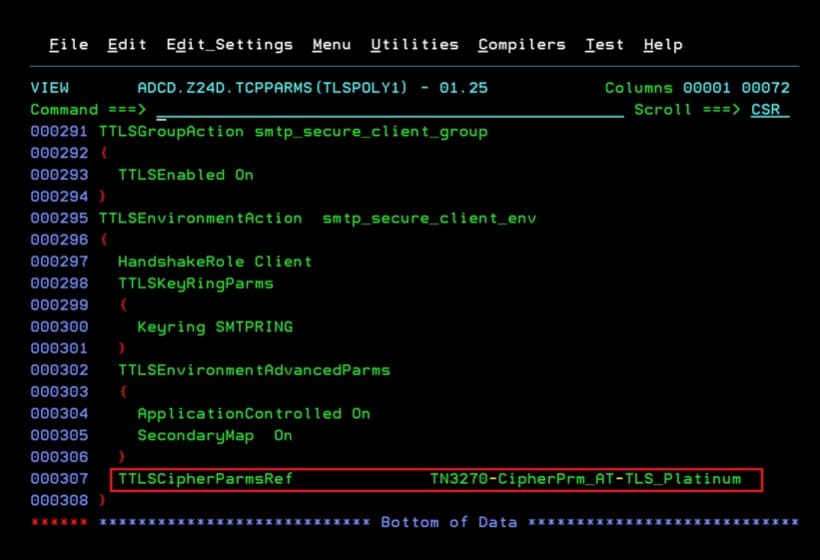
The important thing is to review:
- RemotePortRange. The port we will connect to.
- Keyring. Name of the RACF keyring we created in previous steps.
- TTLSCipherParmsRef. I use the Ciphers list that I have configured in PAGENT for other definitions.
ÑÑ
ÑÑ TCP/IP Policy Agent AT-TLS configuration for CSSMTP
ÑÑ
ÑÑ-----------------------------
TTLSRule secure_smtp_client_rule
{
  RemotePortRange 587
  Direction Outbound
  TTLSGroupActionRef smtp_secure_client_group
  TTLSEnvironmentActionRef smtp_secure_client_env
}
TTLSGroupAction smtp_secure_client_group
{
  TTLSEnabled On
}
TTLSEnvironmentAction  smtp_secure_client_env
{
  HandshakeRole Client
  TTLSKeyRingParms
  {
    Keyring SMTPRING
  }
  TTLSEnvironmentAdvancedParms
  {
    ApplicationControlled On
    SecondaryMap  On
  }
  TTLSCipherParmsRef              TN3270-CipherPrm_AT-TLS_Platinum
}
We refresh the configuration with the command:
F PAGENT,REFRESH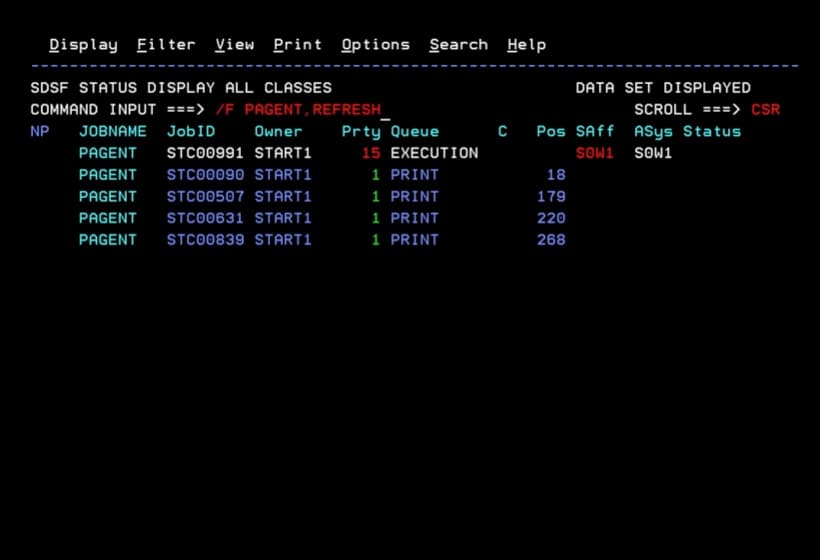
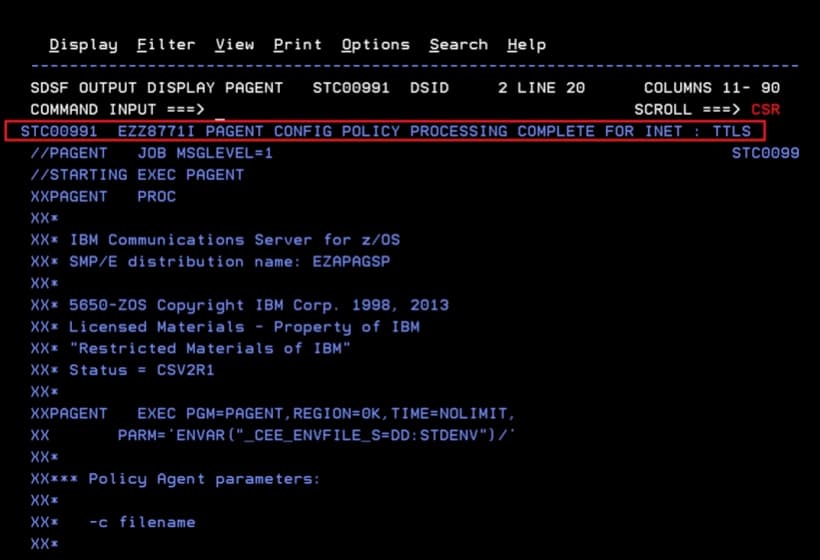
We verify that the configuration has been refreshed correctly.
Update CSSMTP Configuration
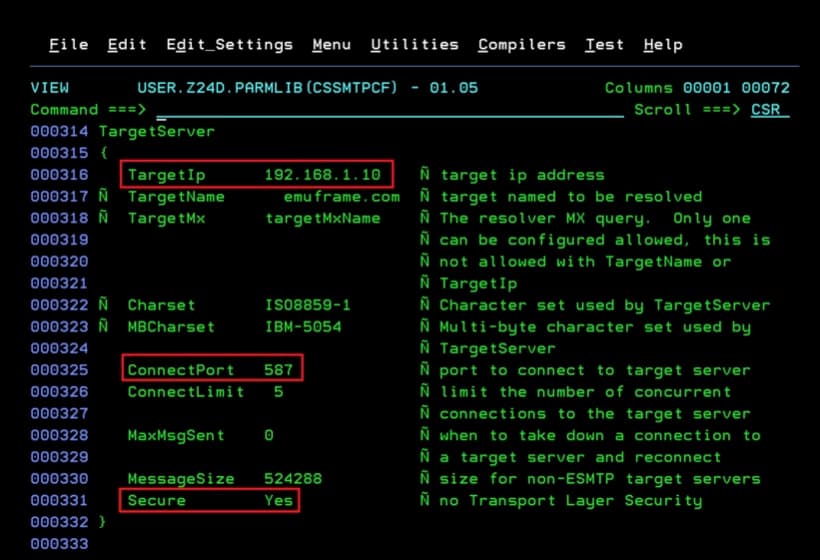
We change the CSSMTP configuration to indicate that it should use security and specify the new port.
- ConnectPort. In my case, 587.
- Secure. Yes
Start CSSMTP again (if it was running, stop it first).
We verify that it can connect to the mail server.
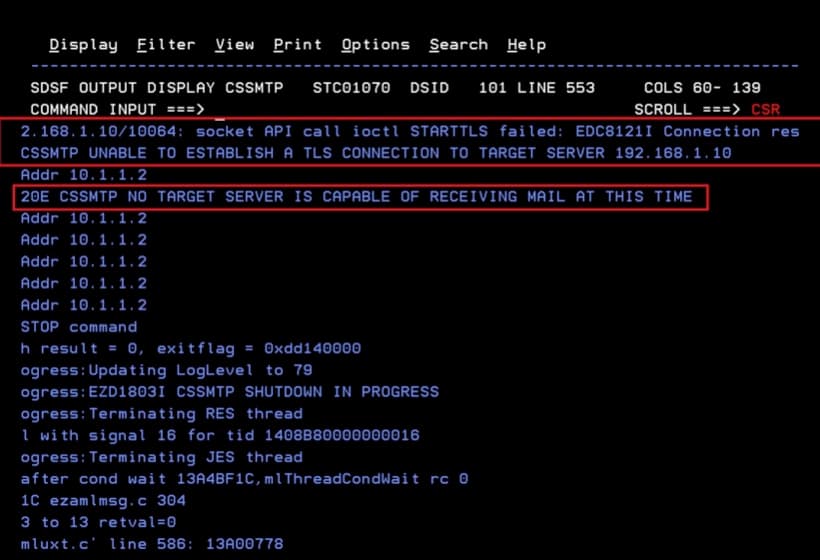
NOTE If there were any problem with the certificate, the RACF keyring, or the PAGENT policy configuration, a message like the following would appear:
Finally, we launch the email test job again and confirm that it arrives at the destination.